Delivery options for:

Payment options
One-time Payment
$0.00
Pay Monthly
${monthlyPrice}/mo
for {terms} mos ⊕σ
Pay in 4 Payments
${payin4Price}
every two weeks σπΩ
Akamai
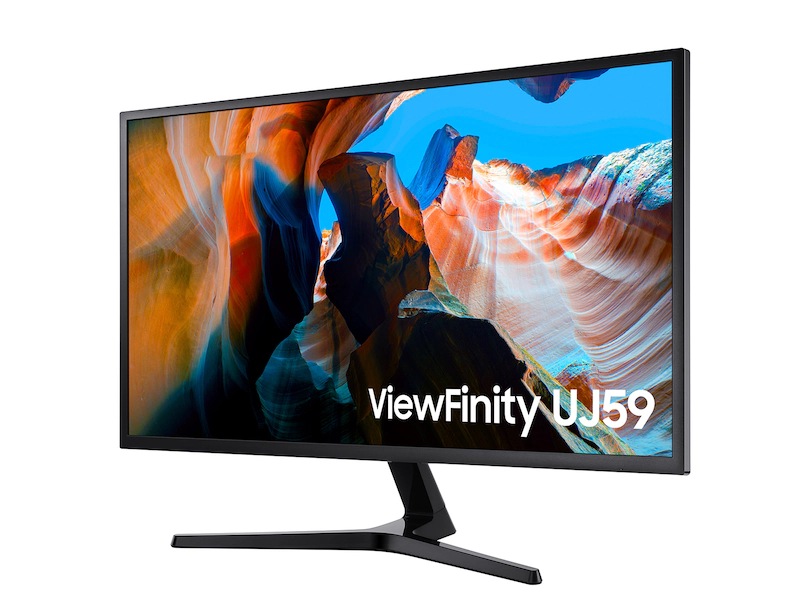
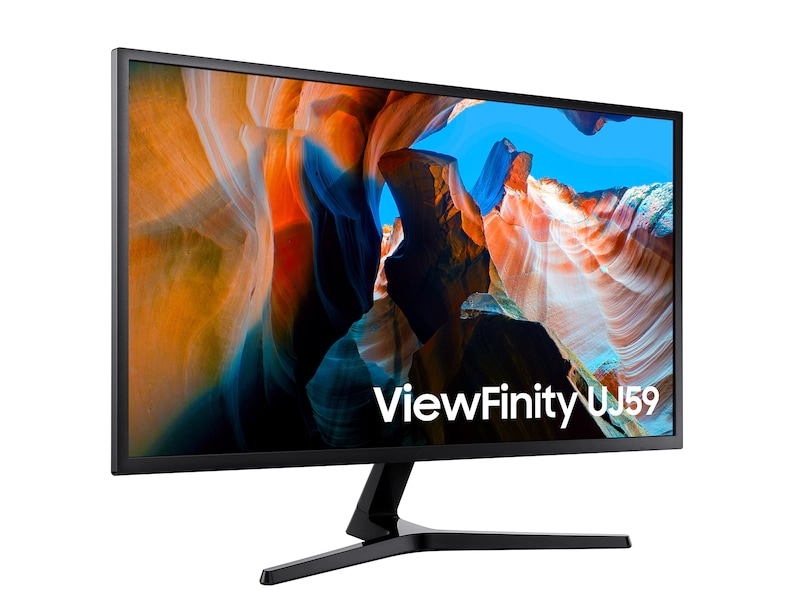
32 Inch ViewFinity UJ5904K | High Resolution | Monitor $339.99
LU32J590UQNXZA
Total
Add to cart
Game Mode
Game Mode
HDMI
HDMI
Reviews

32 Inch ViewFinity UJ590

4.2

Recommended by 45% of customers.

Features3.3
Performance3.5
Design3.2
Value4.3
AI review summary icon

AI review summary for 32 Inch ViewFinity UJ590

  • The product offers excellent picture quality, vibrant colors, and high 4K resolution, making it suitable for various uses like gaming, movies, and work.
  • Customers highlight the large screen size and ability to display multiple windows simultaneously, which is ideal for productivity and multitasking.
  • The monitor has a sleek, slim design and provides good value.
  • Some users have experienced issues with the picture quality, stand, connections, and occasional glitching or shutting off.
  • A few customers wished for additional features like built-in speakers.

AI-generated from customer ratings & reviews, and may include incentivized reviews.

171 Reviews
Filters (0)171 Reviews
  1. Wallee
    • Incentivized review
    5
    Color: Black
    Color: Black
    5

    The 32-inch Samsung ViewFinity UJ590 (U32J590) is a well-regarded, budget-friendly 4K monitor known for its sharp text and vivid images, making it great for productivity and casual use. It features deep blacks and good dark room performance thanks to its VA panel, along with AMD FreeSync and low input lag for smoother gaming. However, it comes with a basic, tilt-only stand, has a 60Hz refresh rate, a modest peak brightness, and lacks robust built-in speakers, which may not suit competitive online gaming.

    Helpful?
    Value
    5
  2. Nictron
    4
    Reviewed in the Johannesburg, South Africa
    Color: Black
    Color: Black
    4

    I am quite please with the Samsung UJ 59 32” UHD monitor as it is the right size to view 4K at 100% scaling with no pixilation in sight. The screens color reproduction is excellent and it had Freesync which I got to work with my GTX 1080 Ti. Most games with a little tweaking can run on High to Very High settings at 40 to 60 FPS. The fact that it has VESA is great. It has some Issues after driver updates where G-Sync compatibility failed even though it was enabled in all the menus. By following the sequence of removing...

    I recommended this product.
    Helpful?
    Value
    4
    Performance
    4
    Design
    4
    Features
    3
  3. Avid83
    2
    Reviewed in the Denver CO
    Color: Black
    Color: Black
    2

    The UJ590 image quality is good when it works. However, the power connector is a disaster. The power connection is at the rear oriented upside down, you connect it with an angled coaxial barrel type connector. The connection isn't tight either, it'll click but any slight movement will cause it to pop off. With time, the connector just comes out. If I start to notice flickering, I know the connector is coming loose. I resorted to taping it down, even that is temporary and have to fix it periodically. It's a shame it has this flaw, because the image quality is decent. If you are looking for a 32 UHD monitor, keep looking...

    Helpful?
    Value
    2
    Performance
    3
    Design
    1
    Features
    1
    Response from Samsung:

    OBA

    Avid83: Thank you for your review of the Samsung U32J590 monitor. I am sorry that you are experiencing issues with the power connector. I understand your disappointment and frustration. Please reach out to Samsung Customer Support so that we can provide troubleshooting or begin warranty service via 1) Phone: 1-800-SAMSUNG (ask for Monitors) Available 8AM - 12AM EST (Mon-Fri) / 9AM - 11PM EST (Sat-Sun) 2) LiveChat or Email: https://www.samsung.com/us/support/#contact_us_for_support 3) Facebook Messenger: http://m.me/samsungsupport 4) Twitter: https://twitter.com/messages/compose?recipient_id=18768513 The Samsung Members Community is also a great resource for getting help from Samsung moderators and customers: https://us.community.samsung.com/t5/Get-Help/ct-p/get-help Samsung stands behind the quality and performance of every product we manufacture, and we back Samsung monitors with a 1-year manufacturer's limited warranty, if purchased brand-new directly from any authorized seller. - Samsung Solutions

  4. bitty
    5
    Reviewed in the Dallas,TX
    Color: Black
    Color: Black
    5

    Problem: I experienced severe graphics lag while using my PC. Since this was my first time optimizing a system, I assumed the issue was mouse input lag and spent a lot of time troubleshooting in that direction. Eventually, I discovered the real problem: my monitor was running at a 30 Hz refresh rate without Freesync. This realization came after much frustration. I was even ready to replace the monitor, extremely frustrated. Solution: I found out from the Samsung U32J59X manual that HDMI input port 1 does not support Free...

    Helpful?
    Value
    5
    Performance
    5
    Design
    4
    Features
    5
  5. jchasr
    4
    Reviewed in the NJ
    Color: Black
    Color: Black
    4

    Loving how large and crisp the display is, however I was surprised to see that the monitor has the Samsung branding on the front-bottom bezel. I picked out this monitor because the pictures showed no branding anywhere on the front... a little bit misleading. Also another thing to note, there is no Display Port cable included in the box so if you use the included HDMI cable you're only getting 30Hz refresh rate.

    I recommended this product.
    Helpful?
    Value
    5
    Performance
    5
    Design
    4
    Features
    5
  6. M3TAL
    5
    Reviewed in the Chicago,IL
    Color: Black
    Color: Black
    5

    I bought mine at Best Buy on a sale i just happened to catch. This monitor will do 60hz on HDMI but only through HDMI port #2. Make sure you have at least a Geforce GTX 1060 6gb GDDR5 or equivalent. When you hook this monitor to your PC it will try to push HDR or UHD. I have to set most of my games to 1920 x 1080 for best frame rates until i upgrade my card and power supply. For the best use of this monitor i recommend using a Geforce GTX 1080 Ti and have at least 16gb of DDR4 RAM installed.

    I recommended this product.
    Helpful?
    Value
    5
    Performance
    5
    Design
    5
    Features
    5
  7. Losman79
    3
    Color: Black
    Color: Black
    3

    I've had this monitor for several years now and the one thing I hate is its ability to wake up. I have have to constantly unplug the power supply and replug in to get it back online.... When it's working its great, it's my multi purpose display for gaming and general work. It's time for this one monitor to go......

    Helpful?
  8. Shuntai
    • Incentivized review
    5
    Color: Black
    Color: Black
    5

    I use 2 monitors for Music production, high resolution is essential. The Vesa holes make it easy to configure depending on the type of mounts you have. I use an Ergotron which allows me to do vertical or horizontal and when I am done working, I can watch Movies in Ultra HD or play a game at high resolution. The versatility of these monitors makes them ideal for various multimedia setups.

    Helpful?