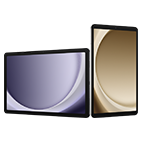
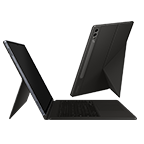
Product Features

Benefits
S PEN – The perfect creative tool at your fingertips.
The innovative S Pen re-writes the rulebook. Now you can create and produce things like never before. Express your creative side and bring your ideas to life. You can draw, sketch, design or produce slick documents on a much larger crystal clear screen.
DO MORE WITH MULTISCREEN – Super Efficient Multi-tasking.
Do more than ever before with two applications that open simultaneously. Move content effortlessly from one side of the screen to the other using the S-Pen as a pair of digital scissors. Eliminate switching back and forth between applications. You can even watch videos while checking your emails or browsing the web. This takes multi-tasking to a whole new level.
Expert Reviews
Samsung Galaxy Note 10.1 review
The Samsung Galaxy Note 10.1 is Samsung's best 10-inch tablet yet. It's propelled by a powerful quad-core chip and the S Pen stylus marks it out from the competition (so long as you have a use for it). While the underwhelming screen resolution and lack...

REVIEW: Samsung Galaxy Note 10.1 Android tablet
The gigantic Samsung Galaxy Note smartphone gets even bigger as it makes the transition into a full-blown tablet as the Samsung Galaxy Note 10.1. Can that fancy S Pen stylus shine now that it's got some more screen real estate to play about with, or is...

alaTest has collected and analysed 685 reviews from magazines and websites. Reviewers really like the design and value for money. The usability and responsiveness also get good feedback, whereas some have doubts about the features and storage.
Consumer Ratings & Reviews
- Overall
- Features
- Performance
- Design
- Value
‘‘I love it.’’
It is so capable. Come back to where you left off so easily. Lasts a day or 2 of use. Snote is enjoyable to use and help get things done, updates like premium suite , jelly bean up to 4.1.2 makes it f...
Shima on 2013-03-06
‘‘Best Thing I've Ever Bought!’’
Fantastic tablet, completely addictive, superb features and excellent performance!
TeamAndroid on 2013-02-26
‘‘Epic - simply amazing’’
As a clinician and an academic I spend my life drawing / emailing / note taking / presenting etc etc... this has made things so much easier. Lost a feature point because I'd like to have seen better s...
Southy on 2013-01-17
Like it? A lot? A little? Tell us.
If you own one of these we'd like to hear what you think of it.
Ask & Answer
98 Questions25 Answers
Question
can you make calls on the note 10.1 and use it like a phone
drew on 2012-09-25
Question
Yes, i use mine Samsung Galaxy Note 10.1 3G as a phone. Its great device.
martin on 2012-12-15
Question
After watching several demos I still cant change my handwriting to text in s note? There is no productivity icon on tool bar how do I get it?
Hreyno on 2012-10-01
Question
While you could do what I said before... Even better is. In keyboard typing mode, you might notice a button with 3 dots ...
stevef on 2013-04-25
Awards
Trusted Reviews 
Trusted Reviews
With its superb quad-core processor and 2GB of RAM, it's the most powerful Android tablet yet, while its stereo speakers mean it's the best-sounding. Its Wacom-based S Pen and tailored apps / interface make it an amazing creativity tool, and it comes with some great pre-installed software like Photoshop Touch.
IT Portal 
IT Portal
The Samsung Galaxy Note 10.1 can actually make your life easier. If you spend a lot of time in meetings, if you think in images, or you want to use your tablet as a home remote control, the Galaxy Note 10.1 has features that are perfect for you.

At Samsung, we are guided by strong values and ethical standards to ensure the highest quality in everything we do. As a company, we strive to help people live better lives.
Similar Products
Accessories
Need more Information?

Request information about Samsung business products, solutions and services. We will contact you shortly.
- Email Us: BusinessUK@samsung.com


UK / English