Gaming

Filters
Filters
FAQ
-
What is the best gaming monitor in Lebanon?The best Samsung gaming monitor in Lebanon depends on your gaming needs, preferred screen size, and budget. For competitive gaming, Samsung Odyssey monitors with high refresh rates, low response times, and adaptive sync technology deliver smoother gameplay and faster reactions. For immersive gaming, streaming, and content creation, Samsung QHD and 4K gaming monitors offer enhanced image quality, greater detail, and larger screen options.
When choosing the best Samsung gaming monitor, consider factors such as refresh rate, resolution, screen size, response time, and HDR support. A QHD gaming monitor with a 144Hz or higher refresh rate is often considered an excellent balance of performance and visual quality for most gamers. -
What is a gaming monitor, and can it be used for other purposes?A gaming monitor is a display designed to deliver smoother gameplay, faster response times, and improved visual performance compared to a standard monitor. Features such as high refresh rates, low response times, and adaptive sync technologies help reduce motion blur and screen tearing for a more responsive gaming experience.
Yes, gaming monitors can also be used for work, studying, content creation, streaming, and everyday entertainment. Many gaming monitors offer high-resolution displays, accurate colors, and large screen sizes, making them suitable for tasks such as graphic design, photo editing, video editing, and multitasking. As a result, a gaming monitor can serve as both a high-performance gaming display and a versatile monitor for everyday use. -
What should I look for when buying a gaming monitor?When buying a gaming monitor, consider key features such as refresh rate, response time, screen size, resolution, HDR support, and adaptive sync technologies. A higher refresh rate and lower response time can deliver smoother gameplay, while the right resolution and screen size help improve image quality and immersion.
For most gamers, a 27-inch QHD (1440p) monitor with a 144Hz or higher refresh rate offers an excellent balance of performance and visual quality. Competitive gamers may prefer 240Hz or higher refresh rates, while players focused on visual detail may choose a 4K gaming monitor. The best gaming monitor depends on the types of games you play, your gaming platform, and your budget. -
What is the best screen size for a gaming monitor?For most gamers, a 27-inch gaming monitor is considered the best screen size because it offers a balance between immersion, visibility, and performance. A 24-inch monitor is often preferred for competitive esports gaming, while a 32-inch or ultrawide monitor can provide a more immersive experience for racing, RPG, and open-world games.
The ideal screen size also depends on resolution. A 24-inch monitor works well with Full HD (1080p), a 27-inch monitor is commonly paired with QHD (1440p), and a 32-inch monitor is often best suited for 4K gaming. Choosing the right combination of screen size and resolution helps deliver sharper visuals and a more comfortable gaming experience. -
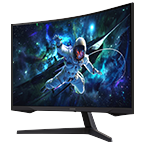
Are curved gaming monitors better than flat monitors?Curved gaming monitors can provide a more immersive viewing experience by matching the natural field of vision. They are particularly beneficial for ultrawide displays and simulation games, while flat monitors may be preferred for certain competitive gaming setups.
-
Is a 144Hz monitor good for gaming?Yes. A 144Hz gaming monitor is an excellent choice for most gamers because it delivers smoother motion and lower input lag than a standard 60Hz display. It offers an ideal balance between gaming performance and value for competitive and casual gaming.
-
Is QHD or 4K better for gaming?QHD (1440p) is often considered the best balance between image quality and gaming performance. 4K gaming delivers sharper visuals but typically requires more powerful hardware to maintain high frame rates.
-
How do you set up dual monitors for gaming?To set up dual monitors for gaming, make sure your graphics card supports multiple displays. Connect both monitors using compatible cables, such as HDMI or DisplayPort, then configure them in your operating system's display settings by selecting Extend or Duplicate display mode. Most gamers use Extend mode to play on one screen while using the second monitor for chat, streaming, web browsing, or monitoring system performance. If you prefer a single, seamless display, an ultrawide gaming monitor can provide a similar multitasking experience with less desk clutter.
* Key feature may different from Key Spec