How to check my warranty information
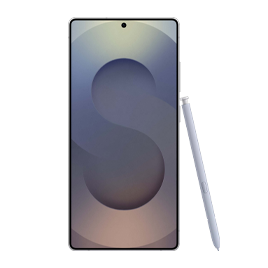
How to Check Samsung Galaxy Warranty Information
To check your Samsung Galaxy warranty information, log in to your Samsung account and navigate to the "My Products" section. Here, you can view the warranty status of registered devices or register new ones using their serial number or IMEI. This process helps you confirm coverage, repair eligibility, and service options for your Samsung Galaxy device.
1. How to Check Warranty Information Online
- Visit the Samsung website and go to the "My Page" section.
- Sign in with your Samsung account credentials to access your personal dashboard.
- Select "My Products" to view the list of registered devices linked to your account.
- Find your Samsung Galaxy device in the list and check the warranty status displayed next to it.
If your device is not registered, you'll need to register it first. Follow the steps below to complete the registration process.
2. How to Register Your Samsung Galaxy Device
- In the "My Products" section, click the "Register" button.
- Choose the option to enter your device's serial number or IMEI.
- Locate the serial number or IMEI on your device (usually found on the box, in settings, or under the battery).
- Enter the number and click "Check" to verify and register your device.
After successful registration, your warranty information will be displayed alongside your product details.
3. Additional Things to Check
- Ensure your device's serial number or IMEI is entered correctly. Incorrect numbers may prevent registration.
- Verify that your Samsung account is up-to-date with the correct email address and contact information.
- If you purchased your device from an authorized retailer, warranty coverage typically starts from the purchase date. Keep your receipt for verification purposes.
4. Supported Samsung Galaxy Devices
Warranty checks are available for most Samsung Galaxy devices, including:
- Galaxy S24, S25, and S26 series smartphones
- Galaxy Z Fold and Galaxy Z Flip foldable devices
- Galaxy A series smartphones
- Tablets, wearables, and accessories sold under the Samsung brand
5. Why the Issue Happens
Common reasons why warranty information may not display include:
- The device has not been registered in your Samsung account.
- The serial number or IMEI entered during registration is incorrect.
- The warranty period has expired, and no active coverage is available.
6. When Updates May Not Appear
Warranty information might not update immediately after registration due to system processing delays. Allow up to 24 hours for the details to reflect in your account. If the issue persists, contact Samsung support for assistance.
7. Related Samsung Support Topics
Thank you for your feedback!
Please answer all questions.