How to check the memory
Last Update date : Apr 21. 2022
[Overview]
You can check Memory status in My files and Memory settings.
[Solution]
To check Memory status, follow the steps below:
1. From Idle mode, select ‘Menu.’
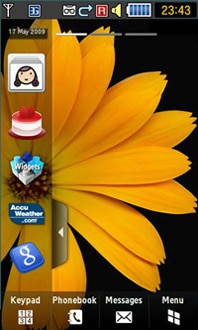
2. Select ‘My files’ menu.
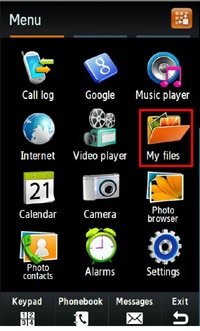
3. Select ‘Memory status.’
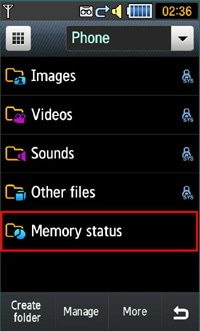
4. Check the available size in phone and external memory.
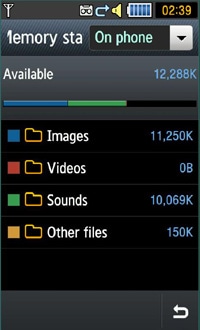
5. User can also access Memory status through ‘Settings’ menu.


[Verification]
User can check the size of the memory from ‘Memory status’ in ‘My files’ menu or ‘Memory settings’.
Thank you for your feedback!
Please answer all questions.