How to use Live translate for phone calls with Galaxy AI
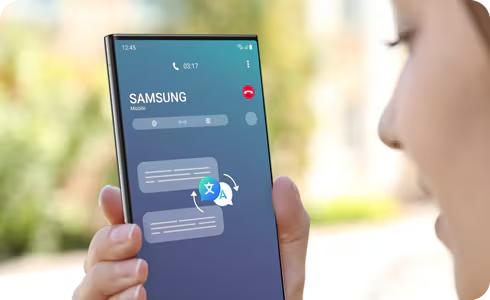
How to use Live Translate for phone calls with Samsung Galaxy AI
Live Translate on Samsung Galaxy devices allows real-time translation during phone calls, making multilingual conversations effortless. This feature works across various apps and supports multiple languages, enhancing communication for users worldwide.
1. What is Live Translate on Samsung Galaxy devices?
Live Translate is an AI-powered feature that translates phone calls in real-time directly on your Samsung Galaxy device. It supports multiple languages and works across various communication apps, providing a seamless translation experience during calls.
2. How to enable Live Translate on your Samsung Galaxy device
To use Live Translate, you need to enable the feature in your device's settings. Follow these steps:
- Open the Settings app on your Samsung Galaxy device.
- Scroll down and tap on Advanced Features.
- Select Accessibility.
- Tap on Live Translate.
- Toggle the switch to turn on Live Translate.
- Ensure you are connected to a network and logged into your Samsung account.
3. How to use Live Translate during a phone call
Once Live Translate is enabled, you can use it during phone calls. Here's how:
- Start a call using a supported app (e.g., Google Meet, WhatsApp, Signal).
- During the call, tap the Live Translate icon on your screen.
- Select the languages for both parties involved in the call.
- Choose voice presets for each participant if desired.
- Enable the Mute Voice option to block the original audio and hear only the translated speech.
4. Supported apps and languages for Live Translate
Live Translate is compatible with various communication apps, including:
- Google Meet, Signal, WeChat, KakaoTalk, Facebook Messenger, Instagram, LINE, WhatsApp, Telegram.
Supported languages include:
- Arabic, Bahasa Indonesia, Chinese Simplified, Chinese Traditional (Hong Kong, Taiwan), Dutch, English (Australia, India, United Kingdom, United States), French (Canada, France), German, Hindi, Italian, Japanese, Korean, Polish, Portuguese (Brazil, Portugal), Romanian, Russian (Russian Federation), Spanish (Mexico, Spain, United States), Swedish, Thai, Turkish, Vietnamese.
Note: Some languages require downloading a language pack. Supported apps and languages may change in future updates.
5. Additional things to check
Ensure the following for optimal Live Translate performance:
- Your device runs One UI 6.1.1 or later and is part of the Tab S9 or newer models (excluding Wi-Fi-only versions).
- Translation quality may vary depending on network conditions and language complexity.
6. Why Live Translate may not work
Live Translate might not function correctly due to:
- An unsupported app or device model.
- Missing language packs or outdated software.
- Network connectivity issues during the call.
7. Supported Samsung Galaxy devices
Live Translate is available on:
Galaxy Tab S9 and later models running One UI 6.1.1 or later (excluding Wi-Fi-only versions).
8. Related Samsung support topics
Thank you for your feedback!
Please answer all questions.