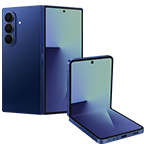
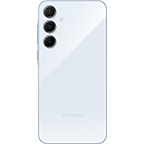
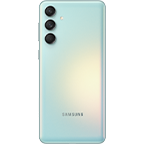
Register your interest below in the new Galaxy devices stay tuned to know all about the new Galaxy.

Galaxy AI

Ring in the next era of mobile AI with an AI companion that's one step ahead of your every need.

Gemini Live

Speak naturally to Gemini get real-time answers. You can point your camera at something, upload an image, or ask for ideas and advice on the spot. It's conversation meets innovation.

Audio Eraser

A cleaner sound, every time. Eliminate distractions in your audio recordings. Choose from five sound profiles including voice, crowd, music, wind, and nature. Your voice stays clear and focused.

Generative Edit

Retouch. Restyle. Reimagine. Move objects, erase unwanted elements, or rework your image entirely. You can even pick up where you left off across different devices.

Now Bar

No need to unlock your phone or swipe through apps. Get instant access to your workout stats, music controls, live notifications, and more right from your screen.

Circle to Search with Google

Found something on your screen you want to know more about? Just circle it! Whether it’s a photo, a product, or a song, Galaxy finds it instantly. No typing required.

Veo3

Veo3

Create cinematic videos effortlessly. Turn prompts and clips into standout content right from your phone and break free from boring edits.

It's so easy to switch to Galaxy

Frequently Asked Questions

There are two key events for Samsung's new Galaxy smartphones phones and Galaxy Buds, Unpacked and launch, which follow the schedule below.

• The livestream of the Galaxy Unpacked event will be on February 25, 2026 at [08:00 PM]. It's available for anyone to watch on Samsung.com, and you will be among the first to see the latest Galaxy mobile devices joining the Galaxy ecosystem.

• The official release date of the new Samsung models will be announced during the event.

• If you register for the upcoming Unpacked event, you'll receive an invitation to the livestream as well as future Samsung events.

• The registration period starts on February 11, 2026 and lasts until February 25, 2026. Participation will not be possible after the Unpacked event. so make sure to apply in time!

  • *Offer details may vary by country.
  • *Notifications will only be sent to users who have first agreed to the Samsung Privacy Policy.

The new Galaxy smartphones are the next generation of our high-performing S Series smartphones, with hardware innovation and optimized software to be our most impressive smartphones yet. More will be revealed during Galaxy Unpacked!

Make sure to register for the Unpacked event so you don't miss out.

  • *Offer details may vary by country.
  • *Notifications will only be sent to users who have first agreed to the Samsung Privacy Policy.

The Galaxy AI experience on the new One UI will feel smarter, more personalized and more seamless.

• Galaxy AI offers a personal AI experience, with a set of new AI features that are easy to use, giving you assistant-like support that helps streamline your days.

• The new One UI is designed to center your convenience with a deeply integrated AP platform. With smarter experiences that cater and adapt to your needs as time goes on, you'll enjoy greater productivity, easier communication and more ways to express yourself creatively.

• Register for Galaxy Unpacked to be among the first to experience the new Galaxy AI.

It's simple to switch to Galaxy, even if you're on iOS or another Android phone, and it's possible in just a few simple steps, designed by Samsung for a smooth process.

• When you get ready to switch phones, use our Smart Switch app to transfer your data wirelessly. Move photos, contacts, apps and more from your old device in one go.

*Wired transfers from Android™ devices require the receiving device to have Android™ 5.0 or later and the sending device to have Android 5.0™ or later. Transfers can be completed without a cable through a wireless connection. For wireless connections, the receiving device must have Android™ 5.0 or later and the sending device must have Android™ 5.0 or later. Open Smart Switch Mobile in “Settings” on the receiving Galaxy device or download the Smart Switch Mobile app from the Galaxy Store. Data, content and apps available for transfer may vary by transmission method.
*Wired transfers from iOS require the receiving device to have Android™5.0 or later and the sending device to have iOS 5 or later. Transfers can be completed without a cable through a wireless connection or iCloud. For wireless connections, the receiving device must have Android™ 5.0 or later and the sending device must have iOS 12 or later. iCloud transfers require the receiving device to have Android™ 5.0 or later and the sending device to have iOS 5 or later. Open Smart Switch Mobile in “Settings” on the receiving Galaxy device or download the Smart Switch Mobile app from the Galaxy Store. For wireless transfers, download Smart Switch for iOS from the App Store on your iPhone or iPad. Data, content and apps available for transfer may vary by transmission method. Contacts, gallery, videos, calendars and reminders can be transferred wirelessly from an iOS device.
*It is recommended to use a wired connection when transferring diverse sets of data at once.

In the event that you don't immediately receive a text confirming your registration for Galaxy Unpacked for the newest Galaxy S Series and Galaxy Buds, there are steps you can take to check if your registration was completed successfully.

• Please check the following:
1. Check email: Most notifications are sent first via email. Also check spam/promotions folders.
2. Check My Page: Log in to Samsung.com → [My Page] → Event participation history to verify application status.
3. Re-registration is possible: Multiple applications cause no issues; if your number is already registered, a message will inform you accordingly.

*Notifications will only be sent to users who have first agreed to the Samsung Privacy Policy.


  • 1. Wired transfers from Android™ devices require the receiving device to have Android™ 4.3 or later and the sending device to have Android 4.3™ or later. Transfers can also be completed without a cable through a wireless connection. For wireless connections, the receiving device must have Android™ 4.0 or later and the sending device must have Android™ 4.0 or later. Open Smart Switch Mobile in “Settings” on the receiving Galaxy device or download the Smart Switch Mobile app from the Galaxy Store. Data, content and apps available for transfer may vary by transmission method.

  • 2. Wired transfers from iOS require the receiving device to have Android™ 4.3 or later and the sending device to have iOS 5 or later. Transfers can also be completed without a cable through a wireless connection or iCloud. For wireless connections, the receiving device must have Android™ 4.0 or later and the sending device must have iOS 12 or later. iCloud transfers require the receiving device to have Android™ 4.0 or later and the sending device to have iOS 5 or later. Open Smart Switch Mobile in “Settings” on the receiving Galaxy device or download the Smart Switch Mobile app from the Galaxy Store. For wireless transfers, download Smart Switch for iOS from the App Store on your iPhone or iPad. Data, content and apps available for transfer may vary by transmission method. Contacts, gallery, videos, calendars and reminders can be transferred wirelessly from an iOS device.

  • 3. When moving numerous data sets simultaneously with Smart Switch, it is recommended to use a wired connection for maximum efficiency.