如何連接和使用無線One Connect

最後更新日期 : 2026年1月7日

重要提醒:此頁面的資訊只適用於香港產品。產品型號、畫面序列或設定會根據您所在地區及/或購買產品的地區而不同。請按此跳轉至您所在地區的服務支援頁面。
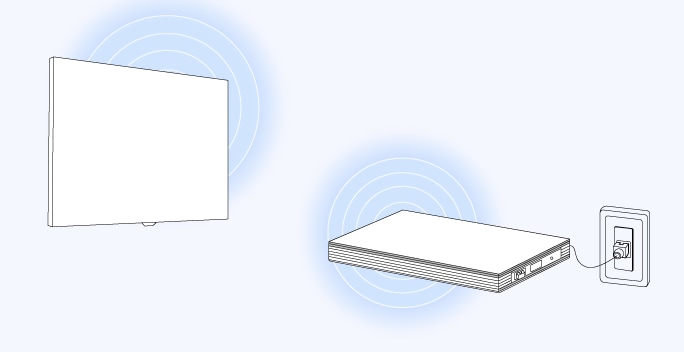
無線 One Connect 讓您可以捨棄連接各裝置與電視之間的電線,使您的電視區域保持整潔。現在您只須將 HDMI 來源等外部設備連接到無線 One Connect Box,One Connect Box會通過無線方式與電視進行連接。

無線 One Connect 可將外部設備的視頻和音頻信號通過無線方式傳輸到您的電視上。您可以在房間內自由決定 One Connect Box 的位置,並連接遊戲機、藍光播放器和機頂盒等設備。為取得最佳連接效果,建議電視和 One Connect Box 的距離不要超過 10 米,連接表現可能會因混凝土牆壁或金屬傢俱等障礙物而有所變化。

使用無線 One Connect前的注意事項:

  • 無線 One Connect 與 Samsung QN990FW 及 LS03FW 電視型號相容。
  • 無線 One Connect 必須使用隨附的 Type C 變壓器和電線供電。
  • 請將One Connect Box 放置在與電視相同的房間內,並避免放置在封閉的櫃子裡。
  • USB 鏡頭(分開發售)必須直接連接到電視後部的 USB-C 接口。

請參考以下步驟以連接您的 Samsung 無線 One Connect 至您的電視。

步驟 1:請將無線 One Connect Box 放置在與電視相同的房間內,並保持距離在 10 米以內。盡量避免兩者之間存在可能削弱信號的障礙物。

TV and Samsung Wireless One Connect within 10m range, with warning signs for concrete wall and metal furniture.

步驟 2: 使用隨附的變壓器和電線,將電源線連接至電視和無線 One Connect。

Samsung power cables and adapter.

步驟 3: LED 指示燈為閃爍的藍色信號時,表示正在處於配對模式。如果設備未自動進入配對模式,請按住配對按鈕約 3 秒鐘,以將無線 One Connect 連接到您的電視。
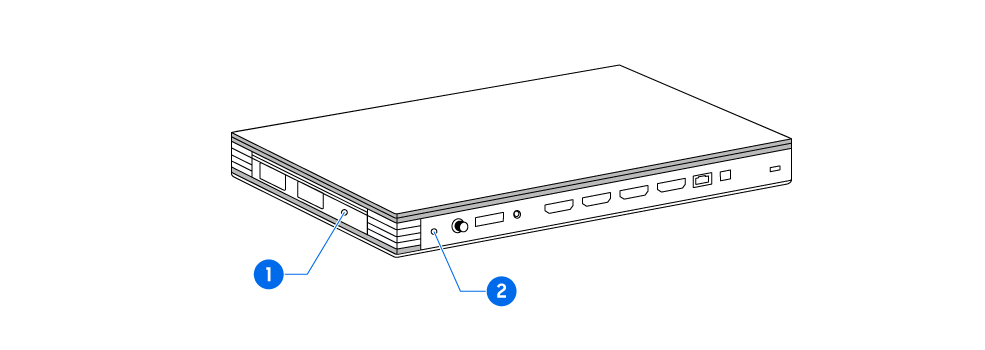
Location of LED indicator and Pair button on the Wireless One Connect.

(1) LED 指示燈: 顯示運作情況

(2) 配對按鈕: 用以配對電視與無線One Connect

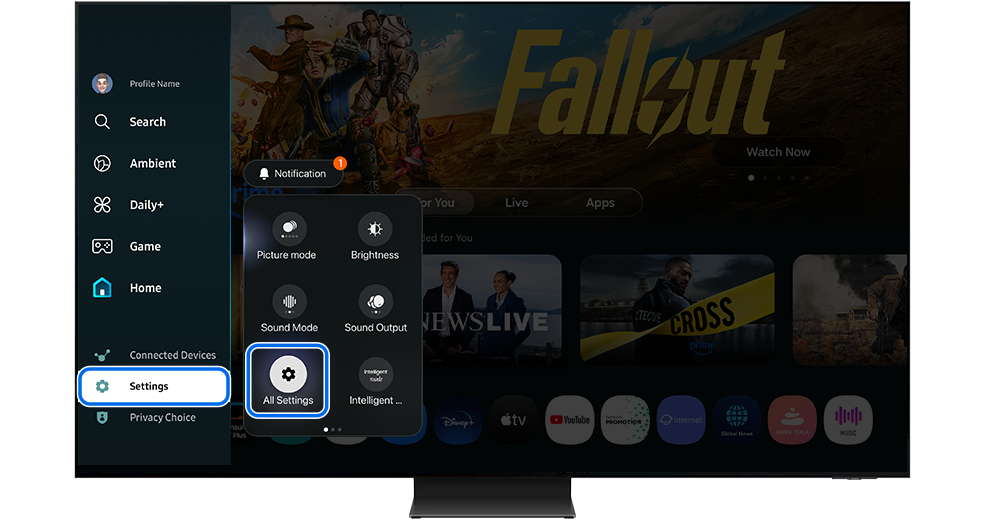
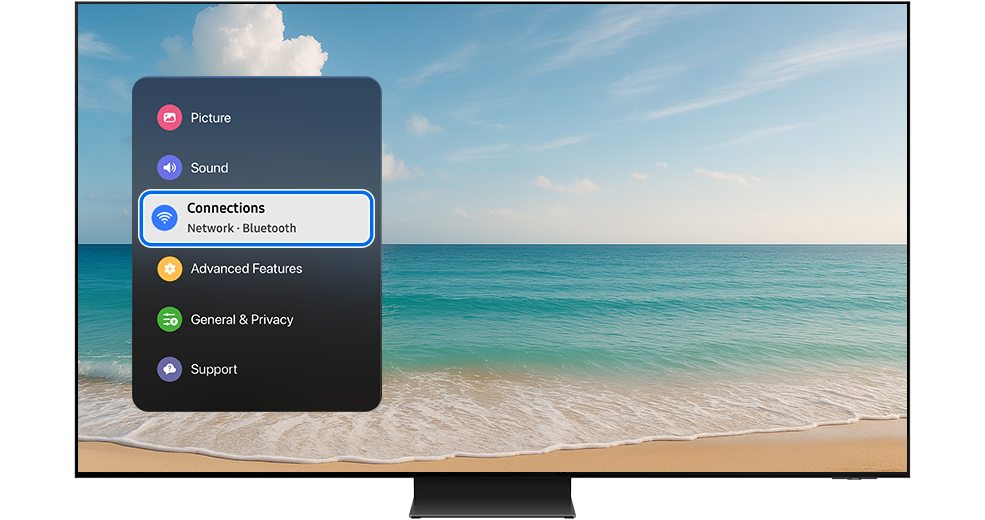
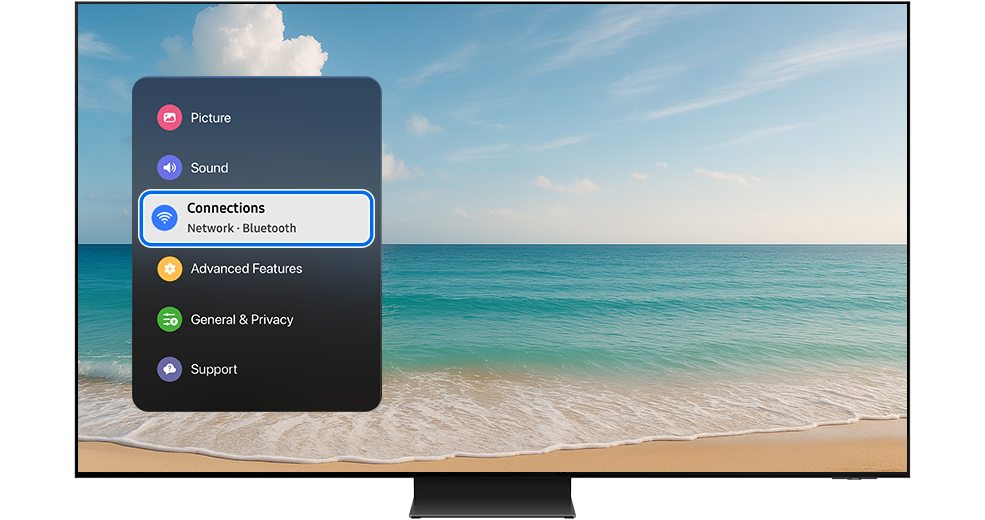
步驟 4: 在電視上前往「主頁」(Home) > 「設定」(Settings) > 「所有設定」(All Settings) > 「連線」(Connections)
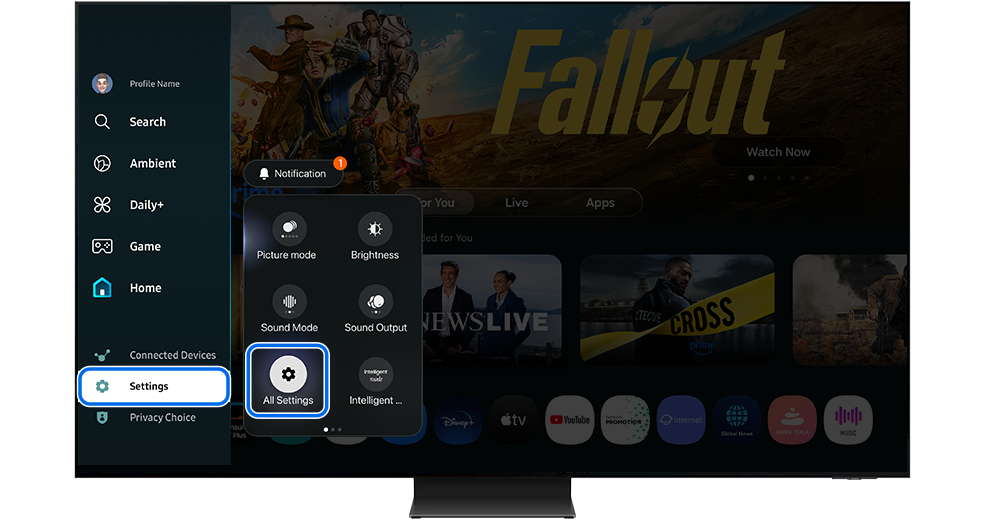
TV Settings menu with All Settings highlighted. TV Settings menu with All Settings highlighted.
TV menu with Connections button highlighted. TV menu with Connections button highlighted.

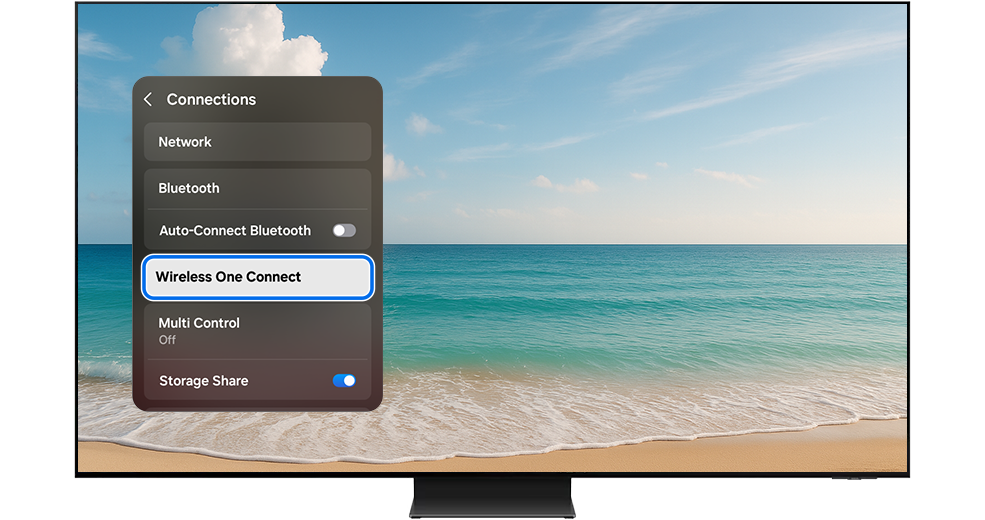
步驟 5: 選擇「無線 One Connect」(Wireless One Connect) > 「設定無線 One Connect」(Set up Wireless One Connect)
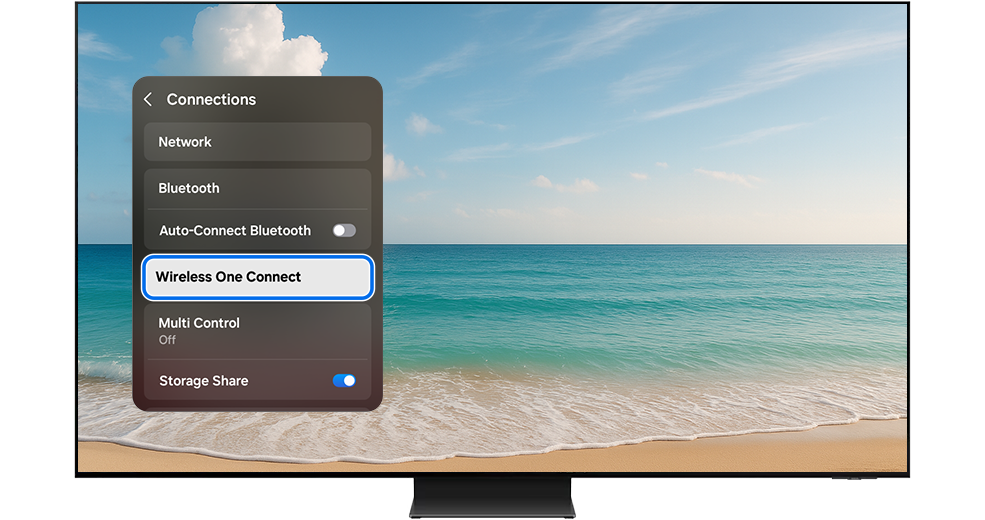
TV menu with Wireless One Connect button highlighted. TV menu with Wireless One Connect button highlighted.
TV menu with Set up Wireless One Connect button highlighted. TV menu with Set up Wireless One Connect button highlighted.

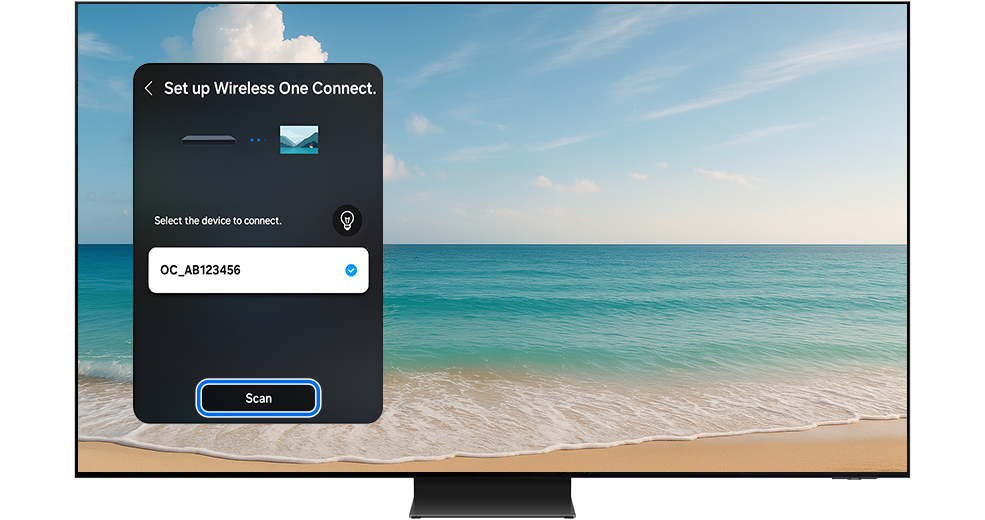
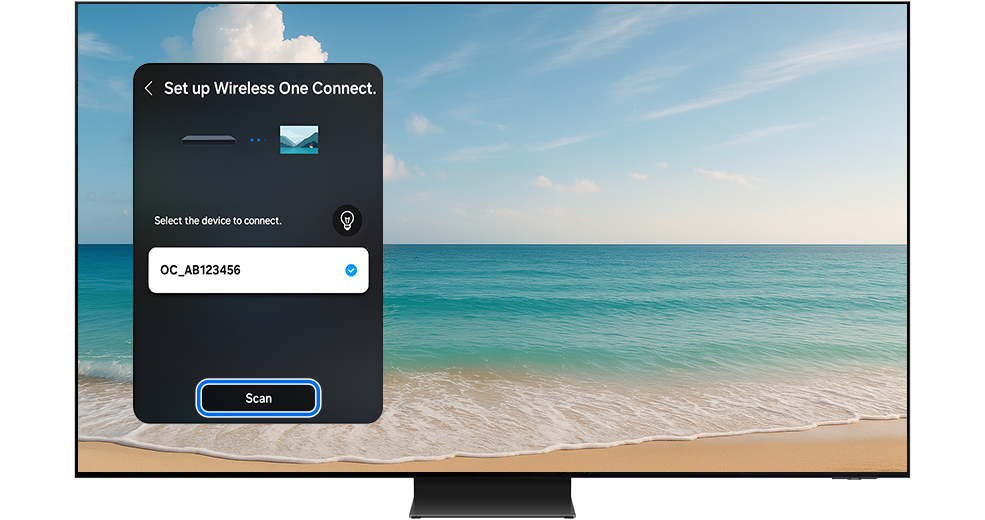
步驟 6: 選擇要連接的裝置 >「掃瞄」(Scan)

Scan button highlighted in the Set up Wireless One Connect menu. Scan button highlighted in the Set up Wireless One Connect menu.
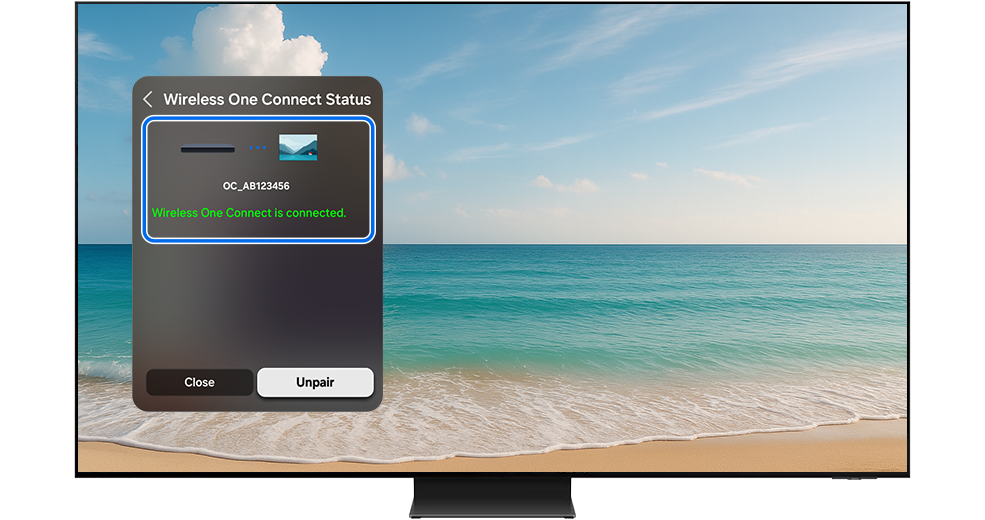
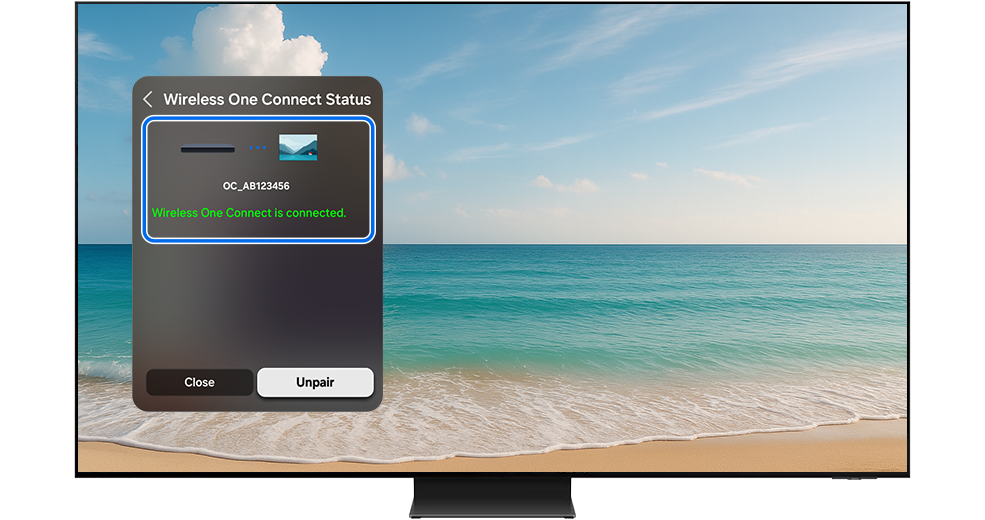
The Wireless One Connect Status menu with message “Wireless One Connect is connected” Is highlighted. The Wireless One Connect Status menu with message “Wireless One Connect is connected” Is highlighted.

步驟 7: 配對完成後,便可以將外置設備(例如天線、HDMI來源等等)連接至無線 One Connect

若要設定無線 One Connect,在電視上前往「主頁」(Home) > 「設定」(Settings) > 「所有設定」(All Settings) >

連線」(Connections) >「無線 One Connect」(Wireless One Connect」。 

了解更多設定選單:

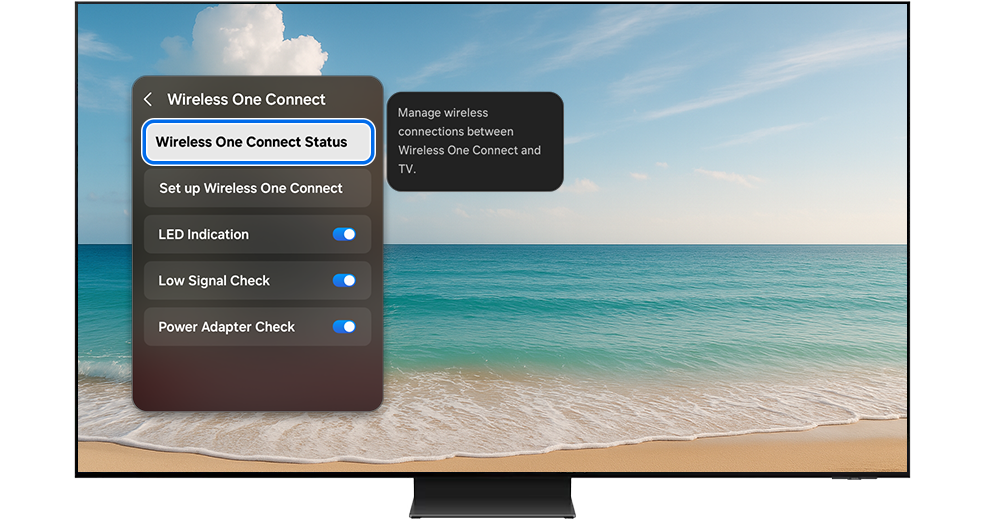
無線 One Connect 狀態
(Wireless One Connect Status)


管理無線 One Connect 與電視之間的無線連接。

檢查連線狀態或解除裝置配對。
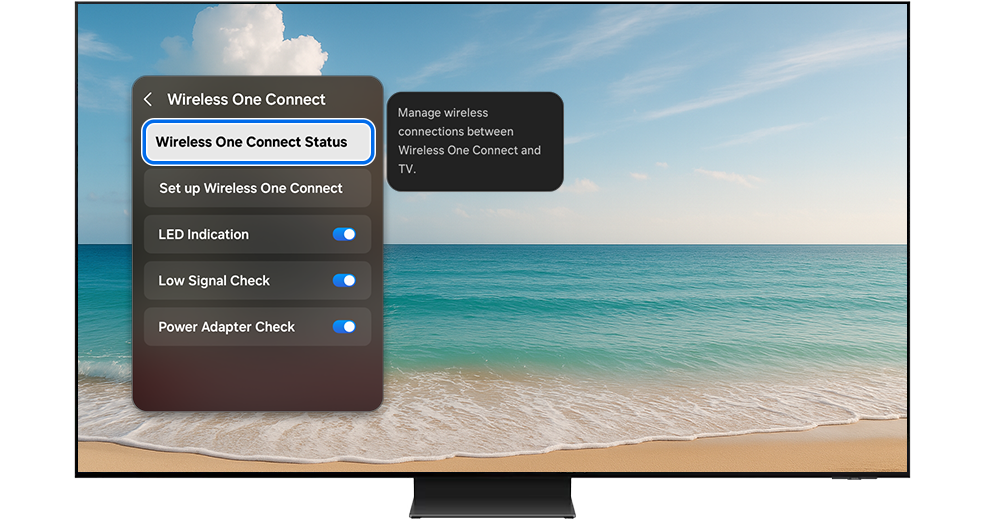
Wireless One Connect Status menu highlighted on the TV screen. Wireless One Connect Status menu highlighted on the TV screen.

設定無線 One Connect
(Set up Wireless One Connect)


建立與無線 One Connect的連接。

Set up Wireless One Connect menu highlighted on the TV screen. Set up Wireless One Connect menu highlighted on the TV screen.

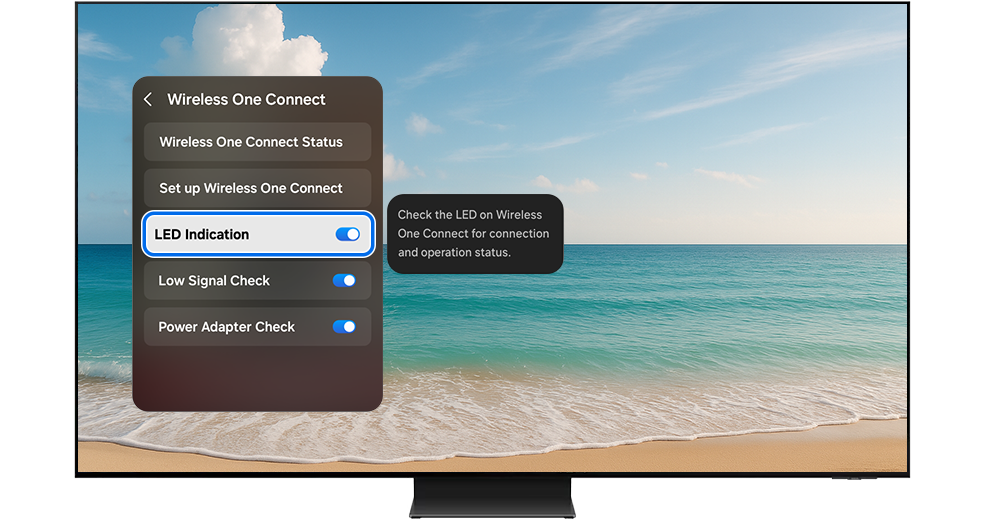
LED 指示器
(LED Indication)


透過LED指示燈檢查運作情況。你可以選擇關閉此功能。
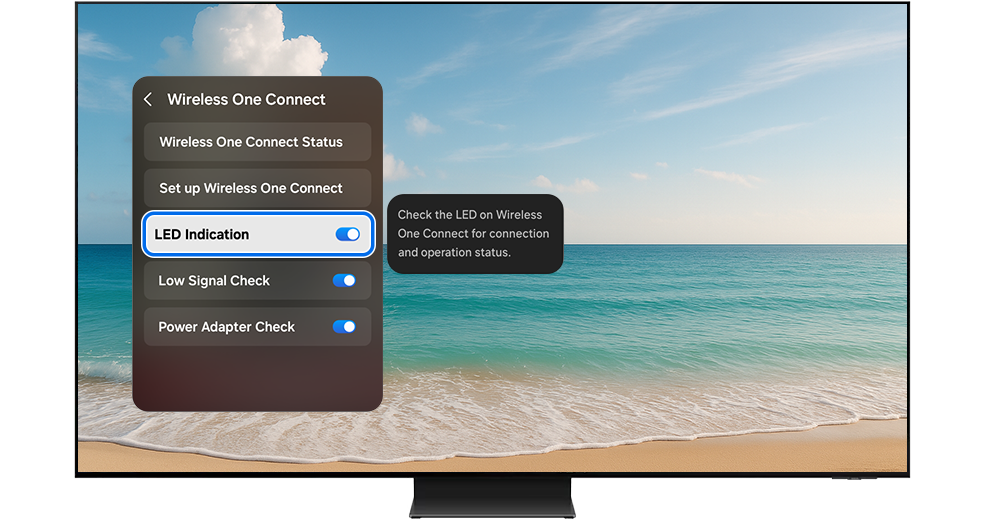
LED Indication menu highlighted on the TV screen. LED Indication menu highlighted on the TV screen.

信號變弱檢查
(Low Signal Check)


如果無線 One Connect 與電視之間的信號變弱,您將收到警示。您可以嘗試調整無線 One Connect 的位置以恢復連接。一旦信號改善,連接將自動恢復。如果關閉此功能,您將不會收到警示。

Low Signal Check menu highlighted on the TV screen. Low Signal Check menu highlighted on the TV screen.

變壓器檢查
(Power Adapter Check)


如果連接了非專用變壓器,將會收到警示。若關閉此功能,將不會收到警示。

Power Adapter Check menu highlighted on the TV screen. Power Adapter Check menu highlighted on the TV screen.

您可以透過檢查LED指示器確認無線 One Connect 是否正常運作以及連接是否穩定。

1. 檢查連線狀態

檢查無線 One Connect 的電源線是否正確連接。檢查 LED 指示燈。如果信號弱,請調整 One Connect Box 的位置。

2. 透過LED指示器檢查連接強弱

藍色: 良好 – 表示連接強 。

黃色: 不良 – 表示連接弱,請調整無線 One Connect 的位置。

紅色: 非常差 – 表示連接極差,請重新調整無線 One Connect 的位置或重新連接無線 One Connect。

白色: 節能模式 – 電視屏幕啟動後將自動重新連接。

Four LED indicator lights displayed—blue, yellow, red, and white. Four LED indicator lights displayed—blue, yellow, red, and white.

透過自我診斷功能,您可以檢查電源狀態並確認無線 One Connect 是否正常運作。請按照以下步驟操作:

步驟 1: 請在電視上前往「主頁」(Home) > 「設定」(Settings) > 「所有設定」(All Settings) > 「支援」(Support) 

All Settings menu highlighted on the TV screen. All Settings menu highlighted on the TV screen.
Support menu highlighted on the TV screen. Support menu highlighted on the TV screen.

步驟 2: 前往「裝置維護」 (Device Care) > 「自我診斷」(Self Diagnosis)

Device Care menu highlighted on the TV screen. Device Care menu highlighted on the TV screen.
Self Diagnosis menu highlighted on the Device Care page. Self Diagnosis menu highlighted on the Device Care page.

步驟 3: 選擇「無線 One Connect」(Wireless One Connect)

Wireless One Connect icon highlighted on the Self Diagnosis page. Wireless One Connect icon highlighted on the Self Diagnosis page.
Close button highlighted on the Wireless One Connect Test page. Close button highlighted on the Wireless One Connect Test page.

如果自我診斷偵測到問題,您將可能遇到以下三種情況:

情況一

無法偵測到 Wi-Fi 信號。請聯絡Samsung客戶服務中心取得支援。

Issue page displayed on the Wireless One Connect Test screen. Wi-Fi is not detected. Issue page displayed on the Wireless One Connect Test screen. Wi-Fi is not detected.

情況二

無法偵測到無線 One Connect 。請檢查電源連接並調整位置。確保電視和無線 One Connect 之間沒有障礙物。

Issue page displayed on the Wireless One Connect Test screen. Wireless One Connect is not detected. Issue page displayed on the Wireless One Connect Test screen. Wireless One Connect is not detected.

情況三

無線 One Connect 未與電視配對。請按照疑難排解部分的步驟解除並重新配對設備。

Issue page displayed on the Wireless One Connect Test screen. Wireless One Connect is not paired with the TV. Issue page displayed on the Wireless One Connect Test screen. Wireless One Connect is not paired with the TV.

按照以下步驟解決常見問題:

當觀看外部輸入的畫面(廣播、機頂盒、遊戲機等)時,

出現「無線 One Connect 已斷線」(Wireless One Connect is disconnected.) 訊息:

  • 確保無線 One Connect 已開機。
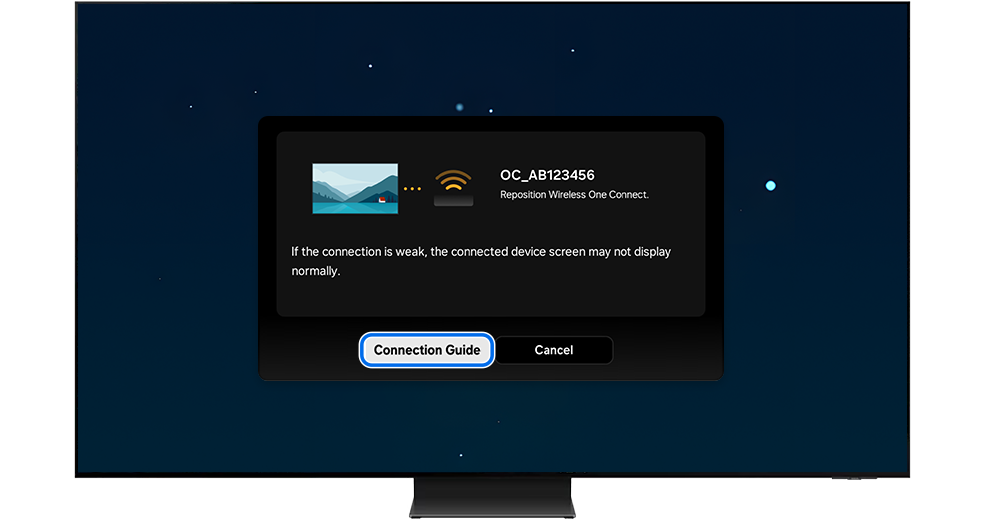
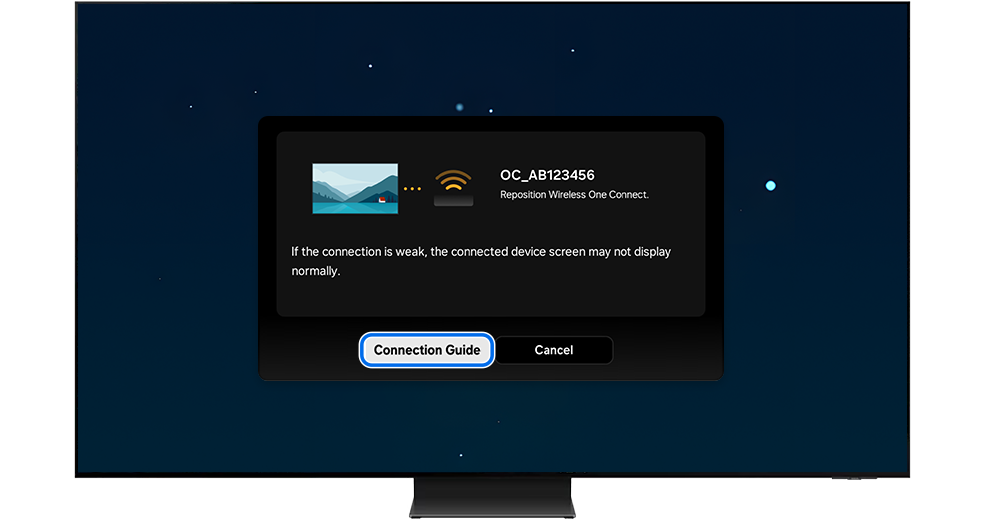
  • 如果電源開啟但連接中斷,請在電視上選擇「調整」(Adjust),並調整無線 One Connect Box 的位置,直到 LED 指示燈變為藍色。
  • 一旦信號變強,連接將自動恢復。
TV screen displays Wireless One Connect disconnected message with Adjust button highlighted. TV screen displays Wireless One Connect disconnected message with Adjust button highlighted.
Connection Guide button highlighted on the pop-up window. Connection Guide button highlighted on the pop-up window.

如果調整後無線 One Connect 未自動重新連接,請解除並重新配對無線 One Connect。

  • 若要解除配對:在電視上前往「首頁」(Home) >「設定」(Settings) >「所有設定」(All Settings) >
    連接」(Connections) >「無線 One Connect」(Wireless One Connect) >
    無線 One Connect 狀態」(Wireless One Connect Status),然後選擇「解除配對」(Unpair)。
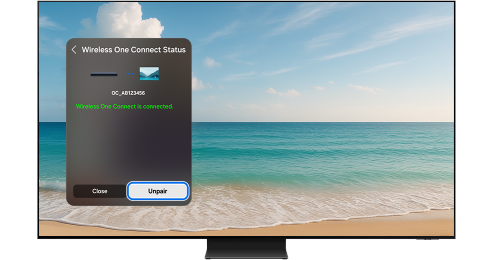
Unpair button highlighted on the TV screen.
  • 按照上述 如何連接無線 One Connect 的步驟重新連接

提示:部分功能可能根據電視型號或所在地區而無法支援。

提示:

  • 如果你使用Samsung Smart TV時遇到困難,請檢查可用的軟件更新。
  • 螢幕截圖可能會根據電視型號及軟件版本而不同。

如果以上資訊與您產品展示的畫面不符,可按此查看相應產品的使用者指南。如果您的問題仍然無法解決,請聯絡我們以獲取進一步的支援。

感謝您提供意見讓我們了解您的需要

RC01_Static Content : This text is only displayed on the editor page