如何在三星智能電視和智能顯示器的 YouTube 上使用語音指令
最後更新日期 : 2026年1月12日
重要提醒:此頁面的資訊只適用於香港產品。產品型號、畫面序列或設定會根據您所在地區及/或購買產品的地區而不同。請按此跳轉至您所在地區的服務支援頁面。
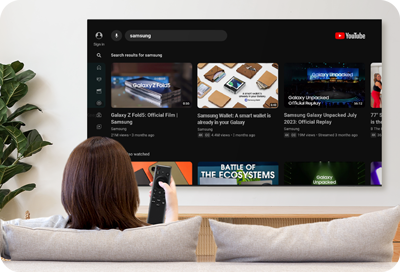
您可以在三星智能電視和智能顯示器上的 YouTube 應用程式使用語音指令!不用打字,即可使用語音搜尋影片。跟隨以下步驟,了解如何在 YouTube 上使用語音指令。
請注意:只適用於 2023 年或更新的智能電視和智能顯示器型號,以及新一代 The Freestyle。
在 YouTube 應用程式上使用語音輸入
![Someone is using a Samsung remote to search for content to watch on a Samsung TV]()
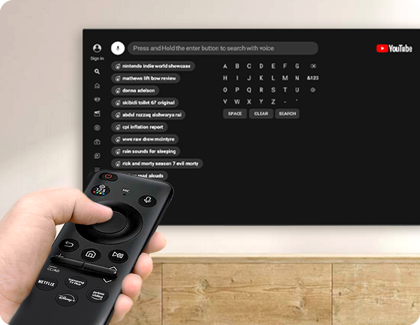
請注意:初次使用時,將有提示要求您允許 YouTube 應用程式使用麥克風的權限。
1
打開三星智能電視或智能顯示器上的 YouTube 應用程式。
![The Youtube app is highlighted in the Smart Hub of a Samsung Smart TV]()

2
點擊左側的搜索圖示。
![A Samsung TV and a Samsung remote are next to each other, with Search and the Select button of the remote highlighted]()

3
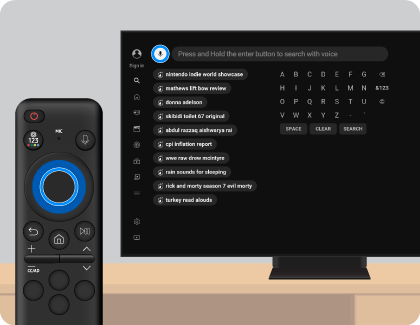
點擊麥克風圖示,並長按遙控器上的選擇按鈕,說出您需要搜尋的關鍵字。
![A Samsung TV and a Samsung remote are next to each other, with the Microphone icon and the Select button of the remote highlighted]()
4
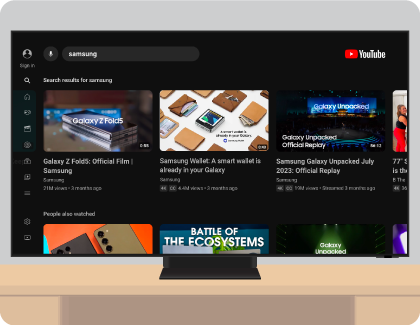
螢幕會顯示搜尋結果。您可以使用遙控器來瀏覽結果。
![A Samsung TV displaying search results on the screen]()
感謝您提供意見讓我們了解您的需要
請回答所有問題。
RC01_Static Content : This text is only displayed on the editor page