Troubleshooting speaker and sound issues on a Samsung Galaxy device
There are several ways to troubleshoot sound issues if the speakers on your Samsung Galaxy device do not seem to be working properly. The issue could be caused by a software problem, physical damage or blockages, external device connections, or device settings
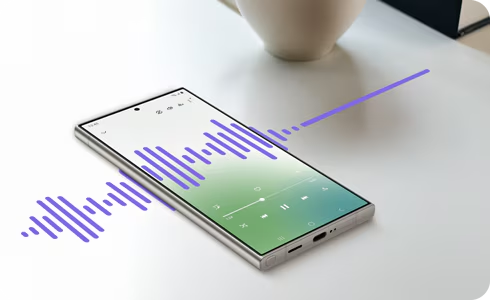
Step 1. Open the Phone app.
Step 2. Dial *#0*#.
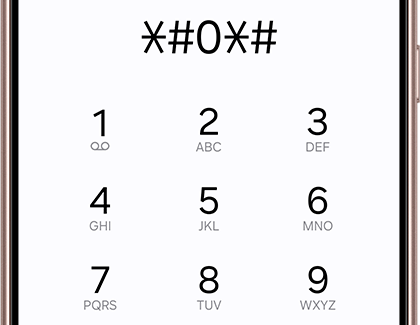
Note: If the code *#0*# doesn't work to enter test mode, disable the auto-lock by going to Settings > Security and Privacy > and turning off the Auto-lock option. This security feature was introduced in One UI 6; it does not appear in the menu on devices running earlier versions. To exit test mode, press the back button several times until you exit test mode.
Remove external devices.
- Check for items that are plugged into the earphone jack or attached to your device, such as selfie sticks, protective films, third-party cases, etc.
- Disable Bluetooth by swiping down from the top of the screen to open the Quick panel > Tap the Bluetooth icon.
- Make sure the air vent grooves are not covered by third-party cases, screen protectors, etc.
Restart your device
- Method 1: Press and hold the Volume down and Power buttons at the same time until the power menu appears > Tap the Power off.
- Method 2: Use two fingers to swipe down from the top of the screen to open the Quick panel > Tap the Power off icon > Tap Power off.
- Wait 30 seconds before turning your device back on.
Note: If you use the Fingerprint security feature, the phone will require the backup password to unlock after restarting.
Dry your device if it has gotten wet
Water in the speakers can cause speaker and sound issues.
- If your device gets wet, dry it immediately with a clean, soft cloth and try to remove as much water as possible. Places to pay careful attention to include:
- Earpiece (at the top front of the device)
- Microphones (at the top and bottom of the device)
- Speaker (at the bottom of the device)
- USB port
- Avoid exposing your device to salt water or ionized water. If your device has been submerged in salt water, rinse it with fresh water and dry it thoroughly with a clean, soft cloth.
- Avoid using heat to dry your device.
Equalize the pressure.
- Use the volume buttons to increase the volume while playing audio on your device. If the sound quality is normal, then your speakers are working properly, and the problem may be caused by an external device.
Test the speakers
- Use the volume buttons to increase the volume while playing audio on your device. If the sound quality is normal, then your speakers are working properly, and the problem may be caused by an external device.
* If none of the suggestions above resolve your issue, you can book a repair or visit your closest Samsung Service Center for further assistance.


Service Centers


Locate the nearest Samsung service center to have your product checked.

Thank you for your feedback!
Please answer all questions.
Contact Info
LiveChat
![LiveChat]()
![LiveChat]()


Monday to Sunday
8:00 a.m. a 12:00 a.m.