How to update the Samsung TV's firmware using a USB drive
How to update using a USB drive
Knowing the code model and the software version of the TV, you can verify if the product has any pending updates that can be installed through a USB.
To do this processis necessary have a PC or a Laptop with you as well as an USB memory totally empty and in format FAT 32
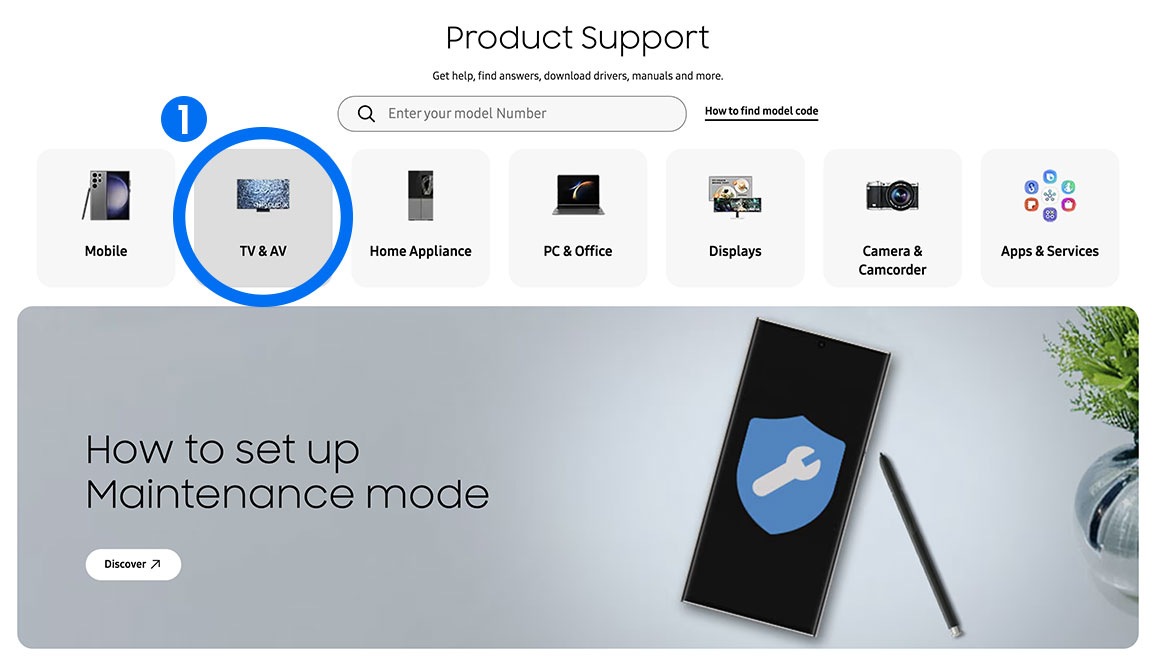
Step 1. Look for the manual guide of your TV here User Manual Guide
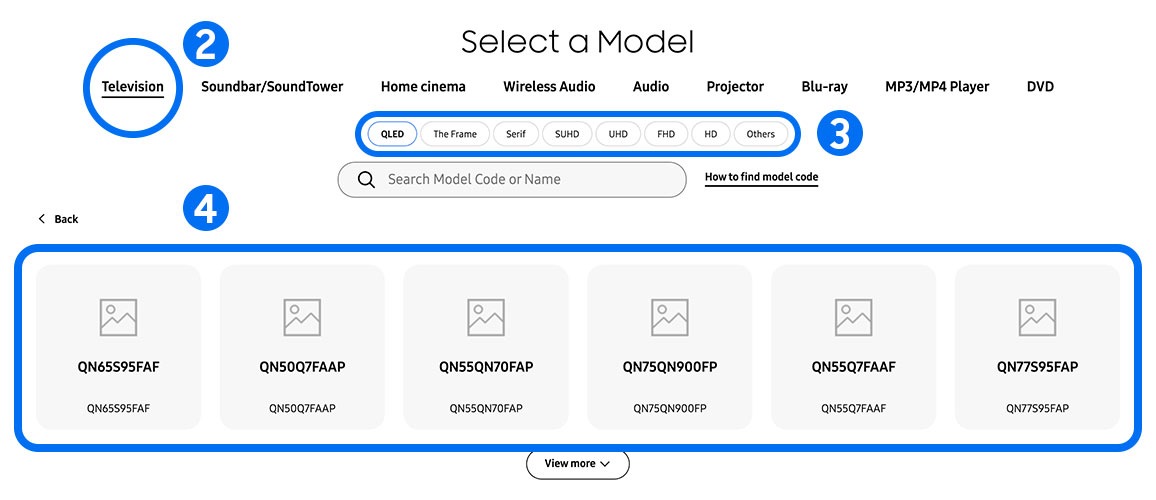
Step 2. Enter the code of your TV in the search bar
Step 3. Look for the “Upgrade File (USB type) option” and click on download

Step 4. Unzip the downloaded document and save it in the USB memory
Step 5. Insertthe USB memory on the USB port in the superior side of the TV
Step 6. The update starts automatically. When the software update is completed, the TV will restart automatically. Do not turn off when the updating processisin progress.

Thank you for your feedback!
Please answer all questions.
Contact Info
WhatsApp
![WhatsApp]()
![WhatsApp]()


Monday to Sunday
8:00 a.m. a 12:00 a.m.
LiveChat
![LiveChat]()
![LiveChat]()


Monday to Sunday
8:00 a.m. a 12:00 a.m.
Online
Call
Costa Rica: 00-800-1-726-7864
Ecuador: 1-800-72-6786
El Salvador: 800-0726-7864
Guatemala: 1-800-299-0033
Call
Honduras: 800-2791-9111
Jamaica: 1-800-726-7864
Nicaragua: 001-800-5077267
Panama: 800-0101
Call
Puerto Rico: 1-800-682-3180
Trinidad and Tobago: 1-800-726-7864
Venezuela: 0-800-100-5303
Dominican Republic: 1-800-751-2676