[Digital Camera] What to do if Smart Touch feature does not work?
Last Update date : Nov 25. 2020
[Overview]
The new Smart Touch user interface makes it possible to quickly navigate and set menu items or view pictures.
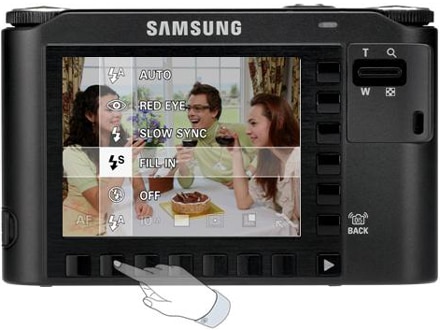
• A brand new Smart Touch interface intended for intuitive and quick menu access is supported by employing special UI for the NV series.
• Touch key function buttons arranged in ‘L’ shape ensures seamless setup of menus and functions.
• This function enables users to conveniently select and control functions using horizontal and vertical keys.
[Related Symptom]
• A touch button is not properly selected.
• Camera status is not changed or played properly, even if you press a touch button.
[Solution]
The product must be sent or taken to the authorized Samsung service center and examined by a technician.
Thank you for your feedback!
Please answer all questions.