Doprava zdarma, splátky s 0% navýšením a sleva 5 % na první nákup.

Doprava zdarma, splátky s 0% navýšením a sleva 5 % na první nákup.

Odyssey Gaming monitor G70B

{{priceAnchor.priceWrapper.info.noLineOrignal}}

{{priceAnchor.priceWrapper.info.totalPrice}}
{{priceAnchor.priceWrapper.info.totalPriceMonthly}}

{{priceAnchor.priceWrapper.info.ceExchangePrice}}

{{priceAnchor.priceWrapper.info.orignalPriceAddText}}
{{priceAnchor.priceWrapper.info.lowestWasPricetext}}
{{priceAnchor.priceWrapper.info.orignalPrice}}
{{priceAnchor.priceWrapper.info.savePrice}}
{{priceAnchor.priceWrapper.info.disclaimer}}

Velikost úhlopříčky

Odyssey Gaming monitor G70B
28

{{item.name}}

{{item.summaryPrice}}

Samsung Rewards body

Samsung Rewards mohou být použity k získání slevy na budoucí nákupy na www.samsung.com/cz Ještě nejsi členem Samsung Rewards? Nevadí, můžeš se připojit před dokončením objednávky. Ještě nejsi členem Samsung Rewards? Nevadí, můžeš se připojit před dokončením objednávky. Samsung Rewards body se odvíjejí od úrovně členství a maximálního limitu.
Samsung Rewards mohou být použity k získání slevy na budoucí nákupy na www.samsung.com/cz Ještě nejsi členem Samsung Rewards? Nevadí, můžeš se připojit před dokončením objednávky. Ještě nejsi členem Samsung Rewards? Nevadí, můžeš se připojit před dokončením objednávky.

{{rewards.formatted.totalPoint}}

{{rewards.rewardsDescription}}

{{price.priceWrapper.info.totalPriceMonthly}}

{{price.priceWrapper.info.totalPrice}} {{price.priceWrapper.info.vatText}}

{{price.priceWrapper.info.orignalPriceAddText}}

{{price.priceWrapper.info.lowestWasPricetext}}

Nejnižší cena za posledních 30 dní.

{{price.priceWrapper.info.orignalPrice}} {{price.priceWrapper.info.savePrice}}

Earn 5% back in rewards

{{price.priceWrapper.info.walkoutQtyText}}

{{price.priceWrapper.info.homeDeliveryQtyText}}

{{price.priceWrapper.info.salesPitch}}

{{price.priceWrapper.info.text}}

{{price.priceWrapper.info.text2}}

{{price.priceWrapper.info.text3}}

{{price.priceWrapper.info.shippingOrBack}}

{{price.priceWrapper.info.taxPriceDisplay}}

{{upgrade.title}}

{{upgrade.learnMoreCta.text}}

{{upgrade.description}}

{{upgradeResult.displayModelName}}

{{upgradeResult.discountText1}}

{{upgradeResult.description1}}

{{upgradeResult.description2}}

{{offerFinance.title}}

{{offerFinance.learnMoreCta.text}}

{{offerFinance.description}}

{{galaxyForever.title}}

{{galaxyForever.learnMoreCta.text}}

{{galaxyForever.description}}

{{galaxyForeverResult.displayModelName}}

{{galaxyForeverResult.discountText1}}

{{galaxyForeverResult.description1}}

{{galaxyForeverResult.description2}}

Vyberte si barvu

Přizpůsobitelné rámy se prodávají samostatně.

Vyberte si barvu pouzdra

Bílý silikonový obal je součástí balení, ostatní pouzdra jsou prodávána samostatně.

  • {{item.name}}

    Není na skladě

Moderní typ

  • {{item.name}}

    Není na skladě

Zkosený typ

  • {{item.name}}

    Není na skladě

Barva outdoorového pouzdra

  • {{item.name}}

    Není na skladě

{{shippingOrBack.shippingOrBack}}
{{deliveryMessage.deliveryMessage}}

{{tradeIn.title}}

{{tradeIn.learnMoreCta.text}}

{{tradeIn.description}}

You have maximum number of Trade-in in cart already. If you wish to add in Trade-in, please remove from cart.

{{tradeInResult.displayModelName}}

{{tradeInResult.tradeinAmountText}}

{{tradeInResult.dealBonusPriceText}}

{{tradeInResult.discountText1}}

{{tradeInResult.discountText2}}

{{tradeInResult.discountText3}}

{{tradeInResult.discountText4}}

{{tradeInResult.discountText5}}

{{tradeInResult.discountText6}}

{{tradeInResult.specialDiscountText}}

{{tradeInResult.description}}

{{tradeInResult.contentText}}

Dealer stock quantity

You can check the stock quantity for each region

Please select city

Only {0} left in stock.

Sorry, this product is not currently available in selected city.

{{assuredBuyBack.title}}

{{newAssuredBuyBack.title}}

{{newAssuredBuyBack.learnMoreCta.text}}

{{newAssuredBuyBack.description}}

Please select Samsung Assured Buyback or no coverage

{{care.title}}

{{care.learnMoreCta.text}}

{{care.description}}

Pro pokračování je nutné zvolit variantu pojištění

  • {{item.specialText}}

{{warranty.title}}

{{warranty.learnMoreCta.text}}

{{warranty.description}}

{{warrantyResult.displayModelName}}

{{warrantyResult.discountText1}}

{{warrantyResult.description1}}

{{warrantyVd.description}}

{{warrantyVdResult.title}}

{{warrantyVdResult.priceDisplay}}

{{delivery.headline}}

{{delivery.errorMessage}}

Použít

{{deliveryResult.priorityText}}

{{deliveryResult.mainText}}

{{deliveryResult.subText}}
Standard installation charges may apply.Click here for more details.

{{deliveryResult.decText}}

{{item.disclaimer}}

{{tariffOption.headline}}

Zjistit více

{{tariffOption.description}}

{{tariffOptionResult.displayModelName}}

{{tariffOptionResult.discountText1}}

{{tariffOptionResult.description1}}

{{tariffOptionResult.description2}}

{{tariffOptionResult.description}}

{{tariffOptionResult.price}}

{{tariffOptionResult.disclaimer}}

{{embedAddon.title}}

{{embedAddon.description}}

  • {{item.imgAlt}} {{item.imgAlt}}
    {{item.iconTitle}}

    {{item.name}}

    {{item.modelCode}}

    {{item.description}}

    {{item.finalPrice}}

    {{item.originalPrice}} {{item.savePrice}} Není na skladě
  • {{item.imgAlt}} {{item.imgAlt}}
    {{item.iconTitle}}

    {{item.name}}

    {{item.modelCode}}

    {{item.description}}

    • {{item.dotList1}}
    • {{item.dotList2}}
    • {{item.dotList3}}

    {{item.finalPrice}}

    {{item.originalPrice}} {{item.savePrice}} Není na skladě
{{message.item.offerTitle}}
{{message.item.offerTooltip}}
{{message.item.linkText}}

{{message.item.tcCTAText}}

{{message.item.periodText}}

{{finance.item.emiText}} {{finance.item.emiText}}
{{finance.item.offerTooltip}}
{{finance.item.cta.label}}

Přehled

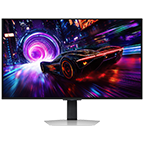
Monitor projects a starship inside a docking ship deep in space. The screen is split into three different areas to show a pixel density comparison between full high-definition at 1920 by 1080 pixels, quad high-definition at 2560 by 1440 pixels, and ultra-high definition at 3840 by 2160 pixels. There's logos representing IPS Panel and Wide Viewing Angle above the monitor.

UHD rozlišení

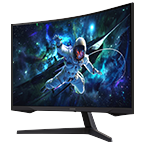
A monitor which is seen from right side shows two spaceships with green and blue patterns flying over a futuristic city with purple hues. The monitor is split in two to show the difference in display quality comparing two different refresh rates and response time, one for conventional monitor with 60Hz and 5ms and the other for Odyssey G7 with 144Hz and 1ms.

144Hz obnovovací frekvence

Two monitors show the same scene of a star ship flying over an unknown world towards deep space. The star ships are firing off a blue gas to propel forward. The left monitor's screen where G-Sync is off is disjointed with jarring screen jitter while the right with G-Sync on shows the star ship with perfect clarity.

G-SYNC kompatibilní

A monitor screen shows the gaming hub starting screen and around the monitor, the available game titles are shown. Then a game, Halo infinite, is being played after clicking the Xbox Game Pass app icon. There's a logo for Halo infinite on the downside of the screen during the gameplay.

Gaming Hub

Funkce

Objevte nepoznané

Hyperrealistické světy na vašem displeji

UHD rozlišení a IPS panel

Objevte každý detail s maximální čistotou. Rozlišení s 4krát větší hustotou než Full HD vám umožní vidět všechny hry jako nikdy předtím. Vysoce kvalitní IPS panel přispěje k realistickému barevnému podání a širokým pozorovacím úhlům 178°, ideálním pro skvěle saturované scény sledované z jakéhokoliv úhlu. S větším množstvím pixelů a hloubkou bude gaming realitě zase o něco bližší.

Skryté detaily ožijí v záři barev

DisplayHDR 400

Objevte i skryté aspekty obrazu. Standard DisplayHDR 400 přináší vyšší kontrast, temnější odstíny černé, zářivější bílou a pomůže vám odhalit tajemství či nepřátele skrývající se ve stínech. I v temných scénách tak každý detail uvidíte naprosto jasně.

Pohlcující 4K hraní ve vysokých rychlostech

144Hz obnovovací frekvence a 1ms (GtG) odezva

Zvítězte nad každým nepřítelem i v extrémních rychlostech. 144Hz obnovovací frekvence sníží odezvu a přinese vzrušující ultra ostrou akci. Odhalte každého nepřítele s elitní precizností díky 1ms(GtG) odezvě, absenci rozmazávání či ghostingu a precizními pohyby vaší myši. Budete to vy, kdo se rychle stane pánem bojiště.

*"1 ms" znamená jednu milisekundu, což je rozsah průměrné doby odezvy mezi 1,00 ms až 1,99 ms zkrácena na celé číslo. *Založeno na GtG naměřených za interních testovacích podmínek. Výsledky se mohou lišit podle obsahu a nastavení monitoru (vyžaduje nastavení „Extrémní režim“). *GtG (Gray to Gray) měří čas, za který se pixel monitoru změní z jedné hodnoty šedé na druhou.

Ničím nerušený herní zážitek

G-SYNC kompatibilní

Nezastavujte se a zažijte hyperrychlou akci. Technologie G-SYNC Compatible synchronizuje monitor s grafickou kartou a tím eliminuje trhání a zpoždění obrazu. I svižné a komplexní herní scény tak budou zcela stabilní – bez jakéhokoliv zasekávání či artefaktů. Rovněž lze využít i technologie AMD FreeSync Premium Pro a získat tak výhodu nad herní konkurencí.

Kde se hra mění v realitu

Gaming Hub

To nejlepší z vašich her na jednom místě. Rozhraní Samsung Gaming Hub umožní okamžitý přístup k obsahu nejlepších streamovacích služeb, PC a oblíbených herních konzolí. Hladké vizuály a rychlý gaming přináší technologie pokročilého streamování společnosti Samsung. Bez stahování či omezení zbývajícím volným místem úložiště – jednoduše zapněte monitor a hrajte.

A monitor screen shows the gaming hub starting screen and around the monitor, the available game titles are shown. Then a game, Halo infinite, is being played after clicking the Xbox Game Pass app icon. There's a logo for Halo infinite on the downside of the screen during the gameplay. A monitor screen shows the gaming hub starting screen and around the monitor, the available game titles are shown. Then a game, Halo infinite, is being played after clicking the Xbox Game Pass app icon. There's a logo for Halo infinite on the downside of the screen during the gameplay.

*Rozhraní Gaming Hub je dostupné pouze v určitých zemích. Dostupnost aplikace se může v rámci jednotlivých zemí a regionů lišit.**Samotný přístup k rozhraní Gaming Hub je bezplatný. Předplatné může být vyžadováno pro přístup k obsahu provozovatelů herního streamování na platformě Gaming Hub.***V závislosti na požadavcích jednotlivých her na platformě Gaming Hub může být vyžadován ovladač (prodává se samostatně).

Oblíbené seriály na dosah

Zážitek na úrovni Smart TV

Dejte si pauzu od herních maratonů a relaxujte u milovaného streamovaného obsahu v ultra detailním 4K rozlišení pomocí jednoduchého Wi-Fi připojení. Služba Samsung TV Plus nabízí bezplatný obsah bez stahování či registrací, stejně jako personalizovaná doporučení funkce Universal Guide.

The monitor shows media home and then transitions to a video streaming app where a brief clips of shows is played. When the two clips of shows are played, sound effect comes from the lower sides of corner. A remote controller is set next to the stand of the monitor. The monitor shows media home and then transitions to a video streaming app where a brief clips of shows is played. When the two clips of shows are played, sound effect comes from the lower sides of corner. A remote controller is set next to the stand of the monitor.

*Dostupnost aplikace se může v závislosti na jednotlivých zemích lišit. Mohou být vyžadována samostatná předplatná.* Vyžaduje připojení k internetu a TV tuner není součástí balení.* Služby Samsung TV Plus a Universal Guide nemusejí být v některých regionech dostupné.

Rozzáří i váš svět

Osvětlení Core lighting s technologií CoreSync

Nechte se obklopit jedinečnou atmosférou každé scény. S osvětlením Core lighting dodáte svému hernímu nastavení osobitost díky výběru z několika barevných režimů. Technologie CoreSync boří hranice mezi herní obrazovkou a realitou – díky podsvícení displeje v barvách, které se přizpůsobují ději na obrazovce.

The left monitor with screen showing 3 different game scenes in different colors and tones - first blue, second red and then yellow. According to the games scenes' colors, right monitor's lighting in the back changes its color mimicking the colors found within the game. The left monitor with screen showing 3 different game scenes in different colors and tones - first blue, second red and then yellow. According to the games scenes' colors, right monitor's lighting in the back changes its color mimicking the colors found within the game.

Vždy připraven vyhrávat

Game Bar

Získejte okamžitou kontrolu nad herním nastavením. Nyní budete moci zobrazit důležité funkce a ukazatele – FPS (počet snímků za vteřinu) či HDR (Vysoký dynamický rozsah). Optimalizujte délku odezvy, poměr stran a obrazový mód použitý pro jednotlivé hry, aniž byste museli ukončovat právě rozehraný vítězný zápas.

Odhalí i dosud nespatřené

Ultrawide Game View

Hlubší vhled do každé scény s rozšířeným pohledem. Pohlídejte si nepřátele přicházející ze strany, nebo je naopak překvapte s poměrem obrazu 21 : 9, který vám pomůže vidět víc a získat výhodu nad vaší herní konkurencí, jež vás dostane na vrchol turnajových tabulek.

A monitor shows the perspective of a player within a first-person action game. As the screen is extended from 16:9 to 21:9 proportion, an enemy appears in the far left corner, revealed thanks to the monitor's wider perspective. The game title "PUBG BATTLEGROUND" is located in the lower right corner. A monitor shows the perspective of a player within a first-person action game. As the screen is extended from 16:9 to 21:9 proportion, an enemy appears in the far left corner, revealed thanks to the monitor's wider perspective. The game title "PUBG BATTLEGROUND" is located in the lower right corner.

Okamžité automatické připojení

Auto Source Switch+

Již žádné bezcílné přepínání mezi zdroji signálu. Funkce Automatic Source Switch Plus umožní zařízení automaticky rozpoznat připojená zařízení a ihned zobrazit správný signál. Odpadne tak zdlouhavé hledání správného vstupu v menu monitoru.

A monitor is shown alongside a laptop and a gaming console. First the monitor shows same excel file on the screen  with laptop. But as console turns on the monitor screen changes to start menu of game 'Black Desert'. A monitor is shown alongside a laptop and a gaming console. First the monitor shows same excel file on the screen  with laptop. But as console turns on the monitor screen changes to start menu of game 'Black Desert'.

Hraní na míru vaší jedinečnosti

Ergonomický stojan

Dosáhněte výherních výšin. Otočte, nakloňte a výškově upravte monitor tak, abyste měli perfektní výhled na všechny své nepřátele. Díky tomu, že se zařízením budete moci svobodně pohybovat, vždy naleznete optimální podmínky pro hraní.

Specifikace

  • Poměr stran

    16:9

  • Jas (typický)

    300 cd/㎡

  • Poměr statického kontrastu

    1 000:1 (Typ.)

  • Rozlišení

    3 840 × 2 160

  • Čas odezvy (ms)

    1ms(GTG)

  • Úhel sledování (H/V)

    178°(H)/178°(V)

  • Obnovovací frekvence

    Max 144Hz

  • Velikost obrazovky (třída)

    28

  • Plochý / zakřivený

    Plochý

  • Aktivní velikost obrazovky (H/V) (mm)

    620,93 × 341,28

  • Poměr stran

    16:9

  • Typ panelu

    IPS

  • Jas (typický)

    300 cd/㎡

  • Jas (min.)

    250 cd/㎡

  • Poměr statického kontrastu

    1 000:1 (Typ.)

  • HDR (Vysoký dynamický rozsah)

    VESA DisplayHDR 400

  • HDR10+

    Ano

  • Rozlišení

    3 840 × 2 160

  • Čas odezvy (ms)

    1ms(GTG)

  • Úhel sledování (H/V)

    178°(H)/178°(V)

  • Podpora barev

    Max 1B

  • Barevný gamut (pokrytí DCI)

    90 %

  • Obnovovací frekvence

    Max 144Hz

  • Senzor Eco Light

    Ano

  • Režim šetření očí

    Ano

  • Technologie Flicker Free

    Ano

  • Herní režim

    Ano

  • Velikost obrazu

    Ano

  • Certifikace pro systém Windows

    Windows 10

  • FreeSync

    FreeSync Premium Pro

  • G-Sync

    G-Sync Compatible

  • Virtual AIM Point

    Ano

  • Core Sync

    Ano

  • Game Bar 2.0

    Ano

  • Gaming Hub

    Ano (KR, US, CA, BR, GB, FR, DE, IT, ES)

  • HDMI-CEC

    Ano

  • Auto Source Switch+

    Ano

  • Adaptivní obraz

    Ano

  • Ultrawide Game View

    Ano

  • Smart Type

    Smart

  • Operační systém

    Tizen™

  • Bixby

    US English, UK English, India English, Korean, French, German, Italian, Spanish, BR Portuquese (features vary by language)

  • Vzdálené hlasové ovládání

    Ano

  • TV Plus

    Ano

  • Universal Guide

    Ano (US only)

  • Web Service

    Microsoft 365

  • Podpora aplikace SmartThings

    Ano

  • SmartThings

    Ano

  • Mobile to Screen – Zrcadlení, DLNA

    Ano

  • Tap View

    Ano

  • Workspace

    Ano

  • Zrcadlení zvuku

    Ano

  • ConnectShare™

    Ano

  • Bezdrátový displej

    Ano

  • Display Port

    1 EA

  • Výstup Display Port

    1,4

  • HDMI

    2 EA

  • Verze HDMI

    2,1

  • Sluchátka

    Ano

  • USB porty

    2

  • Verze USB Hub

    3

  • Ethernet (LAN)

    1 EA

  • Wi-Fi

    Ano (WiFi5)

  • Bluetooth

    Ano (5,2)

  • Reproduktor

    Ano

  • Adaptivní zvuk

    Ano

  • Teplota

    50℉ ~ 104℉ (10℃ ~ 40℃)

  • Vlhkost

    10 ~ 80 % nekondenzující

  • Tovární nastavení

    Ano

  • Barevný režim

    Standard/Dynamic/Movie/Graphic/Entertain

  • Potvrzení o provedení tovární kalibrace

    Ano

  • Barva přední strany

    Černá

  • Barva zadní strany

    Černá

  • Barva stojanu

    Černá

  • Typ stojanu

    HAS PIVOT

  • HAS (Výškově nastavitelný stojan)

    120,0 ± 5,0

  • Naklonění

    -9,0º(± 2°) ~ 13,0º(± 2°)

  • Otočení

    -15,0º ~ 15,0º

  • Pivot

    -92,0º ~ 92,0º

  • Připevnění na stěnu

    100 × 100

  • Energetická třída

    F

  • Zdroj napájení

    AC 100 to 240 VAC (+/- 10%)

  • Maximální spotřeba energie

    80 W

  • Typická spotřeba energie

    27,2 W

  • Spotřeba energie (DPMS)

    0,5 W

  • Spotřeba energie (ročni)

    40 kWh/year

  • Typ

    Externí adaptér

  • Rozměry sestavy se stojanem (Š x V x H)

    637,9 × 577,0 × 244,8 mm

  • Rozměry sestavy bez stojanu (Š x V x H)

    637,9 × 380,5 × 108,6 mm

  • Rozměry balení (ŠxVxH)

    716,0 × 169,0 × 489,0 mm

  • Hmotnost sestavy se stojanem

    7,0 kg

  • Hmotnost sady bez stojanu

    5,1 kg

  • Hmotnost balení

    9,6 kg

  • Délka napájecího kabelu

    1,5 m

  • Kabel DP

    Ano

  • Mini-Display Gender

    Ne

  • Dálkové ovládání

    Ano

Recenze

Odyssey Gaming monitor G70B

4.0

Doporučuje 56 % zákazníků.

5 Hvězdičky 54%
4 Hvězdičky 18%
3 Hvězdičky 15%
2 Hvězdičky 9%
1 Hvězdičky 6%
Hodnota produktu 4.5

Filtrovat

Řazení podle relevance umisťuje nejlepší recenze nahoru. Zohledňujeme přitom hodnocení ostatními uživateli, nejnovější příspěvky, obrázky a další parametry, které čtenáři vyhledají.

Seřadit

Filtrovat

34 Recenze

Robert
5 (9,999)

2023-10-24

Velikost úhlopříčky : 28
5 (9,999)
Bardzo dobry monitor w jasnym pomieszczeniu, kolory, jasność bardzo dobre. Moim zdaniem bardzo dobra czerń w zaciemnionym pomieszczeniu jak na matrycę IPS (lepsza jeśli chodzi o czerń niż matryca IPS w laptopie Razer Blade 15 Advanced 2021 RZ09-0409x). Koniecznie trzeba zaktualizować firmware po zakupie. Miłym dodatkiem są funkcje SMART (wyłączasz laptopa, czy komputer i nadal możesz oglądać film, mecz, czy cokolwiek innego za pośrednictwem VOD oszczędzając prąd - sam monitor zużywa znacznie mniej prądu niż w tandemie z komputerem. Szybka inteligentna kalibracja za pośrednictwem aplikacji Smart Things myślę że w zupełności wystarczy większości użytkowników. Wbudowane głośniki są wystarczające, choć na pewno w grach, czy filmach będzie czuć niedosyt niskich tonów. Bardzo dobrze współpracuje ze słuchawkami, czy głośnikami po BT. Szybkie wyświetlanie obrazu ze smartfona za pomocą TAB VIEW. Wygląd też spoko, choć mnie ciut drażnią te przednie wypustki na dole w których są światła ( na szczęście można je wyłączyć, gdyby ich nie było byłby ideał. Z funkcji użytecznych brak trochę USB-C PD by móc go w przyjemny sposób wykorzystywać do pracy na drugim laptopie bez szukania ładowarki.
[D] Alternative Text [D] Alternative Text
Jezus
3 (9,999)

2024-03-04

Velikost úhlopříčky : 28
3 (9,999)
Matryca dość dobra, jednak patrząc w narożniki w miejscach na obrazie gdzie mamy dużą różnicę jasności idzie zaobserwować "głębię" której np. na podłączonej obok matrycy z monitora Dell 28" w technologii IPS nie ma. Dodatkowo bardzo irytujące jest korzystanie z huba USB (btw. tylko dwa porty, zbyt mało nawet dla mało wymagających graczy jak ja) gdzie w momencie wejścia do menu monitora urządzenia są "odłączane" z systemu operacyjnego po czym z powrotem są w nim widoczne. Dzieje się tak zarówno po wejściu do menu jak i wyjściu z niego. Matryca robi się czarna w momencie gdy przechodzimy do gry z włączonym G-Sync, jak i z niej wychodzimy (a tu, jeśli mamy dodatkowo w systemie włączony HDR to mrugać potrafi to nawet 2-3s). Poza tym monitor w porządku.
[D] Alternative Text [D] Alternative Text
Odpověď od Samsung:
2024-03-05

Zespół Samsung

Dziękujemy za podzielenie się z nami swoją opinią. W przypadku zaobserwowania nieprawidłowości w działaniu monitora Odyssey G7 prosimy o skontaktowanie się z najbliższym punktem serwisowym: https://www.samsung.com/pl/support/service-center/, aby technicy dokładnie to sprawdzili i znaleźli najlepsze rozwiązanie. Wierzymy, że z ich pomocą już wkrótce będzie Pan mógł cieszyć się w pełni z użytkowania swojego urządzenia. Jeszcze raz dziękujemy za podzielenie się z nami swoimi przemyśleniami - uwagi konsumentów pomagają nam stale rozwijać nasze produkty.

mrfrench
5 (9,999)

2024-08-02

Velikost úhlopříčky : 28
5 (9,999)
[Cet avis a été recueilli en réponse à une offre.] Le Samsung ODYSSEY G7 - G70B 28 est l'écran parfait que je recherchais. Taux de rafraîchissement élevé à 144 Hz et résolution 4K (ce qui devrait être la norme selon les normes actuelles). J'ai une excellente expérience de jeu ainsi que pour la consommation de médias et le travail. La taille de l'écran est suffisamment grande pour le multi-fenêtres ! Cela améliore définitivement la productivité. Quant à la fonction SMART, j'ai remarqué qu'avec une résolution native 4k, la plupart des plateformes (qui fournissent le streaming UHD) fonctionnent très bien avec l'écran du G7 ! Remarque : avoir deux écrans intelligents Samsung dans la même pièce peut brouiller le signal. J'allume "en plus" les deux écrans de temps en temps. En conclusion, je recommande néanmoins vivement l'ODYSSEY G7 - G70B 28
[D] Alternative Text [D] Alternative Text

Hodnota produktu

5 (9,999)
Cosminalin996
1 (9,999)

2023-09-26

Velikost úhlopříčky : 28
1 (9,999)
Aparent acest produs este într-o stare beta presupun deoarece am black screen din orima zi de funcționare. Am crezut ca e ceva reparabil, fă update, schimba hdmi schimba priza, încearcă sa conectezi monitorul la un alt dispozitiv, aprent dupa niste căutări am realizat ca sunt mai multe persoane in situația mea. In ciuda faptului ca acest produs are probleme inca este lasat la vânzare. Gg.
[D] Alternative Text [D] Alternative Text
Kyozora
5 (9,999)

2024-11-26

Velikost úhlopříčky : 28
5 (9,999)
[Cet avis a été recueilli en réponse à une offre.] Acheté à sa sortie, aucun problème à ce jour. Les couleurs sont vives, le noir est noir, la luminosité est ni trop forte ni trop faible. L'aspect mat de l'écran fait qu'il n'y a quasiment aucun reflet. Il est parfait pour toute utilisation que ça soit gaming, multimédia ou productive. Je recommande fortement !
[D] Alternative Text [D] Alternative Text

Hodnota produktu

5 (9,999)
Billy_the_Kike
3 (9,999)

2025-04-03

Velikost úhlopříčky : 28
3 (9,999)
Très bon écran, avec plein de fonctions utiles le seul gros point noir que je n'ai pas réussi à résoudre. Lorsqu'on a comme moi plusieurs écrans du même modèle la télécommande même si elle est paramétré pour un écran spécifique allumé éteint quand même rentrer dans le menu de tous les écrans
[D] Alternative Text [D] Alternative Text
Odpověď od Samsung:
2025-04-04

Service clients Samsung

Bonjour Billy_the_Kike, Nous comprenons que votre expérience n'ait pas été conforme à vos attentes. La satisfaction de nos clients est une priorité, et nous sommes conscients de la situation frustrante que cela peut engendrer. Nous vous encourageons à entrer en contact avec l'un de nos collaborateurs, qui sera en mesure de trouver une solution adaptée à votre situation. Vous pouvez les joindre via le lien suivant : https://www.samsung.com/fr/support/contact/ Nous espérons avoir l'opportunité de vous fournir une expérience plus positive à l'avenir. Nous vous recommandons de visiter notre site Samsung pour découvrir les nouveautés de cette année: https://www.samsung.com/fr/ Cordialement Charlie, Service Clients Samsung

Giloufaust
4 (9,999)

2024-06-25

Velikost úhlopříčky : 28
4 (9,999)
[Cet avis a été recueilli en réponse à une offre.] Des difficultés d'installation. Le pas de vis est insuffisant jai du m'y reprendre à deux fois pour installer le pied. L'écran m'étant tombé dans les bras. Incompatibilité filaire pour la liaison avec un pc en hdr. Reconnaissance difficile des périphériques extérieurs.
[D] Alternative Text [D] Alternative Text

Hodnota produktu

4 (9,999)
odyssey7
5 (9,999)

2024-07-30

Velikost úhlopříčky : 28
5 (9,999)
[Cet avis a été recueilli en réponse à une offre.] Il y a rien a dire? - 144hz plus 4k c'est extraordinaire pour regarder le film, jouer au jeu video ou pour le travail! Avec 28" il y a largement d'espace pour multi fenetre. Un ecran parfait pour tous!
[D] Alternative Text [D] Alternative Text

Hodnota produktu

5 (9,999)
BenceS
Ověřený nákup
5 (9,999)

2026-03-18

Schoonaarde

Velikost úhlopříčky : 28
5 (9,999)
Zwaar goed om te gebruiken, ik had geen probelen mee en het scherm is zeer mooi voor een ips. 4k help zeer veel and de games dat ik speel, zijn beter met deze goede kleuren
[D] Alternative Text [D] Alternative Text
Spenchikha
5 (9,999)

2024-07-30

Velikost úhlopříčky : 28
5 (9,999)
[Cet avis a été recueilli en réponse à une offre.] Je l'utilise sur PS5 en 4K 120 Hz VRR, impeccable. Je ne joue qu'à Call of Duty Warzone et le rendu est bien, de belles couleurs et un rendu net.
[D] Alternative Text [D] Alternative Text

Hodnota produktu

5 (9,999)
Yves78
5 (9,999)

2024-06-23

Velikost úhlopříčky : 28
5 (9,999)
[Cet avis a été recueilli en réponse à une offre.] L’écran répond parfaitement à notre attente couleur fluidité design
[D] Alternative Text [D] Alternative Text

Hodnota produktu

5 (9,999)
Mariusz
5 (9,999)

2024-12-17

Velikost úhlopříčky : 28
5 (9,999)
Kupiłem w sumie 3 monitory z tej serii (wersja 28 cali), jeden dla syna do konsoli PS5, a dwa do pracy i mogę powiedzieć ze jest to produkt rewelacyjny! Monitor ma doskonałą jakość obrazu zwłaszcza 4K i odświeżaniem 144Hz. To co jest szczególnie przydatne to, że ten monitor ma funkcje smart, możemy wiec uruchomić youtube, netflixa, przeglądarkę. Dodatkowo co jest ogromnym plusem monitor wspiera natywnie połącznie zdalne do innych komputerów z windows 10 i wyższych co jest ogromną zaletą jako, że wystarczy podlaczyć przez USB lub bluetooth mysz i klawiaturę (a nawet głośniki bluetooth) i możemy pracować zdalnie na innych komputerach lub serwerach zdalnych - rewelacja! U innych producentów nie zetknąłem się z takimi funkcjami/możliwościami.
44by
2 (9,999)

2023-08-04

Danmark

Velikost úhlopříčky : 28
2 (9,999)
Jeg oplever sort skærm når jeg sidder og spiller på min PlayStation 5. Det er som om den skifter opløsning. Billedet går simpelthen i sort, og billedet kommer tilbage efter få sekunder. Jeg har prøvet 2 forskellige hdmi 2.1 kabler, samt både hdmi port 1 og 2, dog uden held. Samtidigt virker skærmen meget plastik agtig, og billigt lavet. Når skærmen ikke går i sort, er det en fantastisk skærm, fede funktioner med Tizen systemet. Det er dejligt at kunne installere streamingtjenester direkte på skærmen.

Hodnota produktu

2 (9,999)
Artur Kwiatkowski
3 (9,999)

2024-02-23

Velikost úhlopříčky : 28
3 (9,999)
Co do samych parametrów nie mam zastrzeżeń (zwłaszcza po profesjonalnej kalibracji). Jednak monitor użytkowany 4 miesiące a już dwie naprawy. Pierwsza awaria po 30 minutach od pierwszego uruchomienia (skończyło się wymianą matrycy), drugą naprawę przechodzi obecnie po trzech miesìącach użytkowania (stan na 23.02.2024). Być może trafiłem na jakiś felerny model, ale za tą cenę to trochę coś nie zgrzyta. Tym bardziej że monitor nie jest jakoś specjalnie mocno forsowany.
Odpověď od Samsung:
2024-02-26

Zespół Samsung

Panie Arturze, dziękujemy za zakup monitora gamingowego Odyssey G7 oraz przekazanie swojej opinii. Cieszy nas zadowolenie z ekranu i parametrów sprzętu. Chcielibyśmy jednak dokładnie przyjrzeć się opisywanym nieprawidłowościom, dlatego bardzo prosimy o kontakt z naszymi specjalistami, którzy dokładnie to zweryfikują i postarają się pomóc: https://www.samsung.com/pl/support/livechat/.

Beni1224
3 (9,999)

2024-09-30

Velikost úhlopříčky : 28
3 (9,999)
Smart TV ist einfach eine Katastrophe und funktioniert immer wieder nicht richtig. Monitor wacht nicht auf, empfängt kein Signal von der GPU obwohl beide Seiten angeschlossen sind. Liegt überigens nicht an der GPU sondern am Verhalten des Monitors. Vom WLAN am Monitor will ich gar nicht erst reden. Kabellose Verbindungen müssen ausgeschaltet werden können micht jeder will seine ganze Homeofficezeit verstrahlt werden.
Odpověď od Samsung:
2024-10-21

Samsung Service Team

Hallo Beni1224, vielen Dank für dein Feedback und für deine Kritik. Dass du diese Herausforderungen mit deinem Gerät hast, bedauern wir sehr. Damit wir dich unterstützen können, kontaktiere uns gern direkt über samsung.com/ch/support. Du findest hier alle Möglichkeiten. Liebe Grüße, dein Samsung Service Team

Amemodeste
4 (9,999)

2024-07-31

Velikost úhlopříčky : 28
4 (9,999)
[Cet avis a été recueilli en réponse à une offre.] L'écran fonctionne très bien sur PC surtout avec Gsync, mais sur PS5, je pense que L'écran est améliorable sur un jeu comme sf6 pour améliorer la qualité de l'image et l'anti aliasing. J'espère des mises à jour allant dans ce sens. Puis un travail sur l'intelligence artificielle Alexa, j'ai le haut parleur mais il manque des fonctionnalités entre l'écran et le haut parleur.

Hodnota produktu

4 (9,999)
Grapper
2 (9,999)

2023-11-23

Velikost úhlopříčky : 28
2 (9,999)
Leider funktioniert der Monitor mit einem PC nicht einwandfrei. DisplayPort wird oftmals, vor allem nach dem Energiesparmodus des PCs, nicht mehr erkannt (DisplayPort DeepSleep, welches nicht deaktiviert werden kann). Gerade dauerte es eine halbe Stunde, bis der Monitor den PC erkannt hat. Wenn der Monitor mal funktioniert ist alles super, schönes Bild und schöne Farben etc.
raf raph
5 (9,999)

2024-02-10

liege

Velikost úhlopříčky : 28
5 (9,999)
écran parfait , image magnifique avec les jeux de mon pc ou les jeux stream par geforce now . les films et les émission on une tres belle image le son est vraiment correcte . seul point négatif la qualité visuel des jeux xbox cloud c'est vraiment horrible . c'est un achat que je recommande pour tout personne qui a un bon pc , une xbox serie ou qui joue via geforce now

Hodnota produktu

5 (9,999)
Odpověď od Samsung:
2024-02-12

Service clients Samsung

Bonjour raf raph, Merci pour le partage de votre avis ! Utilisez les options d'image avancées sur votre moniteur pour améliorer votre expérience de visionnage. Vous pouvez notamment réduire votre fatigue oculaire avec le Mode Protection, modifier la position de l'écran avec l’option Affichage à l’écran, configurer l'affichage pour le gaming via la rubrique Jeu. Pour accéder aux paramètres d'image avancés, appuyez sur la touche JOG, située à l’arrière de l'écran pour afficher le guide des touches de fonction. Sélectionnez le Menu, puis la rubrique Image : Niveau noir HDMI : Utilisez cette fonction pour corriger la dégradation et le contraste de l'image lors de la connexion d'un lecteur DVD ou d'une boîte de câbles. Vous pouvez choisir Normal s'il n'y a pas de contraste dans la luminosité, ou Faible lorsqu'il y a un contraste élevé. Mode Protection : Activez le filtre de lumière bleue du moniteur pour réduire la tension et la fatigue oculaires. Réglage de l’écran : Déplacez l'écran vers la gauche, la droite, le haut ou le bas si besoin de le repositionner. Cette option n'est disponible qu'en mode AV ou analogique, selon le modèle. Mode Jeu : Formatez l'écran si vous le connectez à une console de jeu, ou lorsque vous jouez sur PC. Sélectionnez l’option « Toujours activé » si vous souhaitez que le mode de jeu reste activé en permanence. Taille de l'image : En mode PC, choisissez « Large » pour afficher l'image en plein écran, ou « Auto » pour modifier l'image en fonction de la source d'entrée. En mode AV, choisissez entre le rapport 4:3, le rapport 16:9 ou « Screen Fit ». Couleur : La teinte de l'écran peut être ajustée en utilisant les options de Rouge, Vert, Bleu, Nuance de couleurs et Gamme. Vous pouvez intensifier les couleurs individuelles ou régler les nuances de couleurs (froide, normale, chaude ou personnalisée). Temps de réponse : Améliorez le temps de réponse de l’écran pour rendre les couleurs plus nettes et naturelles, notamment si vous regardez un film. Free-Sync : Activez cette fonction pour éviter le déchirement de l'écran et le décalage lors des jeux. Retard affichage faible : Réduisez le temps de traitement des vidéos en ajustant automatiquement le décalage d'entrée – idéale pour les jeux vidéo. Retrouvez plein de conseils de la communauté Samsung, ainsi que des offres exclusives sur l'application Samsung Members : https://www.samsung.com/fr/apps/samsung-members/ Cordialement Alex, Service clients Samsung

Dany17
3 (9,999)

2024-08-15

Velikost úhlopříčky : 28
3 (9,999)
Couleurs difficiles à régler, couleurs naturelles trop jaunes, menus redondants, affichage de la dalle incomplet (bords noirs en haut, à gauche et à droite d'environ 6mm), temps d'allumage important. Sinon design intéressant. Nombreux réglages hauteur, rotations sur tous les axes.
Odpověď od Samsung:
2024-08-17

Service clients Samsung

Bonjour Dany17, Nous vous remercions d’avoir partagé votre avis. Nous sommes désolés d'apprendre que votre expérience n'a pas été aussi satisfaisante que nous l'aurions souhaité. Utilisez les options d'image avancées sur votre moniteur pour améliorer votre expérience de visionnage. Vous pouvez notamment réduire votre fatigue oculaire avec le Mode Protection, modifier la position de l'écran avec l’option Affichage à l’écran, configurer l'affichage pour le gaming via la rubrique Jeu. Pour accéder aux paramètres d'image avancés, appuyez sur la touche JOG, située à l’arrière de l'écran pour afficher le guide des touches de fonction. Sélectionnez le Menu, puis la rubrique Image : Niveau noir HDMI : Utilisez cette fonction pour corriger la dégradation et le contraste de l'image lors de la connexion d'un lecteur DVD ou d'une boîte de câbles. Vous pouvez choisir Normal s'il n'y a pas de contraste dans la luminosité, ou Faible lorsqu'il y a un contraste élevé. Mode Protection : Activez le filtre de lumière bleue du moniteur pour réduire la tension et la fatigue oculaires. Réglage de l’écran : Déplacez l'écran vers la gauche, la droite, le haut ou le bas si besoin de le repositionner. Cette option n'est disponible qu'en mode AV ou analogique, selon le modèle. Mode Jeu : Formatez l'écran si vous le connectez à une console de jeu, ou lorsque vous jouez sur PC. Sélectionnez l’option « Toujours activé » si vous souhaitez que le mode de jeu reste activé en permanence. Taille de l'image : En mode PC, choisissez « Large » pour afficher l'image en plein écran, ou « Auto » pour modifier l'image en fonction de la source d'entrée. En mode AV, choisissez entre le rapport 4:3, le rapport 16:9 ou « Screen Fit ». Couleur : La teinte de l'écran peut être ajustée en utilisant les options de Rouge, Vert, Bleu, Nuance de couleurs et Gamme. Vous pouvez intensifier les couleurs individuelles ou régler les nuances de couleurs (froide, normale, chaude ou personnalisée). Temps de réponse : Améliorez le temps de réponse de l’écran pour rendre les couleurs plus nettes et naturelles, notamment si vous regardez un film. Free-Sync : Activez cette fonction pour éviter le déchirement de l'écran et le décalage lors des jeux. Retard affichage faible : Réduisez le temps de traitement des vidéos en ajustant automatiquement le décalage d'entrée – idéale pour les jeux vidéo. Retrouvez des conseils de notre communauté Samsung sur le fonctionnement de votre produit sur : https://www.samsung.com/fr/apps/samsung-members/ Cordialement Alex, Service clients Samsung

Marberpp
4 (9,999)

2025-11-22

Velikost úhlopříčky : 28
4 (9,999)
Il monitor si comporta bene, la qualità è ottima considerando che non è a led, anche la parte smart è ottima. Ho un solo problema: considerando cje lo uso come secondo monito, di tanto in tanto si bloccano i drivers e devo resettarli altrimenti smette di vedersi

Hodnota produktu

4 (9,999)
Necrommonger
5 (9,999)

2024-06-23

Velikost úhlopříčky : 28
5 (9,999)
[Cet avis a été recueilli en réponse à une offre.] J’utilise cet écran pour le gaming, il est vraiment parfait, beaucoup de fonctionnalités, le design est sympa moderne, le rgb est vraiment bien géré. Le menu de l’écran est très ergonomique. C’est parfait

Hodnota produktu

5 (9,999)
Mstriskell
5 (9,999)

2024-09-04

Velikost úhlopříčky : 28
5 (9,999)
Quelques complication pour connecter au pc (ne reconnaît pas parfois les périphériques) Quelques fois coupure du moniteur Quelques secondes, irritant lors d'une session de jeu vidéo.
Odpověď od Samsung:
2024-09-05

Service clients Samsung

Bonjour Mstriskell, Nous vous remercions d’avoir partagé votre avis. Nous regrettons que le produit que vous avez reçu ne vous ait pas entièrement satisfait. La satisfaction de nos clients est une priorité, et nous sommes conscients de la situation frustrante que cela peut engendrer. Que faire si l’image affichée sur votre moniteur est instable, déformée ou floue : - Commencez par vérifier si vos appareils disposent des dernières mises à jour logicielles. – - Débrancher le câble vidéo aux deux extrémités puis le rebrancher. - Désactiver la fonction G-Sync (Free-Sync) si elle est activée : Avec une carte graphique NVDIA, sur le bureau, faites un clic droit et sélectionnez le panneau de configuration NVIDIA. Allez dans « Affichage » et sélectionnez « Configurer G-SYNC ». Décochez la case « Activer G-Sync , G-Sync Compatible ». Cliquez sur « Appliquer » puis sur « OK » pour confirmer. Avec une carte graphique INTEL, appuyez sur le bouton JOG situé à l’arrière de votre moniteur. Ouvrez le menu. Allez dans « Jeu ». Ouvrez Free Sync et sélectionnez « Arr. » pour le désactiver. - Mettre à jour les pilotes de l’ordinateur, si besoin : Un pilote est généralement disponible par le biais des mises à jour du système d'exploitation. Vous pouvez également vous rendre sur le site web du fabricant de la carte pour obtenir le pilote le plus récent. - Valider les paramètres de fréquence de rafraîchissement et de résolution native sur le périphérique externe : La fréquence de rafraîchissement est le nombre de fois par seconde où votre moniteur affiche une image. Les valeurs plus élevées donnent une image plus lisse, mais si vous sélectionnez une valeur que votre écran PC ne prend pas en charge, cela peut entraîner un scintillement de l’image, un étirement, une distorsion ou même un écran noir. Pour une expérience optimale, réglez ce paramètre sur la valeur la plus élevée que votre moniteur et l'appareil connecté peuvent supporter. La résolution native est la résolution pour laquelle votre écran PC a été conçu, celle qui offrira la meilleure qualité d'image, d’affichage et d'expérience. Si les éléments affichés sont trop grands ou trop petits, nous recommandons d'ajuster l'échelle des éléments dans votre système d'exploitation au lieu de modifier la résolution (Paramètres > Affichage). Toutefois, les résolutions qui ont un rapport égal à la résolution native auront de meilleures performances que les autres, qui sembleront étirées ou déformées. - Vérifier la source d'alimentation du moniteur : Le clignotement peut également être dû à une alimentation électrique instable ou défaillante. Essayez d'utiliser une autre prise de courant pour brancher votre écran PC. Si le scintillement cesse, il est possible que trop d'appareils soient branchés sur le circuit d'origine ou que la tension de la prise soit irrégulière. Dans ce cas, contactez un électricien pour régler le problème. Les appareils tels que les chauffages et autres appareils à courant fort peuvent faire clignoter le moniteur. Branchez ces appareils sur un circuit différent de celui de votre moniteur. Utiliser un onduleur (UPS - Uninterruptible Power Supply) peut en outre fournir une source d'alimentation constante à votre moniteur. - Vérifier le menu depuis l’écran Si le problème persiste, nous vous invitons à contacter l’un de nos collaborateurs afin de trouver une solution adaptée à votre situation : https://www.samsung.com/fr/support/contact .Nous restons à disposition via téléphone ou LiveChat également. N'hésitez pas à faire un tour sur notre site pour profitez de nos dernières offres et complétez votre écosystème Samsung : https://www.samsung.com/fr/ Cordialement Alex, Service clients Samsung

Dimitri 78
5 (9,999)

2024-01-25

Velizy

Velikost úhlopříčky : 28
5 (9,999)
Un écran parfait pour les nouvelles consoles (PS5/XBOX serie S/X) un vrai plaisir de jouer sur cette écran et en fin de journée regarde de bonne série dans la meilleure des qualité

Hodnota produktu

3 (9,999)
Odpověď od Samsung:
2024-01-26

Service Clients Samsung

Bonjour Dimitri 78, Nous sommes ravis d'apprendre que notre écran offre une expérience de jeu parfaite ainsi qu'une qualité d'image exceptionnelle pour regarder vos séries préférées. Cordialement, Morgan, service clients Samsung

Chemssssss
5 (9,999)

2024-07-30

Velikost úhlopříčky : 28
5 (9,999)
[Cet avis a été recueilli en réponse à une offre.] Remplit de fonctionnalités ,format parfait entre jeux et contenu multimédia , écran smart ajustable autant physiquement que dans les options Je recommande

Hodnota produktu

5 (9,999)
Sunshine
5 (9,999)

2024-06-24

Velikost úhlopříčky : 28
5 (9,999)
[Cet avis a été recueilli en réponse à une offre.] Ecran 4k, qui fais du 120 fps, super pour jouer au jeu ou regarder des vidéos/films, le coresync est vraiment sympa, écran qualitatif je recommande

Hodnota produktu

5 (9,999)
Lonels
4 (9,999)

2023-10-01

Velikost úhlopříčky : 28
4 (9,999)
Es un buen monitor, ya que se ve genial, pero a veces tiene parpadeos, sobretodo si tienes más pantallas conectadas en diferentes resoluciones.

Hodnota produktu

4 (9,999)
Vincent84
4 (9,999)

2024-10-02

Velikost úhlopříčky : 28
4 (9,999)
Très satisfait de mon achat pour le gaming sur ps5. Attention toutefois au marquage d'écran qui peut arriver sur écran statique.
Odpověď od Samsung:
2024-10-03

Service clients Samsung

Bonjour Vincent84, Merci d'avoir partagé votre point de vue sur notre Odyssey G7 ! Nous tenons à vous assurer que vos commentaires ont été pris en compte dans notre démarche d'amélioration continue. Nous espérons vous revoir très prochainement ! Découvrez les nouveautés de l'année sur notre site Samsung : https://www.samsung.com/fr/ Cordialement Sasha, Service clients Samsung

Juju76
5 (9,999)

2024-08-21

Velikost úhlopříčky : 28
5 (9,999)
Superbe fluidite 4k avec la ps5 au top très bon produit et tres bon rapport qualite prix je recommande
Odpověď od Samsung:
2024-08-21

Service Clients Samsung

Bonjour, Merci beaucoup pour votre retour enthousiaste. Nous sommes heureux de vous compter parmi nos clients satisfaits et nous vous remercions pour votre recommandation. Cordialement, Yael, service clients Samsung

Alex FERNANDES
5 (9,999)

2025-12-11

Velikost úhlopříčky : 28
5 (9,999)
[Cet avis a été recueilli en réponse à une offre.] livraison rapide et efficace malgrés les fêtes de fin d'année. moniteur conforme à mes attentes
Trunks57000
1 (9,999)

2024-05-23

Velikost úhlopříčky : 28
1 (9,999)
2 g7 32" achetés en 2ans, toujours des pixels morts ou figés ... a ce prix c'est une honte
Odpověď od Samsung:
2024-05-24

Service clients Samsung

Bonjour Trunks57000, Nous regrettons le dysfonctionnement que vous avez rencontré avec notre Odyssey G7. Nous souhaitons vous apporter notre assistance pour surmonter les difficultés spécifiques que vous avez rencontrées. L’écran de votre moniteur est composé de pixels. Le contenu de l’image apparaît grâce à une combinaison de 3 couleurs : rouge, bleu, vert. Un pixel peut rester bloqué temporairement sur une de ces couleurs. L’apparition d’un pixel bloqué peut être due à une utilisation trop intensive de l’écran. En revanche, si le pixel est noir (ou pixel mort) ou blanc (pixel chaud), cela signifie qu’il restera de cette couleur, quel que soit le contenu affiché. Si c’est le cas de votre moniteur Samsung, nous vous conseillons de contacter nos services techniques. Si un pixel rouge, vert ou bleu s’affiche sur votre écran, nous vous conseillons de suivre les étapes suivantes : - Patientez quelques heures : un pixel bloqué peut redevenir fonctionnel de lui-même au bout d’un certain temps. - Éteignez et débranchez votre écran pendant au moins 24 heures : un ou plusieurs pixels bloqués peuvent apparaître suite à une utilisation prolongée de votre écran. Pour ne pas l’endommager davantage et supprimer ces pixels de couleurs, vous pouvez éteindre votre moniteur et le débrancher de la prise d’alimentation. Laissez-le éteint pendant au moins 24 heures. Si le problème persiste, nous vous invitons à contacter l’un de nos collaborateurs afin de trouver une solution adaptée à votre situation : https://www.samsung.com/fr/support/contact . Cordialement Alex, Service clients Samsung

Loulou28
5 (9,999)

2024-06-23

Velikost úhlopříčky : 28
5 (9,999)
[Cet avis a été recueilli en réponse à une offre.] Écran parfait , niveau fluidité et qualité d’image rien à dire. Je recommande fortement

Hodnota produktu

5 (9,999)
argoSS06
4 (9,999)

2024-03-02

Nice

Velikost úhlopříčky : 28
4 (9,999)
super ecran rien a dire ! mais comment faire ppour passer en 120hz avec ma ps5 ???

Hodnota produktu

5 (9,999)
Odpověď od Samsung:
2024-03-04

Service clients Samsung

Bonjour argoSS06, Nous vous remercions d’avoir partagé votre avis. Nous vous encourageons à entrer en contact avec l'un de nos collaborateurs, qui sera en mesure de trouver une solution adaptée à votre situation. Vous pouvez les joindre via le lien suivant : https://www.samsung.com/fr/support/contact/ Retrouvez plein de conseils de la communauté Samsung, ainsi que des offres exclusives sur l'application Samsung Members : https://www.samsung.com/fr/apps/samsung-members/ Cordialement Charlie, Service clients Samsung

Nrd018
5 (9,999)

2023-12-02

Velikost úhlopříčky : 28
5 (9,999)
Cumple con todas sus funciones, no he tendió ningún problema con el hasta ahora!

Hodnota produktu

5 (9,999)
wrzaskun
2 (9,999)

2023-12-07

Velikost úhlopříčky : 28
2 (9,999)
Monitor używam dopiero miesiąc ale raczej coraz więcej negatywnych rzeczy odkrywam. Monitor ten charakteryzuje się niską jasnością, co przypomina bardziej telewizor niż monitor. Posiadam 4 monitory różnych marek, a maksymalna jasność tego modelu Samsunga stanowi tylko połowę jasności innych. Niestety, sterowanie monitorem przez protokół I2C po HDMI i DP jest zablokowane, uniemożliwiając kalibrację i ujednolicenie z innymi monitorami – pierwszy raz coś takiego widzę. Co do funkcji HDR, to istnieje tylko z nazwy. Nie zaobserwowałem żadnej pozytywnej różnicy, a wręcz przeciwnie – przesyca kolory. Nie widać zmian w stosunku do innych monitorów pod względem dynamicznego podświetlenia poszczególnych elementów. Funkcja Local Dimming nie działa tak, jak można by się spodziewać. Zamiast działać lokalnie, podświetlenie zmienia się w całym monitorze, migocząc w zależności od sceny, co sprawia, że lepiej jest ją wyłączyć. Podobnie jest z Contrast Enhancer, który zwiększa kontrast do tego stopnia, że ciemny szary staje się nie do odróżnienia od czarnego – lepiej także wyłączyć tę opcję. Balans bieli okazuje się być wyjątkowo trudny do ustawienia. Ruch nawet wszystkich suwaków w lewo lub w prawo powoduje niewielkie zmiany, w zasadzie o co w nich chodzi? Są nie intuicyjne dla użytkownika. Lepszym rozwiązaniem byłoby skoncentrowanie się na białym punkcie i dopasowanie reszty do niego automatycznie. Tryb ochrony oczu oferuje 3 tryby zmiany barwy obrazu, ale towarzyszy temu spadek ostrości czcionek. Brak możliwości ustawienia konkretnej temperatury barwowej, jak w przypadku oprogramowania f.lux, ogranicza jego użyteczność w zasadzie do trybu pierwszego. Warto wspomnieć o funkcjach dodatkowych, takich jak pilot i asystent głosowy. Niestety, brakuje opisu komend, na które reaguje asystent w celu dostrojenia parametrów monitora, co sprawia, że korzystanie z tej funkcji jest utrudnione. Dłuższe sentencje lądują w wyszukiwarce youtube a chciałeś zmienić tylko jakiś parametr, o co zapytać nie wiadomo konkretnie. „Brightness 20” zmieni jasność na 20 ale pytając jaką mam jasność nie ma żadnej odpowiedzi. Ponadto, wymaga konieczności połączenia z internetem, aby asystent działał, przy obecnej technologii to nie jest konieczne. Pomimo niedociągnięć, opcja pilota i asystenta głosowego jest interesująca, ale wymaga dalszej optymalizacji. Sterowanie głosowe przy zmianie jasności wymaga potwierdzenia poprzez pilota i wiąże się z irytującym komunikatem o wzroście zużycia energii. System automatycznego sterowania jasnością nie działa poprawnie i nie umożliwia ręcznej kalibracji, co jest kolejnym utrudnieniem. Brak możliwości wyłączenia Bluetooth to kolejna wada tego monitora. Każdy dowcipniś może próbować się połączyć wyrzucając na ekran duży monit o potwierdzenie parowania randomowego urządzenia. Menu TV to kwestia przyzwyczajenia, opcje istotne powinny być jednak łatwiejsze do wydobycia. Menu ogólnie często się zawiesza na kilkanaście sekund. Monitor też się potrafi zawiesić po włączeniu trzeba odpinać kable DP aby obraz powrócił. Super rozwiązaniem jest pomysł pokazania 6 kanałów jednocześnie w aplikacji MeGOGO, Opcja TopTV poprawiłbym to i dodał listę wszystkich które chciałbym tak oglądać a nie kilku narzuconych.
Odpověď od Samsung:
2023-12-07

Zespół Samsung

Dziękujemy za wybór naszego monitora Odyssey G7 i podzielenie się swoimi wrażeniami! Zachęcamy do kontaktu z naszymi ekspertami na czacie technicznym, którzy chętnie odpowiedzą na wszystkie pytania i postarają się zaproponować optymalne rozwiązania: https://www.samsung.com/pl/support/livechat/. Mamy nadzieję, że przy dłuższym użytkowaniu doceni Pan zaawansowane możliwości monitora. Dziękujemy za pozostawienie opinii.

Návody k použití a materiály ke stažení Stránka s produktovým info

User Manual

Verze 2406240 | 64.03 MB

25.06.2024

ANGLIČTINA, Bulharské, CHORVATSKÉ, ČESKÁ, DANISH, NIZOZEMSKÉ, Estonština, FINSKÁ, FRANCOUZSKÁ, NĚMECKÝ, ŘECKÝ, MAĎARSKÝ, ITALSKÁ, LOTYŠSKÉ, Litevský, NORSKÝ, POLSKÝ, Portugalština (evropské), RUMUNSKÁ, Srbský, SLOVENSKÝ, Slovinština, ŠPANĚLSKÁ, ŠVÉDSKÁ, TURECKÁ

User Manual

Verze 2406240 | 64.03 MB

25.06.2024

ANGLIČTINA, Bulharské, CHORVATSKÉ, ČESKÁ, DANISH, NIZOZEMSKÉ, Estonština, FINSKÁ, FRANCOUZSKÁ, NĚMECKÝ, ŘECKÝ, MAĎARSKÝ, ITALSKÁ, LOTYŠSKÉ, Litevský, NORSKÝ, POLSKÝ, Portugalština (evropské), RUMUNSKÁ, Srbský, SLOVENSKÝ, Slovinština, ŠPANĚLSKÁ, ŠVÉDSKÁ, TURECKÁ

User Manual

Verze 2406240 | 64.03 MB

25.06.2024

ANGLIČTINA, Bulharské, CHORVATSKÉ, ČESKÁ, DANISH, NIZOZEMSKÉ, Estonština, FINSKÁ, FRANCOUZSKÁ, NĚMECKÝ, ŘECKÝ, MAĎARSKÝ, ITALSKÁ, LOTYŠSKÉ, Litevský, NORSKÝ, POLSKÝ, Portugalština (evropské), RUMUNSKÁ, Srbský, SLOVENSKÝ, Slovinština, ŠPANĚLSKÁ, ŠVÉDSKÁ, TURECKÁ

e-Manual

Verze 2311170 | 83.42 MB

14.02.2024

ANGLIČTINA, FRANCOUZSKÁ, ŠPANĚLSKÁ, PORTUGALSKÁ, Slovinština, TURECKÁ, MAĎARSKÝ, POLSKÝ, ŘECKÝ, Bulharské, CHORVATSKÉ, ČESKÁ, SLOVENSKÝ, RUMUNSKÁ, Srbský, NĚMECKÝ, NIZOZEMSKÉ, ŠVÉDSKÁ, DANISH, NORSKÝ, FINSKÁ, ITALSKÁ, LOTYŠSKÉ, Litevský, Estonština, RUSKÁ, Ukrajinský, Kazašský, Hebrejský, ARABIC, Indonésan, Perský, Vietnamština, ČÍNSKÁ

Podpora pro produkt

Najděte více informací o produktech

Podpora pro produkt

Využijte zařízení a služby Samsung na maximum.

Live chat

Zjisti, jak produkty fungují, a vybírej modely splňující tvé potřeby.