How to fix the “No SIM Card Detected” error on Samsung Galaxy devices?
Restart your phone.
Restarting your phone may resolve SIM card issues. There are two ways to do so:


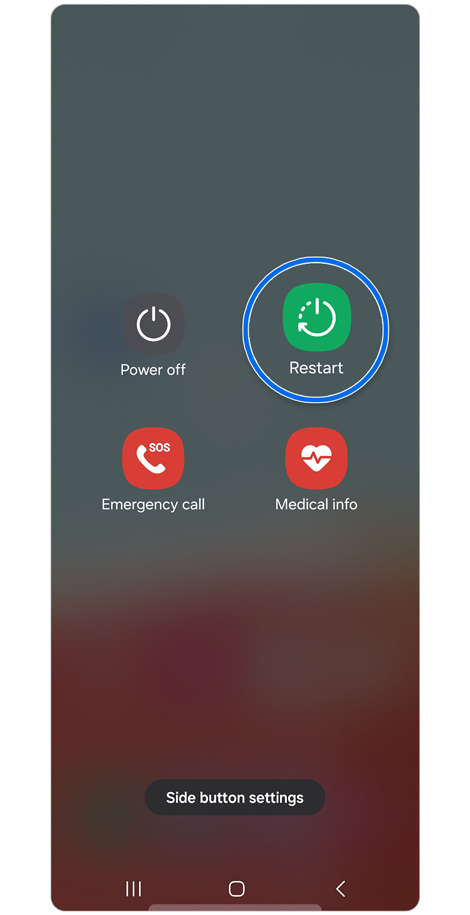
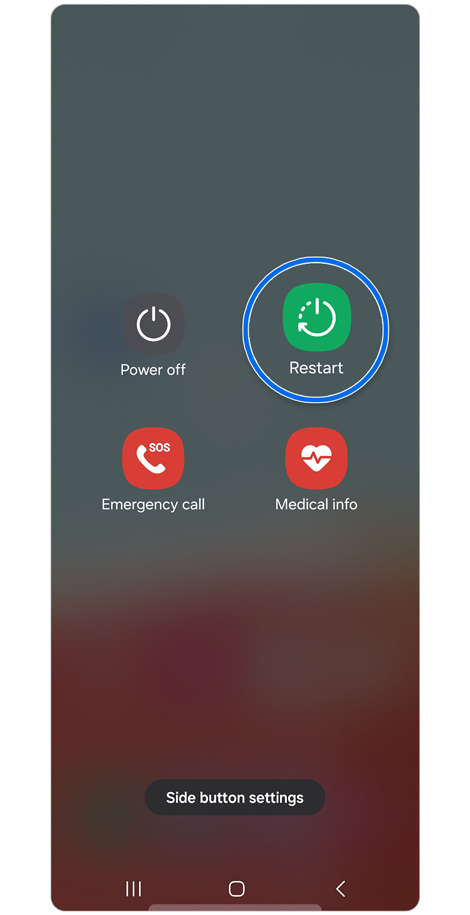
Method 1: Press and hold the Volume down and Power buttons at the same time for at least 7 seconds > Tap Restart > Tap Restart again to confirm your selection.


Method 2: Use two fingers to swipe down from the top of the screen to open the Quick panel > Tap the Power off icon > Tap Restart > Tap Restart again to confirm your selection.
Inspect the SIM card.
To inspect the SIM card, press and hold the Volume down and Power buttons > Tap Power off to turn off your phone > Remove the SIM card from the SIM card tray. Check for any visible signs of damage, like scratches or stains. Clean the SIM card and tray with a clean, dry cloth. Reinsert the SIM card, making sure to properly align the card with the tray. Once the SIM card tray is secured in place, turn your phone on to see if the error has been resolved.
Note: When handling the SIM card tray, be careful not to break or deform the tray.
Reset mobile network settings.
You may need to reset the mobile network settings on your phone after modifying phone settings or manually changing menu options.
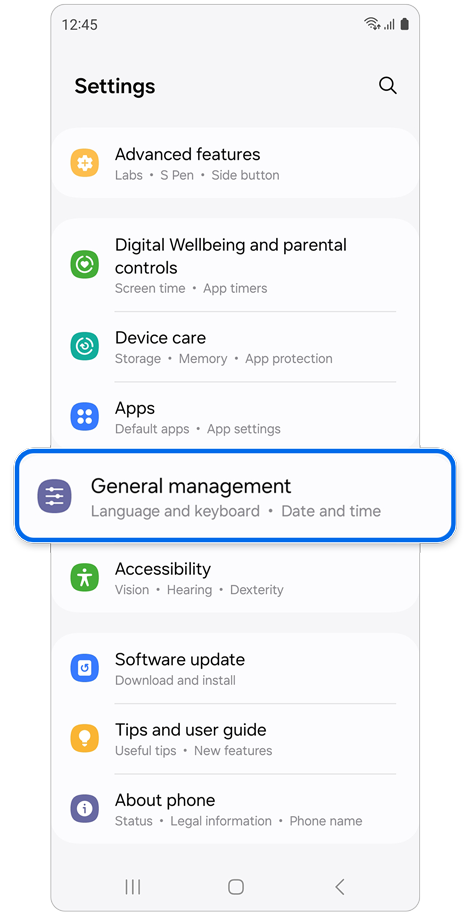
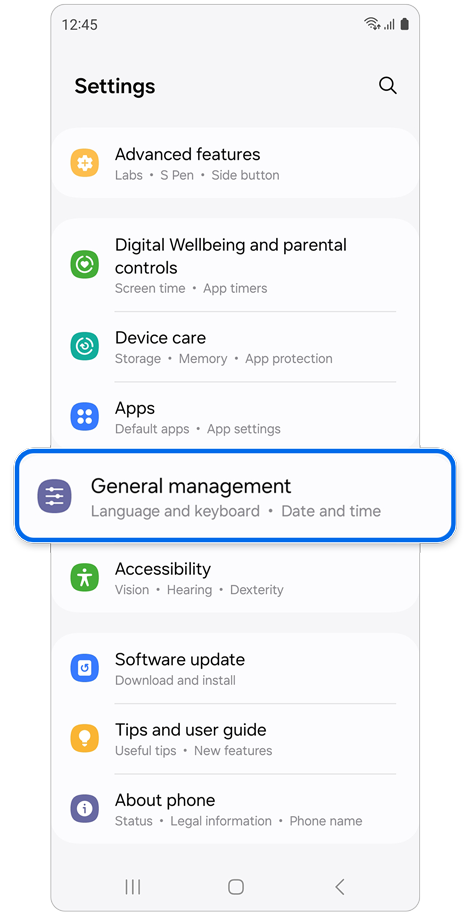
Step 1. Open Settings > Tap General management.
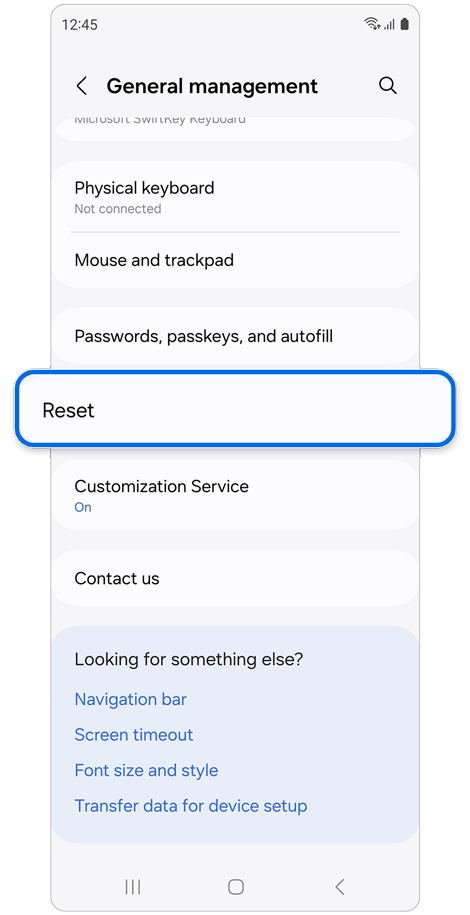
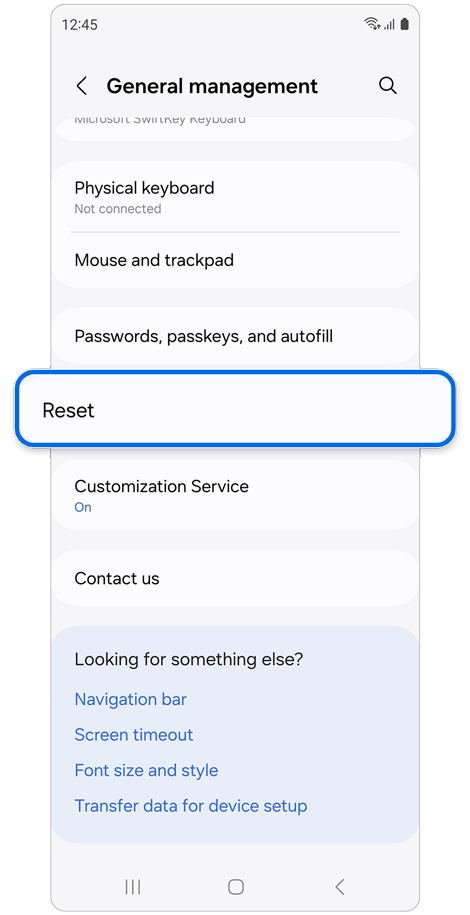
Step 2. Tap Reset.
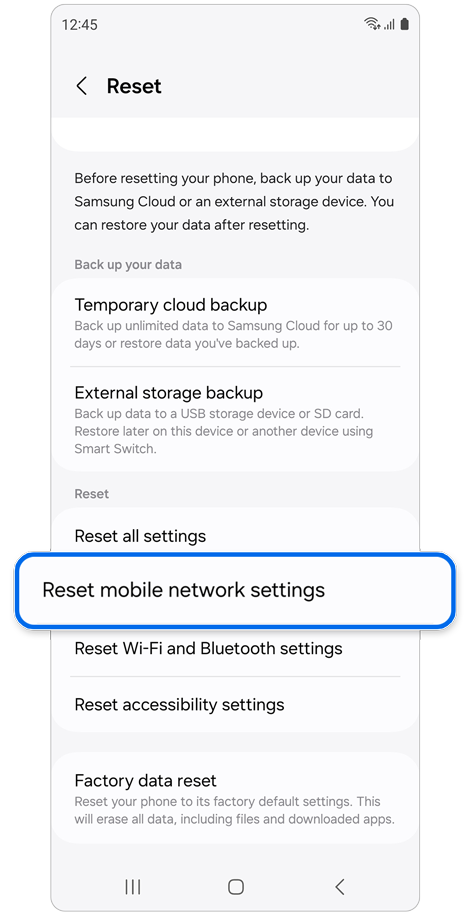
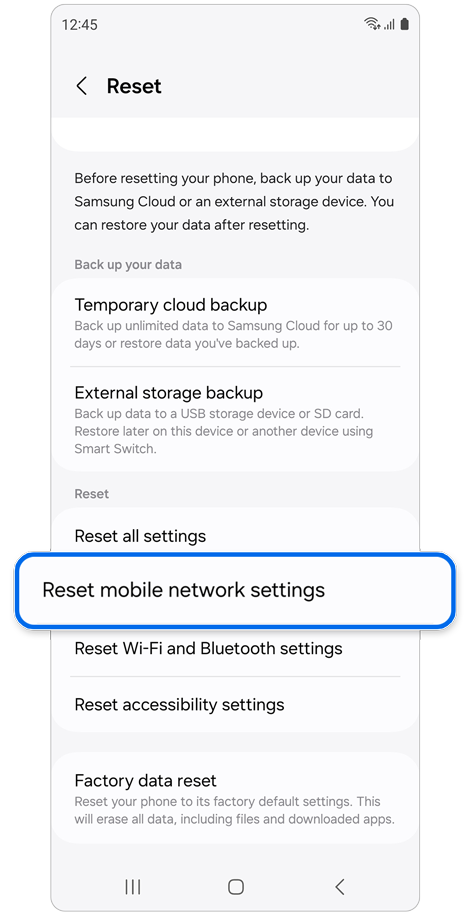
Step 3. Tap Reset mobile network settings.


Step 4. Read the onscreen information > Tap Reset settings.


Step 5. Read the caution information > Tap Reset to confirm.
Notes:
- Choosing to reset mobile network settings will reset all mobile network settings.
- This operation cannot be undone.
- Depending on your mobile network’s setting requirements, you might not be able to connect to your mobile network after a reset.
Another factor you may consider.
Insert the SIM card into another phone to see if it can be detected. If the SIM card is not detected by the other device, then the SIM card is most likely damaged. We recommend contacting your service provider for assistance and replacing your SIM card with a new one.

Thank you for your feedback!
Please answer all questions.
Contact Info
WhatsApp
![WhatsApp]()
![WhatsApp]()


Monday to Sunday
8:00 a.m. a 12:00 a.m.
LiveChat
![LiveChat]()
![LiveChat]()


Monday to Sunday
8:00 a.m. a 12:00 a.m.
Online
Call
Costa Rica: 00-800-1-726-7864
Ecuador: 1-800-72-6786
El Salvador: 800-0726-7864
Guatemala: 1-800-299-0033
Call
Honduras: 800-2791-9111
Jamaica: 1-800-726-7864
Nicaragua: 001-800-5077267
Panama: 800-0101
Call
Puerto Rico: 1-800-682-3180
Trinidad and Tobago: 1-800-726-7864
Venezuela: 0-800-100-5303
Dominican Republic: 1-800-751-2676