


For the first time ever Tab S10 Series is pre-equipped with Galaxy AI — putting a massive, AI-powered studio canvas in your hands.
See the Highlights


AI-enhanced Note-taking


Sketch to Image


Galaxy AI Key


Anti-reflection tech
Press, talk, done
Stay on top of your tasks on Tab's big screen without having to juggle multiple apps. Just press and hold the side button to launch Google Gemini — your AI assistant from Google.


*Gemini is a trademark of Google LLC. Features may differ depending on subscription and results may vary. Some extensions require setup. Country availability may vary. Check responses for accuracy.
Go Live, get answers
Start a conversational experience with Gemini Live and get help with brainstorming ideas, simplifying complex topics, and rehearsing for important moments with real-time, spoken responses.


*Gemini is a trademark of Google LLC. Results for illustrative purposes and may vary. Check responses for accuracy. Compatible with certain features and with certain accounts. Internet connection required. Available on select devices, languages, and countries. Only available to users 18 years and older.


Iconic design. Iconic feel
There's a touch of innovation in every detail — with all new design accents on the S pen, charging area and camera deco. And each one feels amazing to the touch.


Pick from two bold colorways
Choose between Moonstone Gray and Platinum Silver — each with a matching S Pen, and available for Tab S10+ or the massive Tab S10 Ultra.


Galaxy AI optimized for the big screen
You've seen Galaxy AI, but not like this. This massive screen brings Galaxy AI features to life in a big way to maximize your productivity and fun.


*All specifications and descriptions provided herein may be different from the actual specifications and descriptions for the product. Samsung reserves the right to make changes to this document and the product described herein, at anytime, without obligation on Samsung to provide notification of such change. All functionality, features, specifications, GUI and other product information provided in this document including, but not limited to, the benefits, design, pricing, components, performance, availability and capabilities of the product are subject to change without notice or obligation. The contents within the screen are simulated images and are for demonstration purposes only.
**Samsung Account login and a network connection may be required to use certain Samsung AI features. Users may need to update Android and Google app to the latest version.
***Samsung does not make any promises, assurances or guarantees as to the accuracy, completeness or reliability of the output provided by AI features.
****Galaxy AI features will be provided for free until the end of 2025 on supported Samsung Galaxy devices. Different terms may apply for AI features provided by third parties. Availability may vary depending on the region/country, OS/One UI version, device model, and phone carrier.
*****Galaxy AI service may be limited for minors in certain regions with age restrictions over AI usage.
******Certain languages may require language pack download to use Interpreter. Service availability may vary by language.
*******Summary feature for Note Assist is activated when a certain number of characters is met and is under the character limit. Audio files must be under 3 hours in duration to be processed.
********Editing with Sketch to Image may result in a resized photo up to 12MP. A visible watermark is overlaid on the image output upon saving in order to indicate that the image is generated by AI.
Your personal note-taking assistant
Get meeting notes while staying completely engaged in the meeting — just record the meeting then transcribe audio to text. Galaxy AI can then format and summarize those notes, making note-taking effortlessly easy.


*Summary feature for Note Assist requires a network connection and Samsung Account login. Service availability may vary by language. Summary feature for Note Assist is activated when a certain number of characters is met and is under the character limit. Voice recording feature for Note Assist may not be supported in some countries. Audio files must be under 3 hours in duration to be processed. Accuracy of results is not guaranteed.
**Sequences shortened and simulated.
Edit in Split View
Formatting your notes gets even easier in Split View — helping you format while keeping track of the original.
*This feature requires a network connection and Samsung Account login. This feature is activated when a certain number of characters is met. Service availability may vary by language. Accuracy of results is not guaranteed.


*This feature requires a network connection and Samsung Account login. This feature is activated when a certain number of characters is met. Service availability may vary by language. Accuracy of results is not guaranteed.
Translate whole PDFs
Need to read a PDF in a language you don't know? Now you can. Get instant translations in an easy-to-read overlay.


Step 1: Tap the Galaxy AI icon
Use your S Pen or finger to tap the Galaxy AI icon to open the menu.


Step 2: Tap Translate
Then, tap the Translate option.


Step 3: Read
AI will assist your very own easy-to-read overlay translation.


- *This feature requires a network connection and Samsung Account login. This feature is activated when a certain number of characters is met. Service availability may vary by language. Accuracy of results is not guaranteed.
Rocket science just got easier
Solve Math makes calculation a cinch — automatically calculating complex formulas. And with Handwriting Help, it can even decipher your handwriting.
*Image simulated for illustrative purposes. Actual UI may be different.
**Solve Math feature runs on-device and does not require an internet connection, but requires Samsung Account login. Incorrect handwriting recognition may lead to inaccurate calculations. Available only on S Pen-supported devices.
***Solve Math feature not available at launch. Expected to be supported after the App update.


*Image simulated for illustrative purposes. Actual UI may be different.
**Solve Math feature runs on-device and does not require an internet connection, but requires Samsung Account login. Incorrect handwriting recognition may lead to inaccurate calculations. Available only on S Pen-supported devices.
***Solve Math feature not available at launch. Expected to be supported after the App update.
Circle to Search with Google on the big screen
Experience the power of Circle to Search with Google on a larger screen. Just circle, highlight, or tap an image or text to get Google Search results. You can even get instant translations.


*Sequences shortened and simulated. Results for illustrative purposes only. Service availability may vary by country, language, device model. Requires internet connection. Users may need to update Android and Google app to the latest version. Works on compatible apps and surfaces. Results may vary depending on visual matches. Accuracy of results is not guaranteed.
Dream it. Draw it. Done
Use Sketch to Image to turn your rough sketches and doodles into artwork with the help of AI and S Pen wizardry. Drawing is more powerful than ever.


*S Pen included.
**Sketch to Image feature requires a network connection and Samsung Account login. Editing with Sketch to Image may result in a resized photo up to 12MP. A visible watermark is overlaid on the image output upon saving in order to indicate that the image is generated by AI. Sequences shortened and simulated. The accuracy and reliability of the generated output is not guaranteed.
***The inbox S Pen for the Galaxy Tab S10 Series is water and dust-resistant S Pen with an IP68 rating. Based on lab test conditions for submersion in up to 1.5 meters of freshwater for up to 30 minutes. Not advised for beach or pool use. Water and dust resistance of the S Pen is not permanent and may diminish over time because of normal wear and tear.
****Dust resistance rating is tested under lab conditions by a third party: 2kg of talc powder (max. diameter of 0.05mm) per cubic meter was blown into a test chamber housing the device (air pressure within device kept below surrounding air) for 2 hours. Rated IP6X. Dust-resistance may vary by actual usage conditions.
*****Remove any excess water from the S Pen with a dry cloth or towel before using or attaching it to tablet.
Launch AI with a single tap
Press the Galaxy AI Key to unleash Galaxy AI to search what you want. Your keyboard is now highkey amazing.
*Book Cover Keyboard Slim sold separately. The product is available for Galaxy Tab S10 Series.
**Features and keyboard layout may vary by country, language and device model. Backlit feature available only on Galaxy Tab S10 Ultra Book Cover Keyboard by pressing Fn + F12.
***App shortcuts can be assigned for select apps only.
****Pressing Alt + Galaxy AI Key provides the option to switch the AI assistant to Bixby or Gemini.
*****A network connection is required to use Bixby or Gemini. To launch Gemini using the Galaxy AI Key, Google Assistant needs to be updated to Gemini.


*Book Cover Keyboard Slim sold separately. The product is available for Galaxy Tab S10 Series.
**Features and keyboard layout may vary by country, language and device model. Backlit feature available only on Galaxy Tab S10 Ultra Book Cover Keyboard by pressing Fn + F12.
***App shortcuts can be assigned for select apps only.
****Pressing Alt + Galaxy AI Key provides the option to switch the AI assistant to Bixby or Gemini.
*****A network connection is required to use Bixby or Gemini. To launch Gemini using the Galaxy AI Key, Google Assistant needs to be updated to Gemini.
The power of Galaxy AI across devices
Your Galaxy AI arsenal only grows the more Galaxy AI products you own. Plus, all the Galaxy AI features you love on other Galaxy devices are also here on Tab S10 Series.


The power of Galaxy AI across devices
Your Galaxy AI arsenal only grows the more Galaxy AI products you own. Plus, all the Galaxy AI features you love on other Galaxy devices are also here on Tab S10 Series.


Go large or ultra large
Dive in to deeper colors and truer blacks all optimized for the Dynamic AMOLED 2X display. Immerse yourself in a cinematic experience with incredible resolution and ultra smooth interactions on what many consider the ultimate display.


*Image simulated for illustrative purposes. Actual UI may be different.
**Measured diagonally, Galaxy Tab S10 Ultra's screen size is 14.6" in the full rectangle and 14.5" accounting for the rounded corners. Galaxy Tab S10+'s screen size is 12.4" in the full rectangle and 12.4" accounting for the rounded corners. Actual viewable area is less due to the rounded corners and the camera hole.
***The Dynamic AMOLED 2X display on Galaxy Tab S10 Series. Galaxy Tab S10 Ultra has a peak brightness of 930 nits and Galaxy Tab S10+ has a peak brightness of 650 nits. The displays are adaptive, adjusting brightness level automatically based on the environment. In an area of 5,000 lux or higher, High Brightness Mode and Vision Booster will be activated.
Less glare everywhere
Reduce glare from and improve visibility with anti-reflection technology and the powerful Vision Booster.


**Screen image simulated for illustrative purposes.
***Display features an anti-reflection coating. Previous series models did not feature an anti-reflection coating.
Keeps cool when gaming heats up
Rev up the excitement with an ultra fast, powerful processor. When the action really heats up, it keeps cool with the larger Vapor Chamber cooling system — built to more efficiently cool the longer you game, or binge videos.
*Screen image simulated for illustrative purposes.
**The enhanced performance figures are based on a comparison of Galaxy Tab S10 Ultra to Tab S9 Ultra. When comparing Tab S10+ to Tab S9+, the CPU performance is 16% improved, GPU is 27% improved, and NPU is 13% improved.


*Screen image simulated for illustrative purposes.
**The enhanced performance figures are based on a comparison of Galaxy Tab S10 Ultra to Tab S9 Ultra. When comparing Tab S10+ to Tab S9+, the CPU performance is 16% improved, GPU is 27% improved, and NPU is 13% improved.
Save more of what you love
Store more. From creative projects, to movies, to games to even just photos with tons of available internal storage.


*MicroSD card sold separately.
**Availability of internal storage option may vary depending on country, region or carrier and actual storage availability may vary depending on pre-installed software. Memory and storage options vary by model: Galaxy Tab S10 Ultra — 16GB memory and 1TB storage, 12GB memory and 512GB storage, 12GB memory and 256GB storage; Galaxy Tab S10+ — 12GB memory and 512GB storage, 12GB memory and 256GB storage.
Busts dust. Withstands water
A little water won't hurt you. In fact, you're in the clear in up to 1.5 meters of fresh water for up to 30 mins.
*Galaxy Tab S10+, Tab S10 Ultra and the included S Pen are rated IP68 under IEC standard 60529. Based on lab test conditions submersion in up to 1.5 meters of freshwater for up to 30 minutes (IP68). Not advised for beach or pool use. Water and dust resistance of device is not permanent and may diminish over time because of normal wear and tear.
**Dust resistance rating is tested under lab conditions by a third party: 2kg of talc powder (max. diameter of 0.05mm) per cubic meter was blown into a test chamber housing the device (air pressure within device kept below surrounding air) for 2 hours. Rated IP6X. Dust-resistance may vary by actual usage conditions.


*Galaxy Tab S10+, Tab S10 Ultra and the included S Pen are rated IP68 under IEC standard 60529. Based on lab test conditions submersion in up to 1.5 meters of freshwater for up to 30 minutes (IP68). Not advised for beach or pool use. Water and dust resistance of device is not permanent and may diminish over time because of normal wear and tear.
**Dust resistance rating is tested under lab conditions by a third party: 2kg of talc powder (max. diameter of 0.05mm) per cubic meter was blown into a test chamber housing the device (air pressure within device kept below surrounding air) for 2 hours. Rated IP6X. Dust-resistance may vary by actual usage conditions.
Durability that can't be beat
The Enhanced Armor Aluminum frame is more durable than ever and ready to take all kinds of drops.
*Compared to Galaxy Tab S9 Series.
**Armor Aluminum frame is applied to the frame and rear of the device excluding Cam Deco, Pen Deco, side keys and the SIM tray.


*Compared to Galaxy Tab S9 Series.
**Armor Aluminum frame is applied to the frame and rear of the device excluding Cam Deco, Pen Deco, side keys and the SIM tray.
More battery. More games. More video
Put all that battery life to good use. Game for hours and hours, binge your favorite shows, then Super Fast Charge back to 100% just like that.


*Typical value tested under third-party laboratory conditions. Typical value is the estimated average value considering the deviation in battery capacity among the battery samples tested under IEC 62133 standard. Typical capacity is 11,200 mAh for Galaxy Tab S10 Ultra and 10,090 mAh for Galaxy Tab S10+. Rated (minimum) capacity is 10,880 mAh for Galaxy Tab S10 Ultra and 9,800 mAh for Galaxy Tab S10+. Actual battery life may vary depending on network environment, usage patterns and other factors.
**Fast Charging speed may vary depending on charging conditions and other factors.
***Using the original Samsung data cable is recommended.
An ultra-wide camera to capture more of your world
The Ultra Wide front-facing camera ensures your video calls keep you framed up to perfection. On the flip side, capture stunning HD video and photos you can edit right on your Tab S10 Series.


*The image depicts features of Galaxy Tab S10 Ultra.
**Galaxy Tab S10 Ultra features 13MP and 8MP Ultra Wide rear camera and 12MP and 12MP Ultra Wide front camera. Compared to Tab S10+ features 13MP and 8MP Ultra Wide rear camera and 12MP Ultra Wide front camera.
Amazing alone. Better together
Get the most out of your Tab S10 Series by pairing with other Galaxy products. They work seamlessly together, so whatever you’re doing simply flows naturally.
*Products sold separately.
**Image simulated for illustrative purposes. Actual UI may be different.


*Products sold separately.
**Image simulated for illustrative purposes. Actual UI may be different.
Pro-grade apps optimized for Galaxy
Awesome apps like LumaFusion and Clip Studio Paint come preloaded to kickstart your creativity, but it’s easy to download more including: PicsArt, Sketchbook, Noteshelf3 and Wall Street Journal.


*App availability and the terms of service may vary by country and region.
**Clip Studio Paint membership required. Clip Studio Paint app comes pre-installed in select markets. The app can be downloaded from Galaxy Store and comes with a 6-month free trial for first-time users. Once the free trial period ends, paid subscription to a monthly or annual usage plan is required for continuous use. A 20% discount is available on the first subscription.
***LumaFusion app is preloaded as stub, requiring users to click the icon and complete the purchase from Galaxy Store. All Galaxy device users can get a 50% discount when purchasing from Galaxy Store and receive a 1-month free Storyblocks subscription.
****Noteshelf3 app requires a separate purchase for a Premium plan upgrade. A 30% discount on the upgrade is available only via Galaxy Store.
*****PicsArt, Sketchbook app requires a separate download from Google Play Store. Additional features may require a separate purchase.
******A paid subscription to the Wall Street Journal is required to access articles through its app.


Frequently Asked Questions



Image simulated. Available colors of Galaxy Buds3 Pro may vary by country or carrier. Galaxy Buds3 Pro supports Galaxy AI features such as interpreter and Live Translate when paired with compatible Samsung Galaxy devices. Availability of Galaxy AI features may vary by device model. See samsung.com for details.
Galaxy AIis here

Galaxy AI is here for your all-new Galaxy Buds3 Pro
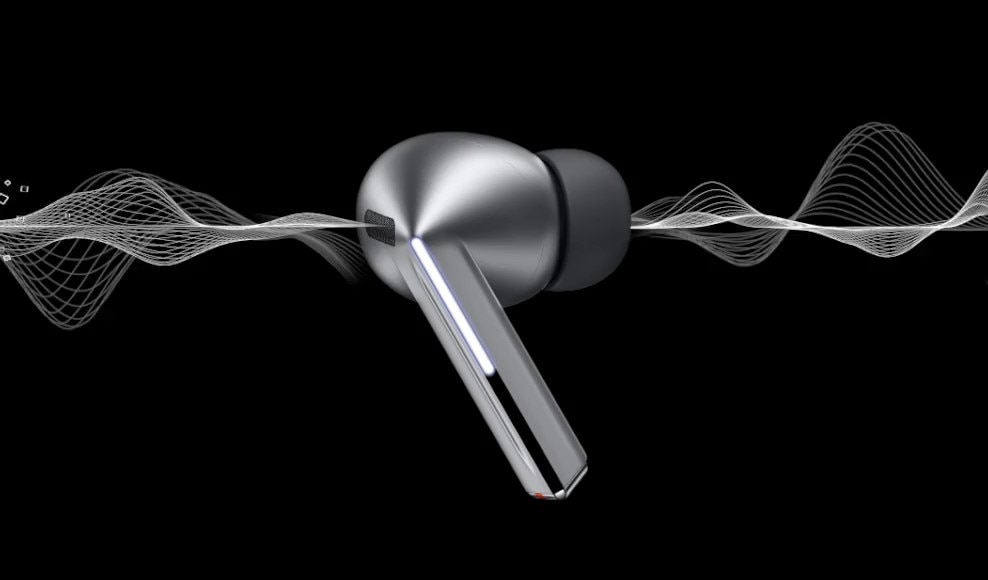
Redefine your listening experience — featuring our first-ever planar tweeter and debut of dual amp on Galaxy Buds. Capture a high range of intricate details with enhanced 2-way speaker. Minimize distortion with our powerful dual amp. Hear each note in crystal-clear clarity, with 24-bit CODEC. Take your listening experience to the next level with Galaxy AI-boosted noise control and real-time interpretation. See your Galaxy Buds in a new light. , ,




Ergonomically designed for supreme sound
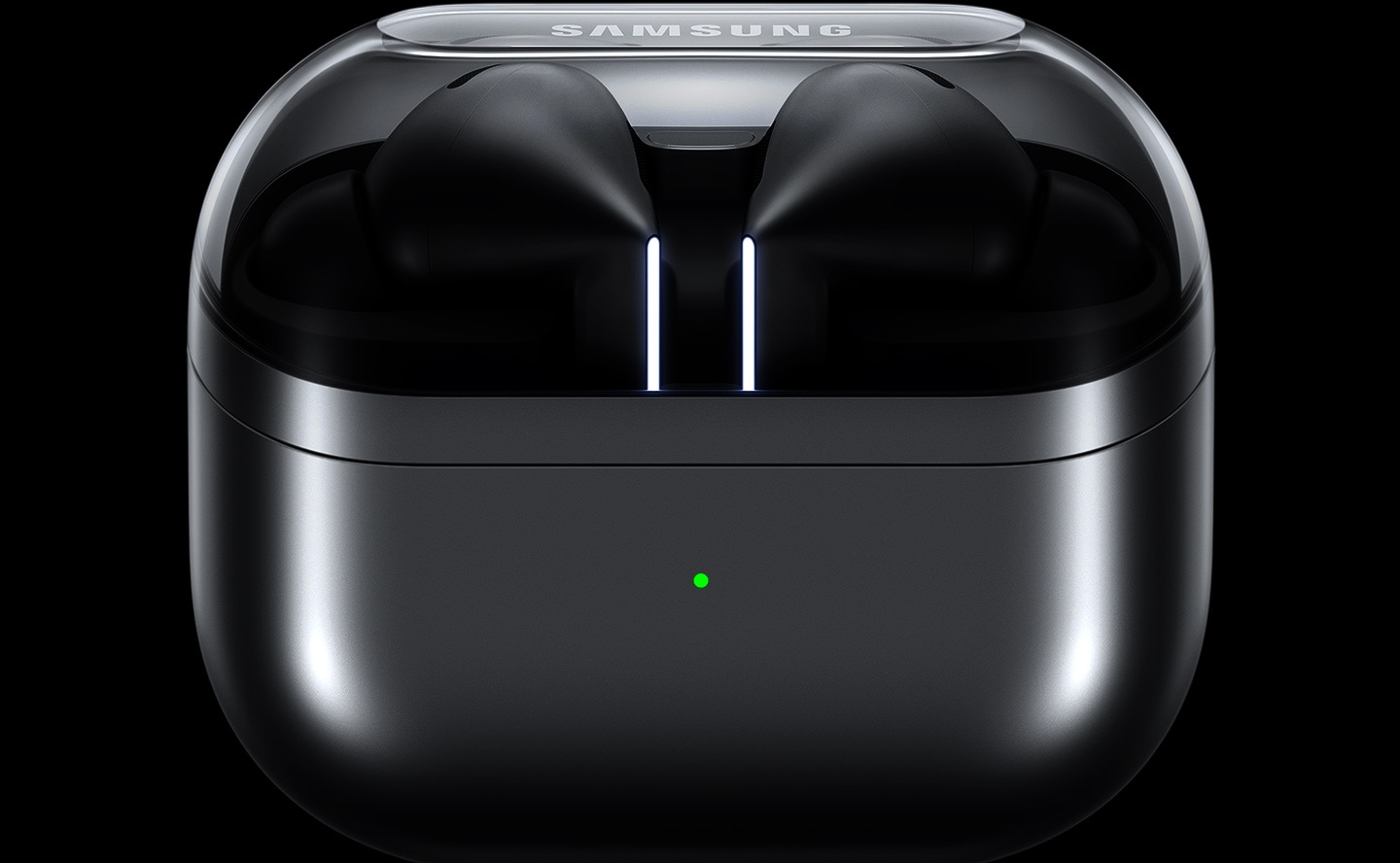
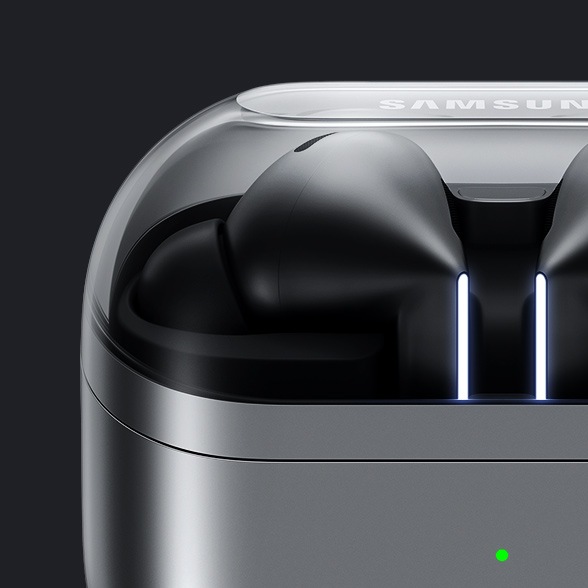
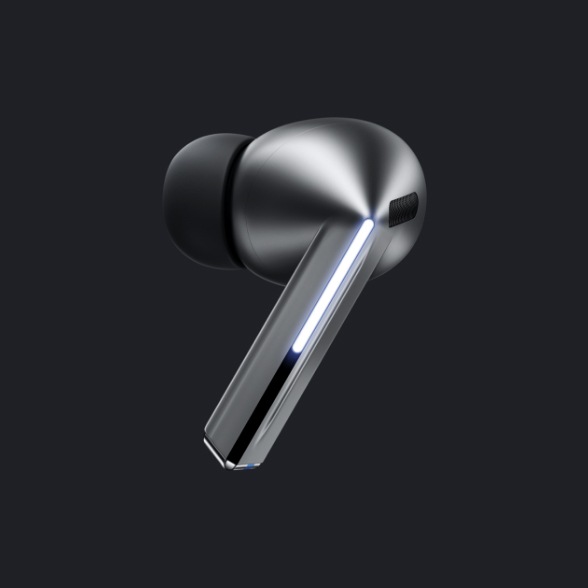
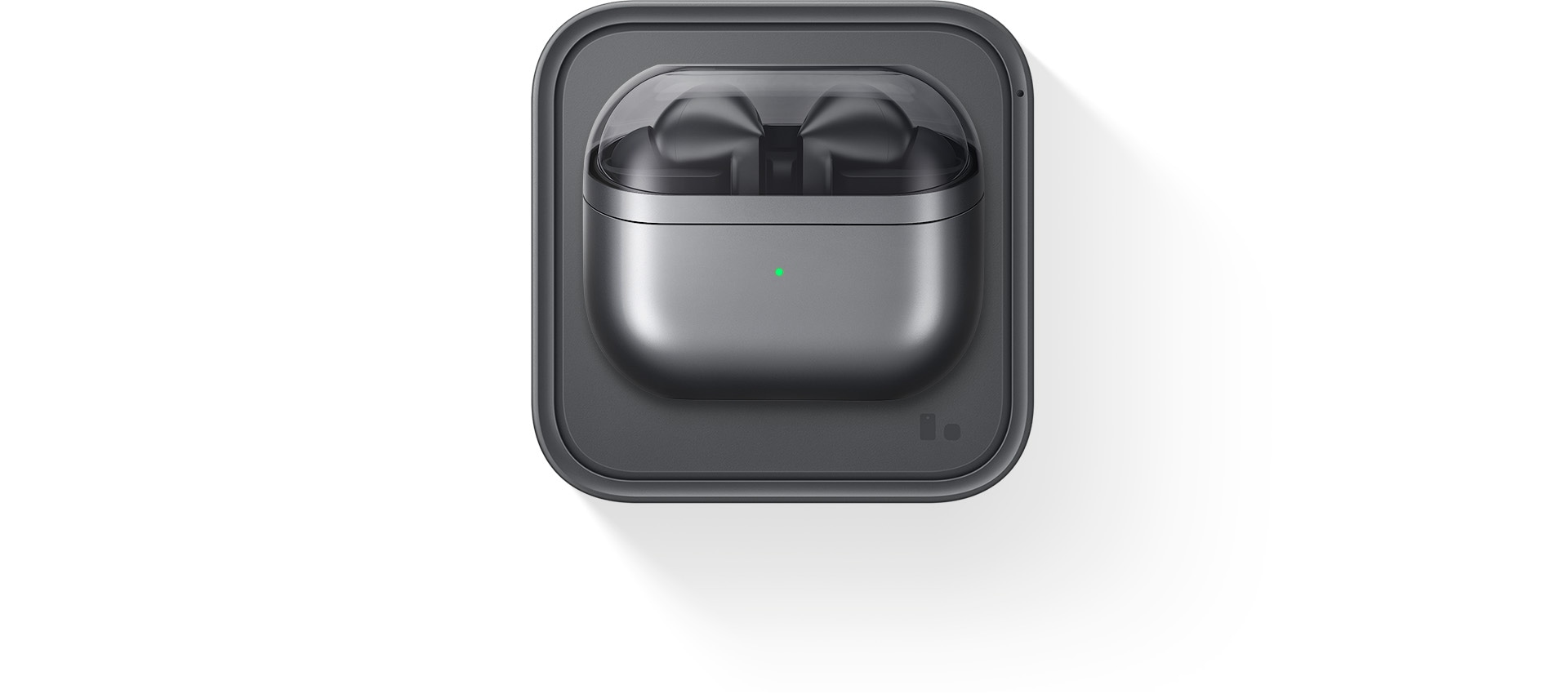
Experience our all-new design engineered for optimal sound. Our re-imagined Galaxy Buds3 Pro feature small, angled heads for a comfortable fit and to streamline your audio experience while accented Blade Lights let you express yourself. Highlighting the blade design is a sleek case with a transparent cover and delicate curved shape, equipped with USB-C and wireless charging capabilities. , , ,


A pair of silver Galaxy Buds3 Pro appear in a closed case which opens up. Once open, the earbuds slide up with the Blade Lights on and hover over the open case.
Color


Flawless control at your fingertips
Leave your phone in your pocket and conveniently control your earbuds by using simple gestures. Even with a swift swipe, rest assured your Galaxy Buds3 Pro stay securely in your ears.


A finger swipes across the blade of a single, Galaxy Buds3 Pro earbud.


Clear-cut sound in each note
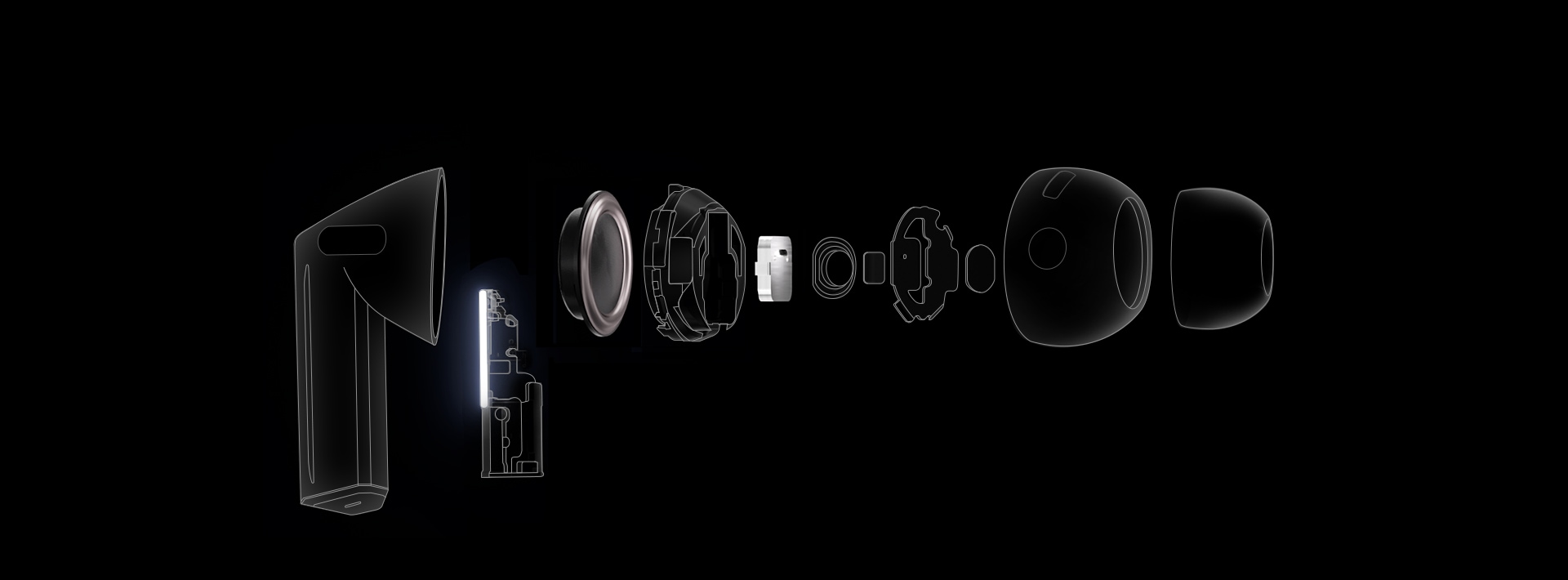
Immerse yourself in the elaborate details — from the deep rumble of the bass to the clear, crisp highs of the trebles — with enhanced 2-way speaker. Hear the vibrato of instruments with minimal distortion through our first-ever dual amp.


- Wind Shield
- Blade Lights
- Swipe
- Pinch Control
-
Dual Amplifier
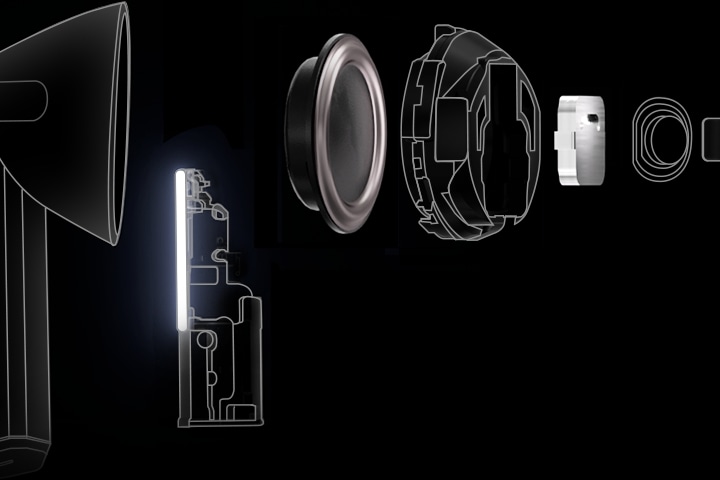
Powered by our first-ever, independently controlled woofer and tweeter, Galaxy Buds3 Pro diminishes interference between speakers — allowing you to experience a broader spectrum of sound and balance across various frequencies. ,
-
Enhanced 2-Way Speaker
Discover an orchestra of sound — the full-bodied bass of the cello from the woofer to the subtle tremble of strings through a planar tweeter — coming together in harmony to evoke waves of emotion and unveil the minute details that would've gone unnoticed. ,
Stunning,
studio-like sound
Retain ultra high-quality audio from the recording studio to your Galaxy Buds3 Pro. The Samsung Seamless Codec compresses and encodes up to 24bit / 96kHz audio. Then, decodes on the Galaxy Buds3 Pro, maintaining the 24bit / 96kHz, high-fidelity sound so you can hear the intricate details, just as it was intended. ,


Seamless Codec


Galaxy AI adjusts sound to your fit
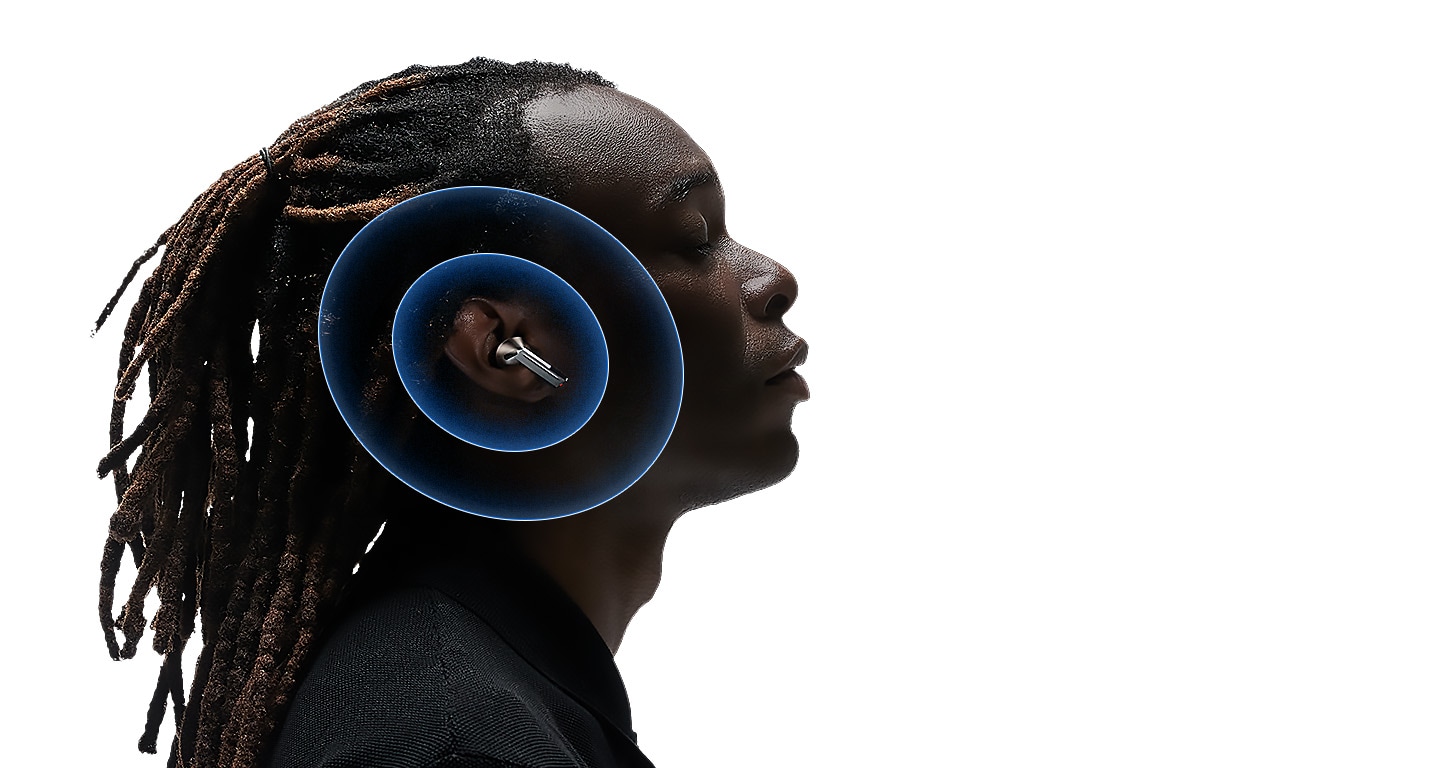
Delve into your personal soundscape with Galaxy AI-assisted Adaptive EQ/Adaptive ANC. Based on individual ear shape and wearing habits, our AI-boosted algorithm analyzes sound detected through the inner and outer mics in real-time. Then, Galaxy AI optimizes your listening experience by adjusting the sound to conform to your fit with pinpoint precision. ,
Adaptive Noise Control. Tune into what matters
Keep your Galaxy Buds3 Pro on and continue to engage with the world around you. Using Galaxy AI, Galaxy Buds3 Pro identifies and prevents unnecessary noise intuitively. Then, it optimizes your audio experience by calibrating the ANC and Ambient modes to correspond to your surroundings. So you can listen to your favorite tunes, uninterrupted. , , , ,


A Galaxy Buds3 Pro earbud in silver with 'Galaxy AI is here' above the earbud. Large particles, representing noise are on one side of the earbud and sans particles on the other. 3 images appear. An image of New York City with several taxis, people having a conversation and an ambulance with the siren on.
-
 Noise Control
 Instead of adjusting ANC manually, Adaptive Noise Control automatically assesses and reduces unwanted external noise — such as traffic — creating the right balance, allowing you to focus on hearing what you want to hear.
- Conversation
Carry on a conversation and Voice Detect will switch the ANC and Ambient modes on/off accordingly — so you can hear loud and clear without needing to take off your Galaxy Buds3 Pro.
- Alarm/Siren
Listen to your playlist in peace with Siren Detect. When an alarm or siren is detected, Galaxy Buds3 Pro automatically switches to Ambient mode, allowing you to hear sirens and stay alert, even while listening to music.


Break language barriers at the blink of an AI
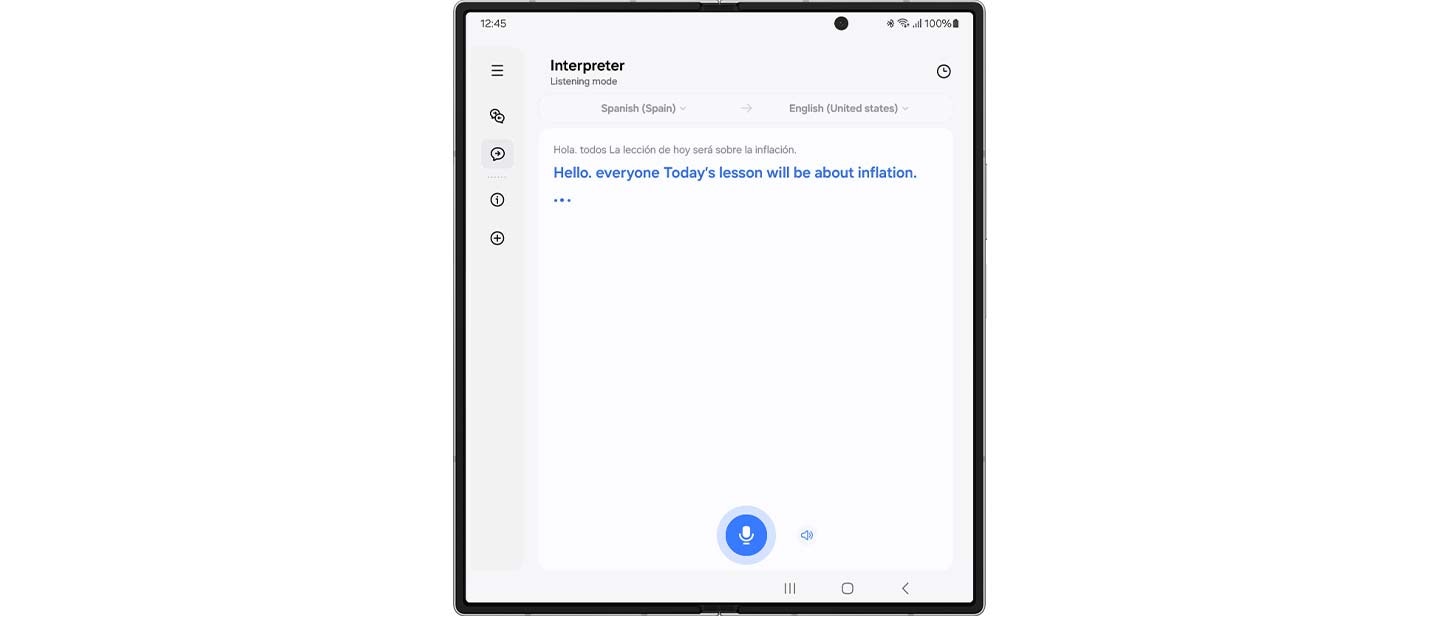
With Galaxy AI, understand the world like never before. See the translation on your Samsung Galaxy smartphone, and simultaneously hear your conversation interpreted in real-time through your Galaxy Buds3 Pro. Discover what it means to be truly free of language barriers. , , , , , ,
 Hola. todos La lección de hoy será sobre la inflación.
 Hello. everyone Today’s lesson will be about inflation.
 Gracias pir su propuesta, la he revisado deternidamente
  Thanks for your proposal, I’ve looked it over carefully.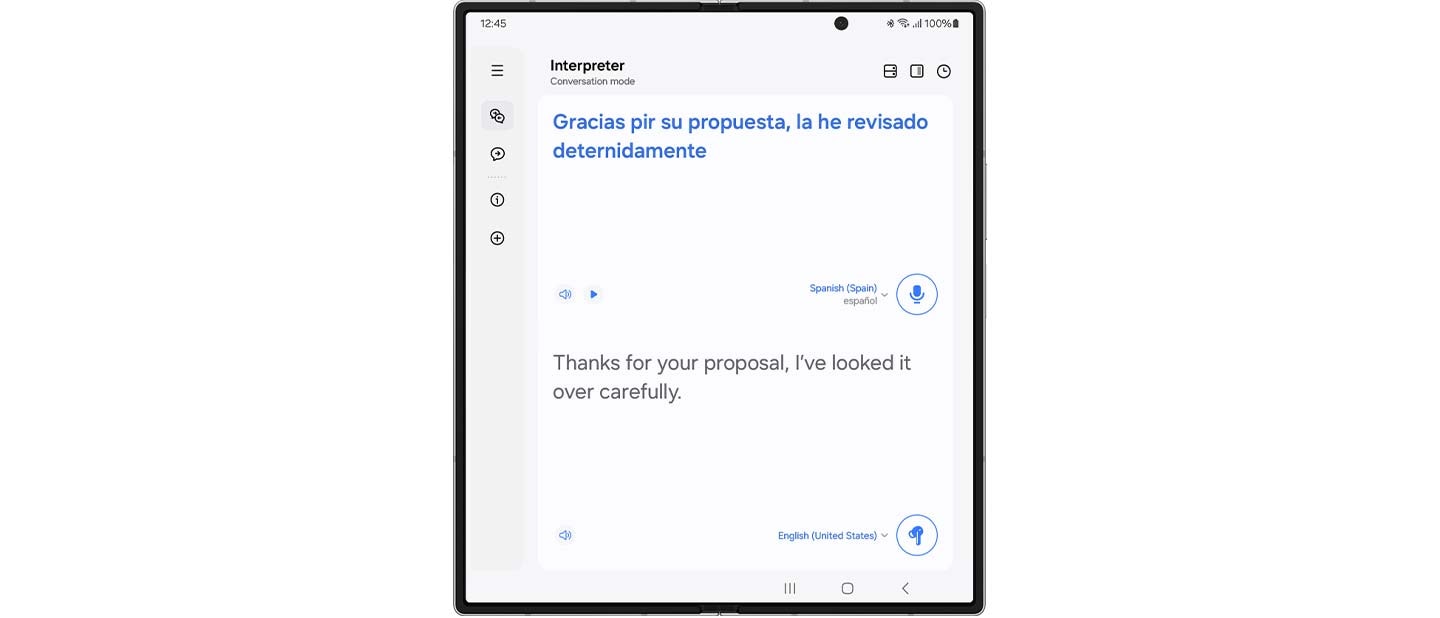
In conversation mode, place the phone mic toward the speaker, short press your Galaxy Buds3 Pro and listen to your conversation translated in real-time.
Once the app is open, the Interpreter feature will start up with the mode last used.
Super Clear Call, as if you are near
Looking for smooth, reliable, high-quality calls? Galaxy Buds3 Pro offers highly-improved call quality through enhanced machine learning and super wideband technology. The elaborately trained machine learning model analyzes ambient noise and the user’s voice patterns. Then it selectively removes unnecessary noise and improves call quality, ensuring your voice is heard — even in noisy environments. Enhance your conversations with rich, lifelike clarity through super wideband calls — double the voice bandwidth of conventional Bluetooth calls. , ,


PC Auto Switch
keeps the synergy going
PC Auto Switch on Galaxy Buds3 Pro detects audio activity and transfers the connection to your favorite Samsung Galaxy devices, so you can work and play seamlessly. ,
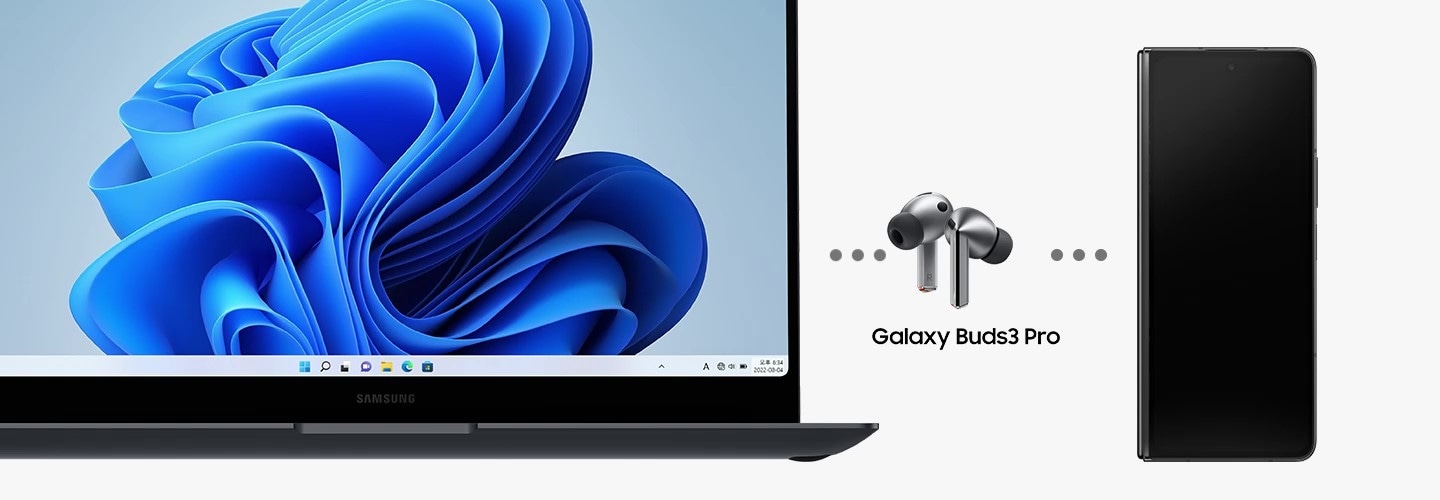
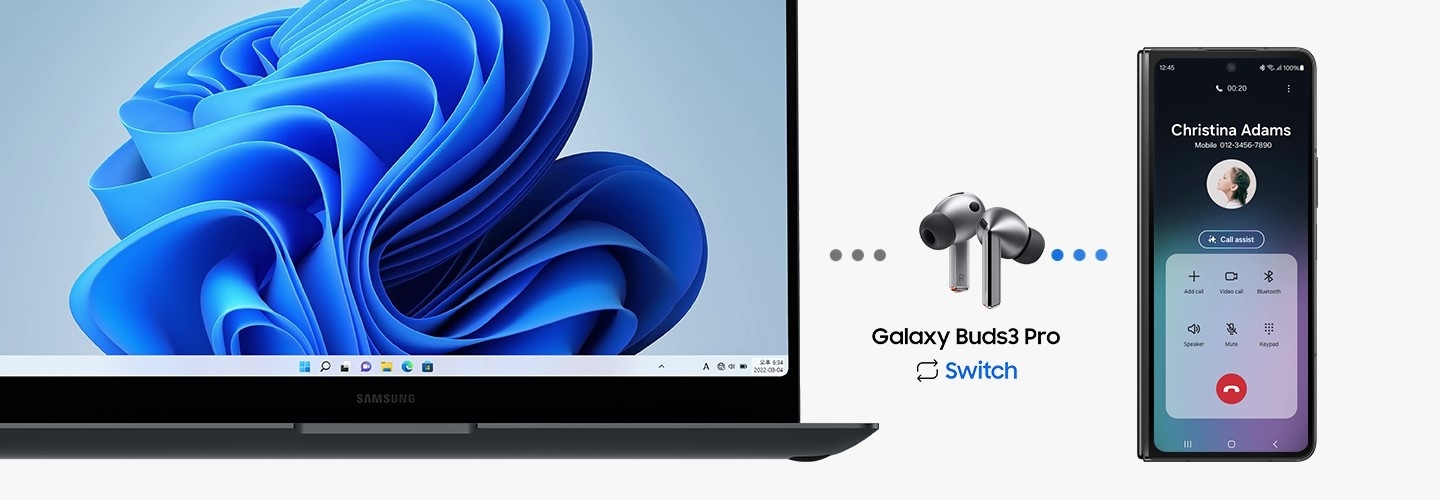
From left to right is a Samsung Galaxy Book laptop, Galaxy Buds3 Pro and Galaxy Z Fold6. A call from the Galaxy Z Fold6 appears on the Samsung Galaxy Book laptop. After answering the call on Galaxy Z Fold6, PC Auto Switch changes the Galaxy Buds3 Pro audio output from the laptop to the smartphone.
Personalize your sound via quick settings panel
Fine-tune your audio straight from the quick settings panel. Just swipe down from the top of the screen, touch and hold the volume slider or Buds icon and adjust noise control and sound settings. Best of all, your preferred sound settings are now saved for each app. Simply adjust them in the quick settings panel while the app is playing media. Whether you enjoy 360 Audio on YouTube or prefer bass boost equalizer on Spotify, your audio is always tuned just the way you like it. 58, 59, 60, 61
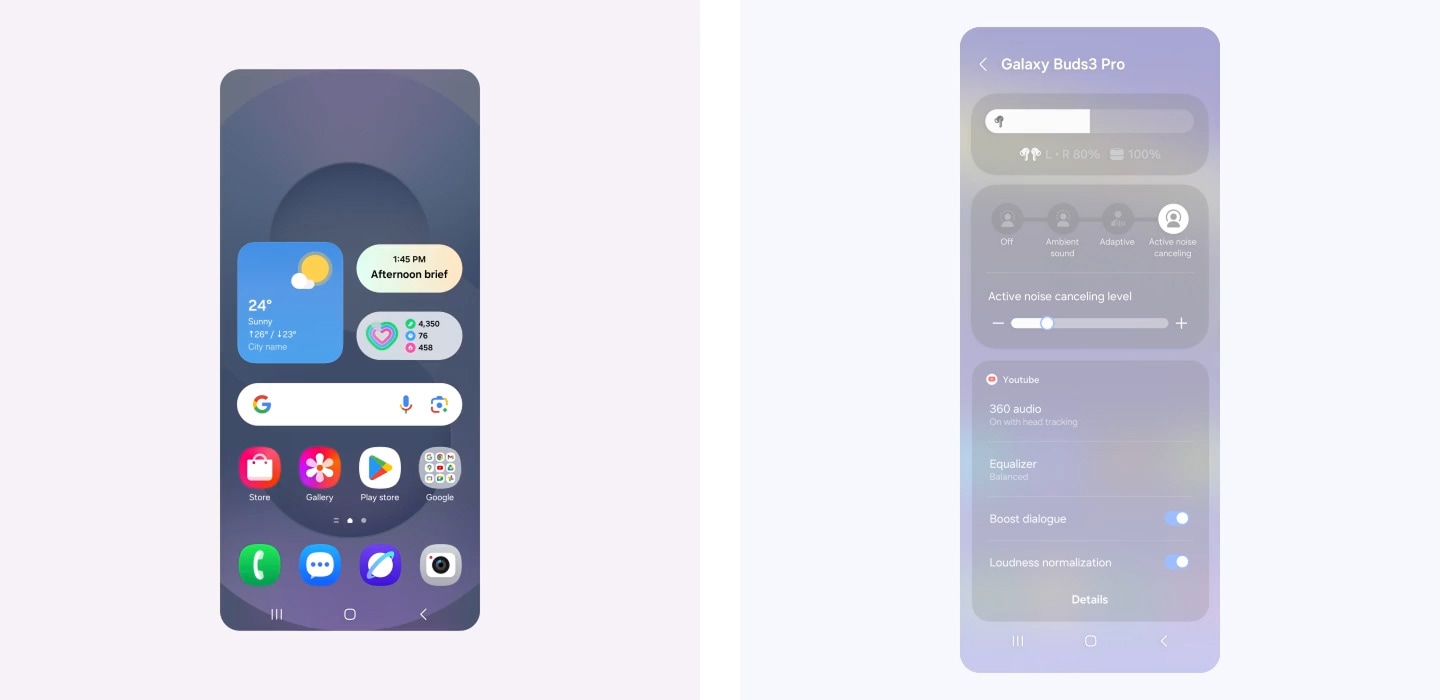
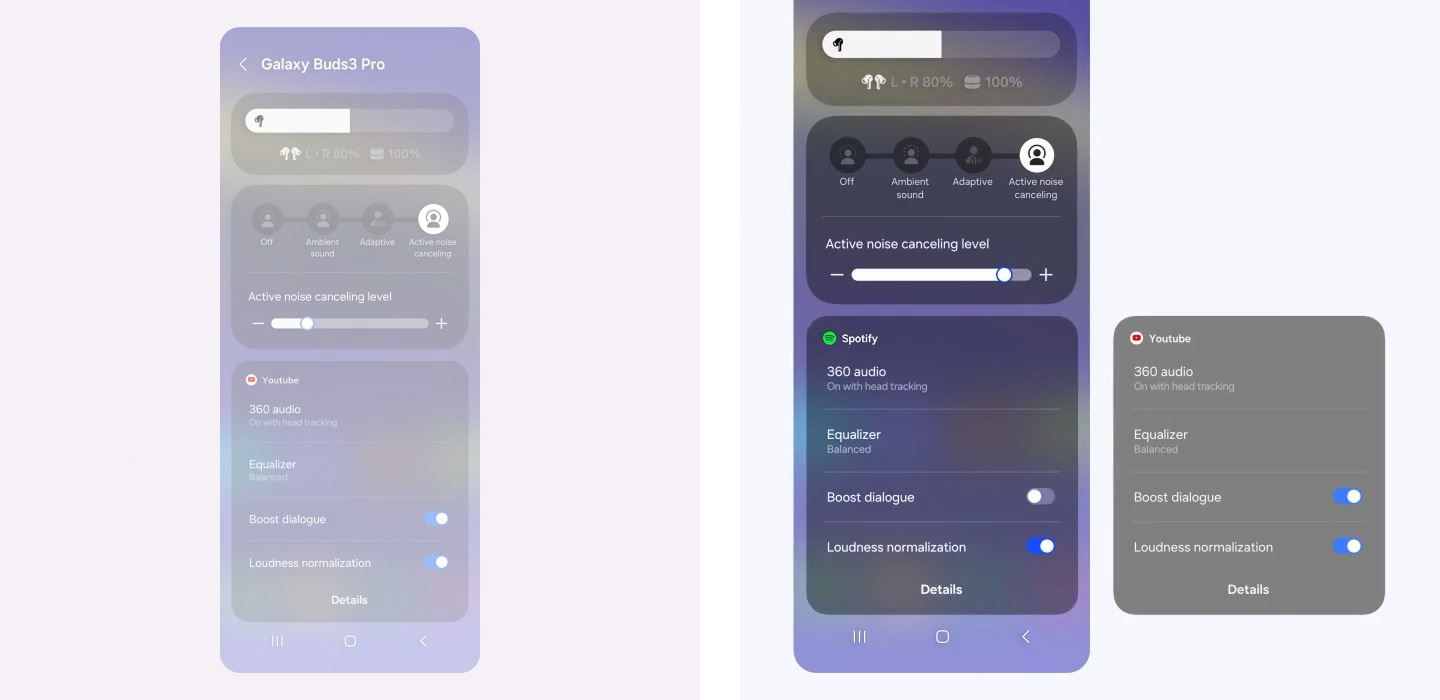
A Galaxy smartphone screen is swiped down, which opens up the quick settings panel. It's zoomed in on the volume slider which is pressed for few seconds to open a widget showing Buds battery level and Active Noise Canceling level. Another screen is zoomed in on Active Noise Canceling level widget where the ANC level slides up from left to right. Below, a widget for YouTube audio displays settings for 360 audio, Equalizer, Boost dialogue and Loudness normalization. It then changes to a widget for Spotify audio, showing a different set of audio configurations. For Spotify, the audio displays settings for 360 audio, Equalizer, Boost dialogue turned off and Loudness normalization turned on. Finally, the view zooms out to show all the settings previously shown.


Your personalized sound sanctuary
Mindfulness comes with daily practice. At the press of a button, teleport to a worry-free world of your own with Samsung Health powered by Calm. Alleviate stress with peaceful melodies from nature, improve your focus with white noise or relax with ASMR content for a happier, healthier you. , , , ,
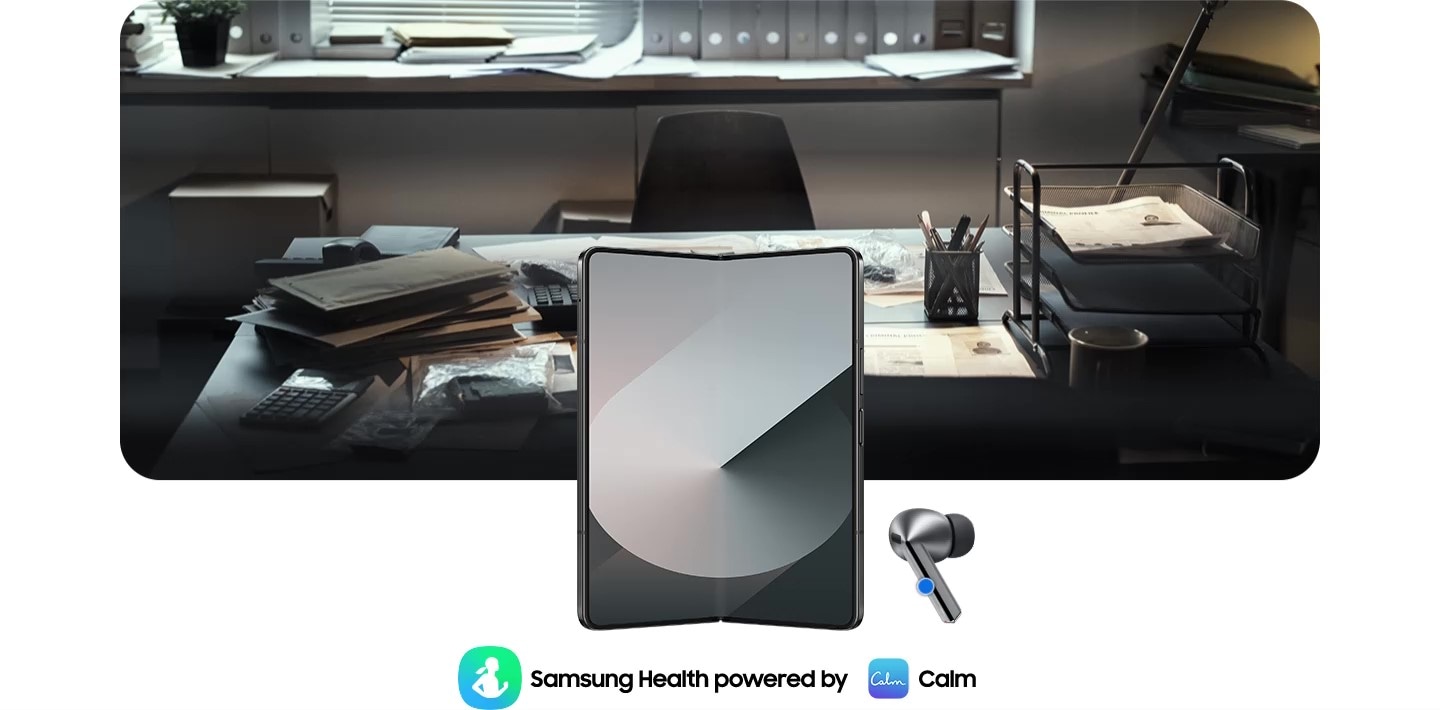
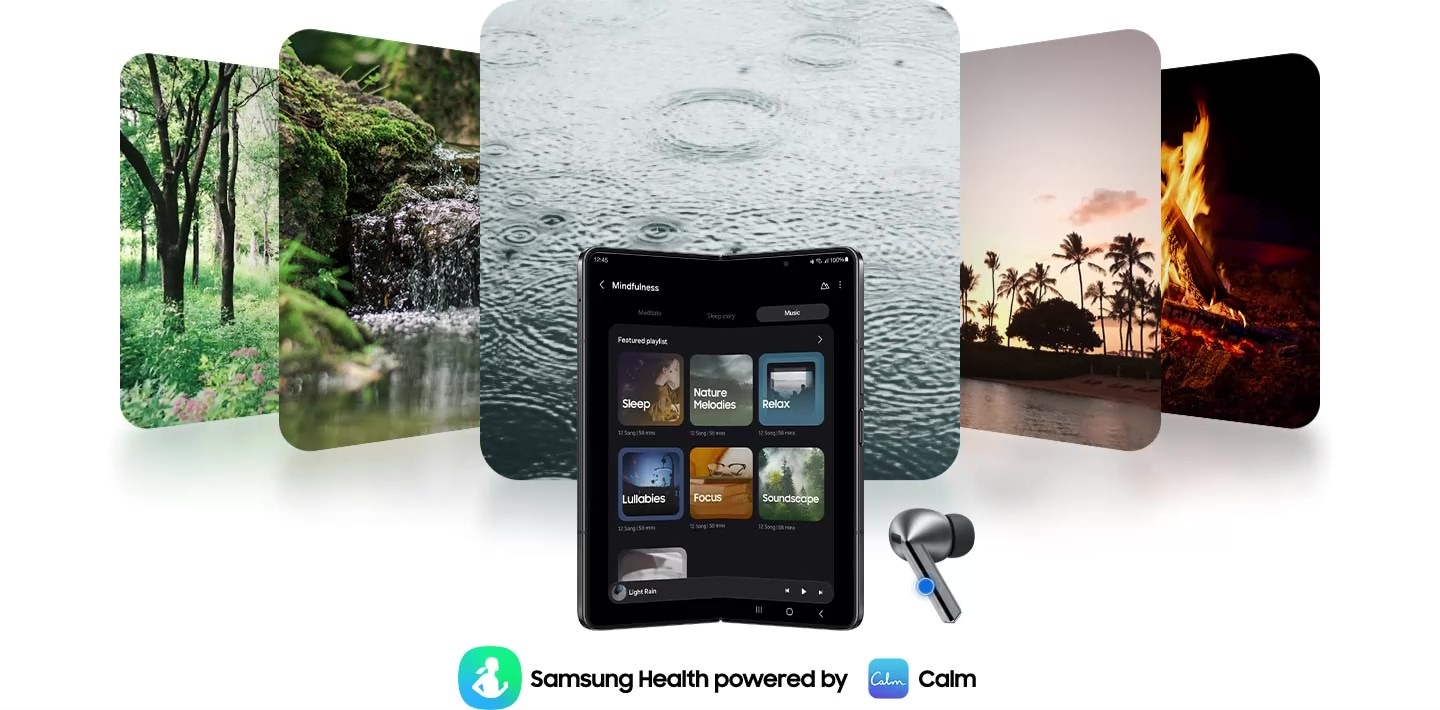
Galaxy Z Fold6 is open with a Galaxy Buds3 Pro earbud on the right and Samsung Health powered by Calm application icons on the bottom. By pressing Galaxy Buds3 Pro, the app activates and at the same time, the office image changes to 5 images of nature. An image of trees, a river, raindrops falling, palm trees and a bonfire.
Enjoy the seamless experience across Android smartphones
Start your Galaxy Wearable experience on your Android smartphone. Pair your Galaxy Watch, Buds or Ring easily with the Android phone you already have. Just download the Galaxy Wearable and Samsung Health apps on Google Play, and you’re good to go. You can even try out different watch faces on the Galaxy Wearable app—mix and match various features to your liking. , , , , , , , , ,



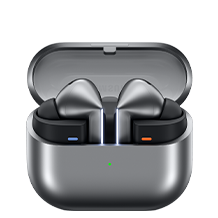
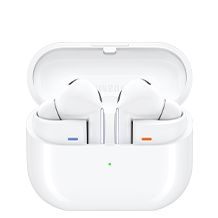

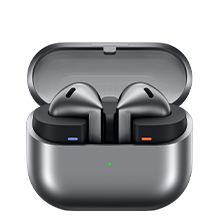
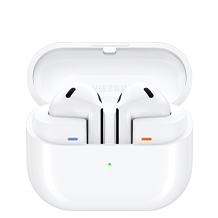


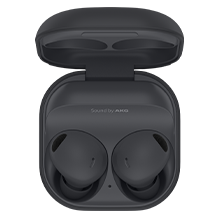
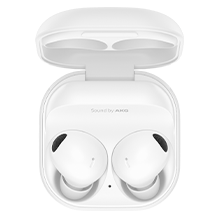

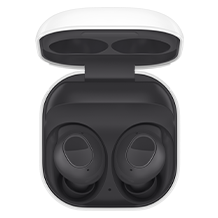
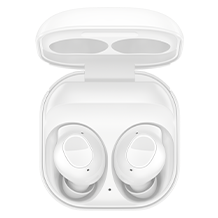
Sound


Sound
Sound
 support
Sound
Sound
Intelligent Personalization
Intelligent Personalization
Intelligent Personalization
Control Interface
Control Interface
Control Interface
Durability
Blade Lights
Play time
(ANC Off)
Up to 6.0/26hr
(ANC On)
(ANC Off)
Up to 6.0/24hr
(ANC On)
(ANC On)
(ANC Off)
Up to 6.0/21hr
(ANC On)


- Images simulated for illustrative purposes.
- Interpreter requires Samsung Account login. Certain languages may require language pack download. Service availability may vary by language.
Accuracy of results is not guaranteed. Availability and supported features may vary by country, region or carrier. Availability of supported languages may vary. - Audio interpretation is only available when wearing Buds and connected to a Samsung Galaxy smartphone. Interpreter feature is not directly provided by Buds themselves.
If Buds are unavailable, the interpreted content is provided on the screen of your Samsung Galaxy smartphone. - Blade Lights only available on Samsung Galaxy Buds3 Pro.
- Specific Blade Light modes can be configured under Settings.
- Ultra high quality audio up to 24bit/96kHz’ is available on Galaxy S24 series, S23 series, Z Fold6, Z Flip6, Z Fold5, Z Flip5 and Tab S9 series with One UI 6.1.1 or above. Additional devices may be supported in the future.
- Adaptive Noise Control is off, Voice Detect is off and Siren Detect is off by default, and can be configured in the Galaxy Wearable app.
- The Adaptive Noise Control, Voice Detect and Siren Detect features are only available on Samsung Galaxy Buds3Pro.
- Images simulated for illustrative purposes. Sequences shortened and simulated. Actual UI may be different.
- Galaxy AI features are supported on Galaxy S24 series, Galaxy S23 series, Galaxy Z Fold5 series, Galaxy Z Flip5 series, Galaxy S23 FE, Galaxy S22 series, Galaxy Z Fold4 series and Galaxy Z Flip4 series as of May 2024
- Available colors may vary by country or carrier.
- In-box items include the Galaxy Buds3 Pro, a charging case, three sets of ear tips for the left and right ear (S, M(default), L), a USB cable and a quick start guide.
- Galaxy Buds3 Pro is the first Galaxy Buds with 2-Way Speaker featuring a planar tweeter and Dual Amp.
- Ultra high quality audio up to 24bit/96kHz’ is available on Galaxy S24 series, S23 series ,Z Fold6 , Z Flip6, Z Fold5, Z Flip5 and Tab S9 series with One UI 6.1.1 or above. Additional devices may be supported in the future.
- Samsung Account login may be required to use certain Samsung AI features.
- Samsung does not make any promises, assurances or guarantees as to the accuracy, completeness or reliability of the output provided by AI features.
- Galaxy AI features will be provided for free until the end of 2025 on supported Samsung Galaxy devices. Different terms may apply for AI features provided by third parties.
- ANC(Active Noise Canceling) is on by default.
- 'Default setting' refers to the original setting for the Galaxy Buds3 Pro when it was first released, simply with the power turned on.
- Devices sold separately.
- Samsung Galaxy devices may require the latest software update to properly support Galaxy AI features.
- The default setting of the Pinch and Hold gesture is set to Noise Control. In order to change the Interpreter to Listening Mode, the settings must be configured on the Galaxy Wearable app
- 360 Audio is only available on Samsung Galaxy smartphones and Galaxy Tab devices with Android One UI version 3.1 or later, and selected Samsung TV models. Supported Samsung TV models include: Neo QLED 8K (QN900D, QN800D), Neo QLED 4K (QN95D, QN90D, QN87D, QN85D) OLED (S95D, S90D, S85D), QLED (Q80D, Q70D). Support for 360 Audio and head tracking may vary depending on the application and content.
- Direct Multi-channel is available on Samsung Galaxy smartphones and Galaxy Tab devices with Android One UI version 4.1.1 or later.
- Auto Switch feature is only available on Samsung Galaxy Book series with One UI 6.0 or later, Samsung Galaxy smartphones and Galaxy Tab devices with One UI 4.1.1 or later and Galaxy Watch4 series or later. Samsung Galaxy devices must be logged in to Samsung Account to enable the Auto Switch feature. Auto Switch feature for Samsung TV is only available on Samsung TVs launched Feb ’22 or later after getting a firmware update from Jul ’22. Auto Switch with TV is only available for making and receiving phone calls.
- Devices with Auracast Source ability are available only on Samsung Galaxy smartphones, tablets with Android One UI version 6.1.1 or later, and select TV models. Supported Galaxy smartphone and tablet models include: S24+, S24, S24 Ultra, Galaxy Z Flip6, Galaxy Z Fold6,Galaxy Z Flip5, Galaxy Z Fold5, S23+, S23 (except FE edition), S23 Ultra, Tab S9+, Tab S9+ 5G, Tab S9, Tab S9 Ultra, Tab S9 Ultra 5G, Tab S9 FE+, Tab S9 FE+ 5G, Tab S9 FE, Tab S9 FE 5G and Tab S9 5G. Supported TV models include: 2024 NeoQLED 8K QND800, QND900, 2023 Neo QLED 8K and 2023 MICRO LED models.
- Devices with Auracast Assistant ability are available only on Samsung Galaxy smartphones, tablets with Android One UI version 5.1.1 or later. Supported Galaxy smartphone and tablet models include: S24+, S24, S24 Ultra, S23+, S23, S23 Ultra, Z Fold6, Z Flip6,Z Fold5, Z Flip5, Z Fold4, Z Flip4, A54 5G, A55 5G, M54 5G, Tab S9+, Tab S9+ 5G, Tab S9, Tab S9 Ultra, Tab S9 Ultra 5G, Tab S9 FE+, Tab S9 FE+ 5G, Tab S9 FE, Tab S9 FE 5G, Tab S9 5G and Tab Active 5G.
- Connecting 2 or more devices to Auracast is limited to Samsung Galaxy devices.
- The Voice Command menu appears when the language pack matching the system language exists. Voice Command is limited to fixed commands and is only available in Korean, English (India, United Kingdom, United States), Portuguese (Brazil), Chinese, German, Spanish (Mexico, Spain), Italian and Polish at the time of release.
- Voice Command is limited to fixed commands and is only available in Korean and English.
- Commands continue in the chosen language specified during setup or while in use and can be configured in the language settings.
- Additional language packs may be supported in the future.
- Some content may incur additional charges. Samsung Account log in is required for Samsung Health.
- With ANC on/off, earbuds and case provide up to 30 hours of play time on a full charge. Based on internal testing. Play time tested by pairing a pre-production Galaxy Buds3 Pro to a recently released Galaxy smartphone with default settings. Actual battery life may vary and depend on usage conditions, settings, number of times charged, Bluetooth signal strength, and other factors. 'Play time' refers to when the Galaxy Buds3 Pro are connected to the phone, streaming music. Actual Play time may vary based on settings.
- IP57 is based on laboratory test conditions for submersion in up to 1 meter of fresh water for up to 30 minutes.
- Not advised for beach or pool use. Charging case is not water resistant. If the earbuds are damaged, they are not guaranteed to be water resistant. If the earbuds or your hands are wet, they must be dried thoroughly prior to handling or placing into the charging case. If placed into the charging case without drying, the earbuds may be damaged.
- Provided charging case is to charge the Galaxy Buds3 Pro.
- The Galaxy Wearable application can only be downloaded on smartphones with Android 10.0 or above and minimum 1.5GB Memory.
- Actual Play time may vary based on settings.
- Ambient sound turns on automatically when a siren is detected. If the siren is brief or is quieter than the background noise, it may not be detected. While Siren Detect can be helpful in emergency situations, your safety is not guaranteed.
- Feature availability may vary by language, country or region.
- To use the Mindfulness feature in the Galaxy Wearable app, Samsung Health app should be downloaded.
- Service availability may vary by country or region.
- The TV 360 Audio feature is not supported as of July 2024 for Galaxy Buds3 and Galaxy Buds3 Pro models, but is expected to be available in a feature update
- The typical capacity has been tested under independent laboratory settings using the IEC 61960-3 standard. Typical capacity is the average estimated capacity, accounting for variations across battery samples. The rated capacity is 53mAh for the earbuds and 515mAh for the charging case.
- Galaxy Watch7, Galaxy Watch Ultra and Galaxy Ring must be paired with a smartphone with Android 11.0 or above and minimum 1.5GB Memory.
- Connecting Galaxy Buds as Bluetooth Audio is available regardless of OS but to configure advanced settings on the Galaxy Wearable app, Galaxy Buds must be paired with a smartphone with Android 10.0 or above and minimum 1.5GB Memory.
- Advanced settings on the Galaxy Wearable app include Noise Control, Adaptive EQ, Pinch Control and software update
- Some features are only available on selected Samsung Galaxy smartphones.
- Galaxy Wearable app is not supported on iOS.
- Samsung Health Monitor app is only available on Samsung Galaxy smartphones.
- Gesture and Find My Ring features are only available on Samsung Galaxy smartphones.
- Suggested Replies feature on Galaxy Watch7 and Galaxy Watch Ultra is only available on Samsung Galaxy smartphones.
- Availability and supported features may vary by country, region or carrier.
- Android is a trademark of Google LCC.
- Super wideband call is available on Galaxy Z Fold6, Galaxy Z Flip6 with One UI 6.1.1 or above. Additional devices may be supported in the future.
- Super Wideband (SWB) is available regardless of the Call App. SWB may not be supported depending on the mobile network between devices.
- Video simulated for illustrative purposes.
- Actual UX, UI may be different.
- Availability of functions may vary by country, language, device model, apps. Some functional widgets may require a network connection and/or Samsung Account login.
- Available on Samsung Galaxy devices with One UI 7.0 or above. Additional devices may be supported in the future.
Specifications
-
Size (Main Display)
14.6" (369.9mm)
-
Main Camera - Resolution
13.0 MP + 8.0 MP
-
Weight (g)
718
-
CPU Speed
3.4GHz, 2.8GHz, 2GHz
-
CPU Speed
3.4GHz, 2.8GHz, 2GHz
-
CPU Type
Octa-Core
-
Size (Main Display)
14.6" (369.9mm)
-
Resolution (Main Display)
2960 x 1848 (WQXGA+)
-
Technology (Main Display)
Dynamic AMOLED 2X
-
Color Depth (Main Display)
16M
-
Yes (Gesture/Remote Control)
-
Main Camera - Resolution
13.0 MP + 8.0 MP
-
Main Camera - Auto Focus
Yes
-
Front Camera - Resolution
12.0 MP + 12.0 MP
-
Main Camera - Flash
Yes
-
Video Recording Resolution
UHD 4K (3840 x 2160) @30fps
-
Memory_(GB)
12
-
Storage (GB)
256
-
Available Storage (GB)
227.9
-
External Storage Support
MicroSD (Up to 1.5TB)
-
USB Version
USB 3.2 Gen 1
-
Location Technology
GPS, Glonass, Beidou, Galileo, QZSS
-
Earjack
USB Type-C
-
MHL
No
-
Wi-Fi
802.11a/b/g/n/ac/ax/be 2.4GHz+5GHz+6GHz, EHT320, MIMO, 4096-QAM
-
Wi-Fi Direct
Yes
-
Bluetooth Version
Bluetooth v5.3
-
NFC
No
-
Bluetooth Profiles
A2DP, AVRCP, DI, HID, HOGP, OPP, PAN, PBP, TMAP
-
PC Sync.
Smart Switch (PC version)
-
Android
-
Form Factor
Tablet
-
Accelerometer, Fingerprint Sensor, Gyro Sensor, Geomagnetic Sensor, Hall Sensor, Light Sensor
-
Dimension (HxWxD, mm)
208.6 x 326.4 x 5.4
-
Weight (g)
718
-
Internet Usage Time(Wi-Fi) (Hours)
Up to 10
-
Video Playback Time (Hours, Wireless)
Up to 16
-
Battery Capacity (mAh, Typical)
11200
-
Removable
No
-
Video Playing Format
MP4, M4V, 3GP, 3G2, AVI, FLV, MKV, WEBM
-
Video Playing Resolution
UHD 8K (7680 x 4320)@60fps
-
Audio Playing Format
MP3, M4A, 3GA, AAC, OGG, OGA, WAV, AMR, AWB, FLAC, MID, MIDI, XMF, MXMF, IMY, RTTTL, RTX, OTA
-
Gear Support
Galaxy Buds3 Pro, Galaxy Buds2 Pro, Galaxy Buds Pro, Galaxy Buds Live, Galaxy Buds+, Galaxy Buds3, Galaxy Buds2, Galaxy Buds, Galaxy Buds FE
-
Mobile TV
No
-
SmartThings Support
Yes
-
Security Update Period (Valid until)
31 October 2031
-
Bluetooth Version
Bluetooth v5.4
-
Sensors
Accelerometer, Gyro Sensor, Hall Sensor, Pressure Sensor, Proximity Sensor, Touch Sensor, VPU(Voice Pickup Unit)
-
Earbud Weight (g)
5.4
-
Number of MIC
6
-
Speaker
Enhanced 2-way
-
Ambient Sound
Yes
-
Adaptive Noise Control
Yes
-
Active Noise Cancellation
Yes
-
Voice Detect
Yes
-
360 Audio
Yes
-
Siren Detect
Yes
-
Audio Codec
AAC, SBC, SSC(Samsung Seamless Codec), SSC-UHQ
-
Adaptive EQ
Yes
-
Adaptive ANC
Yes
-
Super Wide Band
Yes
-
Bluetooth Version
Bluetooth v5.4
-
Bluetooth Profiles
A2DP, AVRCP, HFP, PBP, TMAP
-
LE Audio
Yes
-
Auto Switch
Yes
-
Accelerometer, Gyro Sensor, Hall Sensor, Pressure Sensor, Proximity Sensor, Touch Sensor, VPU(Voice Pickup Unit)
-
Earbud Dimension (HxWxD, mm)
18.1 x 19.8 x 33.2
-
Earbud Weight (g)
5.4
-
Case Dimension (HxWxD, mm)
48.7 x 58.9 x 24.4
-
Case Weight (g)
46.5
-
Durability
IP57
-
Talk Time (Hours, ANC On)
Up to 4.5
-
Total Talk Time (Hours, ANC On)
Up to 20
-
Music Play Time (Hours, ANC On)
Up to 6
-
Total Music Play Time (Hours, ANC On)
Up to 26
-
Talk Time (Hours, ANC Off)
Up to 5
-
Total Talk Time (Hours, ANC Off)
Up to 22
-
Music Play Time (Hours, ANC Off)
Up to 7
-
Total Music Play Time (Hours, ANC Off)
Up to 30
-
Earbud Battery Capacity (mAh, Typical)
53.0
-
Case Battery Capacity (mAh, Typical)
515
-
Samsung Find
Yes
-
Bixby Voice Wake-up
Yes
-
Neck Stretch Reminder
Yes
-
Voice Command
Yes
User manual & downloads
Solutions & Tips
* Key feature may different from Key Spec
* Key feature may different from Key Spec
* Image of Galaxy Buds earbuds simulated for illustration purposes.
* User Available Memory : User memory is less than the total memory due to storage of the operating system and software used to operate the device features. Actual user memory will vary depending on the operator and may change after software upgrades are performed
* Battery Capacity: The actual capacity (Wh) is measured based on the battery's output current and voltage. It may differ from the capacity (Wh) indicated on the device, depending on the output power condition, the connected device’s circuit configuration, and the operation environment.
* Network : The bandwidths supported by the device may vary depending on the region or service provider
* All specifications and descriptions provided herein may be different from the actual specifications and descriptions for the product. Samsung reserves the right to make changes to this web page and the product described herein, at anytime, without obligation on Samsung to provide notification of such change. All functionality, features, specifications, GUI and other product information provided in this web page including, but not limited to, the benefits, design, pricing, components, performance, availability, and capabilities of the product are subject to change without notice or obligation. The contents within the screen are simulated images and are for demonstration purposes only.
* Battery : Actual battery life varies by network environment, features and apps used, frequency of calls and messages, number of times charged, and many other factors.
* Wi-Fi connection and speed may vary depending on the usage environment.
* The network capacity and data transfer speed may be reduced while dual SIM cards are used at the same time.
* Size and weight may vary by the device's configuration and manufacturing process.
* Screen measured diagonally as a full rectangle without accounting for the rounded corners.
* Images are for illustration purposes only and the accessories are sold separately.
* Features and Specifications are accurate as of commercial launch but may be subject to change without prior notification.
* CPU Speed - Based on maximum clock speed, the maximum clock speed of performance core and efficiency core respectively.
* Battery time is based on our own laboratory measurements, and may vary depending on factors such as device settings, usage patterns and operating conditions.
* Measured diagonally, Galaxy Tab S10 Ultra's screen size is 14.6" in the full rectangle and 14.5" accounting for the rounded corners. Actual viewable area is less due to the rounded corners and the camera hole.
* Typical value tested under third-party laboratory conditions. Typical value is the estimated average value considering the deviation in battery capacity among the battery samples tested under IEC 62133 standard. Typical capacity is 11,200 mAh for Galaxy Tab S10 Ultra. Rated (minimum) capacity is 10,880 mAh for Galaxy Tab S10 Ultra. Actual battery life may vary depending on network environment, usage patterns and other factors.
* Network: 5G network availability may vary depending on the country, network provider and user environment.
* Fast Charging speed may vary depending on charging conditions and other factors.
* Using the original Samsung data cable is recommended.