Galaxy S26 Ultra
"Samsung has introduced a number of key upgrades that help make the S26 Ultra the most powerful phone in the company's history."
– The Shortcut, 02/2026
Enjoy 10% off Galaxy Watch Ultra2 or Galaxy Watch9, 10% off Galaxy Buds4 Pro or Galaxy Buds4 and 30% off accessories when you purchase with your new Galaxy S26 Ultra.
*While stocks last. T&C apply. Offer ends 15 Nov 2026.

Your Next Galaxy Device, now easier to own!
With 0% installment plan up to 36 months
*Available with credit cards from selected banks
*T&C apply

Buying Tool


Device
Please select the phone model you wish to buy
What phone do you want?
Unavailable for this option

Storage
Please select your storage
How much storage do you need?
Unavailable for this option

Color
Select the phone color you wish to buy.
Which color do you like best?
Unavailable for this option
Color
Which color do you like best?
Samsung Trade-In
Save more with Trade-In.
With savings up to RM3,510 when you Trade-In your eligible old device!
Please select your Trade-In device or 'No' Trade-In
Please select 'Yes' or 'No' for Trade-in.
Your Old Device Value, this value may differ from estimated trade-in value and will be credited upon the collection/drop off of the used device.
Overtrade Bonus, discount will be reflected in cart upon checkout.
Your Old Device Value, this value may differ from estimated trade-in value and will be credited upon the collection/drop off of the used device.
Overtrade Bonus, discount will be reflected in cart upon checkout.
The trade-in price of the device is higher in value than the device you are purchasing. The excess value will not be refunded to you.


*Terms and Conditions apply. Please visit the Smart Switch page for more information.
Purchase Option
Samsung Care+
Protect your new Galaxy with support from the people who know it best.
Add an extended protection plan for even more peace of mind. Samsung Care+ offers repairs and support for your Galaxy phone by Samsung-certified experts.
*Terms and conditions apply.
*Samsung Care+ coverage, service type and promotion details may vary by country/region and a deductible (service fee) may apply. To be eligible for Samsung Care+ promotion benefits, registration may be required.
*For detailed Samsung Care+ information, please visit https://www.samsung.com/my/offer/samsung-care-plus/.
*Care at home & abroad: When in need of Samsung Care+ services during your travel, contact the visiting country/region's local customer services center in advance for Samsung Care+ availability.
Please select Samsung Care+ or no coverage

Gifts and Savings
Save more on your purchase with special perks from us.
Buy direct. Get more.
Explore the benefits of buying directly from Samsung.
Delivery
Gifts and Savings
Save more on your purchase with special perks from us.
Reached maximum order quantity for this product.
Compare the models
Compare
See in 360˚
Key Specs


 /
/
/


All tech specs

/
/


FAQ
Click to Expand-
A. The latest entry to Samsung’s flagship Ultra series, Galaxy S26 Ultra introduces various new features that embody innovation and make it the ultimate choice in Samsung’s smartphone lineup. Some of these features include:
● A newly refreshed design that includes an ambient island camera for a sleeker, more premium look.
● Privacy Display, a new and innovative technology that hides your screen from side views like a privacy screen protector. You can choose to have this feature active only for certain apps, or you can have the full screen hidden at all times for your peace of mind.
● Support for Super Fast Charging 3.0, which lets you recharge your phone at blazing speeds without affecting battery health.
● Super Steady with Horizontal Lock, a video shooting feature that allows for smoother, shake-free videos by keeping your shots level even if you rotate a full 360°.
● New AI features designed to intuitively fit into your life and simplify your everyday experiences.
*Compared to previous models.
*Privacy Display feature controls the screen's viewing angle to limit peripheral vision and can be activated in Settings. Activation for specific apps also available in Settings. Some changes in image quality may occur outside the viewing angle. Some information may still be visible to others depending on the viewing environment, such as angle or brightness. Caution is advised when exposing sensitive information.
*Actual battery life varies by network environment, features and apps used, frequency of calls and messages, the number of times charged, and many other factors. Estimated against the average usage profile compiled by UX Connect Research. Independently assessed by UX Connect Research between 2026.1.8-2026.1.30 in US and UK with pre-release versions of SM-S942, SM-S947 and SM-S948 under default setting using LTE and 5G Sub6 networks. NOT tested under 5G mmWave network.
*Super Steady results may vary depending on editing method and/or shooting conditions.
*Samsung Account login may be required to use certain AI features.
*Samsung does not make any promises, assurances or guarantees as to the accuracy, completeness or reliability of the output provided by AI features.
*Availability of Galaxy AI features may vary depending on the region/country, OS/One UI version, device model and phone carrier.
*Galaxy AI basic features provided by Samsung are free. Future releases may include enhanced features or new services that are offered on a paid basis. Different terms may apply for AI features provided by third parties. Galaxy AI basic features are those services listed under "Advanced intelligence" in the current Samsung Services Terms and Conditions.
*Galaxy AI service may be limited for minors in certain regions with age restrictions over AI usage. -
A. Galaxy S26 Ultra has received various upgrades from the previous Galaxy S25 Ultra model, including:
● Snapdragon® 8 Elite Gen 5 For Galaxy, the latest and most powerful custom processor for Galaxy smartphones.
● A slimmer design along with a new ambient island camera for elegance that fits naturally in your hand.
● Wider apertures and noise reduction that deliver clearer and more detailed videos in low-light environments, such as during the night.
● An AI image signal processor (ISP) in the front camera for more natural, realistic selfies.
● A redesigned Vapor Chamber that spreads heat more evenly within the device for 21% greater thermal performance, allowing your phone to stay cooler for longer.
*Compared to previous models.
*Snapdragon branded products are products of Qualcomm Technologies, Inc. and/or its subsidiaries. Snapdragon is a trademark or registered trademark of Qualcomm Incorporated.
*AP performance improvements shown compared to Galaxy S25 Ultra. Actual performance will depend on user environment, conditions and pre-installed software and applications.
*Brightness improvements shown compared to Galaxy S25 Ultra.
*Results may vary depending on light condition and/or shooting conditions including multiple subjects, being out of focus or moving subjects.
*Vapor Chamber performance improvements shown compared to Galaxy S25 Ultra. Actual performance will depend on user environment, conditions and pre-installed software and applications. -
A. Galaxy S26 Ultra comes with four standard color options of Cobalt Violet, Sky Blue, Black and White and two exclusive color options of Silver Shadow and Pink Gold that are available only on Samsung.com in certain regions.
● Cobalt Violet, Sky Blue, Black and White are the four standard color options for Galaxy S26 Ultra that are available for purchase.
● Silver Shadow and Pink Gold are the exclusive color options for Galaxy S26 Ultra that are available for purchase only on the official Samsung.com website in certain regions.
* Color availability may vary depending on country or carrier. -
A. Galaxy S26 Ultra comes with three storage options of 1 TB, 512 GB and 256 GB. You should choose the storage option that best suits your lifestyle and demands, such as whether you need to save a lot of pictures and videos or download various apps and games.
● 1 TB (with 16 GB of memory): If you're going to be dealing with a lot of data, consider upgrading all the way to 1 TB. This is the perfect storage option for power users who need a lot of space for large files and high-performance tasks, particularly for work or gaming.
● 512 GB (with 12 GB of memory): If you take a lot of pictures and videos or download various apps and games, then consider choosing the 512 GB storage option. This should ideally give you the space to add new content to your phone while keeping the photos, videos, music and other files you already have.
● 256 GB (with 12 GB of memory): If you take a moderate number of pictures and videos and don’t download many apps or games, then the right choice may be the 256 GB storage option.
● If you’re still unsure of which option is best for you, check the storage capacity on your current phone (usually found in the settings) to get an idea of your typical usage. You can see how much space is being taken up and even get a breakdown of the different categories, like photos, videos, apps, music, documents and more. This will give you a good idea of how much storage you will need on your new device.
*Storage options and availability may vary by carrier, country or region. Actual storage availability may vary depending on pre-installed software. -
A. Samsung Galaxy S26 Ultra does not come with a charger, though it does come with an ejection pin and a data cable included in the box.
● The ejection pin can be used for SIM card removal. The data cable can be used to connect to other devices for various tasks, including an adapter for charging. However, the actual adapter or charger has to be purchased separately.
● It is recommended to use a Samsung charger along with your Galaxy S26 Ultra, as Samsung chargers are designed for safe and optimal use with Galaxy devices. You can check out the available options at Samsung.com. -
A. Samsung provides various ways to get your new Galaxy smartphone at a lower price point, such as by offering promotional benefits and Trade-In discounts. You should do the following in order to get your Galaxy S26 or S26+ at a better value:
● Check online at Samsung.com to see what deals are currently available. Samsung offers various promotions and benefits throughout the year to help you get your Galaxy device at a more affordable price point.
● Trade in your current device to get a discount on your new Galaxy phone. Samsung has a robust Trade-In program where you can send in your old device in return for credit toward your purchase, even if your device is from a different brand or has a cracked screen — as long as it meets the necessary qualifications.
*Subject to applicable terms and conditions.
*Promotion details may vary by region/country/carrier. Terms and conditions may apply.
*To be eligible for Trade-In, your qualifying device must meet all Trade-In Program eligibility requirements. For detailed information, please refer to https://www.samsung.com/my/trade-in/. -
A. You can enjoy various benefits when you buy your Samsung Galaxy S26 or S26+ directly from Samsung.com, ranging from exclusive color options to financial benefits that help you get your new phone at a more affordable price point. Some of the benefits of buying from Samsung.com include:
● The guarantee that you’re purchasing an authentic Samsung product.
● The exclusive color options of Silver Shadow and Pink Gold, available for purchase only at Samsung.com.
● Options for free shipping and delivery, including free next-day delivery.
● Options to trade in your current device to get an instant discount on your purchase.
● Options to get the Samsung Care+ protection plan for a wider range of services and repairs for your new device.
● Options to collect points through Samsung Rewards for savings on future purchases.
*Subject to applicable terms and conditions.
*Delivery and customer service may vary depending on country or carrier.
*Color availability may vary depending on country or carrier.
*To be eligible for Trade-In, your qualifying device must meet all Trade-In Program eligibility requirements. For detailed information, please refer to https://www.samsung.com/my/trade-in/.
*Terms and conditions apply. Samsung Care+ coverage, service type and promotion details may vary by country/region and deductible (service fee) may apply. To be eligible for Samsung Care+ promotion benefit, registration may be required. For detailed Samsung Care+ information, please visit https://www.samsung.com/my/offer/samsung-care-plus/.
*Care at home & abroad: When in need of Samsung Care+ services during your travel, contact the visiting country/region's local customer services center in advance for Samsung Care+ availability. -
A. Yes, you can trade in your current phone when you buy Galaxy S26 or S26+, and in return you can receive a Trade-In credit for an instant discount on your purchase.
● Samsung offers a robust Trade-In program where you can send in your old device for a discount on your new Galaxy. Just answer a few questions about the old device you want to trade in, like the model and condition, and Samsung will provide a Trade-In credit estimate if it qualifies.
● You can trade in various types of devices, including smartphones, tablets and wearables. There are even options to send in multiple devices at once to stack your discount and get a bigger Trade-In credit.
● You can also trade in devices from different brands — they don’t necessarily have to be Samsung Galaxy.
● You can even trade in devices with cracked screens, though your device generally has to be in good working condition to qualify.
For more detailed information, please visit the Samsung Trade-In page.
*Promotion details may vary by region/country/carrier. Terms and conditions may apply.
*To be eligible for Trade-In, your qualifying device must meet all Trade-In Program eligibility requirements. For detailed information, please refer to https://www.samsung.com/my/trade-in/. -
A. Samsung Care+ is an extended protection plan for your Galaxy device that is available upon purchase or at a later date, providing coverage for when the unexpected happens so you can enjoy peace of mind with your new phone.
● You get access to a wide range of services, including repairs for water damage, cracked screens, hardware issues and more with Samsung Care+. You can also get replacements for certain parts like batteries.
● Services are done by Samsung-certified technicians, so you can be assured that your device is in good hands.
● Samsung allows you to get Samsung Care+ benefits at home or abroad, so you can enjoy coverage even when you travel.
● You can get Samsung Care+ for your new Galaxy S26 or S26+ by selecting the relevant option when buying from Samsung.com or by requesting it when purchasing from a certified Samsung Experience store.
● You can also sign up for Samsung Care+ coverage even if you’ve already bought your device, as long as it's still within the eligible time period. You can sign up online at Samsung.com, in person at a Samsung Experience store or directly through the settings menu of your new Galaxy device.
For more detailed information, please visit the Samsung Care+ page.
*Terms and conditions apply. Samsung Care+ coverage, service type and promotion details may vary by country/region and deductible (service fee) may apply. To be eligible for Samsung Care+ promotion benefit, registration may be required. For detailed Samsung Care+ information, please visit https://www.samsung.com/my/offer/samsung-care-plus/.
*Care at home & abroad: When in need of Samsung Care+ services during your travel, contact the visiting country/region's local customer services center in advance for Samsung Care+ availability. -
A. You can enjoy the benefits of a seamless ecosystem when you use Samsung products together, as they’re designed to work with each other for an enhanced user experience. Your Galaxy smartphone can pair with other Samsung products like Galaxy Buds, Galaxy Watch, Galaxy Ring, Galaxy Tab and Galaxy Book for smooth cross-device functionality.
● Samsung Galaxy devices can detect each other to effortlessly connect and interact in various ways and unlock new functions. They can sync notes and data, share files, mirror screens and much more.
● Being part of the Galaxy ecosystem makes your phone better for work and productivity, as it enables more functions for multitasking and communication between other Galaxy devices. For example, you can copy something from your Galaxy phone, then paste it directly onto your compatible Galaxy Book or Tab. Or you can drag and drop items between different devices, almost like it’s one big extended workspace.
● Special benefits may be available when you buy eligible Galaxy products together, so you can save when you build your multi-device ecosystem. Bundle your phone purchase with Galaxy Buds, Galaxy Watch and more to unlock the full potential of what you can do with Samsung Galaxy.
For more detailed information, please check the Samsung Connected Experience page.
*Promotion details may vary by region/country/carrier.
*Galaxy devices each sold separately.
Featured Reviews
Click to ExpandRecommended by 96% of customers.
Customers describe AI features as transformative, using them constantly for text summarization, photo enhancement, and productivity tasks
Reviewers consistently praise the camera for sharp, vibrant photos in daylight and low-light, with exceptional video stabilization
Many find the display absolutely stunning with crystal-clear clarity and impressive brightness even in direct sunlight
Customers report excellent battery life lasting a full day under heavy use with smooth, lag-free performance
Several appreciate the Privacy Display feature for protecting sensitive information when viewing messages and emails in public
AI-generated from customer ratings & reviews, and may include incentivized reviews.
Supported languages
This summary is AI-generated from ratings and reviews across multiple languages.
- English
- German
- French
- Spanish
- Portuguese
- Italian
- Korean
- Chinese
- Japanese
- Arabic
Relevancy sort puts the best reviews at the top. We look at things like helpfulness votes, latest review, pictures and other traits that readers look for in their reviews.
[This review was collected as part of a promotion.] I bought this phone 1 month ago and I will say it's absolutely outstanding. It is very high quality and it gave me satisfaction. It has alot of storage and awesome battery life! It's camera makes me shocked, the photos look just unreal! The privacy display that is built in makes life easier in public, in my opinion, it's flawless. The durability is perfect, i also noticed that when u have a tiny scratch on it, its almost invisible. It has a good water and dust resistance. It almost feels like it has some kind of armour on it! Overall, the performance for me is 5 stars, this is one of the best phones that i have owned. Samsung makes phones that are purely remarkable.


I recommended this product.
Excellent to see that you are enjoying all that your Galaxy S26 Ultra has to offer, Aniecka. It will be wowing you for years to come! ^AL at Samsung Support
[This review was collected as part of a promotion.] Its been nearly 4 days i have had this phone, and its the best...upgraded from the pixel 6a (also had the s9+), this phone is leagues better than ay phone i have till now used. The cameras are great, the privacy display feature is an absolute fav feature and to me it is a game changer. Battery lasts me easy for atleast 2 days for my usage (taking photos, social media, spotify, and video calls). And the 1440p resolution screen, crisp sharp and bright love it. Got the 512gb for the price of 256gb and couldnt be happier. Over the User jnterface has been smooth (way better than what i used on s9+ matter of fact better and smoother than my pixel surprisingly). No regrets what so ever.


I recommended this product.
Wow, we’re overjoyed to see just how much you are loving your wonderful new phone, Mahee! Thank you for sharing such delightful feedback with us, we love nothing more than seeing our customers enjoy our devices as much as we do. ^JH at Samsung Support
I'm very pleased with my recent purchase from last February. The camera on this device is truly exceptional, capturing stunning details and vibrant colors. Its AI functionalities have also proven to be incredibly useful, enhancing my daily tasks in remarkable ways. The display offers a visually immersive experience, making everything look crisp and clear. Overall, I am thoroughly impressed with its performance and capabilities. The battery is impressive as it takes a day for it to run out. And there were multiple times it was dropped but the durability is quite superb without any damage.


I recommended this product.
[This review was collected as part of a promotion.] I recently bought the Samsung Galaxy S26, and I can confidently say it has exceeded every expectation I had. This device is a perfect blend of elegance, power, and innovation—Samsung truly outdid themselves with this one. Good job Samaung and thank many thnaks for this innovation.


I recommended this product.
Congratulations on your order, Olufemi. We love reading that we’ve given you that five-star feeling! ^CL at Samsung Support
[This review was collected as part of a promotion.] I bought this 2 months ago and i k loving it Display is excellent 10 bit is working Battery is a bit short like now days phone offer 6000mah plus options Camera need upgrade too Processing is amazing specially ram plus option Durability is good


I recommended this product.
We love hearing that we’ve given you that five-star feeling. Thanks for sharing your brilliant review, and keep enjoying! ^EW at Samsung Support
[This review was collected as part of a promotion.] 2Day ago received my new Samsung Galaxy S26 today! 📱🔥 Excited to explore all the new features and the camera!


I recommended this product.
Congratulations on your new Galaxy S26 Ultra, Nenj! What a great decision you made. ^CL at Samsung Support
As a pre-order customer, the S26 Ultra has truly impressed me, especially with its stunning display. Display & Privacy: The screen is absolutely beautiful—vibrant, sharp, and incredibly bright. What I love most is how I can enjoy this high-quality display while maintaining my privacy; the clarity remains top-tier even with privacy settings/protectors enabled. Performance: It’s lightning-fast. Whether I'm multitasking or gaming, the performance is flawless. Camera: The AI-enhanced camera captures breathtaking details, even in low light. Battery & Durability: The battery life easily lasts a full day of heavy use, and the build quality feels premium and very durable. This phone is a masterpiece of technology and design. Highly recommended!"


I recommended this product.
Dear Customer, Thank you for sharing your detailed feedback. We are glad to know that you are enjoying your Galaxy S26 Ultra, especially its stunning display, strong performance, AI-enhanced camera, long battery life, and durable premium build. We truly appreciate your recommendation and continued support. Best regards, Samsung Gulf Electronics Customer Support (SGE CS)
1st - performance is very good, i played PUBG mobile for a long time, & it's continuesly giving 120fps & no lag issue. 2nd - i think Samsung's Display is the top class, world class no doubt about that 100%. 3rd - Durability is aslo very good. 4th - Camera performance is just wow, i love 5x telephoto portrait 🫶, photos tune this time little warm, video stabilization much more upgraded the last time. 5th - Battery is good 5000mah, no problem with the 60w fast charging, but i think Samsung's should more upgrade in this format.


I recommended this product.
Dear Customer, thank you for sharing your detailed feedback on the Galaxy S26 Ultra. we are glad to know that you are satisfied with the performance, display quality, durability, camera experience, and fast charging. we also appreciate your comments regarding battery capacity and optimization, and your feedback will be taken into consideration for future improvements. Best regards, Samsung Gulf Electronics Customer Support (SGE CS)
I bought my Galaxy S26 Ultra four months ago in Burgersfort i use it everyday for TikTok, watsApp and school. Battery is the best part of me it lasts from morning until night even when i'm on TikTok and watsApp the whole day. The screen is clear for videos and it has enough space for my school work, photos and videos. The quality of the camera is good during the day even at night. It Charges well not so fast, it has enough space for my school work. I do everything easy with it the performance is top tier even the durability.
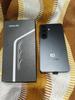

I recommended this product.
[This review was collected as part of a promotion.] I was reluctant to upgrade to the S26 ultra as I had the S24 ultra and felt it wouldn't be that much of a jump but I'm glad I made the move. The S26 ultra takes all of the things the s24 did so well and fine tunes it. The camera is cleaner, the speakers are beefier. The UI is the usual simple but smooth Samsung which allows for flexibility and customization. Th cobalt colour is not as purple as might seem but is a much subtler and nicer tone. The screen is top tier for colour and detail. Happy to have made the change


I recommended this product.
We're over the moon to hear that you're pleased with your S26 Ultra. Thank you for sharing your five-star feedback, and keep enjoying! ^EW at Samsung Support
I pre-ordered this phone and have been using it for some time now. It’s been a solid experience overall. The interface is simple and easy to get used to, and the phone runs smoothly in daily use without any issues. The display really stands out—very clear, sharp resolution, and bright enough even under sunlight. Scrolling and watching videos feel smooth and comfortable. The camera is also good, takes nice detailed photos, and performs well in low light. Battery backup is reliable and lasts me a full day with normal usage. The phone feels sturdy and well-built, so durability also seems good. Overall, I’m satisfied with my pre-order and it feels like a good purchase.


I recommended this product.
Dear Customer, Thank you for sharing your detailed experience with the Galaxy S26 Ultra. We are delighted to hear that you are enjoying the device's smooth performance, user-friendly interface, impressive display, camera capabilities, reliable battery life, and overall build quality. It is especially rewarding to know that your pre-order experience has met your expectations and that you are satisfied with your purchase. We truly appreciate your recommendation and support. Best regards, Samsung Gulf Electronics Customer Support (SGE CS)
[This review was collected as part of a promotion.] I have upgraded my S seies ultra every year since s21 series. I am so glad i upgraded from my s25 ultra which was an amazing phone but I am Absolutely delighted with the Galaxy S26 Ultra. The camera quality is outstanding, capturing incredibly sharp, vibrant photos in all lighting conditions. Battery life easily lasts all day, even with heavy use, and the range of features is simply fantastic. It's fast, intuitive, and by far the best smartphone I've owned. Highly recommended!


I recommended this product.
We appreciate the time you’ve taken to let us know your wonderful feedback! You will always get the five-star treatment with us! ^JH at Samsung Support
[This review was collected as part of a promotion.] The battery capacity is great, I believe the phone is still optimising storage and files. It will be more great after a week also. Presently I love the image quality from the camera, almost no need for editing of pictures. The resolution is great and the display is excellent especially the privacy. At least no more peep from the side. The interface is smooth and touches are great. The storage option is spot-on no need for an external storage. Overall, samsung on-point


I recommended this product.
We appreciate the time you’ve taken to let us know your wonderful feedback, John, and we’re thrilled to know you’re loving your S26 Ultra. ^CB at Samsung Support
This phone is so powerful! Minimal lag! Camera is good for casual photography. Good videos for concerts also. This is the best flagship of the year. Really really smooth. I bought this phone during pre-order and save a lot instead of paying whole price. This is my favorite phone sor far! Good job Samsung! Battery is good and will last a day. Display is awesome as always. It's still durable but be careful just use a good case for full protection! Kudos Samsung!


I recommended this product.
I came onto this Easy Mode Club with no expectations that I would be impressed with the phone. I thought maybe I could just try and return considering I have used Samsung before and I didn't like it previously. But guess what, I'm still using the phone. First up, Battery Life. One word. WOW. After a full day out, the battery life was around 70+ consistently for the last 10 days. I didn't expect the battery life to be so long lasting. Next, Camera. Probably one of the better cameras already. I compared with my iPhone 17 PM and the differences are distinct. Resolution and colour were more prominent though I would say the night mode for Apple has a slight edge. Let's take AI. I used the function within the gallery to remove some unwanted things and it was done so perfectly. Way better than the Apple one. Overall I'm impressed. Thank you Samsung.


I recommended this product.
Got my s26U 1tb on the 1st day of preorder. received it 14 days later. Been using it for a month now and everything works well. Camera- sharp, good for sceneries. for people and more dramatic effects, ip offers better cam. S26U is best in low light, i also included Expert raw to show that it can be used to take lesions where post processing shouldnt be done.. AI- one of the best features. This phone is packed with features. Screen- I was honestly surprised it wasnt curved anymore, tho im loving it. Privacy display- 1000/100. I transact a lot in banking apps. This is a very solid feature. hopefully there wont be any screen issues in the future due to frequent on/off. Overall- pink is so adorable. 1tb space is heaven. haha. feels very premium. the screen touch, camera shots, features, SFC 3.0. The only thing i hate is the camera bump! so wobbly when put on top of the table.


I recommended this product.
Hi Cielo, thank you for sharing such a thoughtful review of your Galaxy S26 Ultra. We're delighted to hear you're enjoying the camera, Galaxy AI features, privacy display, and premium experience, and we hope you continue making the most of your device.
[This review was collected as part of a promotion.] The Galaxy S26 series is a home run. The performance is incredibly fluid, the camera system takes stunning daylight and nighttime photos with zero effort, and the device looks and feels incredibly premium. The battery life holds up exceptionally well, and Samsung's smart software tools make handling daily tasks so much quicker. If you are looking to upgrade your phone this year, this is the one to get.


I recommended this product.
Thank you for sharing such kind words, we’re delighted to see how much you’re loving your S26 Ultra. ^CB at Samsung Support
The Display: The new AMOLED panel is blindingly brilliant! It’s like staring into a crystal-clear portal to another dimension. The colors are so vivid they make reality look dull. The Performance: With the latest chip, this thing doesn't just run apps; it teleports through them. Latency is a myth here. Whether you’re 8K gaming or multitasking across twenty apps, it stays ice-cold and lightning-fast. The Camera: The 2026 sensor setup is sheer witchcraft. The zoom doesn't just see far; it feels like you're spying on distant galaxies. The low-light performance turns pitch-black rooms into daylight masterpieces. It’s not photography; it’s digital art. The Battery & Build: A battery that seems to defy the laws of physics and a titanium frame that feels more premium than a luxury Swiss watch. If perfection had a physical form, Samsung just built it. This isn't just the best phone of 2026—it’s the benchmark for the next


I recommended this product.
Dear Customer, Thank you for sharing your detailed feedback. We are delighted to hear that you are enjoying the Galaxy S26 Ultra's brilliant AMOLED display, powerful performance, advanced camera capabilities, long-lasting battery life, and premium build quality. Your support and appreciation mean a lot to us. Best regards, Samsung Gulf Electronics Customer Support (SGE CS)
Upgraded from 23 ultra and Iam pretty impressed by the camera vlog feature and the AI features that are built into the phone. Having an AI assistant does help me boost my day to day work and life. No issues at all with battery life after heavy usage, especially scrolling through social apps and content, it lasts for more than a day for me after heavy usage. Im in love with the privacy feature. I can never be worries now specifically when going through private bank information, chat logs or even images. Display is crystal clear and much better than my 23 ultra. I'm Happy with the upgrade.


I recommended this product.
Dear Customer, thank you for sharing your feedback on the Galaxy S26 Ultra. we are glad to know that you are satisfied with the camera features, AI capabilities, battery performance, privacy feature, and display quality of the device. we appreciate your support and trust in samsung products. Best regards, Samsung Gulf Electronics Customer Support (SGE CS)
I have been using the Galaxy S26 for a few weeks now and it has been a solid upgrade for me. I was previously using the S23 Ultra so I had high expectations and this has delivered. The performance is smooth throughout the day whether I am working, switching between apps, or just handling normal daily tasks. I use my phone a lot for work and it keeps up without any lag. Emails, calls, and multiple apps running at the same time are all handled easily. Battery life has also been reliable and gets me through a full day even with regular use. The display is clear and sharp, whether I am reading, watching videos, or just scrolling, and it is easy on the eyes even after long use. The build quality also feels strong and well made, so it gives confidence when using it daily. The camera quality is very good, especially in low light, and overall the phone just feels fast and dependable. It is a well rounded device and I am happy with the upgrade.


I recommended this product.
Dear Customer, Thank you for sharing your feedback. We are glad to know that you are enjoying the smooth performance, strong multitasking capability, reliable battery life, clear display quality, and improved camera experience of your Galaxy device, and that it has been a worthwhile upgrade for your daily use. Your appreciation is highly valued. Best regards, Samsung Gulf Electronics Customer Support (SGE CS)
This device offers exceptional battery longevity and incorporates advanced AI functionalities, complemented by a remarkable display and camera system. Its robust construction ensures significant durability. Overall, it delivers superior performance within a sophisticated design.


I recommended this product.
Dear Customer, Thank you for sharing your positive feedback on the Galaxy S26 Ultra. We are delighted to know that you are enjoying the strong battery performance, advanced AI features, display quality, camera system, durability, and overall design experience. Your recommendation is greatly appreciated. Best regards, Samsung Gulf Electronics Customer Support (SGE CS)
I bought my s26 ultra on April 3rd 2026 and I was waiting for it to launch since the s25 series launched and my father promised me that if I get full marks in my final exam he will get it for me and he got my favorite color white with the maximum storage 1TB and till now I can't believe that beauty of photography is in my hands premium feel light weight and most importantly awesome the display is insanely good and the speakers are 10/10 matching with dolby atmos and the processor is god level and specially designed for galaxy ultra series and since I've got this phone is don't even need to charge for 1/5 day it's fulfilling my needs and I got combo with the buds 4 pro in white color it's pretty solid and getting easily connected with my phone best audio quality in the market and at last the cameras are killer and stunning photos are the result of that camera system i was in my Austria trip with my family for 11 days and we clicked dozens of photos there they were absolutely camera level and the videos no match with another brand


I recommended this product.
Dear Customer, Thank you for sharing your detailed feedback on the Galaxy S26 Ultra. We are delighted to know that you are enjoying the AI features, camera system, display, performance, battery life, and Galaxy ecosystem experience with your Buds4 Pro. We truly appreciate your recommendation and support. Best regards, Samsung Gulf Electronics Customer Support (SGE CS)
This device offers exceptional performance, particularly in terms of battery longevity and low-light camera capabilities. Its processing power is well-suited for photo editing tasks, and it features a remarkable display coupled with robust durability.


I recommended this product.
Dear Customer, Thank you for sharing your feedback on the Galaxy S26 Ultra. We are glad to know that you are enjoying the strong battery performance, low-light camera capabilities, powerful processing for editing, excellent display, and overall durability of the device. Your recommendation is greatly appreciated. Best regards, Samsung Gulf Electronics Customer Support (SGE CS)
"I have been a loyal Samsung user for a long time, starting with the Galaxy J7 Prime, moving to the S23, and now finally upgrading to the S26 Ultra 1TB. The leap in technology is honestly mind-blowing! Even though this phone is a performance beast, it feels so much lite and more comfortable in my hand than my older devices, which speaks volumes about its improved durability and premium build quality. The display is absolutely stunning; it stays crystal clear and vibrant even under the bright Abu Dhabi sun at the Corniche. For work and gaming, the 1TB model with its extra RAM provides flawless performance with zero lag, and the Samsung Notes app keeps my life perfectly organized. Camera is amazing. just wow I’m also highly impressed by the battery life. The new Super Fast Charging is a game-changer, giving me a massive power boost in just minutes when I'm on the go. Whether I'm using Nightography for evening photos or multitasking through a busy day, the S26 Ultra handles it all perfectly. It is truly the best device I’ve ever owned!"


I recommended this product.
Dear Customer, Thank you for taking the time to share your detailed experience. We are delighted to hear that the Galaxy S26 Ultra has exceeded your expectations with its performance, display, camera capabilities, battery life, and premium design. We truly appreciate your loyalty to Samsung and are glad that your upgrade experience has been a positive one. Best regards, Samsung Gulf Electronics Customer Support (SGE CS)
I bought it for it's new looks and display it's blew my mind. The colours of display has more enhanced and battery had optimised and it's more handy now. I'm in love with it's display and now nudge ai features. Thank you samsung 😘 ☺️ 😊 🙏 💖 💙


I recommended this product.
Dear Customer, thank you for sharing your feedback on the Galaxy S26 Ultra. we are glad to know that you are satisfied with the design, display quality, battery optimization, and AI features of the device. we appreciate your support and trust in samsung products. Best regards, Samsung Gulf Electronics Customer Support (SGE CS)
[This review was collected as part of a promotion.] After using the Samsung Galaxy S26 for a short time, I can say it’s one of the best smartphones I’ve used. The design feels very premium and comfortable to hold. The display is incredibly smooth and bright, which makes watching videos and scrolling through apps really enjoyable. The performance is fast and everything runs without any lag. I’m also impressed with the camera quality. Photos look sharp and the colors are very natural. Battery life has been reliable and easily lasts throughout the day. Overall, the Galaxy S26 delivers a great combination of performance, design, and camera quality. Definitely a great upgrade from iPhone 16 pro max.


I recommended this product.
We appreciate the time you’ve taken to let us know your wonderful feedback, and we’re thrilled to know you’re loving your Galaxy S26 Ultra, Ashrafasif! ^CL at Samsung Support
[This review was collected as part of a promotion.] I like this Samsung S26 Ultra because it has a very clear and very useful camera, the battery lasts a long time, all the applications run very fast, the S26 Ultra is the phone of the moment


I recommended this product.
Wow, we’re overjoyed to see just how much you are loving your wonderful new S26 Ultra, Lucian! Thank you for sharing such delightful feedback with us, we love nothing more than seeing our customers enjoy our devices as much as we do. ^LB at Samsung Support
[This review was collected as part of a promotion.] Bought the phone a week ago. At first, i was hesitant to shift from one popular brand Samsung. Now that I've experienced the speed, resolution of the diaplay, overall weight, and display size yet managed to being the thickness/thinness to very minimal, I find the S26 ultra as the best mobile or excellent phone in functionaluty, security, design, and aesthetics. Beautiful device. I am so happy that I switched ecosystem. I enjoy using the phone and will never go back or shift to any other brand. It's just an excellent device through and through. Looks tough. Black color remains my goto color. Camera resolution and qualuty of photos amazing.


I recommended this product.
You’re making us blush! Thank you for sharing such a lovely review, we’re honoured to have you with us, Jepoy. ^CL at Samsung Support
The privacy features, camera capabilities, and overall performance of this phone are truly superb. It's definitely the best flagship phone offered by Samsung.


I recommended this product.
I'm very happy with my purchase best phone even but id like an improvement with the extended display while listening to mic.i wish it blended more.


I recommended this product.
[This review was collected as part of a promotion.] I have upgraded from my samsung s25 ultra to the 26 ultra love all the new things and the privacy mode the new thin style and look is superb


I recommended this product.
We’re delighted to see how much you are enjoying your S26 Ultra after staying with us for so long. We love having your support as we explore all that the Galaxy has to offer! ^LB at Samsung Support
S26 ultra is the elite device that samsung has made, Performance is on another level and the camera quality is exceptional.


I recommended this product.
[This review was collected as part of a promotion.] This phone is good better than I phone. Features and camera result is good and ai version is good better than other phones.


I recommended this product.
Fantastic to see that you had a positive experience with the S26 Ultra, Abhishek! Thank you for your rating! ^LB at Samsung Support
I just bought last month and really amazing specially the battery camera display performance durability


I recommended this product.
Dear Customer, Thank you for sharing your feedback. We are delighted to hear that you are enjoying the Galaxy S26 Ultra and are impressed with its battery life, camera performance, display quality, durability, and overall performance. Your recommendation and support are greatly appreciated. Best regards, Samsung Gulf Electronics Customer Support (SGE CS)
Samsung Galaxy i used from Samsung S2 and now I have Samsung S26 ultra amazing 👏 I love s24 ultra OMG


I recommended this product.
Dear Customer, Thank you for sharing your feedback. We are glad to know that you have been a long-time Samsung user and that you are enjoying your Galaxy device experience from earlier models up to the latest Ultra series. Your appreciation is highly valued. Best regards, Samsung Gulf Electronics Customer Support (SGE CS)
[This review was collected as part of a promotion.] This is the one of my best phone because everything is very good display,battery,camera and performance


I recommended this product.
We're so pleased to hear that you're enjoying your S26 Ultra, Vansh. Thank you for sharing your five-star feedback! ^EW at Samsung Support
I've been using the phone for a few weeks and honestly the camera is really amazing


I recommended this product.
Dear Customer, thank you for sharing your feedback on the Galaxy S26 Ultra. we are glad to know that you are enjoying the device and are impressed with the camera performance after using it for a few weeks. we appreciate your support and trust in samsung products. Best regards, Samsung Gulf Electronics Customer Support (SGE CS)
[This review was collected as part of a promotion.] The Samsung S26 Ultra is, quite simply, one of the most complete smartphones ever made. From the moment you pick it up, it feels like a device that pushes boundaries rather than just refining last year’s formula. The design is sleek and confident, with a premium glass-and-metal build that feels solid without being overly heavy. Samsung has clearly refined the ergonomics—despite the large display, it’s surprisingly comfortable to hold. The nearly bezel-less screen is stunning, delivering incredibly sharp resolution, vibrant colors, and brightness levels that make it easy to use even in direct sunlight. Whether you're streaming, gaming, or just scrolling, the display is a standout feature. Battery life is another major win. The S26 Ultra easily lasts a full day of heavy use, and for moderate users, stretching into a second day is realistic. Fast charging and wireless charging options make it even more convenient, ensuring you’re rarely stuck waiting around. Overall, the Samsung S26 Ultra isn’t just an upgrade—it’s a statement. It combines power, design, and innovation into a device that feels ahead of its time. If you want a smartphone that excels in every category, this is one of the best choices you can make.


I recommended this product.
Thank you for such kind words, Fiz! We appreciate the feedback and hope the feeling of bliss continues! ^CL at Samsung Support
i bought this a month ago and i'm so happy that I did it


I recommended this product.
I love the privacy. That's a 26 Ultra have it,amazing


I recommended this product.
Dear Customer, thank you for sharing your feedback on the Galaxy S26 Ultra. we are glad to know that you are satisfied with the camera performance and privacy features of the device. we appreciate your recommendation and trust in samsung products. Best regards, Samsung Gulf Electronics Customer Support (SGE CS)
[This review was collected as part of a promotion.] My main priority was the camera, changing up from S23 Ultra. I was hoping, despite no increase in sensor size, to be able to achieve better photos. Overall I am very pleased. I've also found myself playing around with AI and Create. Night-time results are outstanding. I may well drop into Samsung for more filter packs and creative effects. Please see photos. Mine has 512 storage, but I've stayed away from Raw as I take so many shots. My pen is probably more used than previously, even bemoaning the loss of bluetooth, but I'm so used to having it from my Note 2 years ago. Now that shows faith and trust in the product, especially as I always research other phones and brands before committing. The battery seems fine, operating well atm, getting well over a day, unless using, say, Outdoor Active on a long walk. Display is stellar, which has come from others looking on. I encased the phone in an ESR magnetic, giving protection to the bump / island of the lenses, which works really well. It lies at an angle but I'll take that to have a great camera. My phone fits well into my Bellroy bag, or my pocket. It's been dropped a few times now but still looks like new. Thinner and lighter is always welcomed. So up to now I'm a happy chappy!


I recommended this product.
We love reading that we’ve given you that five-star feeling. Thanks for sharing your brilliant review! ^EW at Samsung Support
I brought last month this one better than 17 pro max


I recommended this product.
Dear Customer, Thank you for sharing your feedback. We are delighted to hear that you are enjoying the Galaxy S26 Ultra and that it has exceeded your expectations. Your recommendation and support are greatly appreciated. Best regards, Samsung Gulf Electronics Customer Support (SGE CS)
[This review was collected as part of a promotion.] The performance is superb,the battery last very well


I recommended this product.
We appreciate the time you’ve taken to let us know your wonderful feedback, Burborn, and we’re thrilled to know that you’re loving the S26 Ultra. ^PM at Samsung Support
[This review was collected as part of a promotion.] I bought this a weeks ago and am so happy that I did


I recommended this product.
Congratulations on your new Galaxy S26 Ultra, Selu! What a great decision you made. ^CL at Samsung Support
[This review was collected as part of a promotion.] My old phone was the S23 - so I decided to go all out with the S26 Ultra this year. I've now had it for 5 days and so far its been an absolute pleasure. I went for a pre-order, so I got the free storage upgrade from 256GB to 512GB which was a great bonus. Whilst the improvements on the previous S25 Ultra model are limited, the step up from the S23 is massive. The battery is way better, the screen is beautiful and the camera absolutely delivers. I was slightly concerned that I would find the phone too big, but with the rounded edges and thinner design, it's very comfortable. The phone feels great and premium too. Performance-wise it can take everything I throw at it. As for Durability, thankfully I've yet to drop it or bump it, but its going to take a beating, so time will tell - I read that the casing has been switched back from titanium to aluminium, so I do have my concerns. New features - the privacy function is very very cool - absolute winning feature there. The AI is definitely working better than the S23 - I think there's more to explore here. And although the selfie camera is supposed to be the same as the S23, the pictures are defintiely looking much better! And finally, the features on the main camera are totally smashing. There's a really fun feature that locks in the horizon, so you don't get any wobble. All in all, a great phone.


I recommended this product.
We appreciate the time you’ve taken to let us know your wonderful feedback! Great to see you've made the leap from the S23! You will always get the five-star treatment with us! ^JH at Samsung Support
[This review was collected as part of a promotion.] After five loyal years with my trusty Galaxy S21 Ultra, I finally made the leap to the Galaxy S26 Ultra in Cobalt Violet, and I am absolutely blown away by the evolution in just a few generations. Samsung hasn't just tweaked the formula; they've completely refined it. My absolute favorite standout feature has to be the innovative privacy display. The ability to manually activate it based on the specific apps I'm using is a total game-changer for reading sensitive information in public spaces. Even better, it completely eliminates the need to spend money on those cheap, aftermarket privacy screen protectors that inevitably ruin the screen's natural clarity and brightness. It is built-in genius that works exactly when I need it to. As someone with a demanding, on-the-go schedule, the super-fast charging is a literal lifesaver. A quick top-up gives me a massive boost in battery life in mere minutes, completely wiping out any battery anxiety during long days. Finally, the display and overall performance are nothing short of breathtaking. The screen is vibrant, impossibly bright even in direct sunlight, and buttery smooth. Coupled with the absolute powerhouse processor under the hood, jumping between heavy apps and multitasking is completely effortless. If you are holding onto an older device like the S21 series and wondering if it's time to upgrade, don't hesitate. The S26 Ultra is a flawless matsterpiece that delivers on every single front. Highly recommended!


I recommended this product.
[This review was collected as part of a promotion.] Samsung S26 Ultra (12GB / 512GB, Black) – My Experience I recently bought the Samsung S26 Ultra (12GB RAM / 512GB storage) in black, and after using it for a while, I can honestly say I’m very happy with the purchase. It feels like a true premium phone and performs really well in everyday use. Battery The battery life has been great so far. With normal use like browsing, watching YouTube, using social media, and taking photos, it easily lasts me the whole day without needing to recharge. Fast charging is also helpful when I need to quickly top it up. Camera The camera quality is excellent. Photos come out very clear with good colors and detail. I especially like the zoom and portrait modes. Night photos are surprisingly good too. If you enjoy taking pictures, this phone definitely won’t disappoint. Display The display is beautiful. The screen is bright, sharp, and very smooth when scrolling. Watching videos and using apps feels really nice on such a large and high-quality screen. Performance Performance has been very smooth. Apps open quickly and multitasking is easy with 12GB RAM. I haven’t noticed any lag so far. The 512GB storage is also great because I don’t have to worry about running out of space for photos, videos, and apps. Durability The phone feels very solid and well built. The materials feel premium, and the black color gives it a very clean and elegant look. It feels strong enough for everyday use. Design I really like the design. The black finish looks sleek and professional. It’s a big phone, but it still feels comfortable to hold. Overall Overall, I’m very satisfied with the Samsung S26 Ultra. It’s fast, powerful, and the camera and display are amazing. If you’re looking for a high-end smartphone with top features, this is definitely worth considering. ⭐ Rating: 5/5


I recommended this product.
Thank you for sharing such an in depth and glowing review of every aspect of your S26 Ultra. We work hard to put our smartphones at the very forefront of technology, so that our users get to experience the very best advancements we make as we explore the true potential of the Galaxy. We're so glad to have you on board! ^CL at Samsung Support
Upgrading from s24 ultra I preordered the s26 ultra 1tb, the first thing to notice is the charging speed and the battery performance, the battery is lasting for me the whole day of my usage and in the end of the day it reached 46%, the display colors are better and image is sharper, also I feel the black color is darker than before. When starting to take pictures you enter a new world of cameras which you enjoy and forget the time, the speed of the shutter is awesome, and the image quality sharpness and colors are amazing. The overall device performance is fantastic. I feel the device is tougher than before the build quality is much better which makes it durable and worthy. In the end the new One UI 8.5 is more organised and everything is near your finger tip 😉


I recommended this product.
Dear Customer, Thank you for sharing your feedback. We are glad to know that your upgrade to the Galaxy device has been a great experience and that you are enjoying the charging speed, battery performance, display quality, camera, durability, and One UI experience. Your continued trust in Samsung is highly valued. Best regards, Samsung Gulf Electronics Customer Support (SGE CS)
It's my first time to buy a flagship phone with samsung and I was already impressed with my A-series before. Definitely no regrets buying S26 Ultra because it really gives value for my money. The performance is really good and pairs up easily with my samsung watch and samsung buds. Battery life lasts me the whole day and even lasts the next day with normal scrolling. So many features that are very useful to daily life but the main attraction is the camera. It takes very crisp pictures and video quality is just chef's kiss.


I recommended this product.
[This review was collected as part of a promotion.] Upgrading from the Samsung Galaxy S23 Ultra to the new Galaxy S26 Ultra felt like a natural step forward for me. Samsung has refined a lot of the things that already made the Ultra series great while introducing some genuinely useful upgrades. After spending some time with the device, there are plenty of improvements I appreciate, but also one notable change I’m not a fan of. The first thing that stands out is the display. Samsung has always been strong in this area, but the S26 Ultra somehow still manages to feel like a step ahead. The screen is incredibly sharp, colours are vibrant without looking oversaturated, and scrolling feels buttery smooth. Whether I’m watching videos, browsing the web, or editing photos, everything looks crisp and immersive. Coming from the S23 Ultra, the difference isn’t night and day, but it’s definitely noticeable. Text looks cleaner, images pop more and overall the display just feels more refined. The camera system is another area where Samsung has pushed things forward. The photos coming out of the S26 Ultra look more balanced compared to my S23 Ultra. There’s better detail retention, improved dynamic range, and low-light shots seem clearer with less noise. For someone who enjoys taking photos regularly, this upgrade is easy to appreciate. The camera software also feels a bit smarter when it comes to processing images, producing results that look natural while still maintaining Samsung’s signature punchy style. Battery life has been one of the most pleasant surprises. The S23 Ultra already had decent endurance, but the S26 Ultra’s optimisation seems noticeably better. Even on heavier days- streaming, social media, photography & general browsing, the phone comfortably lasts longer than expected. The improved power management means I spend less time worrying about charging and more time actually using the device, which is exactly what you want from a flagship phone. One of the standout additions for me is the new built-in privacy display feature. It’s incredibly useful when using the phone in public places like cafés, trains, or flights. The screen becomes much harder for people beside you to read, which adds an extra layer of privacy without needing a separate screen protector. It’s one of those small features that quickly becomes part of your everyday routine once you have it. Samsung’s One UI 8.5 is packed with improvements and customisation options. The interface feels polished, responsive and more flexible than ever. From personalising lock screens and widgets to deeper system controls, the level of customisation makes the phone feel truly tailored to how you want to use it. The software experience overall feels mature and refined, which is something Samsung has been steadily improving with each generation. However, there’s one change that I genuinely miss: the removal of Bluetooth functionality from the S Pen. On my S23 Ultra, I regularly used the stylus as a remote shutter when taking photos, especially when the phone was mounted on a tripod. Being able to click the pen to capture photos made it incredibly convenient for group shots or hands-free photography. Without Bluetooth support, that functionality is gone, and it feels like a step backwards. For users who relied on the S Pen’s remote features, this change will definitely be disappointing. Overall, the Samsung Galaxy S26 Ultra feels like a polished evolution rather than a radical overhaul, and that’s not a bad thing. The improved display, stronger camera system, better battery optimisation, and new privacy display feature all add up to a very refined flagship experience. While I’m disappointed about the loss of Bluetooth functionality in the S Pen, the rest of the phone still delivers in almost every other area. If you’re coming from an S23 Ultra as I did, the upgrade isn’t essential, but if you appreciate the refinements and the improved user experience, it’s definitely a satisfying step forward.


I recommended this product.
Thank you for sharing your thoughts on the wonderful S26 Ultra! It's delightful to see that you have stayed with us for your new phone, and that the upgrade has brought plenty of useful enhancements. We work hard to ensure that our users are at the forefront of tech, and we believe that this model has truly encapsulated the very best of our continued developments. The first thing you are enthralled by upon unboxing your new phone is the beautiful 6.9" Dynamic AMOLED 2X display. It is your gateway to the incredible possibilities that lie within, and brings you crystal clear images that are seeped in rich colour. The up to 120 Hz refresh rate ensures that scrolling is always smooth, and you can be truly immersed in your phone. A groundbreaking addition to this model is the Privacy Display. You no longer need to worry about prying eyes, as your screen can be set to be seen by your eyes only at will. While privacy screen protectors have previously offered a similar effect, the option to turn this feature on and off is a game changer. Not to mention, you can set it to automatically activate under your preferred circumstances. It's truly an invention of the future! When it comes to the camera, this device is unbeatable. The main 200 MP camera lens ensures that you can always capture stunning photos with immense detail, and the new ProVisual Engine enhances every image to perfection, even in low light settings. Top of the range hardware and software come together to give you the perfect vehicle for unleashing your inner photographer with ease. Running all of these incredible features is the powerful Snapdragon processor, which works with the whopping 5000 mAh battery to give you as much life from each charge as possible. When you do need some extra juice, you can now take advantage of 60W Super Fast Charging 3.0, which will get you up and running in no time. You'll never be without your phone for long, and with these awesome features, you'll never want to be! OneUI 8.5 is the latest iteration of our transformative software, and truly takes this model to the next level. It is intuitive to use and incredibly customisable, allowing you to make this device your own. With the ability to put your own stamp on almost every aspect and add your favourite widgets, the convenience you are afforded is immeasurable. It's a shame to see that changes to the S Pen are somewhat impacting your enjoyment of this marvellous phone. Our research concluded that the large majority of our users weren't utilising the Bluetooth function at all, so the difficult decision was made to remove it. Thank you for expressing your interest in this feature and sharing your feedback - the S Pen is still a brilliant tool for taking handwritten notes and unleashing your creative side! We also have some super handy methods of taking a photo, which will help replace the function that the S Pen used to have. You can check them out here, in the 'Different ways to take a photo' section: https://www.samsung.com/uk/support/mobile-devices/how-to-use-the-camera-on-a-galaxy-smartphone/ With further use, we're sure that you will come to love these features just as much, if not more, than what your previous phone had! We are truly grateful to read such comprehensive feedback regarding your experience with your phone. There is nothing more valuable than gaining insight into the feelings of our treasured users. With continued usage, we're certain that this model will continue to impress! ^SK at Samsung Support
I bought S26 Ultra about 2 weeks back and I'm feeling that Samsung has provided me a security guard who is pushing away any intruder trying to read anything that he shouldn't read. I really appreciate and extremely thanks Samsung for the Amazing new era screen that made me fully comfortable all the time. I was also surprised that the mobile is very power efficient and the battery is covering my full day. After trying the cameras and AI editing, I realized it's the time to retire my professional camera. Samsung S26 Ultra provided me the experience of professional, cinematic, action cameras. Along with amazing Ai editing and enhancement. Referring to durability and performance, I gave them 100/100 Everyday I'm discovering more amazing feature that really liked. Thanks Samsung


I recommended this product.
Dear Customer, Thank you for sharing your detailed experience with the Galaxy S26 Ultra. We are delighted to hear that you are enjoying the Privacy Display feature, long-lasting battery life, powerful camera system, AI editing capabilities, and overall performance of the device. Your kind words and continued support inspire us to keep delivering innovative experiences for our customers. Best regards, Samsung Gulf Electronics Customer Support (SGE CS)
I pre-ordered and traded my s24 ultra. Quite a bit sad that I cannot use the stylus capturing but the quality of camera in this one is reallt top-notch. So happy with the purchase and been able to connect it to my samsung ultra watch ❤️ the battery can last up to a day with maximized use. Really durable!! I dropped it a few times already and still look unscathed lol. The display is also good, loving the flagship feature of privacy display. Overall, the performance is Great!


I recommended this product.
Thank you for choosing a Samsung Galaxy device again for your upgrade! We're happy to hear your Galaxy S26 Ultra has been a great companion, from its camera and Privacy Display to its durability, and we hope it continues to exceed your expectations.
[This review was collected as part of a promotion.] I have owned many smartphones in my life, but WOW, it's so nice to be back with the Samsung Galaxy. The S26 Ultra combines everything I want in a smartphone. The new privacy display is excellent when it comes to using my banking applications in a crowded place and the battery life is phenomenal for such a powerhouse. On this topic, the Snapdragon processor makes everything effortless and I can play the latest games and the phone still keeps cool even after playing for hours. One major thing that I love about this phone is the camera array. The S26 Ultra takes FANTASTIC low light pictures, and it's zoom function is mind-blowing. It honestly blows away all the other flagship smartphones I've tried. I've had this phone for almost a month now and the 'honeymoon' period still hasn't finished. I can't put it down!


I recommended this product.
Thank you for such a thoughtful and glowing review of your S26 Ultra, Boomhauser. We strive to keep our devices at the cutting edge of innovation, ensuring our users are the first to experience the breakthrough advancements we make as we push the boundaries of the Galaxy. ^PM at Samsung Support
[This review was collected as part of a promotion.] I ordered s26 ultra before official release and got it before others. Love the product, really slick with awesome display. Stable camera is a game changer. I've never seen something like that before. It's super fast, doesn't hang yet, relatively new device anyway. Pretty standard battery life, wondering when will samsung starts using carbon fiber batteries. The shell is really strong. I thought hoing back to aluminium might compromise the durability but it doesn't matter much, at least yet. The only issue I have is the selfie camera. Samsung should really put some effort into it. IPhone front camera looks way better than us. Overall, it's a great purchase. Highly recommended


I recommended this product.
We are over the moon to see you are loving your new S26 Ultra! From the striking 6.9" Dynamic AMOLED 2X display, huge 200MP rear camera and impressive 5,000 mAh battery, we know you can get the best experience with this stellar phone! Along with the sleek Armor Aluminium frame design, you can rest easy knowing you are in safe hands! The 12MP front camera will create epic selfies to last a lifetime and here is a guide to help you get the best photo: https://www.samsung.com/uk/mobile-phone-buying-guide/photography-tips-for-smartphone/ ^LB at Samsung Support
[This review was collected as part of a promotion.] I ordered it on pre order and it was shipped to the store quickly then i expected. Trade in my old phone was smooth. Screen is good as it doeant effect the eyes. Pictures in low light is fantastic. Battery is still not as good as i assumed but the AI features are remarkable. And its feels solid and privacy screen is a selling point on this device. Double storage is also the key aelling point. No other andriod is giving 1 TB in uk so its a bargain


I recommended this product.
We're thrilled to see that your Galaxy S26 Ultra has given you that five-star feeling, Mo. Keep enjoying! ^EW at Samsung Support
I have been using Samsung Ultra series ever since the first version came out. Up till now i have no regrets. Ultra's new privacy screen is one of the functions i love in this new version, being able to choose which apps i would like to on the privacy mode, allowing me to enjoy my videos clearer while protecting my privacy while handling sensitive matters. Love the camera also, able to provide clear, sharp photos. Overall i love Samsung Ultra.


I recommended this product.
[This review was collected as part of a promotion.] I’m really enjoying using the Galaxy S26 Ultra so far. It looks great in the Sky Blue colour and feels very premium in the hand. It’s easy to use, and everything runs smoothly, whether it’s everyday apps, messaging or media. The screen quality is excellent — clear, bright and very responsive. The camera is a real standout and captures sharp, high-quality photos in different settings. Battery life has also been solid and comfortably lasts through the day with regular use. The 512GB storage is a big plus, giving plenty of space without having to worry about running out. It’s definitely an investment, but the overall quality and performance make it worth it. Very happy with the upgrade.


I recommended this product.
Thank you for your fantastic 5‑star review of your new and advanced Galaxy S26 Ultra, Nicky! We’re absolutely overjoyed to read that you’re enjoying your new phone and that the Sky Blue finish and premium design have made such a great impression. It’s wonderful to know that you’re finding the device smooth and responsive during everyday use, from browsing apps to enjoying media. We’re especially pleased that the stunning display quality and impressive camera performance are meeting your expectations, delivering clear visuals and sharp, high‑quality photos across a variety of settings. It’s also great to read that the long‑lasting battery life is supporting you throughout your day, helping you stay connected without interruption. Thank you again for choosing Samsung. We hope you continue to enjoy every moment with your Galaxy S26 Ultra, and we look forward to serving you again in the future. ^HB at Samsung Support
I bought on pre order sale and exclusive color too and its buds 4 pro pink for my wife as a surprise she couldnt say its ultra and its compact in size and features on display features first in kind added nothing more to say just explore and have fun either for business or leisure purposes a must i have S25 ultra too asking her to take . Reply na good luck.. hmm. Happy both are users of S25 and S26 ..


I recommended this product.
Dear Customer, Thank you for sharing your feedback. We are glad to know that you are enjoying the exclusive design, display features, compact usability, and overall experience of your Galaxy device, and that it is supporting both your business and personal use. Your appreciation is highly valued. Best regards, Samsung Gulf Electronics Customer Support (SGE CS)
[This review was collected as part of a promotion.] I just got this beautiful masterpiece few days back and i can boldly say I’m really enjoying the Galaxy S26 Ultra so far. The camera is excellent and takes very clear photos, the battery easily lasts all day, and the high-resolution display makes everything look sharp and vibrant. The storage is more than enough for apps, photos, and videos, and the interface feels smooth and easy to use. I’ve also done a trade-in every time since I started with the Galaxy S23 Ultra, upgrading each year up to the Galaxy S26 Ultra, and the experience has always been great. Overall, I’m very happy with this upgrade.


I recommended this product.
It's truly heartwarming to read about how long you have been enjoying our devices for, and that your new S26 Ultra has cemented your loyalty to us. Thank you for sharing such a delightful review! ^CB at Samsung Support
[This review was collected as part of a promotion.] I use the camera on my phone a lot to take really good pictures my old phone was the s24 Ultra I use the camera on my phone a lot to take really good pictures my old phone was the s24 ultra so I have tried now the S26 ultra and the pictures are outstanding especially close up the new camera really adds light and depth to the picture that the old one but didn't as well the camera itself or sorry the phone itself is intuitive to use as I've used Samsung before the new AI features look great and I'm sure I'm going to be using those lots especially for photo editing and also during text the other new feature I really like is the fact that you can circle almost anything and it brings up really great options of identification Plus is the fact that you can circle almost anything and it brings up really great options of identification plus where to purchase etc so in all a really great phone I'm really happy with the purchase


I recommended this product.
Excellent to see how much you are loving your S26 Ultra! With the incredible capabilities of Galaxy AI, this device will take your productivity to the next level. ^CB at Samsung Support
This was the best purchase I made after a long time. I bought S23Ultra before and I desperately needed an upgrade, however, the Galaxy S26 Ultra was the device I was looking for. The outstanding option of privacy display really is a useful tool. People comment on screen being darker compared to Galaxy S25 Ultra which I don't mind. The camera photography was always amazing meanwhile this time the videography took the lead as well. Its so lite to handle and yet so powerful to do your all daily task with the help of new AI features. I got the 1TB variant with 16gb RAM making a lot of difference.


I recommended this product.
Dear Customer, Thank you for sharing your feedback on the Galaxy S26 Ultra. We are delighted to know that you are enjoying the Privacy Display feature, camera and videography improvements, AI capabilities, and overall performance experience. Your recommendation is greatly appreciated. Best regards, Samsung Gulf Electronics Customer Support (SGE CS)
[This review was collected as part of a promotion.] I decided to upgrade from my S24 Ultra to the S26 Ultra to take advantage of some of the new features, and for the extra processing speed. I saw plenty of feedback saying it's not worth upgrading and talking down the S26 - but in my opinion it was completely worthwhile and I'm really enjoying my new Galaxy and I can definately notice the difference.


I recommended this product.
We're over the moon to hear that you love your upgrade to the S26 Ultra! Thank you for sharing your wonderful feedback, Blue! ^KA at Samsung Support
[This review was collected as part of a promotion.] Really impressed so far the battery is a great improvement. The camera has been stunning so far. The resolution seems fine, I'm not as impressed with the privacy display but it's a nice touch for first generation. Storage is great and the double storage deal is always a deal clincher. The interface is great. I'm a big fan of One Ui 8.5 so far.


I recommended this product.
We’re thrilled to read your thoughts and feedback. Thanks for sharing with us and giving us top marks! ^EW at Samsung Support
I bought it last month. I love using it every day. The camera is excellent, I absolutely love it. The performance is powerful. Battery life is excellent. I can use it for upto 40 to 44 hours on a single charge. Privacy display features are awesome. Premium design with excellent durability. Thank you Samsung. For the great innovation.


I recommended this product.
Dear Customer, Thank you for sharing your feedback. We are glad to know that you are enjoying the camera, performance, battery life, privacy features, and premium design of your Galaxy device. Your appreciation is highly valued. Best regards, Samsung Gulf Electronics Customer Support (SGE CS)
Thank you for sharing your positive experience. We are delighted to hear that you are so happy with your recent purchase. It is always our aim to provide products that bring satisfaction to our customers. We appreciate you choosing us and hope you continue to enjoy your item. Your feedback is highly valued.


I recommended this product.
Dear Customer, Thank you for sharing your positive feedback. We are glad to know that you are satisfied with your experience and that you chose our product. We truly appreciate your support and trust in Samsung. Best regards, Samsung Gulf Electronics Customer Support (SGE CS)
[This review was collected as part of a promotion.] I recently upgraded from my very old s21 and it's genuinely like having a mini computer in your hands. The AI capabilities are really great and the camera is hands down the best camera ive seen on a phone. Really worth the upgrade and did not disappoint on any level. Samsung have outdone themselves


I recommended this product.
Congratulations on your upgrade to the gorgeous S26 Ultra, Julie. We're so pleased to hear that you're enjoying the AI capabilities and the brilliant 200 MP pro-grade Camera. Thank you for sharing your review, and we love your photos! ^EW at Samsung Support
[This review was collected as part of a promotion.] The Best Samsung S series, yet. I pre-ordered this and it was delivered right on time I can't get enough of it since unboxing. The privacy screen technology is only the start. The graphics on this phone is super amazing. AI features are super useful. Will recommend it 💯


I recommended this product.
We're so pleased to hear that you love your S26 Ultra. Thank you for sharing your five-star feedback! ^EW at Samsung Support
I recently upgraded to the Samsung Galaxy S26 Ultra, and overall I’m really impressed with the performance and features. The phone is extremely fast thanks to the latest Snapdragon processor, and multitasking feels very smooth even with heavy apps and gaming. The battery easily lasts more than a full day, which is perfect for daily use. � TechRadar The camera quality is excellent, especially in low light and portraits — photos come out sharp and detailed. The design also feels premium, and the S Pen is very useful for work and quick notes. One standout feature is the new Privacy Display, which helps protect screen visibility in public places. It’s a unique and useful addition for privacy. � The National However, the display may feel slightly different compared to previous models, especially for sensitive eyes. But overall, it’s still a great experience. Overall, this is a powerful flagship phone with strong performance, great battery life, and advanced AI features. Worth upgrading if you want a premium Android experience


I recommended this product.
Dear Customer, Thank you for sharing your detailed feedback. We are glad to know that you are enjoying your Galaxy S26 Ultra, especially its strong performance, long battery life, excellent camera quality, premium design, S Pen functionality, and the new Privacy Display feature. We also appreciate your honest observation regarding the display experience. Best regards, Samsung Gulf Electronics Customer Support (SGE CS)
Switching from S23 Ultra to Galaxy S26 Ultra i feel a lot of difference i bought this masterpiece of mobile engineering that excels across every daily feature, starting with a refined Armor Aluminum 2 build that feels remarkably slim and lightweight at just 7.9mm. Its gorgeous 6.9-inch, 2600-nit Dynamic AMOLED display is a daylight-defying marvel that introduces the innovative "Flex Magic Pixel" hardware privacy screen, allowing you to shield your sensitive data on the go. This premium panel is perfectly matched by the snappy Snapdragon 8 Elite Gen 5 chipset and deeply integrated Galaxy AI software, which handles advanced tools like Creative Studio flawlessly while entirely eliminating shutter lag from the upgraded 200MP f/1.4 camera matrix. Whether you are capturing ultra-crisp night shots or utilizing the powerful 5x periscope zoom, the device operates with seamless fluidity, all powered by a massive 5000 mAh battery that easily pushes past a full day of heavy use and refuels rapidly with 60W fast charging . King of Android S26 ultra


I recommended this product.
Dear Customer, Thank you for sharing your feedback on Galaxy S26 Ultra. We are delighted to hear that you are enjoying the display, performance, camera, battery life, Privacy Display, and Galaxy AI features. We truly appreciate your recommendation, and your positive feedback will be shared with the relevant team. Best regards, Samsung Gulf Electronics Customer Support (SGE CS)
The display is very good and privacy display helped me not to use a private screen which is to bad And the most thing i loved the camera and the ability to take pictures at night because of the high performance of CPU


I recommended this product.
Dear Customer, Thank you for sharing your feedback. We are glad to know that you are enjoying the Galaxy S26 Ultra’s display, camera performance, and AI picture enhancement features, especially in low-light photography. We also appreciate your comments regarding the Privacy Display feature and your overall positive experience with the device. Best regards, Samsung Gulf Electronics Customer Support (SGE CS)
[This review was collected as part of a promotion.] The Samsung Ultra 26 is fast, reliable, and very easy to use, making it a great option for both beginners and experienced users. The performance is smooth, whether you’re browsing the web, using apps, or multitasking throughout the day. One of its standout features is the screen, which looks sharp, vibrant, and clear in different lighting conditions. The added privacy function is especially useful, giving you peace of mind when using your device in public spaces. Another major advantage is the battery life, which comfortably lasts all day on a single charge, even with regular use. Overall, it’s a solid, well-rounded choice for everyday use.


I recommended this product.
It's brilliant to hear that you're loving your S26 Ultra, Tyte! The performance is super fast and smooth as silk, no matter the task at hand, thanks to the powerful processor within. The 6.8-inch display is extremely immersive and delivers vibrant colours and crystal clear details, even in bright sunlight, and the interface is user-friendly and customisable. The Privacy Display is superb for those occasions where you want to hide your data, and the already large battery is further enhanced by both the processor and AI - ensuring supreme levels of reliability even on those busier days. Thank you for sharing your excellent review with us, and keep enjoying! ^EW at Samsung Support
[This review was collected as part of a promotion.] I bought this with a trade in and the device works great my only complaint (well others) is there seems to be no noise cancelling. Fast and great features especially the secrecy screen.


I recommended this product.
Thanks for the great review and sharing your feedback with us about your new Galaxy S26 Ultra! Should you ever need us, our friendly Support Teams are on hand. You can find all our contact methods and opening hours here: https://www.samsung.com/uk/support/contact/ ^CL at Samsung Support
Preordered S26Ultra. Loving the videos captured. The display is very bright and the phone is very fast. Battery is somewhat subpar but fast charging helps. Thr build looks sturdy.


I recommended this product.
Hi Armel, we're delighted to hear your Galaxy S26 Ultra has been an all-around great experience, especially when it comes to its camera, display, and performance. Thanks for sharing your thoughts on the battery as well, and we hope you continue creating amazing memories with your new Galaxy.
[This review was collected as part of a promotion.] I have got my hand on new ai generation phone s26 ultra that is amazing and too fast and lots of lovely new features and specially fast ai and privacy screen.


I recommended this product.
Thank you for sharing such a glowing review of your Galaxy S26 Ultra, Imtiyaz! We work hard to put our AI phones at the very forefront of technology, so that our users get to experience the very best advancements we make as we explore the true potential of the Galaxy. ^CL at Samsung Support
[This review was collected as part of a promotion.] I have got my hand on new ai generation phone s26 ultra that is amazing and too fast and lots of lovely new features and specially fast ai and privacy screen.


I recommended this product.
Thank you for sharing such kind words. We love having you with us, enjoy your S26 Ultra! ^CB at Samsung Support
I am so satisfied with my S26 Ultra. Happy that I purchased it, no regrets at all. Always been a Samsung user and forever will be. Thank you Samsung


I recommended this product.
I received my preorder S26 ultra 2 weeks ago and my experience is awesome. The device is beautiful and performance are amazing 👏.


I recommended this product.
Dear Customer, Thank you for sharing your positive feedback. We are glad to know that you are enjoying your Galaxy S26 Ultra, especially its performance, AI features, and Privacy Display experience. We truly appreciate your support and your preorder experience. Best regards, Samsung Gulf Electronics Customer Support (SGE CS)
[This review was collected as part of a promotion.] I recently purchased the Samsung Galaxy S26 Ultra and I’m very impressed with it. The design feels very premium and solid in the hand. The display is incredibly bright, sharp, and smooth, making everything from watching videos to browsing the web a great experience. The performance is excellent. Apps open very quickly and multitasking is effortless. The phone feels very fast and responsive in daily use. One of the best features is the camera. The photos are extremely detailed and vibrant, and the zoom capability is amazing. Even in low-light conditions, the camera performs very well. Battery life is also very strong and easily lasts through a full day of use. Charging is fast and convenient. The only small downside I’ve noticed is that because of the large camera module on the back, the phone doesn’t sit perfectly flat on a table and can wobble a little when you touch the screen. It’s not a major issue, but it can be slightly inconvenient sometimes. Overall, the Galaxy S26 Ultra is a fantastic flagship phone with a beautiful display, powerful performance, and an excellent camera system. I’m very happy with my purchase and would highly recommend it.


I recommended this product.
Congratulations on your new S26 Ultra, Merlin! We're delighted to see that you're enjoying it. The design is exceptionally premium, engineered to be the lightest, slimmest, and most comfortable Ultra to date, whilst still delivering on superior durability and style. The 6.8-inch Dynamic AMOLED 2X display serves to deliver sharp, crystal clear content no matter what you're viewing, and even in bright sunlight too! The powerful, custom-built processor within ensures a powerful performance no matter the task at hand. Responsiveness is truly seamless even when multitasking, and opening or switching between apps is instantaneous. Meanwhile, the Camera delivers professional-grade shots with total ease. The upgraded Nightography suite handles low-light conditions effortlessly, and the periscope lens delivers significantly sharper zoomed-in photos, too. The enhanced battery is super dependable, and the 60W charging capability has you covered in a heartbeat when you do need a quick boost. No more waiting around for power, and no more worry that you'll run out during those longer days! We appreciate your feedback regarding the Camera layout, and we want to let you know that this layout is specifically engineered to allow for a wider aperture, which in turn significantly improves your shots. Thank you for sharing your excellent review with us. You've made our day, as we absolutely love hearing that our valued users are happy! ^EW at Samsung Support
[This review was collected as part of a promotion.] I brought this a week ago and I'm really happy with it this is the best phone ever thanks Samsung


I recommended this product.
Excellent to see how much you are loving your S26 Ultra! With the incredible capabilities of Galaxy AI, this device will take your productivity to the next level. ^HS at Samsung Support
[This review was collected as part of a promotion.] Love the Galaxy s26 ultra 😍 the cameras are so easy to use and always create great images.


I recommended this product.
[This review was collected as part of a promotion.] Excellent Very nicely made, works flawlessly.Takes great photos and analyzes data quickly


I recommended this product.
We appreciate the time you’ve taken to let us know your wonderful feedback, Razol! You will always get the five-star treatment with us! ^JH at Samsung Support
[This review was collected as part of a promotion.] Standard flagship Samsung. Fast, smooth. Battery lasts well. Camera is adequate.


I recommended this product.
[This review was collected as part of a promotion.] Good phone for photos and family holidays . Enjoy de momeny


I recommended this product.
Wow, we’re overjoyed to see just how much you are loving your wonderful new S26 Ultra, Carlos. Thank you for sharing such delightful feedback with us. We love nothing more than seeing our customers enjoy our devices as much as we do. ^KA at Samsung Support
[This review was collected as part of a promotion.] The Samsung flagship phone gets better each passing year.


I recommended this product.
We appreciate the time you’ve taken to let us know your wonderful feedback, Mark! You will always get the five-star treatment with us! ^JH at Samsung Support


Dear Customer, Thank you for your positive rating and for choosing the Galaxy S26 Ultra. We're delighted to know you're satisfied with your device and appreciate your support. We hope you continue enjoying your Samsung experience. Best regards, Samsung Gulf Electronics Customer Support (SGE CS)
[This review was collected as part of a promotion.]


I recommended this product.
We love reading that we’ve given you that five-star feeling with the Galaxy S26 Ultra! Keep enjoying! ^CL at Samsung Support
I bought the Samsung S26 Ultra mainly as my concert camera phone, and even exceeded my expectations. Even though I haven’t fully mastered shooting high-quality videos yet, the output is simply amazing — crisp, vibrant, and perfect for capturing live performances. What really stands out for me is the AI-powered features. The Photo Assist tool is a game-changer: it lets me edit people out of the background effortlessly, making my shots look clean and professional. Battery life is also decent — reliable enough to last through long events without worrying about running out of power. Overall, the S26 Ultra is a powerhouse for anyone who loves photography, videography, or just wants a phone that delivers both performance and creativity.


I recommended this product.
[This review was collected as part of a promotion.] I’m really happy with the Samsung Galaxy S26 Ultra (512GB). The phone feels very premium and everything works fast and smoothly. The screen is amazing—very bright, sharp, and perfect for watching videos or browsing. The camera quality is excellent and takes very detailed photos, even in low light. Battery life is also very good and easily lasts the whole day with normal use. I also like the large storage, so there’s plenty of space for photos, videos, and apps. Overall, it’s a powerful and reliable phone, and I’m very satisfied with my purchase.


I recommended this product.
We love reading that we’ve given you that five-star feeling. Keep enjoying! ^EW at Samsung Support
The Samsung Galaxy S26 Ultra is a powerhouse. The new Privacy Display feature is a game-changer for commuting, keeping my screen content invisible to people sitting next to me. As someone who shoots a lot of video, the Horizontal Lock in the camera is incredible—it keeps the horizon perfectly level even if I'm moving the phone around, resulting in professional-looking, stable footage. The Performance is lightning-fast, the Camera zoom is sharper than ever, and the Battery easily handles a full day of heavy use. This phone truly has it all.


I recommended this product.
I was an S25 Ultra user and initially felt confused about whether to upgrade to the S26 Ultra. But I finally made the decision yesterday—and I’m already completely in love with my new S26 Ultra. The new Privacy Display feature is a game changer for me. One UI 8.5 feels incredibly smooth and responsive. I’m also really enjoying the Horizon Lock mode while recording videos, and the main camera captures stunning low-light shots with impressive detail. The device feels lighter in hand, the build quality is excellent, and I’ve noticed a significant improvement in battery life as well. Absolutely stunning and beautiful device—another masterpiece from Samsung 🙌🏻


I recommended this product.
Dear Customer, Thank you for sharing your feedback. We are glad to know that you are enjoying the Privacy Display feature, One UI responsiveness, Horizon Lock video mode, improved camera performance, lighter design, build quality, and enhanced battery life of your Galaxy device. Your appreciation is highly valued. Best regards, Samsung Gulf Electronics Customer Support (SGE CS)
[This review was collected as part of a promotion.] It feels like a refined powerhouse, finally ditching the sharp corners for a lighter, rounded design that is much easier to hold. It's standout Privacy Display is a game-changer for commuters like me allowing to hide sensitive on-screen info from prying eyes at the tap of a button. Performance is flawless thanks to the Snapdragon 8 Elite Gen 5, though the jump to 60W charging still feels a bit behind some competitors. The camera remains king of zoom, now boosted by an f/1.4 aperture that makes night shots look incredibly natural and bright. It’s the ultimate "no-compromise" phone for 2026, especially if you value ergonomics and privacy as much as raw power.


I recommended this product.
Thank you for sharing such a glowing review of your S26 Ultra, we appreciate the time you’ve taken to let us know your wonderful feedback. ^CB at Samsung Support
[This review was collected as part of a promotion.] This will be my latest in a long line of top-end Samsung phones, replacing my last S23 Ultra. Not much to report yet, but everything is slicker and faster and I can hardly dent the battery. I like the nice little features like the notification illumination around the edge of the screen. The camera is excellent as you would expect and if I had any criticism it would be that the protruding camera lenses make it impossible to lay flat even inside a fairly chunky Mous case. I understand why it needs this, but it does rather degrade the aesthetics. I expect to keep the phone for 2 to 3 years like the last one so I buy the best.


I recommended this product.
Fantastic to see that you are having a five-star experience with your S26 Ultra. We’re sure that it will be wowing you for years to come! ^CB at Samsung Support
I have been wanting to buy a samsung flagship phone for a long time, and i finally bought the S26 ultra two weeks ago. After using it, i can say it is exactly what i was looking for. there are a few specific things that i really like about this phone: customization: the level of personalization is amazing and lets me make the phone truly mine. ai features: the artificial intelligence tools are very impressive and helpful for daily tasks. camera features: the camera is top-notch and the features are a huge highlight for me. privacy display: the privacy display is a great addition for keeping my screen secure when i am out in public. i am so happy to finally have a samsung flagship again. if you are looking for a high-end experience, this is the one to get.


I recommended this product.
Dear Customer, Thank you for sharing your detailed feedback. We are glad to know that you are enjoying your Galaxy S26 Ultra, especially its customization options, AI features, camera experience, and Privacy Display feature. We truly appreciate your positive experience and recommendation. Best regards, Samsung Gulf Electronics Customer Support (SGE CS)
[This review was collected as part of a promotion.] I bought this a month ago and am so happy that I did! The battery life is impressive — easily lasts a full day with moderate use. The camera takes sharp and vibrant photos, even in low light. I was also pleasantly surprised by the resolution of the display; everything looks crisp and clear. Storage is generous and should be enough for most users, with options to expand if needed. The interface is smooth and user-friendly, making it easy to navigate through apps and settings. Overall, a fantastic device.


I recommended this product.
We love reading that we’ve given you that five-star feeling, Nayak. Keep enjoying! ^EW at Samsung Support
The performance on this phone is another level. I have played many hight performance games and it runs smoas butter. Even multi tasking feels flawless. Overall it was a best purchase of the year. Battery is lasting for average use and fast charging with 65watts comes very handy. Camera with new advanced features and low light photography is awesome. A huge high definition display is top notch and gives great experience. The phone is very durable and less weight is well balanced .


I recommended this product.
Dear Customer, Thank you for sharing your feedback. We are glad to know that you are enjoying the high performance, smooth multitasking, gaming experience, fast charging, strong battery life, advanced camera features including low-light photography, high-definition display, and overall durability and lightweight design of your Galaxy device. Your appreciation is highly valued. Best regards, Samsung Gulf Electronics Customer Support (SGE CS)
[This review was collected as part of a promotion.] So after having all the Galaxy Ultra phones and Notes, the S26 Ultra is the best all round phone out there right now. The battery life is great, the camera has been upgraded slightly from last year which was already a good camera, the screen quality and resolution is probably the best out there on a mobile phone, the fast storage all together with Samsungs interface One UI 8.5 and Android 16. I am very pleased with my upgrade to the S26 Ultra and have no proble recommending it.


I recommended this product.
We appreciate the time you’ve taken to let us know your wonderful feedback! It's always great to receive an endorsement of our flagship phones, particularly from someone that was had a number of our previous versions! You will always get the five-star treatment with us! ^JH at Samsung Support
[This review was collected as part of a promotion.] I bought this phone 2 days ago and it's absolutely amazing definitely a step up from the previous generation with the e privacy display technology and the horizon lock feature. Absolutely amazing performance and experience overall. The battery is outstanding ladig up to 2 days. Camer quality is top tier with good quality. The screen resolution is still great even with the new privacy feature. I'm happy I managed to buy the phone early as I managed to get the double storage for base price, 512gb will last me a long time!. Interface is perfect too, very smooth and seamless with one ui 8.5 feels better than one ui 8


I recommended this product.
Lovely to read your feedback on the amazing S26 Ultra. It has so much to recommend it, so congratulations on a great decision. The 5000 mAh battery keeps you going all day with life to spare, so we know this will wow you for a long time to come! The Privacy Display is truly groundbreaking, allowing you to keep your screen for your eyes only at will, without the need for an extra privacy screen protector. A total game changer! ^PM at Samsung Support
i bought 2 units during preorder period. ive been a user of s22 and this upgrade didnt disappoint. camera- very sharp, crisp, better night shots. Only downside is the moon AI shot, if you try to get eclipse, non-fullmoon, AI gets very confused and renders very poor moon shot. 100x in general is good, with obvious improvement vs. s22U. So far, ive encountered some bugs but I still hope i wont get the infamous green and pink lines. I love the SFC3.0 battery charging.


I recommended this product.
Hi CLachica, thanks for making Galaxy part of your next chapter, and we're thrilled to hear your Galaxy S26 Ultra has been a worthy upgrade from your Galaxy S22 Ultra. We hope you continue enjoying the camera, the super fast charging, and everything else your new Galaxy has to offer.
[This review was collected as part of a promotion.] I pre ordered the Samsung galaxy s26 ultra the minute I opened the box and turned the phone on and felt how light the phone is i was amazed the privacy settings on the device is amazing for when I'm at work. The operating system is fast and very responsive. The camera and the screen resolution is fantastic and the storage is great. The interface is al The battery life on my phone is great and charging is very fast with the super fast charging 3.0 it's very fast


I recommended this product.
We’re overjoyed to see just how much you are loving your wonderful new S26 Ultra. Thank you for sharing such delightful feedback with us, we love nothing more than seeing our customers enjoy our devices as much as we do. ^CB at Samsung Support
[This review was collected as part of a promotion.] The Samsung Galaxy S25 Ultra 512GB is an impressive flagship that delivers top-tier performance and premium features. The 512GB storage is perfect for people who store lots of photos, videos, and apps without worrying about space. Its display is stunning bright, smooth, and incredibly sharp, making everything from watching videos to gaming feel immersive. Performance is fast and reliable, handling multitasking and demanding apps with ease. The camera system is one of the highlights, capturing detailed photos and excellent zoom shots in different lighting conditions. Battery life is also solid, easily lasting a full day with regular use. Overall, the Samsung Galaxy S25 Ultra 512GB is a powerful smartphone with excellent cameras, a beautiful display, and plenty of storage ideal for anyone who wants a premium Android experience.


I recommended this product.
We're over the moon to hear that you love your S26 Ultra. Thank you for sharing your five-star feedback, and keep enjoying! ^EW at Samsung Support
These reviews are managed by Bazaarvoice and comply with the Bazaarvoice Authenticity Policy, which is supported by anti-fraud technology and human analysis. Details at https://www.bazaarvoice.com/trustmark/
Review Gallery popup
I have got the s25 ultra, its absolutely amazing, honestly I was considering the 17pro max, pixel 10 pro xl, and the s25 ultra for over 3 months, and did lots of comparisons, all were good products, but by far the s25 ultra blows everything out of the water, its the king of all phones. Looks amazing, super snappy and powerful with the smpdragon 8 elite Gen 4, the best camera in smartphones, absolutely polished samsung one ui, honestly I am amazed for days, superb AI …functionality, I have been gaming all day it barely gets warm, superb display and battery performance is better because of the more efficient cpu, honestly glad I made the right decision and would do it again.smartphones, absolutely polished samsung one ui, honestly I am amazed for days, superb AI … functionality, I have been gaming all day it barely gets warm, superb display and battery performance is better because of the more efficient cpu, honestly glad I made the right decision and would do it again.
I recommended this product.
We’re thrilled to see how much you are enjoying your S25 Ultra, Rajjdeep! It’s great that after deep research, the incredible capabilities of this model blew you away. The sleek design is perfectly complimented by the rich display and the speedy processor, which works in harmony with the battery to give you life all day. The 200 MP main camera lens captures true to life images, which can be edited easily with Galaxy AI. It’s the ideal device for gaming, work, and play - this model really has your back! ^SK at Samsung Support
- *Subject to applicable terms and conditions
- *Terms and conditions apply.
- *Values vary based on model and condition.
-
-
My eVoucher Balance
-
Extra Charge
-
My eVoucher Balance
-
Extra Charge