





Filters
Filters


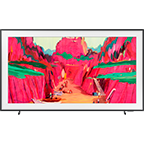
All about The Frame TV
-
How do I subscribe to the Art Store on The Frame TV?You can subscribe via the TV’s Art menu under Home screen and manage your plan from there.
Detailed step-by-step instructions are available in Samsung’s official guide: How to subscribe to the Samsung Art Store on The Frame TV. -
Can I attach or change the bezel on The Frame?Yes, you can attach and detach different bezels to The Frame.
Detailed step-by-step instructions are available in Samsung’s official guide: How to assemble the bezel for your Samsung The Frame TV. -
What is Art Mode?Art Mode is a special display mode for The Frame, where it displays art when turned off instead of a blank screen. It allows your TV to blend beautifully into your home decor when not in use.
-
How is glare managed on The Frame’s display?The Frame features a Matte Display that helps reduce reflections and glare, ensuring that the artwork appears clear and true, even in well-lit rooms.
-
Does The Frame use a special mount to look like real art on the wall?Yes, The Frame is incredibly slim and uses a Slim Fit Wall Mount, enabling it to sit flush against the wall. This design makes it look just like a framed artwork. Slim Fit Wall Mount is provided with the delivery.
Key feature may different from Key Spec