55" Crystal UHD U8000F 4K Smart TV (2025)

{{priceAnchor.priceWrapper.info.noLineOrignal}}

{{priceAnchor.priceWrapper.info.totalPrice}}
{{priceAnchor.priceWrapper.info.totalPriceMonthly}}

{{priceAnchor.priceWrapper.info.ceExchangePrice}}

{{priceAnchor.priceWrapper.info.orignalPriceAddText}}
{{priceAnchor.priceWrapper.info.lowestWasPricetext}}
{{priceAnchor.priceWrapper.info.orignalPrice}}
{{priceAnchor.priceWrapper.info.savePrice}}
{{priceAnchor.priceWrapper.info.disclaimer}}

Choose your size

55" Crystal UHD U8000F 4K Smart TV (2025)
55"

{{item.name}}

{{item.summaryPrice}}

Samsung Reward points

{{rewards.formatted.totalPoint}}

{{rewards.rewardsDescription}}

{{price.priceWrapper.info.totalPrice}} {{price.priceWrapper.info.vatText}}

{{price.priceWrapper.info.orignalPriceAddText}}

{{price.priceWrapper.info.lowestWasPricetext}}

{{price.priceWrapper.info.orignalPrice}} {{price.priceWrapper.info.savePrice}}

Earn 5% back in rewards

{{price.priceWrapper.info.walkoutQtyText}}

{{price.priceWrapper.info.homeDeliveryQtyText}}

{{price.priceWrapper.info.salesPitch}}

{{price.priceWrapper.info.text}}

{{price.priceWrapper.info.text2}}

{{price.priceWrapper.info.text3}}

{{price.priceWrapper.info.shippingOrBack}}

{{price.priceWrapper.info.taxPriceDisplay}}

{{upgrade.title}}

{{upgrade.learnMoreCta.text}}

{{upgrade.description}}

{{upgradeResult.displayModelName}}

{{upgradeResult.discountText1}}

{{upgradeResult.description1}}

{{upgradeResult.description2}}

{{offerFinance.title}}

{{offerFinance.learnMoreCta.text}}

{{offerFinance.description}}

{{galaxyForever.title}}

{{galaxyForever.learnMoreCta.text}}

{{galaxyForever.description}}

{{galaxyForeverResult.displayModelName}}

{{galaxyForeverResult.discountText1}}

{{galaxyForeverResult.description1}}

{{galaxyForeverResult.description2}}

Choose your color

Customizable bezels sold separately

Choose your skin color

Customizable skin sold separately

  • {{item.name}}

    Out Of Stock

Mordern type

  • {{item.name}}

    Out Of Stock

Beveled type

  • {{item.name}}

    Out Of Stock

Skin color

  • {{item.name}}

    Out Of Stock

{{shippingOrBack.shippingOrBack}}
{{deliveryMessage.deliveryMessage}}

{{tradeIn.title}}

{{tradeIn.learnMoreCta.text}}

{{tradeIn.description}}

You have maximum number of Trade-in in cart already. If you wish to add in Trade-in, please remove from cart.

{{tradeInResult.displayModelName}}

{{tradeInResult.discountText1}}

{{tradeInResult.discountText2}}

{{tradeInResult.discountText3}}

{{tradeInResult.discountText4}}

{{tradeInResult.discountText5}}

{{tradeInResult.discountText6}}

{{tradeInResult.specialDiscountText}}

{{tradeInResult.description}}

{{tradeInResult.contentText}}

Dealer stock quantity

You can check the stock quantity for each region

Please select city

Only {0} left in stock.

Sorry, this product is not currently available in selected city.

{{assuredBuyBack.title}}

{{newAssuredBuyBack.title}}

{{newAssuredBuyBack.learnMoreCta.text}}

{{newAssuredBuyBack.description}}

Please select Samsung Assured Buyback or no coverage

{{care.title}}

{{care.learnMoreCta.text}}

{{care.description}}

Please select Samsung Care+ or No to continue

  • {{item.specialText}}

{{warranty.title}}

{{warranty.description}}

{{warrantyResult.displayModelName}}

{{warrantyResult.discountText1}}

{{warrantyResult.description1}}

{{warrantyVd.title}}

{{warrantyVd.description}}

{{warrantyVdResult.title}}

{{warrantyVdResult.priceDisplay}}

{{delivery.headline}}

{{delivery.errorMessage}}

Apply

{{deliveryResult.priorityText}}

{{deliveryResult.mainText}}

{{deliveryResult.subText}}
Standard installation charges may apply.Click here for more details.

{{deliveryResult.decText}}

{{item.disclaimer}}

{{tariffOption.headline}}

Learn more

{{tariffOption.description}}

{{tariffOptionResult.displayModelName}}

{{tariffOptionResult.discountText1}}

{{tariffOptionResult.description1}}

{{tariffOptionResult.description2}}

{{tariffOptionResult.description}}

{{tariffOptionResult.price}}

{{tariffOptionResult.disclaimer}}

{{embedAddon.title}}

{{embedAddon.description}}

  • {{item.imgAlt}} {{item.imgAlt}}
    {{item.iconTitle}}

    {{item.name}}

    {{item.modelCode}}

    {{item.description}}

    {{item.finalPrice}}

    {{item.originalPrice}} {{item.savePrice}} Out Of Stock
  • {{item.imgAlt}} {{item.imgAlt}}
    {{item.iconTitle}}

    {{item.name}}

    {{item.modelCode}}

    {{item.description}}

    • {{item.dotList1}}
    • {{item.dotList2}}
    • {{item.dotList3}}

    {{item.finalPrice}}

    {{item.originalPrice}} {{item.savePrice}} Out Of Stock
{{message.item.offerTitle}}
{{message.item.offerTooltip}}
{{message.item.linkText}}

{{message.item.tcCTAText}}

{{message.item.periodText}}

{{finance.item.emiText}} {{finance.item.emiText}}
{{finance.item.offerTooltip}}
{{finance.item.cta.label}}

Highlights

black blank

Crystal Processor 4K

Feel every shade of color as intended in powerful 4K

blank

MetalStream Design

An elegant metal design that upgrades your space

white blank

One UI Tizen

Personalize your screen experience

black blank

Samsung Knox Security

Your privacy. Secured.

Features

The Best-in-class, crystal clear choice

Key features at a glance


Picture Quality

Feel every shade of color as intended in powerful 4K

Crystal Processor 4K

See every shade of color in all its original glory with our advanced processor. Plus, powerful 4K upscaling ensures you get up to a 4K resolution for the content you love.

A Samsung Crystal UHD Processor 4K chip is laid out on a TV's main board with glowing power lines. A Samsung Crystal UHD Processor 4K chip is laid out on a TV's main board with glowing power lines.

* Viewing experience may vary according to type of content and format.
** Upscaling may not apply to PC connection and Game Mode.

Feel the reality of the world on screen

4K Resolution

Make out the small details in every scene. 4K UHD resolution has 4x more pixels than regular FHD resolution — creating sharp, ultra-realistic images.

Image of an architectural structure in FHD resolution. The image is somewhat clear, but fine details are not visible. Image of an architectural structure in FHD resolution. The image is somewhat clear, but fine details are not visible.
Image of an architectural structure in 4K resolution. The image is incredibly clear, and even fine details are visible. Image of an architectural structure in 4K resolution. The image is incredibly clear, and even fine details are visible.

More about
Picture Quality

Enjoy better contrast with rich darks and bright whites

HDR

High Dynamic Range increases the ratio between the lightest and the darkest regions in a scene, so you can enjoy an enormous spectrum of colors and all the visual details in both bright and dark scenes.

Watch your favorite content in 4K

4K Upscaling

Our powerful 4K upscaling technology ensures you get up to 4K resolution for the content you love.

* Viewing experience may vary according to types of content and format.
** Upscaling may not apply to PC connection and Game Mode.

Fine-tuned colors for a vibrant, lifelike picture

PurColor

Watch films so vivid that it feels like you're there. PurColor produces a wide range of colors with optimal quality for an immersive, true-to-life experience.

See images come to life with greater depth

Contrast Enhancer

Contrast Enhancer brings flat images to life by adjusting contrast, resulting in deeper depth for outstanding picture quality.


Design

An elegant metal design that upgrades your space

MetalStream Design

Inspired by aircraft design, this TV features a luxurious metal body. A single sheet of metal is used to create the slim bezel, enabling a truly immersive experience.


One UI Tizen

Personalize your screen experience

One UI Tizen

One UI Tizen delivers a seamless and consistent Samsung device experience. Our operating system, Samsung Tizen OS, lets you take advantage of the latest innovative Samsung features — including quick access to the content you love, convenient AI management and powerful protection with Samsung Knox Security. Plus, One UI Tizen will support Tizen OS upgrades for next seven years, bringing you the latest apps & services.

Enjoy 7 years of
new TV experiences
for free

* Content and services may vary by region and are subject to change without notice.
** Agreement to Smart Hub Terms and Conditions and Privacy Policy is required before use.
*** Some content and services require registration and subscription.
**** Requires Samsung account.
***** Tizen OS upgrades will be supported for up to 7 years starting from 2025, for products released in the year 2025.
****** Please note that the upgrade does not cover hardware-related performance, features or durability.

Your privacy. Secured.

Samsung Knox Security

Your privacy is secure on Samsung TVs. Sensitive data like passwords are protected, connected IoT devices are monitored and malicious apps and sites are automatically blocked. Plus, Samsung's security team helps keep your TV safe with constant updates.

* Samsung Knox Security applies to Samsung TVs powered by Tizen®, launched since 2015.
** Latest software update is required.


Gaming Experience

Improved picture clarity with smooth motion

Motion Xcelerator

Experience a clear picture as your TV estimates the movement between frames, then uses that information to improve motion smoothness for subsequent frames.


Smart Experience

Connect and manage your smart home devices, from your TV

SmartThings

With a built-in smart hub, your TV can connect and control smart devices — even those requiring Matter and HCA compatibility. You can also get notifications about your devices straight from the screen, including a 3D Map View that shows your entire smart home system at a glance.

TV in living room shows SmartThings screen. SmartThings and Matter logos. Icons appear over the connected devices. Zoom in on TV shows SmartThings in different rooms. Focus on light’s status. It goes from Off to On. Blind goes from Off to Opened. Zoom out to show TV displaying smart home info. TV in living room shows SmartThings screen. SmartThings and Matter logos. Icons appear over the connected devices. Zoom in on TV shows SmartThings in different rooms. Focus on light’s status. It goes from Off to On. Blind goes from Off to Opened. Zoom out to show TV displaying smart home info.

* Available technology, functions and features may vary by country, service provider, network environment or product, and are subject to change without notice.
** Requires a Wi-Fi, Bluetooth or other wireless network connection and login to Samsung account.
*** Connected devices are sold separately.
**** Use of calm technology requires agreement to privacy notices from both SmartThings and the auto-registered device.
***** TV and mobile device must be connected to SmartThings to use 3D Map View function. For a detailed list of supported devices, visit https://partners.smartthings.com/supported-devices.
****** UI is subject to change without prior notice.

More about
SmartThings

Elevate your day with curated lifestyle experiences

Samsung Daily+

Find apps and services for health, work and lifestyle on Samsung Daily+. You can access SmartThings, Workout Tracker, karaoke and more, all in one place.

* Samsung is not responsible for any third-party services, and is not liable for any damages or losses caused by any third-party services.

Control your TV from your phone

Quick Remote

Through your mobile device, you can access key Samsung Tizen TV features such as media, features, ambient mode and menu. Quick Remote can also act as your TV remote, allowing you to change channels, adjust the volume and more right from your phone.

* Push notifications for mobile remotes for TVs are available on (Mobile) Android OS 10.0 and higher versions with (TV) 2020 Samsung TVs and later models, and operates when the mobile device is near the TV.
** Samsung Smart TV feature access is available on (TV) 2024 Samsung TVs and later models with (Mobile) Android OS 10.0 and higher versions or iOS 15.0 and higher versions.

Easily multitask across screens

Multi Control

Use your mouse to move content across screens, or a single keyboard to type on multiple devices. Your TV can connect with smart monitors and Galaxy devices into a unified experience — controlled by the same mouse, touchpad or keyboard. Thanks to Samsung's seamless ecosystem, you can easily stay connected and redefine your everyday life.

* Each device must be registered with a single Samsung account and be connected to the same Wi-Fi network.
** Multi Control requires updated Galaxy phones and tablets with One UI 5.1.1 or above, and Galaxy Book series devices released in 2021 or later with Samsung Settings v1.5 (Intel) or Samsung Settings v3.3 (ARM), and TVs and smart monitors from 2024 or later.
*** Some functions (such as Copy & Paste or Drag & Drop) may not be available when using certain device models and apps.
**** Feature availability may vary by region.

Gesture to control with your watch

Universal Gestures

Easily control your TV with your smartwatch. Just wear your Galaxy Watch and use hand gestures, like pinching to select an option, or moving your wrist back and forth for pause and play.

* Available apps and services may vary and are subject to change without notice.
** Only supported on Samsung Galaxy Watch 4 and later models, with Wear OS 5 and higher versions.


Sound

TV and soundbar play together in smooth harmony

Q-Symphony

Surround yourself with beautifully orchestrated sound. Samsung technology syncs the TV and soundbar audio to play simultaneously — without muting the speakers of either device.

alt text alt text

* Check for Q-Symphony compatibility on soundbar product specifications.
** Soundbar sold separately.
*** The location and number of speakers may vary depending on the model.

Immersive virtual sound that tracks the action

OTS Lite

3D surround sound with our virtual top channel audio allows you to be immersed in the audio experience.

alt text alt text

Enjoy sound optimized to your content

Adaptive Sound

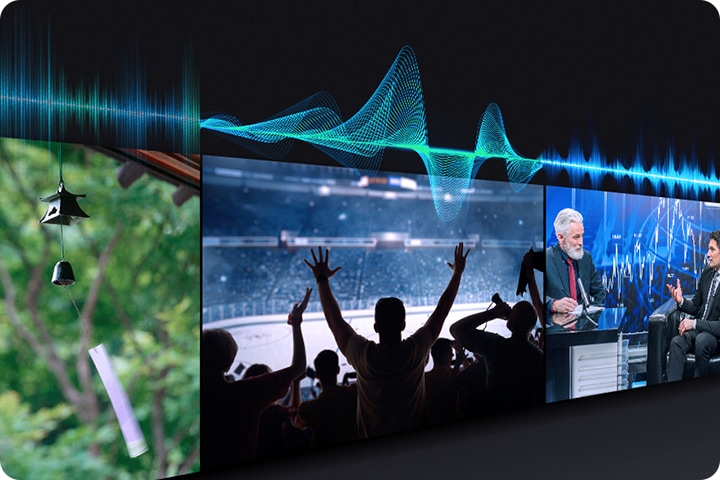
Adaptive Sound has audio scenic intelligence that optimizes sound based on real-time scene analysis by content type.


Sustainability

Save energy with intelligent analysis

AI Energy Mode

Easily reduce your power consumption by turning on AI Energy Mode. Your TV will auto-adjust its brightness based on the room's lighting and your user activity. It also subtly adjusts brightness during different scenes to save even more energy.

When AI Energy Mode is off, the surroundings around the TV appear bright. A smartphone screen displaying AI Energy Mode pops up, and it switches from Off to On. With adaptive brightness and AI Energy Mode activated, the energy level decreases significantly, and the scale shifts from day to night. When AI Energy Mode is off, the surroundings around the TV appear bright. A smartphone screen displaying AI Energy Mode pops up, and it switches from Off to On. With adaptive brightness and AI Energy Mode activated, the energy level decreases significantly, and the scale shifts from day to night.

* Energy saving rate may vary by region, model, size, viewing conditions and type of content.
** Products shipped in Eco Mode have some AI Energy Mode functions enabled by default, so energy saving levels when AI Energy Mode is turned on may appear lower compared to Standard Mode.
*** AI Energy Mode does not work with Game Mode.
**** Energy savings are based on internal test results and may vary depending on the content being displayed and surrounding brightness levels.

* Image simulated for illustration purposes. Any changes in appearance and design specifications that do not affect product performance may occur without prior notice. UI, content and services may vary by region and are subject to change without notice.

Specifications

  • Resolution

    4K (3,840 x 2,160)

  • HDMI

    3

  • USB

    1 x USB-A

  • LED

  • Screen Size

    55"

  • Refresh Rate

    50Hz

  • Resolution

    4K (3,840 x 2,160)

  • Picture Engine

    Crystal Processor 4K

  • HDR (High Dynamic Range)

    HDR

  • HDR 10+

    Support

  • Contrast

    Mega Contrast

  • Micro Dimming

    UHD Dimming

  • Contrast Enhancer

    Yes

  • Motion Technology

    Motion Xcelerator

  • AI Upscale

    4K Upscaling

  • Color Booster

    Yes

  • Filmmaker Mode (FMM)

    Yes

  • Object Tracking Sound

    OTS Lite

  • Q-Symphony

    Yes

  • Sound Output (RMS)

    20W

  • Speaker Type

    2CH

  • Adaptive Sound

    Yes

  • Operating System

    Tizen™ Smart TV

  • Bixby

    Yes (Voice Ready)

  • Samsung TV Plus

    Yes (SA,AE,EG only)

  • Web Browser

    Yes

  • SmartThings Hub / Matter Hub / IoT-Sensor Functionality / Quick Remote

    Yes

  • Multi Device Experience

    Mobile to TV, Sound Mirroring, Wireless TV On

  • Apple AirPlay

    Yes (w/o Syrian Arab Republic, Yemen)

  • Storage Share

    Yes

  • Auto Game Mode (ALLM)

    Yes

  • VRR

    Yes

  • HGiG

    Yes

  • Digital Broadcasting

    DVB-T2CS2

  • Analog Tuner

    Yes

  • TV Key

    Yes

  • Wi-Fi

    Yes (Wi-Fi 5)

  • Bluetooth

    Yes (5.3)

  • HDMI

    3

  • HDMI (High Frame Rate)

    4K 60Hz (for HDMI 1/2/3)

  • HDMI Audio Return Channel

    eARC/ARC

  • Anynet+ (HDMI-CEC)

    Yes

  • USB

    1 x USB-A

  • Ethernet (LAN)

    1

  • RF In (Terrestrial / Cable input / Satellite input)

    1/1(Common Use for Terrestrial)/1

  • Design

    Metal Stream

  • Bezel Type

    3 Bezel-less

  • Front Color

    BLACK

  • Stand Type

    BASIC FEET

  • Stand Color

    BLACK

  • Embeded POP

    Yes

  • EPG

    Yes

  • IP Control

    Yes

  • OSD Language

    Local Languages

  • Accessibillity - Voice Guide

    English (UK),French (France),Hindi (India),Korean (Korea),Russian (Russia)

  • Low Vision Support

    Audio Description, Zoom Menu and Text, High Contrast, SeeColors, Color Inversion, Grayscale, Auto Picture Off

  • Hearing Impaired Support

    Closed Caption (Subtitle), Multi-output Audio, Sign Language Zoom

  • Motor Impaired Support

    Slow Button Repeat, Remote Control App. for All

  • Power Supply

    AC100-240V~ 50/60Hz

  • Eco Sensor

    Yes

  • Auto Power Off

    Yes

  • Auto Power Saving

    Yes

  • Energy Efficiency

    A+

  • Package Size (WxHxD)

    1354 x 810 x 127 mm

  • Set Size with Stand (WxHxD)

    1224.6 x 759.1 x 199 mm

  • Set Size without Stand (WxHxD)

    1224.6 x 707.8 x 76.6 mm

  • Stand (Basic) (WxD)

    812.6 x 199 mm

  • VESA Spec

    200 x 200 mm

  • Remote Controller Model

    TM2240A

  • Support Full slim wall mount (Y22)

    Yes

  • Webcam Support

    Yes

  • Zigbee / Thread Module

    Dongle Support

  • User Manual

    Yes

  • Power Cable

    Yes

Reviews

55" Crystal UHD U8000F 4K Smart TV (2025)

4.5

Recommended by 91% of customers.

Write a review
5 stars 74%
4 stars 16%
3 stars 5%
2 stars 2%
1 stars 3%
AI review summary
  • Customers consistently praise crystal clear 4K resolution, vibrant colors, and exceptional brightness across all content types
  • Many reviewers highlight seamless smart features, intuitive app navigation, and smooth integration with the broader device ecosystem
  • Customers appreciate the sleek, slim profile design and emphasize excellent value for the price point
  • A few users report remote control quality issues and occasional software glitches such as freezing or unexpected app switches
  • Most reviewers consider the TV a worthwhile upgrade and recommend it as a top choice for future purchases
AI-generated from customer ratings & reviews, and may include incentivized reviews.

Filters

Relevancy sort puts the best reviews at the top. We look at things like helpfulness votes, latest review, pictures and other traits that readers look for in their reviews.

Sort

Filters

2,809 Reviews

Dnslink
2 (9,999)

2025-12-29

San Luis Obispo,ca

size : 55"
2 (9,999)
I purchased this model of Samsung TV a week and a half ago and finally tried to connect my Bluetooth earbuds and spent hours trying to figure out why they had intermittent connectivity. It seems after doing some research online this model is known to have poor performance with Bluetooth devices and there does not seem to be a fix unless you want to purchase an external receiver. I’ve purchased Samsung TVs for the last 20 years with no issues and it’s sad to say they advertise Bluetooth connectivity when I’m sure they’re aware of the quality issues and the number of reported cases. I’ll be returning the TV and purchasing potentially another brand.
Response from Samsung:
2025-12-29

Samsung Advisor

Hi Dnslink, We appreciate you sharing your experience connecting Bluetooth audio devices to your U8000f TV. To pair a Bluetooth device, go to: Settings > All Settings > Sound > Sound Output > Bluetooth Speaker List – If your device isn’t found, move it closer to the TV and select Scan. – Once paired, your TV will automatically detect the device when it’s powered on and prompt you to connect. You can also refer to the Connection Guide for help: Home > left directional key > Connected Devices > Connection Guide > Audio Device > Bluetooth Please also make sure both your TV and the Bluetooth device are running the latest firmware: Settings > Support > Software Update For more help, please contact Samsung Support at 1-800-SAMSUNG, 8AM – 12AM EST, 7 days a week. LiveChat agents are also available on our website under ‘Support’. ~Samsung Advisor

karaellen89
5 (9,999)

2025-04-29

Spring

size : 55"
5 (9,999)
[This review was collected as part of a promotion.] The Crystal UHD 4K is incredible. It’s responsive and super user-friendly. The picture is super clear. I recently watched the New “Mufasa” movie on it and could make out even fine hairs on the lions. The sound quality is top-tier. I love that it’s interconnected with my Xbox. I have had blast playing my games like Forza Horizon 5 without even leaving the couch. There’s not input lag that is typically inherent with Cloud-type gaming. The endless supply of other games and free channels are superb. I swapped it out with the Google TV that was originally in my living room, and would do it 100 times if given the chance. I LOVE THIS SAMSUNG Crystal 4K.
LuvSamsung
5 (9,999)

2026-07-05

Albuquerque, NM

size : 55"
5 (9,999)
Been using the s26 ultra for about 2 weeks now and I'm glad I made the upgrade. Was using a s23 ultra for a few years and I would definitely recommend the upgrade. The responsiveness of this phone is amazing. But the big thing is like is the battery life. If course that depends on your use of the phone just like any other phone. But I've been able to have the battery last all day. Taken off the charger around 7am and it lasts until I get home around 8pm with battery life to spare. I'm also looking the privacy feature. I use it to hide notifications and it works pretty good. Overall I'm very happy with the upgrade and recommend it to anyone looking.
DebY11
5 (9,999)

2026-04-05

TN

size : 55"
5 (9,999)
[This review was collected as part of a promotion.] In comparison to my older TV, with the choice of "Source" for HDMI, Video, etc., this TV could be a little too advanced for people that are not good with technology. My husband is one of those people. For me, I think it is great & because I have experience with technology it is not difficult for me at all. Very lightweight, screen is the perfect size for out entertainment stand. If you love technology, as I do, then I highly recommend this TV. If it is too difficult to use, you can always use a streaming device such as Roku, etc. I love the way everything looks "real" as if you are there in the scene & this feature can be turned off if you like it.
Cass
2 (9,999)

2025-11-04

Washington state

size : 55"
2 (9,999)
To be honest I was so excited when buying this tv it worked fantastic until it didn’t anymore… the entire screen went black just stopped working for no reason. Got it fixed by Samsung and now it’s like I’ve had the tv for ten years it’s very slow not like how it was when I first got the tv. It doesn’t respond right away to my Bluetooth speaker anymore, it also no longer responds when I turn my console on, I used to be able to turn on my ps5 while the tv is off and the tv would turn on and open the ps5 right away on the screen and it no longer does that. Just all in all I’m highly disappointed and kinda wish I never got a new tv to begin with 🤷🏻‍♀️
Response from Samsung:
2025-11-05

Samsung Advisor

Hi Cass, Thank you for your feedback. For optimal performance, please ensure your U8000F TV is running the latest firmware. You can check this by going to: Home > left directional key > Settings > Support > Software Update. To further optimize performance, try running Device Care, which checks memory, clears unused cached data, and closes background apps: Home > left directional key > Settings > Support > Device Care > Start Device Care. If you continue to have issues, please give us a call so we can further assist you. You can reach Samsung Support at 1-800-SAMSUNG (ask for TVs), 8 AM – 12 AM EST, 7 days a week. ~Samsung Advisor

Rob57
4 (9,999)

2026-02-26

size : 55"
4 (9,999)
I always buy Samsung tvs for their vibrant picture and quality. This model seems "brighter" than my older model so there was a short adjustment period. I also have to set it on "movie mode" to make it easier on the eyes. The one thing Samsung should have still included is a Toslink connection that my older model had. I have an older sound system that doesn't have HDMI ports in the receiver so I need the Toslink connection to run sound through my home system. I had to purchase a separate DAC converter to run sound through my home system. All other models I looked at had the Toslink connection but my loyalty the Samsung brand swayed my purchase.
Canuckusa
4 (9,999)

2025-06-10

size : 55"
4 (9,999)
[This review was collected as part of a promotion.] We mainly just use this TV for all of our streaming platforms. The picture is great and I like how it automatically switches the viewing mode depending on how the shows are recorded. The built in gaming feature where we can pair our Xbox Controller to the TV is amazing. Really the only issue with the TV after about a year of owning is a lag opening some aps and requires a hard reset. I also wish that the last used app wouldn't just automatically open from the home page, I turn on the TV and as I'm scrolling to let's say Hulu the TV will automatically open HBO Max as it was the last app used and I'll have to close out and then scroll to the Hulu app
Syed
5 (9,999)

2026-06-22

size : 55"
5 (9,999)
Samsung UHD TV is a solid everyday television with a clear 4K picture and a sleek, modern design. It is easy to set up and use, with a smooth smart TV system that gives quick access to apps like Netflix, YouTube, and Prime Video. For normal viewing like TV shows, sports, and streaming, the picture quality is sharp and bright enough for most rooms. It works well for casual gaming and general entertainment, making it a reliable choice for a living room or bedroom. However, it is more of a basic 4K TV, so it does not have the deep contrast or advanced features of higher-end QLED or OLED models. Sound quality is decent but can be improved with a soundbar.
Disappointed
2 (9,999)

2026-03-17

size : 55"
2 (9,999)
[This review was collected as part of a promotion.] I hate the fact that, each time you turn on the tv it's going to start playing SAMSUNG tv app. I've asked at best buy and they say that is how the unit works. The remote is my biggest complaint; each button or bar has to many functions! You increase the volume, but you pushed a little too long now you have closed captioning. The select button in the center is same thing, you touch too hard and you have not paused your program you have switched channels completely. It's marked poorly and has no voice command feature. The picture is absolutely amazing, sound is great, the remote and Samsung app have me wishing I'd bought a SONY again.
Response from Samsung:
2026-03-18

Samsung Advisor

Hi Disappointed, We appreciate your feedback on the U8000F user interface, startup, and remote. While Samsung remotes are designed for ease and versatility, universal remotes can also be used to control your TV. If you're using a third-party remote, please refer to its manufacturer guide for the correct Samsung code and setup process. If you run into any trouble or have compatibility questions, Samsung Support is happy to help. You can reach us at 1-800-SAMSUNG, 8AM – 12AM EST, 7 days a week. LiveChat agents are also available at the ‘Support’ link on our website. ~ Samsung Advisor

LSchafer
5 (9,999)

2025-07-18

Crete

size : 55"
5 (9,999)
[This review was collected as part of a promotion.] This TV has everything you want....crisp clear picture, lots of apps, great sound and excellent graphics that really caught the eye of my hubby the GAMER. He's impressed with the gaming quality and I love the big clear picture quality for my weekend binge-watching. It's incredibly lightweight and easy to move which is a plus in my book! I also love the Samsung PlusTV app that comes right along giving me even more bang for my buck with lots of great free movies and series! You just cant beat this tv for delivering the best of the best! Easily transition from app to app, music, games it's got it all. As always another quality product from Samsung.
Steph
3 (9,999)

2025-06-11

Chicago, illinois

size : 55"
3 (9,999)
The color and clarity of this television is 5 stars. The remote and lack of apps are terrible. If you have Filo tv app, it is not available for Samsung tv. I connected my Roku software pad to get more apps. Samsung needs to expand the amounts of apps available to the public. The remote is not well designed. The remote is too small, you have to push the volume or channel button up with your fingernail. The next time I purchase a television. I will buy Roku 4K Television. The remote is bigger, buttons are easier to push. I have not purchased a Samsung television in 11 years. This will be my last purchase. The volume is okay compared to Roku 4K television.
Response from Samsung:
2025-06-16

Samsung Advisor

Hi Steph, Thank you for your detailed feedback. It's unfortunate that you are not satisfied with your purchase. I have a few tips that may improve your experience. First, please know the Philo app is available on the Samsung U8000F TV. To search for and download apps via the built-in app store, go to Home> Left Cursor over to the Search Bar> Type in Philo> Download app. Regarding the remote control, Samsung remotes are designed to offer convenient control; however, we understand if you prefer to use a universal remote. We hope these tips are helpful. If you need any further assistance, please don’t hesitate to call us at 1-800-SAMSUNG, available from 8AM - 12AM EST, seven days a week. You can also chat with one of our agents by clicking the ‘Support’ link on our website. ~ Samsung Advisor

Mahoot
1 (9,999)

2026-05-12

size : 55"
1 (9,999)
[This review was collected as part of a promotion.] Don't really like the intrusiveness. Don't want anything to auto play ever. Should return to the last source selected instead of pushing things I have no interest in. HUB discontinued even before I bought the unit. The whole reason I bought it was for the hub function.Should have been taken off of the shelves. Seems many of the features promised on the packaging just aren't available in my region. A bit of bait and switch. Not really a smart TV. None of my Samsung products are pleasant to deal with. My phone. my watch. This TV. They keep changing my watch face in the middle of the night too. Really annoying. All in all an unpleasant experience.
Response from Samsung:
2026-05-12

Samsung Advisor

Hi Mahoot, Thank you for your review. While your U8000F TV may currently default to Samsung TV Plus when powered on, you can customize what your TV does at startup by adjusting the Start Screen Options. To do this, navigate to: Settings > All Settings > Advanced Features > Start Screen Option and choose from the following: 1. Start with Smart Hub Home – Automatically launches Smart Hub when the TV is turned on. You can enable or disable this option based on your preference. 2. Autorun Multi View Casting – If you cast YouTube content from your mobile device, the TV will automatically display the content using Multi View. 3. Autorun Multi View Mirroring – When you screen mirror your mobile device, Multi View will automatically open to show your device’s screen. If you need help adjusting these settings or have any other questions, please contact Samsung Support at 1-800-SAMSUNG, 8AM – 9PM EST Mon – Fri, 8AM – 6PM Sat – Sun LiveChat agents are also available by clicking on the ‘Support’ link on our website. ~Samsung Advisor

CS1005
3 (9,999)

2025-04-21

Pennsylvania

size : 55"
3 (9,999)
75" Class Crystal UHD U8000F 4K Smart TV bought a week ago and not pleased with it. The picture quality is terrible. We even upgraded our cable box and that did not help. I have learned a lesson not to believe that the picture in the store will actually look that way at home. If I still had the box, I would return it. The only good thing was the price but what good is that if you are not happy with the product. Our last Samsung only lasted 7 years before the sides of the screen started to go dark and would need repaired. My husband wanted to change brands but I convinced him to stay with Samsung. I should have listened to him.
Response from Samsung:
2025-04-21

Samsung Advisor

We’re sorry to hear you’re not fully satisfied with the picture quality on your Samsung U8000F TV. If the image appears too dark, we suggest disabling certain energy-saving features, which can automatically adjust brightness and affect how the screen looks. Go to: Settings > All Settings > General & Privacy > Power and Energy Saving, then turn off Brightness Optimization, Energy Saving Solution, Motion Lighting, and/or Contrast Enhancer. You can also adjust the Picture Mode to better suit your environment: Settings > All Settings > Picture > Picture Mode. • Standard – Default mode for general viewing • Dynamic – Brighter and clearer, ideal for well-lit rooms • Movie – Best for dark room viewing • Eco – Energy-saving mode • Filmmaker Mode – Preserves content as intended by creators To fine-tune brightness, go to: Home > left directional key > Settings > All Settings > Picture > Expert Settings, then adjust the Brightness level (0–50) to your preference. Lastly, please make sure your TV is running the latest firmware: Home > Home > left directional key > Settings > Support > Software Update > Update Now We hope these tips help improve your viewing experience. If you need further support, feel free to contact us at 1-800-SAMSUNG, 8AM – 12AM EST, 7 days a week. LiveChat is also available via the ‘Support’ link on our website. ~ Samsung Advisor

Elkora760
5 (9,999)

2025-05-21

size : 55"
5 (9,999)
[This review was collected as part of a promotion.] Excellent Picture Quality: Many reviewers highlight the impressive picture quality, with some describing it as "amazing" and "great quality". The TV's ability to display sharp and crisp images, even with non-4K sources, is also a frequent point of praise. Large Screen Size: The 70-inch screen size is a major selling point for many, with one reviewer stating it's the "biggest" they've ever seen. Easy Setup: Several reviewers mention the ease of setup, with one noting that the process is "easy". Slick Design: The sleek design of the TV is appreciated by some users. User-Friendly Remote Control: The remote is considered easy to use and hold by some reviewers.
DJSR
5 (9,999)

2026-04-27

London

size : 55"
5 (9,999)
A Superb Television. Outstanding picture quality with brightness and dynamic contrast to all scenes, interviews and combat. The value for money made me pause to check I was awake. At this price no other set needs consideration. We now own three different Samsung smart Televisions and remain pleased with their reliability, picture quality and compatibility with other services and devices. The final title would be all Samsung if you could include a disc player (CD/DVD) the set. I'm aware of all.the streaming and solid state music forms but we all possess hundreds of discs and will continue to own the same classics for decades.
Response from Samsung:
2026-04-27

Samsung

We're thrilled to see how much you love our TVs thanks to their reliability and compatibility with other services, and that the U8000F is impressing you so much! The stunning UHD 4K display is a real feat of technology, with customisable brightness and contrast settings allowing you to set the right tone to truly immerse yourself in your favourite content. This model brings premium features to our users at a great price point, and we couldn't be happier with the result. Thank you for sharing your feedback regarding your enthusiasm for an included DVD player. At the moment, we are prioritising the sleek design of our TVs, but we will certainly take this feedback onboard. Keep enjoying your epic new model! ^SK at Samsung Support

Sam2theSung420
5 (9,999)

2026-02-20

size : 55"
5 (9,999)
[This review was collected as part of a promotion.] When it comes to being the greatest I have to say re9thSamsung is guilty as charged! Make sure before you turn on this TV ,make sure your seated . I say this because Samsung definitely wanted to refresh your mind and then blow it away. I almost cannot put into words , the breathtaking melding of color, contrast, and 4K Crystal UHD leave consumer refreshed , happy, and visually awestruck! They definitely delivered brightness, color, resolution that will provide the refresh factor that you are craving. Do yourself your friends and family a serious favor. Refresh, breath, and make a samsung reality a Reality. Really. Lol
BigDanAtl
4 (9,999)

2025-06-05

size : 55"
4 (9,999)
[This review was collected as part of a promotion.] The TV's display is awesome and its a huge screen. Picture quality amazing. Streaming apps work well and you can access them a lot quicker than on previous models I've owned. The wireless internet connection has gone out a couple of times. It indicates that is connected but will not operate any internet based apps even showing connected. I have had to delete the network from the TV and reinstall it every time to get it to function correctly. Hopefully, it continues to work ok. This very reason is why I replaced the other Samsung TV in our bedroom that we have had for over 5 years. The picture is still great but the wireless internet adapter has gone bad.
JenB
3 (9,999)

2025-05-07

Nebraska

size : 55"
3 (9,999)
I purchased this TV one month ago. Had a Onn before this. The picture on this TV is great! But the sound is always out of sync. If you do the steps to fix this it may last a day or two before you have to do it again. If you play video games there are lines going through the screen, it also goes black for a few seconds. Again there is a fix but it doesn't last. The operating system is very confusing. You have to go to different screens to get to the app you need. There is also just way too much stuff on the screen. Not user friendly. I would not recommend this TV to anyone. But again the picture is great! Just disappointed.
Response from Samsung:
2025-05-08

Samsung Advisor

Hi JenB, Thank you for your feedback. I have a few recommendations that may resolve some of the issues you are experiencing. First, let's ensure your Firmware is up to date. Go to Settings> Support> Software Update. Next, the black out issue may likely be caused by either the type of HDMI cables and/or the source being used. Please check the following, as it may help resolve this: 1. Check the external device. Make sure your console is running the latest firmware version. If possible, we also recommend connected another external device to check for similar issues. 2. Check the HDMI cable. Make sure to use a High Speed Certified HDMI Cable. If you’re still having screen blackouts after performing the above, please give Samsung Support a call to further diagnose the issue. You can reach us at 1-800-SAMSUNG, 8AM - 12AM EST, 7 days a week. LiveChat with an agent as well as manuals, software, and warranty info can be found at the ‘Support’ link on our Samsung website. ~ Samsung Advisor

JeyRizzy
5 (9,999)

2025-06-26

size : 55"
5 (9,999)
[This review was collected as part of a promotion.] I like this size. It's big enough for my needs and use case. Picture quality is very nice. This TV is very beneficial if you have other Samsung items with Smart Things capability as they can work together with ease. So, bonus points if you are part of the current Samsung ecosystem. In my case, I have a soundbar that paired easily with this TV that utilizes Q-symphony. Setup was very easy if you hook everything up prior and let it run it's start-up process. I think it's great for my intended need which is primarily show and movie watching. Not really a knock, but I would prefer another HDMI slot or two, and maybe a digital optical out for this particular model.
Mike
4 (9,999)

2026-03-23

Blue Springs, MO

size : 55"
4 (9,999)
[This review was collected as part of a promotion.] The overall initial picture viewing is amazing. It has an auto brightness effect that does change with each scene. My kids easily noticed how well the refresh rate was. So far contrast and resolution are still good. We do however notice on some shows there are some errors in black areas of the screen when in a full contrast, like a person's hair for example, there is a shadow effect in the black hair. The image is also very blown up, we've not found a way to switch from Filmmaker mode, which does display when certain movies are being played. This replaced our QLED 65 inch product. We were expecting a bit better quality.
Shane
5 (9,999)

2026-07-05

Atlanta, GA

size : 55"
5 (9,999)
[This review was collected as part of a promotion.] I purchased this 50” for my bedroom because I had just got a Samsung qled for the living room and was super-impressed. I love how Samsung uses SmartThings so I don’t have remotes all over the place. I’m older so sometimes I become a deer in headlights with new technology. But these tv’s are very easy to use. Set up was easy. Image quality is exceptional. I used to avoid watching sports at home, and now I love it. I have even been going back and re-watching my favorite movies. I have even gotten rid of my external tv devices: These TVs just streamline everything. I have other brands at work, but if I ever need to replace them I’d definitely go with Samsung.
AlleyK
5 (9,999)

2025-09-13

size : 55"
5 (9,999)
I bought it from a store in a different town as i am handicapped and needed delivery and set up and removal of my old tv that was ready to quit.. I walk with two canes or a walker and some things i just can't do.My neighbor down the street has a son in law that owns Today's furniture and electronics in Redvers and he sells Samsung and brought it to my town and set it up no charge. The television has a great picture and works great.. i can finally watch my Prime movies on it which is a great bonus as my old set wasn't set up for Prime. It was a smart purchase from a store owner with a large heart.. i am quite pleased .
AnnaLG1411
5 (9,999)

2025-08-06

Brooklyn

size : 55"
5 (9,999)
[This review was collected as part of a promotion.] I wanted to try a new Smart TV and this was a good choice, the size is ideal for my living room. Thanks to the color booster I can see the red hair of the Little Mermaid with my daughter over and over again. An other great feature is the Q symphony, the sound is amazing, I don't struggle with not hearing the movies or TV shows. I'm still exploring all the amazing features of the TV, once my daughter grant me full access to the TV for sure I will discover all, for now I can say that this is a great option if you are looking for good quality image, great sound and a nice design that will look amazing at your home.
Samsung forever
5 (9,999)

2026-07-08

Maryland Manchester

size : 55"
5 (9,999)
The brightness and contrast is the next I've ever had from all of my tvs over the years. I love how I'm able to quickly hook it up to my phone. My laptop. My speakers. Love how quickly the response to everything is is . Smooth fast and clear The contrast color sound etc stays the same over time never wears out . Over the 2 years I've had it is still the same as the day I bought it. Over 25 years I've bought nothing but Samsung and for the next 25 years I'm still only going to buy Samsung It's the best TV out there you get high quality without paying how prices. I recommend Samsung all day long
BodyBag
2 (9,999)

2026-07-05

size : 55"
2 (9,999)
Brightness is good responsiveness is ok but not good. The things that I don't like are the voice assistant keeps turning itself back on tge game dashboard is hard to find to TURN IT OFF and samsung updates messed up my samsung soundbar have to hard rest every other day to get it to connect to my tv all the time since that stupid update. Movies any where will not play in 4k only on this TV. Xfinity stream app doesn't fit screen and its been like this since 2024 on all samsung tvs. They don't care to fix the aspect format so everyone is stretched out and tall for old tv shows. I think samsung really doesn't care
LarryG
4 (9,999)

2025-10-29

size : 55"
4 (9,999)
I bought this tv last week. So far so good. I did have some difficulty with the setup though. I kept going back and forth between the tv monitor and the setup app on my phone. It was kind of confusing. Mind you I'm not tech savvy, I did end up managing without too much frustrations. Image is great. Layout is clear to navigate easily. Gotta say though typing out each letter for a search on the monitor is a drag, the remote on the tv I used to have had a keyboard on the back which made things may more convenient. Overall satisfied with my purchase and look forward to enjoying my favourite sports and tv shows.
Corey
5 (9,999)

2026-06-22

size : 55"
5 (9,999)
I have owned several Samsung led tvs from my first 43 led to my 55 and my next 55. Then I bought this 65 and....seriously always very happy with these Samsung tvs, the picture is always very good. Also you never get dim colors and the motion/contrast issues like cheaper tvs. I bought a different brand once then while setting it up on stand I accidentally touched the screen....after that I never bought anything but a Samsung again. Buuut I'm Probably Samsung bias always had Samsung phones and DVD players head phones now a watch that I absolutely love as well. I'm never disappointed with how good the apps run on the tvs and I love my new 65 has almost no bezel witch is extra cool.
Codybanks23
5 (9,999)

2026-02-20

size : 55"
5 (9,999)
[This review was collected as part of a promotion.] My 55-inch Samsung TV is one of those everyday upgrades that quietly makes life better without asking for attention. The screen feels big enough to pull me into whatever I’m watching, whether it’s a late-night movie, a game, or just background noise after a long day, and the picture is so sharp and colorful that everything looks almost real. The sound fills the room just right, turning ordinary evenings into a small home-theater experience without any extra effort. I love how easy it is to use, how quickly it loads apps, and how it somehow makes even random shows feel more enjoyable. It’s not just a TV, it’s my go-to way to relax, unwind, and disconnect from the world for a while.
Brie
5 (9,999)

2026-02-04

Anchorage alaska

size : 55"
5 (9,999)
[This review was collected as part of a promotion.] The resolution on this TV is great. Very clear picture, details are clear. The TV also has a great scale for brightness. You can choose in the settings how bright you want it. Like at night we can Dim it and it doesn't effect resolution, or the contrast. It still gives out a great color all around. They're very vivid, which I was pleasantly surprised to find out. Between commercials is the only time I see a refresh on the TV and transition is smooth, not glitch or time consuming it is quick. All in all the Television puts out a great picture. Clear bright and colorful with a good co trast between colors.
ebgoob
4 (9,999)

2026-05-22

size : 55"
4 (9,999)
When it comes to TV sets I only buy Samsung. Good Quality and dependable. The newest TV I purchased had a few changes that I feel are not the greatest. The remote receiver on the TV was moved from the middle to the right hand side. I like the newer sleek version remote, but the volume adjustment and mute button combination I found difficult to use as every time I tried to adjust the volume it went to mute. After trying to get used to the remote I have gone back to using the remote from the older TV that has the volume adjustment and mute buttons not combined. Other family members had the same complaint.
Peenboi
5 (9,999)

2026-02-17

Judsonia, AR

size : 55"
5 (9,999)
[This review was collected as part of a promotion.] When I first received the box, I was amazed at not only how large it was (75" model), but also how lightweight and easy to move it was. Once I got it into position and set up (simple process as well), I immediately noticed how VIBRANT the screen is. Every color pops, every line is crisp, and no detail is missed. I regularly use mine for gaming in my living room. I've always had issues with previous models (other brands) where I have to get closer to the tv to see smaller details; not here. The resolution and frame rate make it to where I can comfortably sit back on my couch and still see small details in shooting games. Absolutely love it, and ive definitely become a samsung household.
Samuel
5 (9,999)

2025-06-01

size : 55"
5 (9,999)
[This review was collected as part of a promotion.] The 2025 Samsung TV has completely transformed our home entertainment setup. The picture quality is breathtaking—vivid colors, deep blacks, and ultra-sharp resolution that makes movies and sports feel lifelike. The built-in smart features are seamless to use, with quick access to all my favorite streaming apps. I also use it for gaming, and the refresh rate and response time are perfect for fast-paced action. The sound is surprisingly powerful for a flat-screen TV, and the sleek design fits beautifully in our living room. Highly recommend it for anyone looking to upgrade their viewing experience!
ReeRee
5 (9,999)

2025-05-31

size : 55"
5 (9,999)
[This review was collected as part of a promotion.] This Samasunv TV is the absolute best all around I've never had a TV with so many options and features. The color sound and graphics on it are amazing as well. The experience you have is like being inside a movie theater daily. I love how you can attach your Samsung cellphones to it as well and also youru ear buds or other Samsung products and accessories. Playing video GMV on this TV is the best the graphics are like ones I've never seen on any other TV I've ever had. I will never go bsck and I will always purchase Samsung products from here on out. Thank you for this amazing TV and products!
BMWguy
4 (9,999)

2026-06-06

size : 55"
4 (9,999)
[This review was collected as part of a promotion.] I love Samsung products and currently have an 85 inch smart TV that has performed flawlessly! We needed a new TV for our Bedroom after the Visio died and we replaced it with the 40 inch Samsung F6000. We like the User interface and we were immediately familiar and comfortable with it. My only complaint is with the included Remote control. It is overly busy and complex and i was constantly having to look at the buttons rather than intuitively knowing where they were. I remedied this with an aftermarket remote that matches our 85 inch TV's, and problem solved! I highly recommend upgrading the remote on the F6000 as soon as possible as this is the only flaw in an otherwise fantastic TV.
Bcole3b
4 (9,999)

2026-06-01

size : 55"
4 (9,999)
[This review was collected as part of a promotion.] I bought my TV as a Christmas present for myself and have been happy with my purchase. I like how it connects easily to my Samsung phone and Samsung soundbar. Setup was easy and quick. I do wish there was a voice button on the remote however, if you have a Samsung phone, you can download smart things to access all of your Samsung devices. You can even use the app as a remote on your phone when you can't find the actual remote. The picture is bright and clear and the TV itself is slim and compact! It fits well on my shelf. Resolution also adjusts itself. I haven't had any security issues so far.
ComputerGuyHB
5 (9,999)

2026-02-18

Huntington Beach California

size : 55"
5 (9,999)
[This review was collected as part of a promotion.] I recently picked up the U8000F Crystal UHD and I’m thoroughly impressed with the value. Living in a home with a lot of natural light, I was worried about glare, but this screen handles it surprisingly well. The 'MetalStream' design is incredibly thin and looks premium on my wall. ​The Tizen OS is snappy, I can jump from Netflix to Samsung TV Plus without any lag. For a 4K TV at this price point, the color accuracy and upscaling are phenomenal. Setup was a breeze, and the thin bezels really make the picture pop. Highly recommended for anyone wanting a high end look without the high end price!
Victor M
4 (9,999)

2026-05-13

San Diego, CA

size : 55"
4 (9,999)
[This review was collected as part of a promotion.] This TV is great for the price. The picture quality is outstanding, and the features it has to connect to my smart home allow me to turn it on and off from my phone or with my Alexa devices. The resolution and contrast work well with the color and it looks very high end inside my room. However, it seems like it's not powerful enough to handle tasks quickly and it's slow between menus and opening applications. Even just to open settings, it freezes from menu item to menu item. It seems like the TV is prioritizing what's being shown over the task you want it to do. It cannot multi task well.
Obliviously2
4 (9,999)

2025-11-05

size : 55"
4 (9,999)
[This review was collected as part of a promotion.] I’m satisfied with the performance value for the dollar, however there are two main issues for me. 1. How do I change input sources? I have found 3 or 4 different methods including AI and all appear to be a workaround for something that should be obvious. 2. How do I download a new app and where would it appear if I could figure out how to do it? Again, I have tried several approaches suggested by AI (including resetting to factory default) and nothing has worked. If there are obvious solutions to these issues I would love to know. Perhaps I’m just not looking in the right places.
Muzthedog
1 (9,999)

2026-07-13

Colorado

size : 55"
1 (9,999)
Do not purchase a Samsung TV. My remote became faulty after about 2 months and it was very difficult to navigate through apps, menus, etc. I contacted Samsung and after a lot of trouble shooting and being on a chat for almost 2 hours the problem was not resolved. I requested a replacement remote with a Mic (a small upgrade for my inconvenience) and Samsung would not honor my request. Even after chatting with a Supervisor they still would not honor my request due to Samsung's policies. Please think twice about purchasing any Samsung product
Anonymous
1 (9,999)

2026-06-25

size : 55"
1 (9,999)
I HAVE WAITED FOR SO LONG FOR YOU TO ASK that very question......How do I like your samsung TV. YOUR smart TV has a mind of its own. It NEVER goes back to where it was before, Sometimes it goes to the antenna and sometimes goes to samsung tv, You just never know when you push one of the few buttons on the remote as to WHERE you will land. Sometimes it turns off on its own with no warning. There IS NO PREVIOUS CHANNEL button and when you hit the back button you have to start over with your channel changing. This TV is the first in a very long time that I had just wanted for it to blow up.
Response from Samsung:
2026-06-29

Samsung Advisor

Hi RicoSuave, We appreciate your feedback and are sorry to hear the U8000F TV is not meeting your expectations. If there’s anything we can assist with, please don’t hesitate to call us at 1-800-SAMSUNG (8AM – 9PM EST Mon – Fri, 8AM – 6PM Sat – Sun), or reach us via text anytime. You can also visit ‘Support’ on our website for: • Live Chat • Manuals, Software, & Warranty Info ~ Samsung Advisor

Kveezy
5 (9,999)

2026-02-17

Dallas,Georgia

size : 55"
5 (9,999)
[This review was collected as part of a promotion.] Title: Great Picture Quality and Easy Setup... I’m really happy with this Samsung Crystal UHD TV. The picture quality is bright, clear, and colorful, and everything looks sharp in 4K. Setup was simple and only took a few minutes, and the built‑in apps make it easy to start watching right away. The sound is decent for a flat‑screen, and the TV itself has a sleek, modern look that fits nicely in the room. For the price, it’s a great value & perfect for streaming, everyday watching, and gaming. I’d definitely recommend it to anyone looking for a reliable 4K TV without spending a fortune.
JayLeigh
2 (9,999)

2025-07-30

size : 55"
2 (9,999)
This is a replacement of my last Samsung TV, which when out barely outside of a year after I purchased it. Samsung did nothing about it. Honestly, I probably should have moved on to a different product even though all the tv's in my house are Samsung. I wanted to give Samsung another try. I'm not sure what's up with this tv. Everything is so big. I've tried to change the aspect ratio to 16:9 because I truly believed that was the problem. Imagine my surprise when I realized the tv was already on 16:9! This tv is a disappointment. I might keep it because my son wants to use it, but for the family room, it's a no for me, so I'm not sure yet. I wouldn't recommend this particular tv at all; do not buy.
Response from Samsung:
2025-07-31

Samsung Advisor

Hi JayLeigh, Thank you for your feedback. To ensure your picture is on the correct setting, go to go to Home > Menu > Settings > All Settings > Picture > Picture Size Settings and choose from Picture Size (16:9 Standard, Custom, or 4:3. If this does not resolve your issue, I recommend resetting your Smart Hub.To do so, go to Home > Menu > Settings > Support > Device Care > Self Diagnosis> Reset Smart Hub. If you need more help, please call us at 1-800-SAMSUNG, available from 8AM - 12AM EST, seven days a week. You can also connect with a LiveChat agent by clicking the ‘Support’ link on our website. ~Samsung Advisor

ClarkKalen
5 (9,999)

2026-03-03

Bremerton, Washington

size : 55"
5 (9,999)
[This review was collected as part of a promotion.] My TV is the central piece in my living room. It's hard not to notice it once you enter the room and every furniture is arranged as if facing the TV. I love its crystal clear image quality and the vibrancy of its resolution is astounding. I love that it has this feature that adjusts its brightness based on how well-lit or dim the room is, doesn't hurt the eyes at all. The controller is quite easy to get used to and navigating the interface is a breeze. The built-in speakers are also great. I used to pair it with a sound bar but it is actually never needed due to the loud and clear audio.
Samsung4lyfe
5 (9,999)

2026-03-01

Clarion, pa

size : 55"
5 (9,999)
[This review was collected as part of a promotion.] Aesthetics-It has the motion accelerator which does good I have no complaintd but it isn't going to be too not like a higher end model with 120hz rate or higher. Brightness- it has very exceptional brightness I actually turned mine down a little. I found it to be slightly to bright. It's not as bring at OLED or qled are. Resolution- this was before all the 4k integration and iven at that it has amazing resolution. security- the Knox security is very good and makes sure your private info is extremely secure vibrancy- the color is remarkable very pleased all the way Round on this tv
RaulTK
5 (9,999)

2026-05-24

size : 55"
5 (9,999)
I'm very happy with the smart TV. It fully meets what the product promises, delivering very good 4K picture quality and stable performance in everyday use. What I like the most is the wide variety of built-in apps, which makes the experience much more complete and convenient, since you don’t need extra devices to enjoy streaming content. The interface is easy to use and responds smoothly. The colors are very good, looking vibrant and well-balanced, and the brightness is also solid, providing a clear and enjoyable viewing experience even in different lighting conditions. Overall, I think it’s an excellent TV in terms of size, features, and usability, making it a great choice for home entertainment.
Memzy Morales
5 (9,999)

2026-05-26

size : 55"
5 (9,999)
[This review was collected as part of a promotion.] Great display, we'll above the price point. Light but durable. User friendly .Adjustable lighting does great in both high sun lit rooms as well being easy on the eyes in low lit rooms / night which means brightness is bright when you need it and not too bright when your eyes need a break. The colors are rich and vibrant and the contrast and resolution are superb. I am a family man who can't spend frivolously on new televisions over and over again due to faulty or shabby electronics, inferior products end up costing me way more than the modest sticker price I had to pay with the Samsung Crystal TV I purchased. Hard earned money well spent and most importantly my family is happy with it and loves it !
Kaela5
5 (9,999)

2026-06-05

Wi

size : 55"
5 (9,999)
[This review was collected as part of a promotion.] I purchased in hopes of upgrading from my smaller t v to a smart t.V. I didn't realize that I was going to be receiving a TV that was cinema quality. Its like being in a movie theater. The sound quality is crisp, and so clear. The picture is brilliant, not to mention the settings and the things that allows you to do within the TV itself makes it completely your own. And I definitely give bonus points, because i'm able to link my phone to my t v and access my phone through my t v.vsuch as my pictures and use my phone as a remote and what not. Absolutely thrilled with my purchase and I can't say I would purchase a different TV if I bought another. I am in love. Thanks samsung for never letting me down!
Samsungfan
5 (9,999)

2025-05-17

size : 55"
5 (9,999)
[This review was collected as part of a promotion.] My old Samsung was from 2011 and still worked. It had a scratch on the screen and I wanted a "smart" TV so I didn't have to buy accessories for streaming. This TV is perfect. I am able to stream from any of my streaming accounts. Its pretty quick to load when you open the app. You can personalize the homescreen. You can play games and watch YouTube. The TV is synced with my phone so I can view things I had already looked up on my phone on YouTube. I can also control the TV from my phone with smartThings. No need to search for the remote as long as you have your phone nearby.
Asrp
4 (9,999)

2026-05-22

size : 55"
4 (9,999)
I bought this TV for my bedroom and it is the perfect size. All I use it for is Netflix so far but I’ve had no issues at all. I like the fact that I can connect my phone to use as a remote, that way I don’t have to actually have the physical remote and lose it somewhere. The only reason I have it 4 stars is that sometimes, it takes a while to recognize that I pressed the “Netflix” button on my phone remote. I have to press it more than once sometimes for it to work. But otherwise, it’s a great purchase if you’re looking for something small for a bedroom or small living space.
ZekeMan
5 (9,999)

2025-05-15

size : 55"
5 (9,999)
[This review was collected as part of a promotion.] In this house everyone loves to use our samsung tv. We love to watch movies, shows, even just listening to music. While the little ones play video games and enjoy cartoons. 4k quality and awesome sound we can all enjoy our content with no complains. The UI is very intuitive, and has a lot of adjustments to your liking with video and sound. Enjoy having all the applications with quick access. It pairs well for video games for our son with the quality and refresh rate. Makes for a great movie night with great color balance. You cannot go wrong with any of the samsung series.
Jackie
5 (9,999)

2026-03-24

size : 55"
5 (9,999)
[This review was collected as part of a promotion.] We got this 70" crystal tv brand new & it is spectacular! I can clearly see the difference from our old 65'' samsung curve tv. The view is so good I think its right in front of me! Everything is so smooth, the picture to picture or scene to scene, the skin tones are on point & I love the volume on it. Usually tv's havent been loud enough w/out a speaker or soundbar, but this 1 is awesome! It seems like the tv auto adjusts lighting too..i love it! I havent had an issue w/my Samsung or Google accounts either..tht process was smooth 2. Havent had an issue w/security either.
SMSNG4LFE
5 (9,999)

2026-06-13

Lancaster, Ohio

size : 55"
5 (9,999)
[This review was collected as part of a promotion.] This is my sixth purchase on a Samsung television in the last 10 years. This isnt because the t.v. broke (well once but that was my fault) but its because I really like Samsung products and thats my go-to brand for all of my electronic product purchases. I say that because I really like the way I can sync all my Samsung smart devices from earbuds, T.V., appliances, to my cellphone and laptop I find that feature super helpful. Plus the technology in a Samsung electronic is top of the line, so I have to say they give the best resolution in televisions on the market which is why I'm not only a repeat brand customer of the past but I'm a lifetime buyer. The Samsung/Android interface has the best features hands down.
Lovethisproduct
5 (9,999)

2026-05-22

size : 55"
5 (9,999)
I’ve had this TV for a few weeks now and honestly it exceeded my expectations. The picture quality is crystal clear, especially when watching movies and nature videos — the colors are vibrant and the contrast is impressive even in a bright room. The 75” screen makes everything feel like a mini theater at home. I also love how easy the interface is to use. Apps load fast, switching between streaming services is smooth, and the sound quality is surprisingly good even without extra speakers. Gaming and sports look amazing with the sharp resolution and motion clarity. For the price, this TV gives a premium experience without being overly complicated. Definitely one of the best upgrades I’ve made for our living room!
jules96
5 (9,999)

2026-05-23

size : 55"
5 (9,999)
when I decided that I need a better gaming tv couldn't be happier with my choice of buying this model ,I'm beyond impressed with the resolution while it the brightness ,contrast and color while gaming is just what I was looking for not to mention the easy interface to choose between apps is smooth and flawless. also the best part Samsung tv plus is a major BONUS it's free tv shows , news channels and movies which I didn't even know it had which sealed the deal for me that I made the perfect choice in buying this tv especially for the price absolutely worth every dollar!
Mitchian85
4 (9,999)

2026-03-24

size : 55"
4 (9,999)
[This review was collected as part of a promotion.] The Samsung 43 Inch Crystal UHD has been Amazing! The brightness with the picture and anesthetics are very rich in color and display wonderful in quality especially for watching sports and connectivity with my internet to stream content has been great and very easy to set up with great security for all my passwords and using the internet. The picture resolution was a major upgrade for me both vibrant and especially shows with gaming. The experience in owning this tv has been great and i would recommend and the sound quality is a wonderful upgrade from previous models.
Samsung fan
5 (9,999)

2026-06-01

Raleigh, North Carolina

size : 55"
5 (9,999)
[This review was collected as part of a promotion.] I recently purchased the Samsung UHD U8000FB 4K Smart TV (2025), and I've been very pleased with it. The picture quality is sharp and vibrant, with excellent 4K clarity for movies, sports, and streaming. The setup process was quick and straightforward, and the smart TV interface is easy to navigate. The design is sleek and modern, fitting nicely into our living room. Apps load quickly, and streaming services run smoothly. The sound quality is good for everyday viewing, and the overall performance exceeds my expectations for a TV in this price range. If you're looking for a reliable 4K smart TV with great picture quality and user-friendly features at a reasonable price, I would definitely recommend the Samsung U8000FB.
Daveshonestreviews
5 (9,999)

2025-05-18

size : 55"
5 (9,999)
[This review was collected as part of a promotion.] So I have always bought Samsung products except for once I bought an LG of which I regretted due to the screen dieing exactly 1 year later my Current Samsung TV has lasted an excessive amount of time auto connects to mu consoles and other streaming devices if I so choose my phone with smart things app connects to my TV flawlessly and acts as a better remote of which I can access from anywhere this T.V. came with a family friendly price with a top quality product, This tv is great for gaming but none the less is not 8k or high refresh rate so keep in mind that aspect.
ilovemycatbones
5 (9,999)

2025-06-12

Arlington

size : 55"
5 (9,999)
[This review was collected as part of a promotion.] I love this TV! It was so easy to setup. I literally connected the power and it started right up, and walked me through the whole setup process. The sound quality is excellent as well. It comes through crisp and clear. The graphics are great too. The movies and shows I played were clear and crisp. The remote was super easy to connect as well. I just popped in the batteries and it connected. I also tried the mobile app, and that was super smooth. Usually, I have a hard time getting things to connect, but this was a breeze. I am loving it! I would highly recommend it.
Eli87
5 (9,999)

2025-10-01

Redditch

size : 55"
5 (9,999)
[This review was collected as part of a promotion.] I am very happy with my new tv. Just one problem it doesn't read my hard disc and hard drive unfortunately.
[D] Alternative Text [D] Alternative Text
Response from Samsung:
2025-10-02

CX

We're delighted to hear that you're happy with your gorgeous new Samsung Crystal UHD TV. So many fantastic features to enjoy, from the stunning clarity of the display to the sleek, slim and stylish design! We'd love to help with the hard drive issue. The first thing we'd recommend is to ensure the hard drive uses a compatible format. Next, check for firmware updates by going to Settings > Support > Software Update on your TV's menu. If an update is available, download and install it. If the issue persists, our friendly Support Teams are on hand to assist. You can find our contact details and opening times here: https://www.samsung.com/uk/support/contact/ Thank you for taking the time to write your review, and for giving us a perfect five stars! ^EW at Samsung Support

Hard to please
5 (9,999)

2026-07-06

size : 55"
5 (9,999)
The 43" 4k crystal UHD has been an exceptional enjoyment for me. I find all aspects of the TV great! I had already owned a Samsung k450 sound bar which I connected to the the tv. I have my Blu-ray connected to the extra HDMI input on sound bar. I have Roku Ultra connected to the Tv and also PlayStation 4 pro. The TV is mounted with a full motion wall mount which I have tilted downward a few degrees for optional viewing. I find the Blu-ray plays great through the sound bar, plus great sound. I have TV connected with Ethernet, and so with everything and all the apps , I pretty much feel I have unlimited entertainment. The PlayStation 4 pro is 4k, and works great through game mode. The total value to me is tremendous!
W8onGod
3 (9,999)

2026-07-06

Monroe, Iowa

size : 55"
3 (9,999)
[This review was collected as part of a promotion.] brightness contrast really good being color blind visual good . responsiveness it's actually like a two kind of slow wish there was a better quicker response from remote to TV . no real big opinion on uniformity or upscaling . I will be honest out of all the Samsung TVs I've had and I've had many is probably my least favorite as the usability and user interface are not very functionable. There needs to be an actual settings button on the remote . I would like to see programming set up to where it goes to basic TV first then other options directed from remote .
Steve
4 (9,999)

2026-05-27

size : 55"
4 (9,999)
[This review was collected as part of a promotion.] We use utube for TV service and to get to it after turning on the TV you have to scroll down twice and then scroll right to find utube and select that icon and then select utube and then scroll left and scroll down to utube and select utube again and select utube on the next screen...you have to do all these steps just to watch TV. Then about once a day or two the TV seems like it resets itself and you have to redo all the above steps. The TV seems to push the audio towards the wall rather than towards the audience so you have to turn the volume up to get it to bounce off the wall towards the and you can hear the audio in the room on the other side of the wall... speakers need to be directed more towards the room the TV is in
TvMe
3 (9,999)

2026-06-20

Ooltewah, TN

size : 55"
3 (9,999)
I’ve had this Samsung TV for a while now, and overall I’d describe it as a solid product. The picture quality is good, the smart features are easy to use, and streaming apps run smoothly. Setup was straightforward, and I haven’t experienced any major issues with performance. While it may not be the most impressive TV I’ve ever owned, it does what I need it to do and provides a reliable viewing experience for movies, sports, and everyday streaming. The picture is clear, the interface is user-friendly, and it has been dependable since purchase. Overall, it’s a good TV that delivers solid value for the price. I would recommend it to someone looking for a dependable television without expecting every premium feature on the market.
Response from Samsung:
2026-06-22

Samsung Advisor

Hi TVme, Thanks for sharing your thoughts. If there's anything we can do to improve your experience, please reach Samsung Support at 1-800-SAMSUNG (8AM – 9PM EST Mon – Fri, 8AM – 6PM Sat – Sun), or reach us via text anytime. You can also visit ‘Support’ on our website for: • Live Chat • Manuals, Software, & Warranty Info ~ Samsung Advisor

Blkwdw
5 (9,999)

2026-02-18

Milton, Florida

size : 55"
5 (9,999)
[This review was collected as part of a promotion.] The picture and resolution on this tv are fantastic, one of the best Ive ever seen. Brightness and color both are excellent and seem very realistic. It makes watching any show or movie enjoyable and easily immersible. You wont be disappointed with this TV. The quality is amazing and its also affordable. You get a lot for your money plus it comes with Samsung TV as an added bonus. There's always something on there to watch, and it comes with the TV, you dont have to pay extra for it. The settings menu allows you to adjust many things to your liking as well.
Abcdefgh
2 (9,999)

2025-07-30

size : 55"
2 (9,999)
[This review was collected as part of a promotion.] Wanted a Samsung or LG. Went with Samsung because of availability and price. Did not research the product and did not realize they no longer support android OS. I use Volleyball TV a lot and the new OS does not support it. Very disappointed. Picture quality good seems to be fast. Menus really confusing and hard to load apps. Having issues with 4k compatibility with Fire Cube. Start video get sound and captions but no video. Takes long time to load 4k video. Had hoped to eliminate Fire Cube but need for Volleyball TV app. Fire Cube menu is way superior.
Response from Samsung:
2025-07-31

Samsung Advisor

Hi Abcdefgh, Thank you for sharing your experience. If your TV is on but showing a black screen, it may be a connection or source issue. First, press Home on your remote - if the menu appears, your TV is working, and the source or device may need checking. Confirm cables are secure, the input source matches your connected device, and try another HDMI port if needed. You can also run HDMI Troubleshooting: Home > left directional key > Connected Devices > Connection Guide > Video Device > HDMI Troubleshooting ...and check for firmware updates if possible: Settings > Support > Software Update > Update Now If the issue persists after trying these steps, please give us a call at 1-800-SAMSUNG, 8AM – 12AM EST, 7 days a week. Our LiveChat agents are also available through the ‘Support’ section on our website. ~ Samsung Advisor

Sfoxey
5 (9,999)

2025-04-11

size : 55"
5 (9,999)
[This review was collected as part of a promotion.] This TV has the most amazing clarity on any TV I have ever owned. Even right out of the box the clean, smooth, crisp, bright picture is wonderful. But you can also adjust the settings easily depending on your preferences. You can even quickly change the sound and brightness depending on what you're watching. It can help see the darkest parts of a movie/show. Things that were so hard to make out on other TV's. Overall it definitely earned 5 stars from my family and I. And will definitely purchase other size versions of this model to go into our bedrooms to replace ones we have now. I have already told other family and friends about it. So I highly recommend this one to anyone searching for a TV that has a smooth, crisp display!
GregYUL
5 (9,999)

2026-06-22

size : 55"
5 (9,999)
I’m extremely satisfied with this Samsung product that I I’ve purchased 2! The ease of setup and having a smart tv to add ma s manage my apps from Bell to all the common apps from Netflix Disney Crave etc. And the casting features are flawless, I would only wish the processor was a bit faster but I assume with the more expensive models you grt a faster processor. The sound quality is very good, for my second TV I have a sound bar from Samsung that connects via Bluetooth so it’s a fast clean setup as I don’t like cables. No soundbar isn’t needed for most individuals I do feel all the preconfigured settings are very good to find the right image style for games or movies and even a soccer mode which works great for hockey as well.
Nicole S
5 (9,999)

2025-10-28

size : 55"
5 (9,999)
I recently purchased the 65" Crystal UHD U8000F 4K Smart TV (2025), and I couldn’t be happier! The picture quality is absolutely stunning — vibrant colors, deep contrast, and sharp details that make every scene feel incredibly lifelike. The 4K resolution really brings everything to life, and the smart features are intuitive and easy to navigate. Setup was quick and straightforward, and the sleek, modern design looks great in our office. Overall, this TV delivers excellent performance, great value, and an immersive viewing experience. Highly recommend!
Anonymous
5 (9,999)

2025-09-13

size : 55"
5 (9,999)
I bought the Samsung 75” Crystal UHD U8000F 4K Smart TV (2025) and I love it. The screen is huge and the picture is super clear, even when I’m watching older shows. Colors look bright and natural, and 4K movies feel like I’m at the cinema. The smart features are easy to use — all my streaming apps are built in, and I can control it with my voice. Sports and action scenes play smoothly, and my games look great too. The sound is fine, but I added a soundbar and it’s much better. Overall, it’s a beautiful TV that makes everything I watch more enjoyable.
MarjaMarita
5 (9,999)

2026-06-23

size : 55"
5 (9,999)
My husband is disabled and I've been his full-time caregiver for almost 6 yrs. We're not able yo out the way we used to, but we love watching sports together. Hockey, football and baseball and now FIFA too. That's why we decided to get a new and even bigger Samsung TV. This one is our second Samsung TV, the other one was 65". Both have beautiful picture and wonderful colors. It took a little time to get familiar with this new one, but the selection of programs is amazing. We are very happy with our purchase and will be Samsung customers for life 😀
Nib315
5 (9,999)

2025-05-20

size : 55"
5 (9,999)
[This review was collected as part of a promotion.] The Samsung U8000F Crystal UHD TV (2025) strikes a great balance between performance, design, and affordability, making it an appealing choice for anyone looking to upgrade to a smart 4K television without stretching the budget. The U8000F delivers crisp, detailed visuals with vibrant color accuracy. The built-in Object Tracking Sound Lite gives a decent surround-like effect by matching audio to movement on screen. The sound is clear and balanced, but bass is lacking, and volume output could be stronger. TV includes all the popular streaming apps and supports Alexa, Google Assistant, and Samsung Bixby. Navigating menus is smooth, and SmartThings integration lets you manage smart devices from your TV. It’s fast, responsive, and easy to use.
Blessed2shop
5 (9,999)

2025-11-22

size : 55"
5 (9,999)
[This review was collected as part of a promotion.] This model is impressively easy to use and can also work without a cable package. I love the Samsung hub, the games , live tv, and endless amounts of downloadable apps and content. All I needed was to have WiFi service. Price was really affordable for its size and brand. The awesome colors and clean and clear picture is impeccable. I must say, I’d buy this product again if needed to. I highly recommend this product to my friends and family, who were also impressed by the size ,price, and quality of this product. Definitely worth the purchase.
DSilva
4 (9,999)

2026-03-09

Round Rock, TX

size : 55"
4 (9,999)
[This review was collected as part of a promotion.] I love the bright colors that this TV displays. Even when watching movies that display bright scenes, with a wide array of colors, there isn't any grain so I can enjoy my movies or tv shows. I also love the resolution, youre really able to see fine details like skin and hair so realistically so it makes watching movies on it even better. I do wish I could maybe adjust some features or settings a bit more like the contrast of black and white or certain colors and also the user interface is sometimes a little slow but other than that great tv!
WeirdHarold
4 (9,999)

2026-06-05

size : 55"
4 (9,999)
[This review was collected as part of a promotion.] This is a very typical mid-range TV from Samsung, the Picture quality is great as expected from a Samsung panel. However the sound quality and volume from the TV speakers is low and not great, also typical of most TV speakers. The Smart TV interface is okay, but hard to navigate and the system settings are now integrated into this interface and can be hard to find things till you figure out where they are. My only really serious gripe is that there is no Optical Audio on this TV and I couldn't hook it up to my existing sound bar system.
Stubby
2 (9,999)

2025-07-01

New Hampshire

size : 55"
2 (9,999)
Do not buy a Samsung. I should have listened to people but I didn’t. I will never buy a Samsung tv. Every tv in my house will connect to a network just fine but this tv always says not connected to a network and then always says check your internet provider. It’s not my internet it’s the tvs. It’s also lags when trying to do the volume or navigate the guide. I’ve changed the picture several times and anything with a dark scene in a tv program is very hard to see. Very dark picture. But the network thing is very true if you read reviews.
Response from Samsung:
2025-07-01

Samsung Specialist

Stubby, Thank you for sharing your experience with the internet connection on your Samsung U8000F TV. Whether you're using Wi-Fi or a wired (LAN) connection, there are a few steps you can take to help resolve the issue: 1. Power Cycle Your Equipment. Unplug both your TV and router/modem from the wall outlet. Wait at least 30 seconds, then plug them back in and allow both devices to fully restart. 2. Check the Network Status. On your TV, go to: Home > left directional key > Settings > All Settings > Connection > Network > Network Status. This will help determine if the issue lies with the network or the TV. 3. Try a Different Connection Type. If you're using Wi-Fi, try connecting an Ethernet (LAN) cable directly from your router to the TV to test the connection. If you're using a wired connection, try switching to Wi-Fi to see if the issue persists. 4. Reestablish the Network Connection. Go to: Settings > All Settings > Connection > Network > Open Network Settings, and follow the prompts to reconnect to your Wi-Fi or wired network. 5. Update Firmware. Software updates can often resolve network bugs, as well as image quality and overall performance. To check for the latest version: Settings > Support > Software Update > Update Now If the image appears too dark, we suggest disabling certain energy-saving features, which can automatically adjust brightness and affect how the screen looks. Go to: Settings > All Settings > General & Privacy > Power and Energy Saving, then turn off Brightness Optimization, Energy Saving Solution, Motion Lighting, and/or Contrast Enhancer. You can also adjust the Picture Mode to better suit your environment: Settings > All Settings > Picture > Picture Mode • Standard – Default mode for general viewing • Dynamic – Brighter and clearer, ideal for well-lit rooms • Movie – Best for dark room viewing • Eco – Energy-saving mode • Filmmaker Mode – Preserves content as intended by creators To fine-tune brightness, go to: Home > left directional key > Settings > All Settings > Picture > Expert Settings, then adjust the Brightness level (0–50) to your preference. We hope these tips help improve your experience. If you need further support, feel free to contact us at 1-800-SAMSUNG, 8AM – 12AM EST, 7 days a week. LiveChat is also available via the ‘Support’ link on our website. ~ Samsung Specialist

MuzzafuzzaGaming
5 (9,999)

2025-07-17

Pocatello

size : 55"
5 (9,999)
[This review was collected as part of a promotion.] It has been over 10 years since I’ve bought a new TV. I got an email from the insiders saying they have these new Samsung models and after further inspection, I decided to jump back in and bought the 65”. Turns out I made the right choice. This is the best TV I’ve ever watched for movies, shows, streaming, YouTube, video games & more. The picture and audio quality are top-tier. The setup was easy. The remote and Home Screen navigation is very user friendly. I would recommend this TV and brand to anyone looking for a new Home Screen setup.
BlueWaterDragon
5 (9,999)

2026-04-20

size : 55"
5 (9,999)
[This review was collected as part of a promotion.] A 4K tv that can handle a PS5, and even the latest generation gaming computer. Streaming is so easy. And the special port, for higher framerate demanding hardware interface, like the aforementioned PS5 and gaming computer, brings 4K to excellent life. The sauce helps for excellent refresh rate. This tv handles brightness and contrast with no problem. Tie that with the aforementioned resolution and refresh rate, you have an excellent tv. On top of all that, it is a smart tv, where you can sign in to all your favorite streaming services.
Culixthekilla
5 (9,999)

2025-06-13

size : 55"
5 (9,999)
[This review was collected as part of a promotion.] Large-format displays provide an immersive gaming experience. An 85-inch screen size can significantly enhance visuals and draw players further into the game world. Choosing the best 85-inch TV for gaming involves considering factors like refresh rate, response time, and input lag. It's also important to research features such as HDR support and variable refresh rate (VRR) compatibility for optimal performance. Consumers should carefully compare models and read reviews before making a purchase decision. But this is the best TV for me
DKgrifter
5 (9,999)

2026-03-23

Delta jct ak

size : 55"
5 (9,999)
[This review was collected as part of a promotion.] Great features on a fairly priced/inexpensive TV. I have had issues with other manufacturers and not lasting longer than a few months. Screen is bright enough from the box Ive had to dim it for my living room and a 4k resolution at this cost point is amazing. The interface with gaming consoles can use a bit of work by not directly switching over but that is a minor gripe. The bezel around the edge is minimal leaving more screen view which I like as far as the way it looks on my wall and with a screen this vibrant and I cannot complain.
reddsonia
5 (9,999)

2025-06-07

Riverside

size : 55"
5 (9,999)
[This review was collected as part of a promotion.] What a great TV! This tv is 4K, Intelligent and has ultra-fast optimization. It’s a smart tv with built in apps and availability to add more. Thus tv is not too heavy but very thin in depth. The frame is small and gives a better, fuller picture corner to corner. Great overall! I also like the Samsung Knox Security feature and I appreciate the Endless Free Content. I notice the benefit and greatness of the Motion Xcelerator 60Hz and see what a great difference it makes. The HDR is amazing! The impact of the Color Booster feature is great and definitely a game changer. I also love and appreciate the Object Tracking Sound Lite and think the Q-Symphony feature is something I never knew I needed. Simply a great TV with amazing features and at a great price!
MJChatesHub
1 (9,999)

2025-09-17

San Antonio, TX

size : 55"
1 (9,999)
We have had this TV for quite some time now and I like it for the picture quality. The home screen "Smart Hub" is the absolute worst and it makes me hate this TV. In fact, I loathe it with a passion. The hub is cluttered and full of recommendations that I cannot remove. I want to see my downloaded apps so that I can launch them as needed. I do not want recommendations. I do not want banners with inappropriate content at 85" up for my children when we just turn on the TV. I can set parental parameters, but then I've got boxes with a stock photo of a lock. The navigation for settings is clunky and things are buried in miles of tiles that I just don't care about. I wish we hadn't bought it. I wish we had returned it. Do not leave LG for a Samsung.
Response from Samsung:
2025-09-19

Samsung Advisor

Hi MJChatesHub, Thank you for sharing your experience. Please know that you can customize your Home screen by installing, removing or adding your favorite apps to the Home screen. Here's how: Searching for & Installing Apps 1. From the Home screen, press left on the remote’s directional pad. 2. Navigate to and select Search. 3. Using the search bar, enter the content or app you’d like to find. 4. Navigate to and select the app you’d like to install, then select Install. Note: Previously installed apps can be accessed on the Settings screen. Adding & Managing Apps on Home Screen 1. Go to App Settings (these can be found at the bottom of the Apps screen) and select the app you want to move. The following options will be available: a. Add to Home: Move the app to your desired location on the Home screen. b. Delete: Delete app. c. Lock/Unlock: Lock the app with a PIN so only you can use it. When the app is selected again, you will be prompted to enter the PIN to unlock it. d. Reinstall: Reinstall the app. e. View Details: View the app’s information and details. If you need more help with app management, please don’t hesitate to reach Samsung Support at 1-800-SAMSUNG, available daily from 8AM - 12AM EST. You can also visit the Samsung website and click on ‘Support’ for: • Live Chat • Manuals, Software, & Warranty Info ~ Samsung Advisor

Walter
5 (9,999)

2025-10-25

size : 55"
5 (9,999)
[This review was collected as part of a promotion.] My Samsung 55” television is bar none one of the best tv purchases I’ve made for many years. The colors are vibrant and’s crisp with a natural look. Viewing is easy on the eyes, the different selection of picture modes makes it simple and easy. One does not have to make any major decision when it comes to the picture. The audio is clean and crisp without any distortion or heaviness to the lower frequencies. The features are simple with hints to the side topics which is sheer genius of thinking as a consumer. Thanks Samsung
BONSAIKEYS
5 (9,999)

2025-10-16

size : 55"
5 (9,999)
[This review was collected as part of a promotion.] I got this tv to play games from my Xbox to get the great 4K Graphics, if I’d knew there were better options, I definitely would’ve gotten them because of the performance, but that’s just me. It’s a great tv for everyday things and the graphics are amazing, it’s so smooth and very lifelike. The speakers sound very amazing and they get pretty loud. The setup was pretty easy as all it needed was like an email and password to make the account. Overall I really like the tv and the price was pretty decent for a Samsung branded TV.
Juan25
5 (9,999)

2026-06-20

Hollister, CA

size : 55"
5 (9,999)
Every time I get a new Samsung Tv the resolution gets better there are more features on the new models that help you navigate your tv settings more easy the colors are more vibrant and the tv aesthetics make the screen look more real specially when you get a HD signal the colors look more bright you get a really nice tv and you don’t have to brake the bank to get it I would definetly recommend this tv the only think I don’t like is the remote I prefer old school controls with numbers other than that Samsung TVs are the Best !!!
Mediocretv
3 (9,999)

2025-12-21

size : 55"
3 (9,999)
[This review was collected as part of a promotion.] We have been disappointed that the picture was not better than our old TV. The TV has lots of options but we find using it is complicated and requires a lot of time. I purchased a Samsung expecting a dramatically improved tv performance we didn't get it. I specifically wanted the Samsung because I wear hearing aids and wanted to use the Bluetooth while using the speakers and it does that but the Bluetooth seems to have a mind of its own. It comes on when I am not in the room with regularity. Overall I am disappointed in the TV.
Response from Samsung:
2025-12-22

Samsung Advisor

Hi Mediocretv, We appreciate your feedback on the Samsung U8000F TV. If the image doesn’t quite match your preferences, there are several adjustments you can make to better suit your viewing environment and content type. First, please ensure your TV is running the latest firmware, as updates may include important picture quality enhancements. Go to: Home > Left directional button > Settings > Support > Software Update > Update Now To explore picture mode options, navigate to: Home > Left directional button > Settings > All Settings > Picture > Picture Mode. Options include: • Standard – Ideal for general viewing • Dynamic – Brighter and more vibrant for well-lit spaces • Eco – Optimized for energy efficiency • Movie – Best for viewing in low light • Filmmaker Mode – Preserves the content creator’s intent and disables motion smoothing for supported content You can further customize your image by going to: Settings > All Settings > Picture > Expert Settings, where you can adjust Brightness, Contrast, Color Tone, Sharpness, Contrast Enhancer and more. If you’d like help finding the best picture settings for your preferences, please don’t hesitate to contact Samsung Support at 1-800-SAMSUNG, available 8AM – 12AM EST, 7 days a week. You can also LiveChat with an agent or explore additional resources on our website by clicking the ‘Support’ link. ~Samsung Advisor

Jazz
5 (9,999)

2026-05-25

Bowling Green, Kentucky

size : 55"
5 (9,999)
[This review was collected as part of a promotion.] Overall, this TV is amazing for the whole family. It is not only wide, but the audio can be heard for everyone on the couch. Samsung products is something that this family loves, so when we got this TV, we knew it wouldn't be short of amazing. My family and I enjoy watching alone or all together because this TV is perfect for whatever your viewing needs are. The visual specs are great and the quality is astounding! I highly recommend if you are in the market for better and bigger TV that something you and the family can enjoy.
Gaynus
5 (9,999)

2025-08-05

Solon

size : 55"
5 (9,999)
[This review was collected as part of a promotion.] This TV has been a wonderful upgrade! It fits well on our living room wall and is big but not too big. The depth of color is delightful and the clarity is amazing as well. It has all of the necessary connections for new and old video game systems so it is pretty versatile as well. It’s been very nice hooking up our dvd player and playing kids movies for our daughter. We’ve had some lovely nights together centered out this tv. There have been no technical errors on the smart side of things and it continues to run smoothly. This was a huge issue with our last tv so it’s been a relief that is not the case here. I definitely recommend this tv to anyone who has the space as it is a very good tv for the price! We hope to continue to enjoy it for many years to come!
EthanS
5 (9,999)

2026-03-20

size : 55"
5 (9,999)
[This review was collected as part of a promotion.] I’ve been using this 43-inch Crystal UHD TV for a while now and I've been very impressed with the overall performance. ​-Picture Quality: The resolution is sharp, and I found that once I dialed in my preferred picture settings, the colors really popped. It handles everything from movies to streaming content very well. ​ -Aesthetics: The design is sleek and fits perfectly in my setup without taking up too much space. ​ -Connectivity: It was easy to get all my devices connected, and the smart features have been responsive and intuitive to navigate. ​ -Brightness: The brightness levels are solid, making it look great even in a room with some natural light. ​Overall, it’s been a fantastic addition to my home entertainment setup. I'm very happy with this purchase.
Loveit
5 (9,999)

2025-08-22

size : 55"
5 (9,999)
[This review was collected as part of a promotion.] The smart features are smooth and user-friendly. Apps like Netflix, YouTube, and Disney+ load quickly, and the remote makes navigation simple. Setup was straightforward—within minutes I had it connected to Wi-Fi and ready to go. What stands out most is the sleek design. The thin bezels make it look premium, and it fits nicely in my living room without taking up much space. Overall, this Samsung TV delivers great value for the price. Perfect for anyone who wants a high-quality screen for movies, gaming, or everyday use.
Jostv
5 (9,999)

2025-12-30

size : 55"
5 (9,999)
I bought this tv to replace a 20 year old Samsung flat screen tv. I was very happy with the old one and so far am happy with the new one. This is a smart tv, so it allows me access to all of the streaming services as well as the satellite service. It's much lighter than the old one, but the color and resolution is greatly improved. It is very responsive and takes so much less time to come on line. I have yet to explore all of the options, but it does seem to be designed to really personalize how the content is displayed.
honestyhmm
5 (9,999)

2026-03-24

Henderson, NV

size : 55"
5 (9,999)
[This review was collected as part of a promotion.] I purchased a new soundbar to enhance the sound of my older LG TV, the sound was so good I rushed out and bought this new TV and the quality of them both together is spectacular. The resolution on the TV is so clear and vibrant. I've never own a 4K Smart TV before and my eyes are still adjusting, it feels like I'm in the same room when watching a moving a true 4K. And the sound and picture quality of both Samsung devices brings our TV Room to life. I highly recommend this TV and Q-Symphony Sound Bar best sound results.
LoveSamsung
5 (9,999)

2025-09-15

size : 55"
5 (9,999)
[This review was collected as part of a promotion.] I’ve used this Samsung TV for a variety of purposes—streaming movies, gaming, and even as a monitor for my phone. The picture and video quality are outstanding. I had someone purchase an LG for me at one point, but I did not care for it. Before that, I had owned a Samsung TV, and returning to Samsung has only confirmed why I prefer their products. I’ve long been a fan of Samsung, from TVs and phones to tablets and computer monitors. When the time comes to purchase appliances, I plan to choose Samsung for those as well.
Joey
3 (9,999)

2026-07-05

size : 55"
3 (9,999)
I don't like when I turn on the tv and there are 50 icons on the screen. I also don't like you have to hunt for the last channel you watched. Most of the stuff isn't anything I'm interested in. It would be nice if we could "bookmark" the channels we wanted. I only watch a few channels. Even if I have to "discover" it a thousand times it is not going to change my mind into watching it. Also, the Discovery channel was extremely difficult to add to the channel lineup. I had to search the internet to get an answer.
Alan
3 (9,999)

2026-04-20

size : 55"
3 (9,999)
[This review was collected as part of a promotion.] No matter what settings we try, in dark scenes in movies you can't see well at all. Gamma is turned all the way up etc. Also, after a recent software update now when I turn on the TV it goes to the last station and starts to play, and then it freezes. To get it to work I have to go out of the menu and back in to get the channel I'm trying to watch to work. This is a very new TV and I've had several Sumsung TVs before, this is the only one with these problems. Otherwise it's a good TV, I really like Samsung TV overall.
Response from Samsung:
2026-04-20

Samsung Advisor

Hi Alan, Thank you for your feedback. Please ensure your TV is running the latest Firmware, version 1132.0. Go to Settings> Support> Software Update. If this firmware version is not yet available on your TV, you can download the update on a USB drive and manually update your TV: 1. On Samsung's website (upper right corner), go to: Support > Manual & Software > Find your TV model, and click on the Firmware – Upgrade File. 2. When the file has finished downloading, locate it and then unzip it. There is normally one folder inside but there may be multiple files. 3. Copy or move all of the files that were included in the zip file to a USB flash drive, but do not place them inside any other folders. If you place the software folders inside a folder on the USB flash drive, the TV or monitor will not find them. 4. Connect the USB drive containing the software upgrade into a USB port on your device. 5. Using your device's remote, navigate to and select Settings, then select All Settings, and then select Support. Select Software Update, select Update Now, and then select Yes if prompted. Your device will search the USB drive for update files. Follow the on-screen instructions to install the updated software. Updates usually take a few minutes; please do not turn off the TV until the update is complete. When the update is finished, it will restart automatically. If you need additional support, Samsung is here to help. Please call us at 1-800-SAMSUNG, available 8AM – 9PM EST Mon – Fri, 8AM – 6PM Sat – Sun. You can also chat with a LiveChat agent by clicking the ‘Support’ link on our website. ~ Samsung Advisor

Doerka
3 (9,999)

2026-05-23

size : 55"
3 (9,999)
I bought tv a few months ago and it is serviceable. When it works, it works, when it doesn’t, well it’s annoying. The hdmi connections often stop working and are hard to find navigating the Home Screen. The screen size will randomly change so I often have to manually adjust the sizing. The built in Netflix and Disney app are often super slow and laggy. Overall the tv works, but not always 100%. When it works, the colour and sound are great. When it doesn’t, it’s an annoying inconvenience that makes it hard to enjoy.
Response from Samsung:
2026-05-24

Sandy Samsung CS

Hello Doerka, We appreciate you sharing your experience with us. We’re sorry to hear that you experienced challenges with your product and will share this feedback to our relevant teams. If you would like to provide additional feedback or discuss this ticket further, our email support will be happy to assist by visiting https://www.samsung.com/ca/support/emailsupport and choosing ‘Email General Support’ and providing the Subject Line: Samsung Review Case – Smart TV(UN55U8000FFXZC) Thank you, Samsung Customer Care

Tyler
4 (9,999)

2026-06-28

Kansas City, Missouri

size : 55"
4 (9,999)
[This review was collected as part of a promotion.] I love this TV. The input ports could be better positioned for access while the the TV is hanging on a wall. But overall the physical TV is great. The responsiveness of the operating system is pretty miserable though. This would be a 5/5 if the software was built less for the advertisers and more for the user. The UX seems to revolve around whatever is being promoted at the time, not the programing I watch. And the lag... Ugh! I dread using the search feature. It's so slow and pushes product. Otherwise, very happy.
Cancercane
5 (9,999)

2025-04-15

size : 55"
5 (9,999)
[This review was collected as part of a promotion.] The Samsung 8000 and all of Samsungs devices and appliances is the ultimate living experience. You cannot reasonably understand having all of your electronics being in complete synchronization and reporting back to you until you've experienced it first-hand. My watch connected to my ear buds and phone which is in complete harmony.with my Samsung 8000! It's truly revolutionary living experience. I am excited about upgrading my laptop and shopping for a refrigerator to help organize my grocery shopping. Go Samsung!
Outrider
5 (9,999)

2026-05-15

size : 55"
5 (9,999)
Bought this for $200 from Best Buy to replace a 30 year old big, heavy RCA tv. I already had a 43 inch Samsung in my den that I purchased a few years ago. It works fine and so I bought another 43 inch for our living room. It’s big enough and fits perfectly in the space formerly occupied by our old tv. Picture and sound are excellent. The only negative was the lack of RCA cable sockets to accommodate my Sony DVD player. Had to purchase a converter, which added $30 to the final cost. Still a reasonable prices
LoveTVs
4 (9,999)

2025-11-13

size : 55"
4 (9,999)
[This review was collected as part of a promotion.] The TV is an upgrade in size and features from my last Samsung TV. The picture quality isn't much of an improvement from my 2019 Samsung but I am satisfied with it because it has a lot more features. Only problems I had was when setting it up. The picture to show what way the feet went in the bottom looks like they go in the other way. The back of the TV is loose on the bottom but it works fine. I would still recommend it for the price and it is well worth the money. Also works great with Samsung 5.1.2 Soundbar.
Samsung lover
5 (9,999)

2026-06-27

Las Vegas NV

size : 55"
5 (9,999)
I really love my Samsung TV so much that I ended up buying two more one for the bedroom one for the living room of course I have one outside on the patio but yeah it's got great to contrast brightness is perfect I really like all the Samsung features including the Samsung TV channels I watch a lot of them plus you know I can hook up I have my Samsung tablet and my Samsung phone that all works great with all my Samsung TVs I really highly recommend checking out if you don't have any Samsung TVs to check them out

User manual & downloads

User Manual

ver 2508040 | 3.27 MB

Sep 24. 2025

ENGLISH

User Manual

ver 2508040 | 3.27 MB

Sep 24. 2025

ENGLISH

User Manual

ver 2508040 | 3.27 MB

Sep 24. 2025

ENGLISH

User Manual

ver 2508040 | 3.2 MB

Sep 24. 2025

ARABIC

Product support

Find answers the question you have about the product

Product support

Get the most from Samsung device and services.

Live Chat

See how products work and get advice on which models fit your needs.

* Key feature may different from Key Spec