



See the impression that's being made
-
Winner of EISA In-Ear Headphones
2026-2027 Award
Introducing Galaxy Buds4 Pro — the all-new definition of Hi-Fi audio. Crafted with a new metal blade design and all-day ergonomic comfort, Galaxy Buds4 Pro delivers sound true to the original through an advanced 2-way Speaker that's powered by a wider woofer, Dual Amplifier and seamless 24-bit / 96 kHz codec. Enhanced Active Noise Cancellation instantly immerses you in your music, while Super Clear Call ensures crystal-clear conversations with advanced DNN technology. The upgraded One UI streamlines connections across your Galaxy devices, keeping the entire Galaxy ecosystem in sync. Just ask AI agents like Bixby when you need help. Hear every detail in every note with Galaxy Buds4 Pro.23, 24
MEET THE TRUE HI-FI GALAXY BUDS
Advanced 2-way Speaker
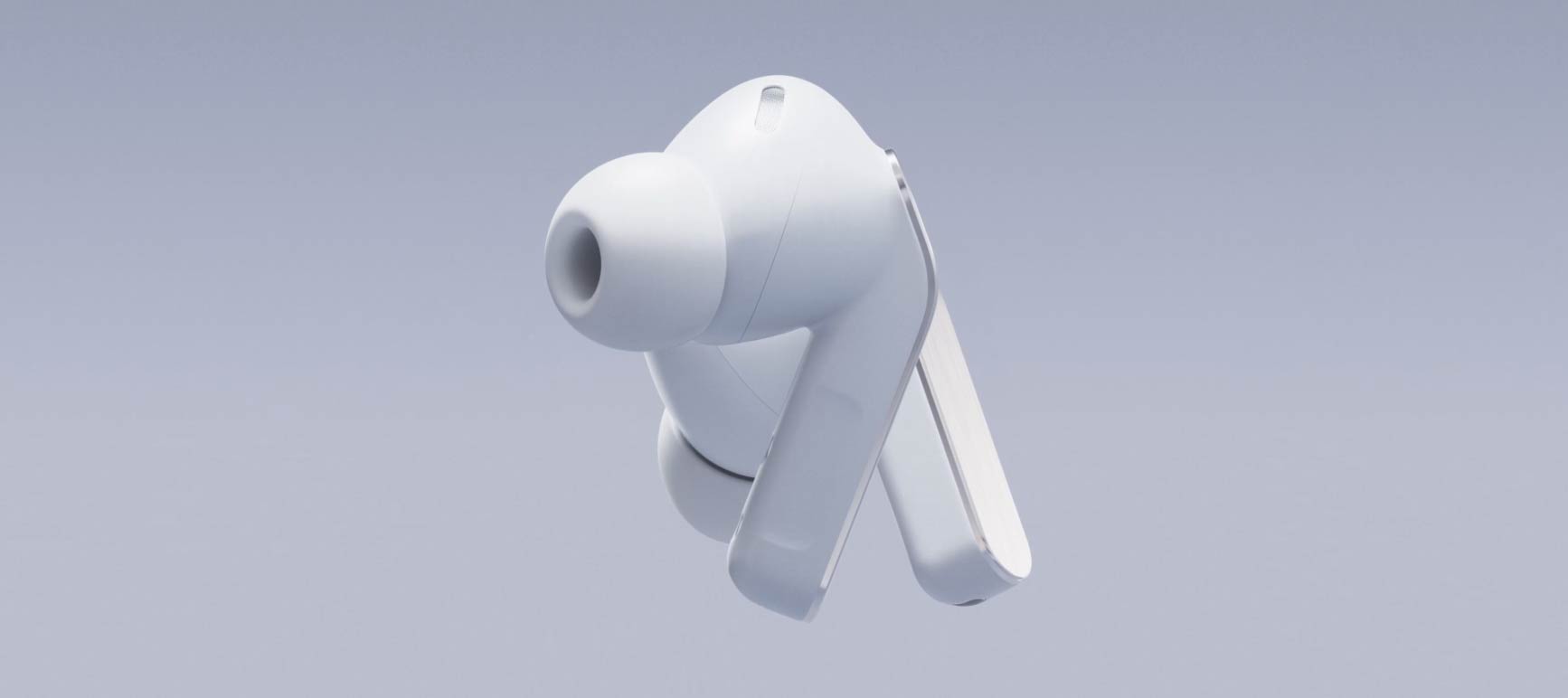
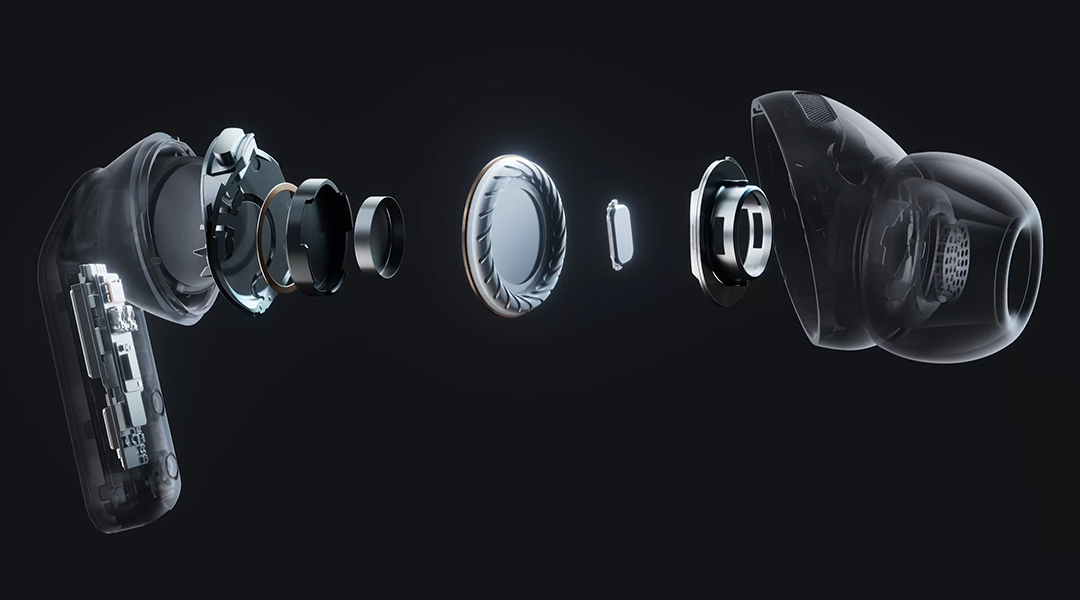
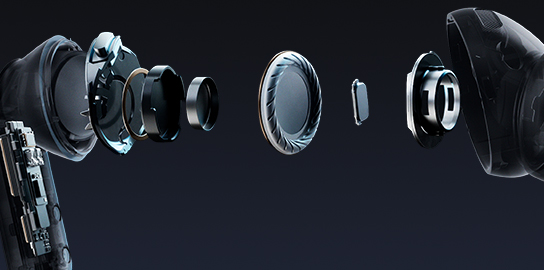
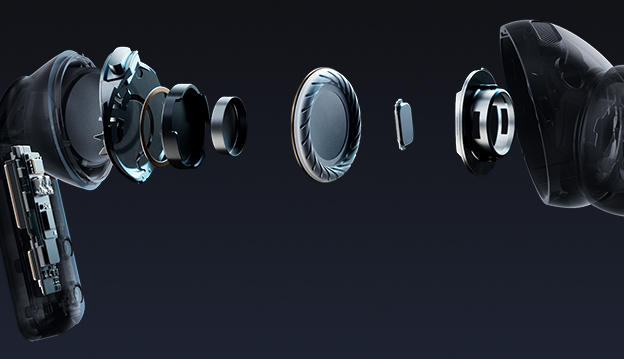
From deeper, richer lows powered by a wider woofer to clear highs, the advanced 2-way Speaker delivers a complete, balanced sound.
Design
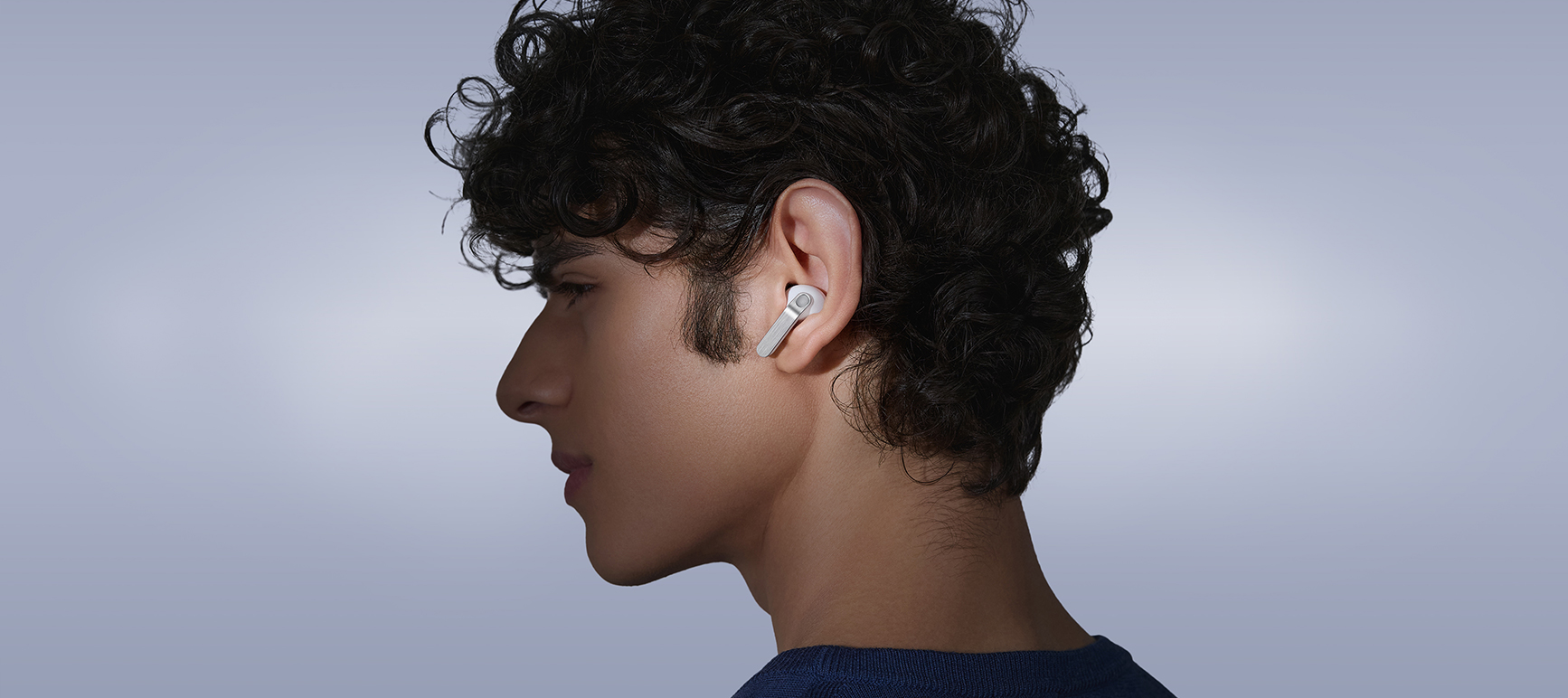
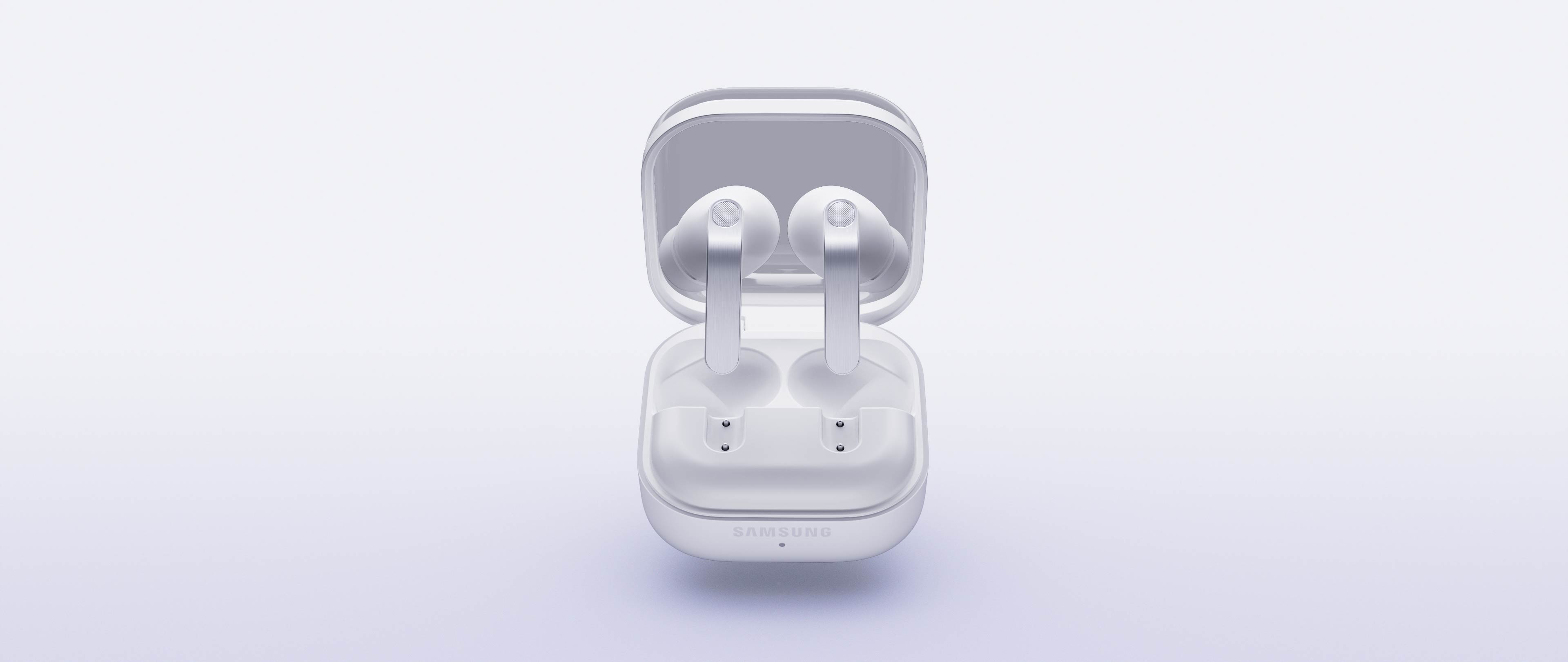
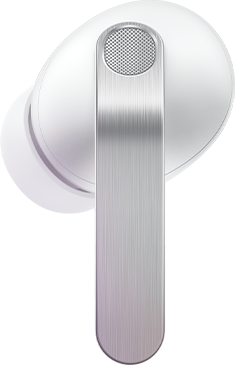
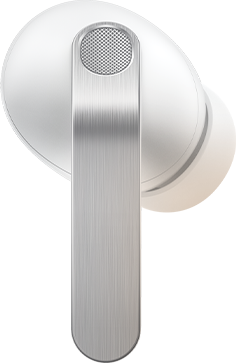
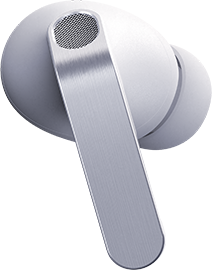
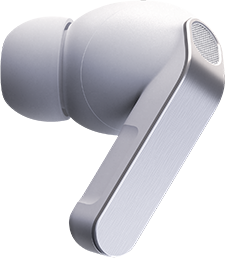
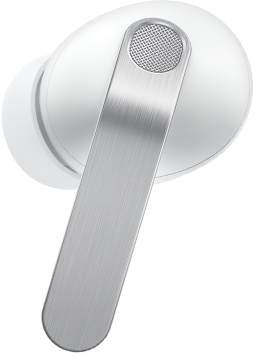
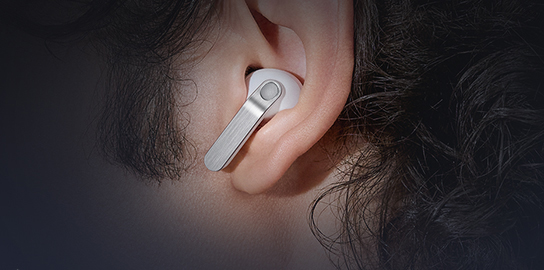
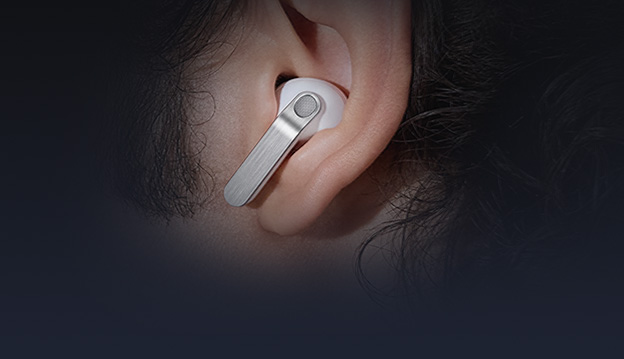
Iconic in metal, shaped for all-day comfort. The real metal blade defines both design and control. Ergonomic contours create a secure, natural fit that stays comfortable from morning to night.
Ultra High Quality Audio
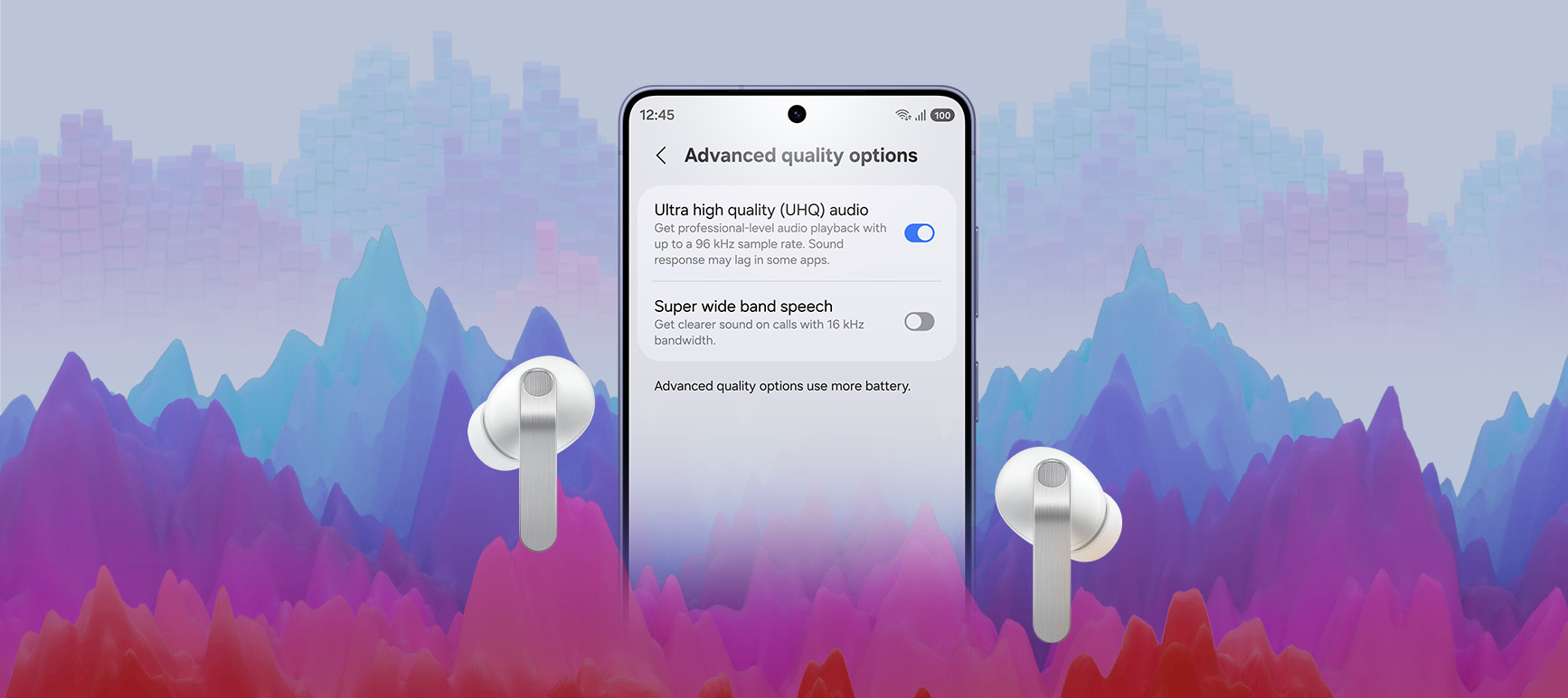
Ultra High Quality Audio with 24-bit / 96 kHz reveals every layer, making the world feel richer and more alive.
Super Clear Call
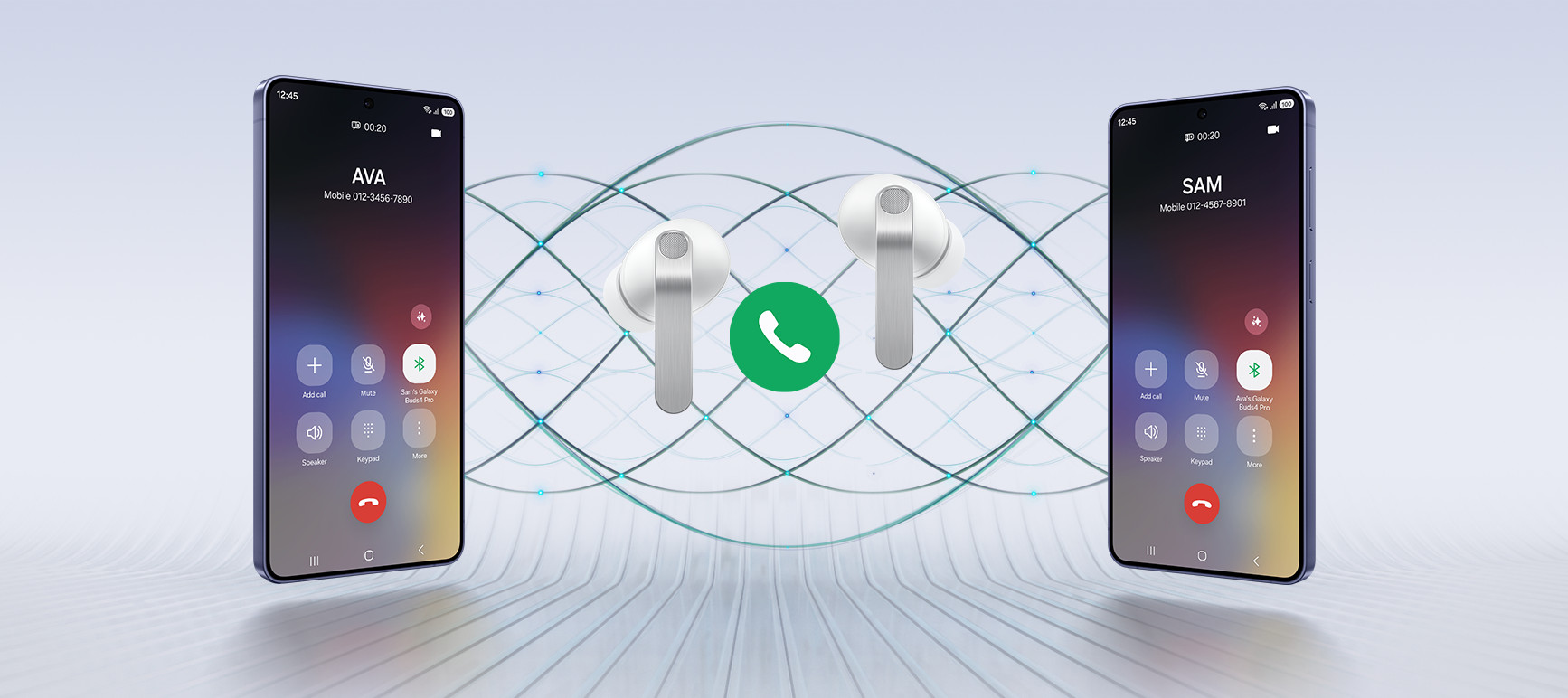
Your voice is captured clearly by advanced machine-learned DNN, even in noisy moments, and delivered pure and effortless through Super Wideband.
Charging Case
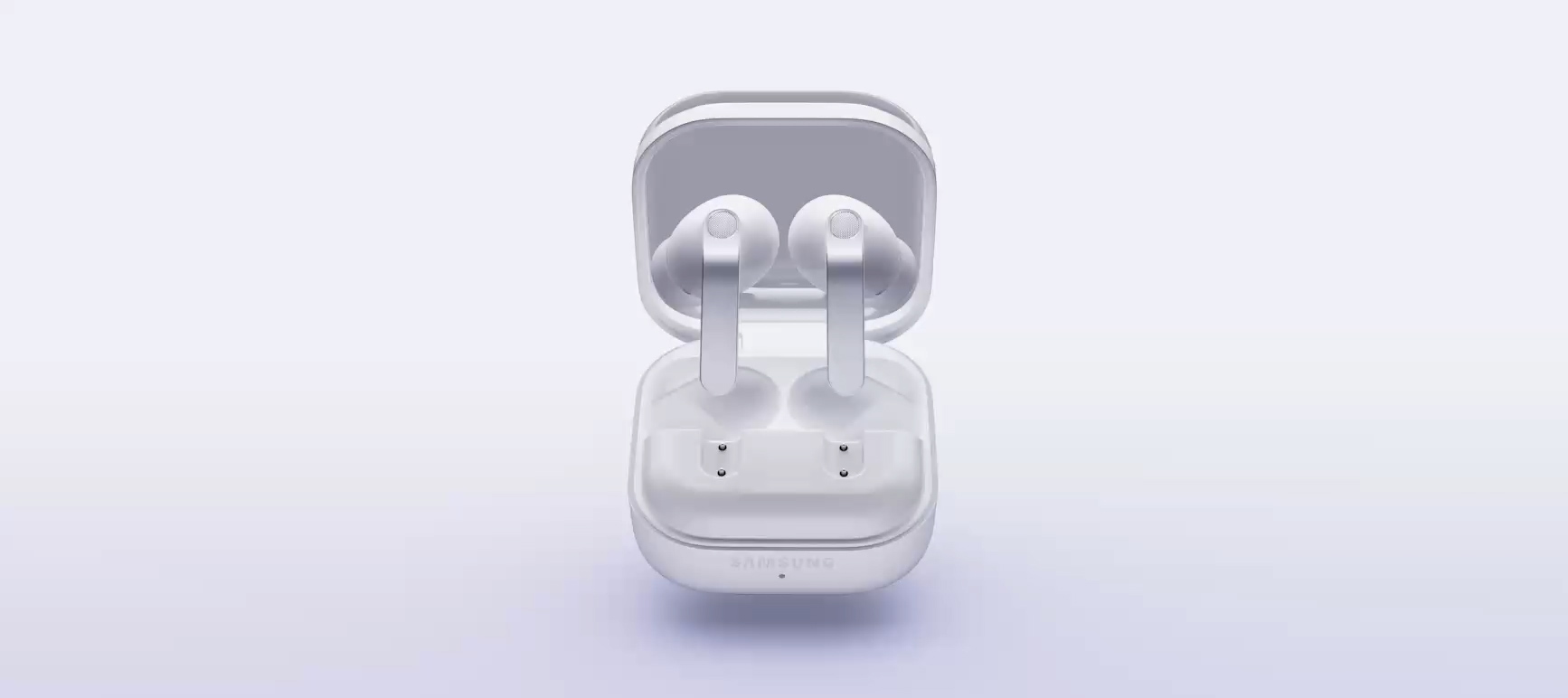
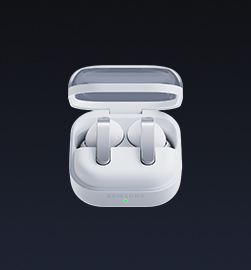
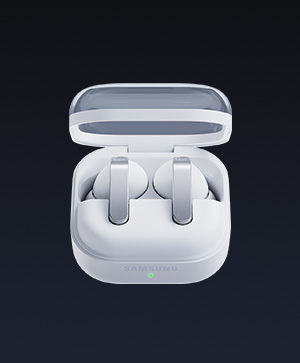
From clean, sculptural form to smooth magnetic docking, the Charging Case turns everyday use into a refined experience.
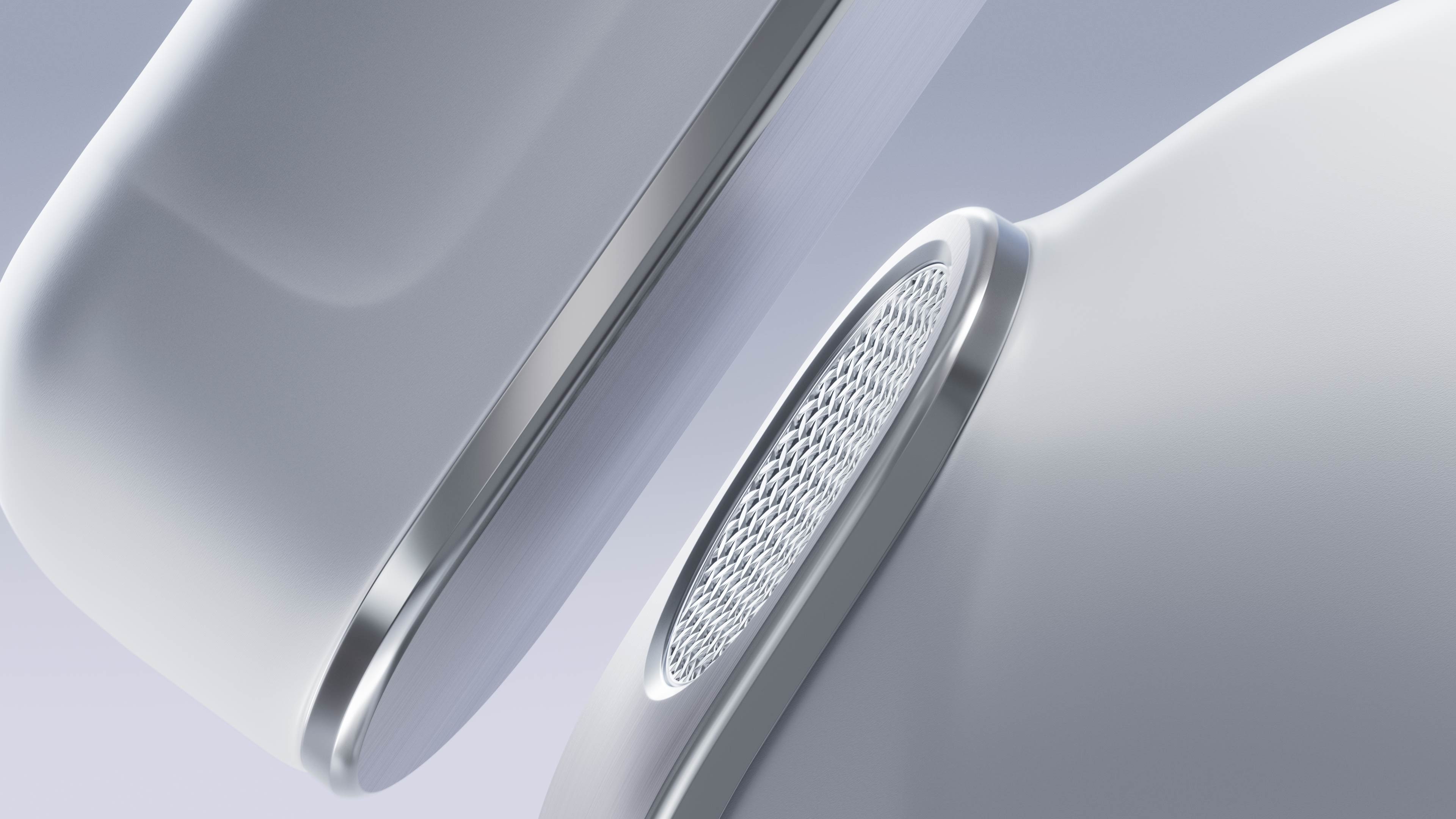
Iconic metal design.
Built for all-day
comfort
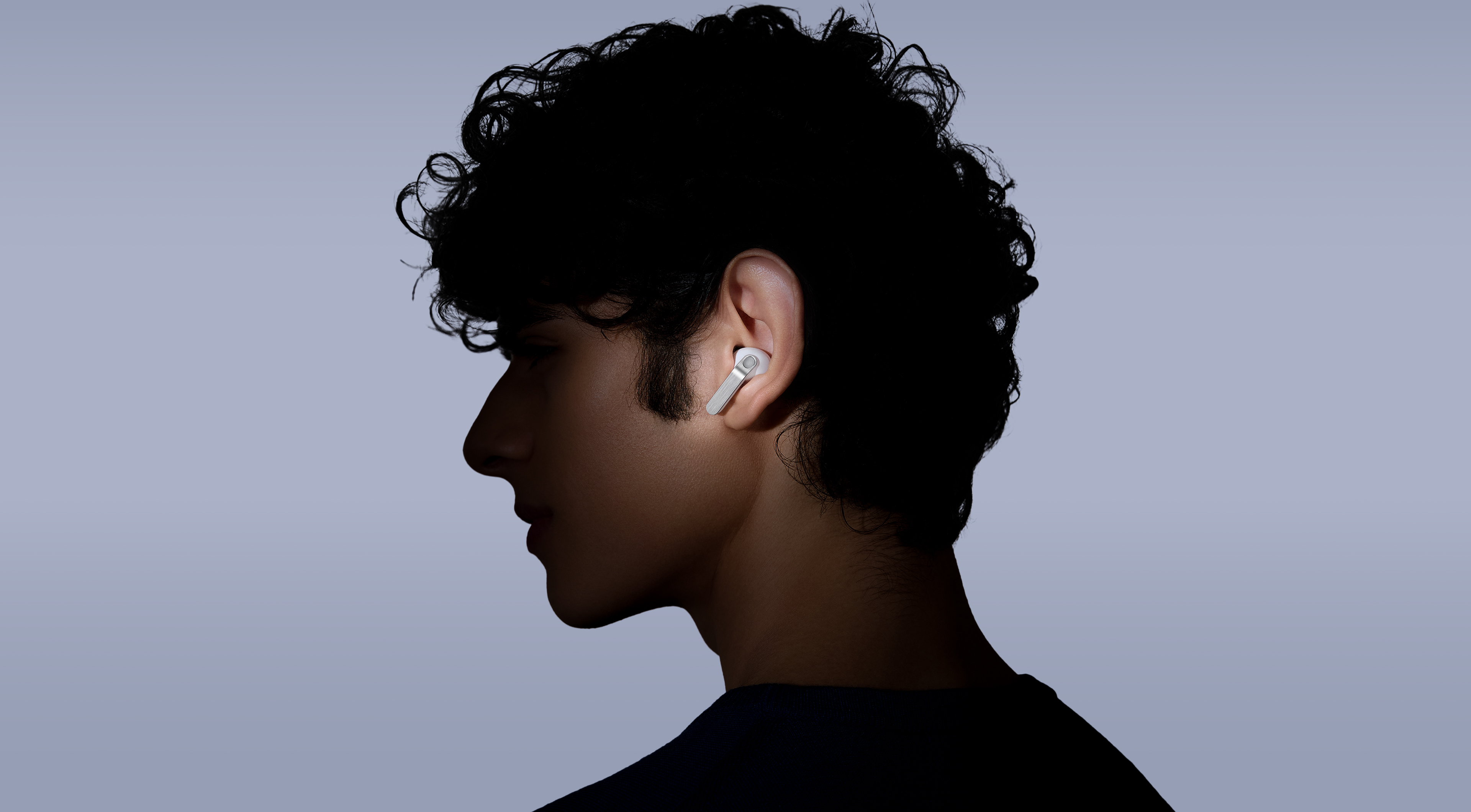
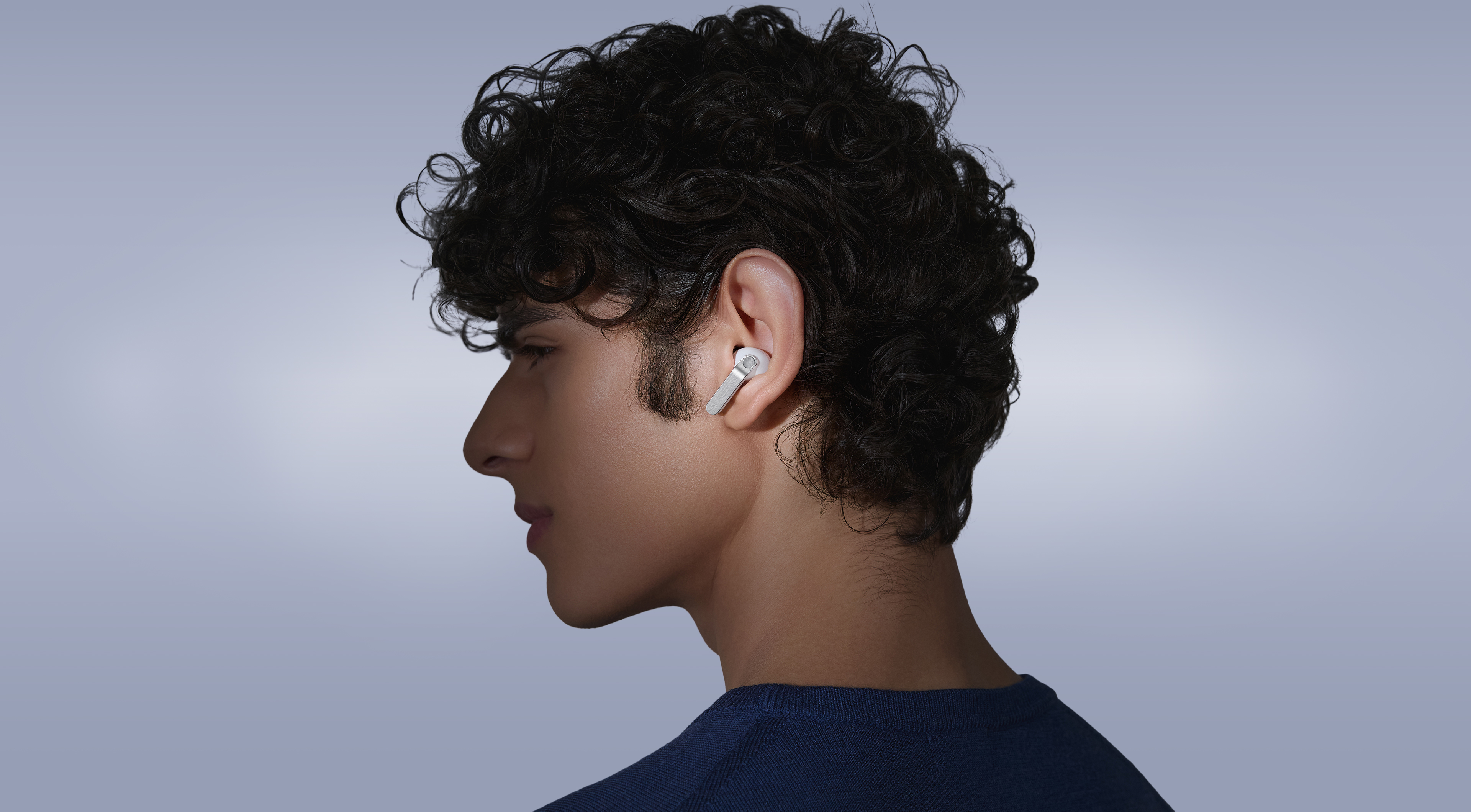
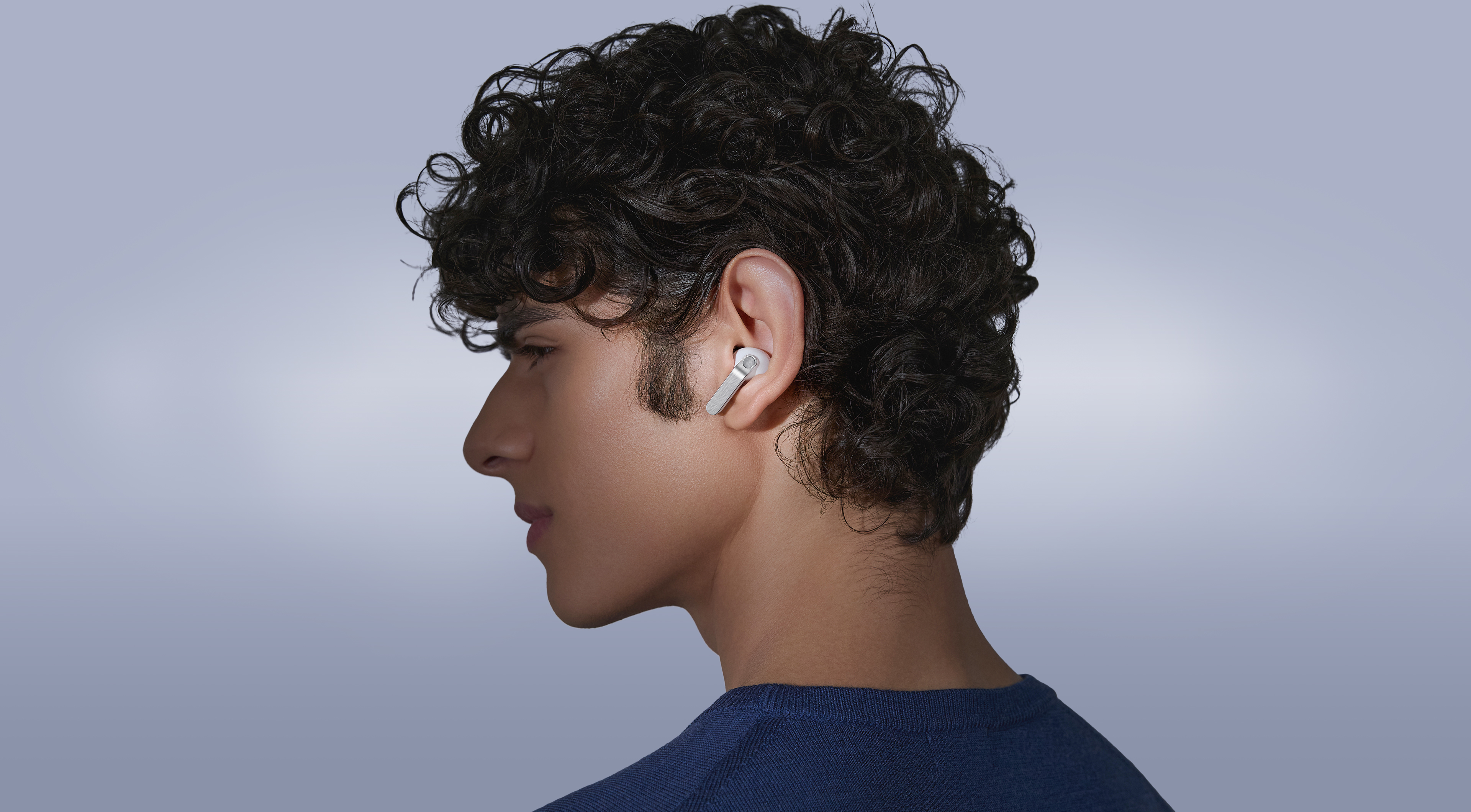
The real metal blade defines both design and control. Finely sculpted from aluminum and perfected to create an impeccable hairline, Galaxy Buds4 Pro shines elegantly, turning heads. Finished in timeless colors, it presents a classic look that feels sophisticated yet versatile. Shaped for lasting comfort and stability, the surface that touches your ears feel naturally comfortable to provide a secure fit. From docking and charging to control, every interaction flows seamlessly through an ergonomic design.
-
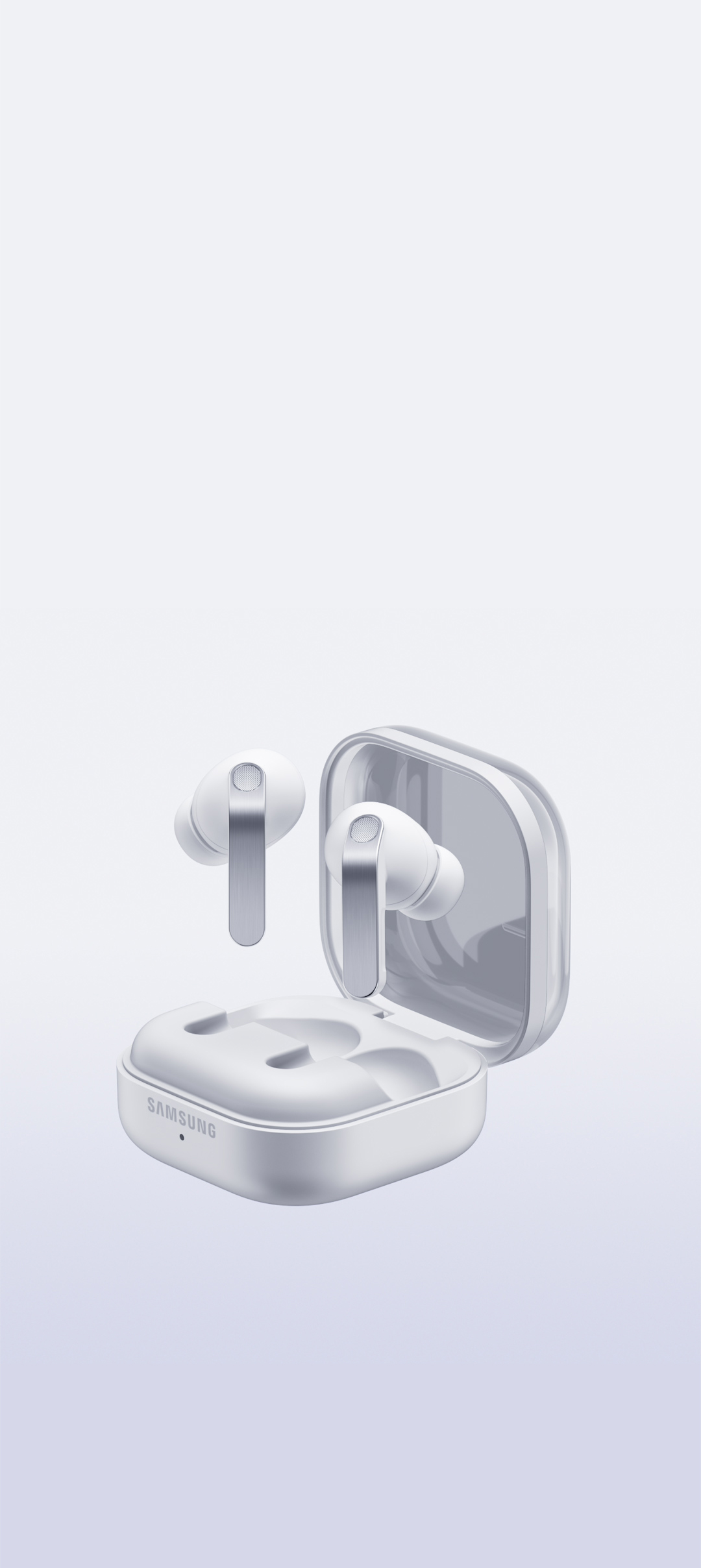
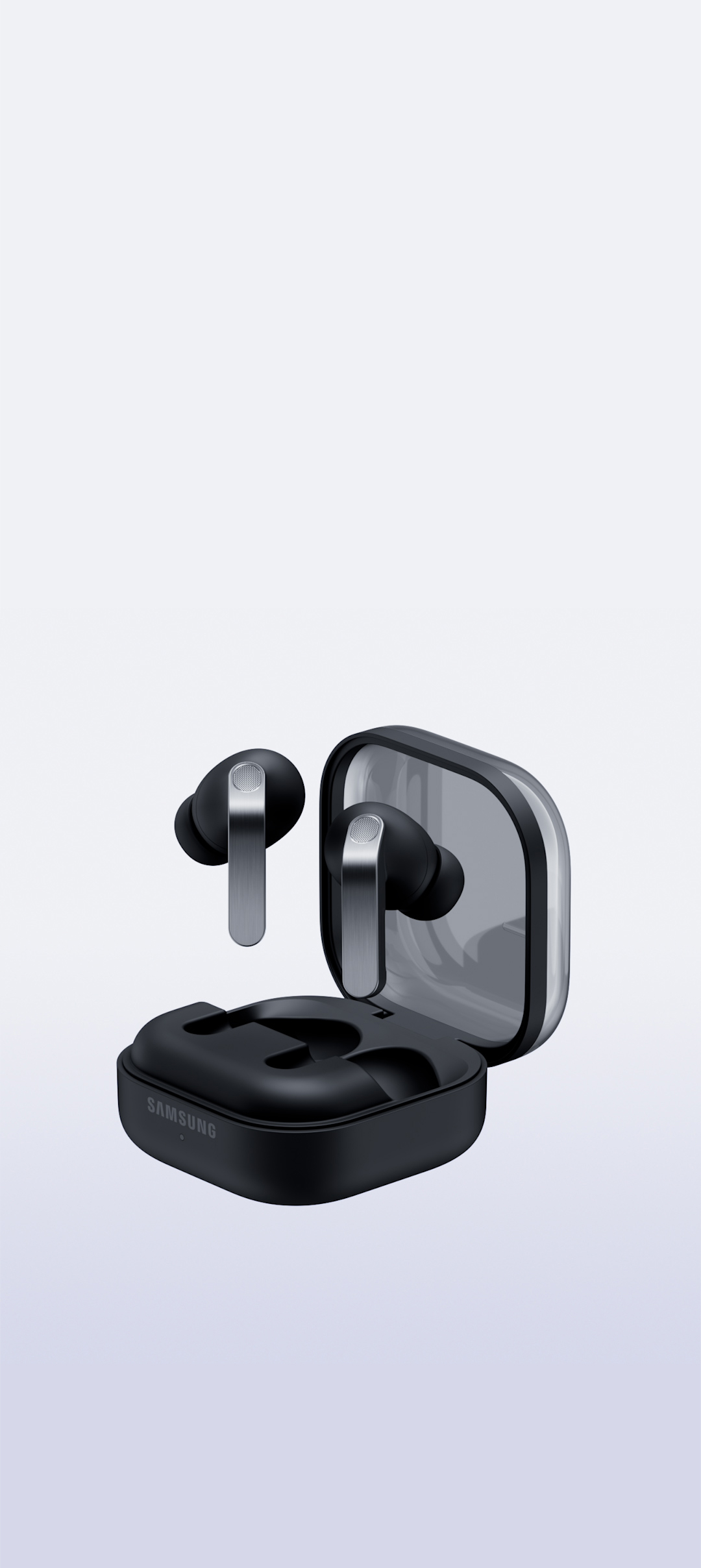
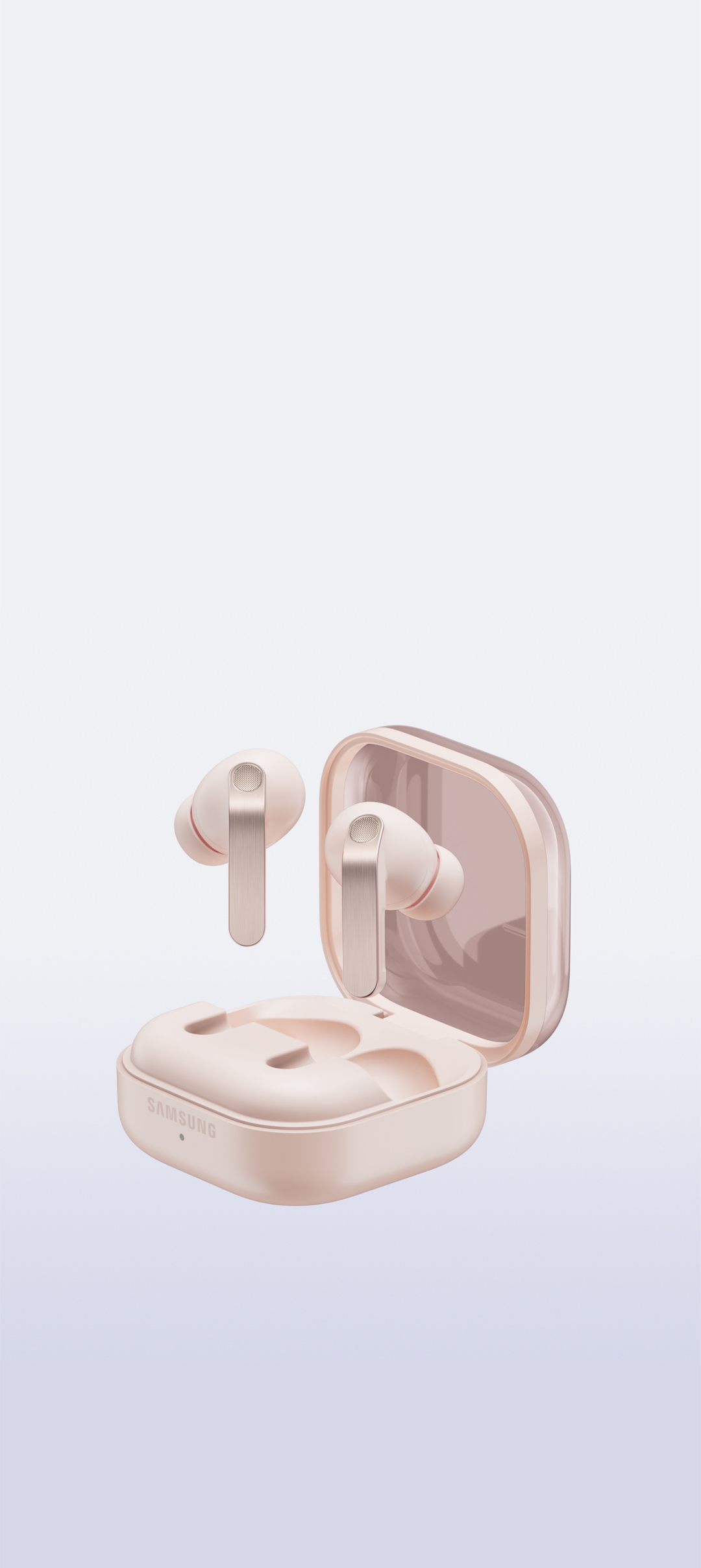
Colors White View MoreClose Color information layer
Colors
WhiteSamsung.com only
White

Black

Pink Gold

-
-


-
Pinch Control View MoreClose Pinch Control information layer
Pinch Control
Now with the upgraded Pinch Control, you can manage your media or control the volume with just your index finger — no need to reach for your phone.


- Single pinch
- Double pinch
- Swipe up or down
- Pinch and hold
- Single pinch
- Double pinch
- Swipe up or down
- Pinch and hold

Unveil the artistry of
full-spectrum Hi-Fi sound
ADVANCED 2-WAY SPEAKER
Hi-Fi sound.
Hear the full range
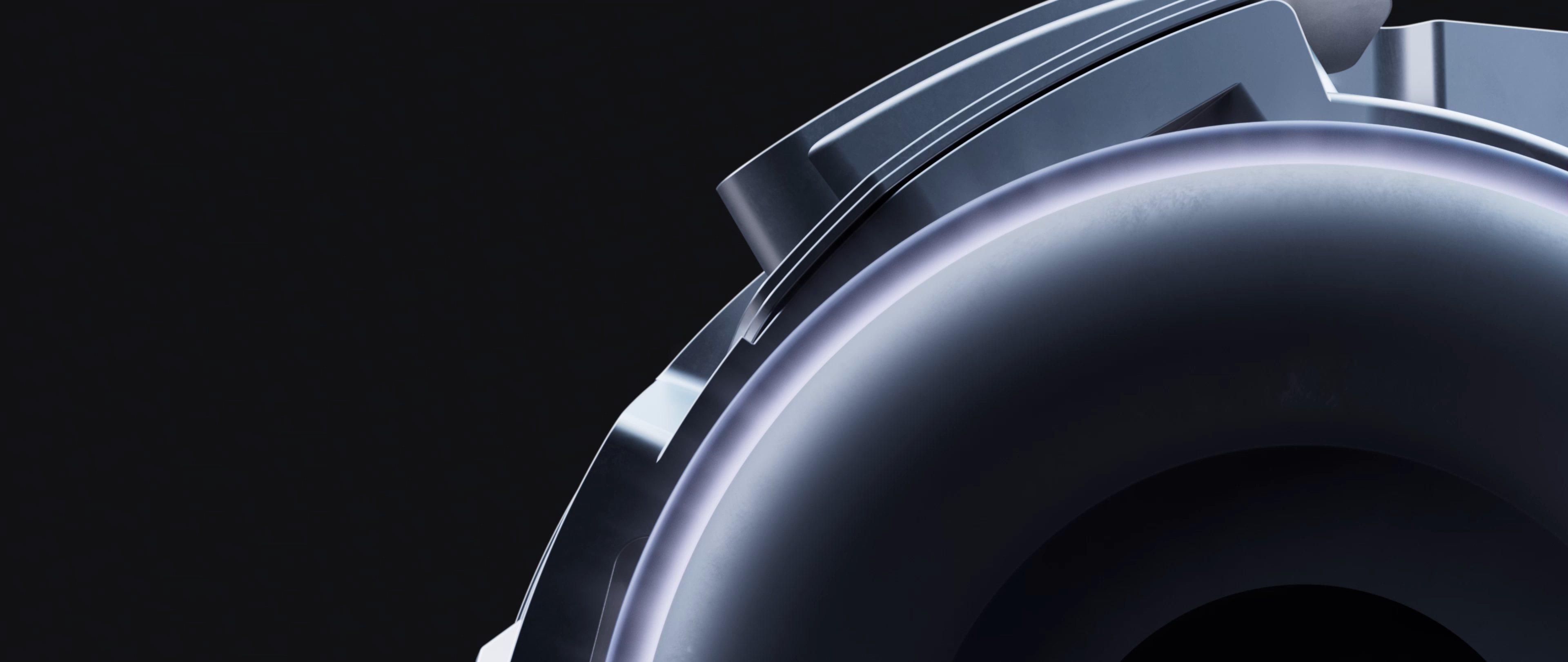
Meet the true Hi-Fi Galaxy Buds. The advanced 2-way Speaker paired with dedicated Dual Amp is meticulously tuned to achieve high-fidelity sound across the full spectrum. Bring the studio-scale listening system to your ears, wherever you are.

ADVANCED WIRELESS AUDIO
Hear every layer come alive
Hear every layer come alive with extended bit depth and high sampling rates. Samsung Seamless Codec (SSC) supports 24-bit / 96 kHz audio to preserve the original sound with vast amount of information, while optimized data transmission control enables a stable listening experience with reduced audible artifacts or dropouts. Turn on the Ultra High Quality Audio (UHQ) option on your Galaxy smartphone and rediscover your favorite songs in full detail., ,
24-bit / 96 kHz Samsung Seamless Codec - UHQ
ADAPTIVE EQUALIZER
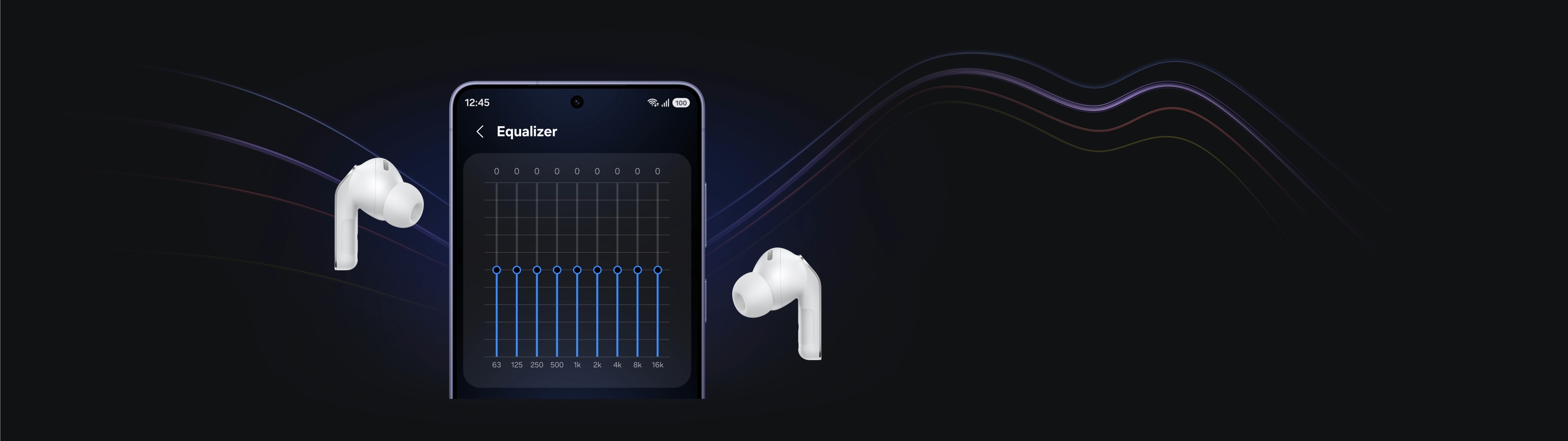
Tailor Hi-Fi sound your way
Take a step closer to the ultimate in audio. Customize bass, treble and tone with the 9-Band Equalizer to match your preference, creating a sound signature tailored just for you. Galaxy Buds4 Pro also optimizes sound adaptively to your ear shape and wearing style, ensuring a consistent listening experience as your ears perceive it — even when you adjust the volume.
SUPER CLEAR CALL
Super Clear Call, even in noise
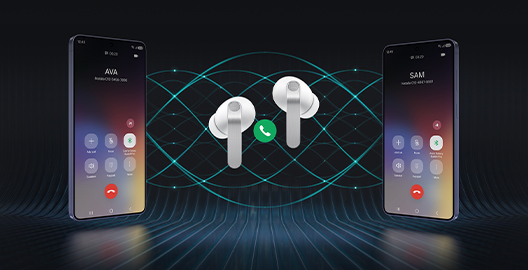
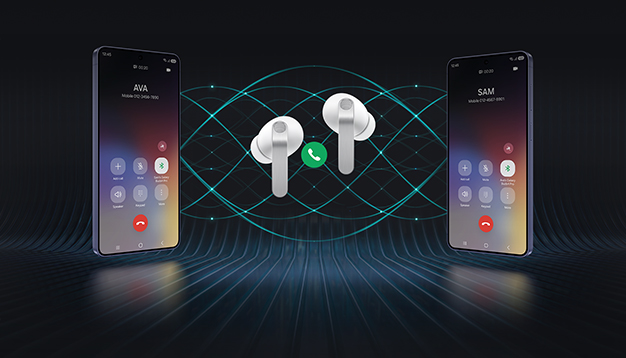
Even your calls are clear like Hi-Fi audio. Your voice is clearly captured by 6 microphones positioned around your head, intelligently isolating it from the background sound with advanced Deep Neural Network (DNN). The exceptionally clean voice signal is transmitted with pure effortlessness through Super Wideband (SWB) up to 16 kHz between your Galaxy Buds4 Pro and Galaxy smartphone. Hear and be heard, loud and clear — even in noisy moments., ,
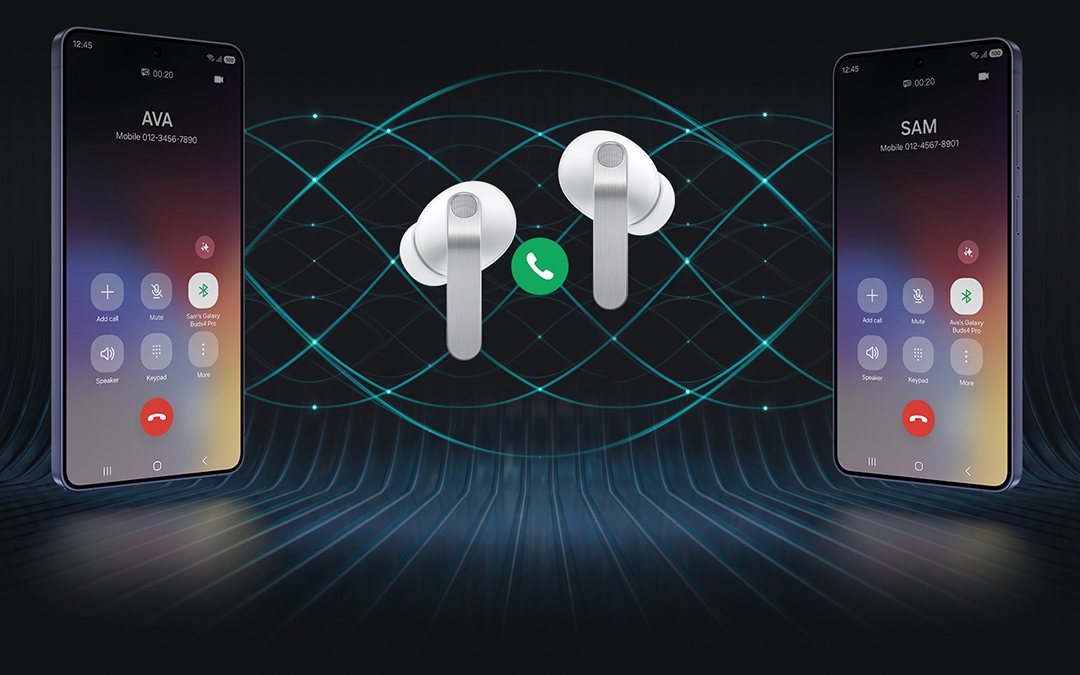
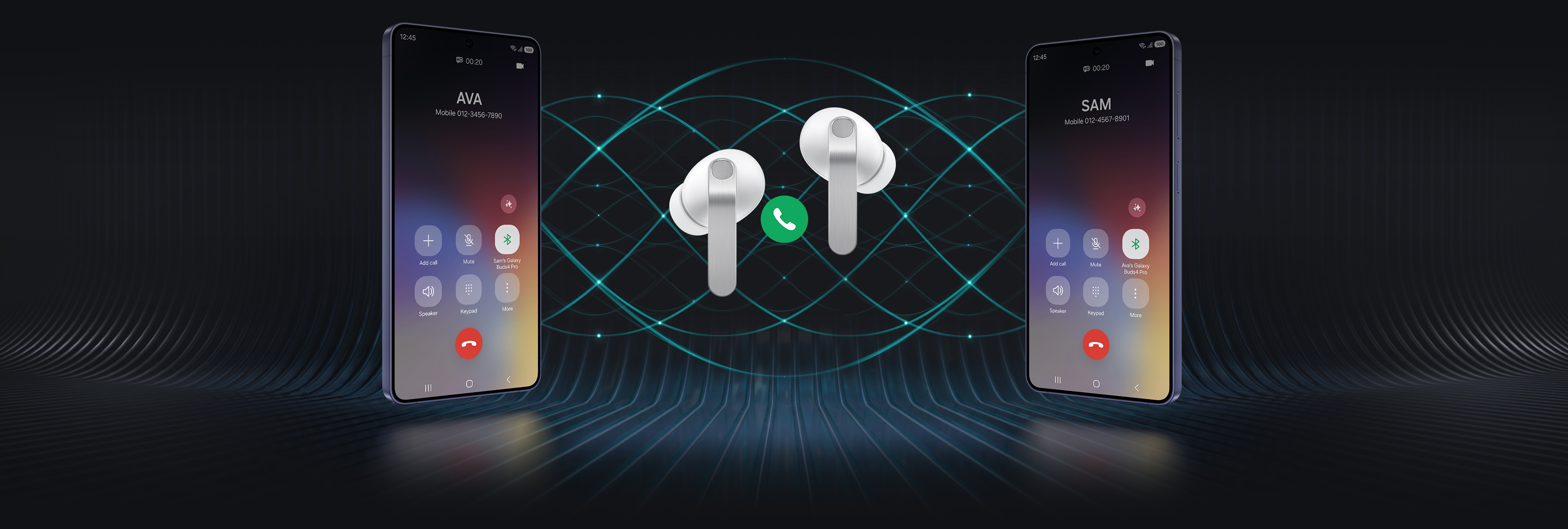
Two Galaxy smartphones are on each side with a pair of white, Galaxy Buds4 Pro in the middle. Between the earbuds is a phone call icon. The smartphone on the left shows the call screen with the name 'Ava' and the smartphone on the right shows the call screen with the name 'Sam'. In the background are multiple waves to indicate that high-quality phone calls are available on Galaxy Buds4 Pro with the Super Clear Call feature.
360 AUDIO
Surround yourself in sound
Expand your soundstage from stereo into a grand orchestral hall or a large arena, placing you at the center of a live performance with a single touch. Feel every instrument and vocals in three dimensions, surrounding you with natural depth and spacious clarity. You don't just hear the music — you're enveloped by the atmosphere all around you.
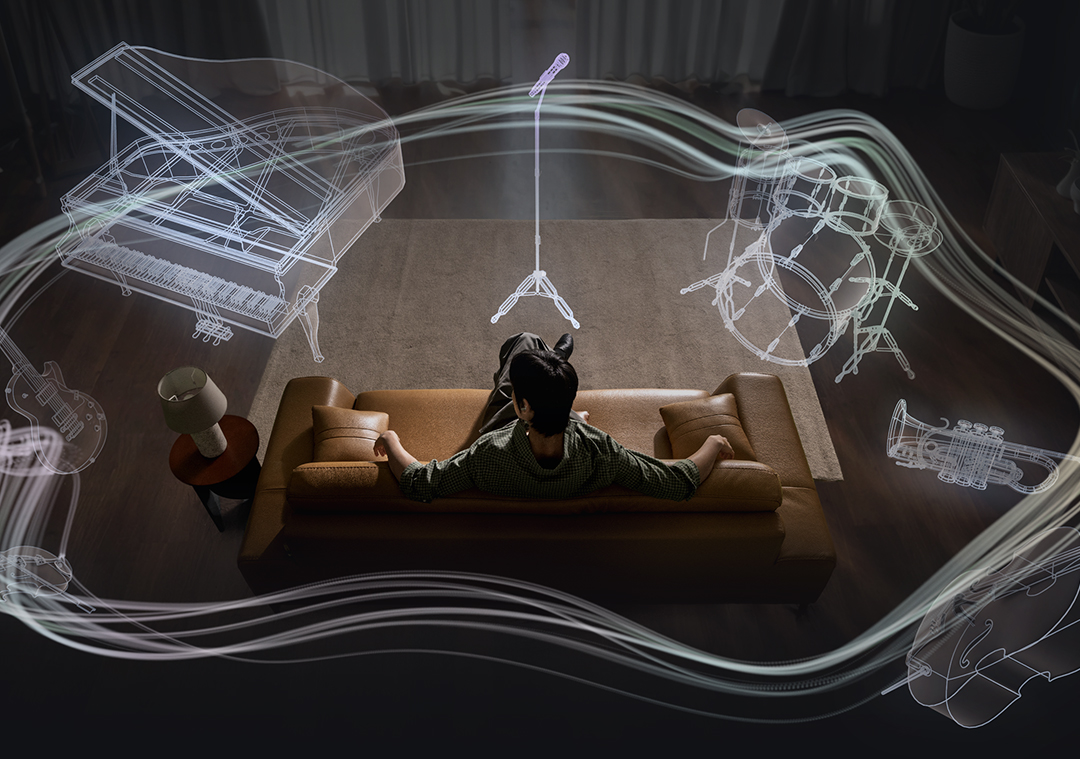

A man sitting on a couch as a collection of instruments appear in a circle around him. The instruments include a mic with a mic stand, a drum set, trumpet, cello, violin, electric guitar and grand piano. The instruments are shown in outline, highlighting the 360 Audio system available on Galaxy Buds4 Pro.
Deeper immersion that adapts with you



ENHANCED ANC
Let Hi-Fi sound stay vivid
With its top-notch high-fidelity sound system, Galaxy Buds4 Pro achieves precise noise control. Distractions fade in real-time as the Active Noise Canceling (ANC) algorithm instantly processes and adapts to your ear shape and fit. Listen to vivid, layered and deeply engaging Hi-Fi sound wherever you are.

ADAPTIVE NOISE CONTROL
Stay immersed, stay connected
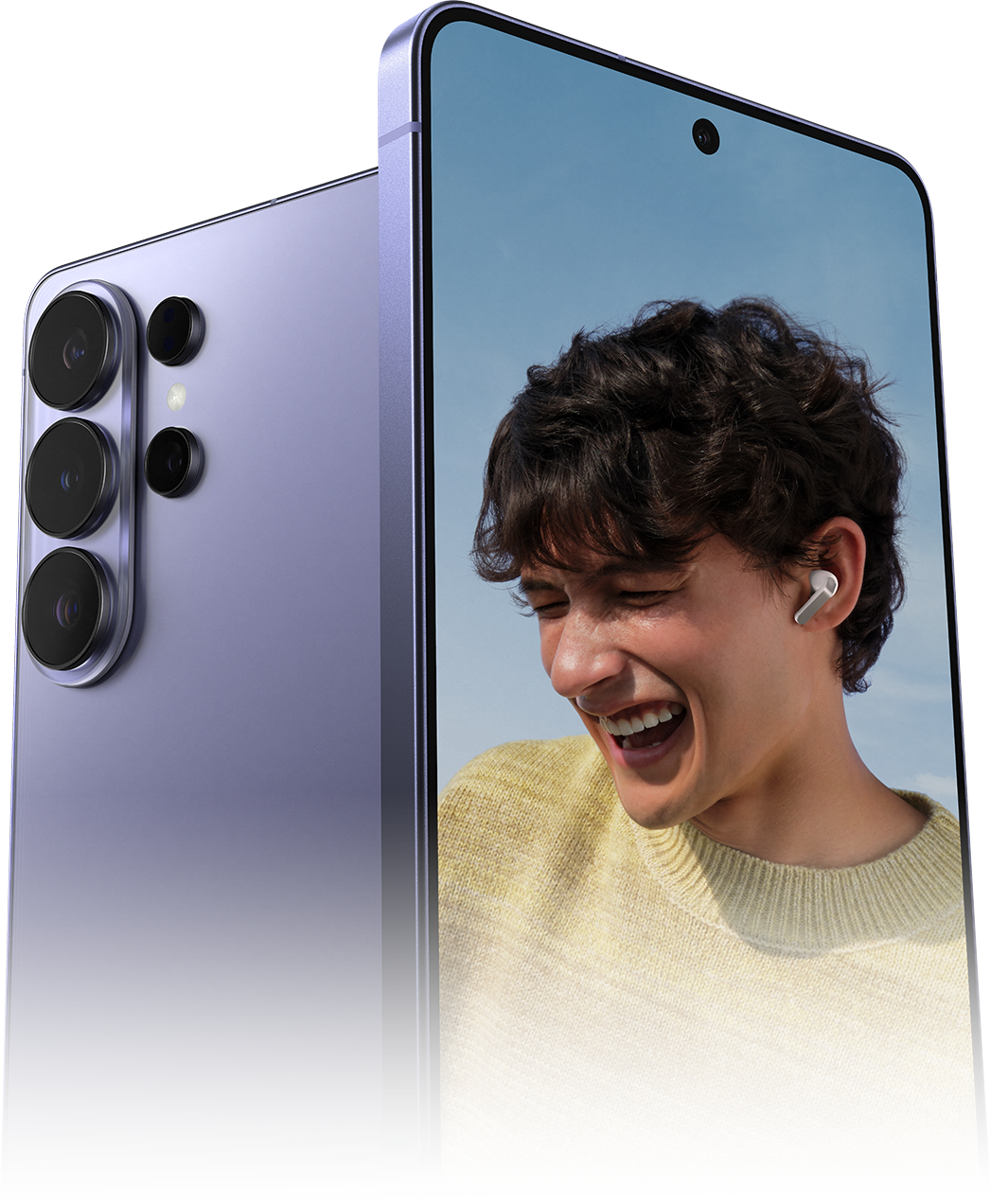
Manage your listening experience your way. Galaxy Buds4 Pro adjusts the levels of ANC and ambient sounds in real-time, adapting to your environment — whether you're sensitive to noise or prefer more blending. Stay more immersed in the music while remaining connected to the world around you.




-
ONE UI 8.5
Now, everything flows as one in One UI
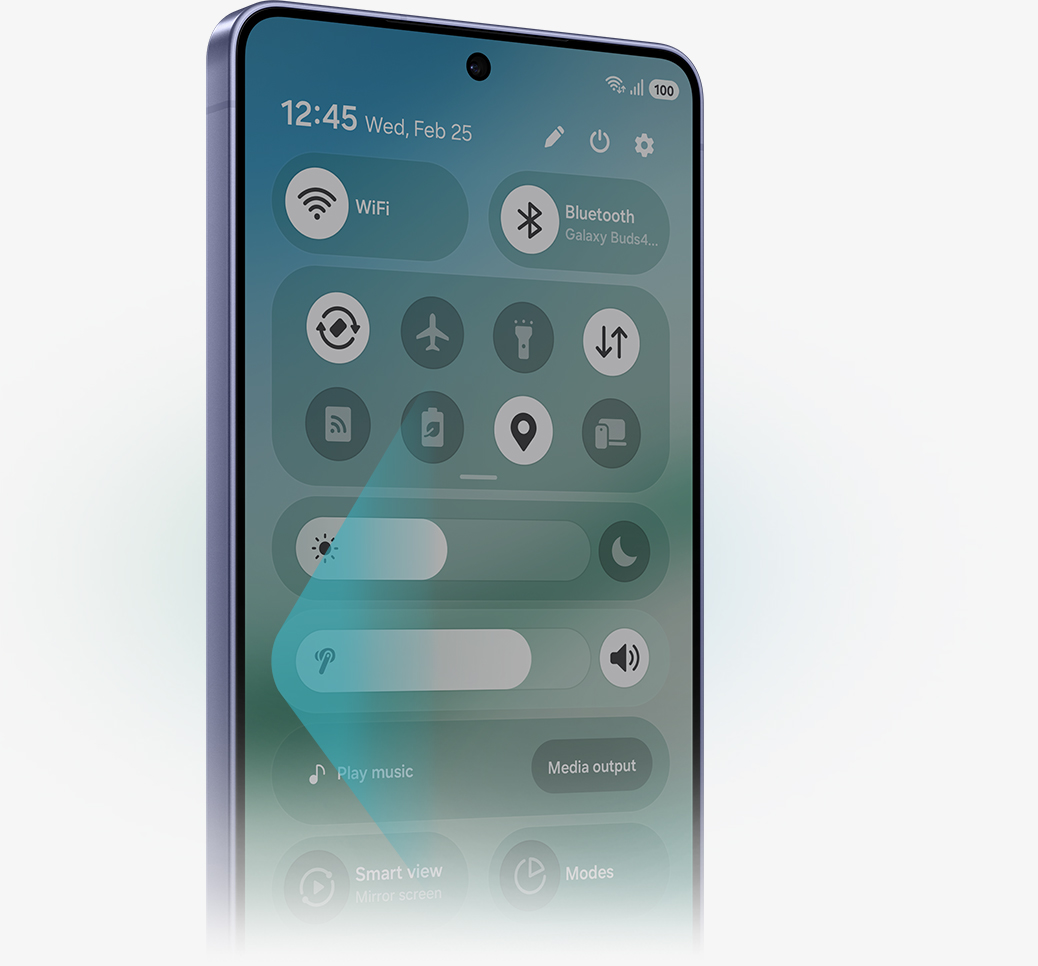
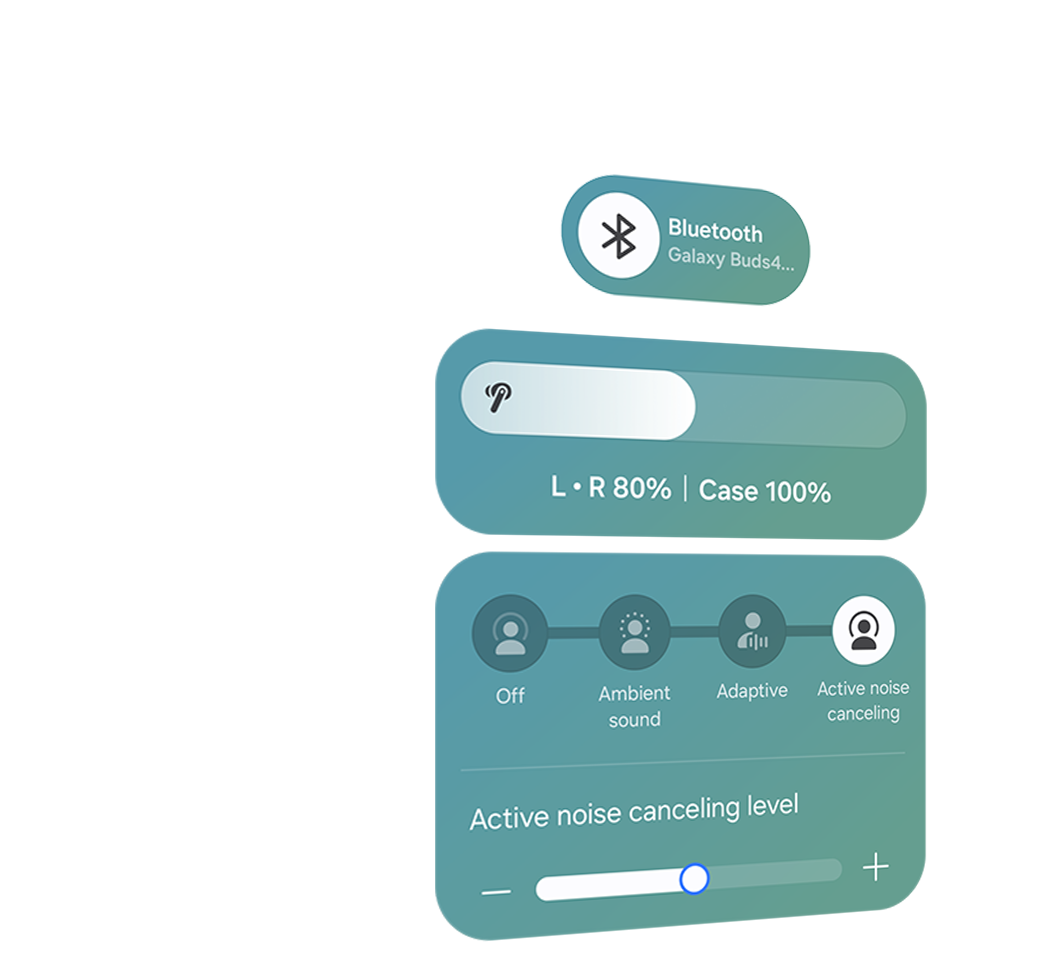
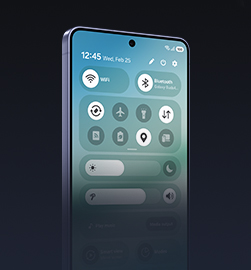
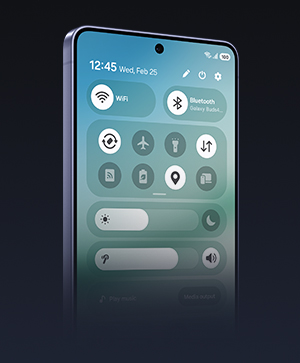
The evolved One UI 8.5 creates a deep connection between your Galaxy Buds and Galaxy smartphone, almost like a duet. Control has never been more intuitive — manage features from the device settings, without downloading a separate app. From the Quick Panel, you can easily access features and also set and save sound preferences for each app., ,

INTERPRETER
Personal AI Translator in your ear
Break language barriers with a personal AI translator in your ear. Fully engage in the moment with Galaxy AI-powered Interpreter — hear it through Galaxy Buds4 Pro and read it on your Galaxy smartphone. Galaxy AI steps in to ensure clear communication across different languages.,,


VOICE-READY AI AGENT
Just talk to wake your AI agents
Ask for assistance with just your voice — no phone-pulling required. Simply speak to AI agents such as Bixby to get answers to questions or manage tasks instantly without slowing you down., ,


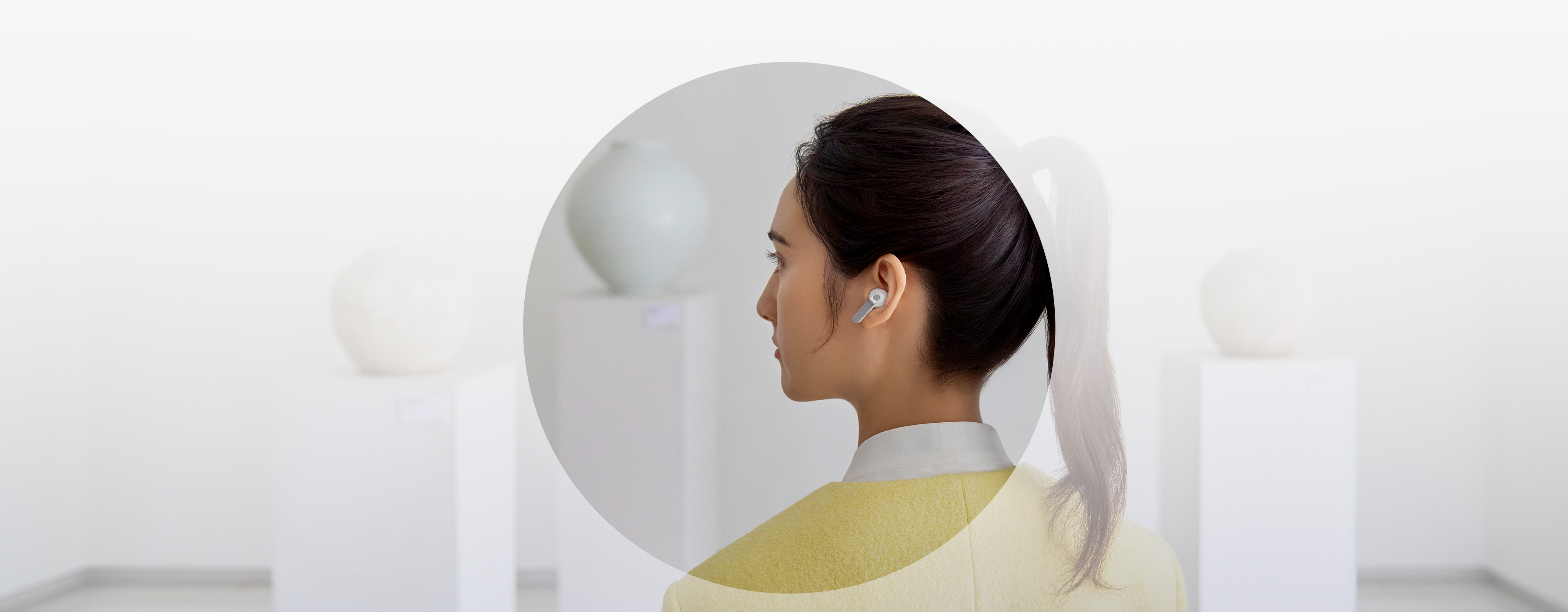
A rearview shot of a woman using a single, white Galaxy Buds4 Pro. The woman is looking at moon jars that are on display. Nearby, a text bubble asking AI, 'What is a moon jar?' Below the text bubble is a separate bubble with the response 'A moon jar is a large, round Korean white porcelain jar from the Joseon dynasty, whose softly swollen, almost spherical body and milky-white glaze evoke the appearance of a full moon.' Below is a list of the key points of a moon jar. It can be inferred that the woman used voice command to ask Bixby what a moon jar is.

AUTO SWITCH
Switch instantly between Galaxy devices
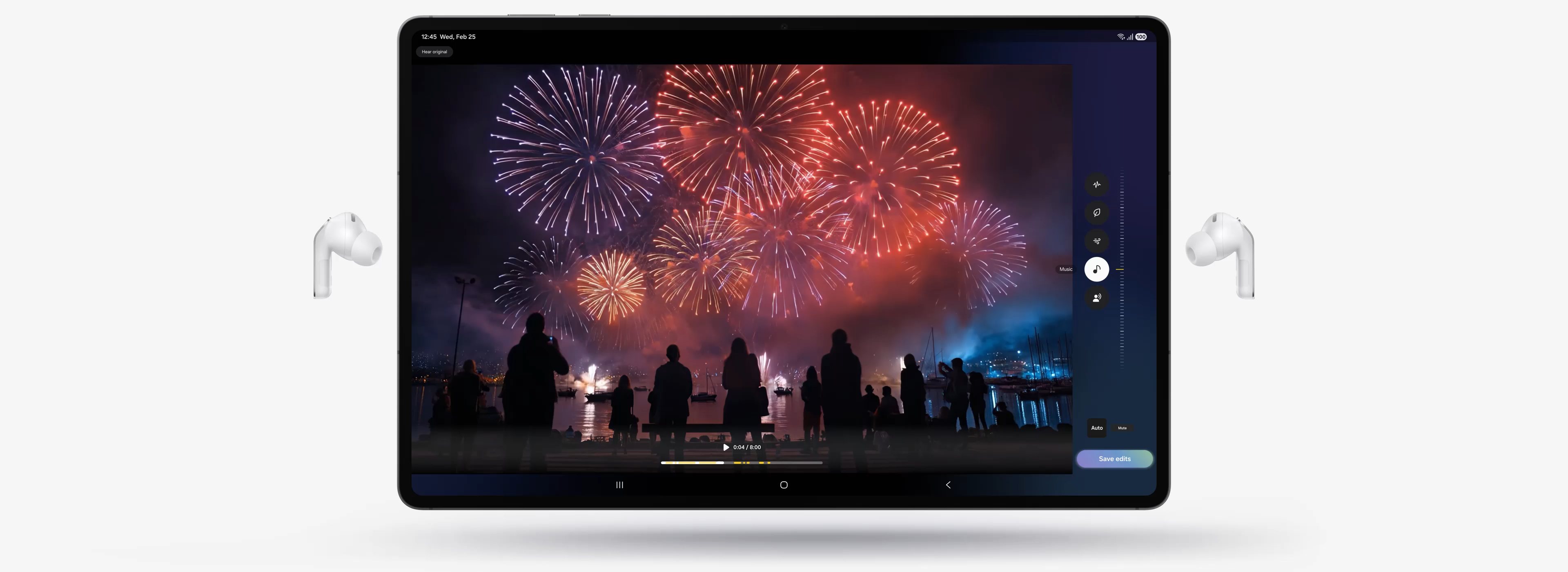
Auto Switch shifts your audio to the most pressing task at hand. Take a call on your Galaxy smartphone while focusing on your creative project on your Galaxy Tab or Galaxy Book. Jump right back to where you left off, the instant you hang up. The experience is seamless across your Galaxy devices.,
Key takeaways at a glance
Advanced
2-way Speaker
Ultra High Quality
Audio with
24-bit / 96 kHz
Super Clear Call
Iconic in metal

One UI 8.5
Advanced
2-way Speaker
Ultra High Quality
Audio with
24-bit / 96 kHz
Super Clear Call
Iconic in metal
One UI 8.5

GALAXY ECOSYSTEM
Pair up with our all-new AI phone
Add Galaxy S26 Ultra and Galaxy Watch8 to your everyday life to spark excitement — from listening to Hi-Fi audio with an improved codec and stable Bluetooth 6.1 connection, to paying more attention to your sleep quality and cardio health.
-
Galaxy S26 Ultra
Learn more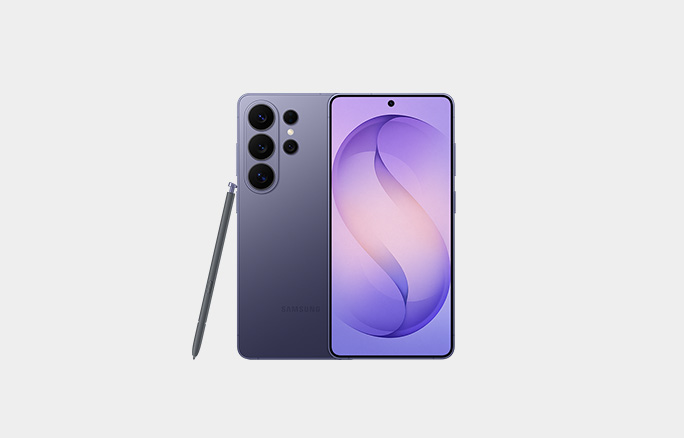
-
Galaxy Watch8
Learn more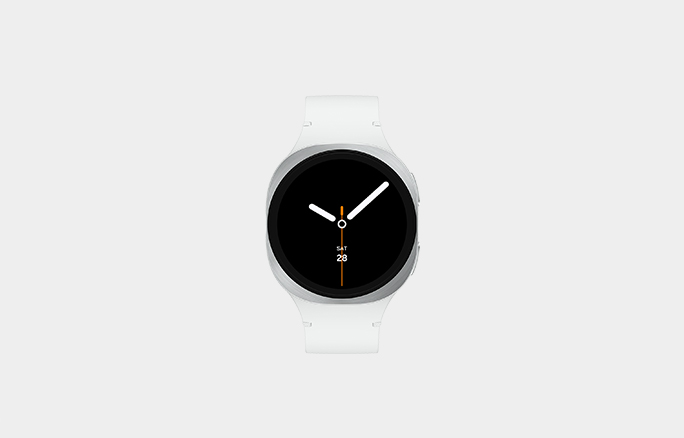
Galaxy Buds4 Pro Frequently Asked Questions
-
Galaxy Buds4 Pro delivers Hi-Fi audio with premium upgrades across sound, design, and device integration.
- Sound: The 2-way Speaker and Dual Amp work together to keep your music sounding exactly the way the artist intended like the difference between a live concert and a recording. Samsung Seamless Codec (SSC) supports at 24-bit / 96 kHz, so every note comes through clear and uninterrupted. Adjust to Fit adapts to your ear shape and wearing style so the sound always feels tailored to you. And on noisy commutes or busy streets, Super Clear Call makes sure your voice comes through loud and clear.
- Design: The ergonomic shape and silicone ear tips mean you can wear them from your morning coffee to your evening run without any discomfort. A sleek metal blade finish gives it a premium look, and the compact translucent Charging Case slips right into your pocket.
- One UI: If you're on a Samsung device running One UI 8.5, setup is effortless. Manage sound settings, features and more straight from your Quick Panel or device settings. No extra app, no extra steps.
-
Both deliver great sound, but they're built for different kinds of listeners.
- Galaxy Buds4 Pro is for the dedicated listener. The 2-way Speaker and Dual Amplifier are tuned to reproduce Hi-Fi sound just as it was recorded. Three sizes of silicone ear tips help you find the fit that delivers clear sound with less distortion. It also includes Voice Detect and Siren Detect, so if someone calls your name or an ambulance passes by, Galaxy Buds4 Pro lets that through.
- Galaxy Buds4 is built for everyday life. Reliable, balanced sound keeps up with your day, whether you're at your desk, on a walk or running errands.
-
Galaxy Buds4 Pro comes with earbuds, ear tips (3 sets: S/M/L), Charging Case and the Quick Start Guide. USB Type-C cable is not included.
-
No need to worry. Galaxy Buds4 Pro comes with three sizes of silicone ear tips (small, medium and large) so you can find the fit that feels right for you. M-sized ear tips come attached to the earbuds by default, but if they feel too loose or too tight, swapping to a different size takes just a few seconds and can make a big difference in both comfort and sound quality.
-
-
Both Galaxy Buds4 Pro and Galaxy Buds4 come with long-lasting batteries, so you can enjoy your favorite content or take long phone calls on a single charge.
- Galaxy Buds4 Pro: Up to 6 hours of play time and 4.5 hours of talk time with ANC on — and with the case, that extends to 26 hours of play time and 20 hours of talk time.,
- Galaxy Buds4: Up to 5 hours of play time and 3.5 hours of talk time with ANC on — and with the case, up to 24 hours of play time and 18 hours of talk time.,
-
Yes, the Galaxy Buds4 Pro Charging Case supports wireless charging. Just note that a wireless charging pad is not included in the box and is sold separately.
-
No, each model comes with its own Charging Case, and they're not interchangeable due to differences in shape.
-
You can use Pinch Control on Galaxy Buds4 Pro using your index finger. First, wear the earbuds and try the following actions:
- Single pinch: Play or pause the track, answer or end a call and stop using features such as Read notifications aloud, Voice Detect and Siren Detect.
- Double pinch: Skip to the next track.
- Triple pinch: Go back to the previous track.
- Pinch and hold: Activate your preset feature or decline a call.
- Swipe: Swipe up or down to adjust the volume.
-
Start by gently placing the earbuds in your ears, then wiggle them slightly left and right until they feel snug and secure. If you have Galaxy Buds4 Pro, you can also run the built-in Earbud Fit Test, a quick sound check that confirms you're getting the most out of every listen.
-
-
Compared to single-amplifier earbuds, Galaxy Buds4 Pro has two dedicated amplifiers for each speaker driver in the advanced 2-way Speaker for intricate control, minimizing interference. This separate operation makes meticulous tuning possible to produce high-quality sound.
-
-
Turn on Super wide band speech on your Galaxy Buds4 Series to use Super Clear Call, even in noisy environments — whether you're near a big crowd of people or when it's windy outside.
-
-
Adaptive Noise Control automatically adjusts your listening experience based on your surroundings. Simply wear both earbuds and enable Adaptive Noise Control in your settings.
- In noisy environments, Adaptive Noise Control increases Active Noise Canceling for better focus.
- In quieter settings, Adaptive Noise Control lets more ambient sound in so you can stay aware of what's around you.
You can also stay aware of your surroundings while wearing your Galaxy Buds4 Pro with Voice Detect and Siren Detect.
-
Yes, you can easily adjust the noise control level on your Galaxy Buds4 Pro to suit your environment.
- You can manage the Active Noise Canceling intensity from level 1 to 5.
- Increase the Active Noise Canceling intensity in louder settings — like when you're near heavy traffic — for a more immersive listening experience.
-
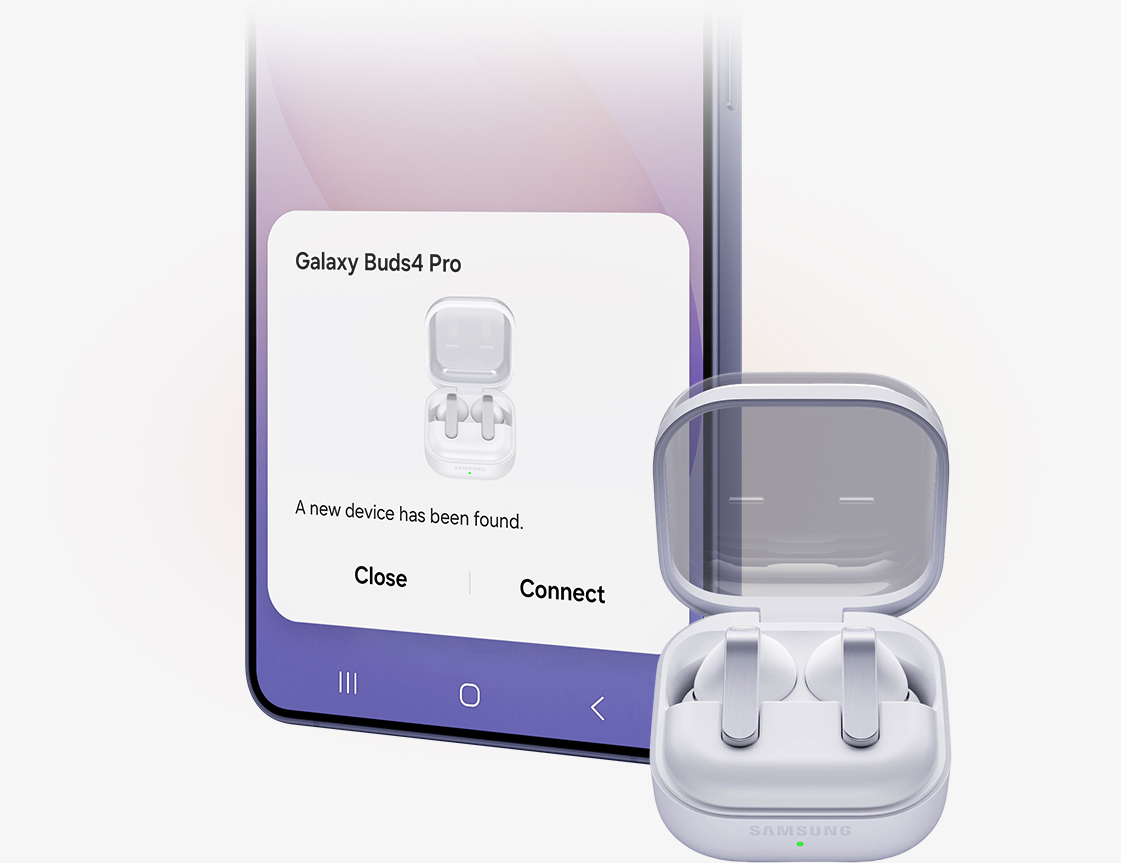
To connect Galaxy Buds4 Pro to your Galaxy device, you can pair the two devices simply by opening Galaxy Buds4 Pro's Charging Case.
- The earbuds automatically start pairing and a popup screen will appear on the Galaxy device.,
- Tap Connect and the pairing is complete.,
Once the devices are connected, you can easily control Galaxy Buds4 Pro to customize sound just the way you like it.
- On Galaxy devices running on One UI 8.0 or later, certain features can be controlled from the Quick Panel or you can manage Galaxy Buds4 Pro in more detail from your phone's device settings without downloading any additional apps., ,
- For Galaxy devices running on earlier versions of One UI, configurations can be found in the Galaxy Wearable app., ,
-
Using Galaxy Buds4 Pro with your Galaxy smartphone pays off when you use the Interpreter feature during your travels. When you need to ask for directions or order a menu at a local restaurant, keep your earbuds on.,
- The mic picks up your speech and sends it to your Galaxy smartphone for interpretation. Then, the speakers play the translation.
- The other person's speech is sent to your Galaxy smartphone for interpretation and then played through Galaxy Buds4 Pro.
-
Yes, with Galaxy Buds4 Series, you can open the Bixby app or Google digital assistant app using your voice — no need to take out your phone.
- Bixby: Say "Hi Bixby" to get started. Or Press and hold (pinch and hold) your earbud, then tell Bixby what you need. Make sure the pinch-and-hold gesture is set to launch Bixby.
- Google digital assistant: Use your voice to open Google digital assistant and give commands, even when your phone isn't in use.
-
-
-
If you misplace your Galaxy Buds4 Pro or Galaxy Buds4, you can locate it easily using Samsung Find.
- Samsung Find app shows the last known location of your Galaxy Buds4 Pro or Galaxy Buds4 on a map, making it easier to track it down.
- You can play a loud ringing sound from the earbuds to help you find them nearby.
- For added peace of mind, enable alerts in the app to receive a notification if your Galaxy Buds4 Pro or Galaxy Buds4 is left behind.
-
-
The Expert Imaging and Sound Association (EISA) Awards is one of the most authoritative annual recognitions of audio quality in the global consumer electronics industry. Galaxy Buds4 Pro won the EISA In-Ear Headphones 2026-2027 Award for delivering sound as it was meant to be heard. This marks the first time a Galaxy Buds product has earned this recognition from EISA, underscoring Samsung's continued commitment to audio innovation, superior sound quality, intelligent adaptive listening technologies, and user-focused design.
Compare Galaxy Buds
-
Latest Products
More Galaxy
-
Latest Products
More Galaxy
Key Specs , , ,
-
Speaker
-
Speaker
-
Speaker
-
Amplifier
-
Amplifier
-
Amplifier
-
Bluetooth Codec
-
Bluetooth Codec
-
Bluetooth Codec
-
Bluetooth Ver.
-
Bluetooth Ver.
-
Bluetooth Ver.
-
MIC
-
MIC
-
MIC
-
Super Clear Call
-
Super Clear Call
-
Super Clear Call
-
360 Audio
-
360 Audio
-
360 Audio
-
Active Noise Cancellation
-
Active Noise Cancellation
-
Active Noise Cancellation
-
Adaptive Noise Control
-
Adaptive Noise Control
-
Adaptive Noise Control
-
Adaptive EQ/Adaptive ANC
-
Adaptive EQ/Adaptive ANC
-
Adaptive EQ/Adaptive ANC
-
Volume EQ
-
Volume EQ
-
Volume EQ
-
Galaxy AI availability
-
Galaxy AI availability
-
Galaxy AI availability
-
LE Audio
-
LE Audio
-
LE Audio
-
Auracast
-
Auracast
-
Auracast
-
Swipe Control
-
Swipe Control
-
Swipe Control
-
Pinch Control
-
Pinch Control
-
Pinch Control
-
Head Gesture
-
Head Gesture
-
Head Gesture
-
Play time
-
Play time
-
Play time
- Devices sold separately.
- Availability of colors may vary by country or carrier. Pink Gold color sold exclusively online at Samsung.com.
- Wireless charger and cable sold separately.
- Based on global ear data research conducted by Samsung Design Innovation Center.
- The new wider woofer on Galaxy Buds4 Pro has 19.8% larger diaphragm compared to Galaxy Buds3 Pro.
- Ultra High Quality Audio (UHQ) up to 24-bit / 96 kHz is available on Galaxy S26 Series, S25 Series, S24 Series, S23 Series, Z Fold7, Z Flip7, Z Fold6, Z Flip6, Z Fold5, Z Flip5 and Tab S11 Series, Tab S10 Series, Tab S9 Series with One UI 6.1.1 or above. Additional devices may be supported in the future.
- UHQ is off by default and can be configured directly in the phone settings for devices running One UI 8.0 and later. For devices running on earlier versions of One UI, configurations can be found in the Galaxy Wearable app.
- 360 Audio is only available on Samsung Galaxy smartphones and Galaxy Tab devices with Android One UI version 3.1 or later, and selected Samsung TV models. Supported Samsung TV models include: Neo QLED 8K (QN900D, QN800D), Neo QLED 4K (QN95D, QN90D, QN87D, QN85D), OLED (S95D, S90D, S85D), QLED (Q80D, Q70D). Support for 360 Audio and head tracking may vary depending on the application and content.
- Super wideband (SWB) call is available on Galaxy S26 series, S25 series, Z Fold7, Z Flip7, Z Fold6, Z Flip6, A56, Tab S11 series and Tab S10 series with One UI 6.1.1 or above. Additional devices may be supported in the future. Super wideband call is available regardless of the call app. SWB may not be supported depending on the mobile network between devices.
- Each earbud contains three microphones (six in total across the device). The advanced DNN technology processes audio independently on each earbud, with no interaction between them.
- Adaptive Noise Control, Voice Detect and Siren Detect are off by default, and can be configured directly in the phone settings for devices running One UI 8.0 and later. For devices running on earlier versions of One UI, configurations can be found in the Galaxy Wearable app.
- Bluetooth must be turned on to pair Galaxy Buds4 Pro with Galaxy smartphone and Galaxy Tab.
- Additional plug-in may need to be downloaded based on the version of One UI. For devices running on One UI versions below 8.0, Galaxy Wearable app needs to be downloaded.
- Connecting Samsung Galaxy Buds4 Pro as Bluetooth Audio is available regardless of OS but to configure advanced settings on the Galaxy Wearable app, Samsung Galaxy Buds4 Pro must be paired with a smartphone with Android 12.0 or above and minimum 1.5 GB Memory.
- Samsung Account login is required to activate and change Galaxy Buds4 Pro settings on the Galaxy Wearable app.
- Samsung Account login is required to activate and change Galaxy Buds4 Pro settings. For devices running on One UI 8.0 or later, settings can be configured directly in the phone settings. For devices running on earlier versions, configurations can be found in the Galaxy Wearable app. Additionally, to use the Galaxy Wearable app, Samsung Galaxy Buds4 Pro must be paired with a smartphone running Android 12.0 or above with at least 1.5 GB of memory. Galaxy Wearable app is not supported on iOS.
- Connecting Samsung Galaxy Buds4 Pro as Bluetooth Audio is available regardless of the OS.
- Interpreter is available on smartphone devices with Galaxy AI features included, running on One UI 6.1.1 or later.
- Galaxy Buds4 Pro supports Galaxy AI features such as Interpreter and Live Translate when paired with compatible Samsung Galaxy devices. Availability of Galaxy AI features may vary by device model. Samsung Account login may be required to use certain Samsung AI features. Samsung does not make any promises, assurances or guarantees as to the accuracy, completeness or reliability of the output provided by AI features. Supported languages (Regions) are Arabic, Bahasa Indonesia, Chinese Simplified, Chinese Traditional (Hong Kong, Taiwan), Dutch, English (Australia, India, United Kingdom, United States), French (Canada, France), German, Hindi, Italian, Japanese, Korean, Polish, Portuguese (Brazil, Portugal), Romanian, Russian (Russian Federation), Spanish (Mexico, Spain, United States), Swedish, Thai, Turkish, Vietnamese, Tagalog, Gujarati. More languages will be added in future updates.
- Voice wake-up is off by default, and can be configured directly in the phone settings for devices running One UI 8.0 and later. For devices running on earlier versions of One UI, configurations can be found in the Galaxy Wearable app.
- Bixby is supported on most Samsung Galaxy smartphones and Galaxy Tab devices. Bixby provides real-time answers on devices running on One UI 8.5 or later. Service availability may vary by country, service provider, device model and OS version.
- Bixby supports 9 languages: Korean, English, German, French, Italian, Spanish, Portuguese, Chinese (Simplified) and Japanese.
- Head Gesture is off by default, and can be configured directly in the phone settings for paired devices running One UI 8.5 and later.
- Supported apps may vary by country. Gestures can be set by the user.
- Auto Switch feature is only available on Samsung Galaxy Book series with One UI 6.0 Book or later, Samsung Galaxy smartphones and Galaxy Tab devices with One UI 4.1.1 or later and Galaxy Watch4 series or later. Samsung Galaxy devices must be logged in to Samsung Account to enable the Auto Switch feature. Auto Switch feature for Samsung TV is only available on Samsung TVs launched Feb ’22 or later after getting a firmware update from Jul ’22. Auto Switch with TV is only available for making and receiving phone calls.
- Galaxy Buds4 Pro can be connected to iOS devices but cannot be controlled through the device as Galaxy Wearable app is not supported.
- Actual battery life may vary and depend on usage conditions, settings, number of times charged, Bluetooth signal strength, and other factors.
- Actual Play time may vary based on settings.
- Galaxy Buds use LC3 Codec when audio is transmitted over LE Audio. The availability of LE Audio may vary depending on the paired device and the audio features used. For LE Audio to function, the paired device must support it.
- Auracast™ is a trademark of Bluetooth SIG, Inc.
- IP57 is based on laboratory test conditions for submersion in up to 1 meter of fresh water for up to 30 minutes.
- Not advised for beach or pool use. Charging Case is not water resistant. If the earbuds are damaged, they are not guaranteed to be water resistant. If the earbuds or your hands are wet, they must be dried thoroughly prior to handling or placing into the Charging Case. If placed into the Charging Case without drying, the earbuds may be damaged.
- Based on Samsung internal lab test conditions with pre-release version of given models connected to phone via Bluetooth under default settings. Estimated against battery capacity and measured current over battery power consumption during music playback (MP3 file saved on device), for each tested model.
- Available options may vary depending on the connected Galaxy device.
- Voice commands is supported on Galaxy Buds4 Pro only.
- Voice commands is limited to fixed commands and is only available in Korean, English (US, UK, India, Australia), Portuguese (Brazil), Chinese, German, Spanish (Mexico, Spain), Italian, Polish, French (France, Canada), Arabic (MSA), Turkish, Dutch. Additional languages may be supported in the future.
- Voice commands is off by default, and can be configured directly in the Galaxy smartphone settings for devices running One UI 8.0 and later. For devices running on earlier versions of One UI, configurations can be found in the Galaxy Wearable app. Samsung account login is required to activate and change the Galaxy Buds4 and Buds4 Pro settings on the Galaxy Wearable app.
Specifications
-
Bluetooth Version
Bluetooth v6.1
-
Sensors
Accelerometer, Gyro Sensor, Hall Sensor, Pressure Sensor, Proximity Sensor, Touch Sensor, VPU(Voice Pickup Unit)
-
Earbud Weight (g)
5.1
-
Number of MIC
6
-
Speaker
Enhanced 2-way
-
Ambient Sound
Yes
-
Adaptive Noise Control
Yes
-
Active Noise Cancellation
Yes
-
Voice Detect
Yes
-
360 Audio
Yes
-
Siren Detect
Yes
-
Audio Codec
AAC, SBC, SSC(Samsung Seamless Codec), SSC-UHQ, LC3
-
Adaptive EQ
Yes
-
Adaptive ANC
Yes
-
Super Wide Band
Yes
-
Bluetooth Version
Bluetooth v6.1
-
Bluetooth Profiles
A2DP, AVRCP, HFP, PBP, TMAP
-
LE Audio
Yes
-
Auto Switch
Yes
-
Accelerometer, Gyro Sensor, Hall Sensor, Pressure Sensor, Proximity Sensor, Touch Sensor, VPU(Voice Pickup Unit)
-
Earbud Dimension (HxWxD, mm)
30.9 x 18.1 x 19.6
-
Earbud Weight (g)
5.1
-
Case Dimension (HxWxD, mm)
51 x 28.3 x 51
-
Case Weight (g)
44.3
-
Durability
IP57
-
Talk Time (Hours, ANC On)
Up to 4.5
-
Total Talk Time (Hours, ANC On)
Up to 20
-
Music Play Time (Hours, ANC On)
Up to 6
-
Total Music Play Time (Hours, ANC On)
Up to 26
-
Talk Time (Hours, ANC Off)
Up to 5
-
Total Talk Time (Hours, ANC Off)
Up to 22
-
Music Play Time (Hours, ANC Off)
Up to 7
-
Total Music Play Time (Hours, ANC Off)
Up to 30
-
Power Required for Charging (Min/Max)(W)
2.5 ~ 4.5
-
Earbud Battery Capacity (mAh, Typical)
61
-
Case Battery Capacity (mAh, Typical)
530
-
Samsung Find
Yes
-
Bixby Voice Wake-up
Yes
-
Neck Stretch Reminder
Yes
-
Voice Command
Yes
Reviews
Galaxy Buds4 Pro
- Customers praise crisp, rich sound with deep bass and clear vocals, calling it the best audio from earbuds.
- Active noise cancellation is called phenomenal, effectively blocking ambient noise during commutes and busy environments.
- Galaxy AI integration impresses with translation features and seamless switching between devices.
- Reviewers report comfortable, secure, lightweight fit suitable for extended wear and workouts.
- A very few mention occasional charging issues or rare fit problems when moving quickly.
Reviews with images & videos
Filters
Relevancy sort puts the best reviews at the top. We look at things like helpfulness votes, latest review, pictures and other traits that readers look for in their reviews.
Filters
3,751 Reviews
2026-10-26
2026-03-29
Samsung AU
We appreciate such a balanced and thoughtful review. It’s great to hear the improvements in noise cancellation and fit are making a noticeable difference for you. We also hear your comments about ambient mode, feedback like this are incredibly helpful as we continue upgrading the experience.
2026-09-08
2026-09-08
2026-04-09
2026-03-13
Atlanta
2026-10-26
2026-03-13
2026-03-07
2026-10-07
2026-05-21
2026-03-13
2026-03-24
2026-03-13
2026-10-26
2026-03-17
2026-03-06
2026-06-29
2026-10-22
2026-10-26
2026-08-07
2026-09-28
2026-03-18
2026-09-30
2026-04-09
2026-03-29
Samsung AU
This is fantastic to hear, thank you for sharing! Comfort and stability during long rides are so important, so it’s great they’re working well under a helmet and helping reduce fatigue. Really appreciate the recommendation.
2026-05-21
2026-04-22
2026-03-15
2026-03-12
2026-08-14
Service clients Samsung
Bonjour DVL0509, Merci d'avoir partagé votre point de vue sur nos Galaxy Buds4 Pro. Nous sommes désolés d'apprendre que votre expérience n'a pas été aussi satisfaisante que nous l'aurions souhaité. Nous tenons à vous assurer que vos commentaires ont été pris en compte dans notre démarche d'amélioration continue et nous espérons avoir l'opportunité de vous fournir une expérience plus positive à l'avenir. Retrouvez les nouveautés de l'année sur notre site Samsung: https://www.samsung.com/fr/ Cordialement Charlie, Service clients Samsung
2026-03-29
Service clients Samsung
Bonjour Daxios, Merci pour avoir fait le choix d'un produit Samsung ! Nous sommes ravis de contribuer à rendre votre expérience exceptionnelle ! Nous prenons chaque commentaire au sérieux dans notre engagement constant envers l'amélioration. Si vous avez d'autres suggestions spécifiques pour améliorer votre expérience, nous vous encourageons à les partager sur notre communauté: https://www.samsung.com/fr/apps/samsung-members/ Cordialement Charlie, Service clients Samsung
2026-03-13
2026-03-13
SECA CS
Hello Jaynish, We are sorry to hear that you're experiencing challenges with your product. Our team will be happy to assist you with troubleshooting. Please connect with our experts at www.samsung.com/ca/support/emailsupport and chose 'Email General Support' for assistance. Thank you, Samsung Customer Care
2026-04-21
R&R
Bonjour SailorC, I love hearing about the sound quality and how the Galaxy AI features are making an impact, particularly for travel and translation. This kind of practical application is exactly what these products were designed for. As you spend more time using them, the experience tends to feel even more natural. Please keep an eye out for updates for your Galaxy Buds4 Pro. If you continue to notice a muffled microphone, don't hesitate to reach out to our Samsung Support Team. It may be easier to report the concern in the Samsung Members app while it is happening. This app is also where you can check for updates. If you submit a ticket, you can track it and stay informed about updates and resolutions. Thank you for sharing your thoughts and being a part of the Samsung community! Use Samsung Members to troubleshoot your Galaxy phone https://www.samsung.com/us/support/answer/ANS10001383/ -Ty Samsung Support smsng.us/Samsung-Support Samsung Community smsng.us/Samsung-Community Facebook smsng.us/Facebook-Messenger X https://smsng.us/X-Messages
2026-04-13
2026-03-15
2026-04-13
2026-04-11
Orlando, FL
R&R
Hello there FixTheFeatures, Thank you for your feedback on the Galaxy Buds4 Pro. It's wonderful to hear that you're enjoying the battery life. Your insights on the controls and customization are valuable and highlight how features can continue to evolve for a more intuitive experience. The functionality of the Galaxy Buds4 Pro has changed slightly due to the design structure, but it still remains on par with other earbuds and is easy to use. We have included a great video resource below that explains how to use your Galaxy Buds4 Pro, as well as how to enjoy the Active Noise Cancelling feature. Thank you for being a Samsung customer. How to control effortlessly | Galaxy Buds4 Series | Samsung https://www.youtube.com/watch?v=fTYAZEYorns -Ty Samsung Support smsng.us/Samsung-Support Samsung Community smsng.us/Samsung-Community Facebook smsng.us/Facebook-Messenger X https://smsng.us/X-Messages
2026-03-16
2026-03-14
2026-03-13
2026-04-09
2026-04-09
2026-05-21
2026-05-21
2026-05-21
2026-03-13
2026-03-13
2026-10-01
R&R Team
Hi there RD23Home, thank you for sharing your experience of your Samsung Galaxy Buds4 Pro. We are pleased to hear that you are happy with the audio quality and enhanced features of your device. We have provided a link to an article to help you with the battery of your earbuds. We have also provided a link to the Samsung Support Team to assist you if you believe your device is not operating as intended. We appreciate you being a Samsung customer. -Elizabeth All about your Samsung earbuds’ battery life https://www.samsung.com/us/support/answer/ANS00078081/ Samsung Support smsng.us/Samsung-Support Samsung Community smsng.us/Samsung-Community Facebook smsng.us/Facebook-Messenger X https://smsng.us/X-Messages
2026-04-28
2026-03-22
2026-07-16
Palm springs california
R&R
Howdy Beatlessjg, Thank you for sharing your experience with the Galaxy Buds4 Pro. These earbuds offer immersive sound, intelligent noise control, and a redesigned fit for everyday listening. We understand how disappointing it can be to arrive at the gym only to find that one earbud did not charge as expected. The case for the Galaxy Buds4 Pro has a magnetic grip that draws your earbuds in. However, it is important to ensure they are placed securely and that there is no interference with the charging connection. You can also check your phone's settings to verify that your earbuds are charging properly. If you notice that your earbuds are not charging at all, please reach out to our Samsung Support Team for further assistance with troubleshooting steps or warranty options. Your detailed feedback about the charging connection and case placement will help Samsung improve the Buds experience. Thank you for being part of the Samsung community. -Ty Samsung Support smsng.us/Samsung-Support Samsung Community smsng.us/Samsung-Community Facebook smsng.us/Facebook-Messenger X https://smsng.us/X-Messages
2026-03-15
2026-05-05
CS
Dear Customer, Thank you for your detailed feedback. We are delighted to hear that you are enjoying the Galaxy Buds4 Pro's comfort, fit, design, durability, and overall user experience. Your recommendation is greatly appreciated. Best regards, Samsung Gulf Electronics Customer Support (SGE CS)
2026-04-15
Samsung AU
Thanks for your detailed feedback! We’re thrilled to hear you’re enjoying the sound quality, fit, and ANC performance. We also appreciate your comments about the controls—they’re valuable for ongoing improvements. If you’d like help troubleshooting this, please reach out to our support team: https://www.samsung.com/au/support/contact
2026-03-14
2026-09-13
2026-05-21
2026-04-27
2026-04-27
2026-10-05
2026-03-22
2026-03-16
2026-03-15
2026-10-03
CA
R&R Team
Hi Richard, thank you for your feedback on your Samsung Galaxy Buds4 Pro. We completely understand how disappointing it is when your new device is not meeting your expectations, or operating as intended. We have provided links to a few resources to help you troubleshoot this experience at your convenience. We have also shared a link to the Samsung Support Team to assist you further if you continue to experience this matter, or have questions about your device. We appreciate you being a Samsung customer. -Elizabeth How to wear the Samsung Galaxy Buds4 or Buds4 Pro https://www.samsung.com/us/support/answer/ANS10007667/ Use Active noise canceling on your Samsung earbuds https://www.samsung.com/us/support/answer/ANS00087243/ Samsung Support smsng.us/Samsung-Support Samsung Community smsng.us/Samsung-Community Facebook smsng.us/Facebook-Messenger X https://smsng.us/X-Messages
2026-05-30
2026-04-23
2026-03-12
2026-10-15
Samsung AU
Thank you for sharing your experience! We're delighted to hear that you're enjoying the sound quality and the convenience of switching between your Samsung devices. We also understand that comfort and fit are important when choosing earbuds, so we're glad to hear that your experience has been positive so far. Thank you for choosing Samsung and for being part of our Galaxy ecosystem community!
2026-06-26
Colorado
R&R
Hello Maxim, Thank you for sharing your experience with the Galaxy Buds4 Pro. The immersive sound, intelligent noise control, and comfortable fit are designed to enhance your calls, music, and everyday listening, making the experience seamless. We understand that clear audio quality is especially important when you're on the go or in a busy environment. If you're experiencing intermittent issues with the microphone, please reach out to our Samsung Support Team for further assistance. Additionally, Samsung products are covered against manufacturing defects in materials and workmanship under a limited 12-month warranty, which is specified for each product. We also offer the option to add extra coverage with Samsung Care+ on eligible devices, providing extended protection and additional support. Your feedback regarding the microphone performance has been noted and will be shared with the appropriate team. Thank you for being a part of the Samsung community. uBreakiFix https://www.ubreakifix.com/repairs/smartphones/samsung-galaxy Samsung Care+ https://www.samsung.com/us/support/samsung-care-plus/ Samsung Warranty https://www.samsung.com/us/support/samsung-care/ -Ty Samsung Support smsng.us/Samsung-Support Samsung Community smsng.us/Samsung-Community Facebook smsng.us/Facebook-Messenger X https://smsng.us/X-Messages
2026-03-17
New york city
2026-08-10
2026-03-16
Samsung AU
We appreciate your feedback on your Samsung Galaxy Buds. It’s great to hear you like the design, case, and advanced features. We also understand your concerns around comfort and control intuitiveness compared to the Samsung Galaxy Buds2. Your feedback is very helpful.
2026-03-17
2026-03-14
2026-08-17
2026-04-19
CS
Dear Customer, Thank you for taking the time to share your detailed experience with the Galaxy Buds4 Pro. We are pleased to hear that you are enjoying the exceptional sound quality, battery performance, connectivity, and overall design. We also appreciate your valuable feedback regarding the ear tip fit, Active Noise Cancellation performance, and pinch controls. Insights like yours help us better understand our customers' experiences and contribute to future improvements. Thank you for choosing Samsung. Best regards, Samsung Gulf Electronics Customer Support (SGE CS)
2026-09-28
2026-08-17
2026-08-07
2026-08-17
2026-09-28
2026-05-23
2026-03-07
Service clients Samsung
Bonjour Raf39, Samsung vous remercie d'avoir partagé votre avis si complet et détaillé. Nous sommes désolés d'apprendre que votre expérience n'a pas été aussi satisfaisante que nous l'aurions souhaité. Vos commentaires sont précieux et nous espérons pouvoir vous proposer des innovations plus en phase avec vos besoins à l'avenir. Cordialement Charlie, Service clients Samsung
2026-03-03
2026-06-29
R&R
Hello there AngryFace, Thank you for taking the time to share your experience with Galaxy audio products. The Galaxy Buds4 Pro offer excellent sound quality, powerful noise cancelation, and convenient touch controls for everyday listening. It's great to hear that you’re impressed with both the audio and noise cancellation. A secure fit is essential, especially if you've previously used earbuds like the Galaxy Buds Live that worked well for you. It can be frustrating when earbuds frequently fall out, as this can overshadow the overall experience. The Buds4 Pro model addresses this issue and comes with various sizes of ear tips. If you have the Buds4 Pro, the first step is to ensure you are using the right size of ear tips for your ears. They should fit snugly to prevent any gaps between your ear and the ear tip, which helps avoid sound leaks and ensures optimal audio quality. If you need instructions for changing the tips, please refer to our guide for the Buds4 Pro tips. Now, whether you have the Galaxy Buds4 or Buds4 Pro, follow these steps for proper insertion: 1. Look at the lower, inside-facing part of the earbuds. Between the two metallic dots, which are the charging contacts, you’ll see an "L" or an "R" indicating whether it's for the left or right earbud. 2. Insert the right (R) bud into your right ear with the "R" facing you. 3. Insert the left (L) bud into your left ear with the "L" facing you. 4. Angle the earbuds slightly so that the microphone on the bottom points towards your mouth instead of straight down. 5. Adjust the earbuds by rotating them forward and backward until the fit feels comfortable. Additionally, you can run an earbud fit test to ensure you have the proper fit. For more information, please check out the online article linked below. We value your feedback regarding ear fit and more intuitive controls. Thank you for sharing your experience with Samsung! How to wear the Samsung Galaxy Buds4 or Buds4 Pro https://www.samsung.com/us/support/answer/ANS10007667/ -Ty Samsung Support smsng.us/Samsung-Support Samsung Community smsng.us/Samsung-Community Facebook smsng.us/Facebook-Messenger X https://smsng.us/X-Messages
2026-03-23
Owensboro Kentucky
R&R
Hi Quezacotl, Thank you for taking the time to share your experience with the Galaxy Buds4 Pro. The Buds lineup is designed to deliver immersive sound while accommodating various everyday activities and environments. We encourage you to explore different fit options and usage scenarios to find what feels best for you throughout the day. Below, we have linked a guide that explains how to wear your Galaxy Buds4 Pro properly to achieve the best fit for all-day comfort. Thank you for being a valued member of the Samsung community. How to wear the Samsung Galaxy Buds4 or Buds4 Pro https://www.samsung.com/us/support/answer/ANS10007667/ -Ty Samsung Support smsng.us/Samsung-Support Samsung Community smsng.us/Samsung-Community Facebook smsng.us/Facebook-Messenger X https://smsng.us/X-Messages
2026-03-11
R&R
Hello ODGG11991, Thank you for taking the time to reach out and share your experience with the Galaxy Buds4 Pro. We understand that it’s important to not only fit comfortably but also connect and control them easily. The Galaxy Buds4 Pro feature an intuitive control system for better functionality. To help you customize your controls, we’ve linked a YouTube video below that walks you through the process. Here’s how you can customize your earbud controls: **Step 1:** Go to **Settings** and tap on the name of your device. **Step 2:** Tap on **Earbud controls** and select either **Left** or **Right** to start customizing. You can find more tips and tricks in our YouTube video to help you optimize your experience with the Galaxy Buds4 Pro. Thank you for your feedback, and thank you for choosing Samsung! How to control effortlessly | Galaxy Buds4 Series https://www.youtube.com/watch?v=fTYAZEYorns -Ty Samsung Support smsng.us/Samsung-Support Samsung Community smsng.us/Samsung-Community Facebook smsng.us/Facebook-Messenger X https://smsng.us/X-Messages
2026-07-09
Dallas, TX
R&R
Hey there Devildog, Thank you for reaching out and sharing your experience with your Galaxy Buds4 Pro. The Galaxy Buds4 Pro provide an immersive sound experience, intelligent controls, and seamless connectivity with other Galaxy devices, making them a feature-rich listening companion. We understand how frustrating it can be to charge both the earbuds and the case, only to find that they are depleted the next time you want to use them. Your comparison to the reliable performance of the Galaxy Buds3 Pro adds valuable insight, and we appreciate that you have already submitted a service request. Thank you for choosing Samsung audio products. -Ty Samsung Support smsng.us/Samsung-Support Samsung Community smsng.us/Samsung-Community Facebook smsng.us/Facebook-Messenger X https://smsng.us/X-Messages
2026-05-19
R&R
Hello Bobbomallymal, Thank you for sharing your experience with the Galaxy Buds4 Pro. Features like Galaxy AI, seamless device switching, wireless charging, and immersive sound are designed to make everyday listening feel even more convenient and connected. We are glad to hear you are still discovering new ways to enjoy them. Thank you for being a Samsung customer. -Ty Samsung Support smsng.us/Samsung-Support Samsung Community smsng.us/Samsung-Community Facebook smsng.us/Facebook-Messenger X https://smsng.us/X-Messages
2026-03-30
2026-10-10
Chicago
R&R Team
Hello Gabrielixx, thank you for sharing your experience of your Samsung Galaxy Buds4 Pro with us. We completely understand how frustrating it is when your device is not operating as intended or expected. We would love to help you maximize your experience with your device, and have provided links to resources to help you troubleshoot the audio quality, especially during your phone calls. We have also provided a link to the Samsung Support Team to assist you further if you continue to experience frustrations with your device. We appreciate you being a Samsung customer. -Elizabeth Use call features on your Samsung earbuds https://www.samsung.com/us/support/answer/ANS00078132/ Use Active noise canceling on your Samsung earbuds https://www.samsung.com/us/support/answer/ANS00087243/ Sync the Samsung earbuds to each other https://www.samsung.com/us/support/troubleshooting/TSG01218102/ No, low, or poor audio quality on Samsung earbuds https://www.samsung.com/us/support/troubleshooting/TSG01111323/ Samsung Support smsng.us/Samsung-Support Samsung Community smsng.us/Samsung-Community Facebook smsng.us/Facebook-Messenger X https://smsng.us/X-Messages
2026-09-28
2026-04-09
2026-09-28
2026-08-09
2026-09-28
2026-09-28
2026-05-21
These reviews are managed by Bazaarvoice and comply with the Bazaarvoice Authenticity Policy, which is supported by anti-fraud technology and human analysis. Details at
https://www.bazaarvoice.com/trustmark/User manual & downloads
Solutions & Tips
* Key feature may different from Key Spec
* Compatibility : Galaxy S21|S21+|S21 Ultra 5G, Galaxy S20|S20+|S20 Ultra, Galaxy Note20|20+, Galaxy Fold, Galaxy Z Fold2 5G, Galaxy Z Flip, Galaxy S20 FE, Galaxy S10e|S10|S10+, Galaxy Note10|10+, Galaxy Tab S7|S7+, Galaxy Tab S6, Galaxy Tab S6 Lite with OneUI 3.1 or higher


