Activate LTE service for your Samsung Galaxy Watch
You can activate LTE service on your Samsung Galaxy Watch through your mobile carrier. Once activated, your watch can make calls and send messages without being connected to your phone.

Activation using your phone:
1. Open the Galaxy Wearable app on your phone >Tap Watch settings.
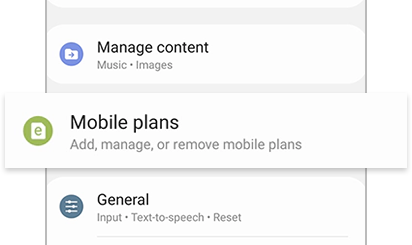
2. Tap Mobile plans to search for available networks.
3. Follow the on-screen instructions to complete activation.
Activation without using your phone:
1.Set up your Galaxy Watch independently.
2.Follow the on-screen prompts on the watch to activate a mobile plan.
1. Open Settings on your watch.
2. Tap About watch >Tap Status info.
3. View the EID, IMEI, or ICCID.
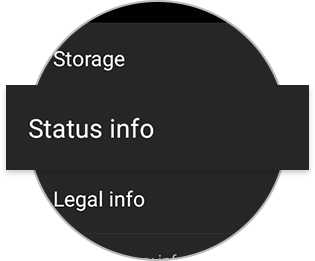
Find EID, IMEI, or ICCID using phone
1. Open the Galaxy Wearable app.
2. Tap Watch settings.
3. Tap About watch.
4. Tap Status information.
Requirements for LTE activation
- Galaxy Watch must be an LTE model.
- Watch must be paired with a phone for initial activation.
- Phone must run Android 5.0 or later with at least 1.5 GB RAM.
- SIM card must be inserted in the phone.
- Internet connection (Wi-Fi or mobile data) is required.
Notes
- LTE plans and activation steps vary by carrier.
- Some models may not display EID or ICCID depending on status.
- Contact your carrier if activation fails or after device repair.
Thank you for your feedback!
Please answer all questions.