Troubleshoot NFC issues on Galaxy devices
NFC on your Galaxy device allows contactless payments, quick device connections, and data transfer.
If NFC is not working properly, you can follow the steps below to identify and resolve the issue.

Turn NFC settings off and on


Step 1. Using two fingers, swipe down from the top of the screen to open the Quick settings panel. Tap More options (the three vertical dots) > Edit buttons.


Step 2. Touch and hold the NFC icon, and then drag and drop it into the Quick settings panel. Tap Done.


Step 3. Tap NFC to turn it off, and then tap NFC again to turn it back on.
Check the default payment app


Step 1. Go to Settings > Connections > NFC and contactless payments.


Step 2. Tap Contactless payments, and then select your preferred payment app.
* Image shown is for illustration purposes only
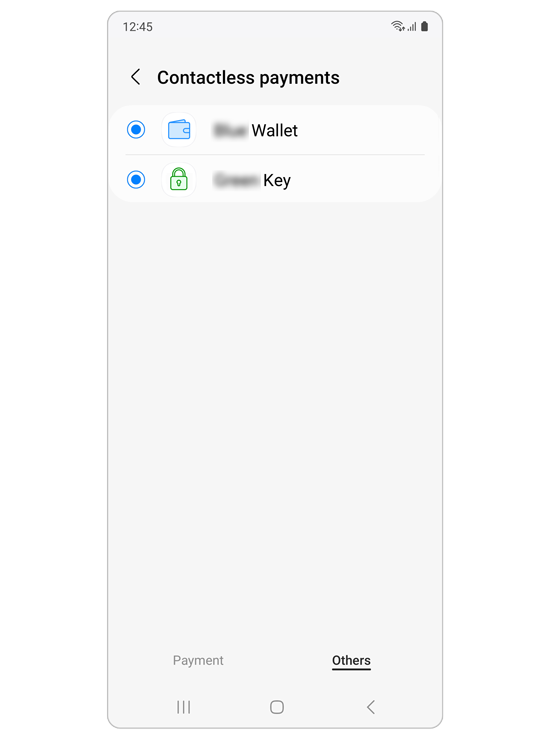
Step 3. Additional payment apps can be found in the Others tab.
Note: You can also tap the switch next to Pay with currently open app.
Remove third party covers and cases
Step 1. Remove any third-party covers or cases, especially magnetic ones or those holding cards.
Step 2. Try using NFC again without the cover to check if the issue is resolved.
Note: Some covers or cases may block the NFC signal even if they are not electronic.
Hold your device properly
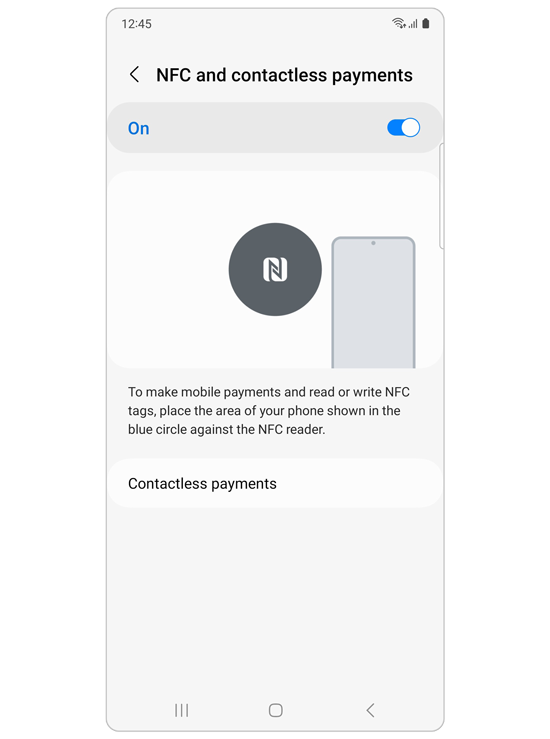
Step 1. Position your device so the NFC antenna aligns correctly with the reader.
Step 2. Go to Settings > Connections > NFC and contactless payments to view t.
Notes:
- Device placement can affect NFC performance.
- If the issue continues, contact a Samsung service center for further assistance.
Thank you for your feedback!
Please answer all questions.