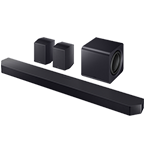
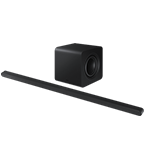
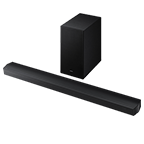
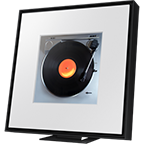
S800B Ultra Slim Lifestyle Soundbar with Subwoofer
Gallery popup
Please scan the QR Code with your mobile device, and place the product image in desired place.
Highlights
Features
Awards and Reviews
Ultra slim with powerful sound
* Images are simulated and for illustration purposes only. The appearance, design and GUI(Graphic User Interface) specifications which do not affect the product performance are subject to change without notice.* Actual Product may differ from image shown. Please see our product gallery.* TV sold separately.Wireless Dolby Atmos
Experience true cinematic sound with Dolby AtmosThe next step for home cinema, Dolby Atmos maximises the use of the soundbar's speakers to deliver pin point sound effects within the room. This technology works wirelessly, so sit back and enjoy cinematic 3D surround sound with upfiring speakers for an elevated entertainment experience.*
Wireless Atmos is also certified by Wireless Dolby Atmos supporting models: Q700C and above, S60/61B and above.*Wireless Dolby Atmos transmission with 2022/23 Samsung TVs10 speakers
Get powerful sound in a compact designGet superior sound quality to match your home décor with our ultra-slim soundbar. Boost your surround sound experience with dedicated upfiring speakers. The S800B includes 10 speakers carefully tuned by the award-winning Samsung Audio Lab.
Samsung Q-Symphony
Elevate your sound with your Samsung TV and soundbar working together using Q-SymphonyHeighten your viewing experience with the benefit of great sound quality delivered from both the TV and soundbar speakers without a complicated set up. Sit back, relax and let Q-Symphony do the work for you. Get the audio experience you deserve, exclusively at Samsung.*
*Q-Symphony is compatible with 2022/23 Samsung TV (BU8000↑ TV and above, and The Frame). For a complete list of compatible models, please refer to Samsung.com for more information.SpaceFit Sound
Superior clarity and tone automatically tailored for your spaceA built-in microphone in the soundbar ensures sound settings are automatically optimised and calibrated to match your rooms acoustics. The sound delivery will automatically change depending on your rooms shape and furnishings. This means your soundbar will sound great whatever your space.
Sound Quality
Usability
Accessories
Specifications
-
Number of Channels
3.1.2
-
Set Weight
11.0 kg
-
Operating Power Consumption (Main)
28W
-
Net Dimension (Main Speaker) (WxHxD)
1160.0 x 38.0 x 39.9 mm
-
Power
0.5W
-
Subwoofer Type ( Active / Passive / Wireless, Bulit-in )
Wireless
-
Number of Channels
3.1.2
-
Number of Speaker
10
-
Subwoofer Type ( Active / Passive / Wireless, Bulit-in )
Wireless
-
Center Speaker
Yes
-
Up-firing Speaker
Yes
-
Side-firing Speaker
No
-
Wide Range Tweeter
No
-
Wireless Rear Speaker Included
No
-
Dolby
ATMOS,Dolby Digital Plus
-
SpaceFit Sound
Yes
-
Active Voice Amplifier
Yes
-
Sound Modes
Surround Sound Expansion,Game Pro,Adaptive,DTS Virtual:X,Standard
-
Hi-Res Audio Decoding
Yes
-
4K Video Pass
No
-
HDR
No
-
AAC
Yes
-
MP3
Yes
-
WAV
Yes
-
OGG
Yes
-
FLAC
Yes
-
ALAC
Yes
-
AIFF
Yes
-
HDMI In
No
-
HDMI Out
1
-
HDMI ARC
Yes
-
HDMI CEC
Yes
-
Optical In
0
-
Bluetooth
Yes
-
Bluetooth Codec
SBC
-
Bluetooth Multi Connection
No
-
Wi-Fi
Yes
-
USB Music Playback
No
-
One Control
Yes
-
Bluetooth Power On
Yes
-
SmartThings App
Yes
-
Q-Symphony
Yes
-
Tap Sound
Yes
-
AirPlay2
Yes
-
Chromecast
No
-
Spotify Connect
Yes
-
Works with Google
No
-
Alexa
Yes (Built-in)
-
Net Dimension (Main Speaker) (WxHxD)
1160.0 x 38.0 x 39.9 mm
-
Net Dimension (Sub Woofer) (WxHxD)
238.0 x 240.8 x 238.0 mm
-
Packaged Dimension (WxHxD)
1232.0 x 371.0 x 294.0 mm
-
Net Weight (Main Speaker)
1.4 kg
-
Net Weight (Sub Woofer)
6.4 kg
-
Set Weight
11.0 kg
-
Stand-by Power Consumption (Main)
0.5W
-
Stand-by Power Consumption (Subwoofer)
0.5W
-
Operating Power Consumption (Main)
28W
-
Operating Power Consumption (Subwoofer)
26W
-
Free Voltage
Yes
-
Remote Controller
Yes
-
Wall Mount Bracket
Yes
Reviews
S800B Ultra Slim Lifestyle Soundbar with Subwoofer<br>
- The soundbar delivers excellent audio quality with powerful bass and clear dialogue.
- It provides an immersive surround sound experience, especially when paired with optional rear speakers.
- The device offers versatile connectivity options and integrates well with compatible Samsung TVs.
- However, some users have reported occasional software and connectivity issues, such as problems with voice control and wireless disconnections.
- Overall, the soundbar is a high-quality audio upgrade that can significantly enhance the home entertainment experience, provided the software functions reliably.
Reviews with images & videos
Filters
Relevancy sort puts the best reviews at the top. We look at things like helpfulness votes, latest review, pictures and other traits that readers look for in their reviews.
Filters
504 Reviews
2023-06-30
2023-08-28
2022-09-05
Winn
Samsung Brand Ambassador
Hello glscott, Thank you for purchasing the new HW-Q800B Soundbar and taking the time to leave your thoughts for us in a review. I'm glad to hear that you are enjoying the soundbar. If you want to upgrade your soundbar, purchase the SWA-9500S Wireless Rear Speakers. These will add an additional 2.0.2 channels (two front-firing plus two up-firing Dolby Atmos channels) giving you a full surround sound experience. Should you ever have any questions or need help optimizing your new soundbar, please call us at 1-800-SAMSUNG (ask for Soundbars), available 8 AM – 12 AM EST, 7 days a week. For additional support resources, visit us on the Samsung website and click on the ‘Support’ link in the upper right corner of the homepage for: 1) Chat with Us/Product Help: To begin a chat or find solutions, choose ‘TVs & Home Theater’ and select your model & topic. 2) Manuals & Software 3) Warranty Info 4) Register a Product: For access to easy warranty support, convenient opt-in to special promos and offers, faster troubleshooting and service, and quick notification of system updates 5) Contact Us ~ Samsung Solutions
2025-05-08
2024-06-23
2022-10-24
West Sacramento
2023-02-01
Basingstoke
2024-11-21
san diego, ca
2022-11-10
Coconut Creek
Samsung Brand Ambassador
Hello JUqsymphony, Thank you for leaving a detailed review of your experiences with the HW-Q800B Soundbar. I am sorry that you have not been completely satisfied with your overall soundbar. When you are using Q-Symphony with the 65QN90B, those top left and top right speakers are designed to play Dolby Atmos content only. That is why you are hearing it when playing a 4K UHD movie, but not a regular TV show. The other speakers that are built into the TV will play when you are watching regular content. Keep in mind you can also improve your audio experience, the HW-Q800B features a wide range of sound modes and settings allowing you to fine-tune the sound to your liking. Pressing the SOUND CONTROL button on your remote allows you to select the desired sound effect. You can select Spacefit sound, AVA, Voice Enhance mode, Night mode, Sync, Surround speaker mode, and Virtual. The desired item can be adjusted using the Up/Down buttons. Alternatively, with the sound mode set to standard, press and hold the SOUND CONTROL button for about 5 seconds to adjust the sound for each frequency band. 150Hz, 300Hz, 600Hz, 1.2kHz, 2.5kHz, 5kHz, and 10kHz are selectable using the Left/Right buttons and each can be adjusted to a setting between -6 to +6 using the Up/Down buttons. There are two adjustments that can be made to maximize bass from the soundbar and subwoofer: 1) Using the WOOFER button on the remote, you can adjust the level between -6 to +6. To set the subwoofer volume level to 0, press the button in. 2) Adjust the bass or treble levels by pressing the TONE CONTROL button on the remote control. You can adjust the volume between -6 to +6 by using the Up/Down buttons. I hope these tips help you enjoy your new product. You can always contact us for further help at 1-800-SAMSUNG (Ask for Soundbars), 8 AM – 12 AM EST, 7 days a week. Our LiveChat agents are also available by clicking on the ‘Support’ link on our website. ~ Samsung Solutions
2023-05-18
Madison, WI
2022-08-25
Irvine
2022-08-15
Hamilton
2023-11-26
2023-10-23
Samsung Solutions
Vinceleee333, Thank you for sharing the issues you are experiencing with your Samsung S801B Soundbar. So we can better understand the problems you are experiencing regarding connection loss and provide you with troubleshooting assistance or warranty service, please contact Samsung Customer Support at 1-800-SAMSUNG (Ask for Soundbars), 8 AM – 12 AM EST, 7 days a week. Our LiveChat agents are also available by clicking on the ‘Support’ link on our website. ~ Samsung Solutions
2023-05-31
2022-08-31
Port Townsend
Samsung Brand Ambassador
Hello dcmurney, Thank you for taking the time to leave a review of the new HW-S800B Soundbar. Your input will be shared with our product team and is invaluable in helping Samsung maintain the best in product and customer experience. Upgrade your surround sound even more with the compatible SWA-9500 Wireless Rear Speakers, adding an additional 2.0.2 channels for an even more cinematic experience without the wires. The HW-S800B can be mounted on the wall with the provided wall brackets, which allows for the soundbar to be almost flush against the wall. The power cords are designed to accommodate the wall mount. Should you ever have questions or need help, please call us at 1-800-SAMSUNG (ask for Soundbars), available 8 AM – 12 AM EST, 7 days a week. For additional support resources, visit us on the Samsung website and click on the ‘Support’ link in the upper right corner of the homepage for: 1) Chat with Us/Product Help: To begin a chat or find solutions, choose ‘TVs & Home Theater’ and select your model & topic. 2) Manuals & Software 3) Warranty Info 4) Register a Product: For access to easy warranty support, convenient opt-in to special promos and offers, faster troubleshooting and service, and quick notification of system updates 5) Contact Us ~ Samsung Solutions
2023-01-30
Den Burg
2022-08-22
Santa Clarita
Samsung Brand Ambassador
Hello munifr, Expand your audio experience by adding on the SWA-9500S Wireless Rear Speaker Kit. By adding the Rear Speakers to your HW-Q800B you will get an additional 2.0.2 channels adding 2 front-firing and 2 up-firing speakers. When you turn on Adaptive Sound mode to enjoy dynamically optimized audio with enhanced voice clarity so you can follow along with action-packed games and blockbuster films. Enjoy dynamically optimized audio with enhanced voice clarity so you can follow along with action-packed games and blockbuster films. Should you ever have questions or need help, please call us at 1-800-SAMSUNG (ask for Soundbars), available 8 AM – 12 AM EST, 7 days a week. For additional support resources, visit us on the Samsung website and click on the ‘Support’ link in the upper right corner of the homepage for: 1) Chat with Us/Product Help: To begin a chat or find solutions, choose ‘TVs & Home Theater’ and select your model & topic. 2) Manuals & Software 3) Warranty Info 4) Register a Product: For access to easy warranty support, convenient opt-in to special promos and offers, faster troubleshooting and service, and quick notification of system updates 5) Contact Us ~ Samsung Solutions
2023-03-01
Nebraska
2022-10-12
Samsung Brand Ambassador
Hello mpayne92, Thank you for purchasing the new HW-Q800B Soundbar and taking the time to leave a review for us as well. I'm really happy to see that you are loving the audio quality if you are wanting to fine-tune your soundbar try the different sound modes that are available. Or you can also press and hold the SOUND CONTROL button for about 5 seconds which will allow you to adjust the 7-band equalizer. Try downloading the SmartThings app as it allows you to have full control over the features and volume of your soundbar when it's connected via Wi-Fi. If there’s anything we can ever help with, please call us at 1-800-SAMSUNG (Ask for Soundbars), 8 AM – 12 AM EST, 7 days a week. Or visit us on the Samsung website and click on the ‘Support’ link for: • LiveChat • Manuals, Software, & Warranty Info ~ Samsung Solutions
2023-08-16
2022-08-22
Elmsford
Samsung Brand Ambassador
Hello Mguzman2, Thank you for taking the time to leave a review for the new HW-S800B Soundbar. Upgrade to surround sound by adding SWA-9500S Wireless Rear Speaker Kit to your soundbar. Our wireless surround package delivers 360° audio without the need to route wires around your living room. More cinematic and has fewer messy wires. Should you ever have questions or need help, please call us at 1-800-SAMSUNG (ask for Soundbars), available 8 AM – 12 AM EST, 7 days a week. For additional support resources, visit us on the Samsung website and click on the ‘Support’ link in the upper right corner of the homepage for: 1) Chat with Us/Product Help: To begin a chat or find solutions, choose ‘TVs & Home Theater’ and select your model & topic. 2) Manuals & Software 3) Warranty Info 4) Register a Product: For access to easy warranty support, convenient opt-in to special promos and offers, faster troubleshooting and service, and quick notification of system updates 5) Contact Us ~ Samsung Solutions
2022-11-11
San Diego
2023-02-01
Den Haag
2023-01-30
Goirle
2023-05-11
2023-02-02
Madrid
2023-06-04
2023-02-01
London
2024-02-28
2022-08-30
Austin
Samsung Brand Ambassador
Hello sudoroot, Thank you for purchasing the new HW-Q800B Soundbar. To take your audio to the next level consider pairing the SWA-9500 Wireless Rear Speakers. The SWA-9500 adds an additional 2.0.2 channels giving you a full surround sound cinematic experience without all of the wires around the room. Should you ever have questions or need help, please call us at 1-800-SAMSUNG (ask for Soundbars), available 8 AM – 12 AM EST, 7 days a week. For additional support resources, visit us on the Samsung website and click on the ‘Support’ link in the upper right corner of the homepage for: 1) Chat with Us/Product Help: To begin a chat or find solutions, choose ‘TVs & Home Theater’ and select your model & topic. 2) Manuals & Software 3) Warranty Info 4) Register a Product: For access to easy warranty support, convenient opt-in to special promos and offers, faster troubleshooting and service, and quick notification of system updates 5) Contact Us ~ Samsung Solutions
2022-11-17
Austin, TX
Samsung Brand Ambassador
Hello, Thank you for purchasing the new HW-S801B Soundbar. Your feedback is very important to us and will be shared with our internal teams. I am sorry that you are having issues with the inputs on your soundbar and TV working together. There are a few things that you can try. First, try doing a hard reset on your soundbar. With the power of your soundbar ON, press and hold the + & -, volume UP/DOWN buttons, on the unit itself for roughly 5 seconds. You will see "INIT OK" scroll across the LED display of your soundbar. Next, make sure that your TV is running the latest firmware as well as your soundbar. Connecting them both to Wi-Fi using the SmarThings app through a smart device will allow you to update the firmware. This will also allow you to set them to be automatically updated so your firmware will always be up to date. If you continue to experience this issue, please reach out to Samsung Customer Service, we are here and happy to help. I hope these tips help you enjoy your new product. You can always contact us for further help at 1-800-SAMSUNG (Ask for Soundbars), 8 AM – 12 AM EST, 7 days a week. Our LiveChat agents are also available by clicking on the ‘Support’ link on our website. ~ Samsung Solutions
2023-10-25
2022-09-09
Beverly Hills
Samsung Brand Ambassador
Hello MAAZIK, Thank you for purchasing the new HW-S800B Soundbar with the unbelievably sleek, low-profile soundbar delivers high-quality audio in a super slim package – giving you exceptional sound while blending into your room’s décor. Upgrade to surround sound by adding SWA-9500S Wireless Rear Speaker Kit to your soundbar. Our wireless surround package delivers 360° audio without the need to route wires around your living room. More cinematic and has fewer messy wires. These wireless rear speakers will give you an additional 2.0.2 channels, 2 front-firing, and 2 up-firing Atmos speakers. This will give you a total of 5.1.4 full surround sound experience for all content you are enjoying. Should you ever have questions or need help optimizing your soundbar, please call us at 1-800-SAMSUNG (ask for Soundbars), available 8 AM – 12 AM EST, 7 days a week. For additional support resources, visit us on the Samsung website and click on the ‘Support’ link in the upper right corner of the homepage for: 1) Chat with Us/Product Help: To begin a chat or find solutions, choose ‘TVs & Home Theater’ and select your model & topic. 2) Manuals & Software 3) Warranty Info 4) Register a Product: For access to easy warranty support, convenient opt-in to special promos and offers, faster troubleshooting and service, and quick notification of system updates 5) Contact Us ~ Samsung Solutions
2022-07-18
2023-02-06
2023-07-22
Lexington, KY
Samsung Brand Ambassador
Hello LexCustomer23, Thank you for sharing your thoughts regarding the HW-Q800B Soundbar. I am sorry to see that you have experienced these issues with your Soundbar. There are a few steps you can take to troubleshoot your Soundbar. First, try doing a soft reset, unplug the soundbar from the outlet for roughly 30 seconds, and then plug it back in. Next, update the firmware on your soundbar. The easiest way to accomplish this would be to download the SmartThings app and connect your Soundbar to Wi-Fi. This will allow you to not only download any firmware updates but also control your entire soundbar on the screen of your smart device. Alternatively, you can go download the software directly from Samsung's website by clicking “Support” in the top right corner. Then go to “Manuals & Software” > “TVs & Home Theater” > “Home Theater” > “Sound Bars”. From there, you can select the HW-Q800B under Q Series. Please also verify that you are running the latest firmware on your TV. You can check to see what software version your TV is using and if there is an available update through the settings on your TV. Go to: Menu > Settings > Support > Software Update. If you are still hearing distortion then do a hard reset. With the Soundbar on, press the + & - (Volume UP/DOWN) buttons on the body at the same time for at least 5 seconds. “INIT OK” appears on the display and then the Soundbar is reset. Should you ever have questions or need help, please call us at 1-800-SAMSUNG (ask for Soundbars), available 8 AM – 12 AM EST, 7 days a week. For additional support resources, visit us on the Samsung website and click on the ‘Support’ link in the upper right corner of the homepage for: 1) Chat with Us/Product Help: To begin a chat or find solutions, choose ‘TVs & Home Theater’ and select your model & topic. 2) Manuals & Software 3) Warranty Info 4) Register a Product: For access to easy warranty support, convenient opt-in to special promos and offers, faster troubleshooting and service, and quick notification of system updates 5) Contact Us ~ Samsung Solutions
2022-09-24
2023-04-26
Samsung Brand Ambassador
Hello Js7575, Thank you for sharing your review of the HW-S801B Soundbar. I am sorry to see that your soundbar has not been an ideal experience for you. You can in fact turn off the voice guide, please follow the instructions below. 1. Turn off the HW-S801B. 2. Press and hold Source on the remote for more than 5 seconds. It will not work if you use the source button located on the soundbar. 3. The HW-S801B will turn on by itself and it will not audibly say Power On. Now you know that the voice guide has been disabled. 4. If you want to enable the voice guide again, repeat steps 1-2. Using the provided SOUNDBAR REMOTE is required in disabling the voice guide. Should you ever have questions or need help, please call us at 1-800-SAMSUNG (ask for Soundbars), available 8 AM – 12 AM EST, 7 days a week. For additional support resources, visit us on the Samsung website and click on the ‘Support’ link in the upper right corner of the homepage for: 1) Chat with Us/Product Help: To begin a chat or find solutions, choose ‘TVs & Home Theater’ and select your model & topic. 2) Manuals & Software 3) Warranty Info 4) Register a Product: For access to easy warranty support, convenient opt-in to special promos and offers, faster troubleshooting and service, and quick notification of system updates 5) Contact Us ~ Samsung Solutions
2023-02-15
VIATOR
2022-10-23
Samsung Brand Ambassador
Hello ECS08, Thank you for purchasing the new HW-S800B Ultra Slim Soundbar. The soundbars do indeed support Wi-Fi, to be able to connect wirelessly to a Samsung TV. But the feature does not support two soundbars simultaneously. Bluetooth Multi-Connection is a feature that allows you to connect to smart devices to the same soundbar. This allows two people to have their own phones connected to a soundbar and switch back and forth playing music. Should you ever have questions or need help, please call us at 1-800-SAMSUNG (ask for Soundbars), available 8 AM – 12 AM EST, 7 days a week. For additional support resources, visit us on the Samsung website and click on the ‘Support’ link in the upper right corner of the homepage for: 1) Chat with Us/Product Help: To begin a chat or find solutions, choose ‘TVs & Home Theater’ and select your model & topic. 2) Manuals & Software 3) Warranty Info 4) Register a Product: For access to easy warranty support, convenient opt-in to special promos and offers, faster troubleshooting and service, and quick notification of system updates 5) Contact Us ~ Samsung Solutions
2023-03-10
Bethlehem, GA
Samsung Brand Ambassador
Hello deleonzamora, Thank you for your review of the Samsung HW-S801B Soundbar and for sharing the issues that you have experienced to consider returning your soundbar. Your experience is very important to us and will be shared with our product team. If you have not yet returned your unit, please give us the opportunity to troubleshoot your issue and work toward a solution. You can reach Samsung Support at 1-800-SAMSUNG (ask for Soundbars) 8 AM – 12 AM EST, 7 days a week. We hope to hear from you soon. ~Samsung Solutions
2023-08-28
2022-08-18
Metairie
2023-07-03
2023-07-01
2022-08-16
MOUNT JULIET
2023-01-23
Shirley, Solihull
2023-01-01
Samsung Brand Ambassador
Hello MarcusX, Thank you for sharing your experiences with the HW-S801B Soundbar. Your input is invaluable in our continuous pursuit of delivering the best product experience. The HW-S801B uses a micro-HDMI cable, if you are able please check with your local Best Buy to see if they have longer cables for purchase. Next, let's make sure that you are running the latest firmware available for your soundbar and TV. You can download the firmware update directly from Samsung’s website by clicking “Support” in the top right corner. Then go to “Manuals & Software” > “TVs & Home Theater” > “Home Theater” > “Sound Bars”. From there, you can select the HW-S801B under S Series. For your TV, you can check firmware by going to: Home > Menu > Settings > Support > Software Update > Update Now. If we can further help with any other issues, please know we are here for you. Just call us at 1-800-SAMSUNG (Ask for Soundbars), 8 AM – 12 AM EST, 7 days a week. Or visit us on the Samsung website and click on the ‘Support’ link for: • LiveChat with an agent • Manuals, Software, & Warranty Info ~ Samsung Solutions
2023-09-03
2022-10-05
Nokesville
Samsung Brand Ambassador
Hello Jlm80, Thank you for leaving a detailed review of your experiences with the new HW-S800B Soundbar. You can add surround sound to your movie experience by pairing the SWA-9500S Wireless Rear Speakers. This will give you an additional 2.0.2 channels, for a total of 5.1.4 channels. Elevate your sound experience with a soundbar that automatically analyzes your room and calibrates the upper range tones to best fill your space using SpaceFit Sound technology. Should you ever have questions or need help, please call us at 1-800-SAMSUNG (ask for Soundbars), available 8 AM – 12 AM EST, 7 days a week. For additional support resources, visit us on the Samsung website and click on the ‘Support’ link in the upper right corner of the homepage for: 1) Chat with Us/Product Help: To begin a chat or find solutions, choose ‘TVs & Home Theater’ and select your model & topic. 2) Manuals & Software 3) Warranty Info 4) Register a Product: For access to easy warranty support, convenient opt-in to special promos and offers, faster troubleshooting and service, and quick notification of system updates 5) Contact Us ~ Samsung Solutions
2023-08-16
2022-10-21
2023-10-27
2022-08-26
BARTLETT
2023-05-31
2023-11-30
2023-09-11
2023-07-10
2023-07-10
2023-02-11
Iowa
2023-10-02
2022-09-24
2022-09-25
Winn
Samsung Brand Ambassador
Hello AshleyMarie0584, Thank you for purchasing the HW-Q800B Samsung Soundbar and leaving a detailed review for us. I'm glad that your out-of-box experience has exceeded your expectations in ease of setup and audio quality! If you want to take your movie theatre experience to the next level, add on the SWA-9500S Wireless Rear Speakers. These will give you truly wireless speakers adding an additional 2.0.2 channels. The speakers have 2 front-firing and 2 top-firing speakers, this will give you a total of 7.1.4 channels for a full surround sound Dolby Atmos experience. Should you ever have questions or need help, please call us at 1-800-SAMSUNG (ask for Soundbars), available 8 AM – 12 AM EST, 7 days a week. For additional support resources, visit us on the Samsung website and click on the ‘Support’ link in the upper right corner of the homepage for: 1) Chat with Us/Product Help: To begin a chat or find solutions, choose ‘TVs & Home Theater’ and select your model & topic. 2) Manuals & Software 3) Warranty Info 4) Register a Product: For access to easy warranty support, convenient opt-in to special promos and offers, faster troubleshooting and service, and quick notification of system updates 5) Contact Us ~ Samsung Solutions
2023-02-11
Milton, GA
2023-10-08
2023-06-21
2022-10-24
Keeseville
2022-10-24
Walton
2022-11-15
Samsung Support
Thank you for sharing with us this comprehensive review about your experience with the Samsung S800B 3.1.2ch Lifestyle Ultra Slim Soundbar, Eddy. It's great to see that you are satisfied with the ultra slim design of this soundbar and that you found the perfect place to enjoy the immersive sound experience, directly by placing it in front of the TV. The 3D Object Based Sound combined with Dolby Atoms will certainly make you experience your favourite content with the quality you have always wanted. We also appreciate that you would have preferred for a mini-HDMI cable or adapter to be included in the box. This is something we can certainly pass on to our relevant department so we can use it to improve our future technology and products. ^CL at Samsung Support
2023-01-11
UK
2023-09-27
2023-02-01
Bristol
2023-07-15
Samsung Brand Ambassador
Hello acqsam, Thank you for sharing your review of the HW-S801B Soundbar. I am sorry to see that you are experiencing this issue. If you have not yet, do a hard reset. With the Soundbar on, press the + & - Volume buttons on the body of the soundbar at the same time for at least 5 seconds. The LED display changes as follows: White moves from left to right and right to left, and the middle LED blinks Cyan 3 times. Then the middle LED will blink RED and turn off. If your Soundbar is still experiencing this issue where it is not turning on with the TV, please contact Samsung Customer Support at 1-800-SAMSUNG (ask for Soundbars), available 8 AM – 12 AM EST, 7 days a week. LiveChat with an agent by clicking the ‘Support’ link on the Samsung website. ~Samsung Solutions
2023-07-01
2023-05-30
2022-08-15
East Stroudsburg
2023-11-05
2022-10-07
Macedonia
Samsung Brand Ambassador
Hello, Thank you for choosing the new HW-S800B Ultra Slim Soundbar and sharing your movie night experiences with us. I'm glad to hear that you are loving the audio quality, if you want an even more cinematic experience, upgrade with the SWA-9500S Wireless Rear Speakers. These speakers will give you an additional 2.0.2 channels, two front-firing and two top-firing speakers to fill your room like a movie theater, without all of the messy wires. Should you ever have questions or need help, please call us at 1-800-SAMSUNG (ask for Soundbars), available 8 AM – 12 AM EST, 7 days a week. For additional support resources, visit us on the Samsung website and click on the ‘Support’ link in the upper right corner of the homepage for: 1) Chat with Us/Product Help: To begin a chat or find solutions, choose ‘TVs & Home Theater’ and select your model & topic. 2) Manuals & Software 3) Warranty Info 4) Register a Product: For access to easy warranty support, convenient opt-in to special promos and offers, faster troubleshooting and service, and quick notification of system updates 5) Contact Us ~ Samsung Solutions
2022-09-24
2023-06-14
2023-02-16
2023-02-07
Capelle aan den IJssel
2022-10-24
Las Vegas
Samsung Brand Ambassador
Hi AlicenB, We appreciate your review of the HW-Q800B Soundbar and your sharing your experiences with us. I am really happy to see that you had an easy setup process. To be able to have full easy control over your soundbar, consider using the SmartThings app on your smart device. This will be able to act like the soundbar remote with an easy-to-use interface. Should you ever have questions or need help, Samsung is here for you. Just give us a call at 1-800-SAMSUNG (Ask for Soundbars), 8AM - 12AM EST, 7 days a week. Our LiveChat agents are also available by clicking on the ‘Support’ link on our website. ~ Samsung Solutions
2022-10-31
John's Island
Samsung Brand Ambassador
Hi BaileyT, Thank you for purchasing the new HW-S800B Soundbar and sharing your experiences with us in a review. If you ever want to customize your soundbar, consider purchasing the Teak or Brown Bezel for the Ultra Slim Soundbar via https://www.samsung.com/us/televisions-home-theater/television-home-theater-accessories/audio-accessories/ultra-slim-soundbar-bezel-2022-vg-scfbs8bw-za/ Should you ever have questions or need help, please call us at 1-800-SAMSUNG (ask for Soundbars), available 8 AM – 12 AM EST, 7 days a week. For additional support resources, visit us on the Samsung website and click on the ‘Support’ link in the upper right corner of the homepage for: 1) Chat with Us/Product Help: To begin a chat or find solutions, choose ‘TVs & Home Theater’ and select your model & topic. 2) Manuals & Software 3) Warranty Info 4) Register a Product: For access to easy warranty support, convenient opt-in to special promos and offers, faster troubleshooting and service, and quick notification of system updates 5) Contact Us ~ Samsung Solutions
2023-06-04
2022-09-19
Utrecht
2023-11-28
2023-10-08
2023-05-31
2023-03-07
New Jersey
2023-09-11
2023-02-15
OVERIJSE
2023-07-17
2023-02-13
Valencia
2023-01-25
Staten Island, New York
2024-05-20
2023-06-06
2022-10-24
2022-08-17
Thorofare
These reviews are managed by Bazaarvoice and comply with the Bazaarvoice Authenticity Policy, which is supported by anti-fraud technology and human analysis. Details at
https://www.bazaarvoice.com/ie/trustmark/