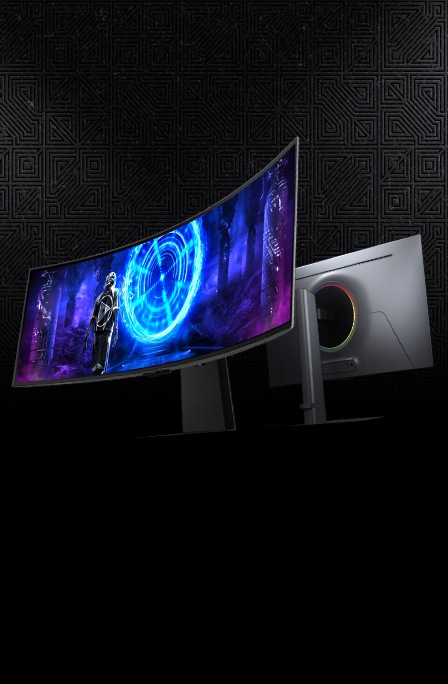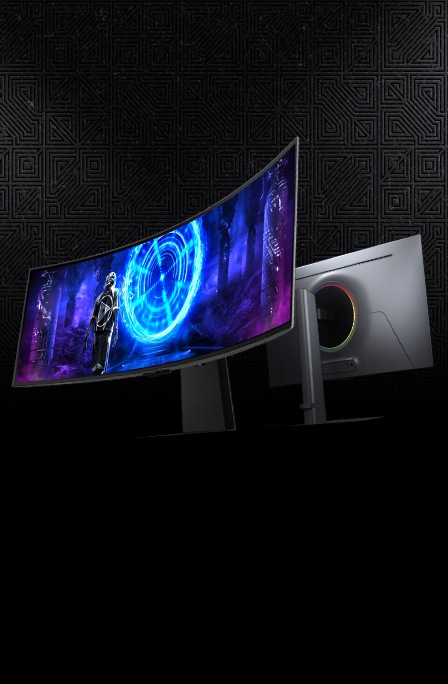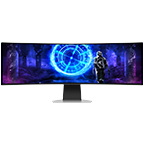
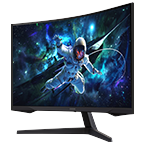
49" G95SC Odyssey OLED G9 240Hz Smart Gaming Monitor

{{priceAnchor.priceWrapper.info.noLineOrignal}}

{{priceAnchor.priceWrapper.info.totalPrice}}
{{priceAnchor.priceWrapper.info.totalPriceMonthly}}

{{priceAnchor.priceWrapper.info.ceExchangePrice}}

{{priceAnchor.priceWrapper.info.orignalPriceAddText}}
{{priceAnchor.priceWrapper.info.lowestWasPricetext}}
{{priceAnchor.priceWrapper.info.orignalPrice}}
{{priceAnchor.priceWrapper.info.savePrice}}
{{priceAnchor.priceWrapper.info.disclaimer}}

Choose your size

49" G95SC Odyssey OLED G9 240Hz Smart Gaming Monitor
49

{{item.name}}

{{item.summaryPrice}}

Samsung Reward points

{{rewards.formatted.totalPoint}}

{{rewards.rewardsDescription}}

{{price.priceWrapper.info.totalPrice}} {{price.priceWrapper.info.vatText}}

{{price.priceWrapper.info.orignalPriceAddText}}

{{price.priceWrapper.info.lowestWasPricetext}}

{{price.priceWrapper.info.orignalPrice}} {{price.priceWrapper.info.savePrice}}

Earn 5% back in rewards

{{price.priceWrapper.info.walkoutQtyText}}

{{price.priceWrapper.info.homeDeliveryQtyText}}

{{price.priceWrapper.info.salesPitch}}

{{price.priceWrapper.info.text}}

{{price.priceWrapper.info.text2}}

{{price.priceWrapper.info.text3}}

{{price.priceWrapper.info.shippingOrBack}}

{{price.priceWrapper.info.taxPriceDisplay}}

{{upgrade.title}}

{{upgrade.learnMoreCta.text}}

{{upgrade.description}}

{{upgradeResult.displayModelName}}

{{upgradeResult.discountText1}}

{{upgradeResult.description1}}

{{upgradeResult.description2}}

{{offerFinance.title}}

{{offerFinance.learnMoreCta.text}}

{{offerFinance.description}}

{{galaxyForever.title}}

{{galaxyForever.learnMoreCta.text}}

{{galaxyForever.description}}

{{galaxyForeverResult.displayModelName}}

{{galaxyForeverResult.discountText1}}

{{galaxyForeverResult.description1}}

{{galaxyForeverResult.description2}}

Choose your color

Customizable bezels sold separately

Choose your skin color

Customizable skin sold separately

  • {{item.name}}

    Out Of Stock

Modern type

  • {{item.name}}

    Out Of Stock

Beveled type

  • {{item.name}}

    Out Of Stock

Skin color

  • {{item.name}}

    Out Of Stock

{{shippingOrBack.shippingOrBack}}
{{deliveryMessage.deliveryMessage}}

{{tradeIn.title}}

{{tradeIn.learnMoreCta.text}}

{{tradeIn.description}}

You have maximum number of Trade-in in cart already. If you wish to add in Trade-in, please remove from cart.

{{tradeInResult.displayModelName}}

{{tradeInResult.discountText1}}

{{tradeInResult.discountText2}}

{{tradeInResult.discountText3}}

{{tradeInResult.discountText4}}

{{tradeInResult.discountText5}}

{{tradeInResult.discountText6}}

{{tradeInResult.specialDiscountText}}

{{tradeInResult.description}}

{{tradeInResult.contentText}}

Dealer stock quantity

You can check the stock quantity for each region

Please select city

Only {0} left in stock.

Sorry, this product is not currently available in selected city.

{{assuredBuyBack.title}}

{{newAssuredBuyBack.title}}

{{newAssuredBuyBack.learnMoreCta.text}}

{{newAssuredBuyBack.description}}

Please select Samsung Assured Buyback or no coverage

{{care.title}}

{{care.learnMoreCta.text}}

{{care.description}}

Please select Samsung Care+ or No to continue

  • {{item.specialText}}

{{warranty.title}}

{{warranty.learnMoreCta.text}}

{{warranty.description}}

{{warrantyResult.displayModelName}}

{{warrantyResult.discountText1}}

{{warrantyResult.description1}}

{{warrantyVd.description}}

{{warrantyVdResult.title}}

{{warrantyVdResult.priceDisplay}}

{{delivery.headline}}

{{delivery.errorMessage}}

Apply

{{deliveryResult.priorityText}}

{{deliveryResult.mainText}}

{{deliveryResult.subText}}
Standard installation charges may apply.Click here for more details.

{{deliveryResult.decText}}

{{item.disclaimer}}

{{tariffOption.headline}}

Learn more

{{tariffOption.description}}

{{tariffOptionResult.displayModelName}}

{{tariffOptionResult.discountText1}}

{{tariffOptionResult.description1}}

{{tariffOptionResult.description2}}

{{tariffOptionResult.description}}

{{tariffOptionResult.price}}

{{tariffOptionResult.disclaimer}}

{{embedAddon.title}}

{{embedAddon.description}}

  • {{item.imgAlt}} {{item.imgAlt}}
    {{item.iconTitle}}

    {{item.name}}

    {{item.modelCode}}

    {{item.description}}

    {{item.finalPrice}}

    {{item.originalPrice}} {{item.savePrice}} Out Of Stock
  • {{item.imgAlt}} {{item.imgAlt}}
    {{item.iconTitle}}

    {{item.name}}

    {{item.modelCode}}

    {{item.description}}

    • {{item.dotList1}}
    • {{item.dotList2}}
    • {{item.dotList3}}

    {{item.finalPrice}}

    {{item.originalPrice}} {{item.savePrice}} Out Of Stock
{{message.item.offerTitle}}

{{message.item.offerTooltip}}

{{message.item.linkText}}

{{message.item.tcCTAText}}

{{message.item.periodText}}

{{finance.item.emiText}} {{finance.item.emiText}}

{{finance.item.offerTooltip}}

{{finance.item.cta.label}}

Highlights

Samsung Neo Quantum Processor Pro is shown with the square chip label in the middle. And it transitions to show a nighttime scene in the forest on the screen, zooming out on a misty jungle surrounded by trees. The screen is angled to the left.

OLED

A gamer plays Black Desert on the Odyssey monitor. On the screen, a character uses their abilities in front of a stone building, surrounded by trees and foliage.

32:9 Super Ultra-wide screen

On the monitor screen, cars race out of a monitor, away from a futuristic city. A connection cable labeled “micro HDMI 2.1” is shown below the monitor screen.

0.03ms GTG response time

An Odyssey monitor with the Gaming Hub home screen display.

Gaming Hub

Features

A new era of OLED gaming

Discover the real difference. Samsung OLED

OLED & Neo Quantum Processor Pro

With the advanced Neo Quantum Processor Pro, every frame on the OLED panel is instantly analyzed and optimized for maximum quality. Colors, shades and contrast come together to deliver a picture so bright and brilliant, you can't deny the difference it makes.

Samsung Neo Quantum Processor Pro is shown with the square chip label in the middle. And it transitions to show a nighttime scene in the forest on the screen, zooming out on a misty jungle surrounded by trees. The screen is angled to the left. Samsung Neo Quantum Processor Pro is shown with the square chip label in the middle. And it transitions to show a nighttime scene in the forest on the screen, zooming out on a misty jungle surrounded by trees. The screen is angled to the left.

Lose yourself in super ultrawide vistas

49" Dual QHD

Immense worlds envelop you through a super ultrawide display. A screen as wide as two quad high definition monitors delivers maximum space to take in all the pin-sharp detail. It wraps around your field of vision with 1800R curvature to put you fully into your character's shoes.

See into the shadows with purer black levels

DisplayHDR True Black 400

Uncover every secret with infinite expression. See true black and dark colors on screen without pixel light bleed for supreme color and depth expression in every game.

Samsung OLED Safeguard

Stay cool with automatic brightness control

Thermal Modulation System

Algorithms predict surface temperature and automatically control brightness accordingly to reduce heat.

* When "Adjust Logo Brightness" setting is on "Off" or "Low," Thermal Modulation is active in certain picture modes only.
* When "Adjust Logo Brightness" setting is on "High", Thermal Modulation is always active.

Adaptive brightness on fixed images

Logo and taskbar detection

The brightness on static images, like logos and taskbars, is automatically reduced to prevent burn-in.

* Logo detection is not available in PC mode.

Automatic dimming during gaming breaks

Screen Saver

The screen dims itself after 10 minutes of inactivity, and comes back to regular brightness with any input.

* Screen images simulated for illustrative purposes.

Outmaneuver opponents with supreme speed

0.03ms GTG Response time & 240Hz Refresh rate

Dodge, counter and engage faster than the rest. OLED technology delivers near instant reaction time with 0.03ms GTG response time. HDMI 2.1 and DisplayPort connections keep you ahead of the competition with the 240Hz refresh rate. Milliseconds matter when you face the best.

Immerse in smooth action without disruption

AMD FreeSync Premium Pro

Hyper action made seamless. Fast-action and complex game scenes are projected stably and stutter-free with AMD FreeSync Premium Pro to power your competitive edge.

Where gaming comes together

Gaming Hub

Gaming Hub allows instant access to top streaming services and your favorite consoles. Smooth visuals and responsive gameplay are powered by Samsung’s advanced game streaming technology without downloads – just turn on and play.

* Gaming Hub is available in limited countries, with app availability differing by country.** Accessing Gaming Hub is free of charge. Subscription may be required to access content offered by game-stream providers on the Gaming Hub platform.*** A separate controller may be required depending on the specific game in Gaming Hub.**** You will need a Samsung Account to access the full range of smart features available through your device, including network-based smart services, applications such as games and streaming services, smart home functionality, and many more. If you choose not to log-in to your device with your Samsung Account, you will only be able to connect to terrestrial TV (applicable to devices with tuners only) and external devices, e.g. via HDMI. If you do not already have a Samsung Account, you can easily create one here: https://account.samsung.com - it’s free to

* Gaming Hub is available in limited countries, with app availability differing by country.** Accessing Gaming Hub is free of charge. Subscription may be required to access content offered by game-stream providers on the Gaming Hub platform.*** A separate controller may be required depending on the specific game in Gaming Hub.**** You will need a Samsung Account to access the full range of smart features available through your device, including network-based smart services, applications such as games and streaming services, smart home functionality, and many more. If you choose not to log-in to your device with your Samsung Account, you will only be able to connect to terrestrial TV (applicable to devices with tuners only) and external devices, e.g. via HDMI. If you do not already have a Samsung Account, you can easily create one here: https://account.samsung.com - it’s free to

Quick, simple setup to seize the win

Game Bar

Check and control game settings in an instant. Now, you can easily view the status of the most important settings such as FPS or HDR. Modify the screen ratio, zoom in on the Minimap, or change the game picture mode without ever leaving your game screen.

* The Game Bar’s Screen Ratio can be changed only when the Ultra Wide resolution is supported in a game or PC.

Access your favorite shows in a flash

Smart TV Experience

Take a break from long gaming sessions to catch up on must-see streaming content with just a Wi-Fi connection. Samsung TV Plus offers free live content with no downloads or sign-ups and tailored suggestions from Universal Guide.

* App availability may vary by country and separate subscriptions may be required.** Requires internet connection and TV tuner is not included.*** Samsung TV Plus and Universal Guide may not be available in some regions.**** Some streaming platforms, such as Apple TV+ and BBC, may not support 21:9 aspect ratio.*****Samsung TV Plus is a free, ad-supported streaming service****** Remote control specifications may vary by country.

Listen in without losing desk space

Built-in speaker

The built-in speakers keep your desk clean from the mess of wires and external speakers. Get all the audio cues to take your game to the next level without setting up any new equipment.

alt text alt text

Your command center, smarter than ever

IoT Hub & Voice Assistants

Stage your victory straight from your monitor. Dim the lights, set the thermostat and pull the blinds down all using SmartThings integration to create the perfect gaming environment. Voice controls are even accessible via Bixby or Alexa.

* Available technology, functions and features may vary by country, service provider, network environment or product, and are subject to change without notice.** Requires a Wi-Fi, Bluetooth or other wireless network connection and devices registered to SmartThings app.*** A separate SmartThings Dongle is required to connect to Zigbee devices. (Connection to Z-Wave device is not supported)**** Connected devices are sold separately. For full compatible device list, please check https://www.smartthings.com/products.***** Amazon, Alexa and all related marks are trademarks of Amazon.com, Inc. or its affiliates.****** Bixby voice commands recognize English (US/UK/IN), French, Spanish, German, Italian, Portuguese(BR), Chinese (in China mainland only) and Korean.

Your station your way

Connect more to enjoy more

Versatile connectivity

Tap into a multitude of input options. HDMI 2.1, DisplayPort and USB Hub let you hook up to favorite devices that elevate your game with no mess.

*USB Hub supports data transmission only.

Instant auto connect

Auto Source Switch+

With Auto Source Switch+, your monitor detects when connected devices are turned on and instantly switches to the new source signal. This helps you get to your game action faster without flipping through multiple input sources.

A screen with style

Elevated design sets a new standard

Slim Metal Design

Upgrade your gaming station with razor-sharp design. Featuring a premium and modern metal finish measuring at just 4.5mm at its thinnest, Odyssey OLED's unmatched design will suit your stylish sense.

Designed to magnify your immersion

CoreSync & Core Lighting+

Enhance your screen surroundings. With CoreSync technology, a game's on-screen colors are projected into your real world to further immerse you into the setting. With new Core Lighting+, add amazing color to your setup for an instant vibe shift.

Extend winning streaks in comfort

Ergonomic Stand

Reach the height of winning. Tilt and adjust your monitor until all enemies are in perfect view. Your display can be moved freely so you can find total gaming comfort.

Specifications

  • Screen Curvature

    1800R

  • Aspect Ratio

    32:9

  • Brightness (Typical)

    250 cd/㎡

  • Contrast Ratio Static

    1,000,000:1

  • Resolution

    DQHD (5,120 x 1,440)

  • Response Time

    0.03ms(GTG)

  • Viewing Angle (H/V)

    178°(H)/178°(V)

  • Refresh Rate

    Max 240Hz

  • Screen Size (Class)

    49

  • Flat / Curved

    Curved

  • Active Display Size (HxV) (mm)

    1,196.7x339.2

  • Screen Curvature

    1800R

  • Aspect Ratio

    32:9

  • Panel Type

    OLED

  • Brightness (Typical)

    250 cd/㎡

  • Brightness (Min)

    200 cd/㎡

  • Contrast Ratio Static

    1,000,000:1

  • HDR(High Dynamic Range)

    VESA DisplayHDR True Black 400

  • HDR10+

    HDR10+ Gaming

  • Resolution

    DQHD (5,120 x 1,440)

  • Response Time

    0.03ms(GTG)

  • Viewing Angle (H/V)

    178°(H)/178°(V)

  • Colour Support

    Max 1B

  • Color Gamut (DCI Coverage)

    99% (CIE1976)

  • Refresh Rate

    Max 240Hz

  • Eye Saver Mode

    Yes

  • Flicker Free

    Yes

  • Quantum Dot Color

    Yes

  • Game Mode

    Yes

  • Image Size

    Yes

  • Windows Certification

    Windows 10

  • FreeSync

    FreeSync Premium Pro

  • G-Sync

    G-Sync Compatible

  • VESA Adaptive-Sync

    Yes

  • Virtual AIM Point

    Yes

  • Core Sync

    Yes

  • Game Bar 2.0

    Yes

  • Gaming Hub

    Yes (KR, US, CA, BR, GB, FR, DE, IT, ES)

  • HDMI-CEC

    Yes

  • Auto Source Switch

    Auto Source Switch+

  • Adaptive Picture

    Yes

  • Smart Type

    Smart

  • Operating System

    Tizen™

  • Bixby

    US English, UK English, India English, Korean, French, German, Italian, Spanish, BR Portuquese (features vary by language)

  • Far-Field Voice Interaction

    Yes

  • TV Plus

    Yes (GB, FR, DE, IT, ES, CH, AT, NL, SE, NO, DK, FI, PT, IE, BE, LU)

  • Universal Guide

    Yes (GB, FR, DE, IT, ES)

  • Alexa Built-in

    Alexa (GB, DE, FR, IT, ES, AT, IE)

  • Web Service

    Microsoft 365

  • SmartThings Hub

    Yes

  • Multi Device Experience

    Mobile to Screen, Screen initiate mirroring, Screen Sound to Mobile, Sound Mirroring, Wireless On

  • Wireless DeX

    Yes

  • My Contents

    Yes

  • Multi View

    upto 2 videos

  • Smart Calibration

    Basic

  • NFT

    Nifty Gateway

  • Tap View

    Yes

  • Remote Access

    Yes

  • Wireless Display

    Yes

  • Display Port

    1 EA

  • Display Port Version

    1.4

  • HDMI

    1 EA

  • HDMI Version

    2.1

  • Micro HDMI

    1

  • Micro HDMI Version

    2.1

  • USB Hub

    3

  • USB Hub Version

    3.0

  • Wireless LAN Built-in

    Yes (WiFi5)

  • Bluetooth

    Yes (5.2)

  • Speaker

    Yes

  • Speaker Output

    5W x 2ch

  • Adaptive Sound

    Adaptive Sound Pro

  • Temperature

    10~40 ℃

  • Humidity

    10~80(non-condensing)

  • Factory Tunning

    Yes

  • Colour Mode

    Standard/Dynamic/Movie/Graphic/Entertain/Eco

  • Factory Calibration Report

    Yes

  • Front Color

    SILVER

  • Rear Color

    SILVER

  • Stand Color

    Silver

  • Stand Type

    HAS

  • HAS(Height Adjustable Stand)

    120.0

  • Tilt

    -2° ~15.0°

  • Wall Mount

    100 x 100

  • Energy Efficiency Class

    G

  • Power Supply

    AC100~240V ~50/60Hz

  • Power Consumption (Max)

    220 W

  • Power Consumption (Typ)

    75.0 W

  • Power Consumption (DPMS)

    0.50 W

  • Power Consumption (Yearly)

    110 kWh/year

  • Type

    External Adaptor

  • Set Dimension with Stand (WxHxD)

    1194.7 x 529.3 x 236.9 mm

  • Set Dimension without Stand (WxHxD)

    1194.7 x 365.0 x 180.8 mm

  • Package Dimension (WxHxD)

    1352 x 240 x 474 mm

  • Set Weight with Stand

    12.9 kg

  • Set Weight without Stand

    9.2 kg

  • Package Weight

    18.5 kg

  • Power Cable Length

    1.5 m

  • HDMI to Micro HDMI Cable

    Yes

  • DP Cable

    Yes

  • Remote Controller

    Yes

Reviews

49" G95SC Odyssey OLED G9 240Hz Smart Gaming Monitor

4.2

Recommended by 67% of customers.

5.0 74%
4.0 4%
3.0 7%
2.0 0%
1.0 15%
Features 3.8
Performance 3.8
Design 3.7
Value 3.3

Filters

Relevancy sort puts the best reviews at the top. We look at things like helpfulness votes, latest review, pictures and other traits that readers look for in their reviews.

Sort

Filters

27 Reviews

kksl
3 (9,999)

2023-09-09

UK

size : 49
3 (9,999)
Great colours and being qdoled brightness is more than enough . 1440p is ok at 110ppi just don't compare it to 32 inch 4k . This monitor is all about colour ,refresh rate and productivity. Sometimes when I first start it flickers on display port , simple switch input to hdmi and switch back to display fixes it . I preordered it at full price and 4 days later they dropped the price by 400£ . That's clear indication of how samsung treats their customers . That's why I will lower all ratings in this review . And probably i will never preorder any samsung product if I even decide to buy anything .

Features

3 (9,999)

Performance

3 (9,999)

Design

3 (9,999)

Value

3 (9,999)
spoon
5 (9,999)

2023-11-15

size : 49
5 (9,999)
I have always been very selective about my hardware and Samsung never fails to impress. 240 hertz and a very bright and crisp display. The IPS panel makes it look beautiful from any angle so much so I don't think I can ever get a non IPS monitor again.
[D] Alternative Text [D] Alternative Text

Features

5 (9,999)

Performance

5 (9,999)

Design

5 (9,999)

Value

4 (9,999)
Savoo
5 (9,999)

2023-10-18

Swadlincote

size : 49
5 (9,999)
[This review was collected as part of a promotion.] Wow wow wow. A game changer - literally has improved my game playing- it feels so much better and definitely take it to the next level. Crisp clear images that are super high quality - graphics are superb amazing colours/contrast. Good custom crosshairs aid play. Added bonus is the dual use and being able to watch movies etc on it too. The curve screen took a few minutes to get used to but wouldn’t go back now. It allows a bigger screen into a small space. Packed well, set up instructions were good and easy to follow. I’d recommend this
Saif Haque
4 (9,999)

2023-08-15

size : 49
4 (9,999)
Almost perfect, great for PC gaming and almost perfect for ps5. For some reason the Oled panel doesn’t work for ps5 and the blacks are not turning black. This is evident from the black bars. And this isn’t an issue for pc. But if I want to switch to ps5 only and change the aspect ratio I to normal the black bars are very noticeable since they don’t go fully black but rather a dark grey and emit a light. This can be fixed by software really hope they get this sorted.

Features

5 (9,999)

Performance

4 (9,999)

Design

5 (9,999)

Value

4 (9,999)
farhad47
5 (9,999)

2023-08-15

London

size : 49
5 (9,999)
This has to be one of the most beautiful displays i have ever seen, especially with its ultrawide size and OLED. The blacks are pitch black, the colours are vibrant. Everything is top-notch. The only downside is that the software is very bloated, too much unnecessary stuff but this is something that will not affect you massively. The gaming aspect is absolutely stunning especially playing games like red dead 2 and cyberpunk 2077. This is a much BUY!!!

Features

5 (9,999)

Performance

5 (9,999)

Design

5 (9,999)

Value

5 (9,999)
Andrew Tan
5 (9,999)

2023-07-24

Johor, MY

size : 49
5 (9,999)
Gorgeous display, OLED still the best image quality, especially on HDR. Thanks for this QD-OLED Gen 2, the text fringing is minimum now. Awesome! This monitor is great but they are something I like to highlight. 1st, please don't over tune, default value of 30 in color is way too vibrancy, I reduce to 20. Some default value should change for better suite use as a monitor. For example, Contrast Enhancer and Peak Brightness should be off as this two enhancement never make image quality better. Logo semi-transparent default value should be on to better burn-in prevention. Games HDR should be set as Advanced or Basic, why default the value is off, this make the HDR gaming looks dark and dull like missing of suppose HDR. Beside above point I like to highlight, I am truly impressive with this newer OLED G9 Super Ultrawide. Totally no regret purchased. 😊
fdelguidice
5 (9,999)

2023-10-20

London

size : 49
5 (9,999)
[This review was collected as part of a promotion.] I was worried when the box first came - when you first see the screen laying in the box is feels absolutely massive. And it is massive, but it is more reasonable than you think once it is on the desk. It was a little difficult to set up being a laptop user and I needed Samsung support to help and to do a lot of googling of how to connect the things I needed to but I managed to do it. The color and quality of the screen are fantastic and I love how I can have loads of windows side by side at once. The only thing I can't figure out is how to get the monitor speakers to work when it is not full screen. Other than that, I am a super happy camper! Just know if you have a laptop you will need to get a displaylink like plugable as well as another hub if you have external keyboards and mice to connect via USB. But yeah, could not be happier with this purchase, it looks AMAZING from the back and the front!
Alirazazaki
5 (9,999)

2023-10-30

Stoke-on-trent

size : 49
5 (9,999)
[This review was collected as part of a promotion.] Since I have it everybody is saying wow it’s big. They want to know how much it is. They want to buy it. While using your desktop, you can have multiple windows. You can watch TV on it. The remote comes with shortcut of all the streaming services. It’s fast. The picture quality is amazing. I’m in love with this product. Definitely recommend. 3 people bought it since I got it.
Response from Samsung:
2023-10-30

CX

It's fantastic to see that your new G95SC is proving to be as much of a conversational centrepiece as it is a booster to all of your entertainment options, Ali. Whether you're playing the latest AAA games, watching blockbuster movies, or just binge-watching your favourite show, all details of every scene will dance across the screen exactly how the creators intended it. We appreciate both your review and your encouragement for others to share in all the amazing experiences that you're currently enjoying. ^DB at Samsung Support

Jagatpal
1 (9,999)

2025-11-20

size : 49
1 (9,999)
Ordered this monitor on 4th Nov, was very impressed with the picture quality, however, that was the only thing that was impressive. Monitor developed a fault on 18th Nov ( within 2 weeks ), random black screens and eventually was unable to power up. Samsung are happy to exchange the monitor, but not sure if that will even last more than a few days. Avoid all costs

Features

3 (9,999)

Performance

1 (9,999)

Design

3 (9,999)

Value

1 (9,999)
Response from Samsung:
2025-11-21

CX

Thank you for sharing your experience with us, Jagatpal. We’re sorry to hear that you experienced an issue with the display of your 49-inch G95SC Odyssey Smart Gaming Monitor turning black intermittently. We appreciate you highlighting the impressive picture quality of this product, and we want to reassure you that this is the standard we strive for. While this issue is not ideal, we’re glad to see that our team has already arranged an exchange for you. We hope your replacement monitor delivers exceptional performance and durability. If you need any further assistance, please don’t hesitate to reach out. You can find our full contact details and opening times here: https://www.samsung.com/uk/support/contact/ ^CL at Samsung Support

ross20
1 (9,999)

2024-06-23

kilmarnock

size : 49
1 (9,999)
monitor goes black all the time while using a display port. its honestly left me so annoyed all the time. bought it for gaming but while playing i get constant black flickers and patches across my screen, i have updated the firmware and it is a constant nuisance, if i was you i would avoid this at all costs, absolute waste of my money.

Features

2 (9,999)

Performance

1 (9,999)

Design

2 (9,999)

Value

1 (9,999)
Response from Samsung:
2024-06-24

Samsung UK Reviews Team

We regret seeing that you are having these issues with your G955SX Odyssey monitor, Ross, so we'd like to help make sure that it's providing you with faultless usage at all times. We'd recommend speaking to our Customer Support team, so that they can go through all available solutions with you. You can find details for the different ways to contact them, plus their opening times, by following this link: https://spr.ly/6421geGkv ^DB at Samsung Support

Phoenixslash
5 (9,999)

2023-10-20

Forres

size : 49
5 (9,999)
[This review was collected as part of a promotion.] Before using this monitor I always wondered why people liked big long ultrawides but now I know. Just having such a length to have multiple tabs open next to each other with the curvature allows for reading without having to squint or move to get a better angle. Love the response time and vibrancy of the panel. I've had hdr panels before but none have looked as good as this, makes it easier with the picture settings allowing for a wide range of options that I like to adjust. Although it isn't gsync officially compatible, gsync can be enabled through control panel. Speakers are quite good and the added smart functions allowing it to be essentially a smart tv also makes it nice to have although I personally wouldn't be using those a much. The only slight minor issue is the lack of picture by picture mode, I do prefer having separate windows/displays for my applications allowing for them to go fullscreen especially for video content, but it's just a minor inconvenience.
Response from Samsung:
2023-10-26

CX

Thank you for taking the time to share with us this comprehensive review about your happy experience with your 49" Odyssey Smart Gaming Monitor! We are pleased to see that you are finding the immersive 49" curved OLED screen of this monitor very useful as it allows you to have full visibility on all your tabs and windows to maximise productivity while the curved design leaves no strain to your eyes. As you mentioned, this incredible monitor is superbly fast and responsive to keep up with your work and gaming with 240Hz, and fully powered by the advanced Neo Quantum Processor Pro. Not only that, but you can also make the most of its built-in speakers, so you don't need to connect any external wiring to it; as well as its full flexibility to be either the gaming monitor or the Smart TV of your dreams. Finally, we appreciate your feedback as you would have also loved to have Picture by Picture Mode to better manage separate displays when using your apps, and we will certainly make sure to use this to improve our future technology and similar devices. In the meantime, we are confident this monitor will enhance your life to the next level! ^CL at Samsung Support

Apathy
3 (9,999)

2026-02-06

Uk

size : 49
3 (9,999)
Beware if you have an issue support are almost useless and rude, feel free to reach out to me for the recorded phone calls. My issue is that the monitor rattles when certain voices are played on a video, it seems to vibrate like an old 1980's car stereo with abused speakers.

Features

5 (9,999)

Performance

3 (9,999)

Design

4 (9,999)

Value

4 (9,999)
Response from Samsung:
2026-02-07

CX

We're disheartened to hear that you've been experiencing a rattling issue with the built-in speakers of your 49" G95SC Odyssey Smart Gaming Monitor. This premium device features pre-installed speakers powered by Adaptive Sound Pro, designed to deliver vibrant and clear audio to elevate your gaming experience. While we appreciate that you have already contacted our Support Teams, we recommend reaching out to them again, so we can go through a series of useful troubleshooting steps together to help resolve the issue and ensure your product is working optimally. We’d also like to reassure you that treating our customers professionally, kindly and respectfully is very important to us, and we always strive to deliver the most effective support across all channels. Please rest assured that your feedback will be passed along, as we are committed to improving both communication and the effectiveness of the services we provide. For future reference, you can contact our IT experts on 0333 000 0333 (Monday to Friday, 8am–8pm; Saturday and Sunday, 9am–6pm), or via Live Chat here: https://www.samsung.com/uk/support/contact/ ^CL at Samsung Support

cj69
1 (9,999)

2024-11-08

size : 49
1 (9,999)
I dont think I have had as many issues with a monitor ever - it constantly goes to black screen, need to disconnect/ reconnect it - the OSD is horrible - no easy input buttons. Amazing panel - but everything around it is the WORST -- AVOID

Features

1 (9,999)

Performance

5 (9,999)

Design

1 (9,999)

Value

1 (9,999)
Response from Samsung:
2024-11-09

CX

We are sorry to read that, although you are happy with the panel of the G95SC Odyssey Gaming Monitor, you have been experiencing continued issues with the product disconnecting, as well as with the On-Screen Display and input buttons. We would like to offer you full support with getting the best experience out of this smart and powerful monitor to level up your gaming like never before, CJ. Please don't hesitate to speak to our IT specialists, who will be ready to help. You can contact them at 0333 000 0333, Mon-Fri | 8am to 8pm, Sat-Sun | 9am to 6pm or on Live Chat here: https://spr.ly/6424SLuTY ^CL at Samsung Support

StiltonSpoon
1 (9,999)

2024-05-20

size : 49
1 (9,999)
Considering the price, you would expect to receive a well polished product. While this screen has excellent specs, the implementation is something to be desired. The UI is absolutely awful. The UI is a shambolic mess that is terrible to use and is completely invasive. The idea of removing the manual selection of inputs is the worst aspect for me. If I turn on the PC before the monitor, the monitor will not detect the input - terrible! Also, there is no method to correct the position. I find my monitor does not centralise the desktop and is often missing the left or right edges of the desktop - this randomly jumps about. Prepare to buy a range of cables before you find one that works. The cable provided is too short! The menu system is not logical, and if you have the smart TV software, this is also randomly implemented too - and ultimately useless because the speakers are tinny horrible devices, and there is no dedicated audio output! WHY?? If you do wish to use the monitor for any productivity work, the resolution and text is unclear.

Features

1 (9,999)

Performance

3 (9,999)

Design

1 (9,999)

Value

2 (9,999)
Response from Samsung:
2024-05-21

Samsung UK Reviews Team

Thank you for taking the time to share your feedback with us. We are very sorry to read that you are disappointed with the software of your new gaming monitor, as well as the audio and display functionality in certain conditions. We are keen to discuss these problems with you in more detail, and do everything we can to ensure you are getting the best performance possible for all your needs. Please get in touch with our Audio/Visual Specialists directly. You can find all our contact methods and their operating hours here: https://spr.ly/6425dqshf. ^CR at Samsung Support

Memcorp
5 (9,999)

2023-10-17

Slough

size : 49
5 (9,999)
[This review was collected as part of a promotion.] The Odyssey OLED G9 monitor delivers an exceptional gaming experience through its OLED display and Neo Quantum Processor Pro technology. It boasts an impressive, futuristic design with strong build quality and extensive customization options. While it's on the higher end in terms of pricing, the monitor's remarkable performance and features make it a valuable investment for dedicated gamers and content creators seeking top-tier gaming hardware. The expansive 49-inch curved OLED screen and rapid 240Hz refresh rate provide a stunning, immersive visual experience, showcasing vibrant colors and sharp details, along with an expansive field of view. Quantum technology and HDR support bring games to life with rich, vivid colors and exceptional contrast. Additionally, the inclusion of Samsung TV and gaming apps sets this gaming monitor apart. The monitor's sleek design features slim bezels and a robust stand, not only enhancing its visual appeal but also ensuring excellent stability. The build quality is exceptional, providing a premium feel to the overall package.
Ada1013
5 (9,999)

2023-08-09

size : 49
5 (9,999)
The colours are great and gaming on it it great too. Had an issue with my first one regarding the ports but was resolved quickly, where they picked it up the next day and then gave a replacement in a week

Features

5 (9,999)

Performance

5 (9,999)

Design

5 (9,999)

Value

5 (9,999)
bihigaf
5 (9,999)

2023-09-06

size : 49
5 (9,999)
very good monitor with affordable price very good monitor with affordable price very good monitor with affordable price
JerH
5 (9,999)

2023-07-22

size : 49
5 (9,999)
Buy one !!!!!!!!!!!!!!!!!!!!!!!!!!!!!!!!!!!!!!!!!!!!!!!!!!!!!!!!!!!!!!!!!!!!!

Features

5 (9,999)

Performance

5 (9,999)

Design

5 (9,999)

Value

5 (9,999)
testreview123
5 (9,999)

2023-10-26

size : 49
5 (9,999)
It was really good and I really enjoyed using this product

Features

5 (9,999)

Performance

5 (9,999)

Design

5 (9,999)

Value

5 (9,999)
Response from Samsung:
2023-10-26

CX

We are very pleased to read how much you enjoyed this incredible gaming monitor and its amazing features! Thank you for the five-star review! ^CR at Samsung Support

chrisuk41
5 (9,999)

2023-11-21

Manchester

size : 49
5 (9,999)
[This review was collected as part of a promotion.] The picture quality is nothing short of amazing. The ultra-wide aspect ratio provides an immersive experience with the ultra wide view, Gaming is unreal, with visuals that are not only stunning but also responsive. The high resolution enhances the gaming experience, bringing out the fine details in graphics and creating a sense of depth that adds to the overall immersion. The monitor's OLED display technology ensures deep blacks, vibrant colours, and excellent contrast Beyond gaming, its improved my productivity, above the 35" widescreen I used at the office, this is even better ! The build quality and design of the monitor are also commendable, with a sleek and futuristic aesthetic that enhances the overall appeal. The curvature of the display adds an extra layer of immersion, making it an aesthetically pleasing addition to any gaming setup or workspace. The Odyssey OLED G9 is a top-tier gaming monitor that excels in both visual quality and productivity. The 5120x1440 resolution, coupled with OLED technology, delivers an outstanding viewing experience that elevates gaming to new heights. With its impressive features and sleek design, this monitor is a worthy investment for enthusiasts who demand the best in both gaming and productivity.
Response from Samsung:
2023-11-21

CX

Thank you for sharing your detailed and glowing review, Chris! We're thrilled to hear that you've had such a positive experience with our Odyssey OLED G9 monitor. This powerhouse of a monitor is the perfect companion for both work and play, offering an array of spectacular features. From the immersive curved ultra-wide display to the high-definition visuals and buttery-smooth refresh rate, each experience will be jaw-dropping. Not only that, but the sleek and impressive design makes this a beautiful addition to any desk. We're pleased to see this monitor tick all your boxes, and we know it will continue to wow you! ^AP at Samsung Support

venner82
5 (9,999)

2023-10-16

Trowbridge

size : 49
5 (9,999)
[This review was collected as part of a promotion.] If there was ever a campaign suited to me this was going to be it. Having already owned the Original Samsung 49" G9 for 3 years I was very grateful for the insiders to offer me the chance of testing out the brand new Samsung G9 OLED. First thing I noticed when unboxing was how slip the G9 OLED is compared to the original with the 1000R curve instead of the 1800R giving me back some much needed desk space, I have mounted the G9 OLED on a monitor arm giving it a floating effect on the desk. Switching on the monitor for the first time i was greated with a quick start setup which allowed you to scan a QR code to get the monitor registered to the wifi and samsung account to register the warranty. Connected the PC and booted it up making sure to remember to go into the display options and switch on 10 bit colour HDR and 240hz and now it was time to game. Launched Steam and booted up Doom Eternal and wow what a difference on this OLED panel the detail just popped out and the black areas of the game were so dark. Once finished with the game i made a few adjustments in windows to hide the task bar and desktop icons and switched on the screen saver to help prevent and chance of screen burn in. I also recommend an animated background wallpaper to help the pancel moving and make sure you leave the Pixel refresh option switched on. Below I have uploaded some photos of original G9 at the Top + Left and OLED at the bottom + Right for you to see the difference. After having this monitor a day it has been well worth the upgrade thanks again The Insiders. Chris
harmz
5 (9,999)

2023-10-27

size : 49
5 (9,999)
[This review was collected as part of a promotion.] I recently had the incredible opportunity to upgrade from my trusty Samsung 49" G9 monitor to the new Samsung G9 OLED, all thanks to The Insiders. Having used the original G9 for three years, I was genuinely excited to see what this new OLED version had in store. The first thing that struck me was the sleek design of the G9 OLED. With its 1000R curve, it gave me back some much-needed desk space, and I decided to mount it on a monitor arm, giving my setup a floating effect. Setting it up was a breeze, thanks to the quick start setup that allowed me to register the monitor to Wi-Fi and my Samsung account for warranty purposes. Once everything was set up, I fired up my PC and, of course, had to make sure to switch on the 10-bit colour HDR and 240Hz in the display options. Then, it was game time. I launched Doom Eternal on Steam, and I was blown away by the difference the OLED panel made. The details popped out, and the dark areas of the game were incredibly deep and rich. After my gaming session, I made some adjustments in Windows to hide the taskbar and desktop icons and switched on the screensaver to prevent any chance of screen burn-in. I also recommend using an animated background wallpaper to keep the panel moving, and don't forget to leave the Pixel refresh option switched on. To give you a clear idea of the difference between the original G9 and the OLED version, I've uploaded some comparison photos. You can see the top and left show the original G9, while the bottom and right display the OLED. In just one day of using this monitor, I can confidently say that the upgrade has been well worth it. The Samsung Odyssey G9 OLED has transformed my gaming experience, and I can't thank The Insiders enough for this opportunity.
Response from Samsung:
2023-10-27

CX

We're always looking to make noticeable improvements to any of our products, and our Odyssey range of monitors is certainly no exception to this rule. The G95SC takes everything that you knew and loved about the design of its predecessor and dials them up to even greater heights. The extended curvature of the screen not only makes it easier to set up your desktop around it, but it more naturally matches your field of vision, so your eyes absorb every frame of movement exactly as they were designed to. Mounting in the way you have done only increase its efficiency in both of these departments, and it's great to see that you found the initial set-up to be effortless. The combination of the OLED screen and Neo Quantum Processor Pro means that you'll see every single frame of any game you play flash across the screen exactly as the developers intended. It will be able to seamlessly keep up with even the most graphically intense AAA games, and even more importantly, keep you one step ahead of all of your competition. Like with any of our products, this monitor is designed to last, and provide a lengthy and reliable service, but we've also added plenty of options to it, so it can be adapted to match any customers tastes or needs, and give reassurance that it will be there for you as long as you need it to be. It's fantastic to see that you're already loving it as much as you are, and we're sure you'll come to love it even more once you fully explore everything that it can do. ^DB at Samsung Support

Roxylou26
5 (9,999)

2023-10-25

Bury

size : 49
5 (9,999)
[This review was collected as part of a promotion.] Rating: ★★★★★ (5/5) The Samsung Odyssey G9 OLED monitor has truly been a game-changer for me. I'm giving it a well-deserved 5/5 rating for several outstanding reasons. First and foremost, its performance in gaming is nothing short of exceptional. Even on my aging Nvidia 980ti graphics card, the Odyssey G9 delivers a gaming experience that is second to none. The 49-inch curved screen engulfs you in your favorite games, and with a lightning-fast refresh rate and a rapid response time, I've found myself immersed in a world of stunning visuals and seamless gameplay. The monitor's support for HDR and deep blacks provided by the OLED display further elevate the gaming experience, making it an absolute joy to use. Beyond gaming, this monitor has proven to be a valuable asset for my work in music production. Its high-resolution display and massive workspace allow me to view multiple tracks and details with unparalleled clarity. This translates to a significant boost in my productivity, as I can efficiently manage my projects without constantly scrolling or zooming in and out. The Odyssey G9 offers the space and resolution needed to make my music production workflow smoother and more efficient. I'm also highly impressed with the screen's clarity and anti-glare technology. Whether I'm gaming or working on music, the visuals are always crisp and vibrant. The anti-glare technology is a lifesaver, especially in bright rooms, as it reduces reflections and ensures that I can focus on my tasks without distractions. The monitor's curved design not only adds to the aesthetic appeal but also minimizes reflections from ambient light sources. In conclusion, the Samsung Odyssey G9 OLED monitor is an absolute gem. It excels in both gaming and work scenarios, offering superb performance, remarkable resolution, and anti-glare technology that enhances the overall viewing experience. Even on an older graphics card, it manages to provide an immersive gaming experience. I wholeheartedly recommend the Samsung Odyssey G9 to anyone looking for a top-tier gaming and productivity monitor. It has certainly earned its 5/5 rating in my book.
Anonymous
5 (9,999)

2023-11-06

SOUTHPORT

size : 49
5 (9,999)
[This review was collected as part of a promotion.] I moved away from a dual monitor setup. One 32 inch 1440p and one 27 inch 1080p monitor. Getting this was me “consolidating” the two. Which sounds wild as this thing is huge. Initial impressions were that this is an insane product. It’s one of the wildest and most outrageous things I’ve seen in a while but it’s also beautiful and amazing. Getting used to the new aspect ratio and vast screen space is a little difficult but it doesn’t take too long to become immersed and enjoy it. Initially it was a bit of a pain as it’s so big and heavy compared to my last setup that my vesa mount struggled and I needed to rearrange my whole desk, but now I have it setup I love it. The initial colour calibration was a little too intense for me. Some things looked good but others were too oversaturated. Fortunately I have now got it to a state I like. The image quality is incredible. The deep blacks are unmatched and it is just breathtaking in terms of performance. I was very worried my PC might struggle to drive this monitor (essentially 2 x 1440p monitors bringing it close to 4K) as I like high refresh rates. Luckily I’ve had no issues so far. Previously I would get around 140-160fps on epic settings in something like Fortnite and now at the same settings I get a solid 140-150. Which is fine for me. For reference I have a 4070 (non ti) and a 5800x3d. I haven’t tried anything that’s much harder to drive yet (here’s looking at you cyberpunk!) but in Fortnite, overwatch, battlefront 2, sea of stars and black ops 3 , I haven’t noticed a vast drop off. The increased quality of the image is worth the small fps reduction. I did have some difficulty finding a wallpaper that would fit nicely as wallpaper engine doesn’t have much for this res and aspect ratio though. That’s one negative I haven’t overcome. Overall this monitor is incredible. I had a good monitor previously but this takes it to a whole new level. The oled technology is a huge contributor to this as even when I play a game that doesn’t support the full aspect ratio, the black bars are so black that you don’t even notice you’re playing it windowed. TL:DR? It’s incredible!!!!
Response from Samsung:
2023-11-07

SEUK Reviews

We do appreciate the lengthy review of your new G95SC Odyssey monitor (and guarantee that we did read it all). It's fantastic to see that it has so effortlessly and effectively replaced two monitors, rather than just one, and is delivering more of what you needed. It's been designed to cater to any needs, whether that be to deliver the most intense graphics while gaming, enjoying the latest blockbusters exactly as the creators intended, or offering versatile ways to work. We're glad that you were able to set up how you needed it as well. We know that not all of our customers want or need the same calibration for their monitor, which is why we've packed it with enough options to satisfy anyone's individual tastes. Thanks to its Neo Quantum Processor powering the dynamic OLED screen you'll get to see the brightest whites, the darkest blacks, and a near infinite colour palette. The 240hz refresh rate and 0.03ms GTG mean that it won't have any issues keeping up with any game that you play either. Not only does this guarantee liquid smooth visuals, but it will keep you two steps ahead of any competition, meaning you'll be able to react before they even realise that you're there! We're glad that you're already loving everything about it, and do hope that you are able to find a wallpaper that is just as pleasing as everything else. It's fantastic to see that it's not only met your expectations, but already greatly exceeded them. ^DB at Samsung Support

gconnuk
5 (9,999)

2023-10-27

size : 49
5 (9,999)
[This review was collected as part of a promotion.] The Samsung G9 Neo gaming monitor is an impressive addition to the world of gaming displays. With its stunning 49-inch curved screen, it offers a truly immersive gaming experience. The monitor boasts a 5120 x 1440 resolution, providing crisp and clear visuals. The Quantum Mini LED technology ensures vibrant colours and deep blacks, making games visually stunning. One standout feature is the 240Hz refresh rate and 1ms response time, which results in buttery-smooth gameplay with minimal motion blur. The inclusion of AMD FreeSync and NVIDIA G-Sync compatibility enhances the gaming experience by reducing screen tearing and stuttering. The G9 Neo is also a premium choice for multitaskers, with Picture-by-Picture (PBP) mode allowing for multiple inputs to be displayed simultaneously. It also supports a range of ports, including HDMI, DisplayPort, and USB connections, offering versatility for various devices. The monitor's unique design with its Infinity Core Lighting and customizable RGB lighting on the back adds a touch of aesthetics to your gaming setup. However, its size might not suit everyone, and you'll need ample desk space. Comparison to the older model G9: --Refresh Rate and Respond Time: The G9 Neo OLED had a 240Hz refresh rate, doubling what the older version had to offer. Yet, the new G9 Neo improve response time what can be visible when playing action games. -Resolution and Panel Technology: The G9 Neo offers a new OLED technology screen that is a big improvement compared to the VA panel on the older model. The new model shares the same resolution with its predecessor: 5120 x 1440 -Connectivity: The new range G9 monitor offers more ways to connect our gaming rigs, through new versions of HDMI 2.1 connection ports that can ramp up refresh rates as high as 240Hz. With the addon of a USB hub, all peripherals can be connected directly to the monitor – offering clean desk overview. Overall, I’d highly recommend this monitor for people who are looking for an amazing piece of screen with huge potential offering up a mass amount of space for use, whether that be for gaming or work. If it fits what you’re looking for, the Samsung G9 Neo gaming monitor is a high-end choice for gamers and multitaskers who want a visually stunning, fast, and immersive display. Offers an exceptional gaming experience and a stylish addition to any setup.
Response from Samsung:
2023-10-27

CX

We appreciate both your review, and your very enthusiastic recommendation of your new G9S5C Odyssey monitor, so thank you for taking the time to leave it. Its curved monitor provides even more immersive experiences, and truly takes you into a game, thanks to how the curve perfectly matches your own eye's field of vision, so you'll truly feel a part of the action. The combination of the OLED and Neo Quantum Processor Pro ensures that every single frame is delivered with perfect colour and precision, so you'll be able to see everything exactly as the developers intended. Couple this with the lightning fast refresh rate and response time and you'll be able to stay at least three steps ahead of any competition. Screen tearing will also be a thing of the past, no matter how epic the action gets. The design is not only intended to be functional, giving you more space around it wherever you decide to place it, but allow you to admire something that looks and feels truly premium, and be a conversation starter even when it's turned off. We're delighted that you're seeing it as a significant upgrade to its predecessor, and providing you with even more of what you have come to love from the range. The addition of HDMI 2.1 ports goes a long way to ensure that you're able to get the best of everything that is available, and keeping the resolution at 5120 x 1440 means all that the extra additions to the specs really shine. It's great to know that you're already appreciating how much it has boosted all of your gaming experiences, and we're certain that you'll come to love it even more once you explore everything that it can do! ^DB at Samsung Support

mypetfrog
5 (9,999)

2023-10-20

Dunbar

size : 49
5 (9,999)
[This review was collected as part of a promotion.] Well what can I say, I’m absolutely blown away by this monitor. I had an ultra wide monitor a few years ago but this blows every other monitor I’ve ever owned out of the water. The first thing you see if the beautiful curved 49” size, mounted on a super easy to use stand, with both tilt and smooth & secure height adjustment. Turn it on and that’s when the magic happens, the usual exceptional Samsung operating system to make setup a cinch, and ultimate control with the supplied remote or your phone. Plug in your input and away you go, super simple. I plugged in my PC & Mac to really give the monitor a proper test and it was flawless with everything. You do need something like the EasyRes app to handle the 32:9 resolution in certain Mac OS versions but on PC is was truly plug & play. Recognised the 5120 x 1440 resolution at the full 240Hz by default. And boy was the image astonishingly good. I have an OLED TV downstairs and this monitor is every but as good, beautifully rich colours, and deep deep contrasty blacks. Everything I threw at it looked stunning. It has even made me fire up older games just to see them in their new OLED beauty. I cannot get over how brilliant Cyberpunk 20227 looks on this monitor, the incredible wide aspect gives a whole new level of immersion as you see SO much more of the environment, it’s almost like wearing a massive VR headset, it’s that good. Latency in FPS games was super low, and GameMode in the monitor options enhanced this even further, a real boon to improving your gaming success. A gamers dream. Fire up Fifa and it feels like a cheat code, as you get to nearly see the WHOLE pitch, a serious advantage over PC players on normal 16:9 monitors. Sorry. As I don’t spend all day playing games I fired up the usual productivity apps and loved having 3 large windows open at once, the ultimate productivity monitor for work too. Video editing is a sheer JOY. The timeline spread right across the bottom of the screen with tons and tons of screen real estate for windows and tabs - so darned good to edit video, photoshop, DTP etc. This monitor has it all. Tons of connectivity, a stunningly beautiful OLED screen, super low gaming latency, screen real estate for days, fully adjustable, extremely well put together, it’s 99.9% perfect. The 0.1%? Well, yes it’s not cheap but to buy THE BEST gaming and productivity monitor on the market right now… it’s a steal. Buy one, you will NOT regret it!
Leaderek88
5 (9,999)

2023-10-17

LUTON

size : 49
5 (9,999)
[This review was collected as part of a promotion.] The Samsung Odyssey OLED G9 (G95SC) is a gaming monitor that takes immersion to the next level with its massive 49-inch curved display. I've had the pleasure of using this monitor for a few months, and it has completely transformed my gaming and multimedia experience. Here's my in-depth review. Design and Build Quality: 9/10 The G9 boasts an impressive design with its sleek, futuristic look. The glossy white finish and RGB lighting accents on the back give it a premium feel. The build quality is solid, and the adjustable stand allows for height, tilt, and swivel adjustments, making it easy to find the perfect viewing angle. The monitor's 1000R curve adds to the immersive gaming experience, but it might not be to everyone's liking. Display: 10/10 The star of the show is undoubtedly the 49-inch 5120x1440 OLED display with a refresh rate of 240Hz. The picture quality is jaw-dropping with vibrant colors, deep blacks, and sharp details. Thanks to OLED technology, each pixel is individually lit, resulting in perfect contrast and no backlight bleed. The 240Hz refresh rate provides buttery-smooth gameplay, and the 1ms response time ensures minimal ghosting. This display is also HDR10+ certified, offering fantastic dynamic range and stunning HDR content. Gaming Performance: 10/10 The G9 excels as a gaming monitor. The high refresh rate, low response time, and G-Sync compatibility make it perfect for competitive gaming. Whether you're into fast-paced shooters or open-world RPGs, this monitor can handle it all. The ultra-wide aspect ratio enhances immersion and field of view in many games. The monitor also features a variety of gaming-specific features, such as customizable crosshairs, an on-screen display for tracking stats, and game mode profiles. Price: 8/10 One of the main drawbacks of the Samsung Odyssey OLED G9 (G95SC) is its price. It's undoubtedly a premium product with a premium price tag to match. The cost may be a significant barrier for many gamers and enthusiasts, but if you're willing to invest, you'll be rewarded with a top-tier gaming experience. Conclusion: The Samsung Odyssey OLED G9 (G95SC) is an absolute powerhouse of a gaming monitor. Its stunning OLED display, high refresh rate, low response time, and immersive design make it a dream come true for gamers who want the best. However, the premium price point might be a deal-breaker for some. If you can afford it and crave the best gaming experience possible, this monitor is an excellent choice.

User manual & downloads Product information sheet

Statement of Compliance

ver 2312130 | 0.86 MB

17.04.2024

ENGLISH

Statement of Compliance

ver 2312130 | 0.86 MB

17.04.2024

ENGLISH

e-Manual

ver 2312130 | 3.3 MB

23.02.2024

ENGLISH, FRENCH, SPANISH, PORTUGUESE, SLOVENIAN, TURKISH, HUNGARIAN, POLISH, GREEK, BULGARIAN, CROATIAN, CZECH, SLOVAK, ROMANIAN, SERBIAN, GERMAN, DUTCH, SWEDISH, DANISH, NORWEGIAN, FINNISH, ITALIAN, LATVIAN, LITHUANIAN, ESTONIAN, RUSSIAN, UKRAINIAN, KAZAKH, HEBREW, ARABIC, INDONESIAN, PERSIAN, VIETNAMESE, CHINESE(Traditional), CHINESE(Simplified)

e-Manual

ver 2312130 | 3.3 MB

23.02.2024

ENGLISH, FRENCH, SPANISH, PORTUGUESE, SLOVENIAN, TURKISH, HUNGARIAN, POLISH, GREEK, BULGARIAN, CROATIAN, CZECH, SLOVAK, ROMANIAN, SERBIAN, GERMAN, DUTCH, SWEDISH, DANISH, NORWEGIAN, FINNISH, ITALIAN, LATVIAN, LITHUANIAN, ESTONIAN, RUSSIAN, UKRAINIAN, KAZAKH, HEBREW, ARABIC, INDONESIAN, PERSIAN, VIETNAMESE, CHINESE(Traditional), CHINESE(Simplified)

Product support

Find answers to the questions you have about our products

Product support

Get the most from Samsung device and services.