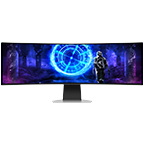
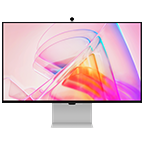
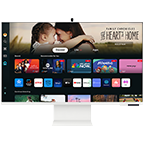
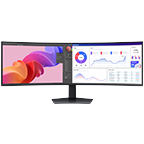
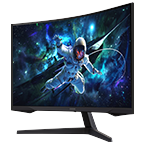
32" M80B UHD, USB-C White Smart Monitor with Speakers & Remote

{{priceAnchor.priceWrapper.info.noLineOrignal}}

{{priceAnchor.priceWrapper.info.totalPrice}}
{{priceAnchor.priceWrapper.info.totalPriceMonthly}}

{{priceAnchor.priceWrapper.info.ceExchangePrice}}

{{priceAnchor.priceWrapper.info.orignalPriceAddText}}
{{priceAnchor.priceWrapper.info.lowestWasPricetext}}
{{priceAnchor.priceWrapper.info.orignalPrice}}
{{priceAnchor.priceWrapper.info.savePrice}}
{{priceAnchor.priceWrapper.info.disclaimer}}

Choose your size

32" M80B UHD, USB-C White Smart Monitor with Speakers & Remote
32

{{item.name}}

{{item.summaryPrice}}

Samsung Reward points

{{rewards.formatted.totalPoint}}

{{rewards.rewardsDescription}}

{{price.priceWrapper.info.totalPrice}} {{price.priceWrapper.info.vatText}}

{{price.priceWrapper.info.orignalPriceAddText}}

{{price.priceWrapper.info.lowestWasPricetext}}

{{price.priceWrapper.info.orignalPrice}} {{price.priceWrapper.info.savePrice}}

Earn 5% back in rewards

{{price.priceWrapper.info.walkoutQtyText}}

{{price.priceWrapper.info.homeDeliveryQtyText}}

{{price.priceWrapper.info.salesPitch}}

{{price.priceWrapper.info.text}}

{{price.priceWrapper.info.text2}}

{{price.priceWrapper.info.text3}}

{{price.priceWrapper.info.shippingOrBack}}

{{price.priceWrapper.info.taxPriceDisplay}}

{{upgrade.title}}

{{upgrade.learnMoreCta.text}}

{{upgrade.description}}

{{upgradeResult.displayModelName}}

{{upgradeResult.discountText1}}

{{upgradeResult.description1}}

{{upgradeResult.description2}}

{{offerFinance.title}}

{{offerFinance.learnMoreCta.text}}

{{offerFinance.description}}

{{galaxyForever.title}}

{{galaxyForever.learnMoreCta.text}}

{{galaxyForever.description}}

{{galaxyForeverResult.displayModelName}}

{{galaxyForeverResult.discountText1}}

{{galaxyForeverResult.description1}}

{{galaxyForeverResult.description2}}

Choose your color

Customizable bezels sold separately

Choose your skin color

Customizable skin sold separately

  • {{item.name}}

    Out Of Stock

Modern type

  • {{item.name}}

    Out Of Stock

Beveled type

  • {{item.name}}

    Out Of Stock

Skin color

  • {{item.name}}

    Out Of Stock

{{shippingOrBack.shippingOrBack}}
{{deliveryMessage.deliveryMessage}}

{{tradeIn.title}}

{{tradeIn.learnMoreCta.text}}

{{tradeIn.description}}

You have maximum number of Trade-in in cart already. If you wish to add in Trade-in, please remove from cart.

{{tradeInResult.displayModelName}}

{{tradeInResult.discountText1}}

{{tradeInResult.discountText2}}

{{tradeInResult.discountText3}}

{{tradeInResult.discountText4}}

{{tradeInResult.discountText5}}

{{tradeInResult.discountText6}}

{{tradeInResult.specialDiscountText}}

{{tradeInResult.description}}

{{tradeInResult.contentText}}

Dealer stock quantity

You can check the stock quantity for each region

Please select city

Only {0} left in stock.

Sorry, this product is not currently available in selected city.

{{assuredBuyBack.title}}

{{newAssuredBuyBack.title}}

{{newAssuredBuyBack.learnMoreCta.text}}

{{newAssuredBuyBack.description}}

Please select Samsung Assured Buyback or no coverage

{{care.title}}

{{care.learnMoreCta.text}}

{{care.description}}

Please select Samsung Care+ or No to continue

  • {{item.specialText}}

{{warranty.title}}

{{warranty.learnMoreCta.text}}

{{warranty.description}}

{{warrantyResult.displayModelName}}

{{warrantyResult.discountText1}}

{{warrantyResult.description1}}

{{warrantyVd.description}}

{{warrantyVdResult.title}}

{{warrantyVdResult.priceDisplay}}

{{delivery.headline}}

{{delivery.errorMessage}}

Apply

{{deliveryResult.priorityText}}

{{deliveryResult.mainText}}

{{deliveryResult.subText}}
Standard installation charges may apply.Click here for more details.

{{deliveryResult.decText}}

{{item.disclaimer}}

{{tariffOption.headline}}

Learn more

{{tariffOption.description}}

{{tariffOptionResult.displayModelName}}

{{tariffOptionResult.discountText1}}

{{tariffOptionResult.description1}}

{{tariffOptionResult.description2}}

{{tariffOptionResult.description}}

{{tariffOptionResult.price}}

{{tariffOptionResult.disclaimer}}

{{embedAddon.title}}

{{embedAddon.description}}

  • {{item.imgAlt}} {{item.imgAlt}}
    {{item.iconTitle}}

    {{item.name}}

    {{item.modelCode}}

    {{item.description}}

    {{item.finalPrice}}

    {{item.originalPrice}} {{item.savePrice}} Out Of Stock
  • {{item.imgAlt}} {{item.imgAlt}}
    {{item.iconTitle}}

    {{item.name}}

    {{item.modelCode}}

    {{item.description}}

    • {{item.dotList1}}
    • {{item.dotList2}}
    • {{item.dotList3}}

    {{item.finalPrice}}

    {{item.originalPrice}} {{item.savePrice}} Out Of Stock
{{message.item.offerTitle}}
{{message.item.offerTooltip}}
{{message.item.linkText}}

{{message.item.tcCTAText}}

{{message.item.periodText}}

{{finance.item.emiText}} {{finance.item.emiText}}
{{finance.item.offerTooltip}}
{{finance.item.cta.label}}

Features

PC-less productivity

Workspace

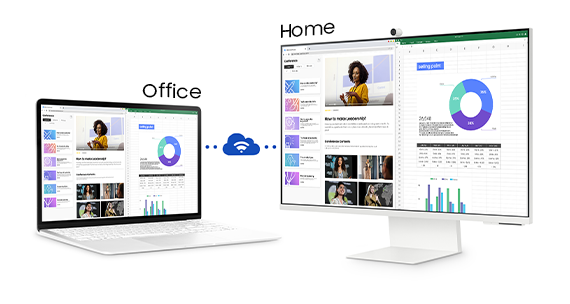
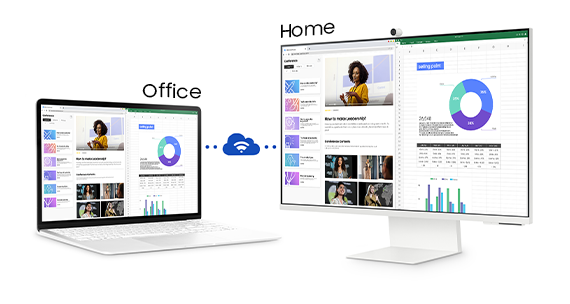
Experience PC-less. Browse the web, edit documents and work on projects, all without the need for a separate PC. With new Workmode, you can also remotely access another PC, use Microsoft 365 programs and even connect to Samsung mobile devices with Samsung DeX for seamless working.

A monitor sits next to a laptop. Above the monitor, the word "Home" appears. Above the laptop the word "Office" appears. The laptop makes a connection with the monitor represented by  a cloud icon. After connecting, the content shown on the laptop screen is mirrored on to the monitor screen. A monitor sits next to a laptop. Above the monitor, the word "Home" appears. Above the laptop the word "Office" appears. The laptop makes a connection with the monitor represented by  a cloud icon. After connecting, the content shown on the laptop screen is mirrored on to the monitor screen.

* On-screen content simulated for demonstration purpose.* Microsoft 365 requires Microsoft account.* Wireless DeX supported on selected Galaxy, Note, and Tab devices.* Windows 10 Pro, Mac OS 10.5, or higher, and compatible network settings are required for this feature.* Product color availability may vary by country.

Hub for your home, from any room

IoT Hub

Turn your Smart Monitor into a control center for the home by connecting it to your IoT home products with SmartThings. Relax by turning off the lights, pulling down the blinds and setting the thermostat to the perfect temperature all with the Smart Monitor for a perfectly relaxed evening.

A room contains a desk with a smart lamp and monitor on top, smart air cleaner, a smart robot vacuum, a smart hanging light and a smart speaker. Above each smart home item is an icon representing each item. Each icon is selected using SmartThings functionality which turns on each device. A room contains a desk with a smart lamp and monitor on top, smart air cleaner, a smart robot vacuum, a smart hanging light and a smart speaker. Above each smart home item is an icon representing each item. Each icon is selected using SmartThings functionality which turns on each device.

* Available technology, functions and features may vary by country, service provider, network environment or product, and are subject to change without notice. * Requires a Wi-Fi, Bluetooth or other wireless network connection and devices registered to SmartThings app. * A separate SmartThings Dongle is required to connect to Zigbee devices. (Connection to Z-Wave device is not supported)* Connected devices are sold separately. For full compatible device list, please check https://www.smartthings.com/products.

Just say what you want

Multiple Voice Assistants

With the Far Field Voice feature, activate your voice assistant just by speaking. Directly command the monitor – even at a distance – and tell it what you need. It’s as simple as that. The Smart Monitor supports both Bixby and Amazon Alexa.

* Amazon, Alexa and all related marks are trademarks of Amazon.com, Inc. or its affiliates.* Bixby voice commands recognize English (US/UK/IN), French, Spanish, German, Italian, Portuguese(BR), Chinese (in China mainland only) and Korean.
A monitor sits on top of a desk and is split into left and right sides. The left side is brightly lit while the right side is very dark. Above the screen is a slider icon with a sun on the left and a moon on the right. A monitor sits on top of a desk and is split into left and right sides. The left side is brightly lit while the right side is very dark. Above the screen is a slider icon with a sun on the left and a moon on the right.

Optimal brightness, optimum enjoyment

Adaptive Picture

Sensational picture, day or night. Surrounding light is detected by a sensor to adjust brightness automatically with Adaptive Picture. Even in broad daylight, watch dark, gritty dramas without squinting and straining your eyes to see the picture.

The backside of a monitor is shown on top of a desk. Two circular icons representing the locations of the two built-in speakers pulsate on the left and right sides of the monitor. The backside of a monitor is shown on top of a desk. Two circular icons representing the locations of the two built-in speakers pulsate on the left and right sides of the monitor.

Richer sound, more real experiences

Adaptive Sound +

With 2.2Ch built-in speakers, the M8 provides richer, more realistic sounds for an immersive overall experience. The upgraded Adaptive Sound+ adjusts sound based on the type of content and noise levels within a user's environment, delivering refined and tailored audio that adapts in real-time.

Plug and see

Auto Source Switch +

No more switching around. With Automatic Source Switch Plus, your monitor detects newly connected devices as soon they're plugged in, and displays the correct signal. No more searching for the right input on the menu.

Specifications

  • Resolution

    3,840 x 2,160

  • Aspect Ratio

    16:9

  • Brightness (Typical)

    400cd/㎡

  • Contrast Ratio Static

    3,000:1(Typ.)

  • Response Time

    4ms(GTG)

  • Refresh Rate

    Max 60Hz

  • Viewing Angle (H/V)

    178°(H)/178°(V)

  • Screen Size (Class)

    32

  • Flat / Curved

    Flat

  • Active Display Size (HxV) (mm)

    697.306 x 392.234mm

  • Aspect Ratio

    16:9

  • Panel Type

    VA

  • Brightness (Typical)

    400 cd/㎡

  • Brightness (Min)

    300 cd/㎡

  • Contrast Ratio Static

    3,000:1(Typ.)

  • HDR(High Dynamic Range)

    HDR10

  • HDR10+

    Yes

  • Resolution

    3,840 x 2,160

  • Response Time

    4ms(GTG)

  • Viewing Angle (H/V)

    178°(H)/178°(V)

  • Colour Support

    Max 1B

  • sRGB Coverage

    99% (Typ.)

  • Refresh Rate

    Max 60Hz

  • Eye Saver Mode

    Yes

  • Flicker Free

    Yes

  • Game Mode

    Yes

  • Windows Certification

    Windows 10

  • Game Bar 2.0

    Yes

  • HDMI-CEC

    Yes

  • Auto Source Switch+

    Yes

  • Adaptive Picture

    Yes

  • Ultrawide Game View

    Yes

  • Smart Type

    Smart

  • Operating System

    Tizen™

  • Bixby

    US English, UK English, India English, Korean, French, German, Italian, Spanish, BR Portuquese (features vary by language)

  • Far-Field Voice Interaction

    Yes

  • TV Plus

    Yes (GB, FR, DE, IT, ES, CH, AT, NL, SE, NO, DK, FI, PT, IE, BE, LU)

  • Universal Guide

    Yes (GB, FR, DE, IT, ES)

  • Alexa Built-in

    Yes (GB, GG, IM, JE, IE, FR, DE, IT, ES, AT)

  • Works with Google Assistant

    Yes (GB, FR, DE, IT, ES, AT, DK, IE, NL, NO, SE only)

  • Works with Alexa

    Yes (GB, FR, DE, IT, ES, AT, IE only)

  • Video Communication

    Google Duo

  • Web Service

    Microsoft 365

  • SmartThings App Support

    Yes

  • SmartThings

    Yes

  • Mobile to Screen - Mirroring, DLNA

    Yes

  • Tap View

    Yes

  • Remote Access

    Yes

  • Sound Mirroring

    Yes

  • ConnectShare™

    Yes

  • Wireless Display

    Yes

  • D-Sub

    No

  • DVI

    No

  • Dual Link DVI

    No

  • Display Port

    No

  • Display Port Version

    No

  • Display Port Out

    No

  • Mini-Display Port

    No

  • HDMI

    No

  • Micro HDMI

    1

  • Micro HDMI Version

    2.0

  • HDCP Version (Micro HDMI)

    2.2

  • Audio In

    No

  • Headphone

    No

  • USB Hub

    1

  • USB Hub Version

    3.0 (C Type)

  • USB-C

    1 EA

  • USB-C Charging Power

    65W

  • Wireless LAN Built-in

    Yes (WiFi5)

  • Bluetooth

    Yes (BT4.2)

  • Built-in Camera

    No

  • Speaker

    Yes

  • Adaptive Sound

    Adaptive Sound+

  • Temperature

    10~40 ℃

  • Humidity

    10~80(non-condensing)

  • Factory Tunning

    Yes

  • Front Color

    WARM WHITE

  • Rear Color

    WARM WHITE

  • Stand Color

    Warm White

  • Stand Type

    HAS

  • HAS(Height Adjustable Stand)

    120.0±5.0mm

  • Tilt

    -2.0˚(±2.0˚) ~ 15.0˚(±2.0˚)

  • Energy Efficiency Class

    G

  • Power Supply

    AC 100~240V

  • Power Consumption (Typ)

    40.0 W

  • Power Consumption (DPMS)

    0.50 W

  • Power Consumption (Yearly)

    58 kWh/year

  • Type

    External Adaptor

  • Set Dimension with Stand (WxHxD)

    713.4 x 575.2 x 203.8 mm

  • Set Dimension without Stand (WxHxD)

    713.4 x 418.8 x 22.3 mm

  • Package Dimension (WxHxD)

    798.0 x 124.0 x 568.0 mm

  • Set Weight with Stand

    6.7 kg

  • Set Weight without Stand

    4.4 kg

  • Package Weight

    9.4 kg

  • Power Cable Length

    1.5 m

  • D-Sub Cable

    No

  • DVI Cable

    No

  • HDMI Cable

    No

  • HDMI to DVI Cable

    No

  • HDMI to Micro HDMI Cable

    Yes

  • DP Cable

    No

  • USB Type-C Cable

    Yes

  • Thunderbolt 3 Cable

    No

  • Mini-Display Gender

    No

  • Install CD

    No

  • Audio Cable

    No

  • USB 2.0 Cable

    No

  • USB 3.0 Cable

    No

  • Remote Controller

    Yes

  • Camera

    Yes

Reviews

32" M80B UHD, USB-C White Smart Monitor with Speakers & Remote

2.8

Recommended by 25% of customers.

5 stars 22%
4 stars 11%
3 stars 22%
2 stars 11%
1 stars 34%
Features 2.8
Performance 2.6
Design 4.3
Value 2.5

Filters

Relevancy sort puts the best reviews at the top. We look at things like helpfulness votes, latest review, pictures and other traits that readers look for in their reviews.

Sort

Filters

9 Reviews

Krypton114
1 (9,999)

2022-06-18

London

size : 32
1 (9,999)
The design is amazing but as usual samsung ruins it with the software. Its too similar to a TV and not like a monitor at all! Just to change the input it requires You to go through 3 menus which are FULL OF ADS and bloatware you dont want! Bixby is trash aswell, just to change the brightness I need to verify I am happy with what i said using the remote, it defeats the entire purpose of bixby. If i wanted to touch the remote then i wouldve. The hardware and the design is great though, its thin and exactly like the M1 imac and the camera is great. The software though needs a huge update, i absolutely HATE it

Features

1 (9,999)

Performance

2 (9,999)

Design

5 (9,999)

Value

3 (9,999)
pacman123
2 (9,999)

2022-07-23

size : 32
2 (9,999)
This does not measure up. The webcam will only work with the monitor software, and not from your Mac, even though the website say "Jump into any conversation. The SlimFit camera with tilt functionality lets you create the perfect angle while using your favourite video call apps..." and the USB C connectivity does not push data onto external drives, even though the website says "The USB type-C port enables you to power up, ***transmit data***, and even send display signals between devices with just one connection"

Features

2 (9,999)

Performance

2 (9,999)

Design

5 (9,999)

Value

2 (9,999)
Response from Samsung:
2022-07-25

Samsung Support

We regret to see that you are having issues with your M808 UHD monitor, and if you do still have it we would like to assist you with getting everything from it that you purchased it for. If you have not done so already, then we'd recommend speaking to our Customer Support team, so they can go through all available options with you. You can find details for all the different ways to contact them, plus their opening times, by following this link: https://bit.ly/SamsungUKSupport ^DB at Samsung Support

AlecMac
4 (9,999)

2022-05-09

London

size : 32
4 (9,999)
I'm so close to giving this 5 starts. Picture quality is good, features are amazing, design is great. I'm using the first one of these as a TV tucked away on a book shelf in the living room - it fits exactly - 100 streamed content via BBC, Netflix, NowTV Plex etc. All works very well. Why not 5 stars? The sound quality from the internal speakers, even for quick catch up on the news, is almost painful to put up with. A small soundbar plugged into the HDMI port has fixed the issue.

Features

5 (9,999)

Performance

4 (9,999)

Design

5 (9,999)

Value

5 (9,999)
Steve Haslo
1 (9,999)

2022-11-30

size : 32
1 (9,999)
I either use a HDMI connection and extend my laptop screen or I use a usb-c connection so I can use the camera. For some reason I cannot do both with one cable. A technician walked me through several scenarios (3 hours worth) before telling me to return it.

Features

1 (9,999)

Performance

1 (9,999)

Design

5 (9,999)

Value

1 (9,999)
Response from Samsung:
2022-12-01

Samsung Support

Thank you for the feedback, Steve, although we regret seeing that you were unable to find a resolution for this issue, and have had to return your Smart Monitor. If you do ever need any assistance with any of our products in the future then our Customer Support team would always be happy to help. You can find details on how to contact them, plus their opening times, by following this link: https://bit.ly/SamsungUKSupport ^DB at Samsung Support

vadym.r
5 (9,999)

2024-06-17

Kyiv

size : 32
5 (9,999)
Купив монітор тижні два тому. Дуже задоволений покупкою. Чудовий помічник для роботи, адже на ньому дуже зручно переглядати кілька документів одночасно. Крім того, неперевершено відображає контент у форматі 4К.
Response from Samsung:
2024-06-18

Служба підтримки клієнтів

Вадиме, дякуємо за Ваш відгук і оцінку! Раді, що монітор сподобався Вам. Завдяки своїй діагоналі дійсно є можливість використання монітора в умовах багатозадачності. Сподіваємось, і надалі монітор буде корисним у Вашій роботі та відпочинку. Бажаємо тривалого й комфортного використання!

Dr Daniel
3 (9,999)

2022-07-13

size : 32
3 (9,999)
1. Can I connect a 2nd HDMI device thru an adapter? 2. Can I connect to a wired internet connection using a LAN adapter to usb-c? 3. Can I output the sound (digital or analog) thru an usb-c adapter/converter?

Features

3 (9,999)

Performance

3 (9,999)

Design

5 (9,999)

Value

3 (9,999)
Response from Samsung:
2022-08-24

Samsung Support

Thanks for sharing your feedback for your monitor, Daniel! In answer to your questions, yes you can connect a second HDMI using an adapter, however it's not always guaranteed to work completely as frequency and resolution may decrease depending on the type of conversion. You cannot connect to a wired internet connection using a LAN adapter to USB-C as it is only dedicated to transmit audio and video signals, and no you cannot output sound through a USB-C adapter/converter. We hope this helps! ^EM at Samsung Support

Samsung EXPLAINED
5 (9,999)

2022-04-15

Stanmore, UK

size : 32
5 (9,999)
Firstly, More Colours | Blue, Pink, White, Green Secondly, Camera Improvement By Adding It At The Front Of The Smart Monitor

Features

5 (9,999)

Performance

5 (9,999)

Design

5 (9,999)

Value

4 (9,999)
BritishFrustratedCustomer
3 (9,999)

2022-08-28

Suffolk

size : 32
3 (9,999)
Loads of stuff you don't need, everything an iPad can do but sadly no touchscreen capability!

Features

3 (9,999)

Performance

3 (9,999)

Design

2 (9,999)

Value

1 (9,999)
Response from Samsung:
2022-08-29

Samsung Support

We are disheartened to see that the M80B UHD Smart Monitor didn't meet your expectations as you would have liked to see the touchscreen available on this model. Although this monitor doesn't support the touchscreen feature, it still comes with a wide range of different smart features that make your life smarter and more flexible than ever before. The UHD resolution ensures every piece of content is brought to life beautifully in full HDR 10+. You will also have full mobile compatibility and connectivity with Android and Apple devices, Ultrawide Game View to adjust the screen to upgrade your gaming experience to the next level and Automatic Source Switch Plus to find connected devices straightaway. If you have any questions about how to make the most of this monitor, please don't hesitate to contact one of our Support Teams who are always happy to help. Our contact details and opening times can be found on our Contact Us page here: https://bit.ly/SamsungUK-Support ^CL at Samsung Support

terry tibbs
1 (9,999)

2022-05-03

yorkshire

size : 32
1 (9,999)
no good for pc gaming there are cheaper and better monitors out there and extremely expensive

Features

2 (9,999)

Performance

1 (9,999)

Design

2 (9,999)

Value

1 (9,999)

User manual & downloads Product information sheet

e-Manual

ver 2311170 | 2.74 MB

05.04.2024

ENGLISH, FRENCH, SPANISH, PORTUGUESE, SLOVENIAN, TURKISH, HUNGARIAN, POLISH, GREEK, BULGARIAN, CROATIAN, CZECH, SLOVAK, ROMANIAN, SERBIAN, GERMAN, DUTCH, SWEDISH, DANISH, NORWEGIAN, FINNISH, ITALIAN, LATVIAN, LITHUANIAN, ESTONIAN, RUSSIAN, UKRAINIAN, KAZAKH, HEBREW, ARABIC, INDONESIAN, PERSIAN, VIETNAMESE, CHINESE(Traditional), CHINESE(Simplified)

e-Manual

ver 2311170 | 83.42 MB

14.02.2024

ENGLISH, FRENCH, SPANISH, PORTUGUESE, SLOVENIAN, TURKISH, HUNGARIAN, POLISH, GREEK, BULGARIAN, CROATIAN, CZECH, SLOVAK, ROMANIAN, SERBIAN, GERMAN, DUTCH, SWEDISH, DANISH, NORWEGIAN, FINNISH, ITALIAN, LATVIAN, LITHUANIAN, ESTONIAN, RUSSIAN, UKRAINIAN, KAZAKH, HEBREW, ARABIC, INDONESIAN, PERSIAN, VIETNAMESE, CHINESE(Traditional), CHINESE(Simplified)

User Manual

ver 2210040 | 32.37 MB

18.05.2023

ENGLISH, BULGARIAN, CROATIAN, CZECH, DANISH, DUTCH, ESTONIAN, FINNISH, FRENCH(FRANCE), GERMAN, GREEK, HUNGARIAN, ITALIAN, LATVIAN, LITHUANIAN, NORWEGIAN, POLISH, PORTUGUESE(European), ROMANIAN, SERBIAN, SLOVAK, SLOVENIAN, SPANISH, SWEDISH, TURKISH

User Manual

ver 2210040 | 32.37 MB

13.10.2022

ENGLISH, BULGARIAN, CROATIAN, CZECH, DANISH, DUTCH, ESTONIAN, FINNISH, FRENCH(FRANCE), GERMAN, GREEK, HUNGARIAN, ITALIAN, LATVIAN, LITHUANIAN, NORWEGIAN, POLISH, PORTUGUESE(European), ROMANIAN, SERBIAN, SLOVAK, SLOVENIAN, SPANISH, SWEDISH, TURKISH

Product support

Find answers to the questions you have about our products

Product support

Get the most from Samsung device and services.