What is SmartThings Find and how does it work on Samsung devices?
SmartThings Find helps you locate lost Samsung devices like phones, tablets, watches, and earbuds. It uses your Samsung account to track, ring, lock, or manage your device remotely.
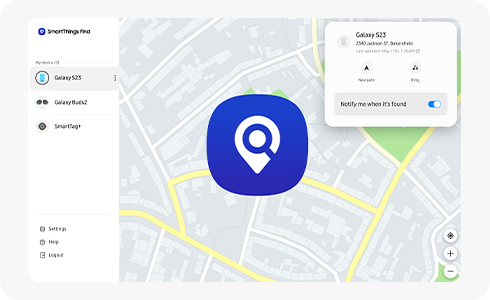
How does SmartThings Find work
With SmartThings Find you can locate mobile phones, tablets and wearable devices (Watch, Buds etc.) with registered Samsung accounts.
If you use multiple devices, you can find and check a list of registered devices when accessing your Samsung account on the SmartThings Find website.
SmartThings Find has features such as tracking lost devices, activating ringing sounds, locking devices, deleting/backing up data to help you find and manage your devices and protect your information. If you have more than one device, you can also check them through SmartThings Find on other devices.
Please note: A data network (Internet connection such as Mobile data or Wi-Fi) is required to run this function.
Devices that support the SmartThings Find (Find My Mobile)
- Samsung mobile phones, tablets, and some wearable devices such as Galaxy Watch, Galaxy Buds etc. (Third-party SmartTag and SmartTag compatible devices that can be registered with SmartThings).
Please note: The Find My Mobile setting on the device must be enabled. (Device settings > Samsung account > Find My Mobile).
Thank you for your feedback!
Please answer all questions.