How to change your Samsung Account mobile number using two-step phone verification
Last Update date : Apr 09. 2026
You can change your Samsung Account phone number by updating the two-step verification settings. This can be done directly from your Galaxy device or through the Samsung Account website.
If you cannot log in due to an old phone number, you can verify using another Galaxy device, backup codes, or contact Samsung Support.

Change your Samsung Account phone number using a PC
1
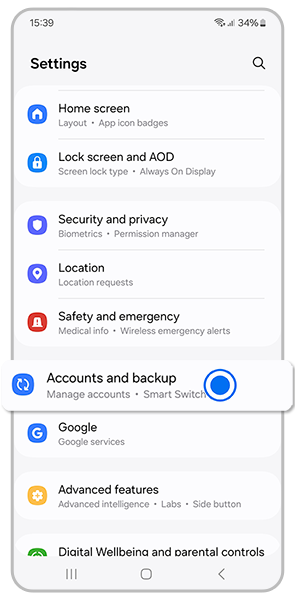
Open Settings and tap Accounts and backup.
![Accounts and backup]()
2
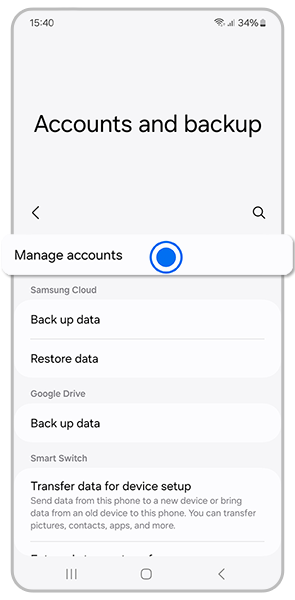
Tap Manage accounts.
![Manage Accounts]()
3
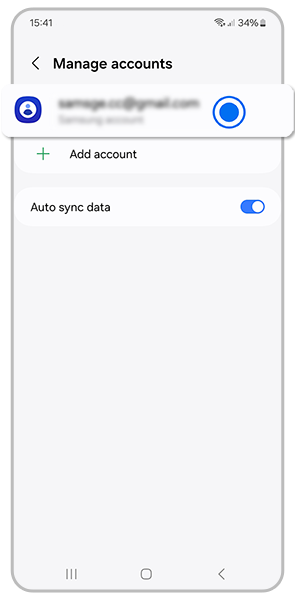
Select Samsung Account.
![Samsung Account]()
4
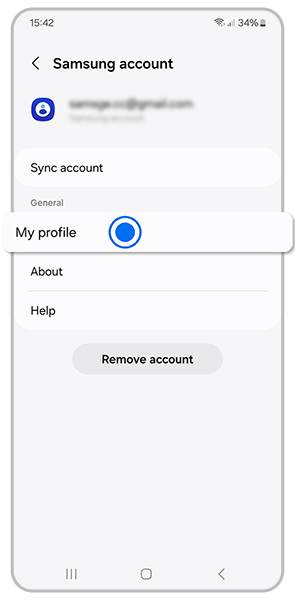
Tap My profile.
![Samsung account, My Profile]()
5
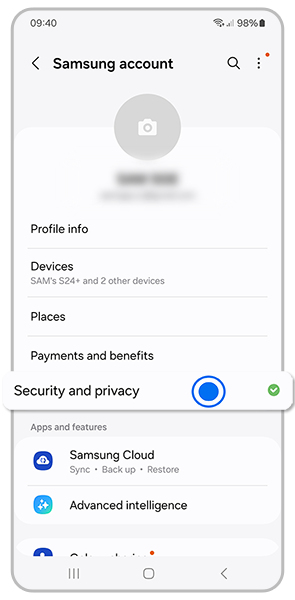
Tap Security and privacy.
![Security and privacy]()
6
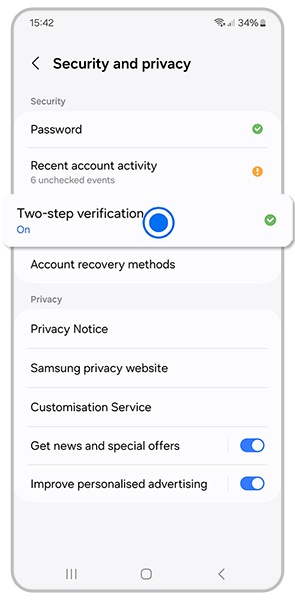
Tap Two-step verification, then enter your password.
![Two-step verification]()
7
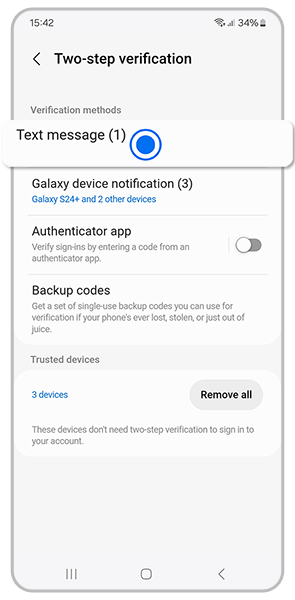
Under Verification methods, tap Text message.
![Text message]()
8
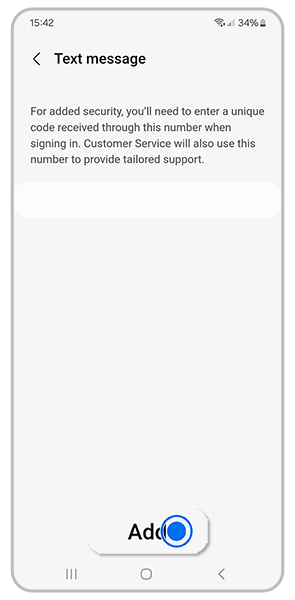
Tap Add
![Add]()
9
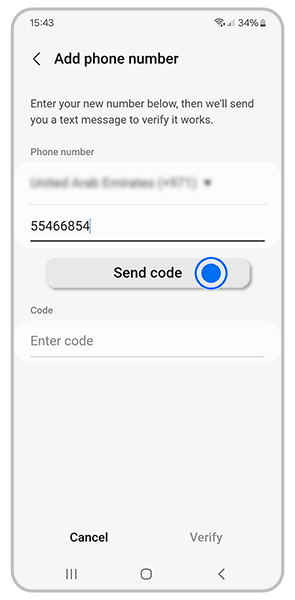
Enter your phone number, then tap Send code
![Send code]()
10
Enter the verification code and tap Verify.
Change your Samsung Account mobile number using your PC
1
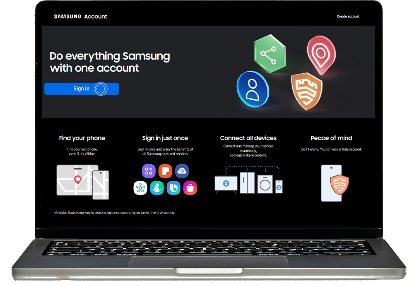
Go to the Samsung Account website and sign in.
![Samsung Account website]()
2
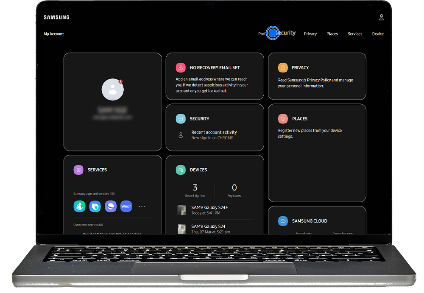
Click on Security then enter your password
![Samsung Account security]()
3
Select Two-step verification .
![Two-step verification]()

4
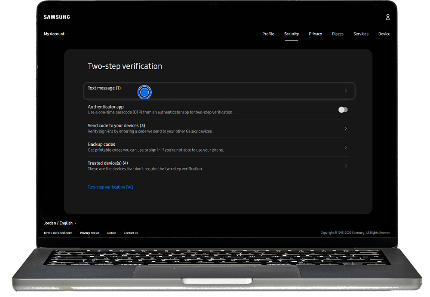
Click Text message
![Text message]()
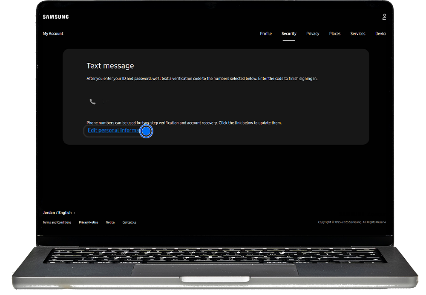
5
Click Edit personal information
![Edit personal information]()
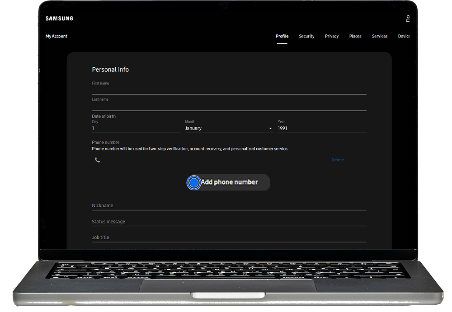
6
Click Add phone number
![Add phone number]()
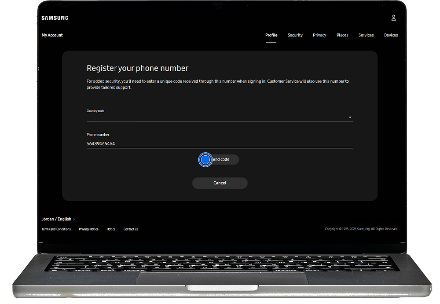
7
Enter your phone number and click Send code
![Send code]()
8
Once you receive the code, click Verify
If you cannot log in to your Samsung Account
- Use another Galaxy device already signed in and select Verify with Galaxy device.
- Use the backup codes provided when you first enabled two-step verification.
- If neither option is available, contact Samsung Support for assistance.
Notes
- Make sure your new phone number is active to receive verification codes.
- Keep your backup codes saved in case you lose access again.
Thank you for your feedback!
Please answer all questions.