What is Two-step verification on a Samsung account?
Last Update date : Apr 26. 2026
Two-step verification is a security feature for your Samsung account that adds an extra layer of protection during sign-in. It requires your password plus a verification code sent to your phone, authenticator app, or backup codes.
What is Two-step verification?
- Two-step verification requires your Samsung account password and an additional verification code to sign in.
- The verification code can be received via SMS, an authenticator app, or backup codes.
- Even if someone knows your password, they cannot access your account without the verification code.
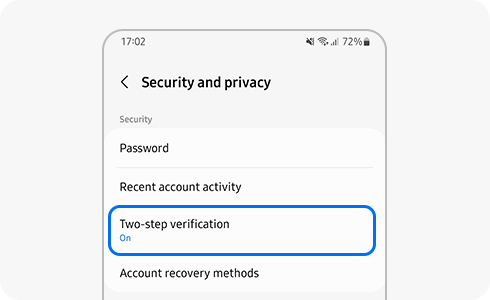
Why you need Two-step verification
- It protects your account from unauthorized access even if your password is stolen.
- It helps secure personal data such as call history, messages, photos, and connected accounts.
- It prevents access from malicious apps or links that may compromise your password.
How to set up Two-step verification
- Go to Settings on your device and tap your Samsung account profile.
- Open Password and security and select Two-step verification.
- Verify your phone number to receive verification codes.
- Complete the setup by following the on-screen instructions.
How sign-in works with Two-step verification
- Enter your Samsung account ID and password.
- Receive a verification code on your registered phone or app.
- Enter the code to complete sign-in.
How to receive verification codes
- Receive codes via SMS text message on your registered phone number.
- Use an authenticator app such as Microsoft Authenticator.
- Use backup codes if you cannot access SMS or the authenticator app.
For more information, visit the Samsung Account user guide.
Notes:
- You can register up to three phone numbers for SMS verification.
- Two-step verification cannot be disabled for security reasons.
- You can manage trusted devices to skip verification on frequently used devices.
Thank you for your feedback!
Please answer all questions.