Galaxy Note9 Intelligent Camera: Scene Optimizer
Important Note: The information on this page is for Hong Kong products only. Models, sequences or settings will vary depending on location and/or where the product had been purchased. To be redirected to your local support page please click here.

Intelligent Camera: Scene Optimizer
• Real-Time intelligence assists users to take the best pictures
• Automatically recognizes 20 scenes by analyzing object, scenery and time → Optimizes the color


Intelligent Camera: Scene Optimizer (Flower)
• Makes the photo more vivid by adjusting the color, contrast and brightness
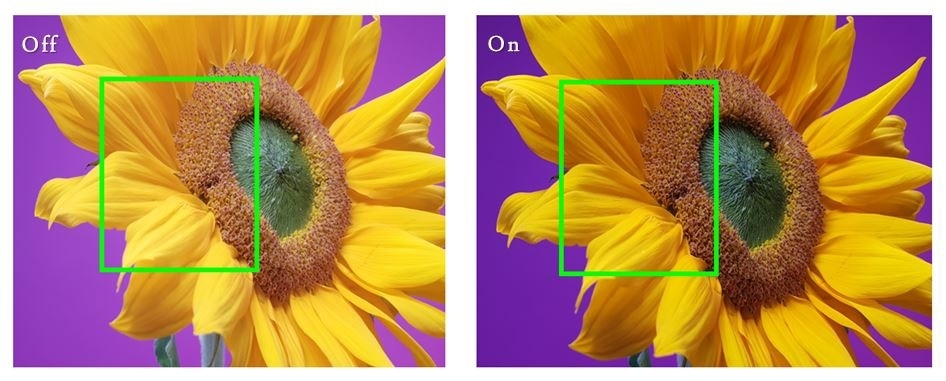
Intelligent Camera: Scene Optimizer (Sunset)
• Optimizes the photo by reducing the brightness and adjusting the red color

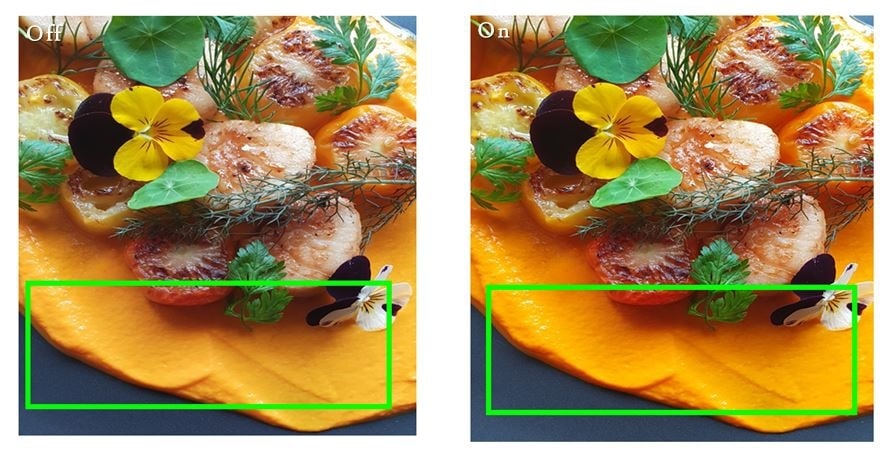
Intelligent Camera: Scene Optimizer (Food)
• Increases the saturation level to emphasize the vividness
• Adjusts the yellowness which makes the food more appetizing
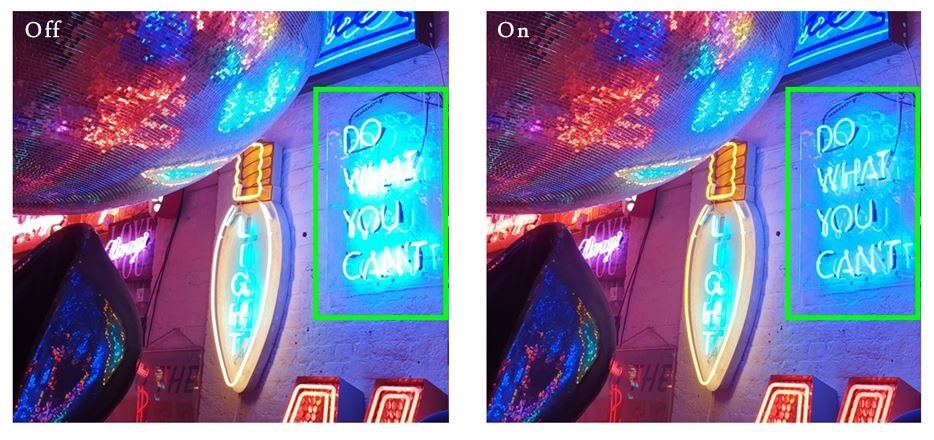
Intelligent Camera in Low – light conditions
• Improves low light quality by image synthesizing algorithm
• low-light noise will be reduced and bright area saturation will be suppressed
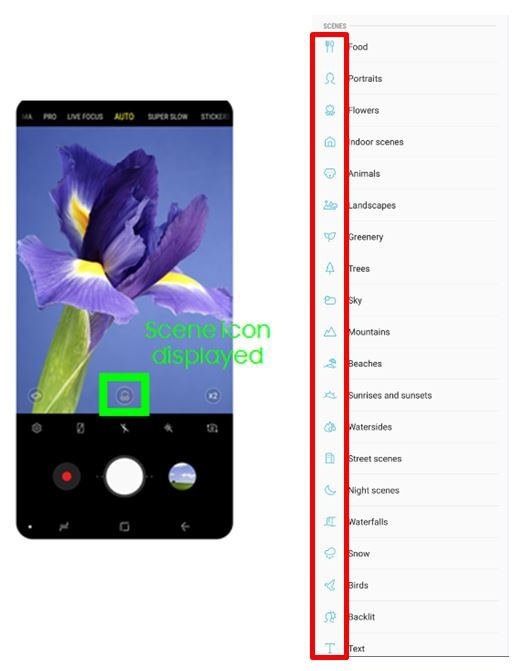
Galaxy Note9 will adjust the color settings automatically after recognizing a subject or scene, such as people, food, or night scene. When the camera recognizes the subject or scene, an icon will appear on the screen and the optimized color will be applied.
• Automatically recognizes 20 scenes by analyzing object, scenery and time
Scene icon suited for each scene on the screen
Note
• If you do not want to use this feature, tap settings on the preview screen and tap the Scene optimizer switch to deactivate it.
• Accuracy of Scene Optimizer may differ depending on shooting conditions including multiple subjects, being out of focus, or moving subjects.
If there are multiple elements on the screen which can affect Intelligent Camera in determining the appropriate Scene (e.g. people + scenery), how does it select a Scene?
When there is a single object, such as a flower, person, tree, or food, in a photo, it determines that this object is of high importance by guessing the photographer's intention, and then identifies the object as having higher priority than the background, such as the mountain, scenery, greenery, or beach. Among the single objects, "Person" takes the highest priority.
Prioritization of objects in a complex Scene: "Person" > Single object other than "Person" > "Scenery"
* All images and features can be subject to change. Pictures/Images and Screen Images are for reference only. The above product description is only applicable to Samsung Galaxy Note9.
Notice: All functionality, features, specifications and other product information provided on this website including, but not limited to, the benefits, design, pricing, components, performance, availability, and capabilities of the product are subject to change without notice or obligation. Samsung reserves the right to make changes to this website and the product described herein, at any time, without obligation on Samsung to provide notification of such change.
If the above information does not match what your product is showing, you may check the User Manual for your product. If you are unable to solve the problem, please contact us for further assistance.
Thank you for your feedback!
Please answer all questions.
RC01_Static Content : This text is only displayed on the editor page