Enjoy Autorun Multi View on your Samsung Smart TV
Important Note: The information on this page is for Hong Kong products only. Models, sequences or settings will vary depending on location and/or where the product had been purchased. To be redirected to your local support page please click here.
You can view multiple content at once on your TV by using the Multi View feature. Multi View enriches your viewing experience by providing diverse content for every lifestyle or interest.
Autorun Multi View when rotating
Multi View may be automatically enabled when you rotate the screen to Portrait mode. Multi View allows you to check related content (e.g., web browser) while watching TV.
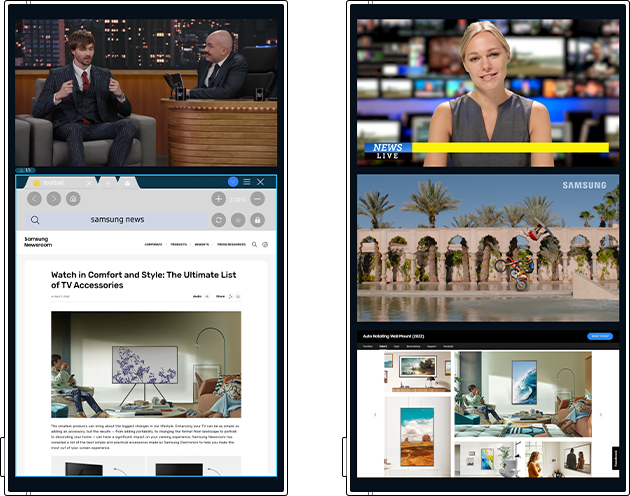
• To disable Autorun Multi View, press the Home button > Settings > General & Privacy > Start Screen Option.
Find out more about:
'[2022] How to use Multi View',
'How to use the Auto Rotating Accessory on the Samsung Smart TV' with Samsung Support.
Note:
- If you are having trouble with your Samsung Smart TV, you should always check to see if there are any software updates available as these may contain a fix for your problem.
- Device screenshots and menus may vary depending on the device model and software version.
If the above information does not match what your product is showing, you may check the User Manual for your product. If you are unable to solve the problem, please contact us for further assistance.
Thank you for your feedback!
Please answer all questions.
RC01_Static Content : This text is only displayed on the editor page