Interactive Display WMR Series 85"


Gallery popup


Please scan the QR Code with your mobile device, and place the product image in desired place.
{{upgradeResult.displayModelName}}
{{upgradeResult.discountText1}}
{{upgradeResult.description1}}
{{upgradeResult.description2}}
{{offerFinance.title}}
{{offerFinance.learnMoreCta.text}}{{offerFinance.description}}
{{galaxyForeverResult.displayModelName}}
{{galaxyForeverResult.discountText1}}
{{galaxyForeverResult.description1}}
{{galaxyForeverResult.description2}}
Choose your color
Customizable bezels sold separately
Choose your skin color
Customizable skin sold separately
-
{{item.name}}
Out Of Stock
Modern type
-
{{item.name}}
Out Of Stock
Beveled type
-
{{item.name}}
Out Of Stock
Skin color
-
{{item.name}}
Out Of Stock
Bezel type

- Modern type
The Frame's custom bezels magnetically click into place. Now, you can switch between styles in a snap.
Bezel type

- Beveled type
The new Beveled type bezel design offers an elegant 45-degree angled inner edge bezel.
{{tradeIn.title}}
{{tradeIn.learnMoreCta.text}}{{tradeIn.description}}
{{tradeInResult.displayModelName}}
{{tradeInResult.discountText1}}
{{tradeInResult.discountText2}}
{{tradeInResult.discountText3}}
{{tradeInResult.discountText4}}
{{tradeInResult.discountText5}}
{{tradeInResult.discountText6}}
{{tradeInResult.specialDiscountText}}
{{tradeInResult.description}}
{{tradeInResult.contentText}}
DeleteDealer stock quantity
You can check the stock quantity for each region
Please select city
{{assuredBuyBack.title}}
{{newAssuredBuyBack.title}}
{{newAssuredBuyBack.learnMoreCta.text}}{{newAssuredBuyBack.description}}
Please select Samsung Assured Buyback or no coverage
{{care.title}}
{{care.learnMoreCta.text}}{{care.description}}
Please select Samsung Care+ or No to continue
-
-
{{item.specialText}}
{{warrantyResult.displayModelName}}
{{warrantyResult.discountText1}}
{{warrantyResult.description1}}
{{warrantyVdResult.title}}
{{warrantyVdResult.priceDisplay}}
{{delivery.headline}}
{{delivery.errorMessage}}
{{deliveryResult.priorityText}}
{{deliveryResult.mainText}}
{{deliveryResult.subText}}
Standard installation charges may apply.Click here for more details.
{{deliveryResult.decText}}
{{item.disclaimer}}
{{tariffOptionResult.displayModelName}}
{{tariffOptionResult.discountText1}}
{{tariffOptionResult.description1}}
{{tariffOptionResult.description2}}
{{tariffOptionResult.description}}
{{tariffOptionResult.price}}
{{tariffOptionResult.disclaimer}}
{{embedAddon.title}}
{{embedAddon.description}}
-
{{item.name}}
{{item.modelCode}}
{{item.description}}
{{item.finalPrice}}
{{item.originalPrice}}{{item.savePrice}} Out Of Stock
-
{{item.name}}
{{item.modelCode}}
{{item.description}}
- {{item.dotList1}}
- {{item.dotList2}}
- {{item.dotList3}}
{{item.finalPrice}}
{{item.originalPrice}}{{item.savePrice}} Out Of Stock
{{message.item.tcCTAText}}
{{message.item.periodText}}
Features
Draw, write & inspire new ideas
Pen mode notation
Samsung Flip provides users with a smooth and familiar pen to paper writing experience in a variety of available colours, styles and widths. Up to 4 people can write simultaneously, using any object as a writing tool. In addition, users can quickly erase the drawings with a finger or palm swipe.


Creating a masterpiece
Brush mode notation
On Brush mode, Samsung Flip recognises a wide range of thicknesses, ensuring users can create art at the stroke of a brush. Water and oil painting modes allow different styles and textures, while the Flip also gives users a full, vibrant colour palette, even allowing flexible colour mixing.


Write on any background
Annotation on
Samsung Flip allows users to write on any background source. By simply clicking the note layer button, users can enjoy smooth writing anytime, anywhere on any content displayed, without affecting any work behind the original layer.


Flexible image editing
Selection tool & Merge to roll
Bringing versatility to the board. With Samsung Flip, users can quickly and easily select, move, crop, capture and edit any images. Each image can also be merged to the roll with just one click of a button, allowing it to be edited or erased.


Suitable for all business needs
Various form options
Samsung Flip can be used for a wide range of business applications, providing embedded versatile templates. You can use the Flip as a calendar, scheduler, note or checklist board. Samsung Flip perfectly matches any business need, enabling users to utilise the display in various customised ways.


Easy content navigation & protection
Scroll & Lock
Samsung Flip has up to 20 pages of writing space per roll, allowing users to seamlessly scroll through pages. In addition, the Flip ensures that confidential meeting information remains in the right hands. Its reinforced lock system allows users to safeguard sensitive content from view.


Multiple connection options
Versatile connection
Users are empowered by the Flip’s versatile connection options. USB, HDMI, NFC and screen sharing capabilities enable optimum collaboration and provide interactive content visibility, notation and sharing. The Flip also offers an optional tray as a more powerful connectivity extension.


Multiple connection options
Versatile connection
Users are empowered by the Flip’s versatile connection options. USB, HDMI, NFC and screen sharing capabilities enable optimum collaboration and provide interactive content visibility, notation and sharing. The Flip also offers an optional tray as a more powerful connectivity extension.


- * Optional tray must be purchased separately.
Synchronised screen viewing
Touch out
The touch out functionality allows users to sync their personal devices with the Samsung Flip, allowing real-time content sharing and control. Any changes made on the Flip display will be mirrored on the connected device, and vice versa, for efficient collaboration.
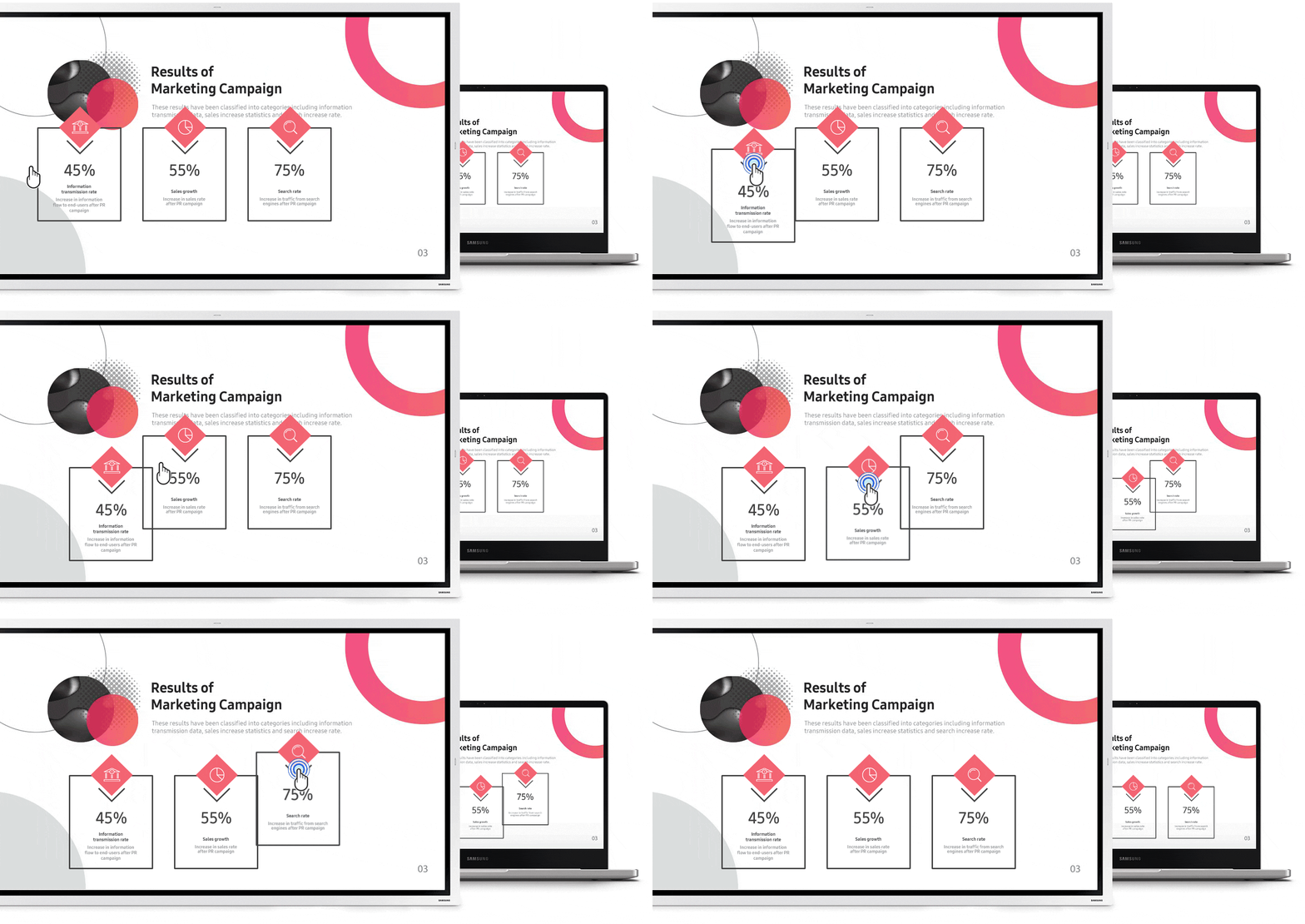
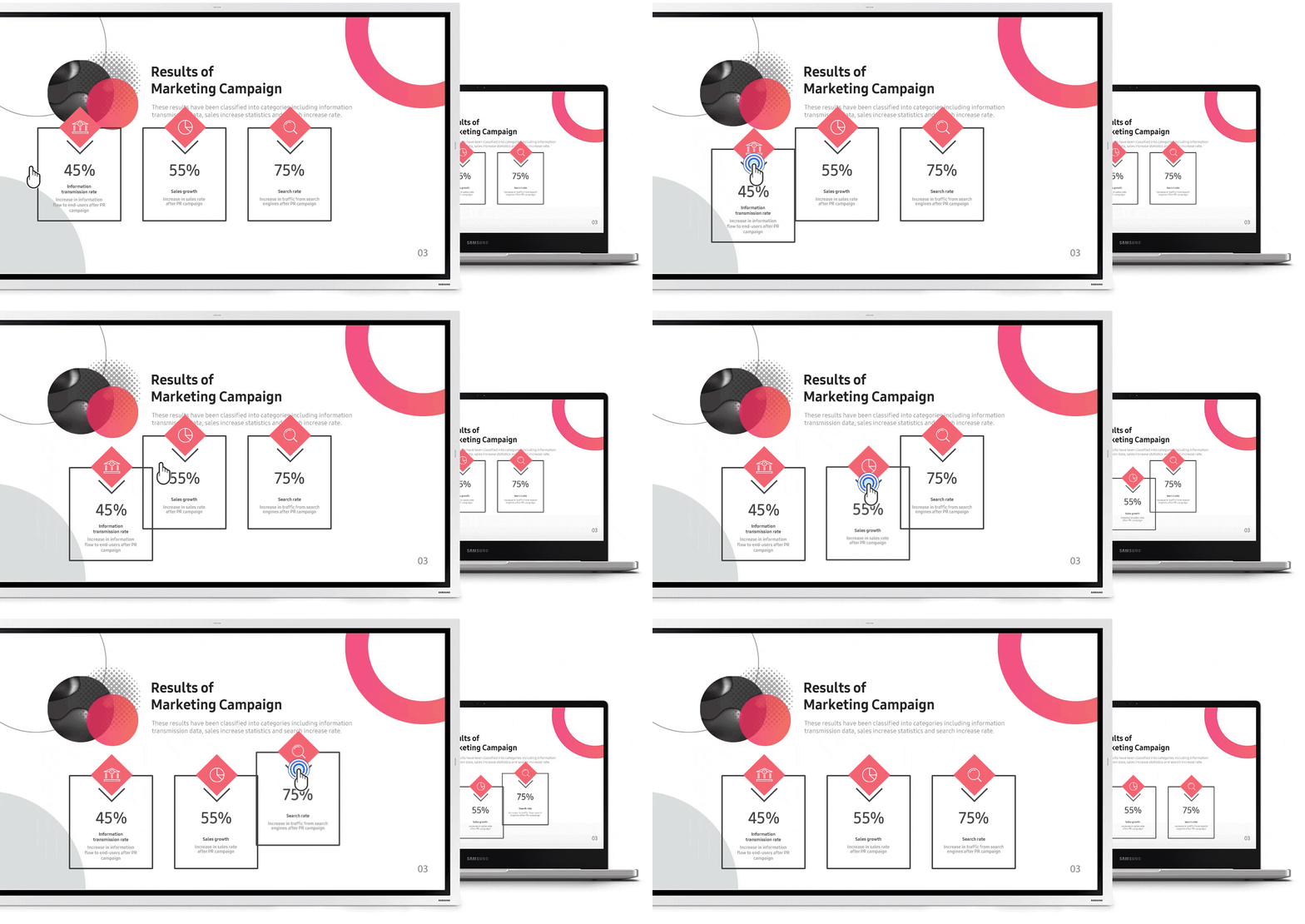
*Touch out control is available through a touch USB cable connection or UIBC-connected Android mobile devices (2016 or later) and Windows 10 PCs.
Connect from anywhere
Remote PC & Bluetooth support
To help create more efficient meetings, the Samsung Flip can connect to a PC remotely, eliminating the need for additional devices in the room. Users can also connect a keyboard, mouse to the display directly via Bluetooth connection, enabling better productivity and collaboration.


Large audience sharing
Screen share
Users can project content on Samsung Flip to another large digital display in real-time, using Wi-Fi network or HDMI out connection. Even connected to a personal device, the Flip display can be shared. This feature is ideal for large meeting environments, delivering information to bigger audiences.


Effortless meeting recap distribution
Easy sharing
Following any meeting, users can distribute recaps to all attendees and colleagues, removing the frustration traditionally associated with handwritten meeting notes. Important conversations and content are stored within the Flip in real-time, easily shareable across mobile and digital channels.


Precise visuals with powerful operation
UHD display & Tizen OS
Samsung Flip displays all content in clear UHD picture quality, regardless of the room, creating a compelling meeting environment. Backed by the powerful Tizen 5.0 operating system for a seamless user experience, embedded sensors automatically activate the display when the screen is knocked.


Convenient, optimised management
Advanced convenience
Samsung Flip offers a host of improved capabilities, including secure wireless connection, automatic firmware updates, LDAP synchronisation, file security and remote management – ensuring a convenient and productive meeting experience.


*Samsung’s Remote Management solution must be purchased separately.
Enhanced new design
The new, slim stand for Flip 55” offers increased working space in front of the display and more convenient ways to position and store than previous models. Its enhanced, hinge assembly structure enables easy setup and efficient stocking.
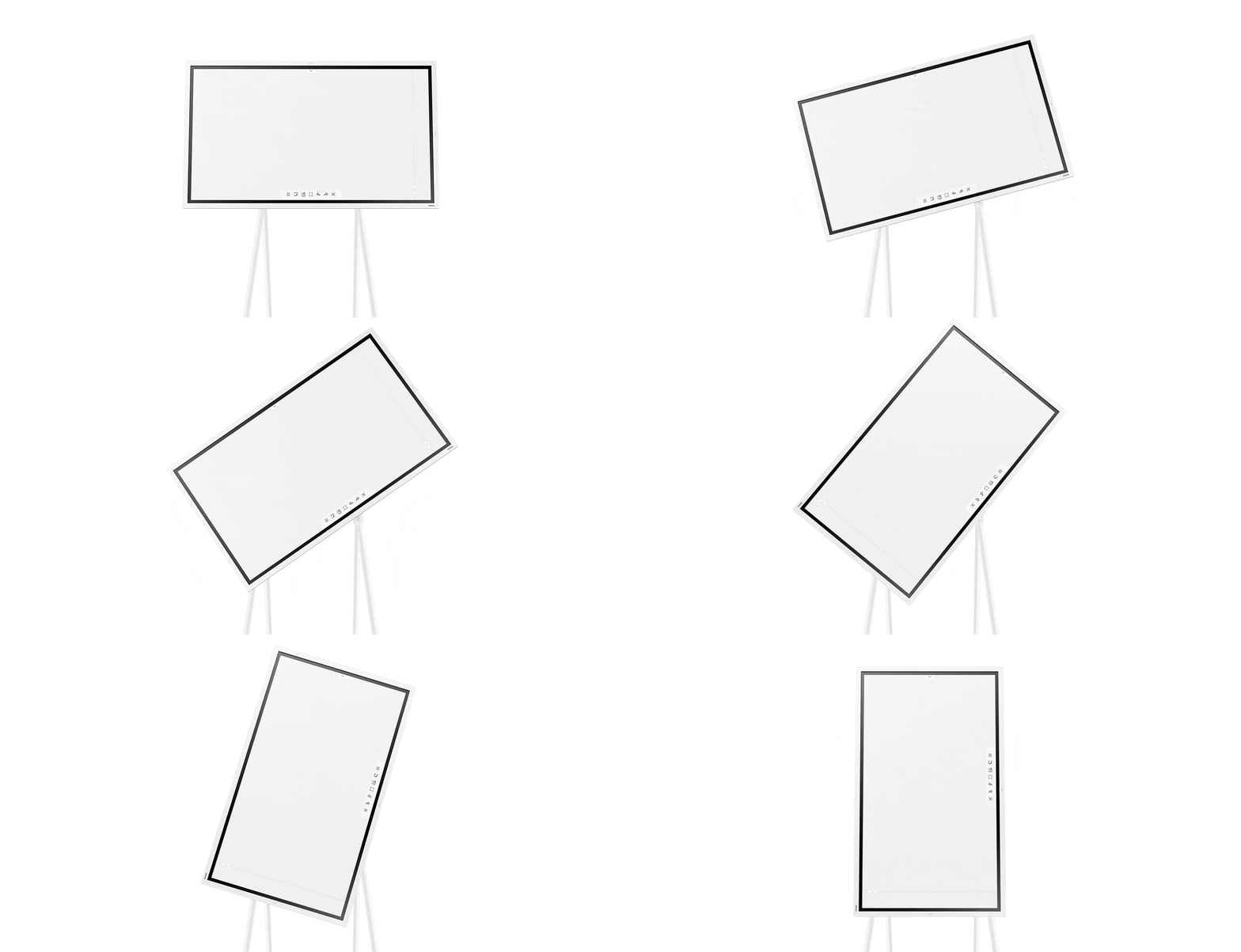
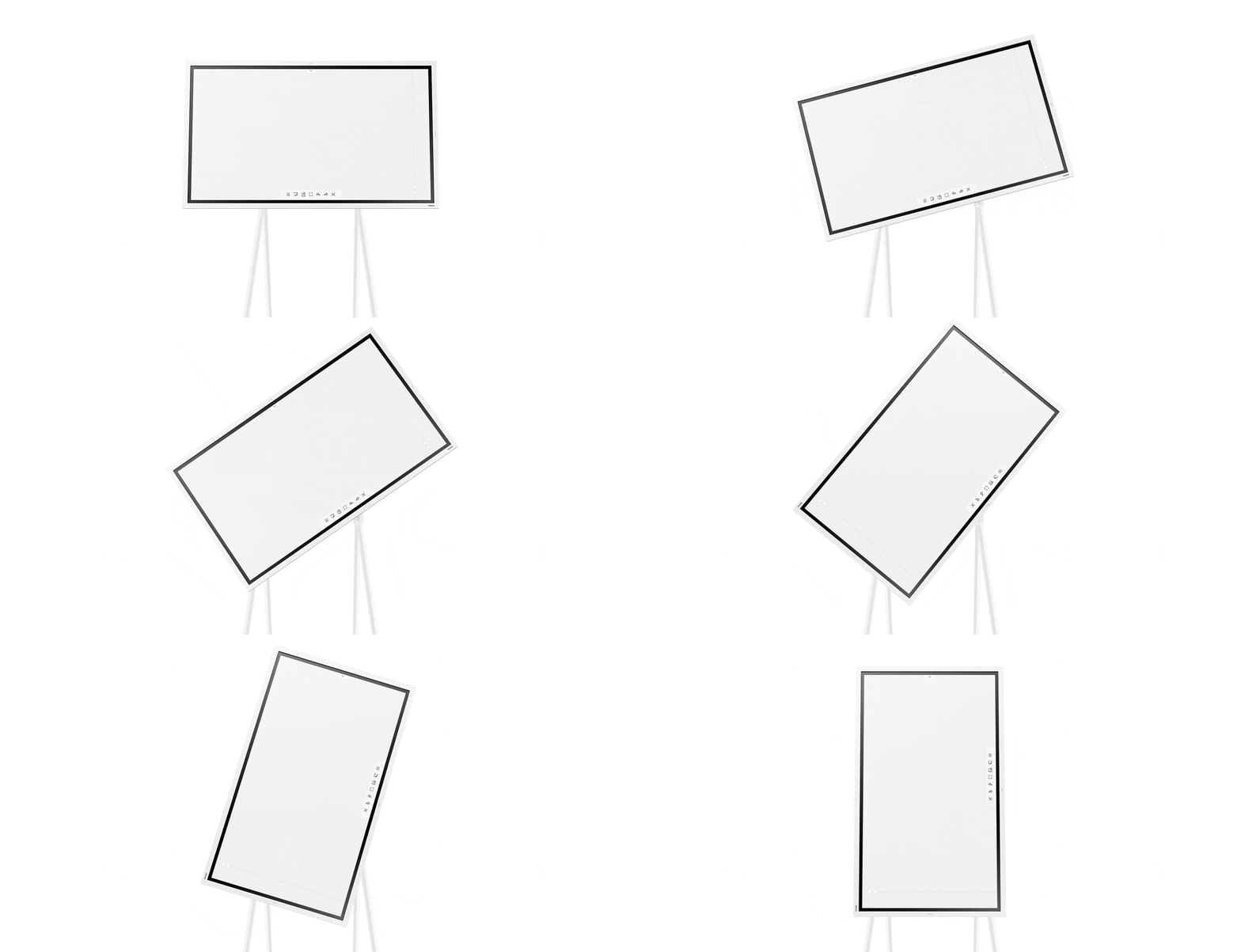
Enhanced new design
The new, slim stand for Flip 55” offers increased working space in front of the display and more convenient ways to position and store than previous models. Its enhanced, hinge assembly structure enables easy setup and efficient stocking.


Enhanced new design
The new, slim stand for Flip 55” offers increased working space in front of the display and more convenient ways to position and store than previous models. Its enhanced, hinge assembly structure enables easy setup and efficient stocking.


Enhanced new design
The new, slim stand for Flip 55” offers increased working space in front of the display and more convenient ways to position and store than previous models. Its enhanced, hinge assembly structure enables easy setup and efficient stocking.


Specifications
-
Diagonal Size
85"
-
Panel Type
New Edge, 60Hz
-
Resolution
3,840 x 2,160
-
Pixel Pitch (HxV)
0.4875(H) mm x 0.4875(W) mm
-
Brightness (Typ)
350 (220 with glass)
-
Contrast Ratio
4000:1(without glass)
-
Viewing Angle (H/V)
178/178
-
Response Time
6ms(Typ.)
-
Colour Gamut
72%
-
Glass Haze
2%(without glass)
-
H-Scanning Frequency
30~81khz
-
Maximum Pixel Frequency
594Mhz
-
V-Scanning Frequency
48~75hz
-
HDMI In
2
-
DP In
1
-
Version of HDMI
2.0
-
Version of DP
1.2
-
Version of HDCP
2.2
-
USB
2(Main/Tray), 2.0/3.0 External(Tray)
-
Audio Out
Stereo Mini Jack
-
Video Out
Yes(Screen Share)
-
RS232 In
Yes
-
RJ45 In
Yes
-
WiFi
Yes
-
Bluetooth
Yes
-
Power Supply
AC 100~240V 50/60Hz
-
Power Consumption (On Mode)
418 (OPS 19V/3.7A)
-
Power Consumption (Sleep Mode)
0.5 W
-
Set Dimension (WxHxD)
1942.8 x 1144.1 x 69.4 mm
-
Package Dimension (WxHxD)
2136 x 1311 x 260 mm
-
Set Weight with Stand
74.5 kg
-
Package Weight
91.5 kg
-
Temperature
0°c~40°c
-
Humidity
10 ~ 80%, non-condensing
-
VESA Mount
600 x 400 mm
-
Bezel Width
18.9(Top,Left,Right), 39.2(Bottom)
-
Bezel Color
Charcoal Black
-
Frame Material
Metal (Aluminum)
-
Touch
Yes
-
Mount
Yes (Model Name : WMN-8200SF)
-
OS Version
Tizen 5.0
-
Flash Memory Size
8GB
-
Touch Technology
IR
-
EMC
Class A
-
Safety
60950-1
Reviews
Interactive Display WMR Series 85"
Filters
Relevancy sort puts the best reviews at the top. We look at things like helpfulness votes, latest review, pictures and other traits that readers look for in their reviews.
Filters
14 Reviews
2021-02-09
Homburg
Service Team
Samsung Electronics GmbH Hallo, vielen Dank für Ihr Feedback. Wir bedauern, dass Sie nicht gänzlich von unserem Gerät überzeugt sind. Wir hoffen, dass Sie mit den überwiegend positiven Funktionen dennoch lange Freude daran haben. Sollten Sie Fragen bezüglich technischer Einstellungen haben, helfen Ihnen unsere Kollegen vom Support gerne weiter. Alle Kontaktmöglichkeiten finden Sie hier auf unserer Herstellerseite unter dem Link "Support". Herzliche Grüße aus Schwalbach, Ihr Samsung Service Team
2021-11-01
Dorset, UK
2023-12-01
Danmark
2021-02-04
2022-04-03
Zespół Samsung
Panie Januszu, bardzo dziękujemy za pozostawienie swojej opinii. Flip 2 został zaprojektowany w taki sposób, aby być jak najbardziej kompatybilnym ze swoim użytkownikiem. Ta wersja urządzenia ma funkcję eksportu plików do dysku sieciowego w formacie dostępnym dla pakietu Office 365 firmy Microsoft. Cenimy sobie uwagi oraz sugestie naszych Klientów, dlatego jeszcze raz, bardzo dziękujemy.
2022-11-11
2024-02-05
Brussels
2022-01-14
България
2019-12-29
Maryland
2024-11-06
2022-11-25
Springfield Kentucky
2021-12-05
2021-07-03
Westerholz
2022-10-07
Zespół Samsung
Panie Darku, dziękujemy za przekazanie opinii oraz wskazanie atutów sprzętu. Bardzo nam przykro, że doświadcza Pan nieprawidłowości w działaniu urządzenia. Zależy nam na zadowoleniu naszych klientów, dlatego prosimy o zgłoszenie sytuacji do naszego Działu Reklamacji poprzez formularz: https://www.samsung.com/pl/support/contact/. Nasi specjaliści dokładnie to zweryfikują. Zapewniamy, że cenimy wszystkie opinie naszych klientów, ponieważ dzięki nim możemy stale rozwijać nasze urządzenia.
These reviews are managed by Bazaarvoice and comply with the Bazaarvoice Authenticity Policy, which is supported by anti-fraud technology and human analysis. Details at
https://www.bazaarvoice.com/trustmark/