How to turn on Battery saver
Last Update date : 08.06.2023
Galaxy Book Battery technology helps to give the best battery life it can, with optimal use and efficient recharging. To extend your Galaxy Book Battery even further, then Battery saver will help.


Step 1. Open Windows menu.

Step 2. Open Settings.
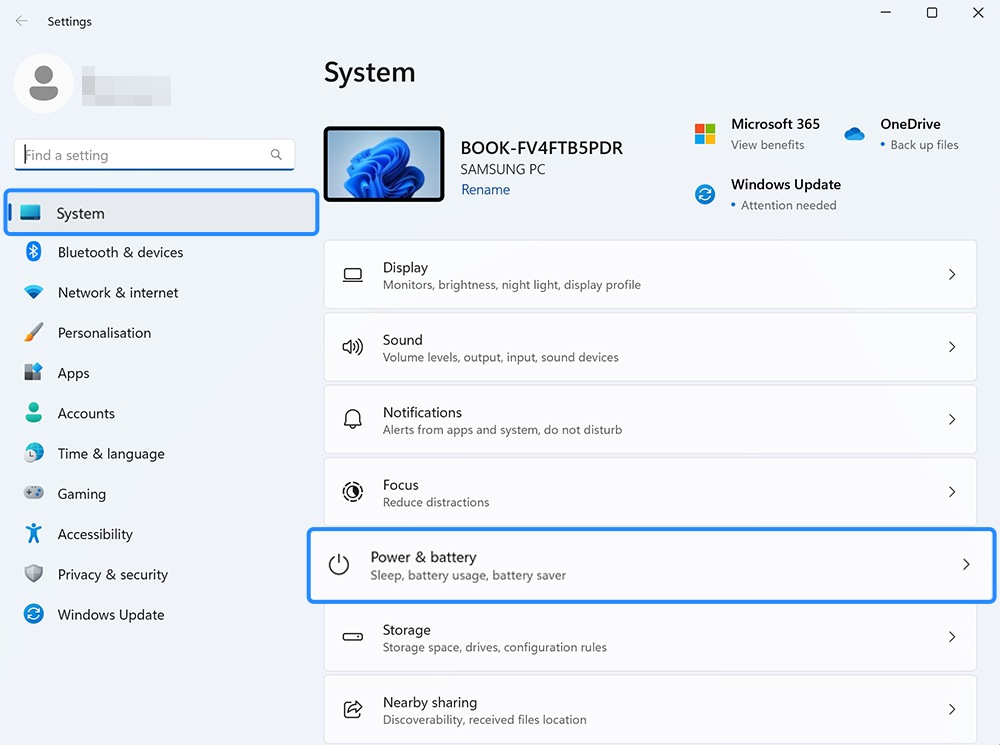
Step 3. Select “Power & Battery”.

Step 4. Select Battery saver.
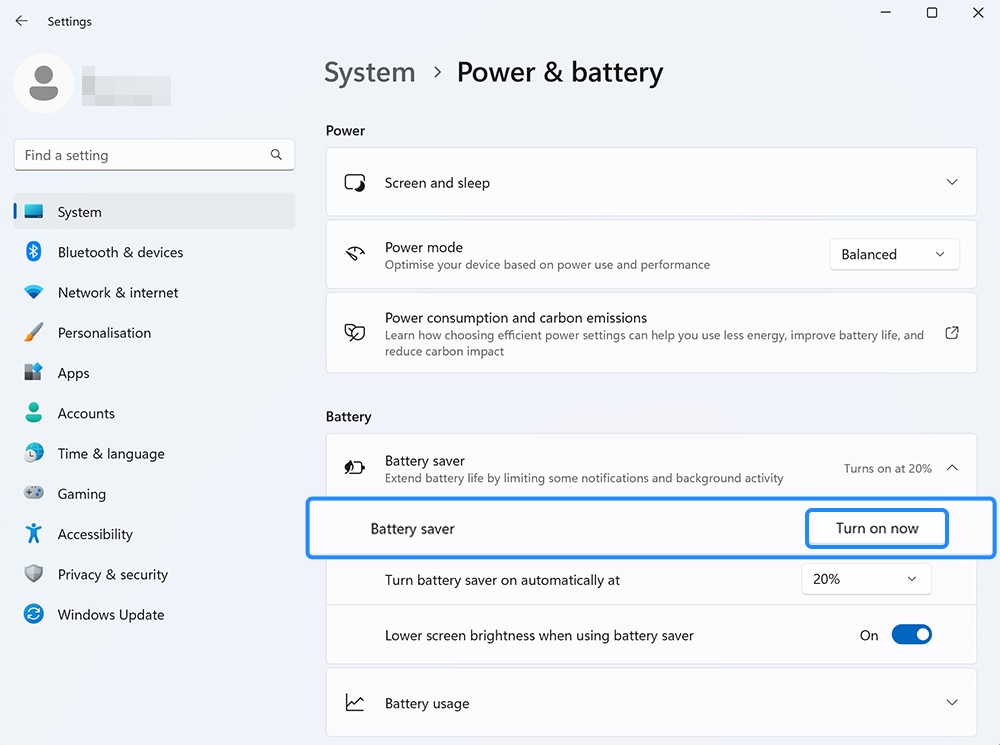
Step 5. Click to turn on (or off).
Thank you for your feedback!
Please answer all questions.