
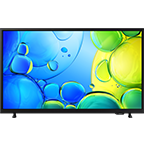





Highlights
Entertainment for every room
Key features at a glance
Picture
Depth and detail in every scene
HDR powered by HDR10+Experience depth and detail in every single frame. By dynamically optimising each scene, you can see dark dramas in new light and bright worlds in greater clarity. Whatever you're watching, watch it in greater depth and detail.
Twice the clarity of regular HD TV
Full HD ResolutionYour favorite TV programs and movies just got real. Full HD resolution offers twice the resolution of HD TV — making it much richer and clearer.
Shows your content's true colours
PurColour
Samsung's PurColour improves the quality of any image, uncovers hidden details, and helps show your content's true colours. See impressive colour, every time you watch.
Enhanced depth
Contrast Enhancer
Enjoy striking images with enhanced depth and colour contrast ratio.
Sound
Sound that tracks the action on-screen
Object Tracking Sound LiteHear onscreen action amplified from left-to-right as your entertainment unfolds. So you can hear a car fly along your screen or the crowd cheering all around you.
Tailored sound, so you hear every detail
Adaptive Sound
Experience optimised audio for your viewing with every element of dialogue, music and sound effects individually tailored to what you're watching. Hear every word of a whispered exchange and feel every blast in a blockbuster set piece.
Samsung TVs and soundbars, the perfect harmony
Q-Symphony
Boost your viewing experience with integrated sound from your TV and soundbar. Why let a soundbar or TV work solo when you can amp up your entertainment with even more powerful speakers that work together seamlessly, for a fully immersive sound experience.
Compatible Samsung Soundbar required.
Design
Upgrade your space
Slim Look
This beautifully slim design blends into your decor, elevating your style without taking it over.
Experience
Keeping your private information private
Samsung Knox SecurityWith today's TVs holding your passwords and private payment information, Samsung Knox Security keeps your data protected with multi-layered security, constant system monitoring and updates and the automatic blocking of harmful attacks. Stay secured, stay entertained.
Secured by Knox applies to Samsung TVs powered by Tizen®, launched since 2015. Security software update is guaranteed for at least three years from product launch. Latest software update is required. Must be connected to Samsung TV via SmartThings.Your favourite smart apps
Smart TV powered by Tizen OSSpend less time searching and more time watching. With Netflix, Disney+, RTE Player and more, get instant access to the latest shows and movies on the best streaming apps. Plus access to 1,000s of extra TV Shows and Movies on Samsung TV Plus - all for free.
Samsung account required to access our network-based smart services and apps. Subscriptions required. Some apps may not be available at launch. 3rd party content providers may remove apps from the Smart TV platform or stop updating them at any time.Specifications
-
Resolution
FHD (1,920 x 1,080)
-
HDMI
2
-
USB
1 x USB-A
-
LED
-
Screen Size
24"
-
Refresh Rate
50Hz
-
Resolution
FHD (1,920 x 1,080)
-
Processor
Hyper Real
-
HDR (High Dynamic Range)
HDR
-
HDR 10+
Support
-
Contrast
Mega Contrast
-
Micro Dimming
Micro Dimming Pro
-
Contrast Enhancer
Yes
-
Object Tracking Sound
OTS Lite
-
Samsung Q-Symphony
Yes
-
Audio Pre-selection Descriptor
Yes
-
Sound Output (RMS)
10W
-
Speaker Type
2CH
-
Adaptive Sound
Yes
-
Operating System (OS)
Tizen™ Smart TV
-
Bixby
Yes (Voice Ready)
-
Works with AI Speaker
Alexa (GB, DE, FR, IT, ES, AT, IE), Google Assistant (GB, FR, DE, IT, ES, CH, AT, NL, SE, NO, DK, FI, PT, IE, BE, LU)
-
Samsung TV Plus
Yes (GB, FR, DE, IT, ES, CH, AT, NL, SE, NO, DK, FI, PT, IE, BE, LU)
-
Web Browser
Yes
-
SmartThings Hub / Matter Hub / IoT-Sensor Functionality / Quick Remote
Quick Remote only
-
Universal Browse & Play
Yes (GB, FR, DE, IT, ES)
-
Multi Device Experience
Mobile to TV, Sound Mirroring, Wireless TV On
-
Apple AirPlay
Yes (w/o Aland Islands, Faroe islands, Netherlands Antilles, San Marino)
-
Gaming Hub
Yes (KR, US, CA, BR, GB, FR, DE, IT, ES, MX, AU)
-
Digital Broadcasting
DVB-T2C
-
Analog Tuner
Yes
-
CI (Common Interface)
CI+(1.4) / CI+(1.4 ECP)_IT only
-
Data Broadcasting
HbbTV 2.0.4 (IT,GB,DE,CZ,SK,ES,PL,AT,FR,FI,EE,GR,SI,HR,BE,NL,LU,HU,CH,PT,DK,ME)
-
Wi-Fi
Yes (Wi-Fi 5)
-
Bluetooth
Yes
-
HDMI
2
-
HDMI Audio Return Channel
eARC
-
Anynet+ (HDMI-CEC)
Yes
-
USB
1 x USB-A
-
Ethernet (LAN)
1
-
RF In (Terrestrial / Cable input)
1/1(Common Use for Terrestrial)/0
-
CI Slot
1
-
Design
Slim & Light
-
Bezel Type
3 Bezel-less
-
Front Color
BLACK
-
Stand Type
SIMPLE CENTER STAND
-
Stand Color
BLACK
-
EPG
Yes
-
IP Control
Yes
-
OSD Language
27 European Languages + Russian(only when connecting to Network in EE,LV,LT)
-
Accessibillity - Voice Guide
Czech (Czech Republic),Danish (Denmark),Dutch (Netherlands),English (UK),Finnish (Finland),French (France),German (Germany),Greek (Greece),Hungarian (Hungary),Italian (Italy),Korean (Korea),Norwegian (Norway),Polish (Poland),Portuguese (Portugal),Romanian (Romania),Russian (Russia),Slovak (Slovakia),Spanish (Spain),Swedish (Sweden)
-
Low Vision Support
Audio Description, Zoom Menu and Text, High Contrast, SeeColors, Grayscale, Auto Picture Off
-
Hearing Impaired Support
Closed Caption (Subtitle), Multi-output Audio, Sign Language Zoom
-
Motor Impaired Support
Slow Button Repeat, Remote Control App. for All
-
Power Supply
AC220-240V~ 50/60Hz
-
Power Consumption (Max)
48 W
-
Power Consumption (Stand-by)
0,50 W
-
Power Consumption (Typical)
18,0 W
-
Yearly Power Consumption (EU standard)
26 kWh
-
Auto Power Off
Yes
-
Energy Efficiency Class
E
-
Package Size (WxHxD)
660 x 390 x 98 mm
-
Set Size with Stand (WxHxD)
540.7 x 428.3 x 175.1 mm
-
Set Size without Stand (WxHxD)
540.7 x 329.0 x 41.1 mm
-
Stand (Basic) (WxD)
175.1 x 175.1 mm
-
VESA Spec
100 x 100 mm
-
Package Weight
4,2 kg
-
Set Weight with Stand
3,0 kg
-
Set Weight without Stand
2,5 kg
-
Remote Controller Model
TM1240A
-
Mini Wall Mount Support
Yes
-
User Manual
Yes
-
Power Cable
Yes
-
Security Update Period (At least 5 years)
31 DECEMBER 2030
Reviews
24" Full HD F6000 Smart TV (2025)
- Customers consistently praise vibrant colors, sharp resolution, and picture quality as excellent for streaming and movies
- Most appreciate intuitive setup via QR code and seamless smart features with quick access to popular streaming apps
- Many find the built-in audio tinny and purchase soundbars to enhance the experience
- Several report sluggish menu navigation, delayed remote responses, and channel-jumping issues
- A few express disappointment over the missing 3.5mm audio jack and lack of recording functionality
Filters
Relevancy sort puts the best reviews at the top. We look at things like helpfulness votes, latest review, pictures and other traits that readers look for in their reviews.
Filters
81 Reviews
2025-08-26
LONDON
CX
We are disappointed to see you are facing issues with your 24" Smart TV, Linden. For us to assist further with this, we'd recommend contacting our Support Teams who are on hand to help. You can find their contact details and opening hours here: https://www.samsung.com/uk/support/contact/ ^LB at Samsung Support
2025-05-04
2025-12-07
CX
Thank you for sharing such a detailed review of your 32" Full HD F6000 Smart TV. We’re delighted to hear you’re enjoying the excellent HDR10+ picture quality and the convenience of the built-in streaming apps. We’re sorry to learn, however, that you’ve encountered difficulties with cloud gaming and device connectivity. Xbox Cloud Gaming relies heavily on network stability rather than the TV’s processing power, so if you experience lag or freezing, we recommend connecting your TV to a stable Wi-Fi network or, for the best performance, using a wired Ethernet connection. This ensures a much smoother gaming experience. For screen mirroring and connecting Galaxy devices, the TV supports features such as Smart View and Tap View on compatible models. If you’re having trouble, check that both devices are on the same Wi-Fi network, confirm that screen mirroring is enabled in the TV settings, and try restarting both devices to refresh the connection. For HDMI connections, make sure the cable is certified for video output and that your phone or tablet supports HDMI-out, as not all models do. We greatly appreciate your balanced feedback, as it helps us improve both everyday usability and specialised features like cloud gaming. If you have any further questions or need assistance in getting the most out of your TV, please contact our specialists on 0333 000 0333 (Mon–Fri | 8am–8pm, Sat–Sun | 9am–6pm) or via Live Chat here: https://www.samsung.com/uk/support/contact/ ^CL at Samsung Support
2026-05-22
Bristol
Samsung
We are sorry to see you are having issues with using your Smart TV, Jeff. There are many apps available on this TV at just a tap of a button, and we aim to make sure you have a seamless experience whilst using your TV. You can check out the User Manual where it will guide you on how to use apps on this TV. If you head to this link and go to page 81 you will see all the information you need: https://downloadcenter.samsung.com/content/UM/202504/20250430034228001/BN81-25561C-720_EUG_ROPDVBEUD_EU_ENG_250327.0.pdf If you need any further assistance, our helpful Support Teams are on hand to help. You can find their contact details and opening hours here: https://www.samsung.com/uk/support/contact/ ^LB at Samsung Support
2026-01-18
CX
Fantastic to see that you are enjoying the incredible Full HD picture quality of the F6000 TV, along with the lightweight design and easy installation! It's a shame to see that you're unable to find the TV channels you would like. If your TV isn't connected to a cable box or satellite box, please run Auto tuning. You can do this in Settings > All settings > Broadcasting > Auto tuning settings > Auto tuning. We can't guarantee the availability of any channels, we're afraid. However, you can delete unwanted channels from the Channel list in Guide/Channel list > Edit channels > Delete. As for the remote, it's great to see that you are enjoying its responsiveness, and we will certainly take your feedback on the size onboard. If you need any further support, please don't hesitate to reach out. You can find the contact details and operating hours for our Support Teams here: https://www.samsung.com/uk/support/contact/ ^SK at Samsung Support
2026-01-24
Samsung AU
We’re sorry to hear that your TV hasn’t met expectations, particularly with brightness and remote responsiveness. We understand how frustrating that can be during everyday use. Your feedback is appreciated and will be shared internally. If you’d like assistance with settings or troubleshooting, please contact our support team: https://www.samsung.com/au/support/contact
2025-07-05
Social Media
Hello and thank you for your review. We would like to look into this for you, please send us a PM on Facebook with this review and we'll get an agent to assist
2025-05-30
Salford, Lancashire, United Kingdom
CX
Thank you for taking the time to share with us this positive review about your new and incredible 32" Full HD F6000 Smart TV! We are pleased to read that you think this is an excellent product that gives you the best value for your money, and that you are also impressed by its superb picture quality, fantastic features, and connectivity. We also appreciate that you would have enjoyed it even more if it had an optical digital audio output, which is something we can certainly pass along for the future. In the meantime, you can use HDMI eARC to connect your preferred external audio device to it with an HDMI cable. In the meantime, we are confident that this prestigiously designed and tech-packed smart TV will give you many moments of happiness and satisfaction for many years in the future. ^CL at Samsung Support
2025-11-28
Surrey
CX
We’re thrilled to hear that your 24" Full HD F6000 Smart TV and Samsung TV Plus have exceeded your expectations, Mikey! It’s fantastic to know you’re enjoying the convenience of a wide choice of channels without needing a terrestrial aerial, and that the superb picture quality and resolution are delivering a truly realistic viewing experience. We truly appreciate your loyalty and look forward to being part of your home entertainment for many years to come! ^CL at Samsung Support
2026-01-12
CX
We are disheartened to see you did not fully enjoy your Smart TV! We understand that not all channels are for customers, and we have the option to remove Samsung TV Plus from your TV, and here is a link that would help you do that: https://www.samsung.com/uk/tvs/smart-tv/samsung-tv-plus/ Our helpful Support Teams are on hand to help get your TV working to perfection. It is sad to see you have parted ways with it, however, if you ever need us in the future, you can find all our Support Teams contact details and opening hours here: https://www.samsung.com/uk/support/contact/ ^LB at Samsung Support
2025-03-16
2025-02-19
2026-06-20
Milton keynes
Samsung
We are sorry to see that you are having issues with setting up your TV to the full. You can connect your TV via an antenna cable, and if you head to page 7 of the User Manual, this will guide you on how to do this, and you can find that here: https://downloadcenter.samsung.com/content/UM/202602/20260216043503001/BN81-25561C-720_EUG_ROPDVBEUD_EU_ENG_250327.0.pdf You can also look at this link which will guide you to find the channels you want, please note, steps may differ depending on the model you have: https://www.samsung.com/uk/support/tv-audio-video/2022-how-to-troubleshoot-your-tv-if-a-channel-does-not-appear/ We'd hate to see you part ways with this TV, and we'd recommend reaching out to our Support Teams who can assist further with this. You can find their contact details and opening hours here: https://www.samsung.com/uk/support/contact/ ^LB at Samsung Support
2025-02-24
2025-09-14
2026-01-02
Derby, East Midlands
CX
Many thanks for taking the time to share your review of the 27" F6000 Smart TV. We're so pleased to hear that you're enjoying Samsung TV Plus, our free streaming service which provides instant access to our vast library of shows, movies and more. We really appreciate your feedback on regard to pausing and recording Freeview content, and we take this on board for future innovations. ^EW at Samsung Support
2025-03-26
2025-04-16
2025-09-01
Samsung
We are pleased to hear that you are overall happy with your F6000 Smart TV. Thank you also for sharing your valuable feedback with us. ^CL at Samsung Support
2025-03-18
2025-09-01
Samsung
We love to see that you chose the F6000 for your upgrade, Sam! ^CL at Samsung Support
2026-04-06
Wales
CX
We’re pleased to know your brand-new TV came with easy‑to‑follow instructions for assembly and was quick and easy to set up, with the vibrant colours and incredible contrast really catching your eye. However, we regret that the stand and sound quality have not met your expectations, and we’ll be sure to pass this feedback on to the relevant team to review internally. Regarding the sound on your TV, this guide may be really helpful: https://ushl.samsung.com/uk/support/tv-audio-video/adjust-the-sound-output-on-your-samsung-smart-tv/ If you require any support or need help in the future, we would recommend getting in touch with us directly via the following link, where you’ll find our contact details and operating times: http://www.samsung.com/uk/support/contact/ We truly value your feedback, as it helps us continue improving our products for our valued customers. ^HB at Samsung Support
2025-09-01
Samsung
We’re grateful to read your feedback regarding your experience, Chris. While we’re pleased that you’ve had a positive experience overall with your TV, we’re also thankful that you’ve shared your thoughts on the areas that could be improved. ^CL at Samsung Support
2025-03-20
2025-04-14
2026-01-30
Surrey
CX
Thank you for taking the time to share this positive review, Nick. We're glad to hear that you are impressed by the excellent picture quality of your 32" Full HD F6000 Smart TV, powered by HDR10+ so you can enjoy every detail with the best clarity and colour. We also appreciate your feedback about the remote design and the automatic digital channel scan not being as efficient as expected. As you mentioned, the best option is to use the Advanced Channel Setup, which you can find by going to: Menu > Settings > All settings > Broadcasting > Channel Scan > Advanced/Manual Tuning. If the instructions were not clear enough, we’d be more than happy to guide you through the steps or help optimise your TV signal based on your location. Please reach out to us through any of our support channels, and we’ll be ready to assist. You can contact us on 0333 000 0333 (Monday to Friday, 8am to 8pm; Saturday and Sunday, 9am to 6pm), or via Live Chat here: https://www.samsung.com/uk/support/contact/ ^CL at Samsung Support
2025-03-11
2025-02-15
2026-05-11
Samsung AU
Hi there, thank you for taking the time to review your 32" Full HD F6000 Smart TV. We’re pleased to hear the picture quality, colours, and connectivity have all met your expectations. It’s great to know the TV integrates well with your existing equipment. Thank you for choosing Samsung.
2025-05-15
2025-04-04
2026-04-27
Kent
Samsung
We're pleased to hear that you're enjoying your Full HD F6000 Smart TV overall, Olga, and we would love to help with the tinny sound that your husband is experiencing whilst watching the TV with his hearing aids. We'd recommend adjusting the audio to suit, and you can do this at Settings > Sound > Sound Mode. Amplify is a useful mode for fixing tinny TV sound with hearing aids, as it boosts voice frequencies. You can also use the equaliser to find a more personalised audio experience by adjusting the bass and treble. Specialised TV Streamers are available that can bridge the gap between your television and your husband's hearing aids, and they transmit the sound directly to the hearing aids whilst still allowing sound as normal from the TV speakers for other people in the room. We don't sell these, and you'd need to enquire with your husband's audiologist, hearing aid manufacturer, or specialised hearing aid stores about them. We appreciate your feedback regarding the feet, and we hope the above information is helpful. ^EW at Samsung Support
2026-07-10
East Midlands
Samsung
We're pleased to hear that you're enjoying the excellent picture and wide variety of content on your 24" Full HD F6000 Smart TV, along with how easy it is to set up, John. We appreciate your feedback regarding the height. Thank you for taking the time to share your review. ^EW at Samsung Support
2026-02-19
CX
We are over the moon to see you are loving your spectacular 24" Smart TV! Your feedback is greatly appreciated regarding the remote control of your TV, this is not how we expect it to perform, and we'd recommend reaching out to our Support Teams for further assistance on this. You can find their contact details and opening hours here: https://www.samsung.com/uk/support/contact/ ^LB at Samsung Support
2025-05-09
2026-02-15
Notthwest
CX
Congratulations on your new 27" Full HD F6000 Smart TV, Isaac. We're so pleased to hear that you are liking it so far, and we're sure that you will continue to get great enjoyment from the many brilliant features. The operating system is intuitive, the visuals are vibrant, and the intelligent audio technologies deliver a clear and enhanced listening experience. Thank you for sharing your review, and we look forward to your update in a few months! ^EW at Samsung Support
2025-05-12
2026-06-16
Samsung
It's brilliant to hear that you're enjoying catching up on all your favourite shows on your F6000 Smart TV, Godo! The excellent picture quality ensures your viewing experience is always top-notch, and the design looks neat in any home. Thank you for sharing your five-star feedback, and keep enjoying! ^EW at Samsung Support
2026-01-28
Eastbourne
CX
We're delighted to hear that you're the proud owner of two amazing 24" F6000 Smart TVs, and that you're particularly pleased with their excellent picture quality! It's great that you've chosen to enhance your setup with two Samsung soundbars, giving you an even more immersive and vibrant viewing experience. For a more personalised sound experience tailored to your preferences, you can adjust the Audio Settings by going to: Menu > Settings > All Settings > Sound. We further recommend ensuring your TVs are running the latest software version to keep them fully optimised with the newest features and improvements. You can update them by heading to: Menu > Settings > All Settings > Support > Software Update > Update Now. ^CL at Samsung Support
2026-05-17
Samsung AU
Hi there, thank you for your great feedback! We’re delighted to hear your new Samsung TV was easy to set up and integrated smoothly with your sound system. It’s wonderful to know you’re enjoying the picture quality as well. Thank you for choosing Samsung!
2025-09-02
CX
Thanks for the review and for sharing your feedback with us! Should you ever need us, our friendly Support Team is on hand to help, and you can find all our contact methods and opening hours here: https://www.samsung.com/uk/support/contact/ ^EW at Samsung Support
2025-05-23
2026-05-01
Samsung
We're sorry to hear that it's taking a while to find your way around your new F6000 Smart TV, and we're on hand to help you settle in. The following link contains an excellent guide for setting up your TV for the first time, and for making sure you're benefiting from all of its great features: https://www.samsung.com/uk/tvs/tv-buying-guide/how-to-set-up-your-tv/ The next link contains a really helpful FAQ for your TV apps: https://www.samsung.com/uk/tvs/smart-tv/samsung-tv-apps/ You can access your user manual directly through your TV by going to Menu > Settings > All Settings > Support > Open e-Manual. You can also find a user manual on our website here: https://downloadcenter.samsung.com/content/UM/202602/20260216043503001/BN81-25561C-720_EUG_ROPDVBEUD_EU_ENG_250327.0.pdf Our helpful Support Teams are more than happy to provide visual support to manually show you around the TV as well, and you can contact us on 0333 000 0333 | Mon-Fri 8am to 8pm | Sat-Sun 9am to 6pm. You can find other methods of contacting us, such as Live Chat, here: https://www.samsung.com/uk/support/contact/ We hope this information is helpful for you both, and we look forward to hearing from you should you need us. ^EW at Samsung Support
2025-03-23
2026-01-17
At home
CX
It is awesome to see you are loving your spectacular Smart TV! Thanks to the incredible HDR powered by HDR10+ display, your favourite film will be brought to life! Along with Samsung TV Plus, you'll have a huge variety of choice of what to watch! Enjoy! ^LB at Samsung Support
2025-05-13
2025-09-01
Samsung
We’re thrilled to read your thoughts and feedback! Thanks for sharing with us and giving the F6000 a great rating! ^CL at Samsung Support
2025-12-14
Chesterfield
CX
Excellent to see that you are enjoying the incredible value for money that the F6000 TV provides, Ed! However, we're sorry to see that you are facing issues with your Tab. Please reach out to our Support Teams for help with this. You can find their contact details and operating hours here: https://www.samsung.com/uk/support/contact/ ^SK at Samsung Support
2026-05-25
Samsung
We're disheartened to hear that you decided to return your 24" Full HD F6000 Smart TV because you did not find it as straightforward and easy to set up as we would want all our products to be, Silas. The full user manual for all our products can be found on the official product page under the Support section: https://www.samsung.com/uk/tvs/full-hd-tv/f6000-24-inch-ue24f6000fkxxu/ You can also find useful guides on Samsung UK explaining how to set up and navigate your Samsung TV, helping you personalise your viewing experience and get the most from your device: https://www.samsung.com/uk/tvs/tv-buying-guide/how-to-set-up-your-tv/ This model does include an analogue tuner; however, as analogue TV broadcasts have been switched off in the UK, channels can only be received via a digital aerial connection. We're always ready to assist if you have any questions in the future about getting the most out of your Samsung products. Our full contact details and opening hours can be found on our Contact Us page here: https://www.samsung.com/uk/support/contact/ ^CL at Samsung Support
2025-08-13
CX
We're sorry to see that the lack of live TV pausing is preventing you from thoroughly enjoying your F6000 TV. Thank you for expressing your interest in this feature, we will certainly take your feedback onboard. In the meantime, this TV is packed with awesome features, and with time, we're sure that you will enjoy a five-star experience with it. ^SK at Samsung Support
2026-01-07
Samsung
Thanks for taking the time to leave a review of your 32" Full HD F6000 Smart TV. We're sorry to hear you are having issues connecting a device to your TV. We ask that you contact us so that we can look into this and assist. You can find our operating times and contact us here: https://www.samsung.com/uk/support/contact/ We hope to hear from you soon! ^KF at Samsung Support
2025-02-14
2026-02-03
CX
We're sorry to hear that you found your F6000 Smart TV to be slow and that you returned it for a different model. This isn't what we'd expect, and we'd like to let you know that we are always on hand to perform troubleshooting with you to resolve any issues should you need us. We hope you're enjoying your replacement model, and if you need our support in the future, you can find our contact details and opening times here: https://www.samsung.com/uk/support/contact/ Thank you for taking the time to share your thoughts and feedback. ^EW at Samsung Support
2025-09-02
Samsung
We're pleased to see that you rated the 32" Full HD F6000 Smart TV five stars! ^CL at Samsung Support
2025-09-01
CX
We love reading that we’ve given you that five-star feeling. Keep enjoying! ^KF at Samsung Support
2026-07-14
Samsung
Thank you for this lovely review of your F6000 Smart TV! It's great to hear the dynamic picture gave your Wimbledon viewing such a boost, there's nothing quite like watching the tennis with a picture that does it justice! ^CL at Samsung Support
2025-09-02
CX
Thanks for the great review and for sharing your feedback with us! Should you ever need us, our friendly Support Team is on hand to help, and you can find all our contact methods and opening hours here: Help & Contact Us | Samsung United Kingdom ^EW at Samsung Support
2025-04-04
2025-09-01
Samsung
Thank you for your positive review and for your feedback! ^CL at Samsung Support
2025-03-08
2026-03-22
London
Samsung
We love reading that we’ve given you that five-star feeling, Vicky. Keep enjoying! ^EW at Samsung Support
2026-03-01
Yorkshire
CX
Thank you for your smashing 5‑star review, Housey! We’re overjoyed to learn your brand‑new TV was easy to set up and that the channels are working brilliantly. Thank you for choosing us, and we hope you enjoy every moment when viewing your favourite shows! ^HB at Samsung Support
2025-02-19
2025-04-02
2025-03-07
2025-03-07
2025-03-20
2025-06-01
2025-06-06
2025-05-28
2025-05-22
2026-01-09
CX
Thank you for this positive review of your 32" Full HD F6000 Smart TV, Kazz! We're pleased to hear that you found it very easy to set up, and that you're also happy with its brilliant picture and sound quality. Enjoy the amazing experience you can only find with our products! ^CL at Samsung Support
2026-02-26
Yorkshire
CX
We're sorry to read about the trouble you're having with your 32" Smart TV and not being able to connect to any BBC channels. We understand how disappointing this must be for you. This isn't what we expect to happen. Here is a useful link that can take you through some troubleshooting steps to scan for channels on your TV. Please be aware this link is from abroad, but the steps should still work all the same: https://www.samsung.com/us/support/answer/ANS10005263 Alternatively, you can contact our Support Team, who can go through some steps with you over the phone or online. They will work with you to provide a resolution and help get your TV set up the way you want it. You can follow this link for our contact details and service times: https://www.samsung.com/uk/support Or you can contact our Support Team on 0333 000 0333. They are available 8am–8pm Monday to Friday and 9am–6pm Saturday & Sunday. We're confident that once you get in touch with us, we'll be able to get the matter resolved. ^DD at Samsung Support
2026-02-26
CX
We are over the moon to see you are enjoying your stunning Smart TV! Thanks to the striking HDR powered by HDR10+ display and Adaptive Sound, you'll get the ultimate viewing and audio experience to last for years! Along with Q-Symphony, this will work perfect with a soundbar to give the best sound experience! ^LB at Samsung Support
2026-06-29
Samsung AU
Thank you for your review! We're so pleased to hear you're enjoying your Smart TV. We also appreciate your feedback about the user manual, as comments like yours help us improve the overall experience.
2026-02-01
Weston Super Mare
CX
We're delighted to hear that you're enjoying your 32" Full HD F6000 Smart TV, John. It's the perfect size for a bedroom and delivers everything you need, from a superb picture and audio to lots of smart features and apps. Thank you for sharing your five star review! ^EW at Samsung Support
2025-09-01
Samsung
We're delighted to see that you love your 32" Full HD F6000 Smart TV! ^CL at Samsung Support
2026-02-27
Surrey
CX
Whilst we're pleased you've given us a 5‑star rating for your 40" Full HD TV, we're sorry to learn that there were no screws included to secure the legs during set‑up. This isn't what we expect to happen. We recommend reaching out to our TV & AV Team, who can review the box contents with you and discuss the best steps to get this resolved. You can contact our Support Team on 0333 000 0333. They are available 8am–8pm Monday to Friday and 9am–6pm Saturday & Sunday. Alternatively, you can follow this link to get support online: https://www.samsung.com/uk/support ^DD at Samsung Support
2025-04-20
2025-03-17
2025-02-27
These reviews are managed by Bazaarvoice and comply with the Bazaarvoice Authenticity Policy, which is supported by anti-fraud technology and human analysis. Details at
https://www.bazaarvoice.com/ie/trustmark/