BD-D6500
3D SMART Blu-ray Player
Gallery popup
Please scan the QR Code with your mobile device, and place the product image in desired place.
Features
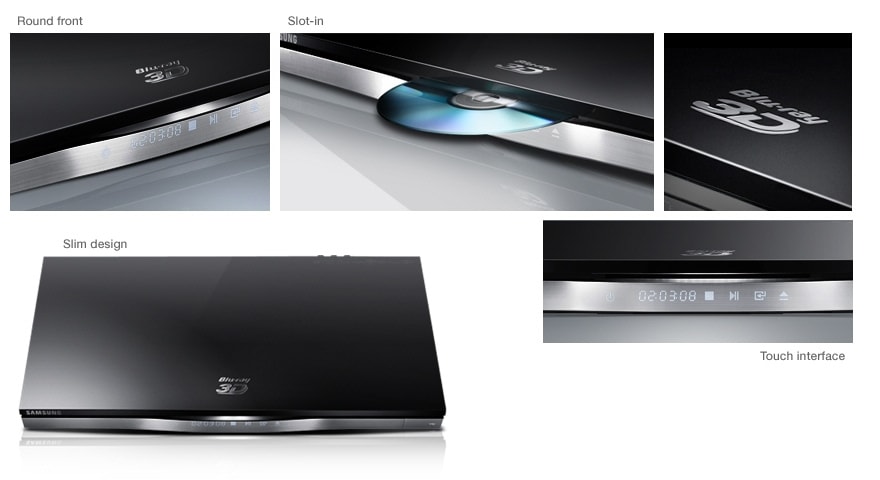
Outstanding slim player enhances even the coolest interior
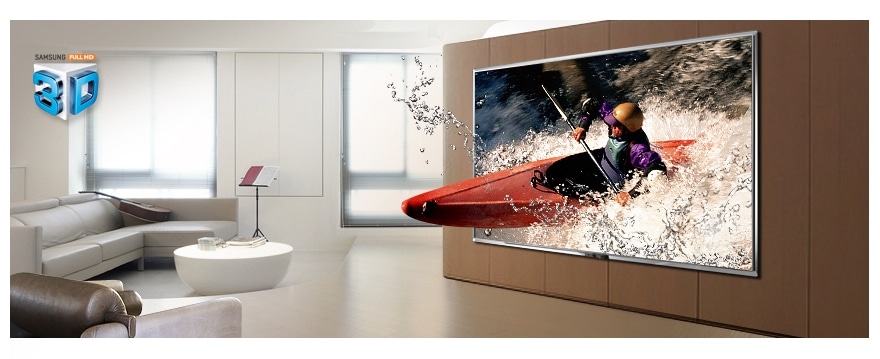
3D pictures immerse you in the action
Search All
AllShare
Specifications
-
Playback Media
3D Blu-ray Yes
Blu-ray Video Yes
DVD-Video/DVD±R/DVD±RW Yes
CD DA/CD-R/CD-RW Yes
VCD 1.1 Yes
-
Decoding Format
MPEG 2/4 Yes
DivX HD No
AVCHD Yes
MKV Yes
WMV (1/2/3/7/9) Yes
JPEG, PNG, GIF JPEG / GIF / PNG
HD JPEG Yes
-
Decoding Format
Dolby Digital Plus Yes
DTS Yes
Dolby True HD Yes
DTS HD High Resolution Audio Yes
DTS HD Master Audio Yes
LPCM Yes
AAC Yes
MP3 Yes
WMA Yes
-
Deck Type
Slot-in
-
BD Wise
Yes
-
Front display
VFD
-
BD Profile
Profile 2.0
-
3D Converter
No
-
Control button
Touch Key
-
Video Up-Scale (DVD)
Yes
-
Hyper Real Engine
No
-
Local Storage (Memory Built-in)
No
-
AllShare
Yes
-
Ultra Fast Play
Yes
-
Full Screen
Yes
-
Smart Hub
Yes
-
Karaoke
No
-
HDMI Output
1EA
-
Anynet+ (HDMI-CEC)
Yes
-
Composite Video Output
Yes
-
USB Host
2EA
-
Component Video Output
Yes
-
Ethernet
Yes
-
Optical Digital Audio Output
Yes
-
Wireless LAN Ready
No
-
Coaxial Digital Audio Output
No
-
Wireless LAN Built-in
Yes
-
Analogue Audio Outputs
2ch
-
Mic Jack
No
-
Product Dimension (WxHxD)
430 x 33 x 209 mm
-
Product Weight
1.7 kg
-
Power
Stand-by/Operating 0.8W/19W
Energy Star 2.0 Yes
Reviews
BD-D6500 <br> 3D SMART Blu-ray Player
Filters
Relevancy sort puts the best reviews at the top. We look at things like helpfulness votes, latest review, pictures and other traits that readers look for in their reviews.
Filters
12 Reviews
2012-04-21
92
2012-03-13
Canada
2012-06-04
porto
Samsung Portugal
Boa tarde, Pode pf enviar-nos os seus contactos (Primeiro e último nome, telefone/telemóvel e e-mail) para opiniao@samsungportugal.com, indicando a referência 31970818 de forma a podermos ajudar. Obrigado.
2012-11-16
Quinta do Conde
Samsung Portugal
Boa tarde, Informamos que deverá colocar as legendas em formato SRT e com o mesmo nome do ficheiro de vídeo. Deverá verificar com um DVD original, caso aconteça o mesmo deverá ser visto num centro de assistência. Atenciosamente,
2013-09-12
SJM
2012-03-27
Claresholm, AB, Canada
2011-12-19
2012-02-15
Norrköping
2012-03-18
metz
2012-04-21
2012-02-17
2012-04-30
Lisboa
Samsung Portugal
Bom dia, Sugerimos os seguintes passos: Entrar no Menu do Blu-Ray, ir as configurações, Idioma, Áudio : Seleccione o idioma do áudio do disco. NOTA IMPORTANTE: O idioma seleccionado só aparece se for suportado pelo disco. Os idiomas disponíveis através da função Idioma de Áudio dependem dos idiomas codificados no disco. Esta função ou alguns idiomas podem não estar disponíveis. Obrigado.
Samsung Portugal
Boa tarde, Pode pf enviar-nos os seus contactos (Primeiro e último nome, telefone/telemóvel e e-mail) para opiniao@samsungportugal.com, indicando a referência 30983258 de forma a podermos ajudar. Obrigado.
These reviews are managed by Bazaarvoice and comply with the Bazaarvoice Authenticity Policy, which is supported by anti-fraud technology and human analysis. Details at
https://www.bazaarvoice.com/trustmark/