

Our all-new Tablet starts here


Talk with Gemini about anything you see


Ultra thin. Ultra powerful


Samsung DeX for more display
Slimmer and lighter than ever
Packing powerful AI features in a super slim, lightweight design, Galaxy Tab S11 Ultra is a productivity powerhouse everywhere you go. Its massive display and charge-less, hexagon-shaped pen make Galaxy Tab S11 Ultra the ultimate creative companion when you need it. And its lightweight, slim, design make it effortlessly portable when you're on the move.


Ultra sleek design. Equipped with a next-gen S Pen
Every detail of Galaxy Tab S11 Ultra is streamlined to give you powerful performance into a beautifully sleek form. From improved camera design, to the removed wireless charging slot and enhanced slim bezel, every angle is thoughtfully engineered to seamlessly merge superior function with elegant design. Available in Gray color that look as premium as they feel.


*Color and model availability may vary depending on country, region or carrier.
Talk to Google Gemini about what you see
Go Live and share your camera with Gemini on your Galaxy Tab S11 Ultra to get help about what you see. Just long press the side button to get started and share your screen or camera view with Google Gemini to ask for advice. Have a free-flowing conversation that can help you get the answers you're looking for.


From idea to AI-sketch to notes, instantly
Just sketch it, and let AI take it from there. With Drawing Assist, your rough drawing is transformed into a polished AI-generated image in seconds. Once it's ready, drop it into Notes to keep your ideas going. Quick, simple, and seamless.


*Drawing Assist feature requires a network connection and Samsung Account login. *A visible watermark is overlaid on the image output upon saving in order to indicate that the image is generated by AI. *The accuracy and reliability of the generated output is not guaranteed.
Smarter writing, made simple
Writing Assist helps you refine and transform your text in seconds. Effortlessly draft, craft and revise any piece of writing to match your intended meaning and turn thoughts into polished, ready-to-use content. Adjust the style and tone with a few taps, to convey your message just the way you want it. Then easily drag and drop the enhanced version into one of many supported apps in your workspace.


*Writing Assist requires a network connection and Samsung Account login. *Must meet length requirements to activate feature. Service availability may vary by language. *Accuracy of results is not guaranteed.
Immersive viewing. Inside and out
From its super slim bezel to its upgraded brightness, Galaxy Tab S11 Ultra’s 14.6" Dynamic AMOLED 2X displays deliver incredibly immersive visuals, even in bright outdoor light, with improved brightness over Galaxy Tab S10 Ultra. From streaming to gaming, the superior display let's you experience your favorite entertainment like never before—at home and on the go.


*Model availability may vary depending on country, region or carrier.*Measured diagonally, Galaxy Tab S11 Ultra's screen size is 14.6" in the full rectangle and 14.5" accounting for the rounded corners. Actual viewable area is less due to the rounded corners and the camera hole.*Galaxy Tab S11 Ultra have maximum brightness of 1600 nits and outdoor brightness of 1000 nits in High Brightness Mode.


Slim. Thin. Optimized
At just 5.1 mm, Galaxy Tab S11 Ultra is one of our slimmest and lightest tablets yet. Its ultra sleek profile is designed to fit easily in your hand or bag, so you can work and create anywhere with ease.


Upgraded for more angles
Enjoy a more immersive view from every angle with Galaxy Tab S11 Ultra's thinner bezel design and upgraded brightness. Fully immerse yourself in massive displays that deliver stunning visuals, even in bright, sunlit outdoor environments.
Extreme AI power. Heavyweight performance
Fuel every moment with ultra-fast performance, now enhanced for AI. Galaxy Tab S11 Ultra’s upgraded processor works to deliver stunning graphics, smooth multitasking and next-level speed. Improved NPU, CPU and GPU let you experience silky smooth scrolling and ultra low lag as you seamlessly switch between all your favorite features, apps and content in the blink of an eye.


*The enhanced performance figures are based on a comparison of Galaxy Tab S11 Ultra to Tab S10 Ultra.*Actual performance will depend on user environment, conditions and pre-installed software and applications.


Lasts from dawn to dusk
Stay powered through your busiest days with lightning fast charging, longer-lasting battery that delivers up to 23 hours of video playback.


Safe from drops and dust
Wrapped in enhanced Armor Aluminum and IP68 Galaxy Tab S11 Ultra is built to withstand whatever the day throws it's way.
Productivity powerhouse with Samsung DeX
Samsung DeX lets you extend your Galaxy Tab S11 Ultra’s display to create a seamless multitasking environment of up to 4 workspaces. Move apps freely and easily between screens to keep your workflow smooth and efficient. Increase your productivity with a multi-screen experience as you drag and drop windows between screen, or enjoy content saved to your Galaxy Tab S11 Ultra in a home-theater setting by mirroring it to your monitor.


Quick access to Quick tools
Instantly access Quick tools menu right from S Pen. Update settings like thickness, color, favorites, Note Assist, and more in a flash.


Quick thoughts. Big impact
Easily attach Sticky note to Samsung Notes files using the S Pen. Keep important details in sight where you need them, every time.
Your Apps. Your way
Galaxy Tab S11 Ultra comes preloaded with apps like Goodnotes, LumaFusion, Clip Studio Paint, and Notion. Making it easy to take notes, edit, draw and stay organized from the start. You’ll also have access to optimized apps like Noteshelf 3, ArcSite, Sketchbook, and Picsart, all designed to run smoothly and enhance your creative experience.


Compare Galaxy tablets


Frequently Asked Questions
Galaxy Tab S11 Ultra is available in Gray color.
Galaxy Tab S11 Ultra is available in Gray color.
Galaxy Tab S11 Ultra is slimmer and lighter at just 5.1 mm thin, yet more powerful than before. The bezels are thinner for a more immersive 14.6" display, and the wireless charging slot for S Pen has been removed for a sleeker look. It also comes with a new, hexagon-shaped S Pen that is easier to grip and carry—making the tablet even more portable and creative-friendly.
Galaxy Tab S11 Ultra features a 14.6" Dynamic AMOLED 2X display that takes visual clarity and brightness to the next level. One of the biggest upgrades is the improved peak brightness—now reaching up to 1,600 nits, with High Brightness Mode (HBM) delivering 1,000 nits, making it easier to see even in bright outdoor light.The display also supports a smooth 120 Hz refresh rate for fluid scrolling, responsive touch, and an immersive viewing experience.
*Model availability may vary depending on country, region or carrier.*Measured diagonally, Galaxy Tab S11 Ultra's screen size is 14.6" in the full rectangle and 14.5" accounting for the rounded corners. Actual viewable area is less due to the rounded corners and the camera hole.*Galaxy Tab S11 Ultra have maximum brightness of 1600 nits and outdoor brightness of 1000 nits in High Brightness Mode.
Galaxy Tab S11 Ultra introduces a powerful suite of AI features designed to streamline your day and enhance creativity. Instantly understand what's on your screen, summarize complex content, interpret visuals, or take smart actions across apps. Whether you're writing, sketching, or multitasking, AI intelligently refines your text, turns rough drawing into a polished image, and helps you stay organized.
*Gemini is a trademark of Google LLC. Results for illustrative purposes. Gemini Live feature requires internet connection and Google Account login. Service availability may vary by country, language, device model. Features may differ depending on subscription and results may vary. Compatible with certain features and certain accounts. Currently, you can use a personal Google Account that you manage on your own, or a work or school account for which your administrator has enabled access to Gemini. You must be 13 (or the applicable age in your country) or over to use Gemini with a personal or school Google Account and 18 or over to use Gemini with a work account.*Drawing Assist and Writing Assist features require a network connection and Samsung Account login. *A visible watermark is overlaid on the image output upon saving in order to indicate that the image is generated by AI.
As of July 11, 2025, Galaxy AI's Call Assist (e.g. Live Translate), Note Assist, Browsing Assist, Interpreter, and Transcript Assist currently support 20 languages and Writing Assist supports 39 languages as listed below.Call Assist (e.g. Live Translate), Note Assist, Browsing Assist, Interpreter and Transcript Assist supported languages: Korean, English, Spanish, French, German, Italian, Portuguese, Chinese, Japanese, Polish, Hindi, Thai, Vietnamese, Arabic, Indonesian, Russian, Turkish, Dutch, Swedish and Romanian.
Writing Assist supports 39 languages as listed below. Writing Assist supported languages: English, Portuguese, Spanish, French, Korean, German, Italian, Chinese (Simplified, Traditional), Japanese, Hindi, Polish, Thai, Vietnamese, Arabic, Russian, Indonesian, Turkish, Dutch, Swedish, Romanian, Czech, Danish, Finnish, Hungarian, Ukrainian, Hebrew, Greek, Serbian, Bulgarian, Croatian, Norwegian, Slovak, Lithuanian, Slovenian, Latvian, Estonian, Bengali and Swahili.
*Writing Assist requires a network connection and Samsung Account login. *Must meet length requirements to activate feature. Service availability may vary by language. *Accuracy of results is not guaranteed.
Yes, Galaxy Tab S11 Ultra is a versatile tablet designed to handle work, study, and entertainment. It comes with an S Pen to take notes, sketch, or solve math problems easily. Its large 14.6-inch display offers a comfortable view for reading, attending online classes, or streaming content. It's lightweight and portable, measuring 326.3 × 208.5 × 5.1 mm and weighing around 692 g (Wi-Fi), 695 g (5G), making it easy to carry anywhere. With long battery life and smooth performance, it's a great choice for everyday tasks and relaxation.
Yes, Galaxy Tab S11 supports both S Pen and Book Cover Keyboard Slim. S Pen is included in the box and allows for precise writing, sketching, and note-taking. Pair your Galaxy Tab with Book Cover Keyboard Slim that turns it into a work-ready setup. For added versatility and protection, you can use Book Cover which offers flexible viewing angles, and Anti-Reflecting Screen Protector which helps reduce glare. Galaxy Tab S11 Ultra is only compatible with Galaxy Tab S11 Ultra Book Cover Keyboard Slim.
Accessories sold separately. Availability and sales of accessories may vary by country or region. Features and keyboard layout may vary by model or type of language.
Galaxy Tab S11 Ultra has an 11,600 mAh battery that provides up to 23 hours of video playback time, so you can watch, browse, or work without frequent charging.
*Typical value tested under third-party laboratory conditions. Typical value is the estimated average value considering the deviation in battery capacity among the battery samples tested under IEC61960 standard. Rated (minimum) capacity is 11,374 mAh for Galaxy Tab S11 Ultra.*Based on Samsung internal lab test conditions with pre-release version of given model connected to earphone via Bluetooth under default settings over LTE. Estimated against battery capacity and measured current over battery power consumption during video playback (video file resolution 720 p, saved on device), respectively. Actual video playback times vary by network connection, settings, file format, screen brightness, battery condition and many other factors.*Fast Charging speed may vary depending on charging conditions and other factors.*Using the original Samsung data cable is recommended.
Galaxy Tab S11 Ultra is built with enhanced Armor Aluminum for improved durability and is rated IP68 for water and dust resistance. The included S Pen is also IP68-rated, making it resilient for everyday use whether you're indoors or on the go.
*Galaxy Tab S11, Tab S11 Ultra and the included S Pen are rated IP68 under IEC standard 60529. Based on lab test conditions submersion in up to 1.5 meters of freshwater for up to 30 minutes (IP68). Not advised for beach or pool use. Water and dust resistance of device is not permanent and may diminish over time because of normal wear and tear.*Dust resistance rating is tested under lab conditions by a third party: 2 kg of talc powder (max. diameter of 0.05 mm) per cubic meter was blown into a test chamber housing the device (air pressure within device kept below surrounding air) for 2 hours. Rated IP6X. Dust resistance may vary by actual usage conditions.
Galaxy Tab S11 Ultra is eligible for up to 7x of Android OS upgrades, along with 7 years of security updates from the date of global launch. This long-term software support helps keep your tablet secure, up to date, and compatible with the latest features over time.
*Availability and timing of Android OS upgrades and security updates may vary by device model and market.
Yes, you can quickly and easily transfer your iOS data to Galaxy Tab S11 Ultra using Smart Switch.Smart Switch is a tool that simplifies transferring data from one device to another by allowing you to seamlessly move contacts, photos, videos, notes, calendar events and more. You can connect your new Galaxy Tab S11 Ultra to your old device using a cable or wirelessly using the Smart Switch app.
*Wired transfers from iOS require the receiving device to have Android™ 5.0 or later and the sending device to have iOS 5 or later. Transfers can be completed without a cable through a wireless connection or iCloud. For wireless connections, the receiving device must have Android™ 5.0 or later and the sending device must have iOS 12 or later. iCloud transfers require the receiving device to have Android™ 5.0 or later and the sending device to have iOS 5 or later. Open Smart Switch Mobile in “Settings” on the receiving Galaxy device or download the Smart Switch Mobile app from the Galaxy Store. For wireless transfers, download Smart Switch for iOS from the App Store on your iPhone or iPad. Data, content and apps available for transfer may vary by transmission method. Contacts, gallery, videos, calendars and reminders can be transferred wirelessly from an iOS device.
Galaxy Tab S11 Ultra offers two memory options: 16 GB memory + 1 TB storage or 12 GB memory + 512 GB storage or 12 GB memory + 256 GB storage.Yes, if you need more space, you can easily expand the storage up to 2 TB with a microSD card (sold separately). This gives you plenty of room for apps, class notes, videos, and creative projects without worrying about running out of space.
*Storage options and availability may vary by country, region or carrier.*Actual storage availability may vary depending on pre-installed software.*MicroSD card sold separately. All models support microSD cards with up to 2 TB storage. External memory can be used to store media (photos, video and music files). Availability may vary by country and manufacturer.
If you want Galaxy's most powerful tablet experience with AI built for real productivity, Galaxy Tab S11 Ultra is the one to choose. Its ultra-slim design packs next-level performance and a massive display that's still easy to carry. Galaxy AI supports your day with multi-modal intelligence, helping you understand content, stay organized, and create faster across apps. Plus, the newly enhanced Samsung DeX offers a more intuitive experience for multitasking, so you can work smarter anytime, anywhere.
When you buy from Samsung.com, you get access to exclusive benefits including Trade In and Samsung Care+.If you purchase your Galaxy Tab S11 Ultra from us, you can receive discounts towards your new smartphone when you trade in almost any device including smartphones, wearables and tablets.Samsung Care+ is coverage for your new device that extends beyond the standard warranty, offering protection against accidental damage and providing more peace of mind to our customers.
*To be eligible for trade in, your qualifying device must meet all trade in Program eligibility requirements. For detailed information, please refer to www.samsung.com/[countrycode]/trade in/.*Terms and conditions apply. Samsung Care+ coverage, service type and promotion details may vary by country/region and deductible (service fee) may apply. To be eligible for Samsung Care+ promotion benefit, registration may be required. For detailed Samsung Care+ information, please visit https://www.samsung.com/samsung-care-plus/.
This S Pen is exclusively designed for Galaxy Tab S11 Series and is compatible with Galaxy Tab S11 and Galaxy Tab S11 Ultra models.
Yes. Galaxy Tab S11 Series is designed to support the way students actually study — and it comes with the S Pen included in the box, at no extra cost.
Note Assist automatically organizes your handwriting and long text into clear, structured notes with summaries — so even rushed in-class writing stays readable.
And with up to 7 years of Android OS and security updates, Galaxy Tab S11 stays secure and up to date throughout your entire academic journey — from freshman year to graduation and beyond.
*Service availability may vary by language. Accuracy of results is not guaranteed. *Availability and timing of Android OS upgrades and security updates may vary by device model and market.
Yes. Galaxy Tab S11 Series is eligible for a trade-in program, allowing you to receive up to ₱45,500 discount toward your new tablet when you trade in your old device.
Trade-in value varies depending on the model and condition of your device. To find out how much your device is worth and check eligibility requirements, visit the https://www.samsung.com/ph/trade-in/ for full details.
*Terms and conditions apply. Availability may vary by carrier, country or region. Check device trade-in eligibility on the Trade-in page.

MEET THE TRUE HI-FI GALAXY BUDS
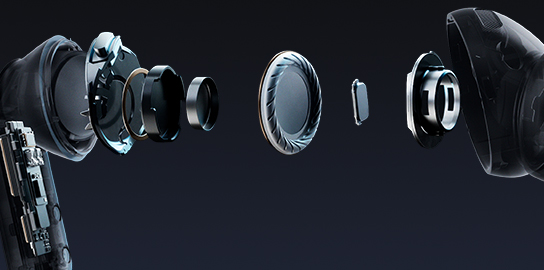
Advanced 2-way Speaker
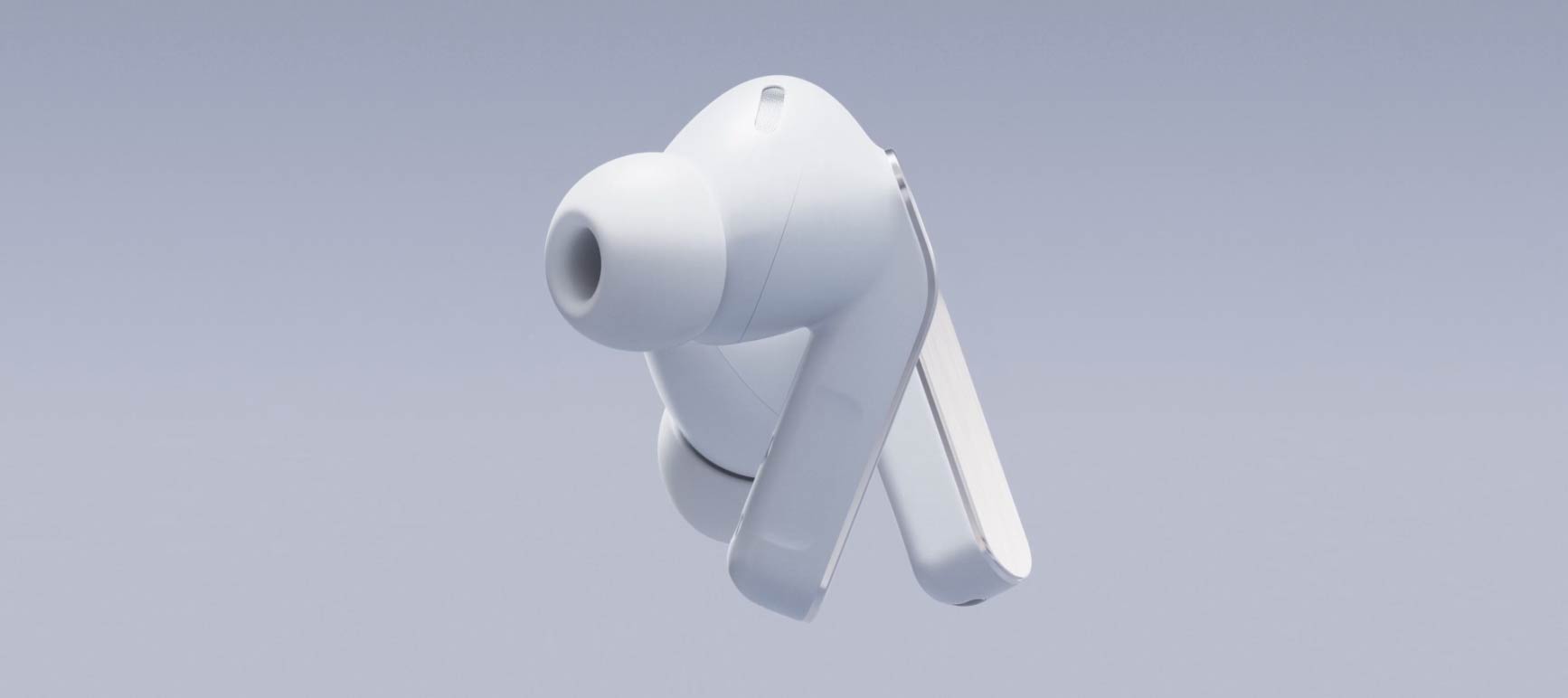
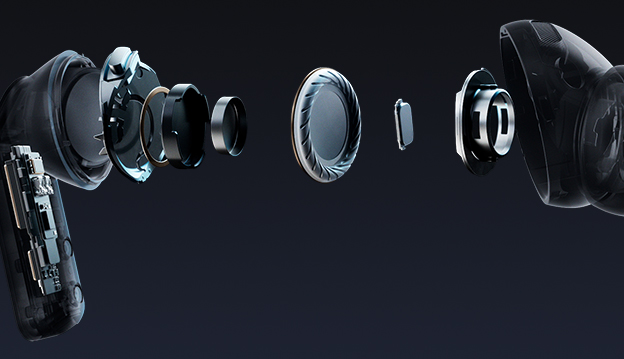
From deeper, richer lows powered by a wider woofer to clear highs, the advanced 2-way Speaker delivers a complete, balanced sound.
Design

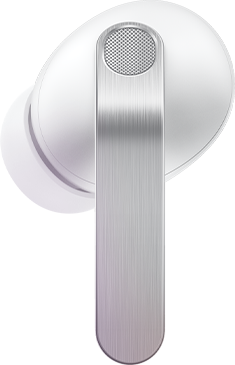
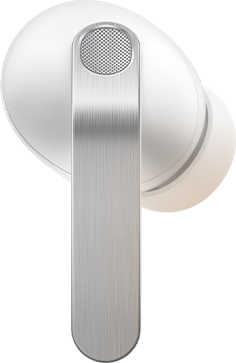
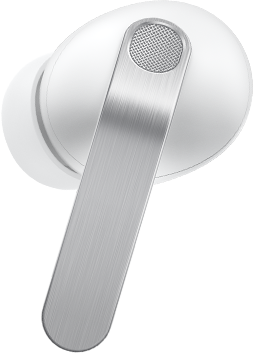
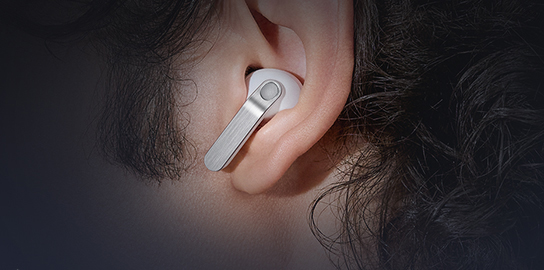
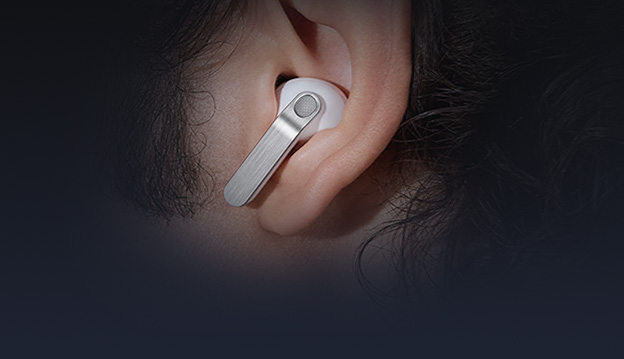
Iconic in metal, shaped for all-day comfort. The real metal blade defines both design and control. Ergonomic contours create a secure, natural fit that stays comfortable from morning to night.
Ultra High Quality Audio

Ultra High Quality Audio with 24-bit / 96 kHz reveals every layer, making the world feel richer and more alive.
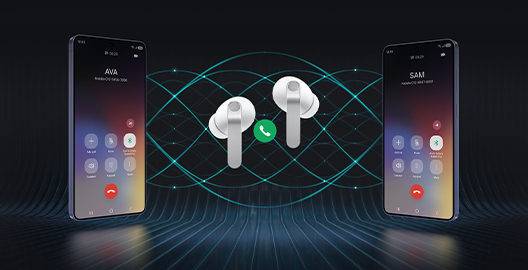
Super Clear Call
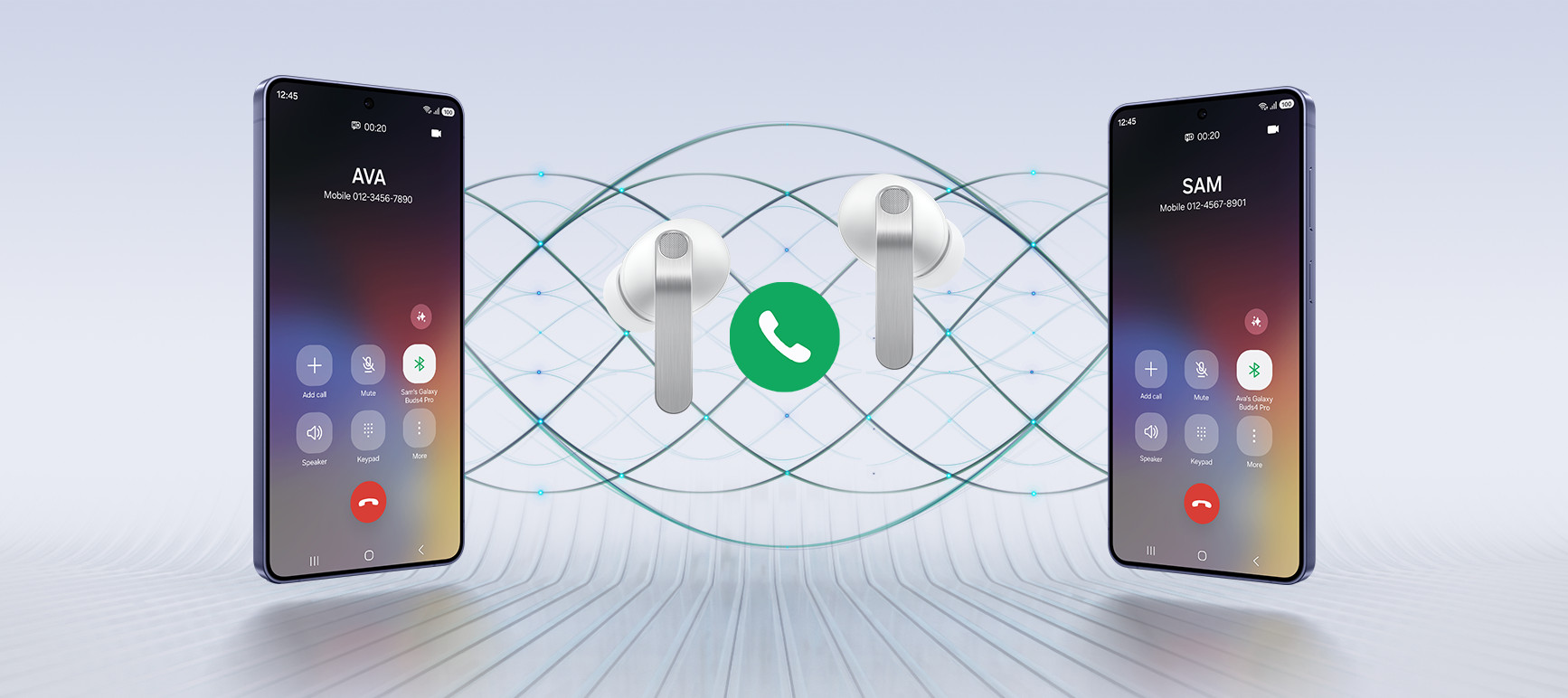
Your voice is captured clearly by advanced machine-learned DNN, even in noisy moments, and delivered pure and effortless through Super Wideband.
Charging Case
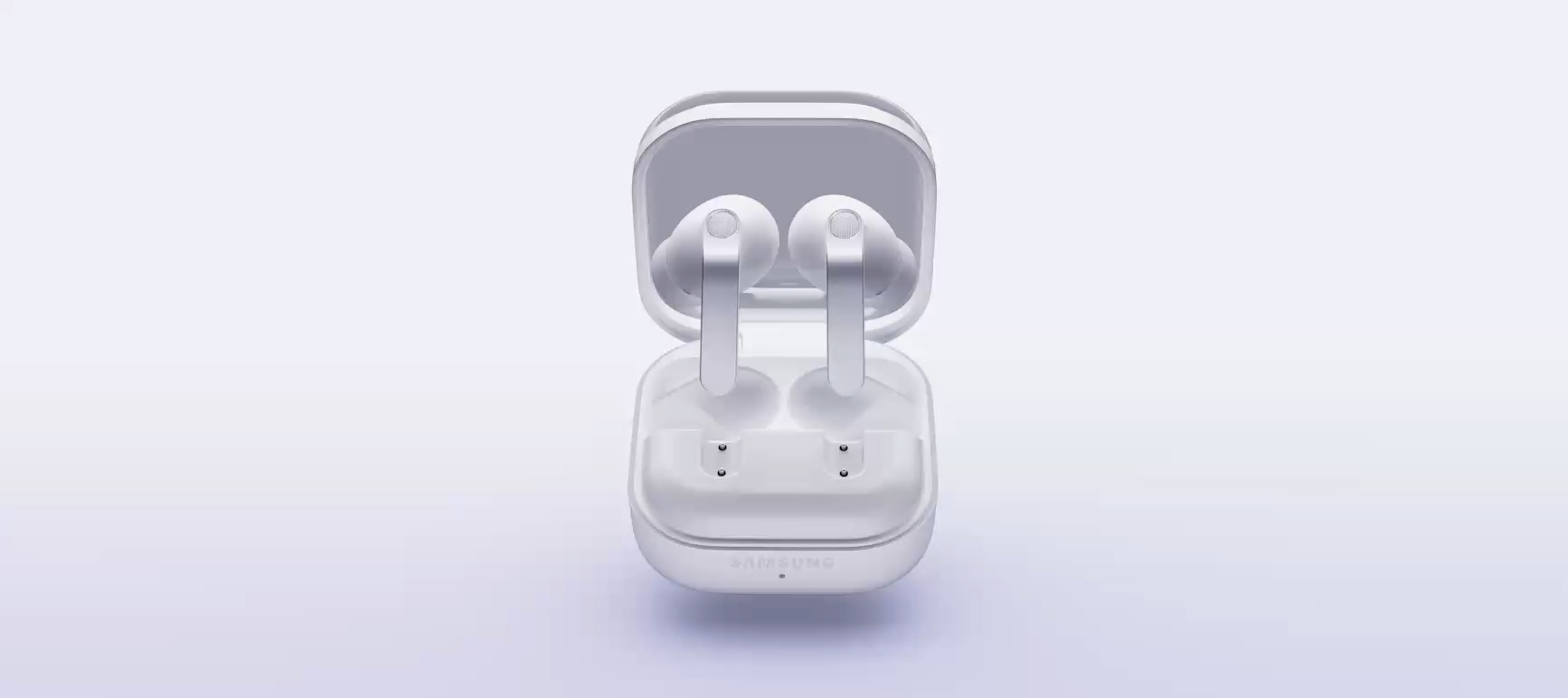
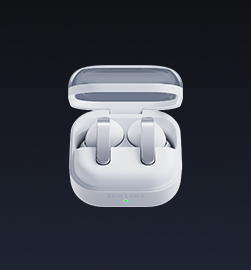
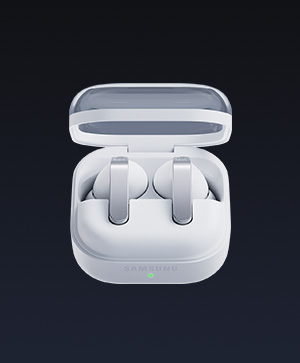
From clean, sculptural form to smooth magnetic docking, the Charging Case turns everyday use into a refined experience.

Iconic metal design.
Built for all-day
comfort
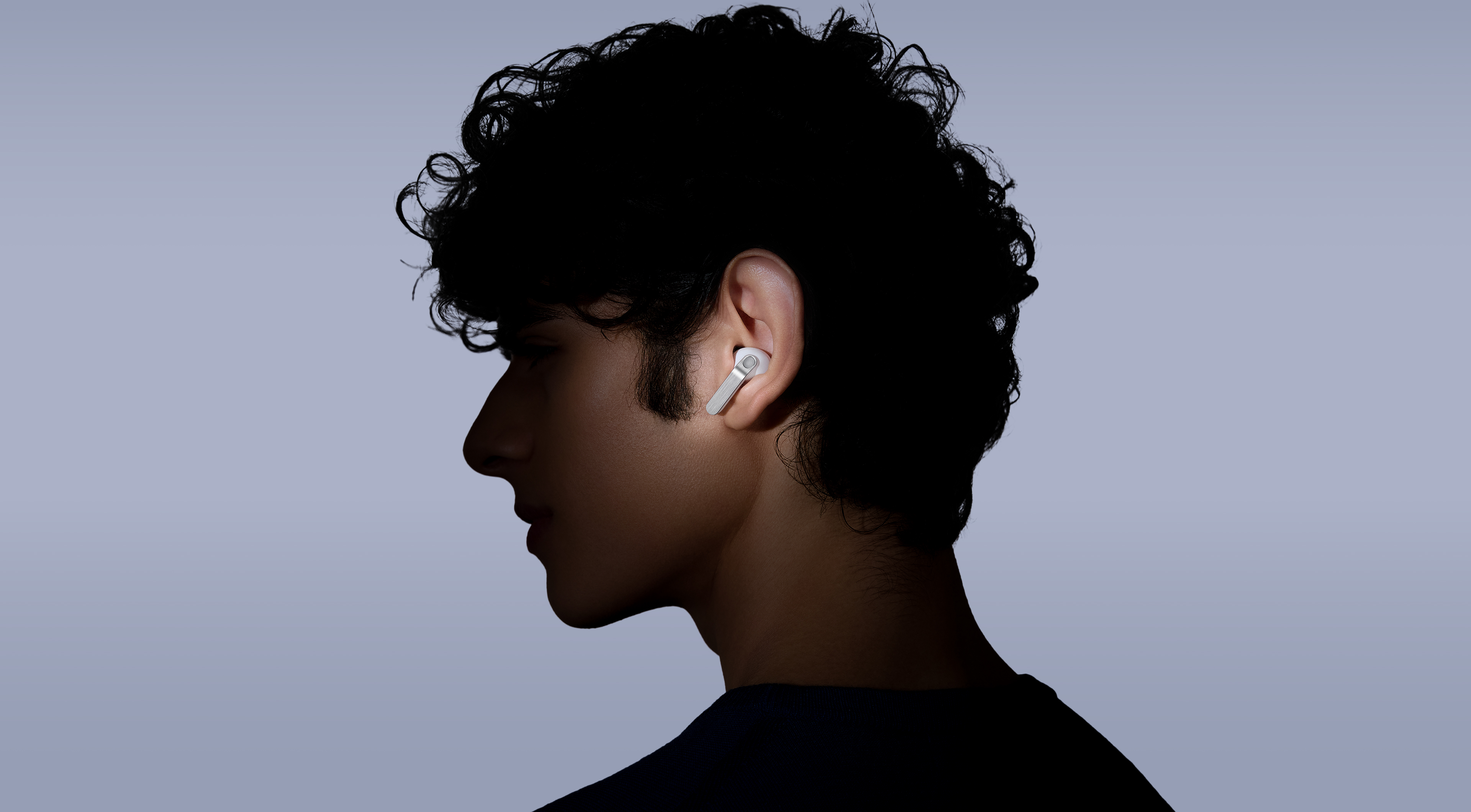
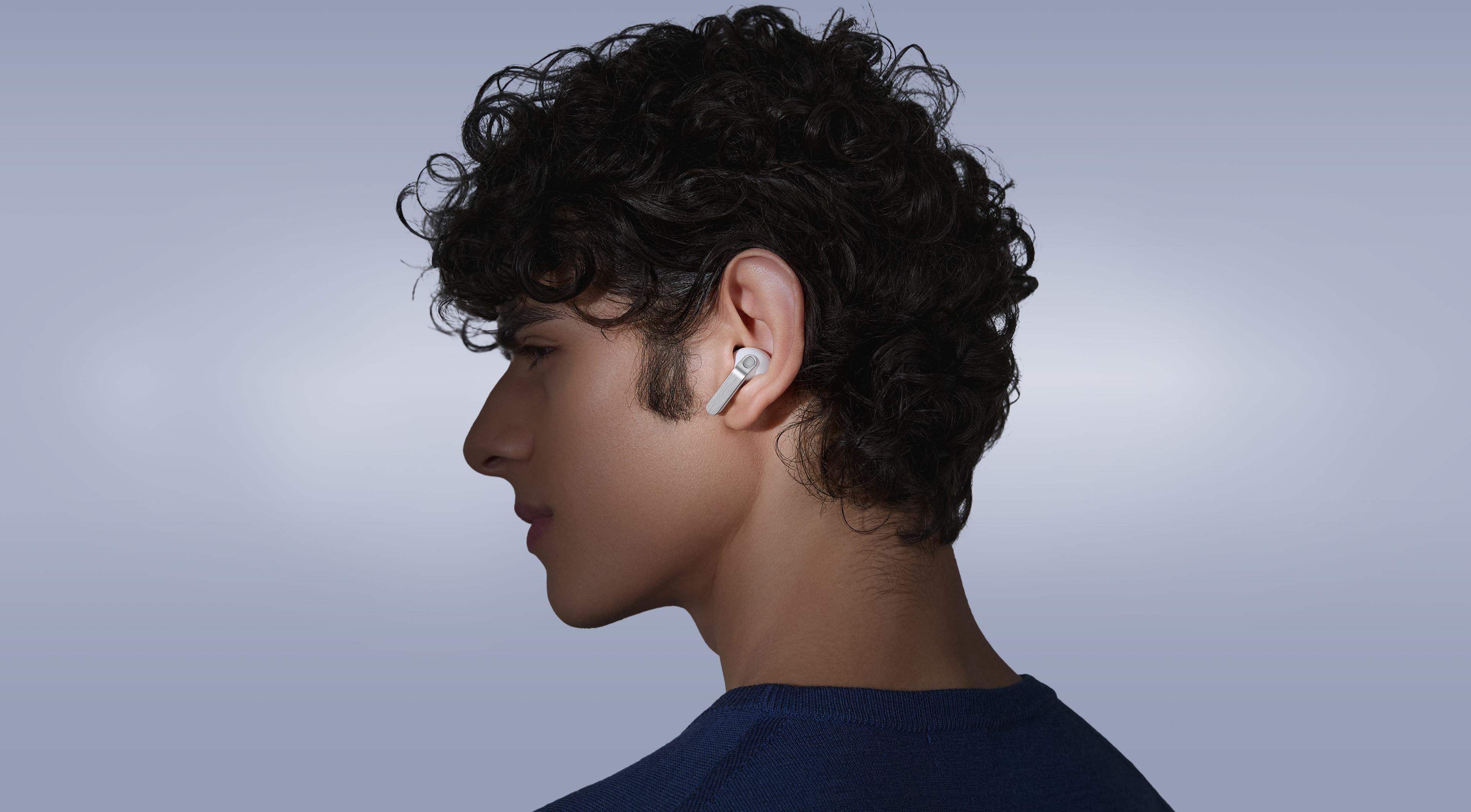
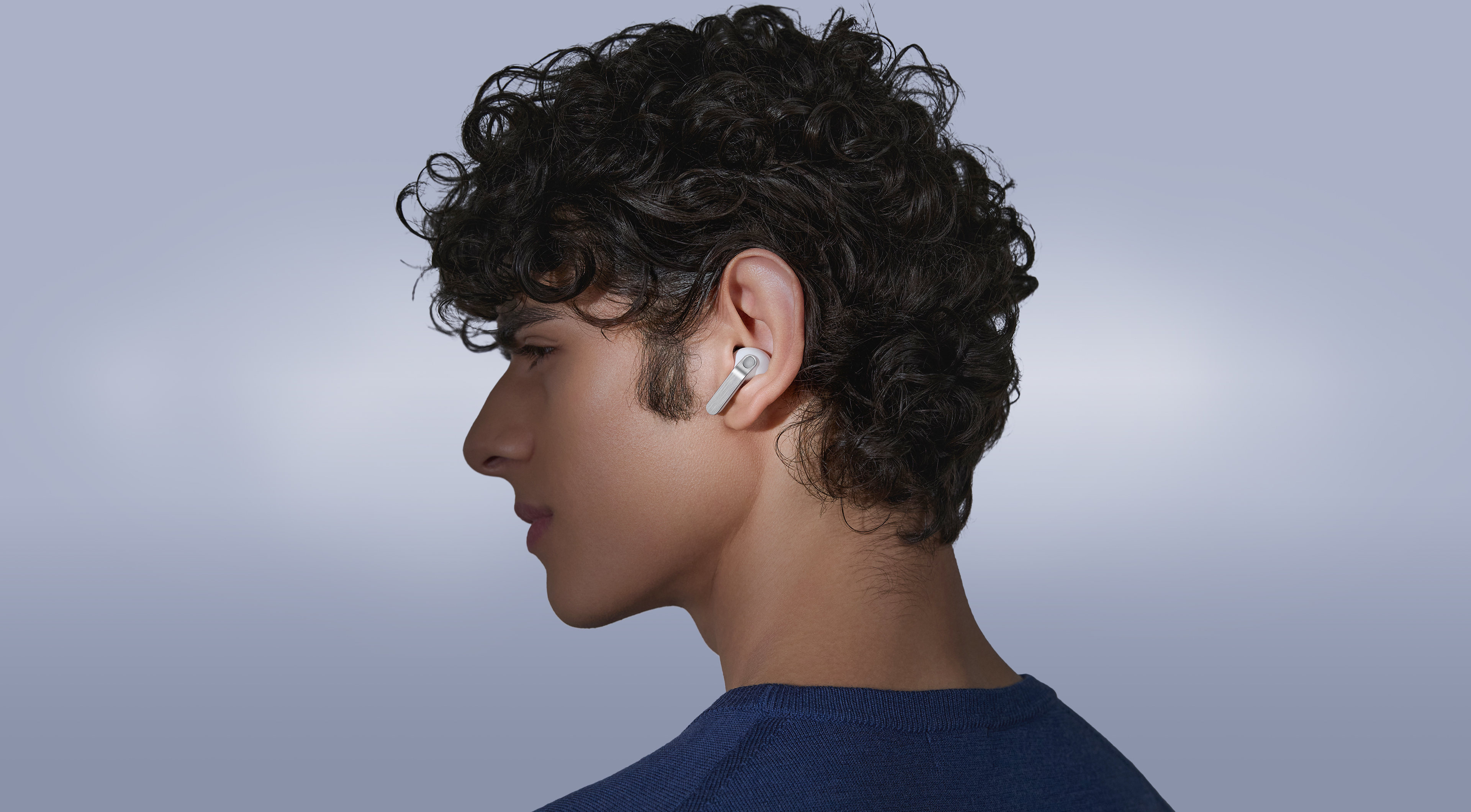
The real metal blade defines both design and control. Finely sculpted from aluminum and perfected to create an impeccable hairline, Galaxy Buds4 Pro shines elegantly, turning heads. Finished in timeless colors, it presents a classic look that feels sophisticated yet versatile. Shaped for lasting comfort and stability, the surface that touches your ears feel naturally comfortable to provide a secure fit. From docking and charging to control, every interaction flows seamlessly through an ergonomic design.
-
Colors White View MoreClose Color information layer
Colors
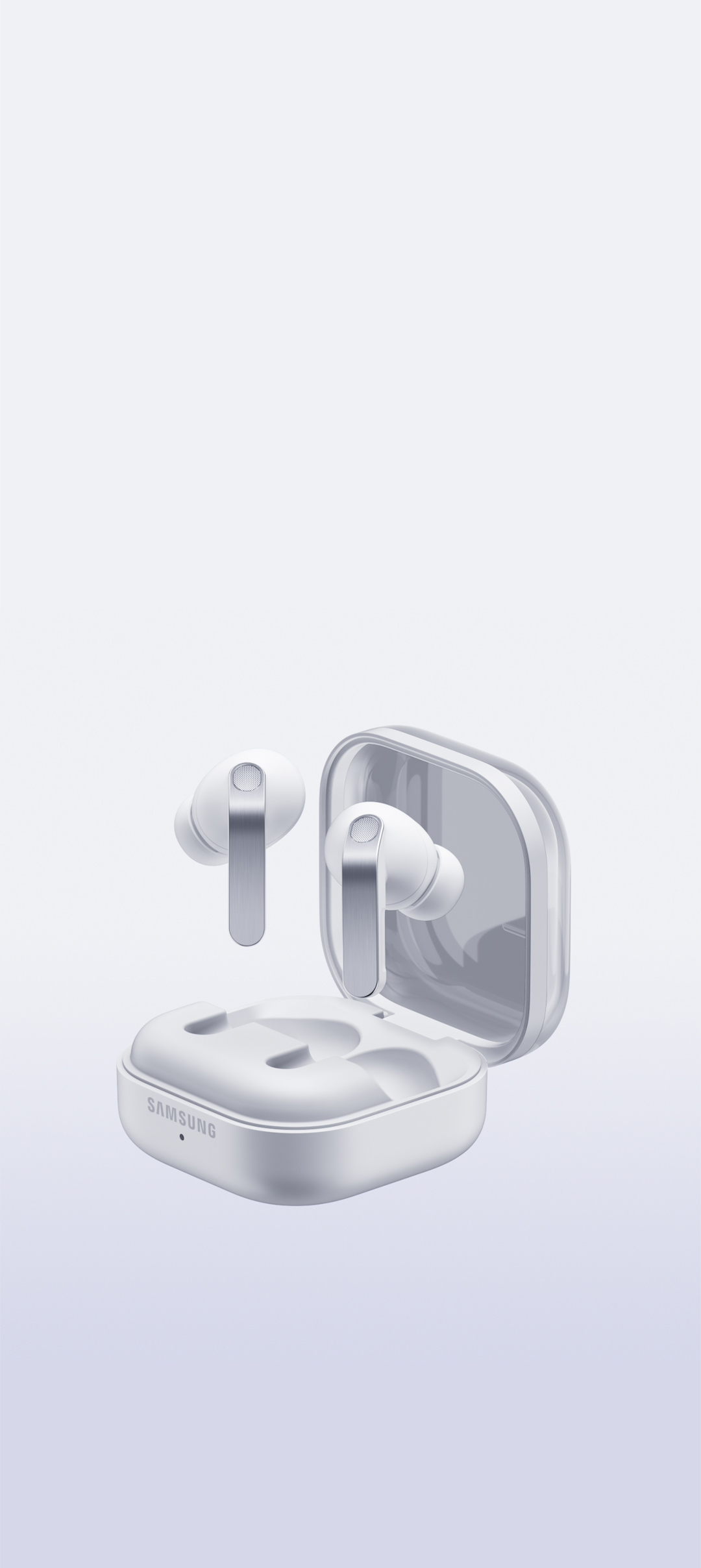
WhiteSamsung.com only
White

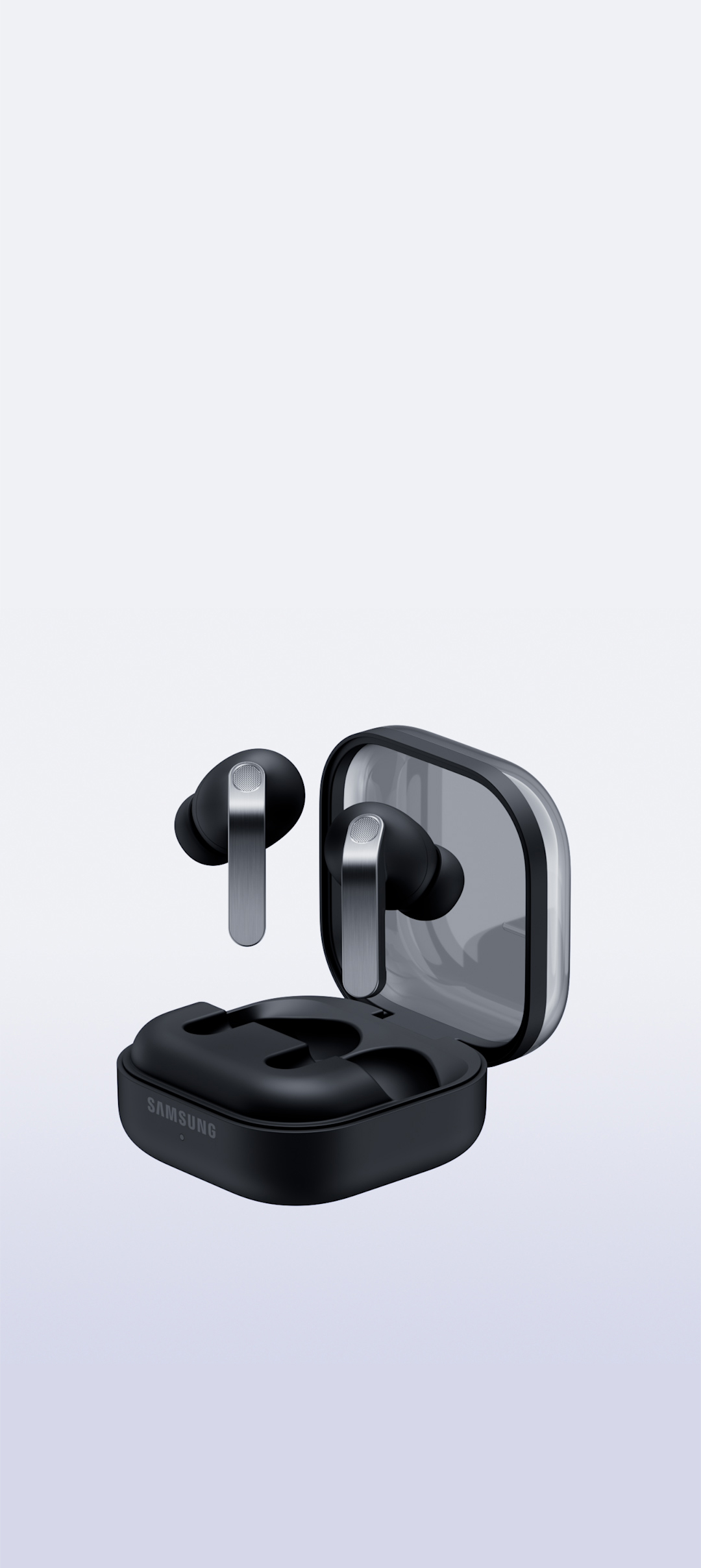
Black

Pink Gold

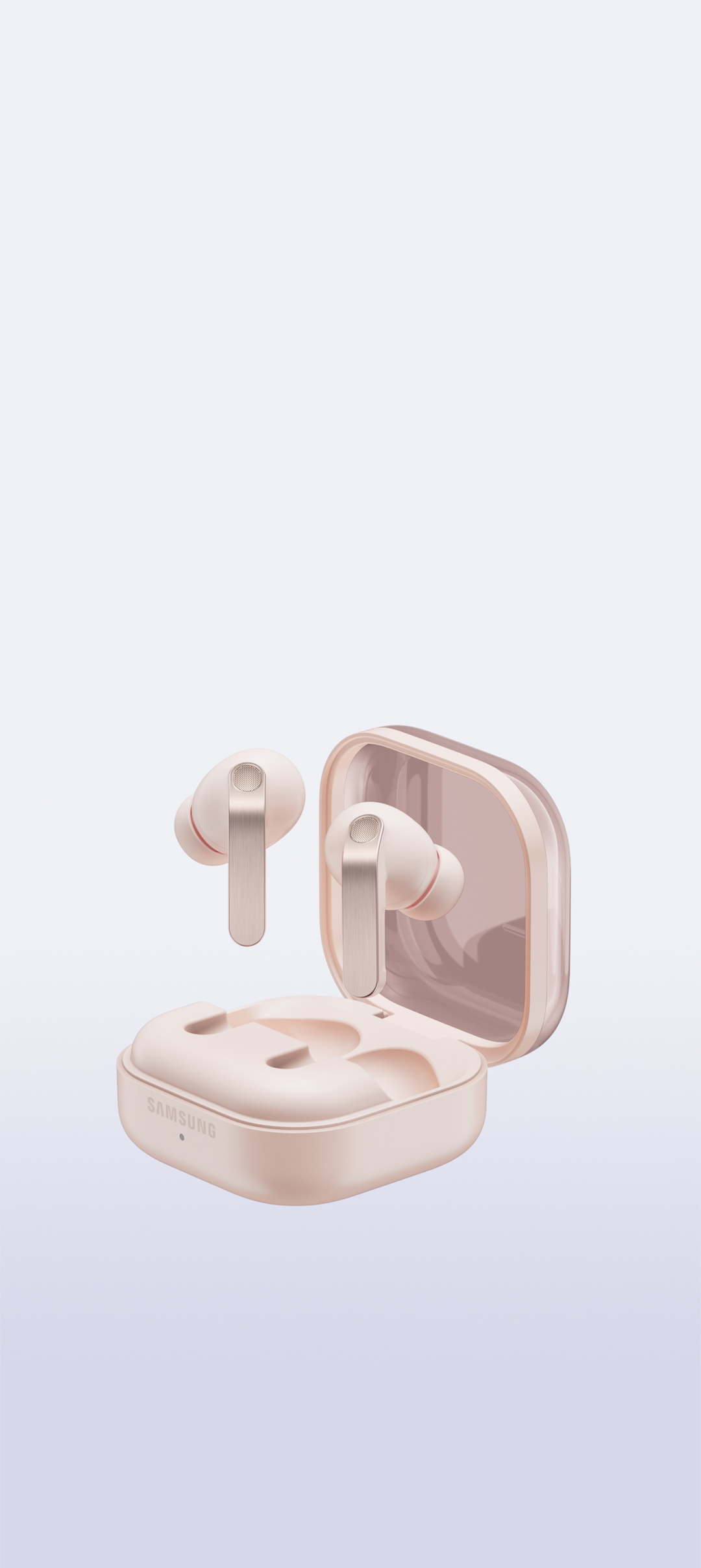
-
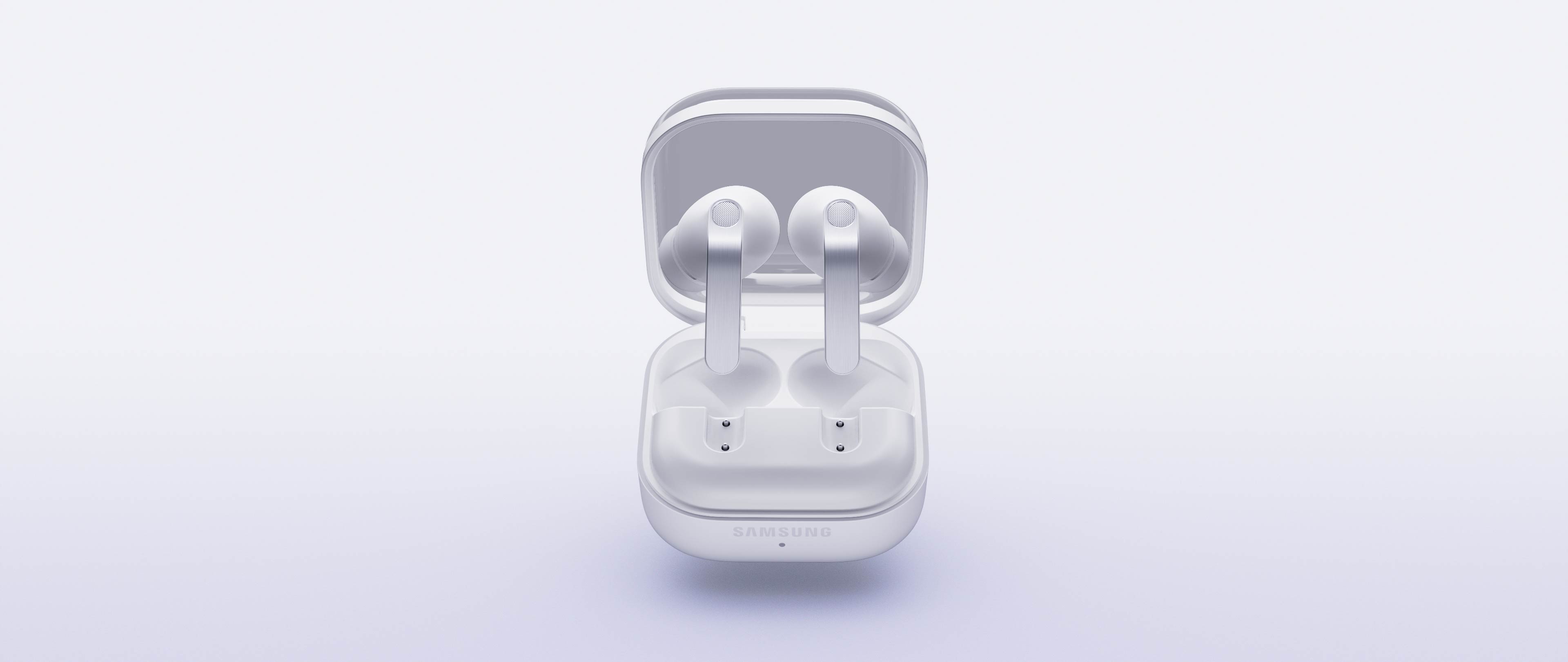
-


-
Pinch Control View MoreClose Pinch Control information layer
Pinch Control
Now with the upgraded Pinch Control, you can manage your media or control the volume with just your index finger — no need to reach for your phone.


- Single pinch
- Double pinch
- Swipe up or down
- Pinch and hold
- Single pinch
- Double pinch
- Swipe up or down
- Pinch and hold

Unveil the artistry of
full-spectrum Hi-Fi sound

ADVANCED 2-WAY SPEAKER
Hi-Fi sound.
Hear the full range
Meet the true Hi-Fi Galaxy Buds. The advanced 2-way Speaker paired with dedicated Dual Amp is meticulously tuned to achieve high-fidelity sound across the full spectrum. Bring the studio-scale listening system to your ears, wherever you are.

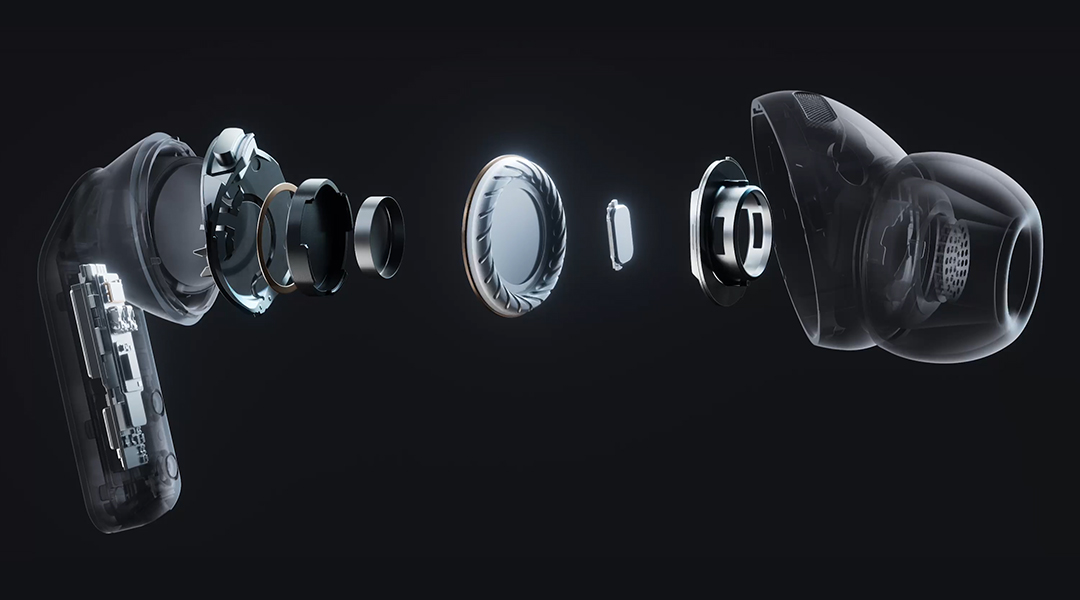
ADVANCED WIRELESS AUDIO
Hear every layer come alive
Hear every layer come alive with extended bit depth and high sampling rates. Samsung Seamless Codec (SSC) supports 24-bit / 96 kHz audio to preserve the original sound with vast amount of information, while optimized data transmission control enables a stable listening experience with reduced audible artifacts or dropouts. Turn on the Ultra High Quality Audio (UHQ) option on your Galaxy smartphone and rediscover your favorite songs in full detail.,,
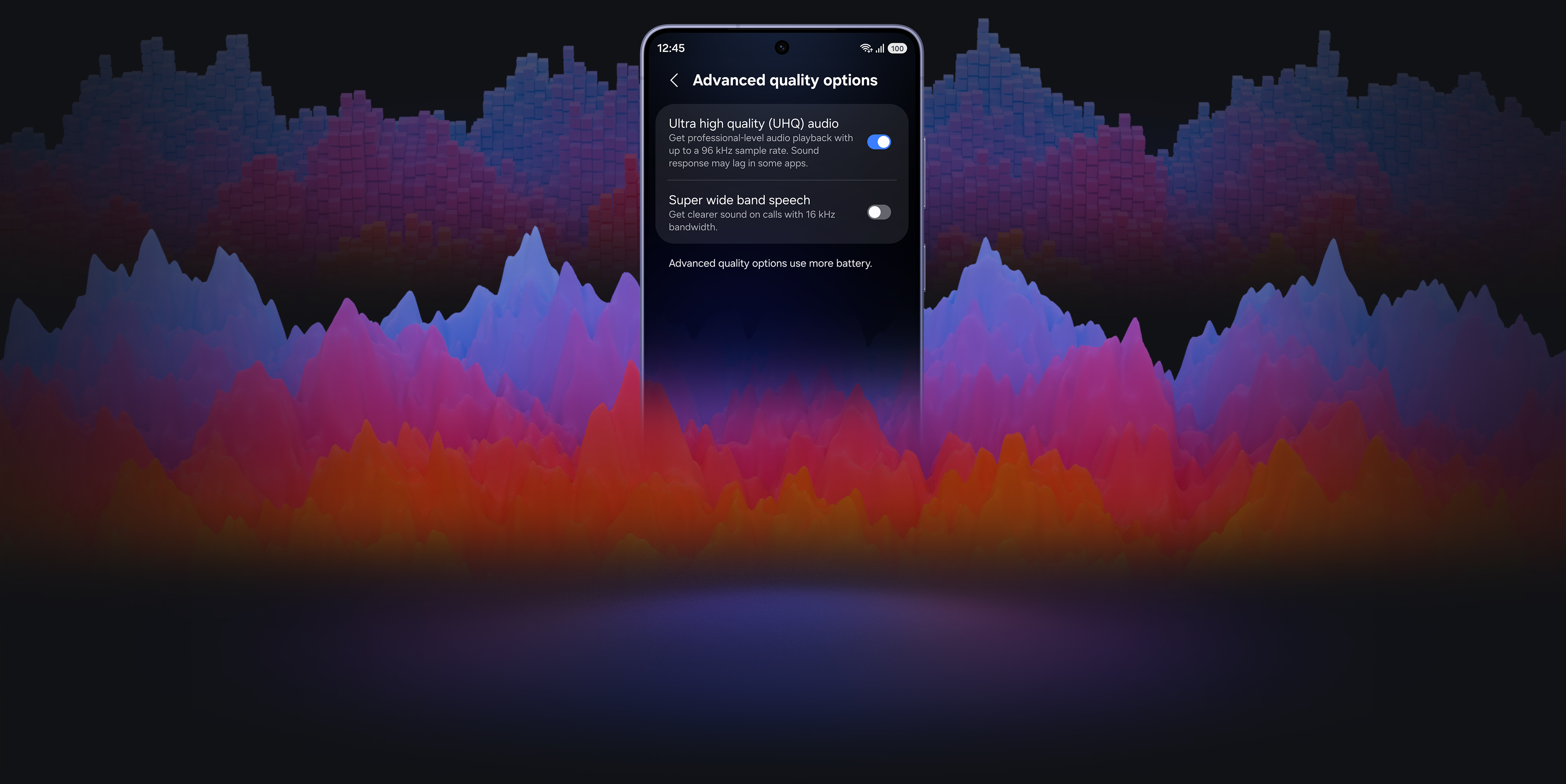
24-bit / 96 kHz Samsung Seamless Codec - UHQ
ADAPTIVE EQUALIZER
Tailor Hi-Fi sound your way
Take a step closer to the ultimate in audio. Customize bass, treble and tone with the 9-Band Equalizer to match your preference, creating a sound signature tailored just for you. Galaxy Buds4 Pro also optimizes sound adaptively to your ear shape and wearing style, ensuring a consistent listening experience as your ears perceive it — even when you adjust the volume.

SUPER CLEAR CALL
Super Clear Call, even in noise
Even your calls are clear like Hi-Fi audio. Your voice is clearly captured by 6 microphones positioned around your head, intelligently isolating it from the background sound with advanced Deep Neural Network (DNN). The exceptionally clean voice signal is transmitted with pure effortlessness through Super Wideband (SWB) up to 16 kHz between your Galaxy Buds4 Pro and Galaxy smartphone. Hear and be heard, loud and clear — even in noisy moments.,,
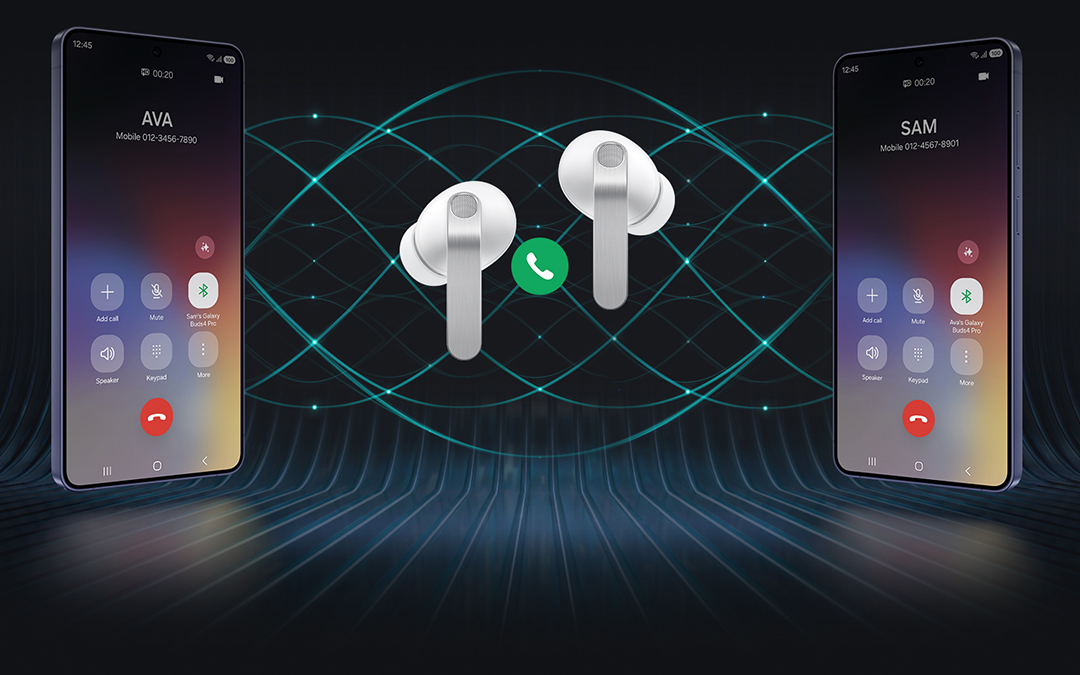
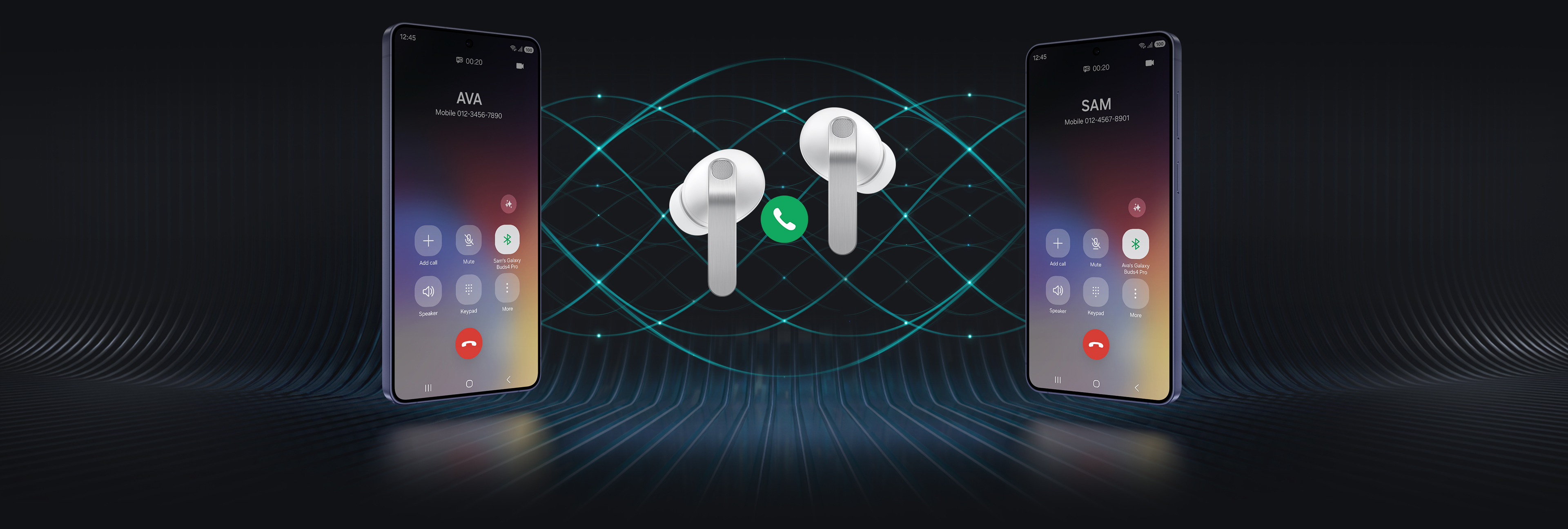
Two Galaxy smartphones are on each side with a pair of white, Galaxy Buds4 Pro in the middle. Between the earbuds is a phone call icon. The smartphone on the left shows the call screen with the name 'Ava' and the smartphone on the right shows the call screen with the name 'Sam'. In the background are multiple waves showcasing the Super Clear Call feature available on Galaxy Buds4 Pro.
360 AUDIO
Surround yourself in sound
Expand your soundstage from stereo into a grand orchestral hall or a large arena, placing you at the center of a live performance with a single touch. Feel every instrument and vocals in three dimensions, surrounding you with natural depth and spacious clarity. You don't just hear the music — you're enveloped by the atmosphere all around you.


A man sitting on a couch as a collection of instruments appear in a circle around him. The instruments include a mic with a mic stand, a drum set, trumpet, cello, violin, electric guitar and grand piano. The instruments are shown in outline, highlighting the 360 Audio system available on Galaxy Buds4 Pro.
Deeper immersion that adapts with you



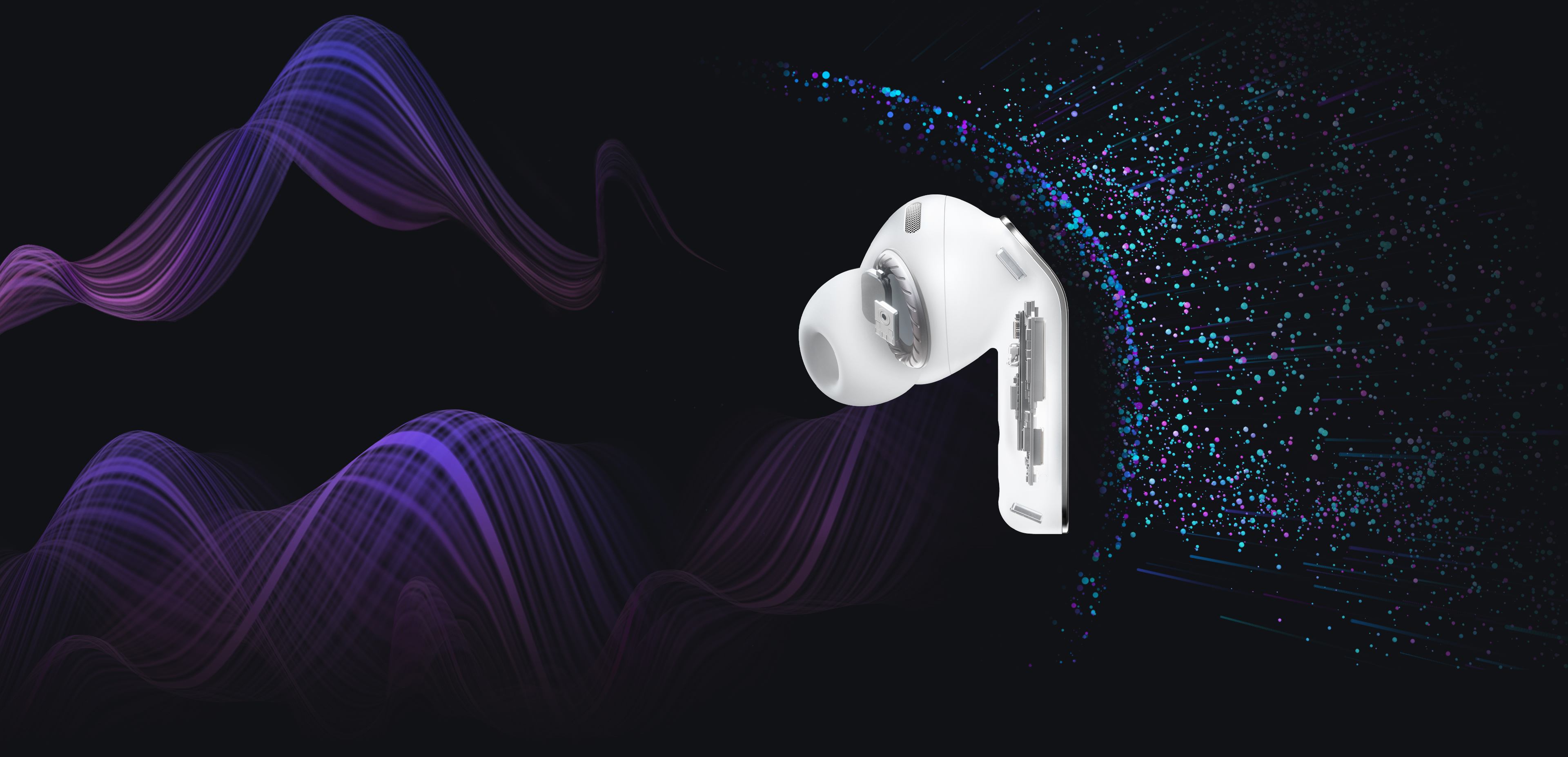
ENHANCED ANC
Let Hi-Fi sound stay vivid
With its top-notch high-fidelity sound system, Galaxy Buds4 Pro achieves precise noise control. Distractions fade in real-time as the Active Noise Canceling (ANC) algorithm instantly processes and adapts to your ear shape and fit. Listen to vivid, layered and deeply engaging Hi-Fi sound wherever you are.
ADAPTIVE NOISE CONTROL
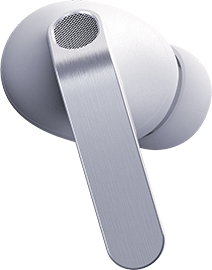
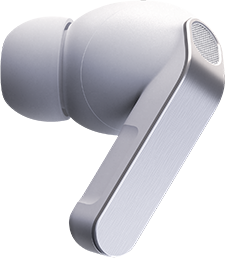
Stay immersed, stay connected
Manage your listening experience your way. Galaxy Buds4 Pro adjusts the levels of ANC and ambient sounds in real-time, adapting to your environment — whether you're sensitive to noise or prefer more blending. Stay more immersed in the music while remaining connected to the world around you.





-
ONE UI 8.5
Now, everything flows as one in One UI
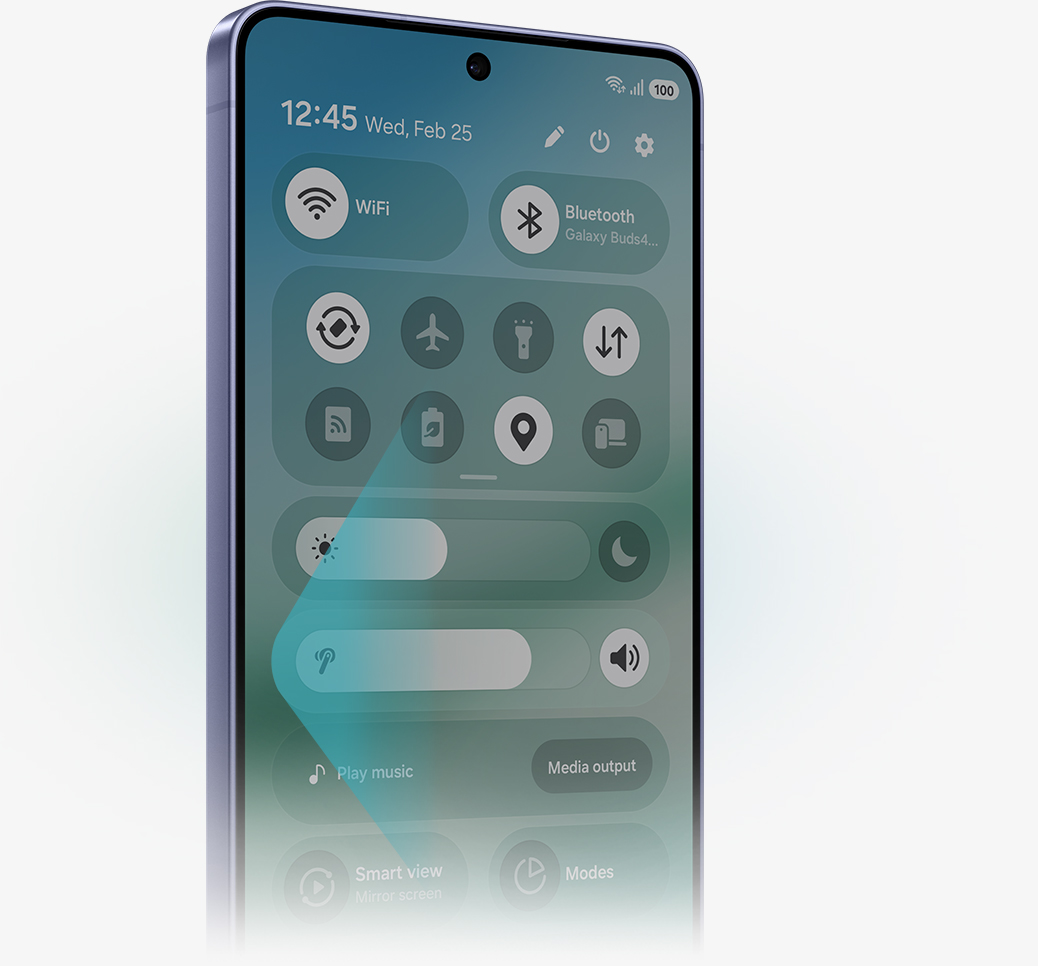
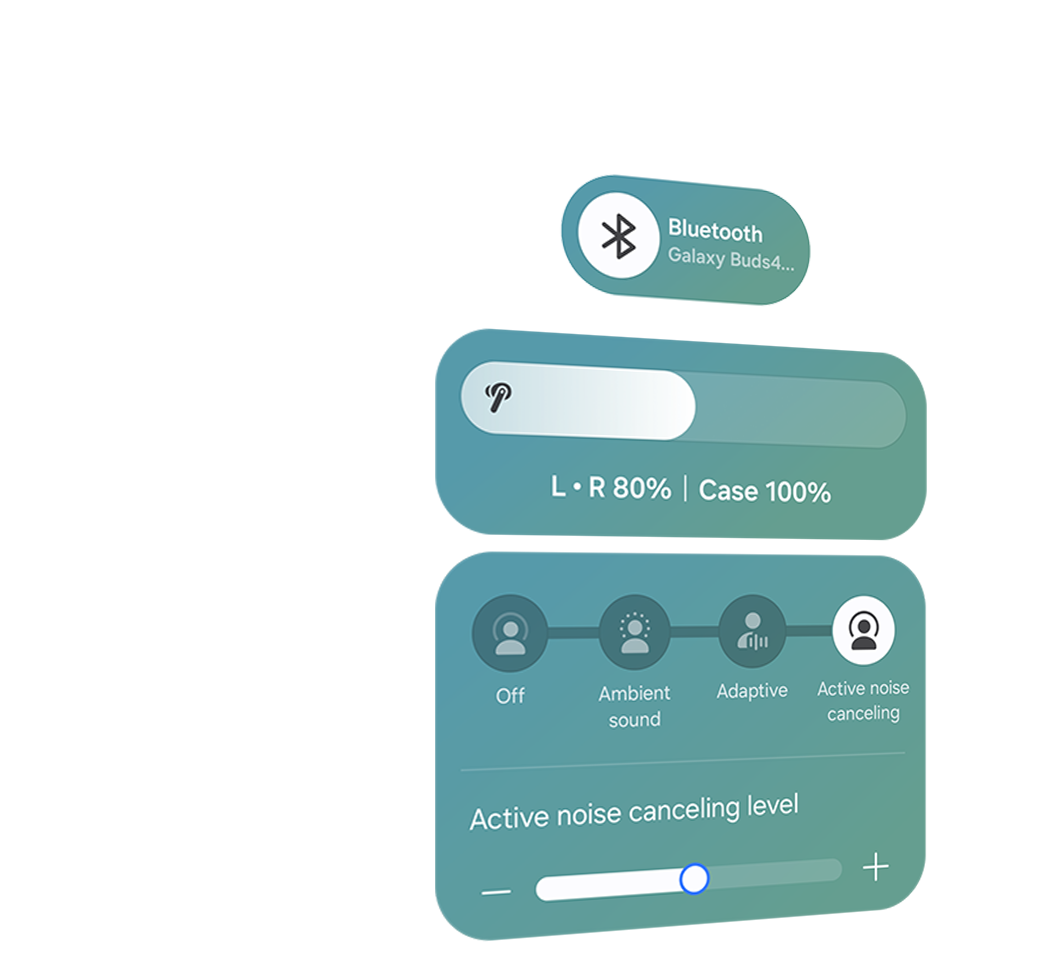
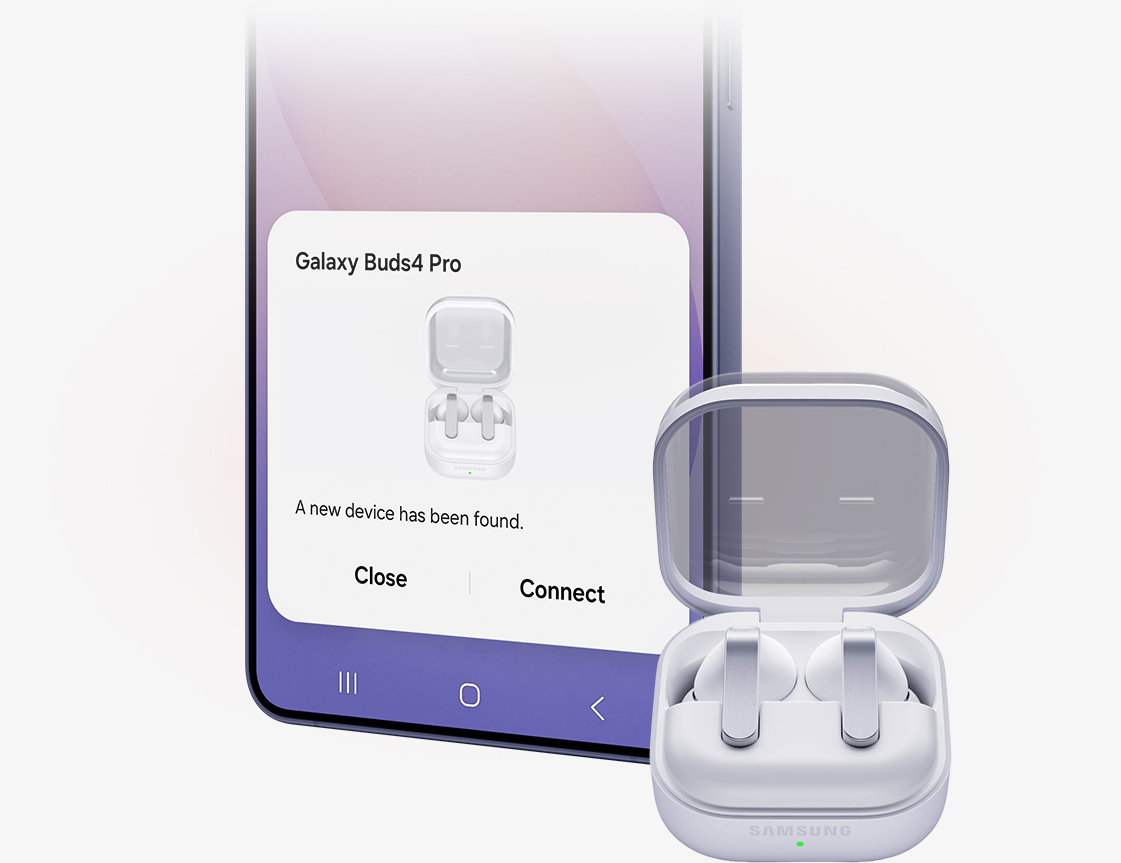
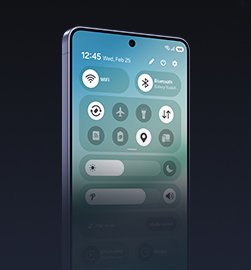
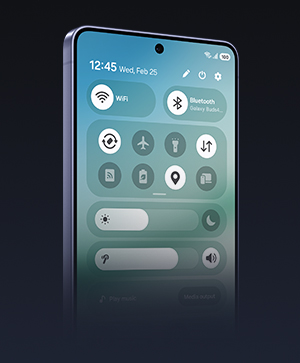
The evolved One UI 8.5 creates a deep connection between your Galaxy Buds and Galaxy smartphone, almost like a duet. Control has never been more intuitive — manage features from the device settings, without downloading a separate app. From the Quick Panel, you can easily access features and also set and save sound preferences for each app.,,

INTERPRETER
Personal AI Translator in your ear
Break language barriers with a personal AI translator in your ear. Fully engage in the moment with Galaxy AI-powered Interpreter — hear it through Galaxy Buds4 Pro and read it on your Galaxy smartphone. Galaxy AI steps in to ensure clear communication across different languages.,,


VOICE-READY AI AGENT
Just talk to wake your AI agents
Ask for assistance with just your voice — no phone-pulling required. Simply speak to AI agents such as Bixby to get answers to questions or manage tasks instantly without slowing you down.,,


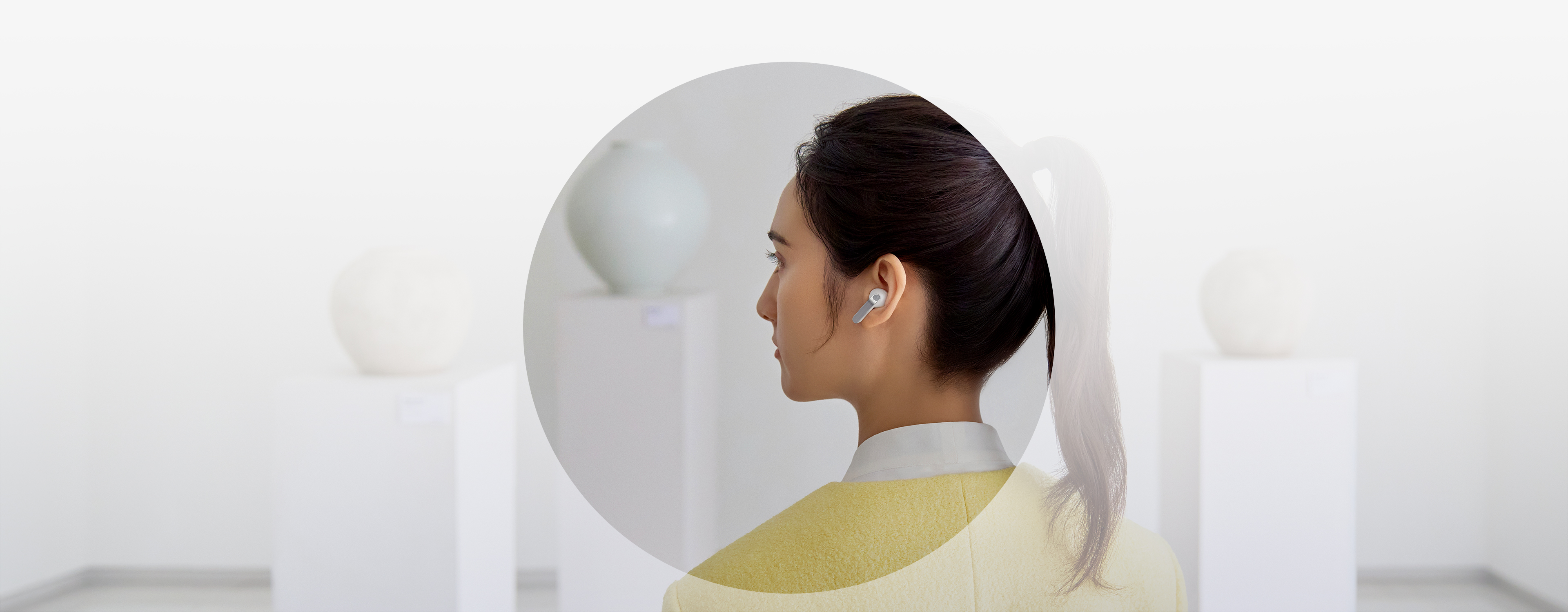
A rearview shot of a woman using a single, white Galaxy Buds4 Pro. Nearby, a text bubble asking AI, 'What is a moon jar?' Below the text bubble is a separate bubble with the response 'A moon jar is a large, round Korean white porcelain jar from the Joseon dynasty, whose softly swollen, almost spherical body and milky-white glaze evoke the appearance of a full moon.' Below is a list of the key points of a moon jar.
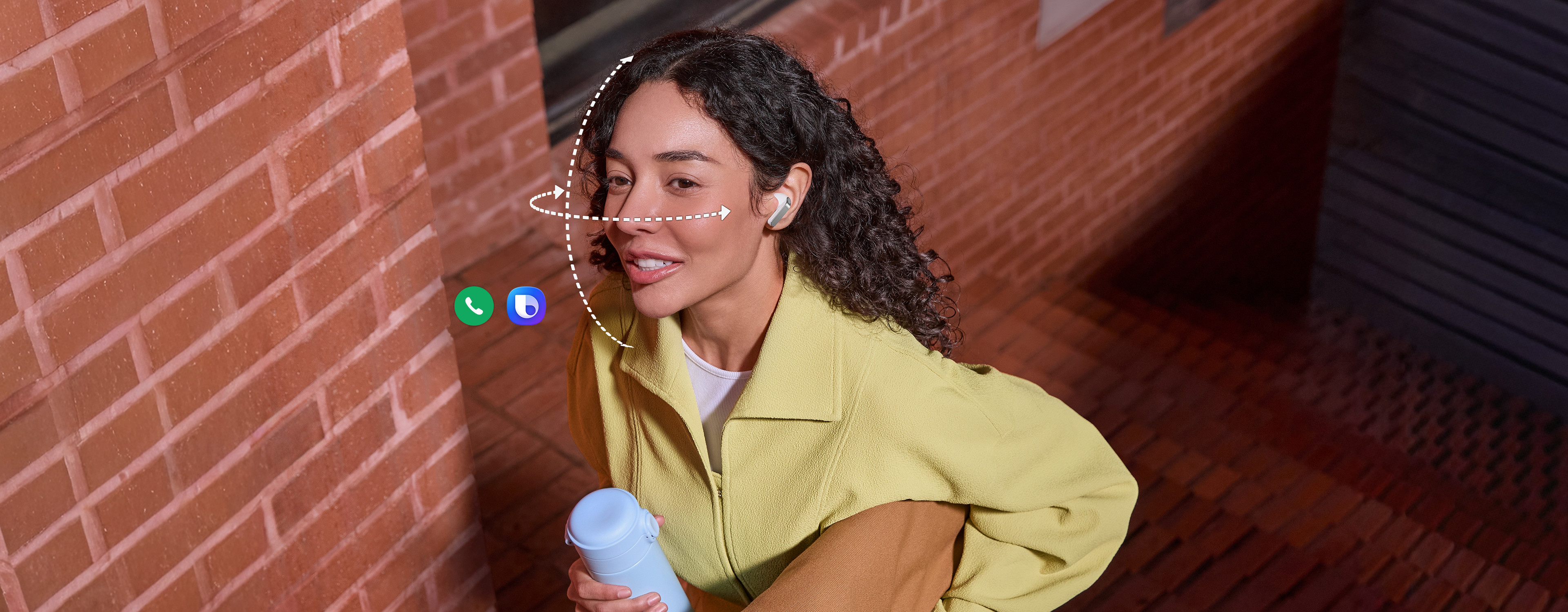
AUTO SWITCH
Switch instantly between Galaxy devices
Auto Switch shifts your audio to the most pressing task at hand. Take a call on your Galaxy smartphone while focusing on your creative project on your Galaxy Tab or Galaxy Book. Jump right back to where you left off, the instant you hang up. The experience is seamless across your Galaxy devices.,

Key takeaways at a glance
Advanced
2-way Speaker
Ultra High Quality
Audio with
24-bit / 96 kHz
Super Clear Call
Iconic in metal
One UI 8.5
Advanced
2-way Speaker
Ultra High Quality
Audio with
24-bit / 96 kHz
Super Clear Call

Iconic in metal
One UI 8.5
GALAXY ECOSYSTEM
Pair up with our all-new AI phone
Add Galaxy S26 Ultra and Galaxy Watch Ultra to your everyday life to spark excitement — from listening to Hi-Fi audio with an improved codec and stable Bluetooth 6.1 connection, to paying more attention to your sleep quality and cardio health.
-
Galaxy S26 Ultra
Learn more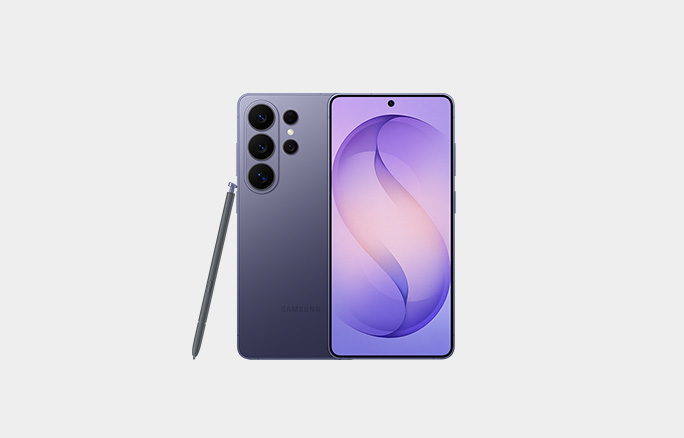
-
Galaxy Watch Ultra
Learn more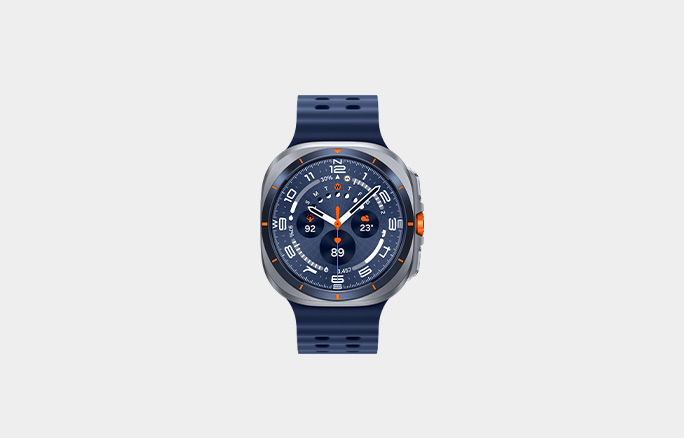
Galaxy Buds4 Pro Frequently Asked Questions
-
Galaxy Buds4 Pro delivers Hi-Fi audio with premium upgrades.
- Sound: The 2-way Speaker and Dual Amp reproduces sound that's true to the original recording. Samsung Seamless Codec (SSC) supports 24-bit / 96 kHz audio for improved fidelity and stability. With Adjust to fit option, you can enjoy music anywhere through sound that adjusts to your ear shape and wearing style. Plus, the Super Clear Call lets you communicate clearly through the noise.
- Design: The metal blade adds sophistication to the design, which is also upgraded for comfortable fit with an ergonomic shape and silicone ear tips. The Charging Case has a translucent cover, and is compact for portability.
- One UI: The seamless connection with Galaxy devices running the latest One UI 8.5 makes more things effortless with Galaxy Buds4 Pro. You can easily manage features from the device settings and Quick Panel without downloading a separate app.
-
The main differences between Galaxy Buds4 Pro and Galaxy Buds4 are as follows.
- Galaxy Buds4 Pro has an enhanced 2-way Speaker and a Dual Amplifier to reproduce Hi-Fi sound that's true to the original recording. And it comes with 3 sets of silicone ear tips in different sizes for sound delivery with less distortion. Features such as Voice Detect and Siren Detect are supported on Galaxy Buds4 Pro.
- Galaxy Buds4 produces balanced sound with a capable speaker and is optimized for everyday listening.
-
Galaxy Buds4 Pro comes with earbuds, ear tips (3 sets: S/M/L), Charging Case and the Quick Start Guide. USB Type-C cable is not included.
-
Yes, Galaxy Buds4 Pro includes 3 sets of ear tips in different sizes — small, medium and large.
- M-sized ear tips are attached to the earbuds by default.
- Change the size if you need to and find the fit that's comfortable to your ears.
-
-
Yes, Galaxy Buds4 Pro Charging Case can be charged wirelessly. Wireless charging pad is not included in the box and is sold separately.
-
No. The Charging Case for each Buds is shaped differently, making it incompatible between the two models.
-
You can use Pinch Control on Galaxy Buds4 Pro using your index finger. First, wear the earbuds and try the following actions:
- Single pinch: Pinch once to play or pause the track, answer or end a call and stop using features such as Read notifications aloud, Voice Detect and Siren Detect.
- Double pinch: Pinch twice to play the next track.
- Triple pinch: Pinch three times to play the previous track.
- Pinch and hold: Pinch and hold to turn on the preset feature or decline a call.
- Swipe: Swipe up or down using your index finger to adjust the volume.
-
-
Galaxy Buds4 Pro has two dedicated amplifiers for each speaker driver in the advanced 2-way Speaker for intricate control, minimizing interference. This separate operation makes meticulous tuning possible to produce high-quality sound.
-
-
SSC - UHQ supports up to 24-bit / 96 kHz and is available on Galaxy smartphones and Galaxy Tab. More devices may be supported in the future.
-
When you're on a phone call with Galaxy Buds4 Series in your ears, you can hear and be heard, loud and clear, even in noisy moments.
-
-
If you're using Galaxy devices running on One UI 8.0 or later, you can control Galaxy Buds4 Series without downloading any additional apps. Pair your Buds with your Galaxy device instantly and enjoy your listening experience.
- On Galaxy devices running on One UI 8.0 or later, certain features can be controlled from the Quick Panel or you can manage Galaxy Buds4 Pro in more detail from your phone's device settings without downloading any additional apps.
- For Galaxy devices running on earlier versions of One UI, configurations can be found in the Galaxy Wearable app.
-
Galaxy AI provides swift interpretation — hear it through Galaxy Buds4 Pro and read it on your Galaxy smartphone. Keep your earbuds on, even when you're talking with a person that speaks in another language.
-
Compare Galaxy Buds
-
Latest Products
More Galaxy
-
Latest Products
More Galaxy
Key Specs , , ,
-
Speaker
-
Speaker
-
Speaker
-
Amplifier
-
Amplifier
-
Amplifier
-
Bluetooth Codec
-
Bluetooth Codec
-
Bluetooth Codec
-
Bluetooth Ver.
-
Bluetooth Ver.
-
Bluetooth Ver.
-
MIC
-
MIC
-
MIC
-
Super Clear Call
-
Super Clear Call
-
Super Clear Call
-
360 Audio
-
360 Audio
-
360 Audio
-
Active Noise Cancellation
-
Active Noise Cancellation
-
Active Noise Cancellation
-
Adaptive Noise Control
-
Adaptive Noise Control
-
Adaptive Noise Control
-
Adaptive EQ/Adaptive ANC
-
Adaptive EQ/Adaptive ANC
-
Adaptive EQ/Adaptive ANC
-
Volume EQ
-
Volume EQ
-
Volume EQ
-
Galaxy AI availability
-
Galaxy AI availability
-
Galaxy AI availability
-
LE Audio
-
LE Audio
-
LE Audio
-
Auracast
-
Auracast
-
Auracast
-
Swipe Control
-
Swipe Control
-
Swipe Control
-
Pinch Control
-
Pinch Control
-
Pinch Control
-
Head Gesture
-
Head Gesture
-
Head Gesture
-
Play time
-
Play time
-
Play time
- Devices sold separately.
- Availability of colors may vary by country or carrier. Pink Gold color sold exclusively online at Samsung.com.
- Wireless charger and cable sold separately.
- Based on global ear data research conducted by Samsung Design Innovation Center.
- The new wider woofer on Galaxy Buds4 Pro has 19.8% larger diaphragm compared to Galaxy Buds3 Pro.
- Ultra High Quality Audio (UHQ) up to 24-bit / 96 kHz is available on Galaxy S26 Series, S25 Series, S24 Series, S23 Series, Z Fold7, Z Flip7, Z Fold6, Z Flip6, Z Fold5, Z Flip5 and Tab S11 Series, Tab S10 Series, Tab S9 Series with One UI 6.1.1 or above. Additional devices may be supported in the future.
- UHQ is off by default and can be configured directly in the phone settings for devices running One UI 8.0 and later. For devices running on earlier versions of One UI, configurations can be found in the Galaxy Wearable app.
- 360 Audio is only available on Samsung Galaxy smartphones and Galaxy Tab devices with Android One UI version 3.1 or later, and selected Samsung TV models. Supported Samsung TV models include: Neo QLED 8K (QN900D, QN800D), Neo QLED 4K (QN95D, QN90D, QN87D, QN85D), OLED (S95D, S90D, S85D), QLED (Q80D, Q70D). Support for 360 Audio and head tracking may vary depending on the application and content.
- Super wideband (SWB) call is available on Galaxy S26 series, S25 series, Z Fold7, Z Flip7, Z Fold6, Z Flip6, A56, Tab S11 series and Tab S10 series with One UI 6.1.1 or above. Additional devices may be supported in the future. Super wideband call is available regardless of the call app. SWB may not be supported depending on the mobile network between devices.
- Each earbud contains three microphones (six in total across the device). The advanced DNN technology processes audio independently on each earbud, with no interaction between them.
- Adaptive Noise Control, Voice Detect and Siren Detect are off by default, and can be configured directly in the phone settings for devices running One UI 8.0 and later. For devices running on earlier versions of One UI, configurations can be found in the Galaxy Wearable app.
- Bluetooth must be turned on to pair Galaxy Buds4 Pro with Galaxy smartphone and Galaxy Tab.
- Additional plug-in may need to be downloaded based on the version of One UI. For devices running on One UI versions below 8.0, Galaxy Wearable app needs to be downloaded.
- Connecting Samsung Galaxy Buds4 Pro as Bluetooth Audio is available regardless of OS but to configure advanced settings on the Galaxy Wearable app, Samsung Galaxy Buds4 Pro must be paired with a smartphone with Android 12.0 or above and minimum 1.5 GB Memory.
- Samsung Account login is required to activate and change Galaxy Buds4 Pro settings on the Galaxy Wearable app.
- Samsung Account login is required to activate and change Galaxy Buds4 Pro settings. For devices running on One UI 8.0 or later, settings can be configured directly in the phone settings. For devices running on earlier versions, configurations can be found in the Galaxy Wearable app. Additionally, to use the Galaxy Wearable app, Samsung Galaxy Buds4 Pro must be paired with a smartphone running Android 12.0 or above with at least 1.5 GB of memory. Galaxy Wearable app is not supported on iOS.
- Connecting Samsung Galaxy Buds4 Pro as Bluetooth Audio is available regardless of the OS.
- Interpreter is available on smartphone devices with Galaxy AI features included, running on One UI 6.1.1 or later.
- Galaxy Buds4 Pro supports Galaxy AI features such as Interpreter and Live Translate when paired with compatible Samsung Galaxy devices. Availability of Galaxy AI features may vary by device model. Samsung Account login may be required to use certain Samsung AI features. Samsung does not make any promises, assurances or guarantees as to the accuracy, completeness or reliability of the output provided by AI features. Supported languages (Regions) are Arabic, Bahasa Indonesia, Chinese Simplified, Chinese Traditional (Hong Kong, Taiwan), Dutch, English (Australia, India, United Kingdom, United States), French (Canada, France), German, Hindi, Italian, Japanese, Korean, Polish, Portuguese (Brazil, Portugal), Romanian, Russian (Russian Federation), Spanish (Mexico, Spain, United States), Swedish, Thai, Turkish, Vietnamese, Tagalog, Gujarati. More languages will be added in future updates.
- Voice wake-up is off by default, and can be configured directly in the phone settings for devices running One UI 8.0 and later. For devices running on earlier versions of One UI, configurations can be found in the Galaxy Wearable app.
- Bixby is supported on most Samsung Galaxy smartphones and Galaxy Tab devices. Bixby provides real-time answers on devices running on One UI 8.5 or later. Service availability may vary by country, service provider, device model and OS version.
- Bixby supports 9 languages: Korean, English, German, French, Italian, Spanish, Portuguese, Chinese (Simplified) and Japanese.
- Head Gesture is off by default, and can be configured directly in the phone settings for paired devices running One UI 8.5 and later.
- Supported apps may vary by country. Gestures can be set by the user.
- Auto Switch feature is only available on Samsung Galaxy Book series with One UI 6.0 Book or later, Samsung Galaxy smartphones and Galaxy Tab devices with One UI 4.1.1 or later and Galaxy Watch4 series or later. Samsung Galaxy devices must be logged in to Samsung Account to enable the Auto Switch feature. Auto Switch feature for Samsung TV is only available on Samsung TVs launched Feb ’22 or later after getting a firmware update from Jul ’22. Auto Switch with TV is only available for making and receiving phone calls.
- Galaxy Buds4 Pro can be connected to iOS devices but cannot be controlled through the device as Galaxy Wearable app is not supported.
- Actual battery life may vary and depend on usage conditions, settings, number of times charged, Bluetooth signal strength, and other factors.
- Actual Play time may vary based on settings.
- Galaxy Buds use LC3 Codec when audio is transmitted over LE Audio. The availability of LE Audio may vary depending on the paired device and the audio features used. For LE Audio to function, the paired device must support it.
- Auracast™ is a trademark of Bluetooth SIG, Inc.
- IP57 is based on laboratory test conditions for submersion in up to 1 meter of fresh water for up to 30 minutes.
- Not advised for beach or pool use. Charging Case is not water resistant. If the earbuds are damaged, they are not guaranteed to be water resistant. If the earbuds or your hands are wet, they must be dried thoroughly prior to handling or placing into the Charging Case. If placed into the Charging Case without drying, the earbuds may be damaged.
Specifications
-
Size (Main Display)
14.6" (369.9mm)
-
Rear Camera - Resolution
13.0 MP + 8.0 MP
-
Weight (g)
695
-
CPU Speed
3.73GHz, 3.3GHz, 2.4GHz
-
CPU Speed
3.73GHz, 3.3GHz, 2.4GHz
-
CPU Type
Octa-Core
-
Size (Main Display)
14.6" (369.9mm)
-
Size (Main_Display)
369.9mm (14.6" full rectangle) / 367.2mm (14.5" rounded corners)
-
Resolution (Main Display)
2960 x 1848 (WQXGA+)
-
Technology (Main Display)
Dynamic AMOLED 2X
-
Color Depth (Main Display)
16M
-
Yes
-
Rear Camera - Resolution
13.0 MP + 8.0 MP
-
Rear Camera - Auto Focus
Yes
-
Front Camera - Resolution
12.0 MP
-
Rear Camera - Flash
Yes
-
Video Recording Resolution
UHD 4K (3840 x 2160)@30fps
-
Memory_(GB)
12
-
Storage (GB)
256
-
Available Storage (GB)
226.1
-
External Storage Support
MicroSD (Up to 2TB)
-
Number of SIM
Dual-SIM
-
SIM Slot Type
SIM 1 + Embedded SIM + MicroSD
-
2G GSM
GSM850, GSM900, DCS1800, PCS1900
-
3G UMTS
B1 (2100), B2 (1900), B4 (AWS), B5 (850), B8 (900)
-
4G FDD LTE
B1 (2100), B2 (1900), B3 (1800), B4 (AWS), B5 (850), B7 (2600), B8 (900), B12 (700), B13 (700), B17 (700), B20 (800), B25 (1900), B26 (850), B28 (700), B32 (1500), B66 (AWS-3)
-
4G TDD LTE
B38 (2600), B39 (1900), B40 (2300), B41 (2500)
-
5G FDD Sub6
N1 (2100), N2 (1900), N3 (1800), N5 (850), N7 (2600), N8 (900), N12 (700), N20 (800), N25 (1900), N26(850), N28 (700), N66 (AWS-3), N71 (600)
-
5G TDD Sub6
N38 (2600), N40 (2300), N41 (2500), N77 (3700), N78 (3500)
-
5G SDL Sub6
N75 (1500+)
-
USB Version
USB 3.2 Gen 1
-
Location Technology
GPS, Glonass, Beidou, Galileo, QZSS
-
Earjack
USB Type-C
-
MHL
No
-
Wi-Fi
802.11a/b/g/n/ac/ax/be 2.4GHz+5GHz+6GHz, EHT320, MIMO, 4096-QAM
-
Wi-Fi Direct
Yes
-
Bluetooth Version
Bluetooth v5.4
-
NFC
No
-
Bluetooth Profiles
A2DP, AVRCP, DI, HAP, HFP, HID, HOGP, HSP, MAP, OPP, PAN, PBAP, PBP, TMAP
-
PC Sync.
Smart Switch (PC version)
-
Android
-
Form Factor
Tablet
-
Accelerometer, Fingerprint Sensor, Gyro Sensor, Geomagnetic Sensor, Hall Sensor, Light Sensor
-
Dimension (HxWxD, mm)
208.5 x 326.3 x 5.1
-
Weight (g)
695
-
Video Playback Time (Hours, Wireless)
Up to 23
-
Battery Capacity (mAh, Typical)
11600
-
Removable
No
-
Video Playing Format
MP4, M4V, 3GP, 3G2, AVI, FLV, MKV, WEBM
-
Video Playing Resolution
UHD 8K (7680 x 4320) @ 60fps
-
Audio Playing Format
MP3, M4A, 3GA, AAC, OGG, OGA, WAV, AMR, AWB, FLAC, MID, MIDI, XMF, MXMF, IMY, RTTTL, RTX, OTA
-
Gear Support
Galaxy Buds Core, Galaxy Buds3 Pro, Galaxy Buds2 Pro, Galaxy Buds Pro, Galaxy Buds Live, Galaxy Buds+, Galaxy Buds3, Galaxy Buds2, Galaxy Buds, Galaxy Buds3 FE, Galaxy Buds FE
-
Mobile TV
No
-
SmartThings Support
Yes
-
Security Update Period (Valid until)
30 September 2032
-
Bluetooth Version
Bluetooth v6.1
-
Sensors
Accelerometer, Gyro Sensor, Hall Sensor, Pressure Sensor, Proximity Sensor, Touch Sensor, VPU (Voice Pickup Unit)
-
Earbud Weight (g)
5.1
-
Number of MIC
6
-
Speaker
Enhanced 2-way
-
Ambient Sound
Yes
-
Adaptive Noise Control
Yes
-
Active Noise Cancellation
Yes
-
Voice Detect
Yes
-
360 Audio
Yes
-
Siren Detect
Yes
-
Adaptive EQ
Yes
-
Adaptive ANC
Yes
-
Super Wide Band
Yes
-
Bluetooth Version
Bluetooth v6.1
-
Bluetooth Profiles
A2DP, AVRCP, HFP, PBP, TMAP
-
LE Audio
Yes
-
Auto Switch
Yes
-
Accelerometer, Gyro Sensor, Hall Sensor, Pressure Sensor, Proximity Sensor, Touch Sensor, VPU (Voice Pickup Unit)
-
Earbud Dimension (HxWxD, mm)
30.9 x 18.1 x 19.6
-
Earbud Weight (g)
5.1
-
Case Dimension (HxWxD, mm)
51 x 28.3 x 51
-
Case Weight (g)
44.3
-
Durability
IP57
-
Talk Time (Hours, ANC On)
Up to 4.5
-
Total Talk Time (Hours, ANC On)
Up to 20
-
Music Play Time (Hours, ANC On)
Up to 6
-
Total Music Play Time (Hours, ANC On)
Up to 26
-
Talk Time (Hours, ANC Off)
Up to 5
-
Total Talk Time (Hours, ANC Off)
Up to 22
-
Music Play Time (Hours, ANC Off)
Up to 7
-
Total Music Play Time (Hours, ANC Off)
Up to 30
-
Earbud Battery Capacity (mAh, Typical)
61
-
Case Battery Capacity (mAh, Typical)
530
-
Samsung Find
Yes
-
Bixby Voice Wake-up
Yes
-
Neck Stretch Reminder
Yes
-
Voice Command
Yes
User manual & downloads
Solutions & Tips
* Product Information stated herein is meant as a guide for the consumer and may not be accurate at all times. Features, specifications, design, color, and price may be changed without prior notice to the public.
* Features and specifications indicated have been verified as accurate at the time when the product was introduced to the market. However, these features and specifications may be updated, modified, or removed as required by local conditions. Such changes may be effected without prior notice to the public.
* Certain features may require the collection and use of personal information, and the consumer must explicitly consent to such collection and use of information for said features to function.
* Images depicted herein are only meant as an illustrative guide for the consumer regarding the design and use of the product. The actual appearance of the product, in terms of design and color may be different depending on variants available in the local market. Product design and color may also be updated and modified without prior notice to the public.
*The bandwidths supported by the device may vary depending on the region or service provider
* Image of Galaxy Buds Pro earbuds simulated for illustration purposes.
* Compatibility : Galaxy S21|S21+|S21 Ultra 5G, Galaxy S20|S20+|S20 Ultra, Galaxy Note20|20+, Galaxy Fold, Galaxy Z Fold2 5G, Galaxy Z Flip, Galaxy S20 FE, Galaxy S10e|S10|S10+, Galaxy Note10|10+, Galaxy Tab S7|S7+, Galaxy Tab S6, Galaxy Tab S6 Lite with OneUI 3.1 or higher