Explore Monitors


Filters
Filters


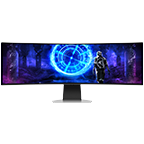
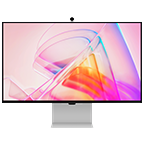
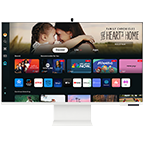
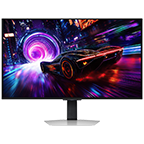
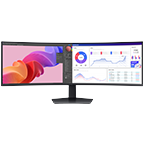
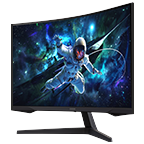
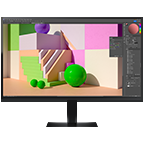
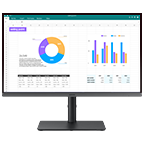
Step into a new era of entertainment with our wide range of Samsung monitors. These smart monitors are designed to deliver an exceptional viewing experience for all your favorite content. Samsung’s gaming monitors, high-resolution monitors, and smart monitors are equipped with top-of-the-line features such as AMD FreeSync, Virtual Aim Point, Eye Saver Mode, and much more that take your viewing experience to the next level.
Samsung monitor FAQs
-
What are the different types of Samsung monitors?Samsung monitors are available in a range of resolutions, screen sizes, and types. For example, Samsung offers gaming monitors, smart monitors, and high-resolution monitors.
-
What must one consider when buying a computer monitor?When buying a computer monitor, consider factors such as your use of a monitor, the budget, its features, and screen size. Samsung has a wide range of computer monitors that caters to the needs of all. Visit Samsung’s website today and pick your perfect match.
-
Are Samsung computer monitors suitable for gaming or professional use?Yes, Samsung computer monitors are suitable for both gaming and professional use– thanks to their state-of-the-art features and unparalleled picture quality.
-
Can a Samsung monitor be mounted?Yes, almost all Samsung monitors are VESA compatible and can be mounted. You just need to make sure that you’re purchasing the right wall mount for your model. Follow all instructions carefully to successfully mount your Samsung monitors and transform the look of your space.
-
Can I buy a Samsung monitor with a 0% monthly installment plan?Yes. Interest-free installment plans are available for up to 12 months using select credit cards. You can select an available installment option at the payment stage during checkout.
-
Are there any offers available when buying a Samsung monitor?Offers may vary by monitor and current Samsung Philippines promotion. Eligible monitor trade-ins can receive up to ₱5,000 off, and any additional savings are shown on the relevant product page.
-
Which Samsung monitor is best for my needs?The best monitor depends on how you plan to use it. Important factors include resolution, panel type, refresh rate, response time, connectivity and intended use such as gaming, content creation or productivity.
-
What payment options are available for buying a Samsung monitor in the Philippines?The Samsung Online Store supports available card payment options, including 0% installment plans for up to 12 months using select credit cards. The applicable options are shown during checkout.
-
What benefits do I get when buying a monitor from Samsung Philippines?Buying direct includes Samsung Rewards points on Online Store purchases, eligible Appliance Trade-Up savings, 0% installment plans for up to 12 months using select credit cards and official Samsung warranty. Samsung Care+ is available separately for eligible products.
-
How do I register my Samsung monitor?Product registration and support options are available through Samsung Support. Registration requirements may vary by monitor.
-
What details are needed to register a Samsung monitor?You will need the serial number and model code. Enter the serial number printed on the monitor itself rather than the one on the packaging, and check characters carefully, since 'O' and '0' are easily confused.
-
What should I consider when choosing a Samsung monitor for everyday use?Consider resolution, panel type, refresh rate, response time, connectivity and intended use when selecting a monitor.
-
Which Samsung monitors are suitable for photo and video editing?The ViewFinity range is built for creative and professional work, with resolutions from QHD to 5K and aspect ratios up to 32:9. ViewFinity monitors cover 99% to 115% of the sRGB gamut, and the ViewFinity S9 reaches 99% DCI-P3 for color-critical workflows.
-
How do different Samsung monitor display types compare?Samsung organizes monitors into three ranges. Odyssey is built for gaming with fast refresh rates and low response times. ViewFinity focuses on high resolution and color accuracy for professional work. Smart Monitor combines a display with built-in streaming apps and Wi-Fi, so it works without a connected PC.
-
Which Samsung monitor range is suitable for PC gaming?Samsung's Odyssey range is designed for gaming, with options offering high refresh rates, fast response times and different resolutions depending on the model.
-
What should I consider when choosing a Samsung monitor for long-term use?Consider your intended use, resolution, screen size, refresh rate and connectivity so the monitor continues to meet your needs over time.
All specifications and descriptions provided herein may be different from the actual specifications and descriptions for the product. Samsung reserves the right to make changes to this document and the product described herein, at anytime, without obligation on Samsung to provide notification of such change. All functionality, features, specifications, GUI and other product information provided in this document including, but not limited to, the benefits, design, pricing, components, performance, availability, and capabilities of the product are subject to change without notice or obligation. The contents seen on or with the product are oftentimes simulated and are for demonstration purposes only.