How to use Edit Suggestion on Samsung Galaxy photos?
Last Update date : Apr 22. 2026
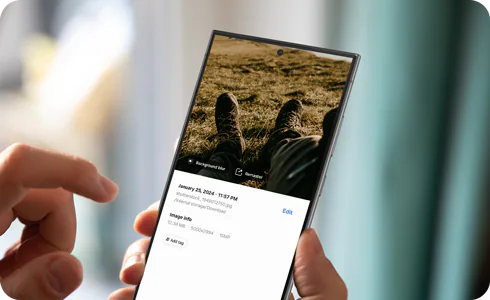
You can use Edit Suggestion on Galaxy devices to enhance photos and videos automatically. Galaxy AI suggests improvements like blur, remastering, and reflection removal.
Access Edit Suggestion in Gallery
![Images in Gallery]()
![Images in Gallery]()
![Photo of dog with details icon selected]()
![Photo of dog with details icon selected]()
![Photo of dog with suggested editing features]()
![Photo of dog with suggested editing features]()


Step 1. Open the Gallery app > select a photo.


Step 2. Tap the Details icon.


Step 3. Tap any Edit suggestion to apply the enhancement.
Common Edit Suggestion features
![Screen showing the application of Background blur to a photo of a dog]()
![Screen showing the application of Background blur to a photo of a dog]()
![Screen showing the application of Remaster to a photo of a dog]()
![Screen showing the application of Remaster to a photo of a dog]()
Background blur
- Blurs the background to highlight people or pets in the foreground.


Note: Suggested when the subject is clearly detected and the photo is not in portrait mode.
Remaster
- Improves resolution, brightness, and colour balance.


Additional Edit Suggestion options
- Use Erase reflections to remove reflections.
- Use Erase shadows to remove shadows.
- Use Remove moiré to smooth patterns.
- Use Long exposure for motion effects.
- Use Colorise for black and white images.
- Use Star trails for night sky effects.
- Use 24 hr time-lapse for landscape videos.
- Use Highlights to create video clips.
- Use Super slow-mo for slow-motion effects.
Notes
- Supported formats: JPG, PNG, GIF, and MP4.
- Available suggestions vary depending on the photo or video content.
- Some features appear only when the device is charging and after capturing specific content.
- Results may vary depending on image quality and AI processing.
- UI and feature availability may differ by device, OS version, and region.
Click here to read more about the AI features on supported Samsung Galaxy devices and models.
Thank you for your feedback!
Please answer all questions.