How do I use Bixby on my Samsung Galaxy device?
Last Update date : Apr 22. 2026

Bixby is Samsung’s voice assistant that lets you control your device, run apps, and get information using voice or text after setup and sign-in.
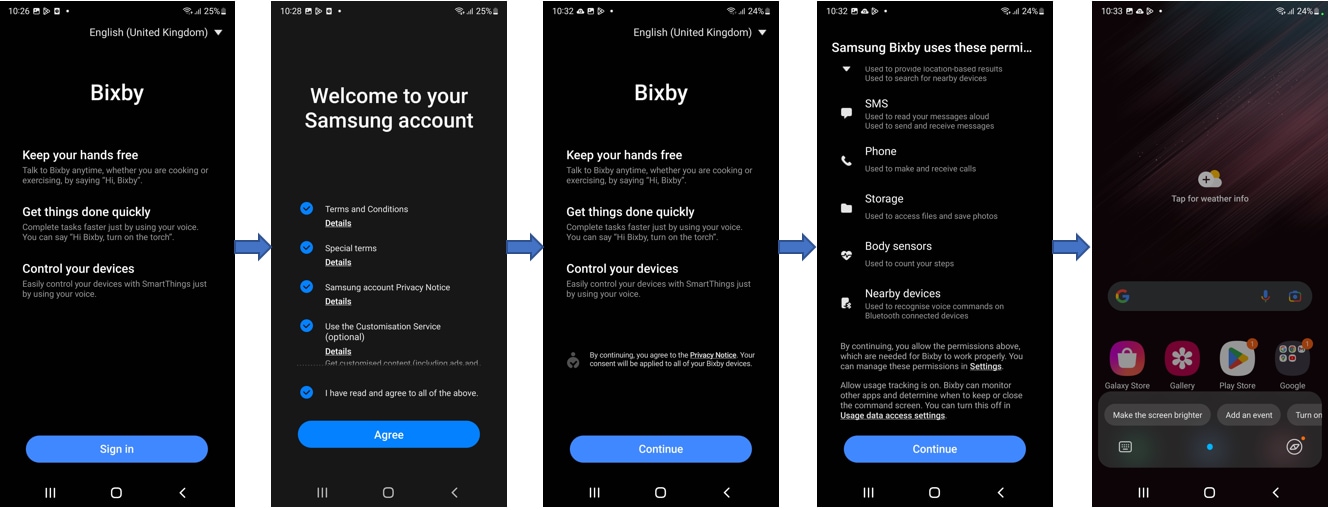
How to activate Bixby
- Press and hold the Side key or open the Bixby app.
- Select a language.
- Sign in to your Samsung account.
- Follow the on-screen instructions to complete setup.
How to use Bixby voice wake-up
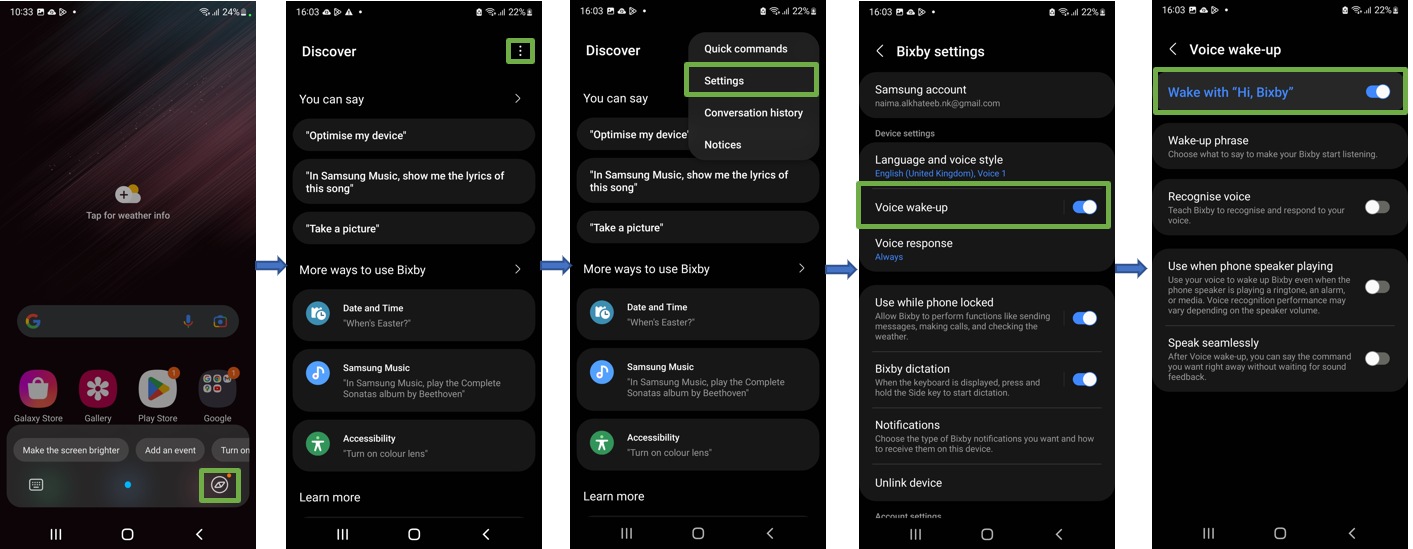
- Open Bixby app > Menu > Settings > Voice wake-up.
- Turn on Wake with “Hi, Bixby”.
- Follow the on-screen instructions.
How to use the Side key with Bixby
- Press and hold the Side key to speak to Bixby.
- Swipe up or tap the icon to open Bixby options.
How to use Quick commands
- Open the Bixby app > Menu.
- Tap Quick commands.
- Select or set commands.

How to type to Bixby
- Tap the keyboard icon next to the Bixby button.
- Type your request.
Notes:
- Your device must be connected to Wi-Fi or mobile data.
- You must sign in to your Samsung account.
- Bixby is available only in supported languages and regions.
- Features and menus may vary by device and software version.
Thank you for your feedback!
Please answer all questions.