How to set up and use the Browsing assist features with Galaxy AI
Browsing Assist in the Samsung Internet app allows you to summarise and translate web pages using Galaxy AI. You can quickly convert long articles into bullet points or translate content into different languages directly in your browser.
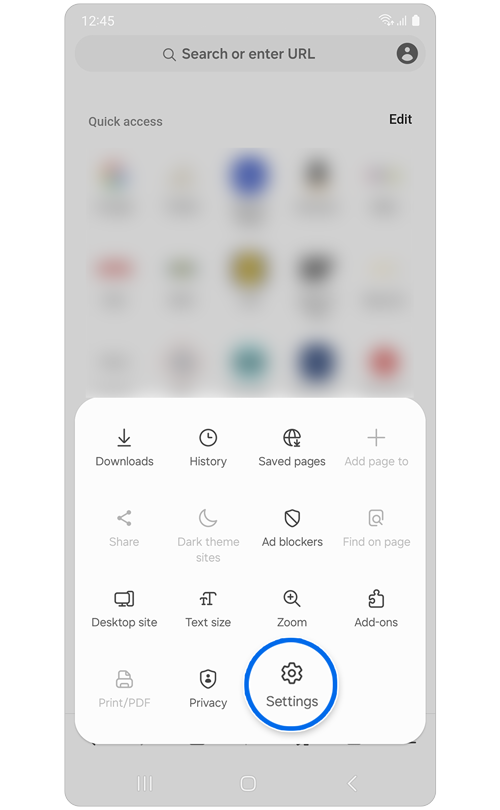
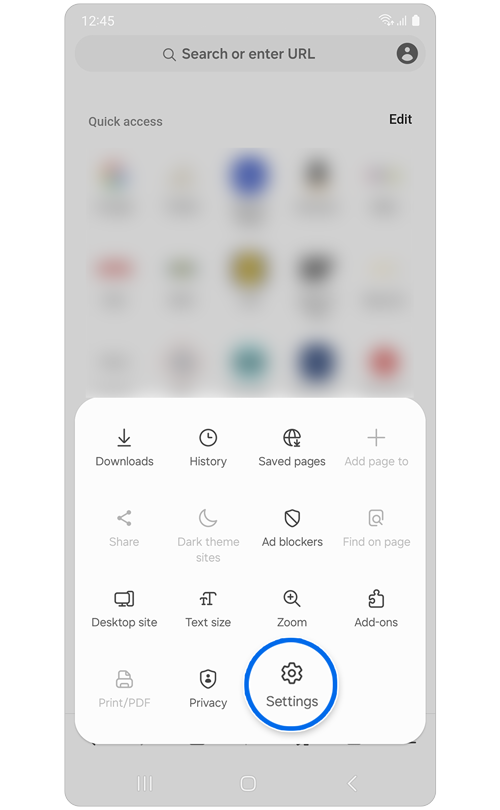
Step 1. Open Samsung Internet app > Tap Menu (three lines) > Settings.
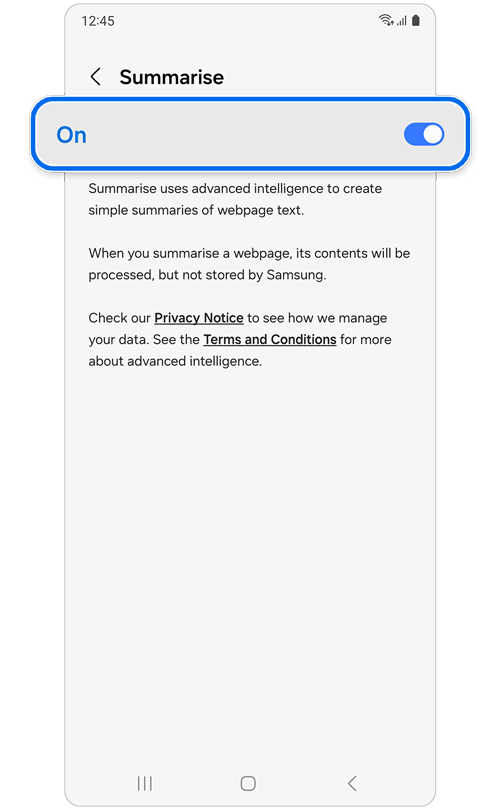
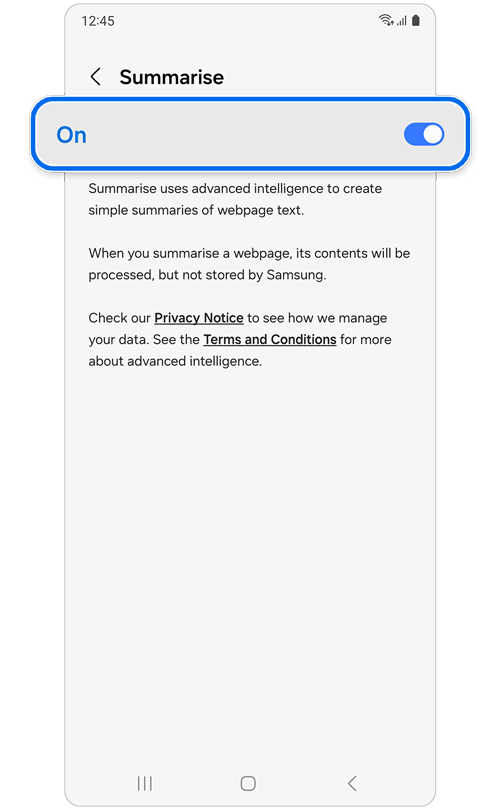
Step 2. Tap Browsing assist > Turn on Summarise.
How to use the Summarise feature
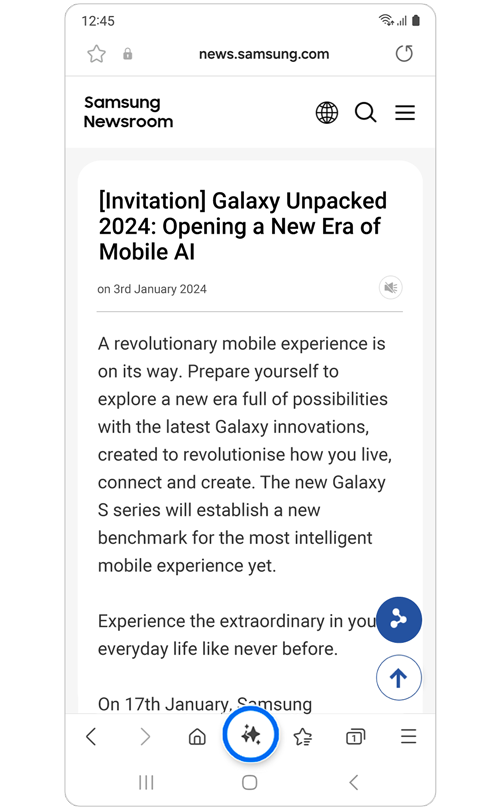
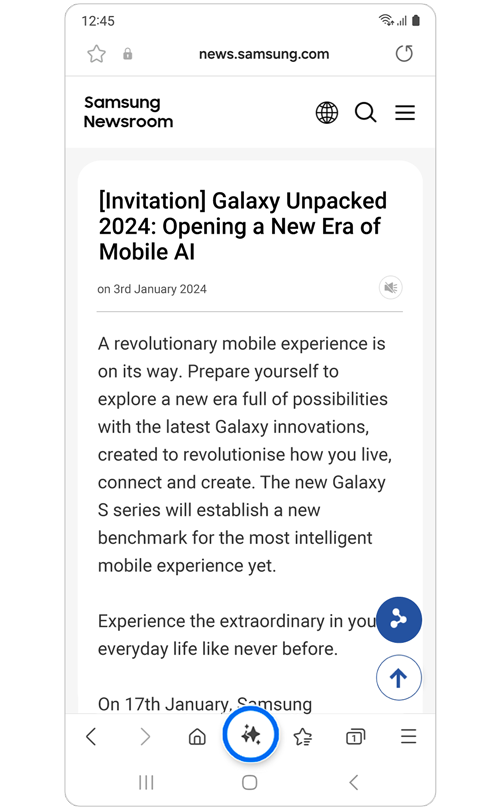
Step 1. Open the Samsung Internet app > Go to any webpage > Click on the Browsing assist icon.
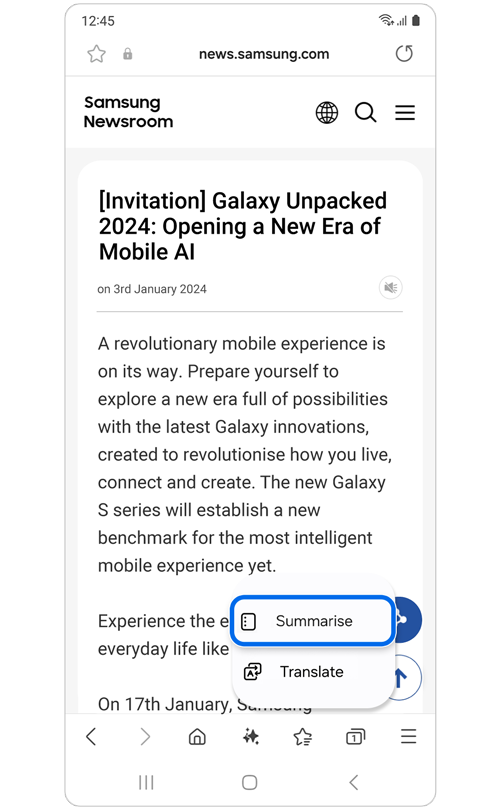
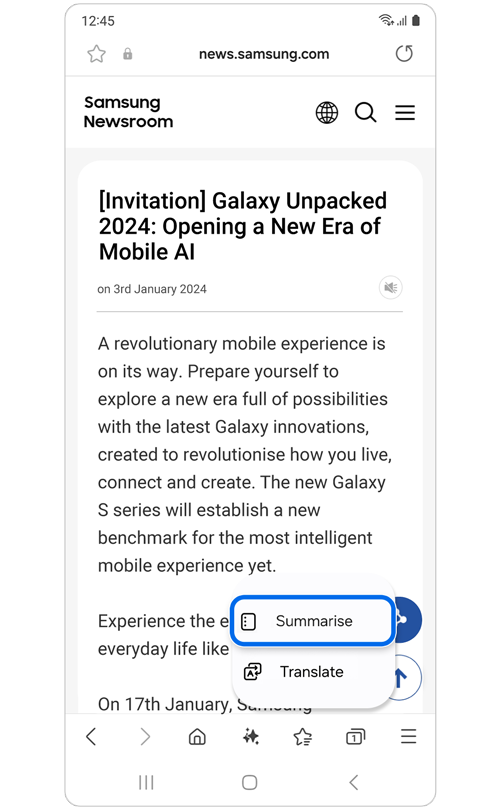
Step 2. Select Summarise.
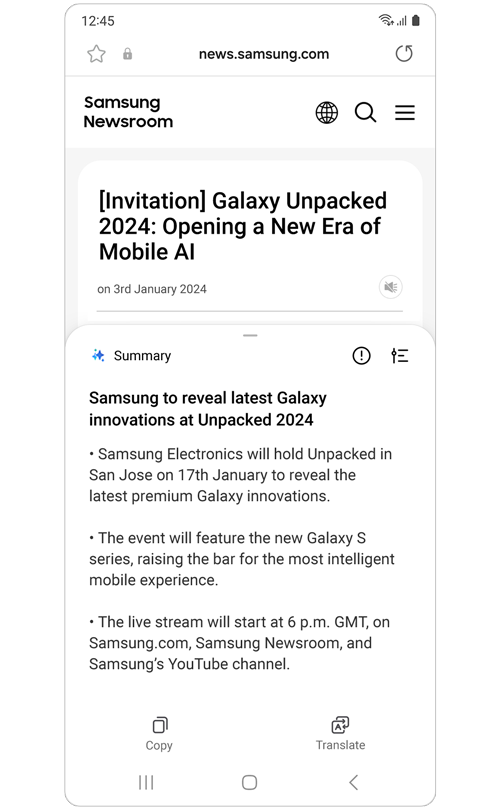
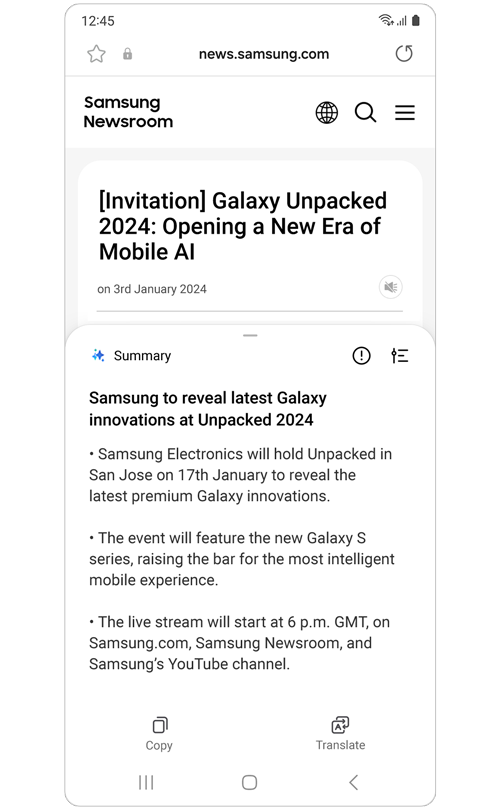
Step 3. View the content as bullet-point summaries.
Note: Summarise may not be supported on all websites.
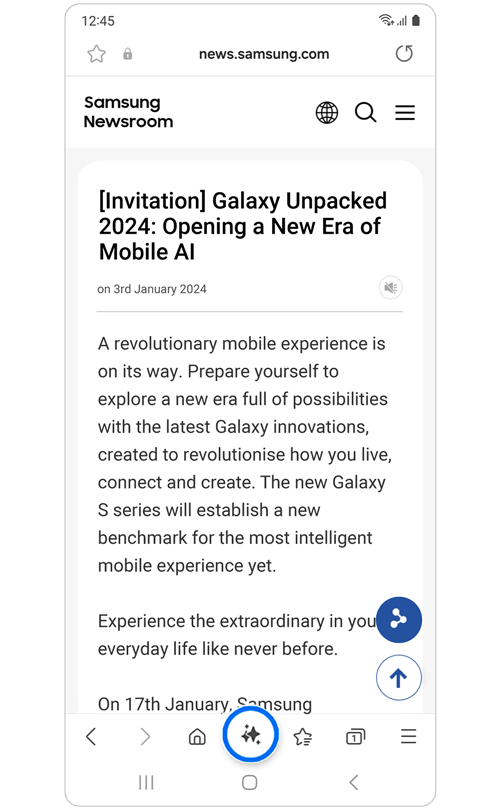
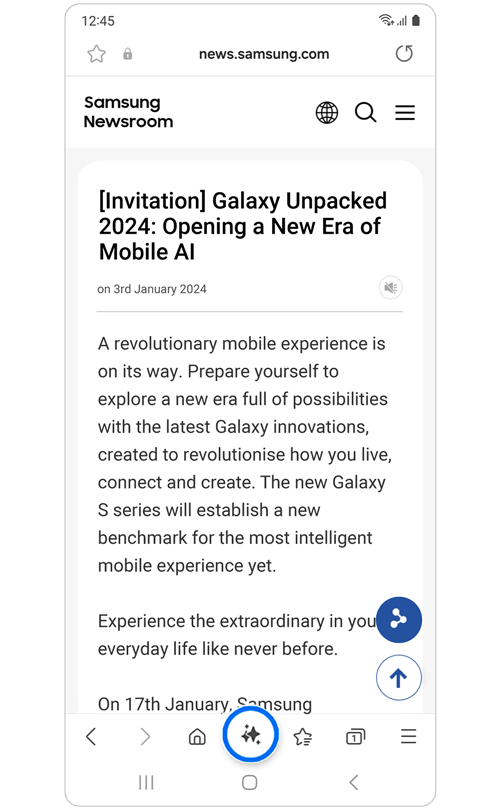
Step 1. Open the Samsung Internet app > Go to any website > Click on the Browsing assist icon.
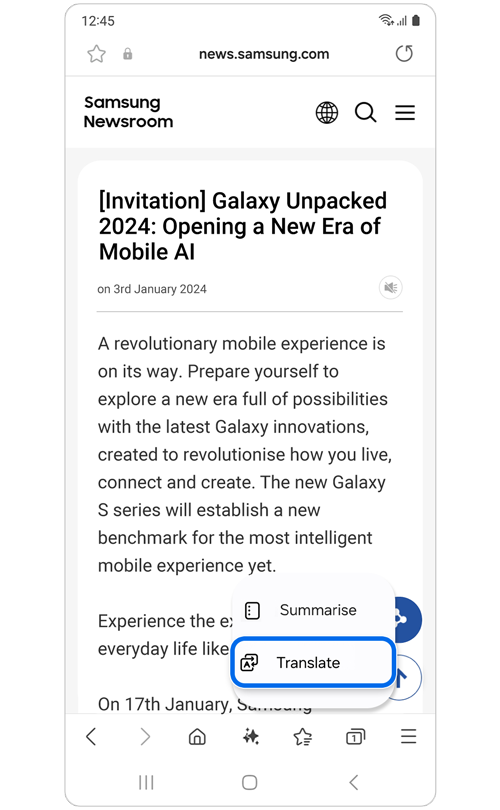
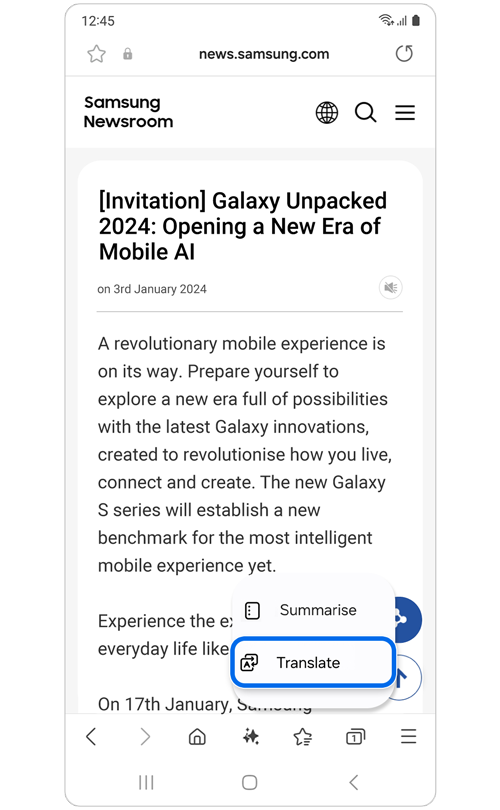
Step 2. Select Translate.
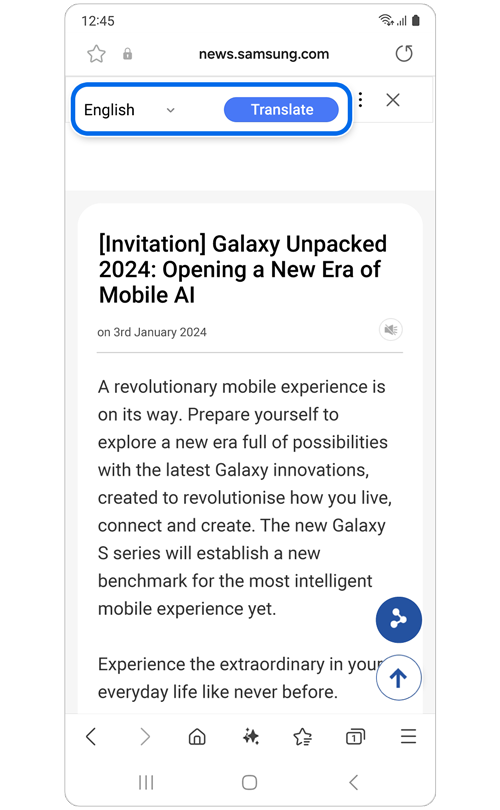
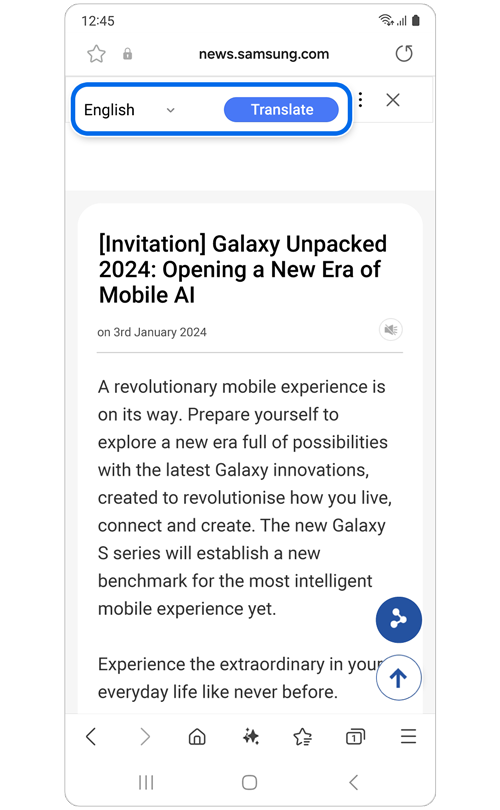
Step 3. Select preferred language > Translate.
Requirements for Browsing Assist
- Internet connection is required.
- Samsung account sign-in is required.
- Samsung Internet app must be updated to the latest version.
- Language packs may be required for translation.
Supported languages
- Arabic, Indonesian, Chinese (Simplified/Traditional), Dutch
- English (AU, IN, UK, US), French (CA, FR), German, Hindi
- Italian, Japanese, Korean, Polish, Portuguese (BR, PT)
- Romanian, Russian, Spanish (MX, ES, US), Swedish, Thai, Turkish, Vietnamese
Notes:
- More languages may be added in future updates.
- Summary and translation results may vary depending on content and AI processing.
- Some languages or features may not be available on all devices.
- UI and feature availability may vary by device, OS version, and region.
Click here to read more about the AI features on supported Samsung Galaxy devices and models.
Thank you for your feedback!
Please answer all questions.