How to use your Galaxy camera to add and edit a watermark for your photos
Add a professional watermark to your photos when shooting with Samsung Galaxy camera to display “model name, date and time”.
You can add a watermark on your Samsung Galaxy camera photos by enabling it in the Camera settings. This feature lets you automatically display your device model, date, and time on every photo you take.
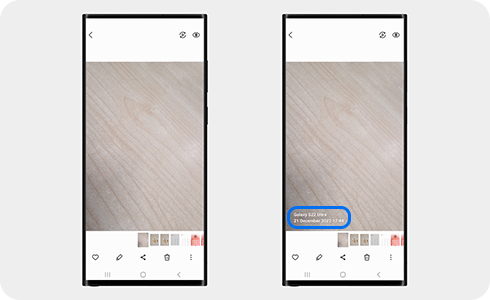
How to set the watermark feature


Step 1. Open the Camera app on your Samsung Galaxy phone.


Step 2. Tap settings icon.

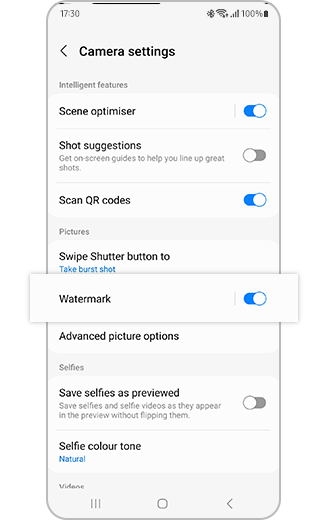
Step 3. Tap “Watermark” to open the Watermark settings or tap the switch button to turn the watermark “on” or “off”.


Step 4. In the Watermark settings, customize your watermark. You can edit the model name by tapping the Edit icon, turn “Date and time” on or off, change the font, and adjust the alignment (left, center, or right).
Notes:
- Once a watermark has been applied to a photo, it cannot be removed.
- The watermark will appear on all photos taken after the feature is enabled.
Thank you for your feedback!
Please answer all questions.