What is the Secure Folder and how can I use it?
Secure Folder lets you protect private files, apps, and data using Samsung Knox security. You can lock it with a PIN, password, or biometrics to keep your content safe.
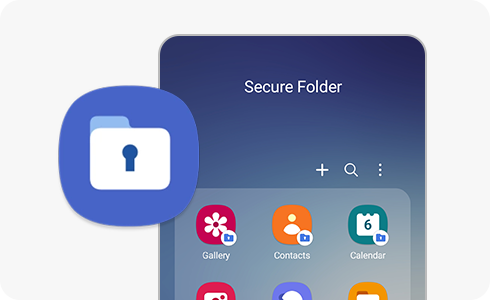
How to set up Secure Folder


Step 1. Go to Settings and tap on “Biometrics and security”.


Step 2. Tap “Secure Folder”.


Step 3. Tap “Continue” and sign into your Samsung Account or create one.


Step 4. Read all the permissions that Secure Folder requires. If you agree, tap "Continue".


Step 5. Choose the lock type that you want to use and tap on it. You can select between “Pattern”, “PIN” or “Password”. You can also activate the “Fingerprints” option.


Step 6. Set the pattern and tap “Continue”. Do this process twice.


Step 7. You can also set a new lock type by turning on the “Reset with Samsung account” toggle button.


Step 8. A shortcut to “Secure Folder” will be added to your Apps screen.
Yes, you can hide the Secure Folder so that it does not appear on your Apps screen or home screen. The Secure Folder will be hidden and placed in your notification panel.
On your device, follow next steps:
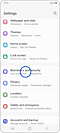

Step 1. Go to device settings and tap “Biometrics and security”.
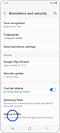

Step 2. Tap “Secure Folder” and enter your lock type.
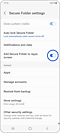

Step 3. Turn off the toggle button next to “Add Secure Folder to Apps screen”.
You can also hide and unhide your Secure Folder from the notification panel by following the next steps:


Step 1. In the home screen, swipe down twice to open the notification panel.
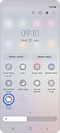

Step 2. Tap “Secure Folder”.
When the Secure Folder icon is off, your Secure Folder will be hidden. When the icon is on, your Secure Folder will appear in the apps screen.
- Open Secure Folder.
- Tap More options > Settings.
- Tap More settings > Uninstall.
- Choose to move files if needed and confirm.
Notes:
- Secure Folder is protected by Samsung Knox security.
- You must sign in to a Samsung account to use it.
- Available features may vary depending on device and software version.
Thank you for your feedback!
Please answer all questions.