Why does my Samsung Galaxy have no signal or calls?
If your Samsung Galaxy has poor signal or cannot make calls, it is usually due to network settings, SIM issues, or your location. Check settings, coverage, and reset connections if needed.
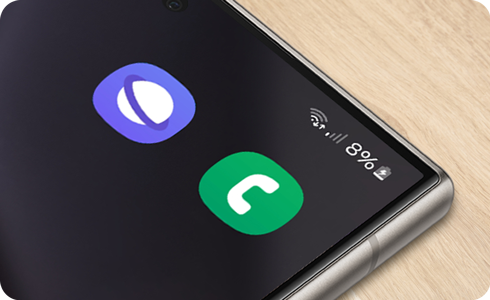
External solutions
Check your carrier and coverage
- Make sure your mobile account is active.
- Confirm you have not reached usage limits.
- Check for any network outages with your service provider.
- Ensure you are within your service provider’s coverage area.
Change your location
- If you are outdoors, move away from tall buildings or go to higher ground.
- Avoid underground areas like parking garages.
- If you are indoors, move closer to a window or go outside.
Remove accessories
- Remove any phone case or accessory that may block the antenna
- Unplug any connected USB accessories.
Restart your device
- Turn off your device.
- Turn it back on to refresh the network connection.
Check your device’s settings
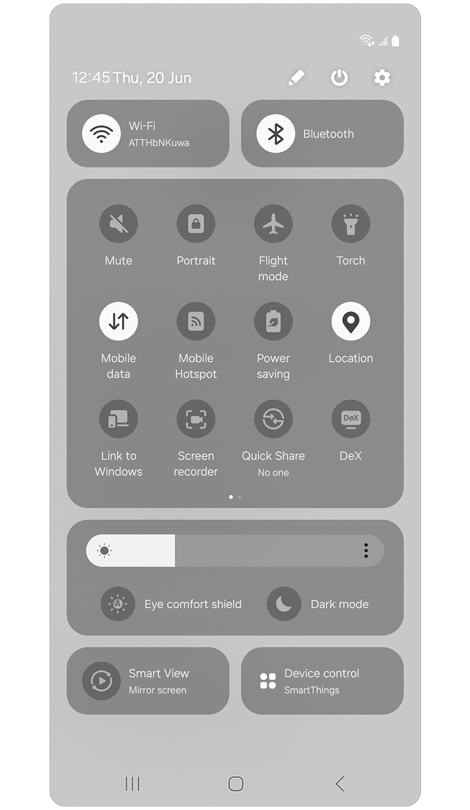
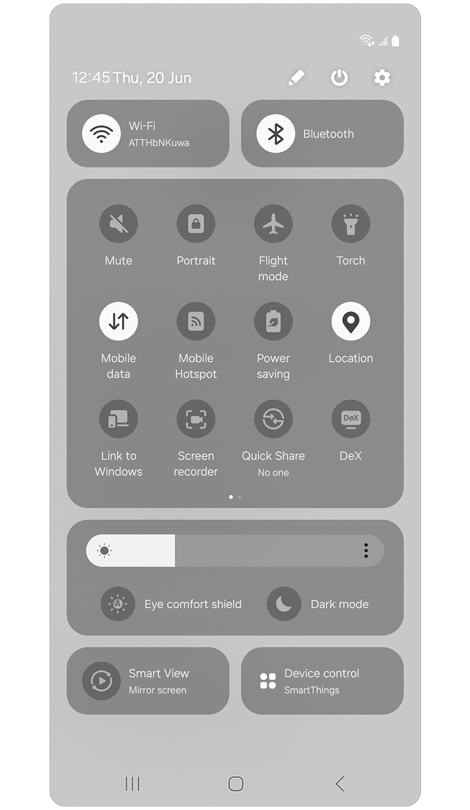
Step 1. Open the Quick settings panel.
Make sure the following are set properly:
* Flight mode should be disabled
* Mobile Data should be enabled
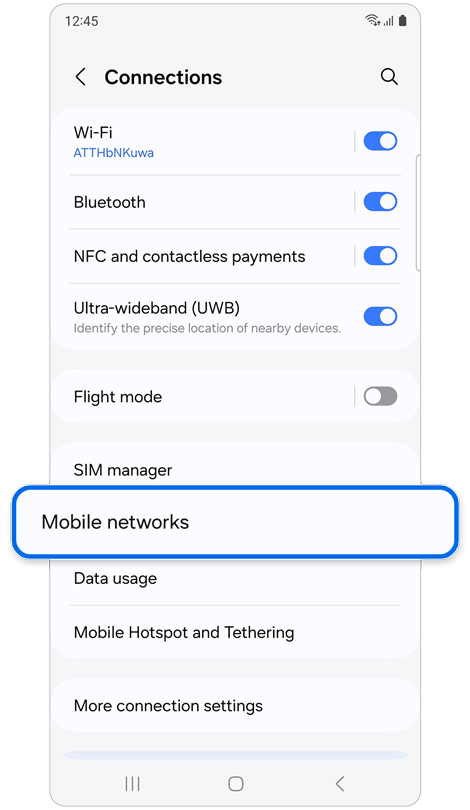
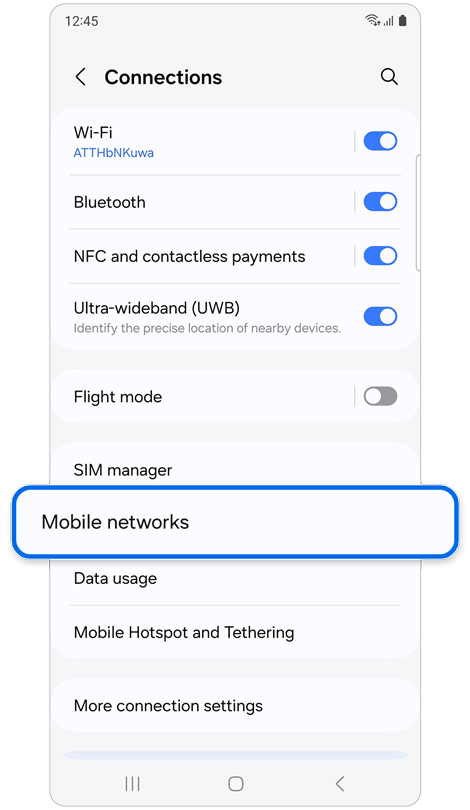
Step 2. Open Settings > Select Connections > Select Mobile networks.
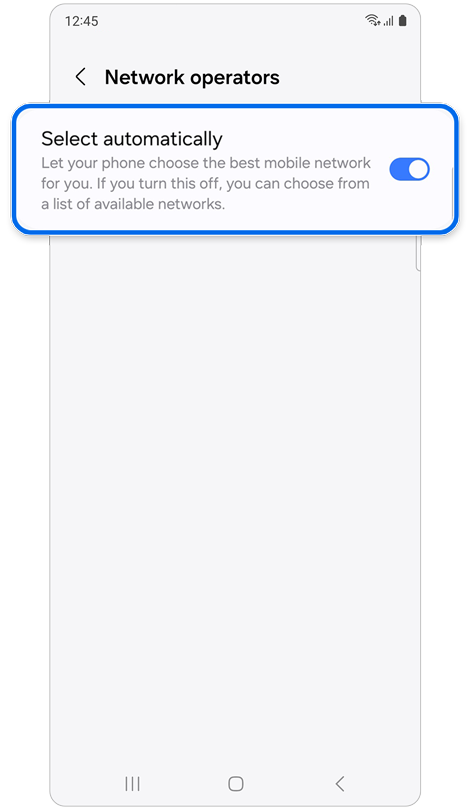
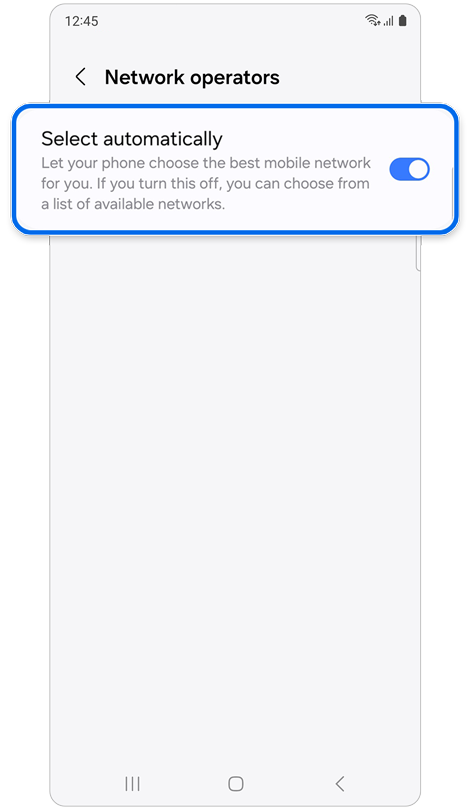
Step 3. Tap Network operators > Tap Select automatically.
* This option may not be supported depending on a carrier.
Reset your SIM Card
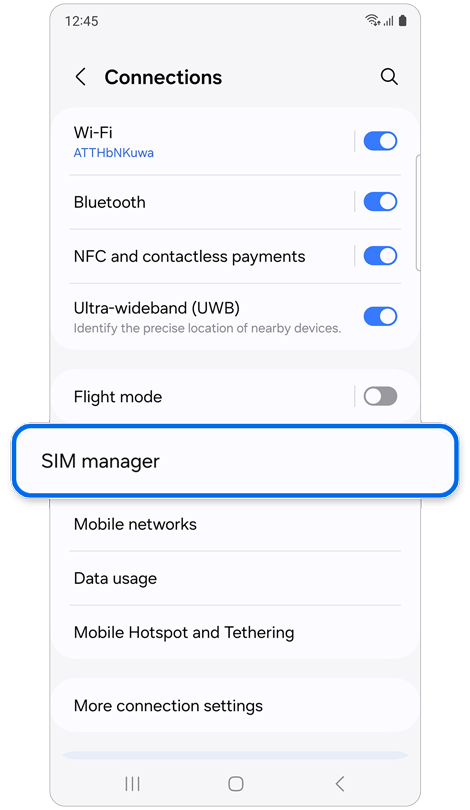
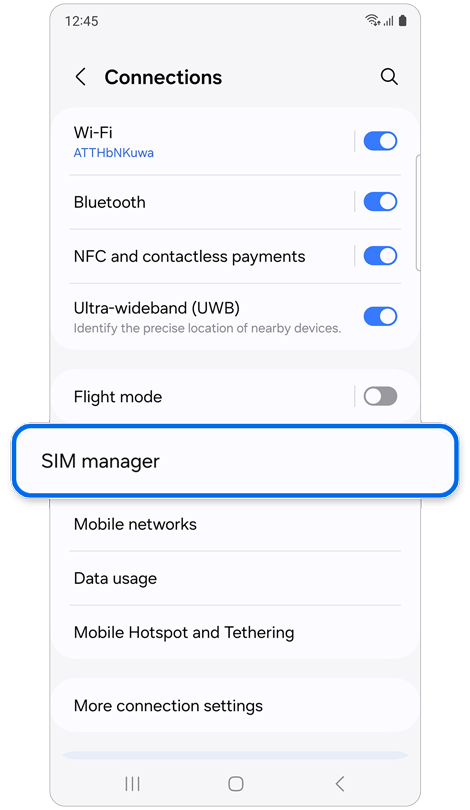
Step 1. Open Settings > Tap Connections > Select SIM manager.
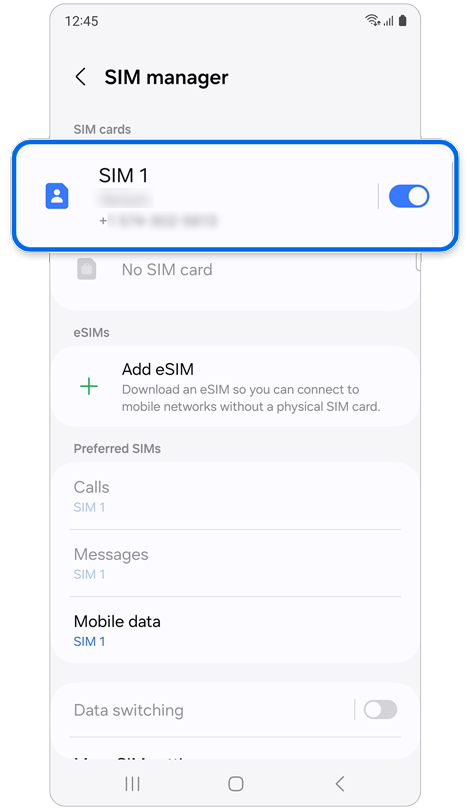
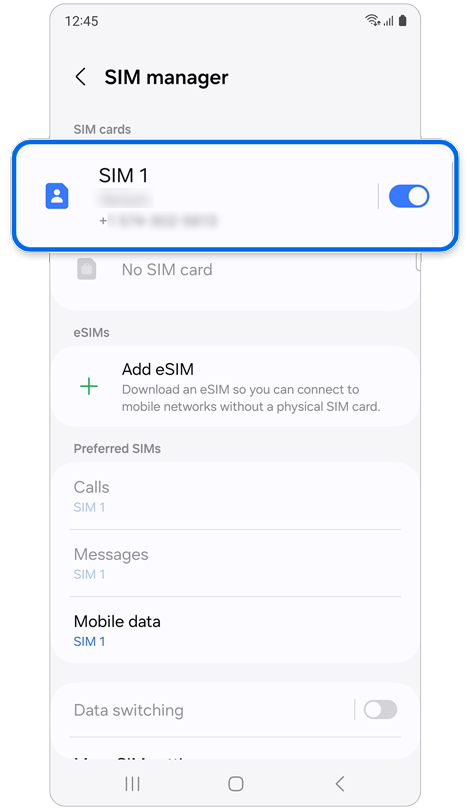
Step 2. Tap the switch next to SIM 1 > Tap Turn off.
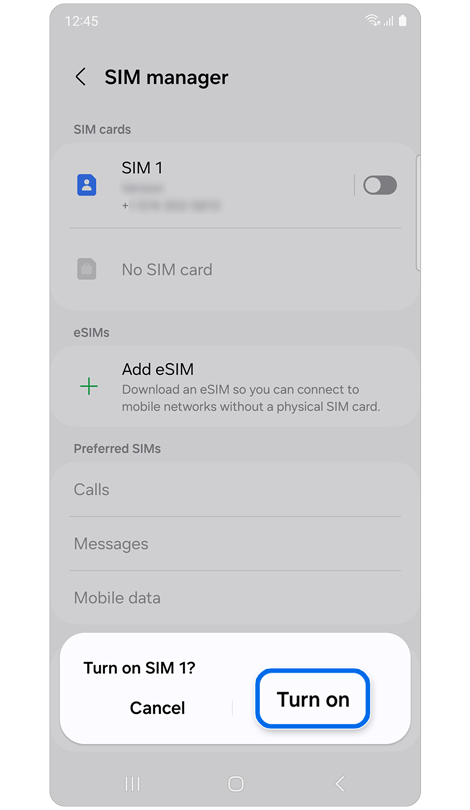
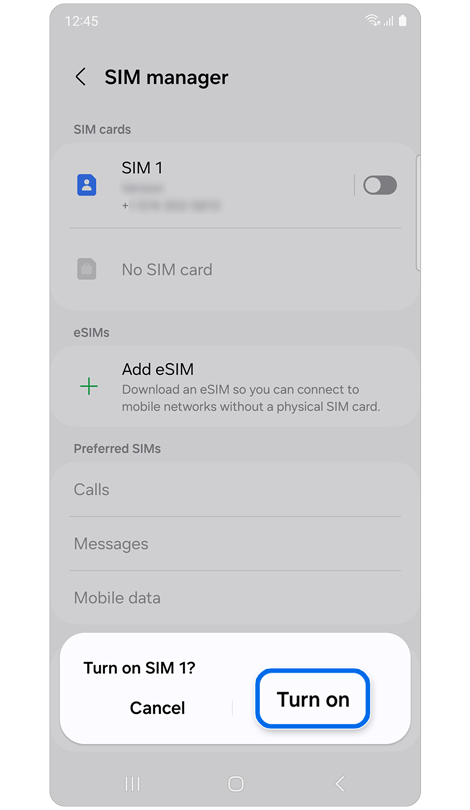
Step 3. Tap the switch again > Tap Turn on.
Check the physical SIM card
- Remove the SIM card and reinsert it properly.
- Check if the SIM card is damaged.
- Try another working SIM card if available.
Reset the network settings
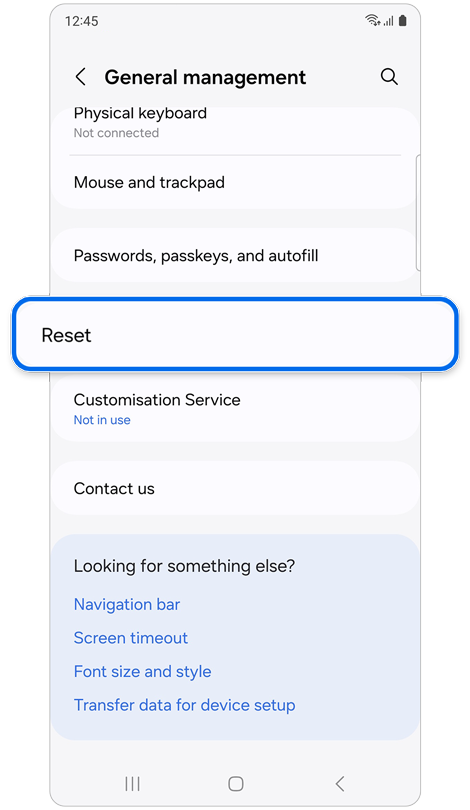
Step 1. Open Settings > Select General management > Tap Reset.
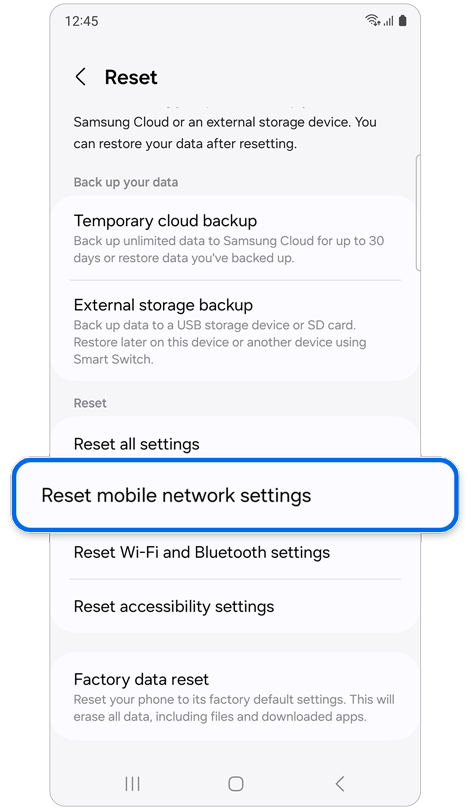
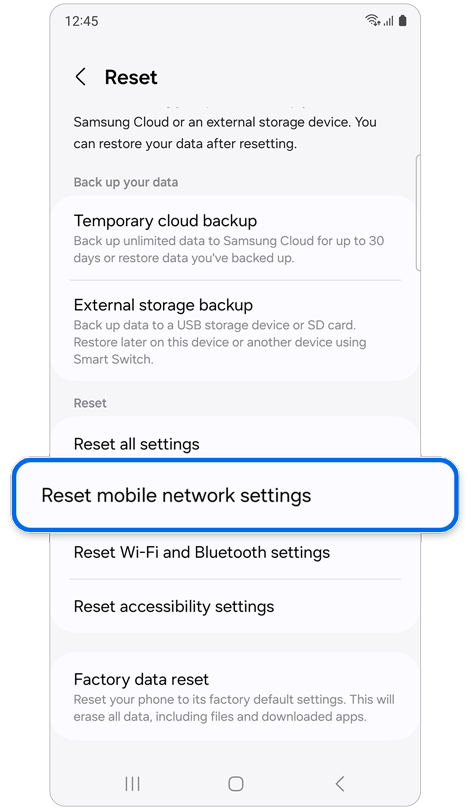
Step 2. Select Reset mobile network settings.
Note: Images and menu options may vary depending on your device model, software version, service provider, and region.
Thank you for your feedback!
Please answer all questions.