ViewFinity High Resolution Monitors



Filters
Filters



FAQs
-
What are Samsung high-resolution monitors?Samsung high-resolution monitors are designed to deliver sharp detail, accurate colours and enhanced clarity for work, entertainment and creative tasks. They are available in resolutions including UHD 4K and 5K.
-
What resolutions are available in Samsung high-resolution monitors?Samsung high-resolution monitors are available in multiple resolutions, including UHD 4K (3840 × 2160) and 5K (5120x2880), 5k2k (5120x2160), and Dual UHD (7680x2160), depending on the model and screen size.
-
How does a high-resolution monitor improve image quality?Samsung's high-resolution monitors provide more pixels for greater image detail, sharper text and improved clarity. This helps create a more immersive and precise viewing experience.
-
Are high-resolution monitors suitable for professional work?Yes, Samsung's high-resolution monitors are suitable for professional tasks such as content creation, programming, productivity and office work, thanks to their detailed visuals and colour accuracy.
-
Can I use a high-resolution monitor for video editing and design?Yes, Samsung high-resolution monitors are designed to support creative work such as video editing, photography and graphic design with high pixel density and wide colour coverage.
-
What is the difference between 4K and 5K monitor resolutions?5K monitors offer more pixels than 4K monitors, providing a larger workspace and even finer image detail. This can improve precision for creative and multitasking workflows.
-
Do Samsung high-resolution monitors support multitasking features?Yes, many Samsung high-resolution monitors include multitasking features that help users manage multiple windows and content sources more efficiently.
-
What is Picture-by-Picture and Picture-in-Picture mode?Picture-by-Picture (PBP) allows content from two input sources to be displayed side by side on one screen. Picture-in-Picture (PIP) lets users view a second source in a smaller window while continuing to use the main screen.
-
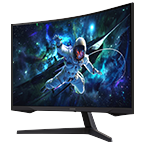
Are high-resolution monitors good for gaming?Some Samsung high-resolution monitors, such as the Odyssey series, combine high resolutions with fast refresh rates, HDR support, and low response times to deliver immersive gaming experience.
-
What screen sizes are available in high-resolution monitors?Samsung high-resolution monitors are available in a range of screen sizes, including 27", 32",34",40",49" and 57", depending on the model lineup.
-
Can I buy a Samsung high-resolution monitor with a 0% monthly instalment plan?Yes. Interest-free monthly instalments are available on purchases above $500 with participating credit cards. You can select the instalment option at the payment stage during checkout.
-
Are there any offers available on Samsung high-resolution monitors?Offers may vary by monitor and current Samsung Singapore promotion. Check the current offers available for the monitor you are considering before purchasing.
-
What payment options are available for Samsung high-resolution monitors in Singapore?The Samsung Online Store accepts one-time credit/debit card payment, interest-free instalment plans on purchases above $500, and Buy Now, Pay Later. All available options are shown at the cart page during checkout.
-
What benefits do I get when buying a high-resolution monitor from Samsung Singapore?Buying direct includes Samsung Rewards points on Online Store purchases, free doorstep delivery on selected items, 0% instalment plans above $500 and official Samsung warranty. Samsung Care+ is available separately for extended protection.
-
Can Samsung high-resolution monitors also support gaming?Some Samsung high-resolution monitors combine higher resolutions with gaming-focused features such as faster refresh rates, HDR support and low response times.
-
How do I register my Samsung high-resolution monitor?Product registration and support options are available through Samsung Support. Registration requirements may vary by monitor.
-
What details are required to register a Samsung high-resolution monitor?You will need the serial number and model code. Enter the serial number printed on the monitor itself rather than the one on the packaging, and check characters carefully, since 'O' and '0' are easily confused.
-
Which specifications should I consider when choosing a high-resolution monitor?Consider resolution, screen size, colour performance, connectivity and intended use. Higher-resolution displays provide more pixels for sharper text, greater image detail and additional workspace.
-
Are Samsung high-resolution monitors suitable for professional photo and video editing?Yes. Samsung high-resolution monitors are designed to support creative work such as video editing, photography and graphic design, depending on the model and required specifications.
-
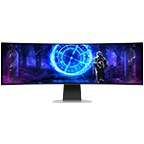
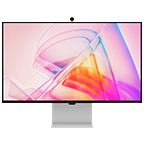
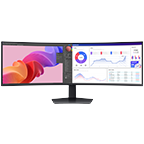
Are Samsung high-resolution monitors available in different display designs?The ViewFinity range spans resolutions from QHD to 5K, with flat and curved options and aspect ratios up to 32:9 for ultrawide working. Screen sizes and panel types vary across the range, so you can match the display to the workspace you need.
-
Can Samsung high-resolution monitors be used for PC gaming?Yes. Some Samsung high-resolution monitors combine higher resolutions with gaming-oriented features. Check individual model specifications for the features you need.
-
What should I consider when choosing a Samsung high-resolution monitor for long-term use?Consider resolution, screen size, connectivity and how your future work or entertainment needs may change.
⟡ Pre-order promotion is valid from 2 June 2025 7:00am to 15 June 2025 11:59pm.