Galaxy Ring
Earn 5x Samsung Rewards points worth up to AED 74
*Terms & Conditions apply.

Buying Tool
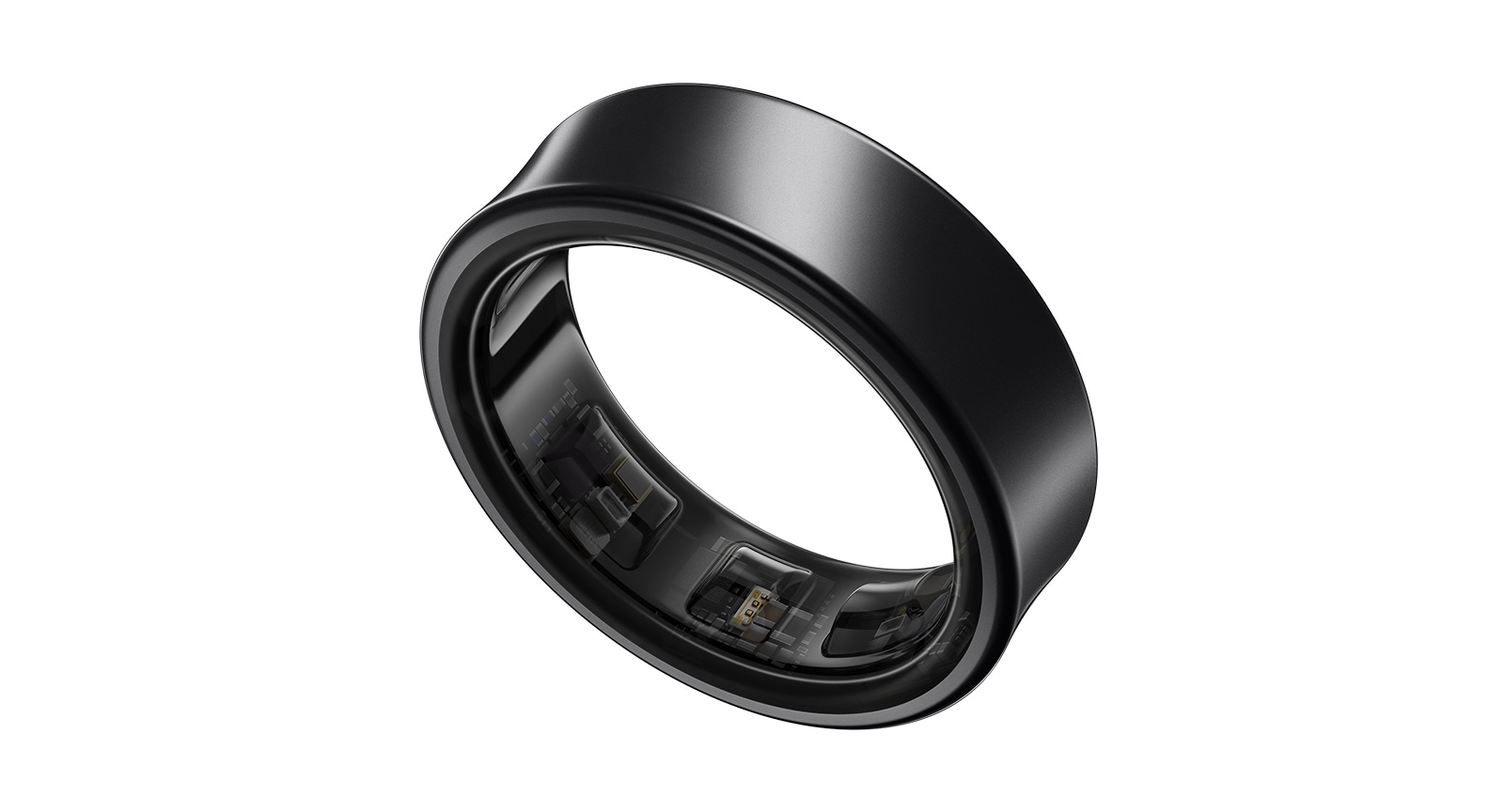
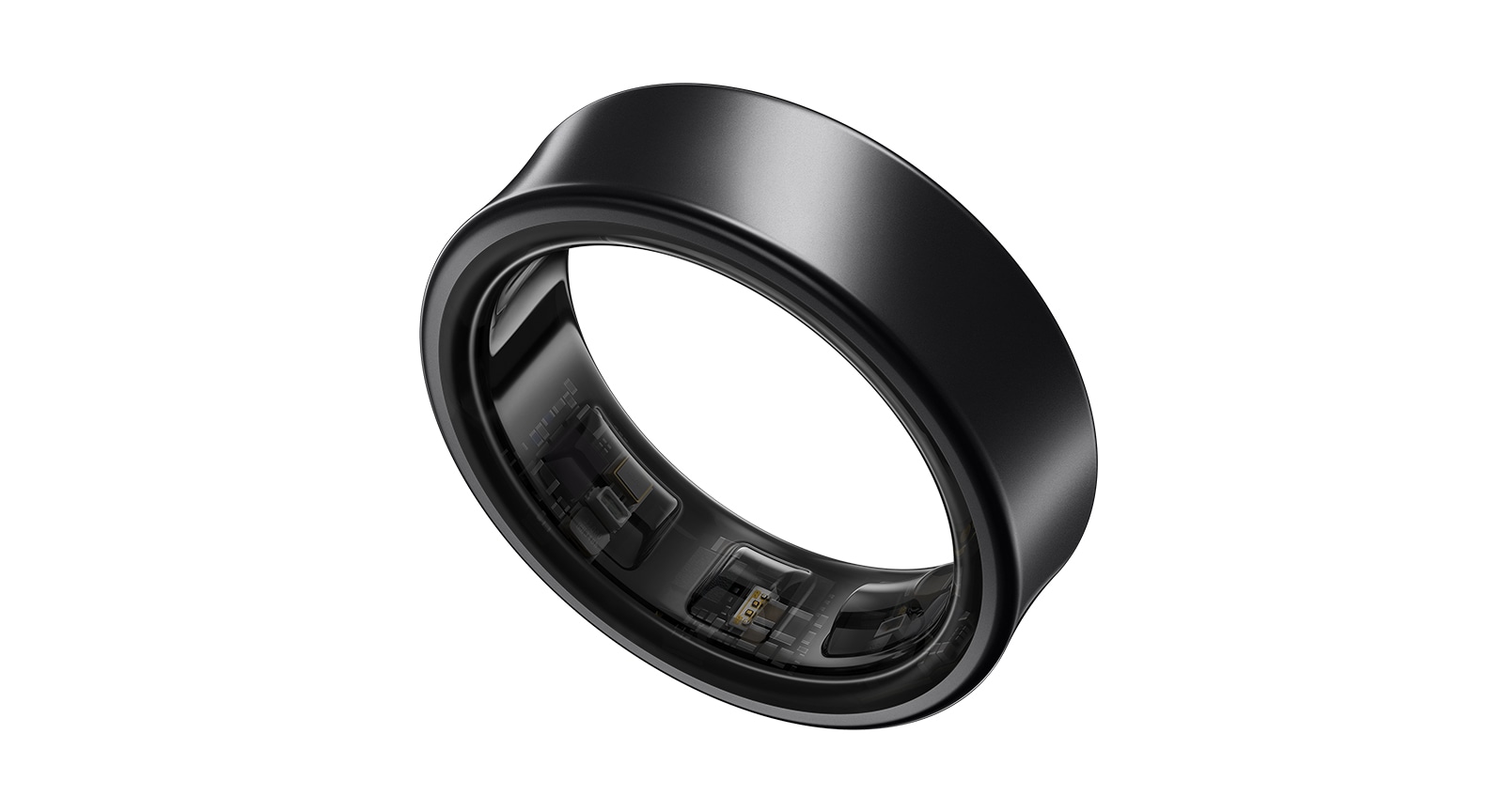
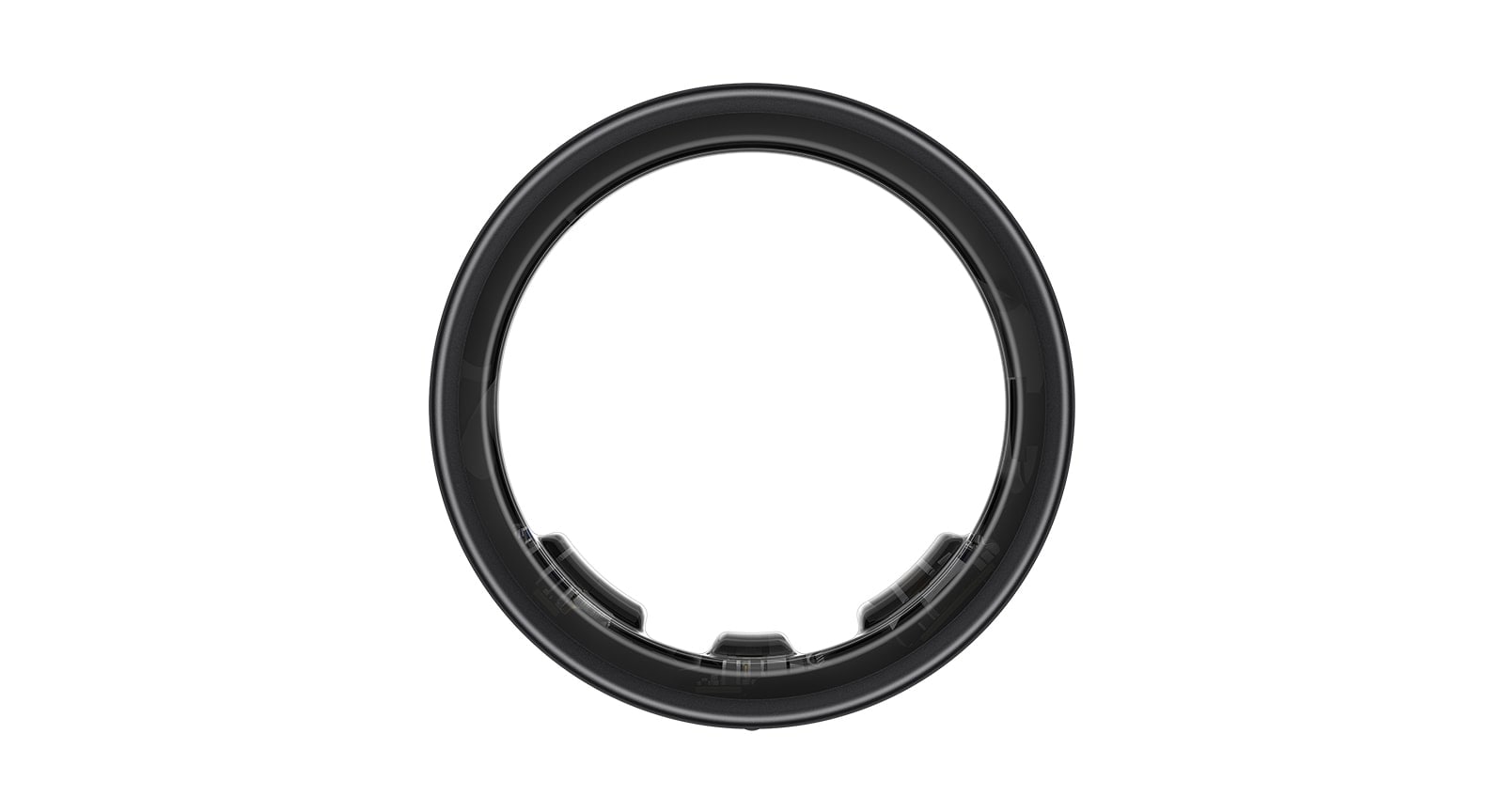




Color
Not available in this combination
Color
-
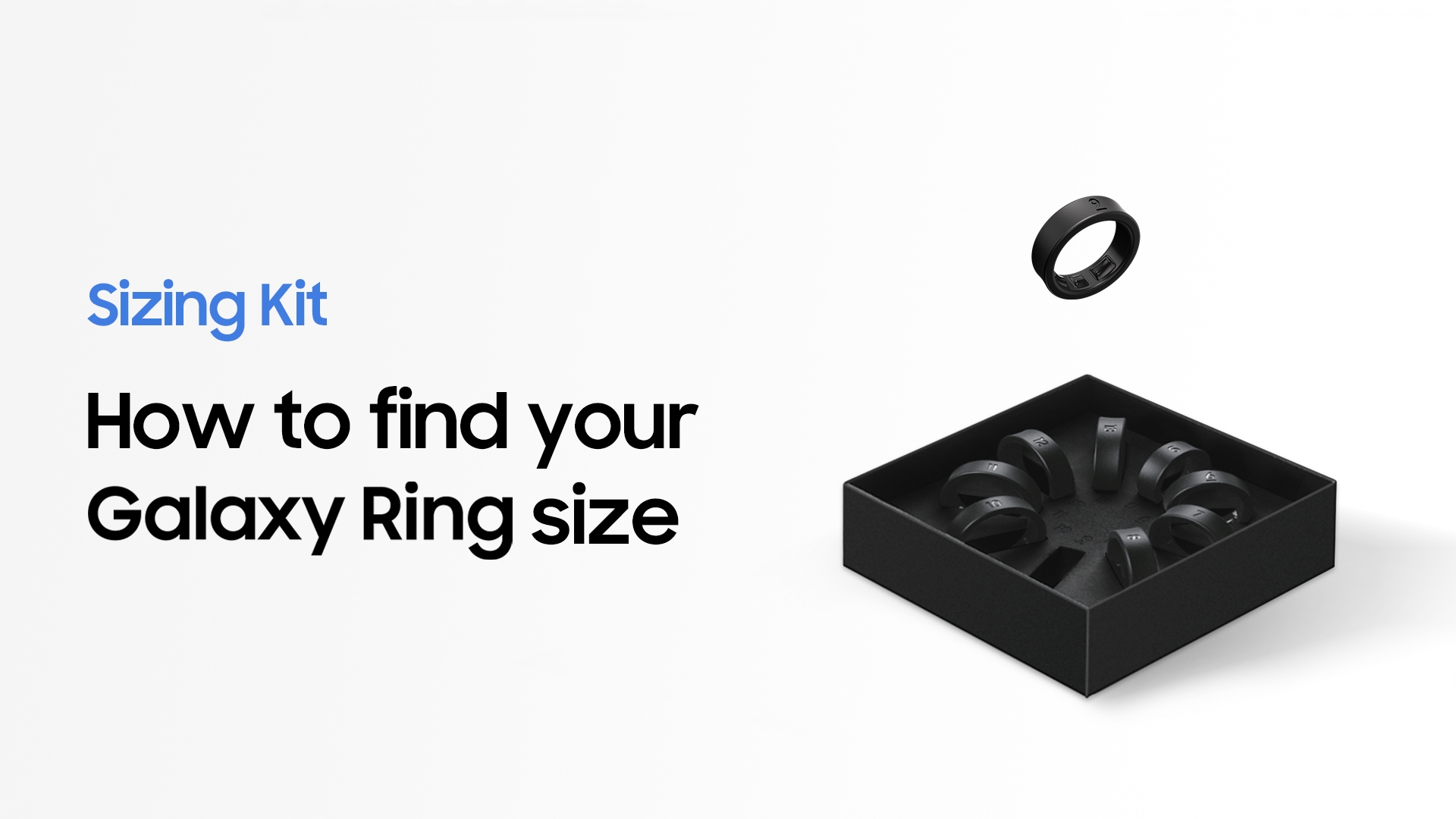
Find your perfect fit with our Sizing Kit. Once you know your size, confirm it on ‘My Order’ page within 14 days and we’ll ship your Galaxy Ring. If you don’t confirm your size within 14 days, your order will be cancelled and refunded.
Size Availability Update
Please note that the following sizes are unavailable
Titanium Gold: Sizes 5, 6, 7, 9, 14, 15
Titanium Silver: Sizes 5, 6, 9, 15
Titanium Black: Sizes 5, 6, 15 -
Galaxy Ring's size is slightly different from that of regular rings. We recommend using our free sizing kit before ordering.
-
Purchase Option
Offer
Samsung.com Advantage
Offer
Reached maximum order quantity for this product.
Questions you asked us
Click to Expand-
A. Yes, you can get one Sizing Kit for free when you purchase a Galaxy Ring.
-
A. Please enter your size on the 'My Orders' page within 14 days of placing your order on samsung.com. If you don't confirm your size within 14 days, your Ring order will be cancelled.
-
A. Yes, you can get a refund for the Galaxy Ring without returning the Sizing Kit. We will cancel the order automatically. Should you want to purchase a ring after the order was cancelled, please place a new order with your desired ring size.
-
A. No, you can only exchange your Ring for a different colour (applicable if the product is not shipped yet). If you need a different size, then you should return your Galaxy Ring for a refund (only applicable if the product is sealed and intact - see our Returns Policy) and purchase a new one. If you are unsure of your ring size, we recommend ordering a free sizing kit to avoid buying the wrong size
-
A. The performance of the Galaxy Ring is the same no matter which finger you wear it on. Put it on the finger you feel the most comfortable. However, Double Pinch gesture control has been optimised to work best when worn on your index finger.
-
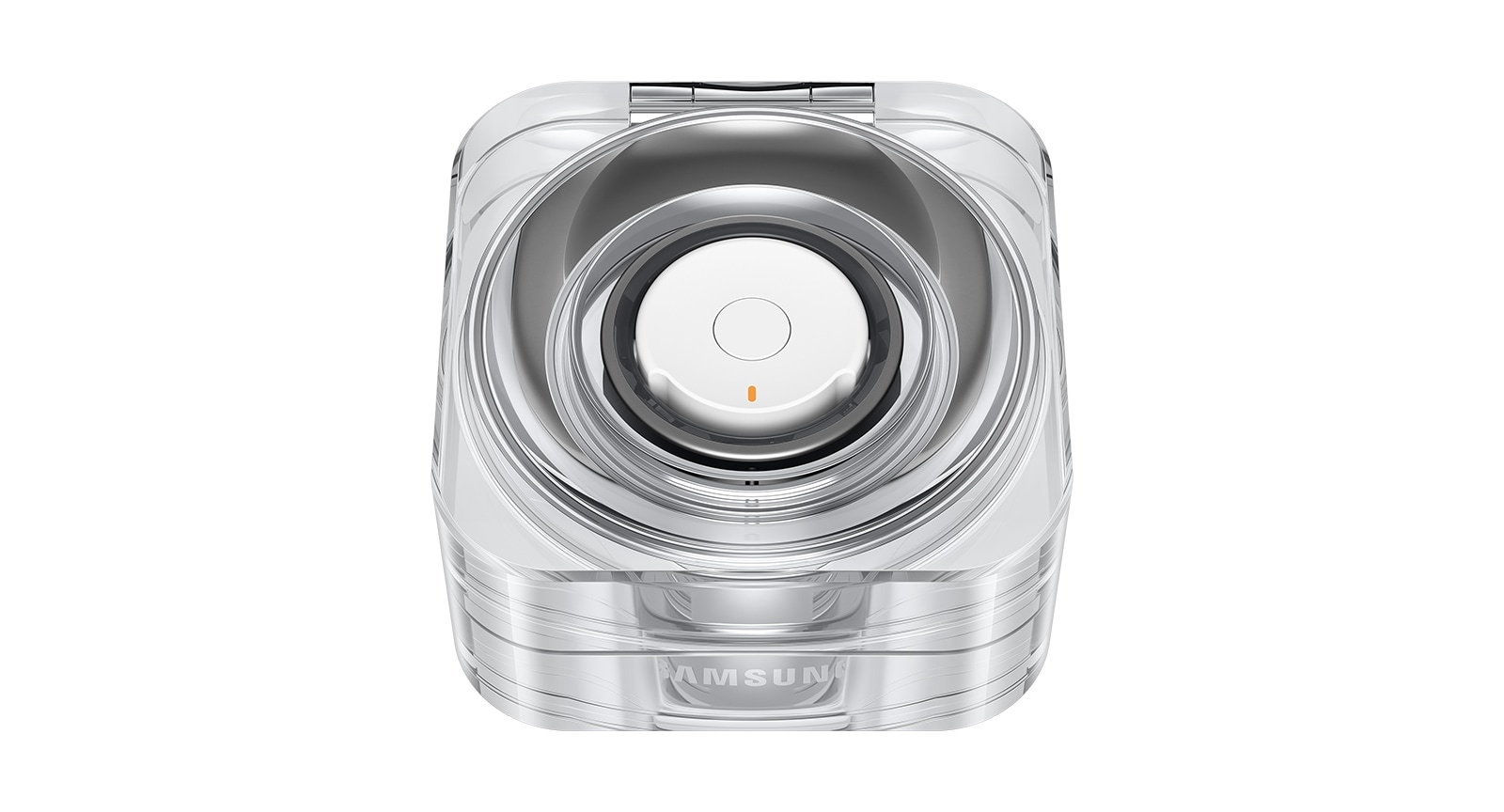
A. Place the Galaxy Ring in the Charging Case and close it. When you open the Charging Case again, a pop-up will appear on the Samsung Galaxy smartphone, requesting connection. If the pop-up doesn't appear, press the Multi-purpose button for at least 3 seconds with the Galaxy Ring placed inside the Charging Case. You can also connect the Galaxy Ring to your Samsung Galaxy smartphone after downloading the Galaxy Wearable app and following the instructions onscreen. ※ Pop-up may not appear when the Charging Case or the Galaxy Ring is not sufficiently charged. ※ To pair Galaxy Ring to another brand Android smartphone, download the Galaxy Wearable app via the Google Play Store and follow the on-screen instructions.
-
-
A. Galaxy Ring is supported on Android smartphones from other brands over R OS version (Android 11.0). ※ However, some features, such as Double Pinch and Find My Ring does not work on Android smartphones of other brands.
-
A. A tattoo or mole may interfere with the Optical Bio-signal Sensor's tracking. This may prevent the Galaxy Ring from recognising that you're wearing it and may not work properly. So we recommend that you wear it on another non-tattooed or mole-free finger.
-
A. No, you don't have to return the Sizing Kit. No extra fee will be charged. Also, please note that only one Sizing Kit per order number will be provided free of charge, no matter how many rings you purchase.
-
A. All your health and wellness metrics monitored by Galaxy Ring are synced directly to the Samsung Health app on your smartphone. In Samsung Health you can see metrics such as your heart rate, step count, calories burnt, sleep data and more. You can download Samsung Health from the Google Play Store.
-
A. If disconnected from your smartphone, Galaxy Ring will sync any health data to Samsung Health when it is reconnected to your smartphone.
-
A. No, you should refrain from using ultrasonic cleaners as they may cause damage to your Galaxy Ring.
-
A. To maximize usage time of Ring, tracking is done by Watch (Ring enters PSM (power saving mode)) in most cases except when user goes to sleep . When user goes to sleep, Ring is prioritized and sleep data is tracked and integrated from both Watch & Ring. In case Watch is disconnected or out of battery, Ring wakes up and tracks instead. Both devices aid to improve accuracy & battery time of the other (synergy).
-
A. Ring will connect to only one device at a time.
Featured Reviews
Click to ExpandRecommended by 67% of customers.
Customers praise comprehensive health tracking, especially detailed sleep monitoring and automatic activity detection.
Most highlight the lightweight titanium design as exceptionally comfortable for all-day and overnight wear.
Many report significant battery degradation after 12-13 months, with limited post-warranty support options.
Reviewers emphasize the sizing kit is essential for proper fit and avoiding discomfort.
Some mention concerns about app integrations and durability during high-impact activities.
AI-generated from customer ratings & reviews, and may include incentivized reviews.
Supported Languages
This summary is AI-generated from ratings and reviews across multiple languages.
- English
- German
- French
- Spanish
- Portuguese
- Italian
- Korean
- Chinese
- Japanese
- Arabic
Relevancy sort puts the best reviews at the top. We look at things like helpfulness votes, latest review, pictures and other traits that readers look for in their reviews.
The Samsung Galaxy Ring is a sleek and lightweight smart ring that packs impressive health and fitness tracking into a very small design. It works especially well within the Samsung ecosystem, offering useful insights into sleep, heart rate, activity, and overall wellness through the Samsung Health app. Its comfortable design makes it easy to wear throughout the day and night, while the long battery life means you don't have to constantly worry about charging it. The biggest downside is that some of its features are most useful when paired with a Samsung Galaxy smartphone. Overall: The Galaxy Ring is a stylish, discreet, and convenient wearable for anyone who wants health tracking without wearing a smartwatch. It may be small, but it delivers a surprisingly complete experience.


I recommended this product.
[This review was collected as part of a promotion.] I bought this ring out of necessity to help me keep an track of my heart rate but also out of curiosity because I wanted to see if I will be surprised by Samsung and I must say I am stunned by the beautiful of the design of the ring and the smart charging case. Its made the ring gorgeous. I have worn it for over 24 hours and I hardly notice it is there because of how sleek and discrete it is but nonetheless it has made it very easy to keep track of my heart rate anytime, anywhere since I forget to put my watch on sometimes. Honestly, this has been a game changer for me and I’m sure this is going to be my number one smart gadget this year.
I recommended this product.
Thank you for taking the time to share with us this five-star review about your brilliant experience with the Galaxy Ring, Jozzy! It was worth trying this brilliant piece of technology, which left you amazed by its fashion and functionality, and its range of useful features that help you stay on top of your health in the smartest way possible. It is great that you found both the ring and the charging case that came with it gorgeous, sleek and discrete; and that you are making the most of its advanced health sensors to track your heart rate anytime and anywhere, without the need to wear a watch all the time. This brilliant piece of technology has already become a game changer; by helping you live a healthier and happier life with the best comfort and style. ^CL at Samsung Support
[This review was collected as part of a promotion.] This is a great companion to the galaxy watch ultra or as a stand alone device. The sizing kit is a great idea and ensured that the final ring fit well and is really comfortable. The ring looks really nice and is a comfy wear day or night. From using it appears the watch hands over tracking when the watch is off or charging and also the ring appears to do most of the sleep tracking. I think this would appeal to galaxy watch users but also people who just want a stand alone fitness device with no screen. Battery has lasted me 8 days from initial use which is great. Overall is a great product and should be a great product category moving forward.
I recommended this product.
[This review was collected as part of a promotion.] I purchased the black color and love the look especially with a galaxt watch supplementing it on the same arm. The feel is great in that its not distracting at all. Very comfortable. I Recommend getting the ring size kit before hand in order to ensure you commit to something that will be comfortable to wear most of the time. The tracking volumetrics are very interesting and quite an neye opener to your health . Learning about my measurements and how they fit compared to the averages is really interesting to know. Charging port and kit is very stylish and easily portable if travelling. Battery life lasts very long which is great.
I recommended this product.
Thank you so much for your fabulous feedback! We are thrilled to see that you made use of the ring sizing kit, so have received a ring that you find super comfortable on your chosen finger! The sleek, minimalistic design is subtle yet beautiful, and we know you're going to love showing it off! With lots of sensors, you can have access to a plethora of insightful data, such as heart rate, exercise tracking and sleep monitoring! Plus, with the long-lasting battery, your Galaxy Ring will last for up to 7 days! However, when it does run low, you have the stylish and convenient Charging Case to juice it back up again! ^CR at Samsung Support
[This review was collected as part of a promotion.] The packaging begins with an enticing story of 'ready to start' and then 'your galaxy is waiting'. Inside is the black square ring box itself. The ring charge case feels very premium and came charged so I could use the ring straight away. Also included is an USB charge cable. Pairing was simply a case of holding the button down on the charge case for three seconds, a popup appeared on my phone (Samsung 24 Ultra) and then the rest of the process was guided. The Samsung Health app is installed if you don’t have it already. I was up and running tracking heart rate, steps and sleep tracking within minutes - a seamless process. Very happy with my new ring!
I recommended this product.
[This review was collected as part of a promotion.] As a tech enthusiast, I find the Samsung Galaxy Ring to be a game-changer. It's a sleek, stylish accessory that seamlessly integrates with my daily life. The ring offers advanced health tracking features, including heart rate monitoring, sleep analysis, and even stress level detection. Its intuitive interface and compatibility with my other Samsung devices make it incredibly user-friendly. The battery life is impressive, lasting several days on a single charge. For someone like me who prioritizes both fashion and functionality, the Galaxy Ring is a perfect blend of cutting-edge technology and elegant design, making it a must-have gadget in today's digital age.
I recommended this product.
One of the most appealing features about your new Galaxy Ring is that its timeless design means that it's a perfect match for any customer, from the tech enthusiasts like yourself, to those looking to track their health in a more leisurely way. Whether you're looking to be provided with updates about your energy levels, and how your sleep pattern affects them, or in-depth tracking of multiple aspects of your health and wellness, you'll get professionally programmed analytics that will not only gift you with useful information but also tips on how to make improvements. Due to how much of your day and night can be assessed, we've made sure that battery can last for several days, and thanks to how quickly it recharges you won't ever have to be without it for long. It perfectly marries the past with the future, and we're delighted to see that you're loving it. ^DB at Samsung Support
[This review was collected as part of a promotion.] I bought the titanium gold version of the ring for my wife. We have been using many Samsung products over the years and decided to try this new product. Today is only the 2nd day of using it. The ring comes beautifully presented in a clear case that would not look out of place in a jewellery store. It fits comfortably just like the one from the sizing kit. It appears to be working as stated. Today is only the 2nd day and there is no problems so far. To be able to wear the ring to sleep without wearing the galaxy watch is so good. I would recommend to a friend to get it when it is discounted as it is a little pricey.
I recommended this product.
[This review was collected as part of a promotion.] I was worried about the size of the ring and how bulky it would be, after ordering the sizing kit from Samsung, it arrived and fits perfectly. It isn't as bulky as I first imagined and is just like wearing any other ring. I love the way it looks and feels. I have synced it to my health app and it monitors all sorts of stuff I wasn't getting with just my watch, as the battery lasts for ages I am now doing the sleep monitoring and it is the perfect addition to my watch. Having just received health insurance through my workplace, my stats really matter and this ring fits perfectly in the health monitoring alongside my watch and phone. I am really pleased with the purchase.
I recommended this product.
Thank you for your glowing review of the Galaxy Ring, Jilly! We're delighted to hear that it has exceeded your expectations and seamlessly integrated into your health monitoring routine. We're glad the ring's design and feel have impressed you, making it a stylish and functional accessory, with the sizing kit providing the perfect fit! We're thrilled to know that syncing the ring with your Samsung Health app has introduced you to new health monitoring features that complement your smartwatch. The extended battery life, especially for sleep monitoring, is a key benefit we aim to provide for our users. It's great to hear that the ring is enhancing your health tracking, especially with the added importance of your new workplace health insurance. We're overjoyed that you're pleased with your purchase, and we look forward to continuing to support your health and wellness journey! ^AP at Samsung Support
[This review was collected as part of a promotion.] I ordered the ring sizing kit and wore the ring for 24 hours as requested. It was worth the wait. The charging case for the Ring is small and gives a premium look and feel. The ring feels very solid and like a normal ring. As soon as I took the Ring out of the box, it connected to my Samsung mobile and downloaded the software updates. The setup process was smooth. I wore the Ring at night, and the Samsung Health app gave me a breakdown of my sleep pattern. It had very useful information, from heart rate and skin temperature to whether I snored. The perfect combination is wearing the ring and Watch Ultra together. I am looking forward to wearing it more over the next few days.
I recommended this product.
We are pleased to read that, after using the sizing kit and wearing one of the available rings for 24 hours, you found the perfect Galaxy Ring for you! From its premium charging case to the exquisite and lightweight design with a durable titanium finish, its AI health tracking features and long-lasting battery; this brilliant device is the perfect tool you need to monitor your health in the smartest way possible. We are also glad that you found it very easy to set up and that it immediately connected to your Galaxy phone to get the latest updates; and that you have been wearing it at night, to start making the most of its incredible health and fitness tracking features, with its 3 innovative sensors, which give you plenty of accurate information about your wellness. We are also glad that you are enjoying an even more premium experience with it when paired with your fantastic Galaxy Watch Ultra, for a longer battery life and more accurate results. This revolutionary device will continue to deliver our most advanced technology to your life every day. ^CL at Samsung Support
Love all the insight it gives me into my sleep as my watch is old and the sleep data was no longer accurate, nit as I refuse to upgrade my watch until the bring out a new rose gold I decided to go with the ring. My major gripe is that the finish isn't robust enough. Got my ring in July and it's now October and the ring os showing h signs of wear on the edges. So unless you get silver I fear all rings will suffer this problem. I would also like to point out it's not on my dominant hand and I tend to remove it when interacting with water. Or doing lifting anything awkward/heavy because it cuts in. So to have significant signs of wear so soon is disappointing for the price point paid.
We are sorry to read that, although you are happy with the accurate health tracking features of the Galaxy Ring, the quality of its design and durability hasn't met your expectations. We appreciate that you have noticed the device shows signs of wearing at the edge, although you have not put the ring on your dominant hand and have not lifted heavy weights with it. Please follow this link, where you can find the best tips and precautions about how to look after and maintain your product to avoid any wearing or damage when using it: https://spr.ly/6425q0aY9 If you need more assistance with making the most of your device, or have any questions, please also don't hesitate to speak to our Support Teams. You can find our full contact details and opening times here: https://spr.ly/6426q0aYi ^CL at Samsung Support
[This review was collected as part of a promotion.] Really well made and thought through product Pairs easily and quickly with the phone, and then it tracks everything, you quickly forget you're wearing it If you have a Samsung Smart watch, you can alternate between them, eg I no longer wear my watch to bed, so the ring tracks sleep etc, and I take my ring off when doing barbell work in the gym, but the watch covers it The ring itself feels premium, I can't believe how light it is, weighs nothing Battery life is great, down to 50% after 4 days off charge The charging case is lovely, very classy Overall very happy, would highly recommend it
I recommended this product.
Thank you for your feedback, and it's great to see that you're already loving your new Galaxy Ring. It's a timeless design that has been sharpened up for the modern world, and makes tracking your workouts or exercise routines feel even easier, given that it comfortably fits on your hand. You'll get a crisp connection to a range of third-party devices for perfect record keeping, and a powerful battery that will help you get a better understanding of your sleep pattern, and how it effects your energy levels. We're pleased to see that this all encouraging you to enthusiastically recommend it to others. ^DB at Samsung Support
Have had the Galaxy ring for a couple of months. It's a good-ish fitness tracker, although doesn't record steps very accurately. Sleep tracking and heart monitoring are excellent. Two primary gripes - it needs charging every 3 days, which is vety different from the advertised length of battery life. The case will do a full charge twice - again not the advertised info. And the other gripe is that it doesn't do continuous heartrate monitoring on all types of exercise, only treadmill, running, and walking. On the positive side, no allergic reaction that I have had with evety Galaxy Watch.
I recommended this product.
[This review was collected as part of a promotion.] I recently purchased the Samsung Galaxy Ring in black, and it has exceeded all my expectations. Even upon opening to see it sat in the charging case I was impressed! The sleek design and premium build quality make it a stylish accessory that complements any outfit. Beyond its aesthetics, the Galaxy Ring is packed with advanced features, including comprehensive health monitoring, seamless smartphone integration, and exceptional battery life. It's incredibly comfortable to wear all day, and the intuitive interface makes tracking my fitness and managing notifications a breeze. I highly recommend the Samsung Galaxy Ring to anyone looking for a cutting-edge wearable that's both functional and fashionable.
I recommended this product.
We are thrilled to read that the amazing Galaxy Ring in Black has exceeded all your expectations! It is great that you were immediately impressed by this superb device as soon as you noticed the high-quality of the charging case, and that you also like the premium and stylish design of this product with its titanium frame and concave shape. This device isn't just built to look wonderful though, because it is also packed with a fantastic range of features and specs, which help you to stay always on top of your health, while also keeping you powered for as long as possible with its fantastic battery life. Finally, you can have full control over your Galaxy Ring and its features directly from your phone, which you have connected seamlessly, to enhance your Samsung Ecosystem even further. This cutting-edge wearable is functional, fashionable and incredibly smart all round! ^CL at Samsung Support
[This review was collected as part of a promotion.] So went for the ring as I purchased the watch ultra a few weeks ago to keep an eye on my health. The ring size I got was a 13 which is the biggest Samsung do but having big hands, meant I could only fit this to my right hand ring finger. Not a big issue but ideally would have liked the one size up for my index finger. From opening the box to fitting the ring was just an experience in itself especially when you open the charger case and the halo ring lights up. It's just too cool Fits great and purchasing it in black was definitely a good choice for me. Samsung have definitely opened themselves up for a game changing product. The only thing I would want from the ring would be it to have NFC enabled too.
I recommended this product.
We understand that our customers have different tastes and needs, so we've aimed to ensure that our new Galaxy Ring is able to cater to as many of them as possible. We've created a range of sizes that are compatible with an extremely wide-range of our customers, and it's great to see that you were able to fit one that comfortably fits you, so that you can track your health and wellness even more effortlessly. First impressions are always important, and your Ring is eye-catching even before you take it out of its charging case. All the available colours look classy, and will compliment the look of any style that you're going for. We're glad that you're loving it, and we're happy to take on board your comments for extras that you'd like to see going forward. ^DB at Samsung Support
[This review was collected as part of a promotion.] Originally looked into this smart ring because in the past I have had heart problems. This looked like it could help me with keeping a general log on my heart rate. It can even send you alerts to your phone if you're heart rate goes too high or low. Apart from this it also tells you how many steps you do, also how you sleep, telling you your sleep patterns through the night if you get enough hours. It comes in a lovely sleek presentation box. And a nice compact charger that it sits in. Not had it long yet so still yet to discover things. But so far I am really impressed with it.
I recommended this product.
Thank you for sharing your fantastic experience with the Galaxy Ring, Greg! It's wonderful to hear that the ring's health monitoring features are already benefitting you, especially in helping you keep an eye on your heart rate. The ability to receive alerts directly to your phone offers an extra layer of reassurance, and we're glad it’s meeting your expectations! The impressive features such as sleep tracking and step counting are great tools to keep on track with your health goals, and we're delighted you're enjoying the journey of discovering all the ring has to offer! We're also pleased to know that the sleek presentation and compact charger made a positive first impression! We know this ring will become even more of an essential part of your routine the more you discover its features! ^AP at Samsung Support
DONT WASTE YOUR MONEY. Stick to the galaxy watch does the same things and battery does cark it. I really wanted a smart ring and have a samsung phone so I was really excited about the samsung ring, but I am hugely let down by how much you pay for the ring and how quickly the battery in the ring deteriorates. After just 6 months of use I noticed the rings battery not performing aswell, ive now had my ring for 1 year and am having to charge it everynight, so therefore am not able to use all features to their full potential as im having to charge it more regularly, compared to the once every 7 days when firts purchased. I am really upset that ive paid so much for this technology and it has not been worth the money.
We’re sorry to hear that your experience hasn’t met your expectations, particularly when it comes to battery life and value. We understand how disappointing that can be, especially when you were excited to add a new wearable to your Samsung ecosystem. We’d appreciate the opportunity to understand the issue you’ve experienced and see whether we can help. Please contact our support team here: https://www.samsung.com/au/support/contact
I purchased a ring about 15 months ago and its completely useless already as the battery barley holders charge anymore, as soon as its 12 months old Samsung no longer provides warranty so pretty much every 15 months you'd have to spend the same amount buying a new one. Terrible for such a premium priced product, i will be ensuing to tell everyone that asks me what its like not to buy it. Tried to have it covered they rejected it even though they agreed the battery was no holding charge properly anymore then sent me a "quote for repair" to purchase a new one, laughable.
We’re really sorry to hear about your experience with the battery performance and the frustration around warranty support. We understand how disappointing it is when a premium product doesn’t hold up over time as expected. Your feedback is important and will be shared with our team. If you’d like this reviewed further, please reach out to our support team here: https://www.samsung.com/au/support/contact
I really like the ring, but Samsung has to make it more Durable. It dies exactly one year after the warranty is over! I'm going to get a 3rd one now.


Dear Customer, We’re sorry to hear about your experience with the Galaxy Ring and understand your concerns regarding its durability and repeated issues. We appreciate you sharing this feedback, as it helps us identify areas for improvement. We hope your next Galaxy Ring provides you with a more reliable experience. Best regards, Samsung Gulf Electronics Customer Support (SGE CS)
[This review was collected as part of a promotion.] I've only been able to wear the ring for just over a week unfortunately due to health issues I was hospitalised. But in the time I have worn it I've found it so useful it's been great with tracking my sleep and energy levels showing me where there is room for improvement. It is a great alternative to a smart watch for those who aren't bothered about being able to receive notifications. As an asthmatic it's been extremely useful for checking my oxygen levels and the cycle tracking function is definitely interesting but this will need much more time to properly review.
I recommended this product.
Thank you for your review! We are thrilled to see how blown away you are by the health and activity monitoring features of your new Galaxy Ring! With steps, exercise, oxygen levels, temperature and heart rate, you can get accurate data and insights into your sleep habits, energy levels, movement, cycles and so much more! Plus with a long-lasting battery and small, comfortable design, it is certainly a fantastic and convenient alternative to a smartwatch. We wish you the best, Lauren, and hope you are feeling better! ^CR at Samsung Support
[This review was collected as part of a promotion.] From opening the box the you can see the quality of the product. Thanks to the ring sizing kit, the ring was a perfect fit and was so simple to sync, a press of the button and your dine within a few minutes. The ring synced with my phone and watch with no issues and started transferring data straight away. The ring is suttle and will go with any outfit and the quality and feel is fantastic. Wearing it all day and night is not a problem as its so comfortable and the data synced is accurate and helping to achieve my fitness goals and provide a better night's sleep.
I recommended this product.
We want all of our customers to get a comfortable fit with their Ring, so that you often forget that you're wearing it while it works its magic, and sizing kit that you can receive will ensure that everyone can get the perfect fit. As soon as you take it out of its gorgeous and stylish looking case you'll be able to instantly connect to it a whole range of external devices, and connect it to our Health app for expert tracking of your health and wellness. Whether you're wanting to get details about your fitness goals during the day, or helping you understand how your sleep affects your day, the three-sensor technology will give you a wealth of information! ^DB at Samsung Support
I've had this ring for 2 years. I bought it on pre-order and was really excited about the new tech. At first it was great the battery lasted a whole week it eas more comfy to sleep with than a watch as sometime my wrist aches. Sadly though just after the warranty ran out things started to decline. The battery was not holding charge according to the app and the charge case. The ring kept disconnecting from the phone. I tried troubleshooting and did everything that was recommended, full reset and link up, fully charge and update but nothing worked. Its disappointing as Samsung has always been my go to for tech and I've usually had good experiences but for the price of thos product the warranty and build is not good enough.
We're sorry to hear that your Galaxy Ring is experiencing issues holding a charge and disconnecting from your phone. This isn't what we expect to happen, and we're on hand to help. The first thing to check is that your software is fully up to date. You can do this in your Galaxy Wearable app by tapping Ring software update > Download and install. We understand you have completed lots of troubleshooting, and we'd recommend reaching out to our friendly Support Teams so that we can see if we have any more steps to go through. If all troubleshooting has been completed and the issues remain, the next step would be a repair service. You can contact us using the contact details and opening times on the following link: https://www.samsung.com/uk/support/contact/ You can book a repair here: https://www.samsung.com/uk/support/repair/ We hope this inofrmation is helpful. ^EW at Samsung Support
[This review was collected as part of a promotion.] Outstanding quality, comfort and design, that's the easy bit, although it looks great in the silver, my preference. it also has some of the best features when linked to the Samsung health app. When trail hiking its accuracy and body performance data is spot on. The body battery is really fascinating, taking into account sleep quality, my energy levels, fuel intake really help me to balance my activity levels. One benefit that i shouldn't need but i do, is monitoring my stress levels, this tells me instantly when to just take a moment away and relax, awesome.
I recommended this product.
We can't take credit for the basic design of your Galaxy Ring, but we did have the forethought to recognise how we could turn it into a benefit for our customers. The casing of the Ring is gorgeous to look at, that we can claim credit to, but its real genius is all packed on the inside. Like with our excellent Watch range it offers extremely accurate ways to monitor and track both your health and wellness, and not only throughout the day, but during the night as well. The way it analyses who you affect your energy levels at all times, and provides detailed tips on how to improve them. It's fantastic to see that it's also providing you with benefits that you hadn't even thought about yourself. ^DB at Samsung Support
[This review was collected as part of a promotion.] Health monitoring it is great and gives a real thorough insight into sleep and rest patterns. However for texting fitness it is terrible, I ran several times with it with a GPS Garmin watch which showed 5k and the ring said I had ran 4.2k. I then wore my galaxy watch on the same run and even though it had the same steps as the ring, the ring once again inaccurately said 4.2k. My step count is also massively out on the ring despite all my credentials remaining accurate. Disappointing as I want to ditch wearing a watch for fitness/step and sleep tracking.
We are sorry to read that, although you are happy with the thorough insights of your Galaxy Ring for your sleep and rest patterns, its fitness accuracy is not meeting your expectations. It is also our understanding that you have been experiencing the same issue with your Galaxy Watch as well as with a watch from a different brand, with the number of steps not being tracked as precisely as expected. Please don't hesitate to get in touch with our Support Teams, who will be able to look into this a bit more in detail, while also sharing with you useful tips to help you always stay on top of your fitness goals with this advanced product. You can find our full contact details and opening times on our Contact Us page here: https://bit.ly/SamsungUK-Support ^CL at Samsung Support
[This review was collected as part of a promotion.] I have been using the ring for a week now and it is a great addition to the galaxy family. Less noticeable than a watch. I now keep the ring on 24/7 and put on the watch whenever I leave the house. The ring provides quite a lot insight into my daily activities and the best thing is that I don't have to charge it daily. After using the ring for a while I got used to it so don’t even notice that I have it and can still get all the important information on the app. The app is great at reminding when to charge the ring or when it already has charged fully.
I recommended this product.
What a great endorsement of our new Galaxy Ring! It really is a new era of wellness, you can wrap health tracking around your finger. No wonder you don't notice it on your finger, with its lightweight titanium frame and sleek concave design that's so comfortable you'll literally forget it's there! Charging technology daily is a thing of the past with a battery that lasts up to 7 days, charging weekly is the new era of batteries. The Samsung Health app really is a great partner for the Galaxy Ring. Make sure you're getting the most out of the AI-powered health insights! Which analyses your health data to give personalised tips that you can incorporate into your daily routine! ^EA at Samsung Support
[This review was collected as part of a promotion.] I ordered the ring sizing kit first to make sure of the size, as I read, it was different to normal rings, I was glad I did, as its quite different indeed. The ring kit arrived first and was well packaged. The ring arrived a few days later. It was also well packaged and arrived fully charged and with a lovely case. It was very easy to set up, although the instructions said it would automatically connect, I did it manually by going to my mobile settings. Other than that it was easy. Nice to wear and initial thoughts are that it will be very useful.
I recommended this product.
Thank you for sharing with us this review about your experience with the Galaxy Ring. We are glad to read that the sizing kit, which you received before the actual product, was very useful to find the perfect size for your fingers, and that just a few days after you received the fantastic product itself. It is great that you found the packaging the ring came in, as well as the first package of the sizing kit, to be premium and well-presented, and that you also found it very easy to set up. In addition to this, we are also glad that your Galaxy Ring is now connected to your mobile phone, although this did not happen automatically the first time. We would like to share with you this link, from our colleagues abroad, where you can find an easy step-by-step guide about how to connect and pair your Galaxy Ring to the phone easily and quickly for the future: https://spr.ly/6424YYxwq In the meantime, we are confident that this device will help you live a healthier and happier life in the smartest way possible. ^CL at Samsung Support
As many have said, battery does die at around a year. I brought my first samsung ring in 2024- worked seamlessly until charge started draining luckily i was within warranty so i sent off to be checked and was offered a new replacement. Same thing has happened. When battery issues happen it makes the ring completely unusable, cost to repair is higher or same as value of a new ring and paying for a new ring every year isn't cost effective. Its a huge shame as i loved that it was working with the health app- however not worth the money/repair costs.
We're sorry to hear that you've encountered battery issues with both your original Galaxy Ring and its replacement, Samantha. We're also sorry to hear about your concerns regarding the cost of the repair options available. We understand this can feel disappointing, especially since you've enjoyed the seamless integration with Samsung Health and the overall experience the Galaxy Ring provides. We'd initially recommend checking for software updates, as these can resolve battery issues, and you can do this by opening your Galaxy Wearable app on your connected device and going to Ring settings > Software update > Download and install. We also recommend rebooting your Ring by placing the Ring securely inside its charging case and pressing and holding the Multipurpose button located in the centre of the case for more than 7 seconds. If the issues continue, please reach out to our Support Teams using the contact details and opening times here: https://www.samsung.com/uk/support/contact/ Thank you for taking the time to share your feedback. Your ongoing satisfaction is vital to us, and we'll ensure that your comments regarding battery longevity and repair costs are shared with the relevant teams. ^EW at Samsung Support
I bought a Galaxy Ring in Nov 24. At first I was very satisfied, the battery lasted awhile, the data gathered seemed fairly accurate. However a couple of weeks ago the ring stopped working and the battery had swollen. I returned it under warranty, and was informed that there was a 'crack' to the ring and therefore it is a payable repair. I wear 7 rings daily, they very rarely come off, and I have done so for around 15 years. In that time I have had to replace two- One I shut my hand in a door, the other took a blunt force impact. Both sensible reasons. For a ring of this price not to survive 5 months of normal day to day wear and tear is poor, and to then expect me to pay for the repair, is pathetic. Produce a better quality of product.....
Thank you for your feedback, Mike, and while we can understand your frustration it is correct that if there is found to be any physical damage to any of our products during an inspection then any repairs would be chargeable. We do also have to complete all required repairs, and not just the ones reported in order to bring it back under warranty. While we do also aim to make all of our products resilient, we would be unable to account for all potential circumstances. We are happy to take on board your feedback, and hope that this doesn't discourage you from purchasing any of our products again in the future. ^DB at Samsung Support
[This review was collected as part of a promotion.] The Galaxy Ring is a game-changer in wearable tech! Its sleek, lightweight design makes it incredibly comfortable to wear, and its advanced health and fitness tracking is impressively accurate. From heart rate monitoring to sleep analysis, it delivers detailed insights that help me stay on top of my wellness goals. The battery life is excellent, lasting days on a single charge, and its seamless integration with other devices adds to the convenience. It’s the perfect blend of innovation and practicality—I couldn’t be happier with it!
[This review was collected as part of a promotion.] I think for a smart ring, this is a great piece of kit. It feels really comfortable on and syncs in seconds with my samsung phone. The charging case is a proper touch, so simple to keep it by the bed and even carry around for it to charge when it's out of battery. It may be unfair to give it 4 out of 5, because my odd rationale is that it's not as smart as a smart watch and perhaps I expected it to do more, even though it does exactly what it says on the tin - I am just glad not to have to charge something every couple days.
I recommended this product.
Thank you for taking the time to share with us this in-depth review about your new and extraordinary Galaxy Ring, Samuel! We are glad that you are finding it very comfortable, with this product being designed to be both functional, fashionable and comfortable, and that you also connected it to your Galaxy phone within seconds. We are also pleased that you like the innovative and multifunctional Charging Case, which looks after your Galaxy Ring with the best protection while also charging the battery. It is also our understanding that you wished for the ring to be a bit smarter, by matching the functionality and features of a smartwatch; and we would like to share with you this link to find plenty of information about the advantages of a Galaxy Watch and a Galaxy Ring, with these two devices also working in synchrony with each others for an even more accurate health tracking and longer battery performance: https://spr.ly/6421c27Z9 In the meantime, we are confident that the Galaxy Ring will make a positive difference every day. ^CL at Samsung Support
[This review was collected as part of a promotion.] A stunning and elegant design, packed with a ton off features and syncs seamlessly with all devices such as the galaxy watch and phone. One of the most impressive features is the sleep tracking and the ability for the ring and phone to work in partnership together , the phone can actually listen to your snoring as your ring detects this is something you are doing. The deisgn is reqlly elegant, smooth and flush it doesnt feel like you are wearing a piece off jewellery certainly not one with the amount off tech packed in it. Samsung have released a feature where you make a pinch gesture to mute alarms but also to take photos, lets say you want to take a family photo but want to get in frame this feature allows you to do so. Overall i 100% recommenend this device !!!
I recommended this product.
Thank you so much for your fab, five-star review, Akhtar! We are over the moon to see how impressed you are with the incredible technology we've fit into this super-sleek, stylish Galaxy Ring! The seamless connectivity to the Galaxy Ecosystem means your Ring and smartphone work together to provide your with an extensive range of health, activity and wellness data! The Ring Gestures will also let you control certain features on your phone! No longer will you miss out on being in those treasured family photos, or be scurrying around for your phone in the morning trying to dismiss your alarm! This magnificent device is sure to enhance your day-to-day life, and we know you'll continue to be impressed for years to come! ^CR at Samsung Support
[This review was collected as part of a promotion.] I am part of the Samsung eco system and I was looking to purchase the Ring soon as they announced it a few months back. I have several health issues so wanting to monitor the stats accordingly to help assist me was a great idea in such a small device. I purchased the size 13 and when it arrived it was a joy to open. The packaging was perfect, the ring in the sleek charging case is an awesome idea. I find the stats track reasonably well especially at night. I find the ring to wear is comfortable and I tend to forget it's even there. My only negative is that I understand the device is not repairable and the ring is already showing signs of scuff marks. I hope the release the latest updates for gesture controls soon as I think that would be a great addition to test out.
I recommended this product.
[This review was collected as part of a promotion.] This little gadget is so cool. Having gotten to grips with it and all that this little ring can do, I am excited to get to learn more about me and my health with it. Being able to automatically track workouts, my cycle, heart rate and sleep benefits is brilliant. Waterproof means that you can do more than you think too, being able to analyse my data whilst swimming, showering and paddleboarding is going to be a huge benefit for me. The ring comes with it's own charging case which can also be used wireless as well as with the cable, making it a dream to take away with you and keep it charged without taking up lots of room in your bag. I love that I can pair it with my other devices seamlessly too, which will give me the all round support and insights that I have been after.
I recommended this product.
We are delighted to read that you have already started making the most of our latest and revolutionary Samsung gadget! The superb Galaxy Ring is specifically designed to give you a thorough understanding about your health and fitness in the easiest and smartest way possible thanks to its advanced technology with 3 sensors, AI features as well as its lightweight titanium frame and concave design. This fantastic device is also water-resistant for all-day wear, and it comes with its useful case that helps you keep it always powered easily and safely. It is also great that you have already added it to your Galaxy Ecosystem, with your Samsung devices synchronising in perfect harmony to enhance your life to the next level of smartness, for an even more connected experience. The Galaxy Ring welcomes you to the new era of wellness! ^CL at Samsung Support
[This review was collected as part of a promotion.] When my ring arrived I was very excited by this new technology. When I opened the box I was astounded by how good it looked very sleek and couldn’t wait to get it used. I removed it from the very cool looking charging dock and put it on. It was so easy to connect to my phone and setup. It was fully charged on arrival so no need to worry on that front. It is very intuitive and the steps seem accurate and will be testing more of the features over the next few days. I have worn a smart watch for a few years but this is more comfortable and I can wear 24 hours a day without even knowing it is there. I absolutely love it and will be wearing it constantly. I have had comments on it already and I love explaining to people about it and they all seem very interested in it also.
I recommended this product.
Your Galaxy Ring offers even easier ways for you to track your health and wellness, so we're glad that you're loving what it can do. The slim and comfortable design makes it simple to carry around, and you'll often forget that you're wearing it. Connecting it to your smartphone, or other devices, will feel effortless, and you won't have to keep re-connecting it throughout the day. Thanks to its capability to last for up to 7 days it'll be with you whenever you need it. ^DB at Samsung Support
Have a black size 13 ring which was a big let down from my previous Ringconn ring, didn't track heart rate when I needed it to, when i do exercise and I can not wear my watch (wrestling/BJJ), tried to have the ring keep my heart rate recordings but it couldn't unless I was "walking" which i wasn't so the workout would pause or stop, but it managed to always duplicate sleep activity and walk/run even when watch was recording. Could be so much better Then almost immediately after the 12mth, (bought 20th Dec 24, issue noticed Jan 3rd 26) warranty has passed the ring now requires to be charged every 2-3 days, Thought maybe i had not put in holder properly so started tracking it and yep 2-3 days with out fail. And the ring keeps moving around on my finger, constantly have to re-align.
We’re sorry to hear about your experience and the issues with tracking, battery life, and fit. We understand how disappointing this must be, especially after extended use. Your feedback is valuable and will be shared internally. For further assistance, please contact our support team: https://www.samsung.com/au/support/contact
[This review was collected as part of a promotion.] As an owner of a samsung watch I am absolutely delighted with the samsung Ring. Sometimes I find that the watch bothers me a little specially with the heat. The ring does exactly what I want it to do, it tracks my sleep and heart without any weight making it much more comfortable to do so. It fits both my indicator finger and my thumb perfectly so can use accordingly to how I'm feeling or what I'm doing. I personally like not only it's functions and comfort but also it looks quite cool. Very satisfied
I recommended this product.
Thank you for sharing your fantastic experience with the Galaxy Ring, Winter! We're thrilled to see you've expanded your Galaxy universe by adding this incredible device to your Samsung collection! We're pleased to read you're enjoying the comfort the ring provides in situations where you may not want to wear your Galaxy Watch, and that you're pleased with the tracking features and that it's meeting your needs well! It's also excellent to see you appreciate the stylish, cool design of the ring as well as its incredible functionality! ^AP at Samsung Support
The battery will die once you complete one year. Initially it haf 5 days battery, then after a few months of usage it becomes 2 or 3 days, then 1 day, then works half day ( still ok because you can use it only during sleep). But soon it will be so weak that it will be drained in 2 hours. So eventually it becomes useless. Soon after you complete 1 year ( once your warranty is over) battery is so weak that it becomes just a dump ring ( not smart ring). So smart people, don't waste your money on this.
Dear Customer, We are sorry to hear about your experience with the Galaxy Ring battery. Please ensure the device and Galaxy Wearable app are updated, restart the connected phone, and check the ring’s battery usage settings. If the battery is draining abnormally, we recommend visiting the nearest Samsung service center for inspection through the below link: https://www.samsung.com/ae/support/service-center/ Best regards, Samsung Gulf Electronics Customer Support (SGE CS)
Pretty disappointed really. When it worked, it worked great. 24/7 tracking, sleep insights etc all worked flawlessly. However, like many of the other comments here, it has ceased to function with a battery issue just outside of the warranty. With so many people commenting with similar issues, you'd think Samsung would be keen to resolve them without the repair cost being equivalent to just buying a new one. Ho hum... I've been a Samsung customer for many years, and I'm a little bit concerned that the overall quality has reduced - in recent times this is just one more instance of a Samsung device that has gone wrong just outside of warranty (two vacuum cleaners, and my microwave having similar reliability concerns). Maybe I've been unlucky, but it certainly makes me think twice about trusting the brand again.
We’re sorry to hear that your recent experience with the Galaxy Ring has left you disappointed, Nyoung, as you’ve been a Samsung customer for many years. We’re pleased to hear that the ring worked flawlessly and that you made the most of its health-tracking features. However, we understand your disappointment with the battery issue, given that the device is now outside its warranty period. At Samsung, we take the quality and longevity of our products seriously, from our home appliances to our wearables, including the Galaxy Ring. We always aim to provide products that our customers can rely on and enjoy for years to come. We’d certainly like to help you get your Galaxy Ring back to full working order as soon as possible. You can find our full contact details and opening times here: https://www.samsung.com/uk/support/contact/ Please rest assured that your feedback will be passed on to the relevant teams, as we want our customers to be able to trust and rely on our products for as long as possible. ^CL at Samsung Support
[This review was collected as part of a promotion.] The Samsung ring has proven to be a valuable addition to my daily routine. Its standout feature is undoubtedly sleep tracking. The ring accurately monitored my sleep patterns, and the accompanying app provided insightful feedback to help me improve my sleep quality. While I found the ring comfortable to wear and the battery life impressive, I didn't notice a significant difference in step count accuracy when used in conjunction with my Samsung watch. The ring's design, while stylish, might be a bit bulky for those with smaller hands. A thinner option would be a welcome addition for women. Overall, the Samsung ring offers a convenient way to track sleep and heart rate without the bulk of a smartwatch. If you value these features and don't mind the slightly larger profile, it's definitely worth considering.
I recommended this product.
[This review was collected as part of a promotion.] The Samsung Galaxy Ring looks and feels great to wear, it's light enough you don't notice it and I honestly don't know how they fit everything inside of it! The health tracking has been super accurate in my testing, and the battery life amazing compared to a smart watch. It charges wirelessly in the provided portable case which illuminates to show the current charge status and I've been getting around 5 days battery life between charges. Wearing it overnight is also incredibly comfortable, the Galaxy Ring tracks a lot of data while you sleep (for it's size!), including your blood oxygen, sleep stages, skin temperature, respiratory rate, and heart rate, and I love that it gives you a sleep score each night (on a 1-100 scale). If you're looking to purchase a smart ring, you really won't regret this purchase!
I recommended this product.
[This review was collected as part of a promotion.] I loved this product when I originally purchased however had to warranty claim in less than a year when the battery failed and then that replaced battery failed after less than a year. The price of this product and quality of the item dont fit. It's actually abysmal that a company who produces such regular high quality products can release something so poor and short term for such a high price. Honestly everything else samsung sell = amazing. This product? Daylight robbery
We're sorry to hear that you're experiencing an issue with the battery of your Galaxy Ring, Jackson, particularly as you have already received service for the same issue. This isn't the experience we want you to have, and we're on hand to continue assisting you and to ensure your Ring is working as it should. We recommend wiping the gold charging contacts on both the inside of the Ring and the cradle pins with a clean, dry microfiber cloth to remove any debris. Place the Ring inside its cradle and press and hold the case's Multipurpose button for at least 7 seconds to force a hardware reboot. If the Ring responds but drains rapidly, open the Galaxy Wearable app on your phone, go to Settings, and select Reset to clear any background loops. If the issue continues, please don't hesitate to reach out to our friendly Support Teams for further assistance. You can find our contact details and opening times here: https://www.samsung.com/uk/support/contact/ We're pleased to hear that you enjoy our other products; we love having you as a loyal Samsung user, and we're committed to helping you achieve an amazing experience with your Ring. ^EW at Samsung Support
After about 13 months of use, the battery in my Galaxy Ring started draining rapidly and now doesn’t even last few hours. For such wearable device, this lifespan is simply unacceptable. I sent the ring for repair following Samsung’s advice and was charged an inspection fee, only to be told that fixing it would cost more than buying a brand-new device. A product at this price point should last significantly longer than just over a year! Very disappointed. Not recommended.
We are disheartened to see you are having issues with the battery on your Galaxy Ring. With the 18 mAh battery, we know you can get up to 7 days of battery life! Check out this guide provided by our colleagues in the United Arab Emirates on how to get the most out of it: https://www.samsung.com/ae/support/mobile-devices/troubleshooting-galaxy-ring-battery-drain/ If you are outside the warranty period which is 12-months, you will be charged for the repair due to the Terms and Conditions of the warranty agreement. Your feedback is greatly appreciated, and we'll take this on board to help improve our products and services in the future. In the meantime, if you need further assistance, our helpful Support Teams are on hand to help. You can find their contact details and opening hours here: https://www.samsung.com/uk/support/contact/ ^LB at Samsung Support
[This review was collected as part of a promotion.] The Galaxy Ring is a stylish, comfortable, and versatile health tracker that has exceeded my expectations. I've been impressed with its ability to accurately monitor sleep, heart rate, energy levels, steps, and more without feeling intrusive. The detailed sleep insights, including sleep stages, snoring detection, and personalized recommendations, have been especially helpful in improving my sleep quality and daytime energy. The ring's sleek design and comfortable fit make it easy to wear all day long, even during workouts or activities. I appreciate the ability to track my progress over time and set personalized goals to stay motivated. While it may not offer the same level of detail as a smartwatch, the Galaxy Ring is a great option for those who want a discreet and effective way to track their health and fitness.
I recommended this product.
It's splendid to see that your Galaxy Ring is not only meeting your expectations, but greatly exceeding. We've packed a whole-lot of intelligent features into a timeless design, that offers even easier ways to track your health on the go. You'll not only be able to accurately track a whole range of exercises and activities, but get base readings on your health throughout the day. It's not just handy for day-time activities as it will keep detailed records of your sleep patterns, and advise how your sleep effects your energy levels. We're glad that you're already getting the benefits from all of this. Because it can track so many aspects of your life we wanted to make it comfortable, to the point where you'll often forget that you're even wearing it. ^DB at Samsung Support
Don't buy this, I have learnt the expensive way why not to have one, if your health improves and you lose weight then this ring is useless. I have had mine less than a year, first of all my battery life was two days at best, so went the the absolute nonsense of getting sorted through warranty, what a faff. The ring was replaced, which is good. Now it is loose, as I have lost weight, (what would have been good, is that I was warned that the ring was being replaced and I could of opted for a size down) it is basically inaccurate on every level as it doesn't record all the data now. Heart rate under heavy exercise , my Polar chest band is registering 150 bpm, my ring around 100bpm. Only records 2 or 3 sleeps a week. Records around 60% of my steps. buy a garmin Cirqa instead, half the price, adjustable and accurate.
We are disheartened to see you are not enjoying your Galaxy Ring, Ian. Firstly, with up to a 23.5 mAh battery depending on your size, you can be guaranteed to get up to 7 days of usage. It is sad to see that you faced issues with the battery on your previous ring, however, it is great to see this was replaced promptly. In regard to the fit of the ring, we would not be able to replace your Galaxy Ring with a different size as you would need to place a new order for the correct size. Due to the technology used in this device, it cannot be adjusted to your finger size we're afraid. We'd recommend reaching out to our Support Teams who will be on hand to help with any tracking issues you may be having, however, please note, if you do not have a secure fit, the readings may not be as accurate as it can be. You can reach out to our Support Teams via this link where you can find the contact details and opening hours: https://www.samsung.com/uk/support/contact/ ^LB at Samsung Support
Got the Galaxy ring delivered today and gestures is a missing feature on my S24 Ultra paired with this ring. Some research shows that you must have One UI 6.1.1 which is only available on the flip and fold 6 in the UK. It seems other model android users are not the only ones missing out, most samsung users too! I purchased this ring for gesture control as well as the tracking features. I don't seem to remember on the unpacked event any mention of this big oversight.
Thank you for taking the time to share your feedback with us. We are sorry to read that you are unhappy with your new Galaxy Ring. On our website, it is stated that the gestures are only compatible on phones running our OneUI 6.1.1. However, although this may not be possible now, the 6.1.1 system is currently on the Z Flip6 and Z Fold6, and will be rolled out to other devices within the UK. Although we can not provide a specific date for this, we recommend you keep your phone up to date at all times, to ensure you get the update as soon as it's available. You can check for updates in Settings > Software Updates > Download and Install. ^CR at Samsung Support
I bought Galaxy Ring 13 months ago and now the battery doesn't hold it's charge and keeps on dropping the Bluetooth connection. I've tried all of the fixes suggested online and nothing works. The problem is widespread and for some owners they were fortunate to have the fault present while their ring was still in warranty. And Samsung does not respond to any issues if the ring is out of warranty and yet the ring it clearly not fit for purpose!
I have had the ring for a little over a year now. Was great at the start but now I have to charge it twice a day as battery only lasts a little over half a day. Have turned all the features off to try and save battery but still can't get a full day out of the battery even when wearing the watch as well. If you can afford to buy a new one every year then sure but I will need to look at a different brand if I bother to get another ring.
[This review was collected as part of a promotion.] The battery life is amazing, I can wear this for multiple days, almost a week, without needing to charge it. It is super comfortable and I prefer wearing this to bed to track my sleep over my watch. I have found it to be a little difficult sometimes when trying to connect to my phone, even when my watch isn't around, but once I reset it, I haven't had an issue since. Great with still tracking steps, movement, sleep, cycles etc.
I recommended this product.
It was great while it lasted. I bought it in August 2024, so I've had it just over a year. At first, I only had to charge it once a week, but over time the interval got shorter and shorter. For a while, I made sure to charge it every evening before bed. Today, it turned off mid-workout — in the middle of the day. I would not recommend it. It’s definitely too expensive for something that only gives you about a year of good use.
We're sorry to hear that you're experiencing an issue with the battery on your Galaxy Ring, Riin. This isn't what we'd expect to happen, and we'd love to help you get back to full power. The following link is provided by our AE colleagues and contains some really useful information for battery drain: https://www.samsung.com/ae/support/mobile-devices/troubleshooting-galaxy-ring-battery-drain/ If the issue remains after following the above link, please feel free to reach out to our friendly Support Teams who are on hand and ready to help. You can find our contact details and opening times here: https://www.samsung.com/uk/support/contact/ We hope this information is helpful to you, and thank you for taking the time to share your review. ^EW at Samsung Support
[This review was collected as part of a promotion.] The galaxy ring definitely has the wow factor upon opening it. The charging case is stylish and looks awesome. As if by magic, once I put the ring on my finger, it popped up to sync on my phone. The ring is incredibly comfortable. I didn't expect this as I don't like wearing any rings at all. But I never notice this one. So sleeping with it is easy. Additionally the slight bevel makes it easy to reposition the ring without looking if it moves out of place. It continually monitors your biostats. It is the most accurate sleep recorder I've had yet due to this. It can even alert you if your heart rate is too high or too low. I bought it specifically to get a better tracking of my periods. Previously, I only use a tracker that guesses based on previous periods. This one, however, tracks based on body temperature as well - giving a much more accurate timeframe of ovulation.
I recommended this product.
Thank you for taking the time to share with us this stellar review about the new and extraordinary Galaxy Ring, Ange. We are thrilled to read that you remained extremely impressed as soon as you unboxed this fantastic device, and that you found its smart charging case to be particularly awesome and stylish. It is also great that, as soon as you put it on your finger, your phone was ready to recognise the ring and add it to your seamless Galaxy Ecosystem. It is also great that you found the product itself to be very comfortable, thanks to its lightweight titanium frame and concave design, which makes wearing it while you sleep as well as repositioning it very easy. Furthermore, we are delighted that you already started taking advantage of its advanced tracking sensors, which give you valuable insights about your health, by monitoring accurately your sleep, heart rate, body composition as well as your skin temperature to track your cycles. The Galaxy Ring helps you live a healthier and happier life with the best comfort and smartness! ^CL at Samsung Support
This is my favourite Samsung product I’ve seen! The design is clean and not obvious to the public that it is a wearable tech product. I would like the gold ring about it. I think it would be a useful product to incorporate into our daily life that will show insights my health and fitness as it’s good it’s waterproof and you can get a sizing kit to fit it to our fingers. I would like to buy it!
I recommended this product.
[This review was collected as part of a promotion.] I've been using the Galaxy Ring for a week, and it's a mixed bag for me. On the positive side, the ring is beautifully designed and well-made, which makes it a stylish accessory. It comfortably fits into my daily wear without feeling intrusive.However, in terms of functionality, the Galaxy Ring is quite basic. It primarily tracks your heartbeat, sleep patterns, and physical activities like walking and running. While these features work well, it lacks advanced health monitoring capabilities such as blood pressure monitoring and ECG, which are available in some other wearable devices.Overall, I consider the Galaxy Ring a decent first-generation attempt. It's a good starting point, but there's plenty of room for improvement in future iterations. If you're looking for a simple and elegant health tracker, this might be for you, but those needing more comprehensive health data might find it lacking.
[This review was collected as part of a promotion.] This thing is great! I'm not a huge wearer of rings, just my wedding ring until now. But first up I think it looks great and I love the black. The experience of using the sizing kit to get the right size was perfect. So when it arrived, it slipped on snugly and feels just right. Putting it on though, was after the set up. Also, a breeze. Open the Wearables app on my phone, open the really high quality case, press the button and boom... connected. A few set up options to go through and that's it. Now it's doing its thing and syncing what seems to be regularly and accurately. A very impressive and user-friendly experience; it does what it says on the tin (workouts, sleep, "body battery" check etc) without any aggro. So based on this experience so far, this will be a permanent fixture on my finger and I look forward to Samsung evolving this product over the coming years! Definitely recommended.
I recommended this product.
The classic design of your new Galaxy Ring answers the question of how we could make tracking your health and wellness even easier, and just as efficient. Like with any ring its comfortable enough so that you'll often forget that you're wearing it, but be assured that it will always be working away in the background. The sizing kit that you can receive before purchasing means you're guaranteed to receive a size that you feel the most comfortable with. Right out of the box you'll be able to connect it effortlessly to a wide-range of devices, so you can start making use of it instantly. The options in the initial set up means it's catering to your wants and needs right away. We're sure that once you've had a chance to see how accurately it tracks your workouts, your daily health, and your sleep patterns that you'll come to love it even more, although it is fantastic to see that you'd already heartily recommend it. ^DB at Samsung Support
I have had the ring since they were first available and after 12 months the battery lasted only 2 days and now after 24 months it no longer works at all. with the cost of the ring I am very disappointed that I now have to purchase another ring, unfortunately it will not be a Samsung which is a shame as I have been purchasing all my tech for many years but I cannot trust the quality anymore
We're sorry to hear that your Galaxy Ring battery isn't working as expected, Kayper. We're on hand to help. We initially recommend forcing a restart by placing the Ring inside the charging case and pressing and holding the case's central Multipurpose button for 7 seconds or so. This will clear any glitches. If you're able, ensure your software is fully up to date by opening your Galaxy Wearable app and going to Ring settings > Ring software update > Download and install. If the issue persists, please reach out to our helpful Support Teams, who are on hand to further assist. You can find our contact details and opening times here: https://www.samsung.com/uk/support/contact/ We hope this information is helpful. ^EW at Samsung Support
The Ring is a great bit of tech. Feels great, looks great... BUT It is missing one critical feature when paired with the Watch's. Being able to disable health monitoring and heart rate on the watch while continuing to use the ring. At the moment, the ring disables automatically and the watch keeps doing it, despite the watch having less battery life. Add that and this would be fantastic.
Thank you for taking the time to share your feedback with us, Elliot! We are pleased that you are enjoying your new Galaxy Ring, however, we appreciate your insightful feedback regarding the health monitoring features when using multiple devices! We'll be sure to take this on board, and take it into considering during future development! ^CR at Samsung Support
Worked well for nearly a year, charging the battery every 4/5 days - got some interesting insight etc however for the last month, the charge has been last 2 days at most. Funnily enough, the 12 month finance finished this month. I guess it's designed to last a year or just over so that you buy another - no thanks, I'll do without or try another similar ring from a different manufacturer.
Thanks for taking the time to leave us a review on your Galaxy Ring. We're sorry to hear you are experiencing issues with the battery life of the ring. Here are some steps you can try to resolve this: https://www.samsung.com/us/support/troubleshoot/TSG10003611 If these do not work, please get in touch, and we will be happy to assist. ^KF at Samsung Support
16 Kasımda aldığım yüzüğün ölçü kutusu hemen geldi denedim ve 13 numarasını almak istedim. Şiparislerimden tamamlamak istedim birde ne göreyim 12 var en büyük.Bende hemen iletişime geçtim 1 değil 2 değil 3 kez ve hala çözümsüz kaldı. İşin ilginç kımsı normal alim yaparken 13 numara seçilmesi ama benim siparişimi 3 haftadır tamamlıyamamam. Bu yüzden tavsiye edemiyorum çünkü kullanamadım
[This review was collected as part of a promotion.] I have had the ring for just under 12 months. was quite happy but all of a sudden, the battery started failing within hours of being fully charged. I am awaiting a replacement which is due today, thank you Samsung for making the replacement easy. Hoping to see the benefits that I will get in the health app now that I have a watch too. Let see if the battery life lasts a bit longer
I recommended this product.
Thank you for sharing your experience. We’re sorry to hear that the battery performance declined after several months of use, but we’re glad to hear the replacement process has been straightforward. We hope your replacement arrives safely and provides the reliable performance you were expecting.
Love the concept of this ring! To have something measure all of my health parameters with a device that weighs less than 3g on my finger is insane!! Not to mention it looks stylish as hell - especially the matte black design 👌🏽 I’ve been looking to build a seamless ecosystem between my devices, and with the introduction of the Galaxy Ring, I think my mind has been made. 👌🏽
I recommended this product.
I’m so impressed by the ring and its features. In terms of appearance it’s stylish, sleek and trendy looking. In terms of its features it sounds like like it’s a great alternative to wearing a bulky watch. I also understand that it’s comparable with Samsung apps and iOS if necessary. It tracks heart rate, cycles, body temperature. It seems fully functional as a wearable tech!
I recommended this product.
I am very disappointed with Samsung. This was a gift to me from my partner and I loved this ring for the first six months. The battery lasted 5 days and I could track my sleep regularly. Recently the only way I can measure a full night's sleep is if I charge it every single day! This is not acceptable. I expected something better coming from Samsung. I don't recommend this.
We are sorry to see you are having issues with the battery on your Galaxy Ring. With the 18 mAh battery, you can get up to 7 days of usage time out of it. We'd recommend contacting our Support Teams who will be on hand to get this working properly for you. You can find their contact details and opening hours here: https://www.samsung.com/uk/support/contact/ ^LB at Samsung Support
[This review was collected as part of a promotion.] i have this just to see how it works with Camera Gestures for my samsung s24 Ultra and i gone on the setting of the ring and they dont even have the Gesture settings on the (so is that means is only for Flip 6 phones?) if it is then its not wearth money and time to buy it some one on youtube had Gesture setting on it but it was on Flip phone now s24 ultra
Thank you for your review, Kas. We are sorry to see that you are unhappy with your new Galaxy Ring. The Gestures feature is currently only compatible with phones running on our OneUI 6.1.1, which is only available on the Z Fold6 and Z Flip6. However, the update will roll out to the S24 Ultra in the future, allowing you to utilise the incredible camera gestures. ^CR at Samsung Support
Thought this would be a great product as I enjoy my samsung phone and watch, Unfortunately it was sent for repair with battery issues, then returned worked for a further 4 months and battery dies stright away, typical it lasted to 2 weeks over the warranty and it would have been cheaper to replace than get it repaired. Really dissatisfied with this.
We're sorry to hear that you're experiencing an issue with the battery of your Galaxy Ring after receiving a previous repair service. We'd love to assist you further and get your Ring working as its should. We initially recommend checking for any available software updates, and you can do so by opening your Galaxy Wearable app and going to Galaxy Ring > Ring settings > Ring software update. You can also force restart the Ring by placing it in the charging case and holding the case’s multi purpose button for 10 seconds or so, and this will clear any temporary, unused system memory and stops stuck background processes that can affect your battery. If the issue persists, please reach back out to our helpful Support Teams using the contact details and opening times on the following link: https://www.samsung.com/uk/support/contact/ We hope this information is helpful. ^EW at Samsung Support
It is incredibly frustrating to invest in a premium, high-tech device only to find out it has a built-in expiration date because the battery can't be replaced. The Samsung Galaxy Ring is sealed in resin, making it 100% unrepairable. Once the lithium-ion battery degrades after its standard charge cycles, the device effectively becomes e-waste.
We're sorry to hear that you're not happy with the sealed design of your Galaxy Ring. Your size and model of Ring is engineered to be premium, durable and long lasting. Your model of Ring has an 18.5 mAh battery, and the charging case has a 361 mAh battery. The Galaxy Ring is sealed to achieve an IP68 rating for dust and water resistance, combined with a 10 ATM water pressure rating. This ensures a seamless, wearable design, where the wearer can go about daily life and sports activities without worrying about liquids, dust, soaps, and physical knocks. We care deeply about the environment, and we offer a range of accredited recycling services for electronics to be disposed of in an environmentally conscious way. You can find out more about this here: https://www.samsung.com/uk/recycling-services/ If you're currently experiencing an issue with your Ring battery, please reach out to our Support Teams, who can assist in providing a multitude of troubleshooting steps and services to ensure your battery is working as it should. You can find our contact details and opening times here: https://www.samsung.com/uk/support/contact/ Thank you for taking the time to share your feedback - we hope the above information is reassuring. ^EW at Samsung Support
Bought my first ring in December 2024, battery went faulty Oct 2025 and was given a replacement. Now the same problem with lasting a day before needing charging is happening again. Tried all the advice but it still doesn't help. So disappointed, I can't afford to buy a new ring every year but from reafing reviews here it still is a problem.
We're sorry to see that your Galaxy Ring's battery requires a repair again, Oscar. While we make every effort to ensure that our devices are long-lasting, sometimes repair support is required. If this support is needed when your product is out of warranty, the service will be chargeable. We understand that repair fees can be a barrier to accessing support once the warranty has elapsed, and we always do all we can to ensure that they remain as reasonable as possible. The repairs that our engineers offer are of the highest possible quality, and will return your Ring to full working order. If you decide you would like to receive further support with your Ring, please don't hesitate to reach out. You can find the contact details and operating hours for our Support Teams here: https://www.samsung.com/uk/support/contact/ We're always here to help, no matter the warranty status of your device, and we hope to be able to regain your trust through our continued support. ^SK at Samsung Support
Was great when I bought it. The battery lasted about 5 - 7 days. Over time it has gotten worse. Now a year later and it lasts less than a day. This is just rubbish. waste of money. Do not buy. The support for this is also non existant - The battery life of your smart ring will decrease over time. This is normal for battery powered devices. Here are some things you can try to improve the battery life of your smart ring: • Avoid exposing the ring or its battery to very cold or very hot temperatures as it may lead to the reduction of useful charge. • Try disabling any features that you don't use as having many features enabled will decrease the battery life. • When you're not using the ring, you should store it in the charging case to charge the ring back up. Thank you for using our troubleshooter. If you need any further information, please visit our support page. So there you have it, they basically say tough luck, your on your own.
Thanks for taking the time to share your review, Stephen. We're sorry to hear that you're experiencing some issues with the battery life of your Galaxy Ring, and we'd really love to help with this. The following link is kindly provided by our UAE colleagues and contains some top troubleshooting tips for you to go through: https://www.samsung.com/ae/support/mobile-devices/troubleshooting-galaxy-ring-battery-drain/ If the issue persists after following the guide in the above link, please reach out to our friendly Support Teams who are on hand and ready to assist. You can find contact details and opening times here: https://www.samsung.com/uk/support/contact/ We hope this information is helpful to you, and we look forward to hearing from you if you need further support. ^EW at Samsung Support
Got at launch and battery life dropped off a cliff after less than a year. Not even lasting one day. Got a replacement under warranty - brilliant, happy days. (It was 'repaired' despite being unrepairable and having a completely new ring sent back to me) Now the replacement is doing the same thing less than 8 month's into its life. Even though it's a new product, it is only covered by the remaining warranty time of the original. This means that a brand new product can fail in a few short months and there's nothing you can do about it. A product that becomes useless in under 1 year is considered to be fit for purpose??!! 2 rings, both fail in months, the product obviously has a flaw - and I'm not the only one saying this. It's about time Samsung acknowledged this and issued partial refunds. I'm not paying an extortionate amount (more than simply buying a new ring) for a 'repair' only to be sent another new device that fails after another few months.
We're sorry to see that you are facing issues with the battery life on your Galaxy Ring following a repair, Shaun. This certainly isn't the experience we would expect from such a high quality device. As our warranty is repair based, replacements are only possible in scenarios where a product is deemed irreparable, and this will be mentioned on your repair notes. In the event that a replacement is issued, the original warranty still stands. There isn't a common issue with the Ring's battery that we are aware of, however, we are always here to help no matter the warranty status of your device. Please take a look at the following guide from our colleagues abroad which will help increase your battery life: https://www.samsung.com/ae/support/mobile-devices/troubleshooting-galaxy-ring-battery-drain/ If this issue persists, please reach out to our Support Teams for help with the next steps. You can find their contact details and operating hours here: https://www.samsung.com/uk/support/contact/ Any repair costs will be communicated to you before the work is done, so that you can decide the best way forward for you. We're always here for you. ^SK at Samsung Support
[This review was collected as part of a promotion.] As soon as the warranty ran out so did the battery capacity. It only lasts a couple of hours at the most. Brilliant when it worked, but a useless piece of junk now. The cost of this I'd have expected it to last more than 12 months. Before you tell me to check the software etc, I've done everything. Very disappointed.
We're sorry to hear that the battery of your Galaxy Ring is no longer performing as expected, Ian. This product is crafted using high-quality components and designed to provide a reliable experience over the long term. We appreciate you letting us know that you've already completed the recommended troubleshooting steps. It's of the utmost importance to us that you're able to make the most of your Galaxy Ring once again. We'd encourage you to reach out to our Support Team so we can look into this further and work towards restoring your device to full working order as quickly as possible. You can find our full contact details and operating times on our Contact Us page here: https://www.samsung.com/uk/support/contact/ ^CL at Samsung Support
[This review was collected as part of a promotion.] well I must admit to awaiting this type of product for a while now,as always used the Inbuilt health tracking on a mobile phone, the unboxing feels quite premium the charger again looks premium, the product itself I thought it would feel more premium but is very light probably for obvious reasons,and doesn’t feel very premium but it’s early days as I’m used to wearing rings thought it would feel more like that but it feels quite plasticky but I’m sure everything else will be great it’s early days and I do have a lot to discover but it seems like this is the future and long may it continue The ring is a really good tech device for tracking heart rate and sleep as well as exercise. You are supposed to forget about this titanium-plated ring and let it passively track your heart rate, sleep and exercise. And at only around 3 grams, it's really easy to forget about. Battery and just let it track your everyday movements and just do its thing
I recommended this product.
Thank you for sharing with us this review about your experience with the extraordinary Galaxy Ring, Treble. We are pleased to read that you found unboxing this product a premium experience, and that you also wished for the ring itself to be more like a standard ring, with this innovative device boasting a lightweight titanium frame and concave design which makes it perfect to be worn all day for the best comfort. It is also great that you have started making the most of its brilliant and fully AI powered health and fitness tracking features, and that you are also impressed by its long-lasting battery, which keeps it active for longer and always aware of your activities to give you the most accurate readings of your wellness. We are confident you will enjoy and love this device more as you continue using it to live a healthier and happier life thanks to our latest and greatest technology! ^CL at Samsung Support
[This review was collected as part of a promotion.] It is well presented, in a beautiful box and packaging. It is so quick and easy to use, ready to use and straight forward to set up. The ring itself is very light weighted, and it is very comfy. The only issue I have, is that the band is a little wide and as a girl, you can't wear rings on the fingers beside. I normally wear my watch, to gather all my health data however I do find it irritating at times, and uncomfortable during sleep. Therefor I am really excited to be able to wear this watch to sleep, and for it to record my vitals, especially in predicting my period. I am impressed that it is so comfy, and unnoticeable that you are wearing it. Also I am impressed that I don't have to remove it when washing my hands or jumping in the shower. I really enjoy wearing this smart ring, and I am so glad that I don't have to subscribe to any subscriptions like other brands too. I would definitely recommend to a friend, and have already suggested to my mum and partner to get one!
I recommended this product.
Thank you so much for your wonderful review and for letting us know how impressed you are by your new Galaxy Ring! With its lightweight, comfortable, durable design, it is water-resistant and ideal for wearing during the night, especially if you find smartwatches unsuitable for you! Not only can it track your sleep, but when worn through the day it can keep an eye on all your health data, including ovulation and period prediction using your temperature! With everything paired up to the Samsung Health app, its super user-friendly and there is no need for any unnecessary subscription costs! Thank you again for sharing your insight, and for recommending the Galaxy Ring to your family and friends! ^CR at Samsung Support
[This review was collected as part of a promotion.] Being someone who doesn't like wearing a smartwatch due to the charging and having something bulky on my wrist the Galaxy Ring seemed like a great product to get insights I wanted without having to wear a watch. Having used it for a week it has impressed me. The ring comes in a very stylish charging case which gives it the wow factor. The weight of the ring is really light and feels similar to a standard metal band. The battery life has been impressive and very close to the quoted 7 day usage period, having said that the charging time of the ring is so quick! My favourite functions have been the sleep monitoring and step counts as this is something I wouldn't normally monitor, I am now more aware of how much I've walked/ran during the day and if I've got enough sleep during the night. I'd highly recommend this for anyone who dossnt need a smartwatch with a screen but still would like the helpful insights a smartwatch has to offer. Plus it does look stylish when worn and fits comfortably.
I recommended this product.
Thank you for taking the time to share with us this review about your stellar experience with the Galaxy Ring, Billy! We are glad to read that you decided to try this fantastic piece of gadget which, as you mentioned, offers a valid alternative to a watch; while giving you all the features and smartness you need to get insights into your health easily and comfortably. It is great that you are impressed by this brilliant product after using it for a week, and that you are also happy with its stylish charging case, which makes the overall experience with it even more premium. Regarding the product itself, we are pleased that you noticed how lightweight and comfortable it is to be worn, even for longer periods, and that the battery life is also impressive, lasting up to 7 days and being extremely fast to recharge. We also love that you shared with us your favourite functions among the many ones offered by this incredible device; as you are making the most of the sleep patterns and step counts tracking features to be always aware about your fitness goals, as well as how well you sleep to boost your physical as much as your mental wellness. Both the Galaxy Ring and the Galaxy Watch can be valid choices to enjoy a smart device that keeps you always on top of your health, with the Galaxy Ring offering an even more comfortable and discreet experience. ^CL at Samsung Support
[This review was collected as part of a promotion.] Samsung Ring Packaging The packaging of the Samsung Ring really good, the ring was securely sealed. Nice design on the box too which gives a great insight into the ring design before opening Design The design of the Ring is impressive, to be able to fit some much technology into such a small device us unbelievable. It fits really well as expected due to receiving the sizing kit first. Functionality There really isn't much from a visual functionality The Ring shows, however, as I don't like to sleep with my watch on, wearing the ring is so much easier to sleep with and can now track my sleep pattern. Battery Battery life has been great so far, however not having it for long it's hard to tell how well it will last, I've had it on since 100% charge for 24 hours and it's only lost 15% batter, so this will last most of the week. Overall opinion Overall I'm very impressed with the ring, it's more than what I expected for such a small piece of technology, impressed all round with it so far.
I recommended this product.
It's fantastic to see that you're loving your new Galaxy Ring as much as you are, so we appreciate your feedback. There's an impressive amount of features packed into an elegant design, which offers even easier ways to track your health on the go. The powerful battery will provide you with up to 7 days of superb performance, so you'll always be able to have it with you whenever you need it. It will keep on exceeding your expectations the more you explore what it can offer. ^DB at Samsung Support
I used to love the ring for the first a few months I'd say. It's just over a year since purchase now, and the battery is absolutely shocking. It doesn't even last half the day, which results in my steps and sleep not being tracked. I love Samsung, and to be honest, I was expecting better.
We appreciate you taking the time to share your experience with the Galaxy Ring. It makes us very happy to hear that you're a big fan of Samsung and our technology, and we'd love you to get the most out of this incredible piece of tech. You can find a comprehensive guide from our colleagues abroad here. It explains the factors that can affect your Galaxy Ring's battery life and includes useful tips on how to optimise its performance, helping it last longer for everyday use and health tracking: https://www.samsung.com/ca/support/mobile-devices/enhance-battery-life-and-efficiency-for-your-galaxy-ring/ If you still need any further assistance after following the guidance above, please don't hesitate to get in touch with our Support Team. You can find our full contact details and opening hours on our Contact Us page here: https://www.samsung.com/uk/support/contact/ ^CL at Samsung Support
My ring is now only lasting 1.5 days now 3 months out of 1 year warranty. Therefore not very useable as cant track sleep more than 1 night or any trends, disappointing to fail so soon. i have followed all the tips and charging procedures but looks like it is end of life already
We're sorry to hear about your experience with the Galaxy Ring. If you still need support, please don't hesitate to get in touch: https://www.samsung.com/uk/support/contact/ ^CL at Samsung Support
I am v. disappointed with my Galaxy fitness ring. Even when fully charged and connected to the phone app, I try to get a measurement on for example, heart rate and then I put it on, all I can get is a silly message saying "now put your ring on and try again". It's stuck there.
Thanks for taking the time to share your review of the Galaxy Ring, Rob. We're sorry to hear that you're experiencing some issues with connectivity, and we'd love to help with this. We'd initially recommend rebooting your Ring by pressing and holding the Multipurpose button on the charging case for 7 seconds until the light shows a restart animation. If this doesn't resolve the issue, please reach out to our friendly Support Team, who can provide further assistance to get you back up and running. You can find contact details and opening times here: https://www.samsung.com/uk/support/contact/ We hope this information is helpful, and we look forward to hearing from you should you need us. ^EW at Samsung Support
Functionality and data are first class, unfortunately the battery life and charging applications fall woefully short, both failing in 12 months, short warranty and no damage to either unit but not covered for repair. No confidence in another purchase and would not recommend.
We're sorry to hear that you wouldn't feel confident recommending the Galaxy Ring because, although you've been impressed by its functionality and health tracking features, the battery life and charging experience haven't met your expectations. We also appreciate that your Galaxy Ring is now outside its warranty period, meaning any repair would be chargeable. While we understand this isn't the outcome you were hoping for, we'd still like the opportunity to look into the battery issues you've described in more detail. There may be steps we can recommend to help optimise your Galaxy Ring's battery performance before a repair is considered, Alban. Please don't hesitate to get in touch with our Support Team, so we can assist you further. We want you to be able to get the very best from your Galaxy Ring, and you can find our full contact details and opening hours on our Contact Us page here: https://www.samsung.com/uk/support/contact/ ^CL at Samsung Support
[This review was collected as part of a promotion.] This ring is so light you dont even feel like you have it on. Worn on my middle finger, gestures work perfectly. Looks like a sturdy build. Have not had a it long enough to see how the features blend with the watch. But battery life is around 6-7 days on the AUS Size 13
I recommended this product.
[This review was collected as part of a promotion.] At first reading the reviews I was really excited that I will be getting the chance to try this ring out. When I received the parcel I found the charging square so cute and the ring was a perfect size. I placed it on charge for bit and then connected it to my phone device it was absolutely amazing it told me my heartbeat straight away it’s a perfect fit and I love the color that I chose I will be definitely recommending this to my friends and family . And I just like to say I am very happy with this I will be recommending this to my friends and family the platinum gold ring is so light and easy fit it comes in various sizes and is so easy to connect with android phone and it explains in steps what your heart rate is and how much you have walked today and also it has green lights appear to tell you that it’s recording your health it also lets you know when your menstrual cycle is about to start and if your on as well all through this ring I am really happy with this and will be purchasing again for friends and family.
I recommended this product.
Your Galaxy Ring will make an instant positive impression as soon as you open the box, as the stylish charging case delivers a premium look and feel, and lets you know that you're in for something special. We're delighted to see that it was able to exceed the high expectations that you had, and the way it was able to instantly connect your smartphone and start tracking your health pleasantly surprised you. We've created a range of sizes so that as many customers as possible can wear one comfortably, so it's good to see that you found a size that suits your needs. The range of colours also helps it to compliment any style that you may be looking for. The main benefit of it is how it's light design makes it an even easier way to track your health and wellness goals on the go, and when combined with the lengthy battery and quick recharge means it'll always be with you whenever you need it. We appreciate both you review, and your enthusiastic recommendation to others. ^DB at Samsung Support
[This review was collected as part of a promotion.] I use this ring to track my sleep, and I love it. I am sure it would do a good job with daily health monitoring too, but I have my Watch Ultra2 for that, so no need to wear a ring too. I guess it could be a bit thinner, but it's not a deal breaker at all
I recommended this product.
Thank you for sharing your experience! We’re delighted to hear that you’re enjoying the sleep-tracking capabilities and finding them useful. It’s great to know that the device is fitting nicely alongside your existing routine and wearable setup. We also appreciate your feedback about the size and comfort.
the Galaxy wearing is extremely easy to use and very comfortable around the finger Love How it's easy to connect to the Samsung ecosystem and doesn't cause any trouble connectability from four distance is nice and the tracking features are very nice
I recommended this product.
Samsung does not disappoint, the battery life on the Galaxy Ring is unmatched for its size. It fits perfectly around my finger, and I'm genuinely impressed by its battery life and how accurate it is at tracking my health. its worth every penny.
I recommended this product.
The Samsung ring stylish n yet so powerful this ring is a must have if you constantly checking up on your updates it syncs perfectly with your android devices absolutely amazing big game changer for the phone industry highly recommend
I recommended this product.
I bought my Samsung Ring in Chiang Mai, Thailand last April 4, 2026. Now the problem is that the battery keeps disconnecting from my phone when I put the ring on my finger. When I remove it and put on the case, it will connect.
This is not the experience we expect our customers to have with the Galaxy Ring, Euleen! With the 19.6 mAh battery, you can get up to 6 days of usage. We'd recommend reaching out to our Support Teams who can get this working in no time! You can find their contact details and opening hours here: https://www.samsung.com/uk/support/contact/ ^LB at Samsung Support
[This review was collected as part of a promotion.] I have had this ring a few months now and i am finding the data so interesting. Especially the sleep data. My sleep is better because i am more aware of how stress effects it. The battery is good too and it charges quickly
I recommended this product.
[This review was collected as part of a promotion.] Fits well, works well but could do so much more, should track heart rate for all activities My other ring used to keep track, cost less but didn't sync well with my watch and phone as well. Will switch back for next ring
I recommended this product.
This product is not as described. It is not durable and will damage easily. The battery will fail during warranty or shortly after warranty expires thereby leaving an expensive product worthless. Not worth the money.
We're sorry to see that you have faced battery life and durability issues with your Galaxy Ring. This certainly isn't the experience we would expect from such a high quality device. Frequent use of features like sleep tracking, work auto detection, and gesture controls can impact how long the battery lasts. Please check that your Ring is running the latest software in the Galaxy Wearable app > Ring software update > Download and install We make every effort to ensure that our devices are as robust as possible, using high quality materials and workmanship to build them to last. However, we cannot guarantee that they will remain damage free in every scenario, we're afraid. We're always here for you, no matter the warranty status of your device. You can find the contact details and operating hours of our Support Teams here: https://www.samsung.com/ie/support/contact/ You have a fantastic device, and we're here to ensure that it works as it should, so that you can thoroughly enjoy it. ^SK at Samsung Support
Battery dies after less than a year, got replaced under warranty, now a few months later, same again. Expensive waste of money. Samsung should be ashamed. These rings need a recall. Everyone has the same issue.
Thank you for taking the time to share your review, Doug. We're sorry to hear that you're experiencing an issue with the battery of your Galaxy Ring, despite previously receiving a repair service from us. We'd love to take another look and to get your Ring working as it should. We'd initially recommend performing a restart to refresh the battery system. To do so, simply place the ring in its case and hold the case's Multipurpose button for 7 seconds or so. The following link is provided by our UAE colleagues and contains more helpful troubleshooting regarding battery: https://www.samsung.com/ae/support/mobile-devices/how-can-i-troubleshoot-charging-and-battery-depletion-issues-with-my-ring/ If the issue persists, please reach out to our friendly Support Teams who are on hand to assist. You can find contact details and opening times here: https://www.samsung.com/uk/support/contact/ We hope this information is helpful, and we look forward to hearing from you should you need us. ^EW at Samsung Support
Came to Samsung KX to check the new products being launch and found the Galaxy Ring and really impressed . As someone who is into fitness this great as it tracks energy scores, sleep etc. Design looks great as well!
I recommended this product.
20.000TL bandında çıkacağı söyleniyordu.Sanırım Türkiye'ye özel bir fiyatla gelmiş.Sandığım gibiyse harika bi olay.Çünkü 400 dolar zaten 13 binden fazla ediyor.Üstüne birde vergiler eklense 19-20 bulur dendi.
I recommended this product.
[This review was collected as part of a promotion.] Received my new Galaxy ring a few days ago. The postage was super quick. From the moment I took the ring out of the box i could see that the quality was outstanding. It is super light and looks awesome.
I recommended this product.
Ring has only lasted 13 months before the battery life dropped from 7 days to 3 hours. Samsung will not repair or replace the hardware despite this being an endemic issue with the ring. Do not buy.
We’re sorry to hear about your experience with the Galaxy Ring and that the battery life has dropped unexpectedly, Morpheus. The battery performance of your device can be affected by short‑ and long‑term factors, and we’d like to share this link from our colleagues overseas, where you can find more information on this and learn how to extend battery life without the need for a repair: https://www.samsung.com/ae/support/mobile-devices/troubleshooting-galaxy-ring-battery-drain/ Depending on the condition of your device and when it was purchased, our colleagues may be able to assist you with a repair, either in or out of warranty, if the recommended troubleshooting steps do not resolve the issue. We’d love for you to continue enjoying this smart and powerful gadget, so please don’t hesitate to reach out to our Support Teams again. We’ll be ready to assist you further with your product. For future reference, you can find our full contact details and operating times here: https://www.samsung.com/uk/support/contact/ ^CL at Samsung Support
This is an amazing idea Samsung have made such amazing product in this Galaxy Ring. The ring comes in so many sizes and three super sleek and timeless colours. This ring is great for everyday use.
I recommended this product.
A good product at the start - looks smart and works as advertised. After 9 months, the battery life was just over 2 days. I was given a replacement rather than the refund I requested.
Bought this ring only 8 months ago and the battery is already failing. Big let down. I like all the features and the app, but it's all useless when the ring goes flat all the time.
We’re sorry to hear about your experience and understand how frustrating these issues must be. This isn’t the level of performance we aim to deliver. We’d strongly recommend reaching out to our support team so they can investigate and assist further: https://www.samsung.com/au/support/contact
Bad for your pocket and bad for the environment. An expensive ring that barely lasts one year with an unreplacebale battery. Major disappointment with this from Samsung.
We're sorry to hear that your Galaxy Ring has fallen short of expectations, and we appreciate you taking the time to share your feedback regarding the battery life and your concerns about the non-replaceable battery. If you're experiencing battery drain, you may find the following troubleshooting guide helpful: https://www.samsung.com/ae/support/mobile-devices/troubleshooting-galaxy-ring-battery-drain/ The link is provided by our Gulf colleagues; however, the guidance is also applicable to UK devices. We also care deeply about the environment and offer a free recycling service. You can find out more about this here: https://www.samsung.com/uk/recycling-services/ If you'd like any further assistance, our Support Teams are happy to help and can be reached via the contact details and opening times here: https://www.samsung.com/uk/support/contact/ ^EW at Samsung Support
[This review was collected as part of a promotion.] I've always been interested in smart watches and have owned many over the years. However, no matter which new model I got, I'd eventually stop wearing them after a while. They're not as good looking as traditional watches and the hassle to charge it every night made the whole experience less than ideal. And let's face it, we get inundated with notifications all the time on our phones already - do you really want your watch to be buzzing all the time and distracting you? So when the ring was announced I was excited to pre-order it. Note that I've never worn any rings before too. I'm pleasantly surprised to say that I've worn this ring for a month straight with no hiccups. Charging is like once a week, the sensors do it's job, and hey it looks somewhat aesthetic too - I've begun to wear a bit more rings to complement my street wear style. FYI note that online reviews suggests the ring tracks 10% more steps compared to comparable smart watches, so take that into account if you're step-counting. Otherwise, a great "put it on and forget about it" experience. Also, I got the silver coloured ring - no scratches so far.
I recommended this product.
Thank you so much for sharing your experience of the Galaxy Ring with us! We are thrilled to see that you have found the perfect device for your needs! With all the incredible health and activity tracking you get from a smartwatch, but with comfort, convenience and unintrusive operation! You can track your life, such as steps, exercise, heart rate and sleep monitoring, receiving insights via the Samsung Health app on how to adjust your habits to ensure overall health and positive wellbeing! It's lightweight, slim design and long-lasting battery ensures that you can wear you watch all week, without any discomfort or need to charge! We are overjoyed you're loving it so much, and we know you will continue to do so for many years to come! ^CR at Samsung Support
I've been waiting for a slimline health tracker for such a long time and it's finally here! It fits so perfectly with the rest of my jewellery as well (gold) I can't wait!
I recommended this product.
[This review was collected as part of a promotion.] From receiving the ring sizing kit and the the ring itself as always samsung does not let it self down on design and packagining. The ring sizing kit arrived with on release day, was impressed when i openened the box and saw the design which only got me more excited about recieving the ring. Once the size was confirmed the ring arrived 24 hours later and again i was very happy with the open the box moment , seeing the clear case and the it light up when the case ws opened i was so excited, Open the case and the ring was quickly synced with my phone. 20 minutes later and away we go. the main reason for my interest in theis was to monitour my sleeping habits better which this ddoes very well. And when connected in conjunction with my watch igive the best experiance. The overall weight of the ring is almost nothing after 3 days i didnt even notice it. I am yet to try in while showering , swimming etc. but washing hands and washing up. No problem. im not convinced about the 7 day battery life the most i have got out of it is 5 but that is still good enogh . overall very impressed with my latest samsung addition
I recommended this product.
Thank you for taking the time to share with us this in-depth review about your experience with your new and innovative Galaxy Ring! We are delighted to read that you found the quality of the sizing kit and its packaging up to our very high standards; and that you were so impressed by the design of the sizing kit, that you immediately started looking forward to receiving the actual product. It makes us very happy that, once you found the right size, the Galaxy Ring was delivered to you 24 hours later; and that you were immediately amazed by the sleek and fully smart case, which unveiled a beautiful view with the Galaxy Ring ready to be enjoyed inside. Furthermore, we are thrilled that the Galaxy Ring synchronised easily and quickly with your mobile phone, and that in less than 20 minutes you were ready to make the most of it. As you mentioned, this fantastic piece of technology is your gateway to a world of health and fitness tracking, made even smarter and more accurate when used alongside a watch. Regarding the design of this product, its ultra-light concave shape offers maximum comfort for seamless all-day wear, and with a durable titanium finish it’s both elegant and robust. Please also rest assured that, although the battery capacity varies between sizes, this fantastic product keeps you powered for as many days as you need for the ultimate health tracking experience. Overall, it makes us very happy to read that you are fully happy and satisfied with the Galaxy Ring, which has become a smart addition to your Galaxy Ecosystem! ^CL at Samsung Support
[This review was collected as part of a promotion.] First time i've owned a ring like this and i have to say it works really well if you have the ultra watch aswell since it works together to get accurate health diags
I recommended this product.
So far so good, its not bulky, very light, excellent sleep tracking charge is great. The charge case looks great. It's just simple, put it on then check the app.
I recommended this product.
Fantastic to see how much you are loving your Galaxy Ring! This sleek ring is super light and stylish, yet working hard to track your stats brilliantly. The case is equally as stylish, and allows you to charge with ease. Using this incredible tech is very intuitive, allowing you to simply wear the ring and then keep up to date with your data in Samsung Health. Keep enjoying! ^SK at Samsung Support
After just over a year the battery has failed. Samsung don't want too know as it's "out of warranty". So now it's in the junk pile. Definatly not worth the money.
Thanks for taking the time to leave a review of your Galaxy Ring, Dave. We're sorry to hear that the battery has failed on your Galaxy Ring. If this is the case, please get in touch so that we can assist in setting up a repair for the device. You can find our operating times and contact us here: https://www.samsung.com/uk/support/contact/ We hope to hear from you soon! ^KF at Samsung Support
These reviews are managed by Bazaarvoice and comply with the Bazaarvoice Authenticity Policy, which is supported by anti-fraud technology and human analysis.
Details at
https://www.bazaarvoice.com/trustmark/
Review Gallery popup
I have got the s25 ultra, its absolutely amazing, honestly I was considering the 17pro max, pixel 10 pro xl, and the s25 ultra for over 3 months, and did lots of comparisons, all were good products, but by far the s25 ultra blows everything out of the water, its the king of all phones. Looks amazing, super snappy and powerful with the smpdragon 8 elite Gen 4, the best camera in smartphones, absolutely polished samsung one ui, honestly I am amazed for days, superb AI …functionality, I have been gaming all day it barely gets warm, superb display and battery performance is better because of the more efficient cpu, honestly glad I made the right decision and would do it again.smartphones, absolutely polished samsung one ui, honestly I am amazed for days, superb AI … functionality, I have been gaming all day it barely gets warm, superb display and battery performance is better because of the more efficient cpu, honestly glad I made the right decision and would do it again.
I recommended this product.
We’re thrilled to see how much you are enjoying your S25 Ultra, Rajjdeep! It’s great that after deep research, the incredible capabilities of this model blew you away. The sleek design is perfectly complimented by the rich display and the speedy processor, which works in harmony with the battery to give you life all day. The 200 MP main camera lens captures true to life images, which can be edited easily with Galaxy AI. It’s the ideal device for gaming, work, and play - this model really has your back! ^SK at Samsung Support