Share the joy of big
screen entertainment
this Ramadan


Enjoy your favourite entertainment this Ramadan
with our TVs’ unmatched viewing experience
Recommended TVs


*Offer applicable on selected models: Click here
How to redeem your Shahid
and STARZPLAY subscriptions?


-
Step 1
 Open the Shahid app on your new Samsung TV
 -
Step 2
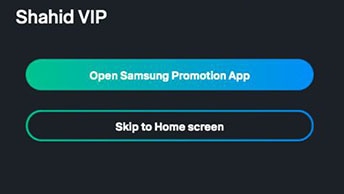 Click 'Open Samsung Promotion App'
 -
Step 3
 You will be redirected back to the Shahid app
 -
Step 4
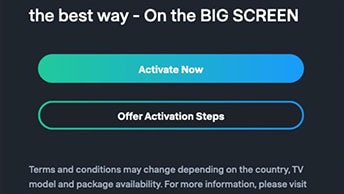 Click 'Activate Now', then accept your device reading information by clicking 'Accept'
 -
Step 5
 If your device is eligible, a light account is created with a random generated password. Click 'Complete your account registration process' to make changes and complete your VIP account registration.
 -
Step 6
 Start watching your favourite shows and movies!


