How to set up and use the Samsung Accounts
Important Note: The information on this page is for Hong Kong products only. Models, sequences or settings will vary depending on location and/or where the product had been purchased. To be redirected to your local support page please click here.
How to Set up a Samsung Account
It is recommended to setup the Samsung Account in the setup wizard.
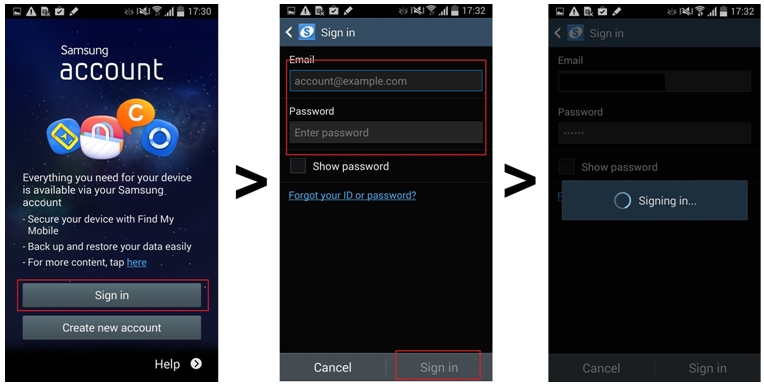
Samsung Account allows you to easily backup and restore data. If you already have a Samsung Account and you have previously backed up your data, login first and then choose to restore your data to the new device.
The restore process consists of two steps:
1. Downloading backed up data from your previous device
2. Restoring the data on to your new device.
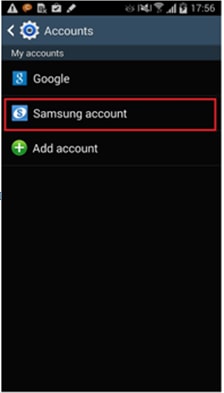
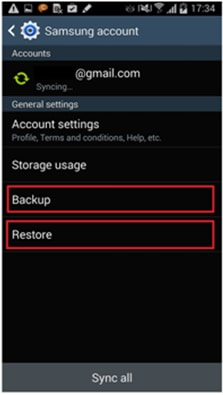
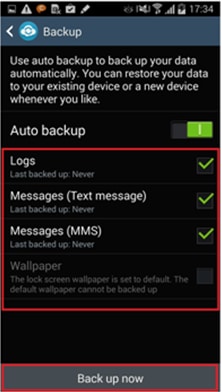
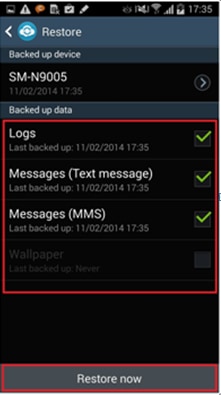
You can also make Samsung account in the Setting menu if you skipped the Setup wizard without setting up.
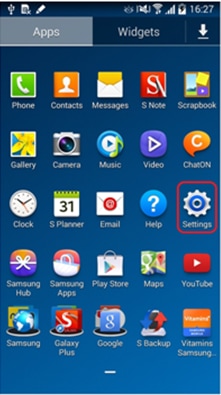
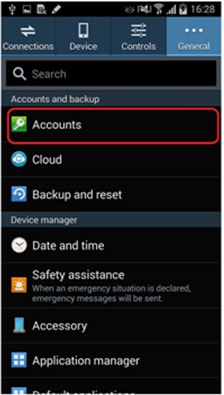
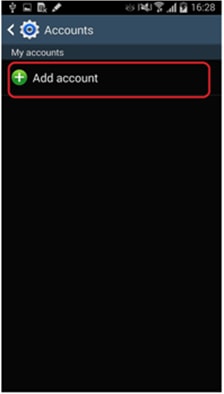
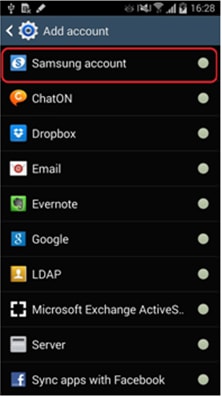
Samsung apps
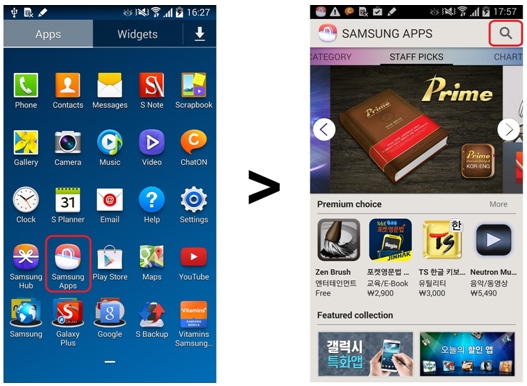
You can download an application from Samsung Apps easily.
Tap Samsung Apps > Tap Search icon > Type the text you want to search
Find my mobile
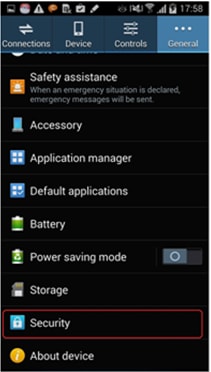
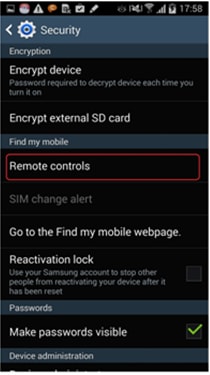
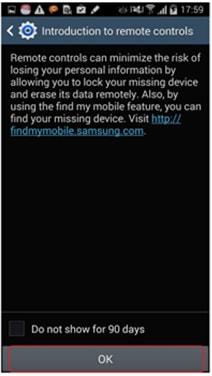
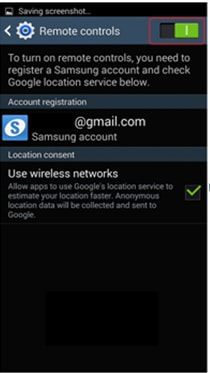
Find my mobile supports the some useful features. (Locate, Lock/Unlock, Ring, Wipe my mobile) Before using this, you should set some settings first in the mobile.
You can find the location in the PC. (http://findmymobile.samsung.com)
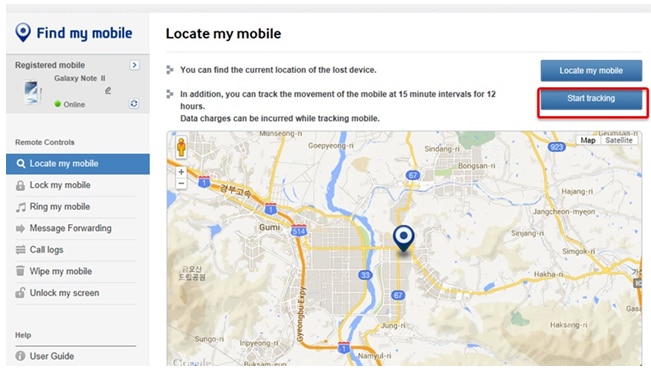
Other useful features in Find my mobile as follows:
Ring my mobile : The bell rings for 1 minute at the highest volume regardless of the mobile's sound and vibration settings
Message Forwarding : You can forward the messages sent to the lost mobile to a specified mobile number.
Call logs : Retrieve call logs during the last week
Wipe my mobile : Using the Wipe function, you can delete the data on a removable storage (e.g. external memory and SIM cards). Also using the Factory Data Reset function, you can delete the data on your mobile.
If the above information does not match what your product is showing, you may check the User Manual for your product. If you are unable to solve the problem, please contact us for further assistance.
Thank you for your feedback!
Please answer all questions.
RC01_Static Content : This text is only displayed on the editor page