How to use the Galaxy Avatar feature on your Samsung Galaxy devices
Important Note: The information on this page is for Hong Kong products only. Models, sequences or settings will vary depending on location and/or where the product had been purchased. To be redirected to your local support page please click here.
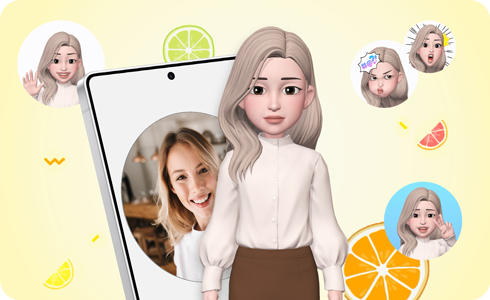
You can personalise your own avatar on your Samsung Galaxy devices running One UI 7. A Galaxy Avatar is a virtual character created to look just like you that you can use to take funny pictures or videos to share with friends and family. Follow the guide below to create your own avatar.
Notes:
- Images used are simulated for illustrative purposes and the actual UI may vary by OS version, device model, region, etc.
- Features may vary by software version, device model, region, etc.
The Galaxy Avatar feature creates your avatar by recognising your facial features and turning it into a cartoon-like version. Follow the steps below to create an avatar version of yourself.
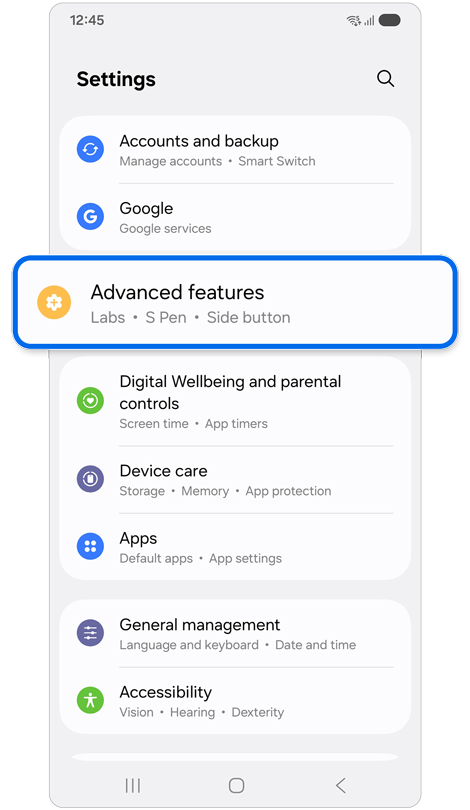
Step 1. Open Settings > Tap Advanced features.
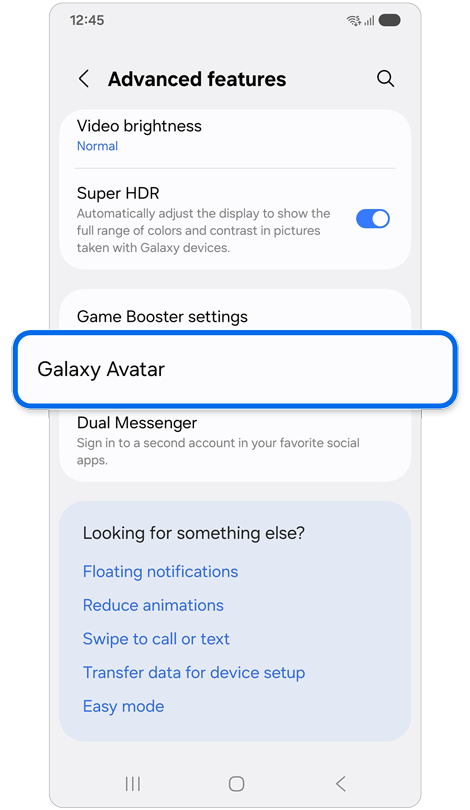
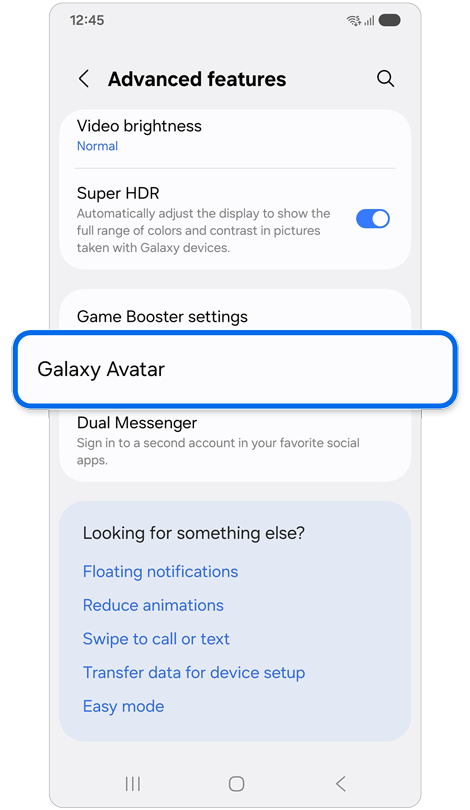
Step 2. Tap Galaxy Avatar.
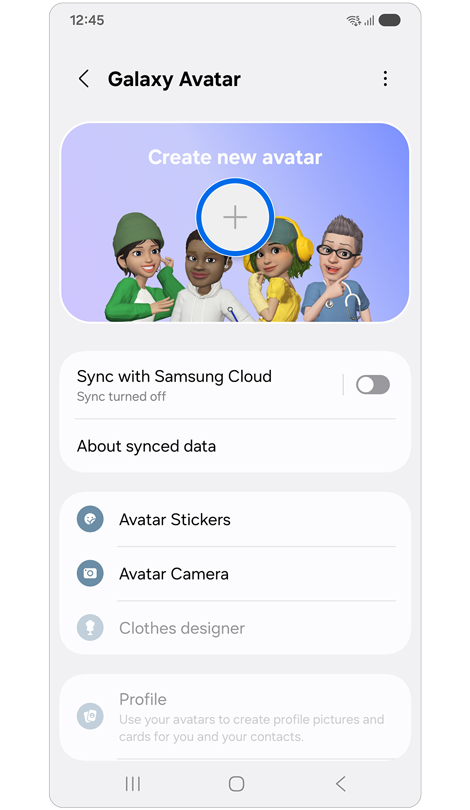
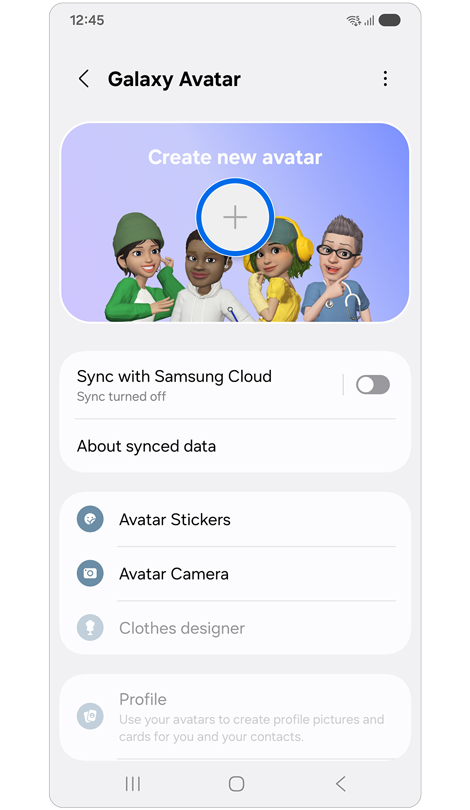
Step 3. Tap the Plus (+) icon.
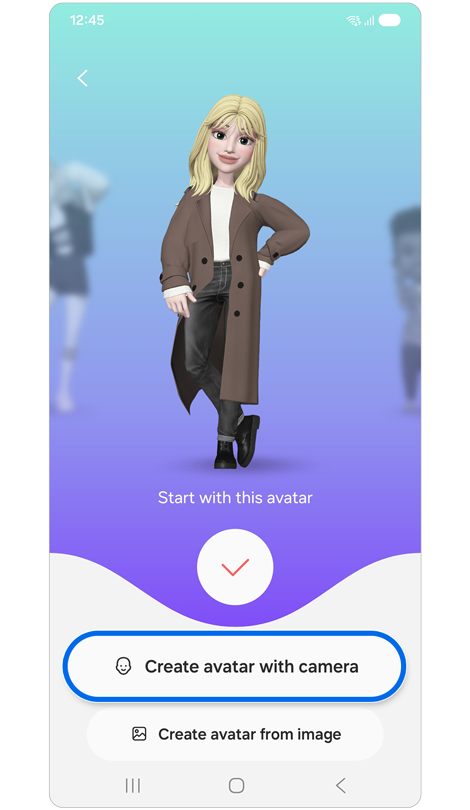
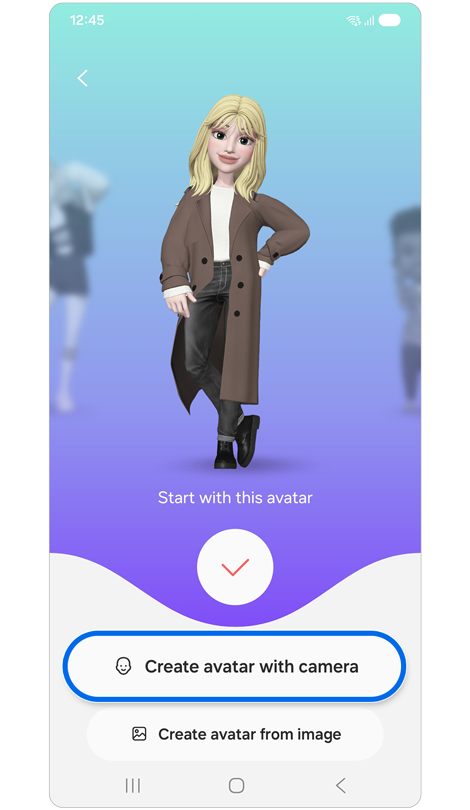
Step 4. Tap Create avatar with camera.
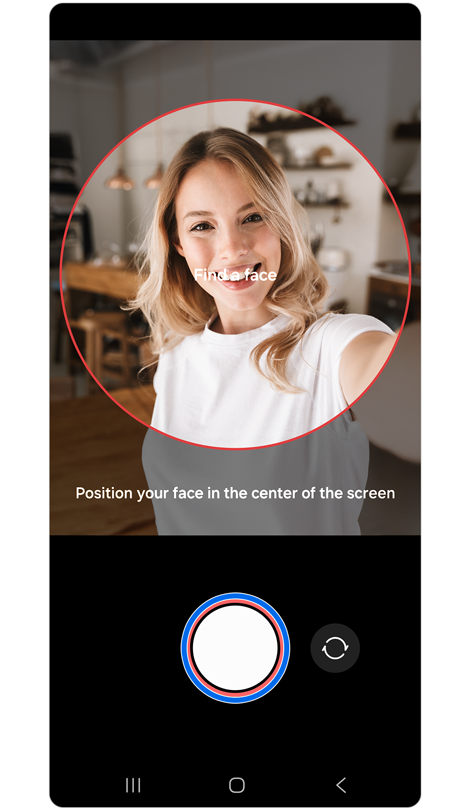
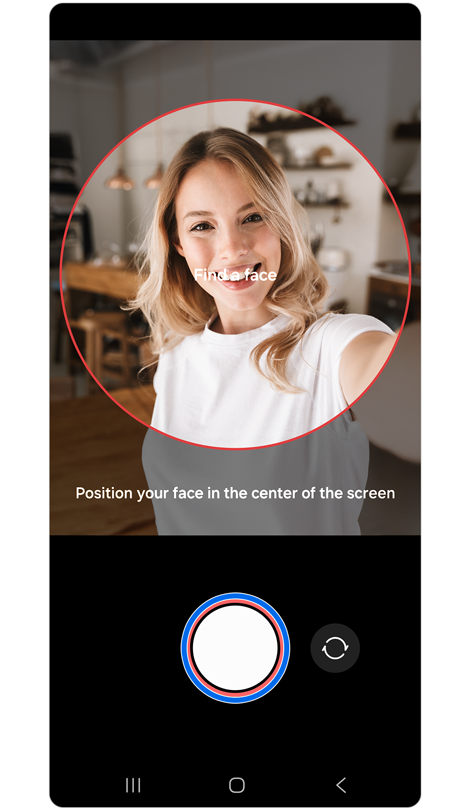
Step 5. Position your face in the center of the screen > Tap the Capture button.
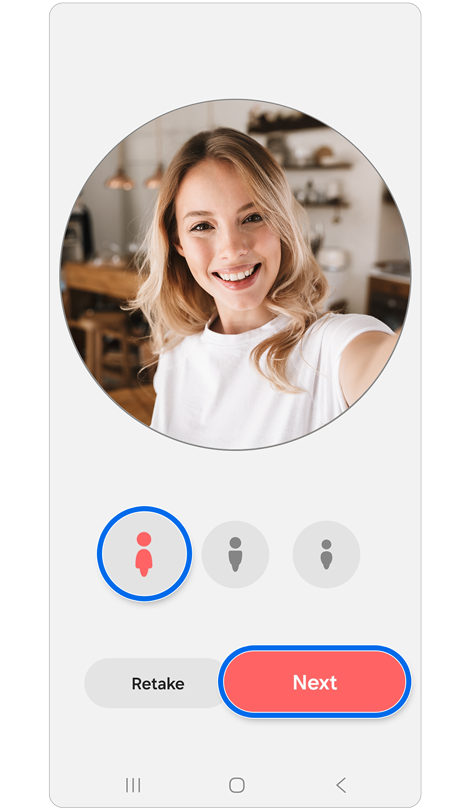
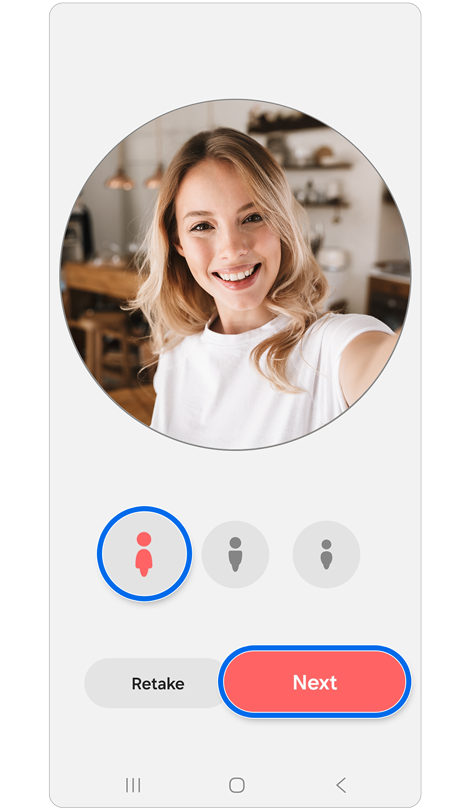
Step 6. Select your preferred body type > Tap Next.
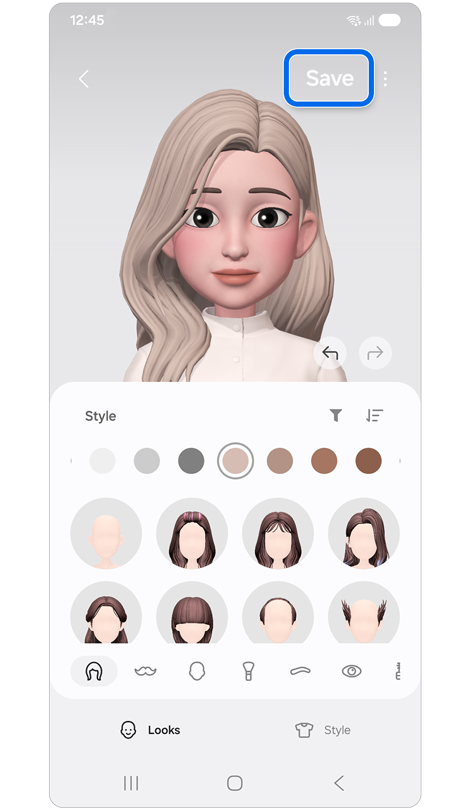
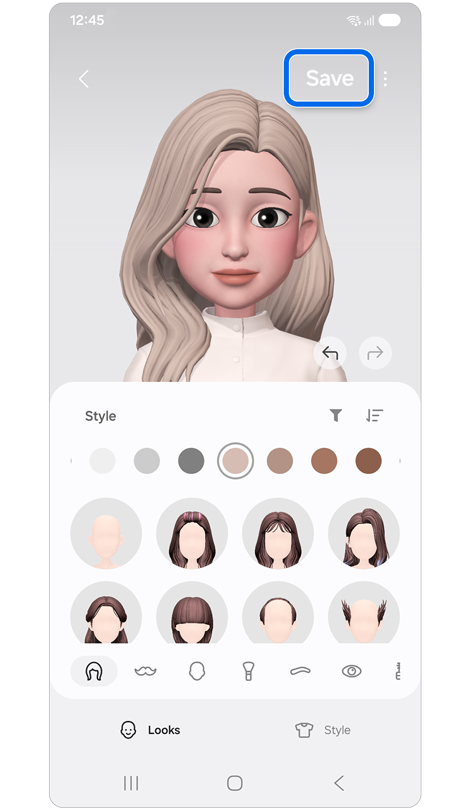
Step 7. Tap the Face, Makeup, Clothes, or Accessories icons at the bottom of the screen to personalise your avatar features > Tap Save.
You can create custom stickers to send in messages or use on social media by adding backgrounds, facial expressions, and motions to your Galaxy avatar.
Create Avatar Stickers
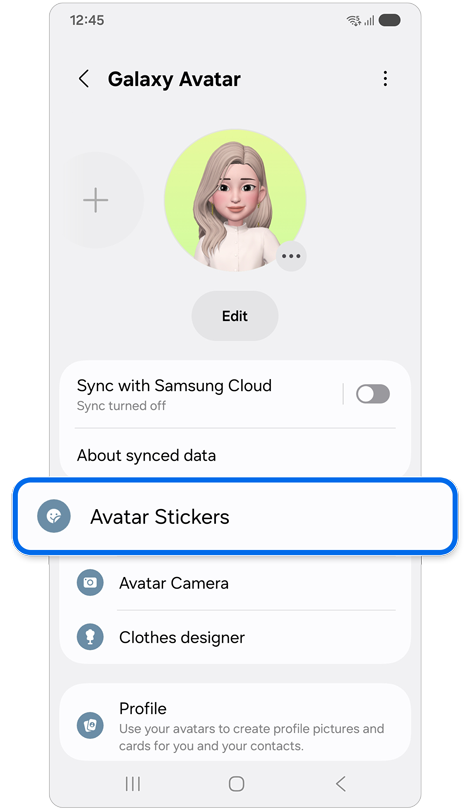
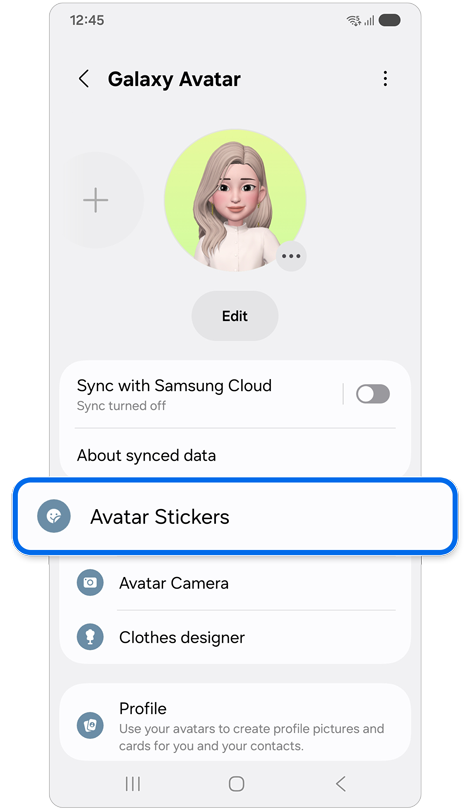
Step 1. Open the Galaxy Avatar feature > Tap Avatar Stickers.
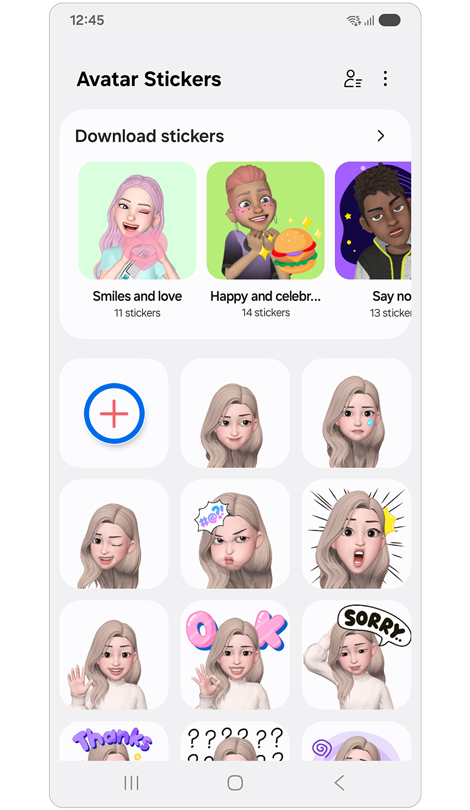
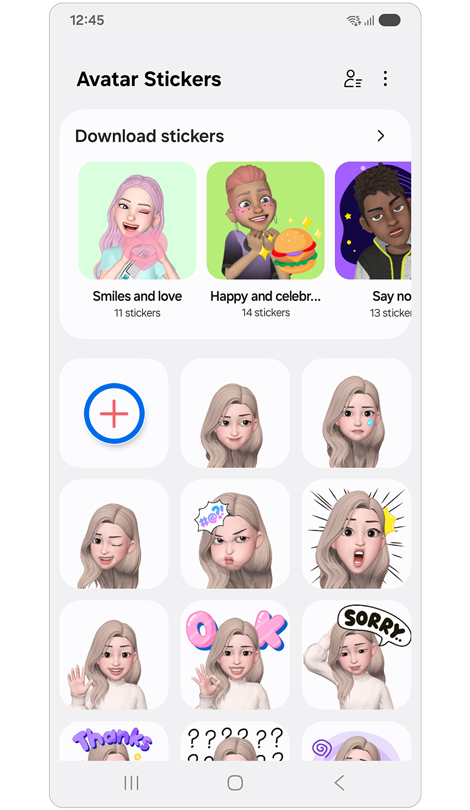
Step 2. Tap the Plus (+) button.
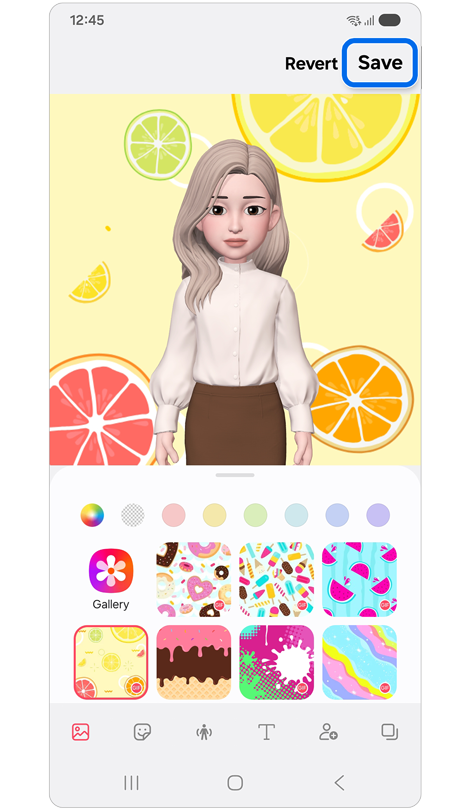
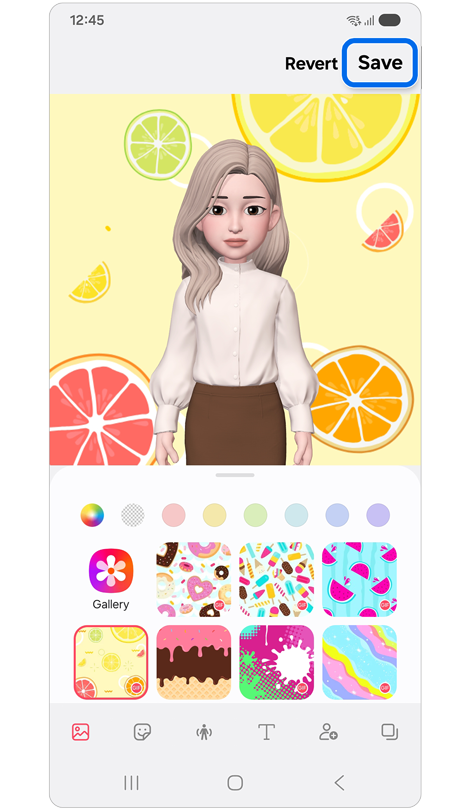
Step 3. Customise your sticker > Tap Save.
Send Avatar Stickers in messages
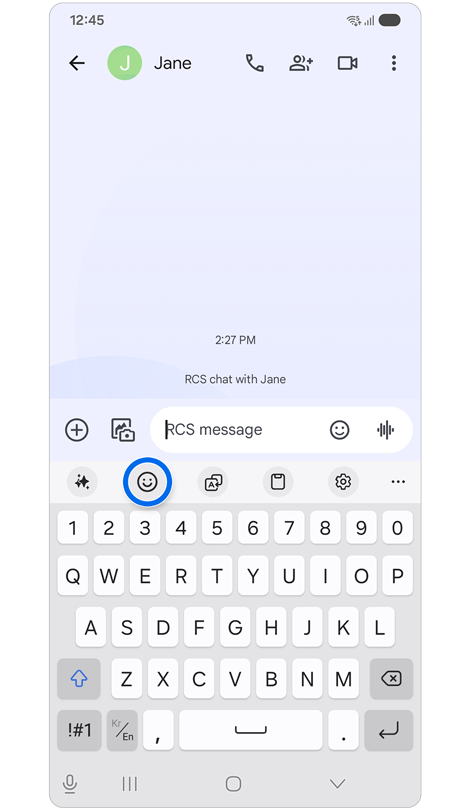
Step 1. Tap the Emoticon icon in your messaging app.
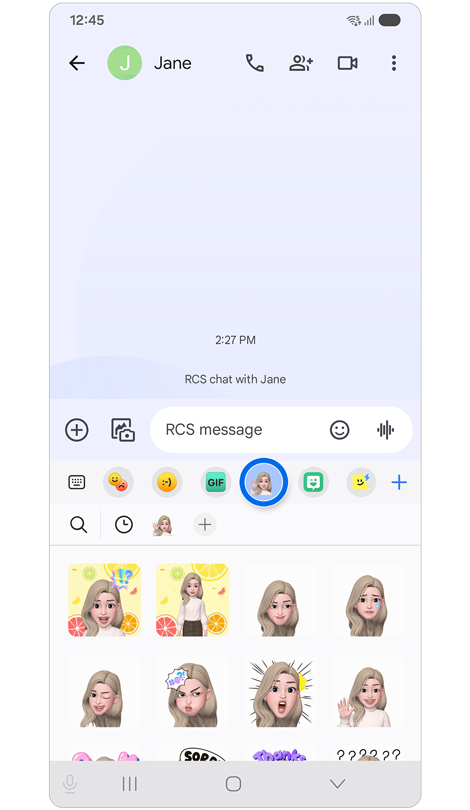
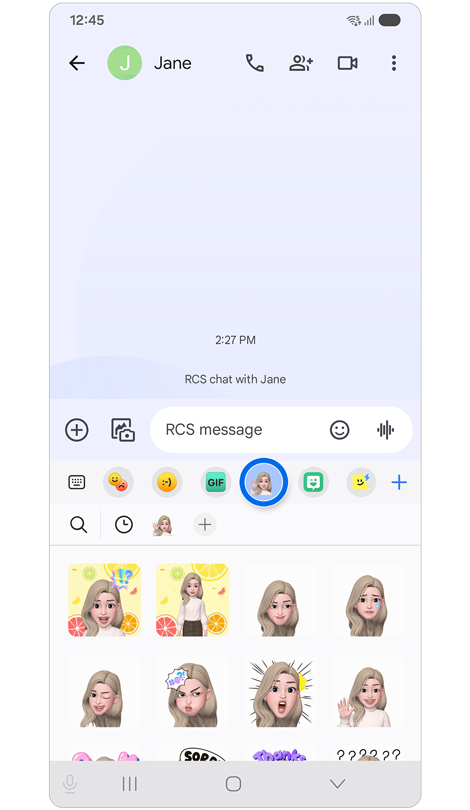
Step 2. Tap the Galaxy Avatar icon > Select an avatar sticker.
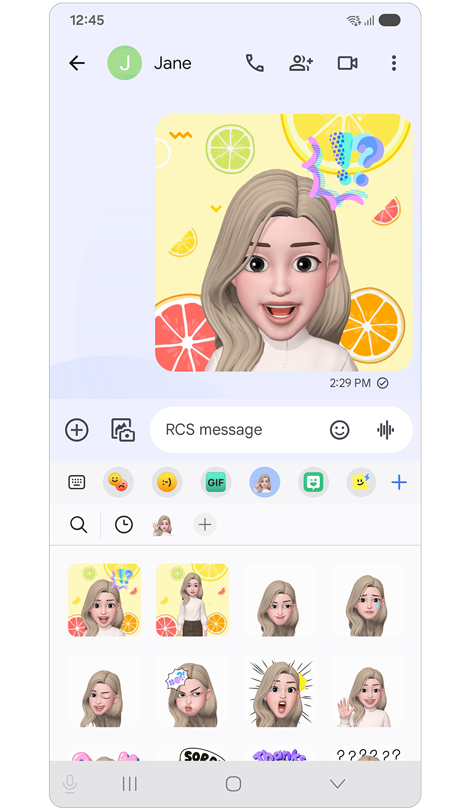
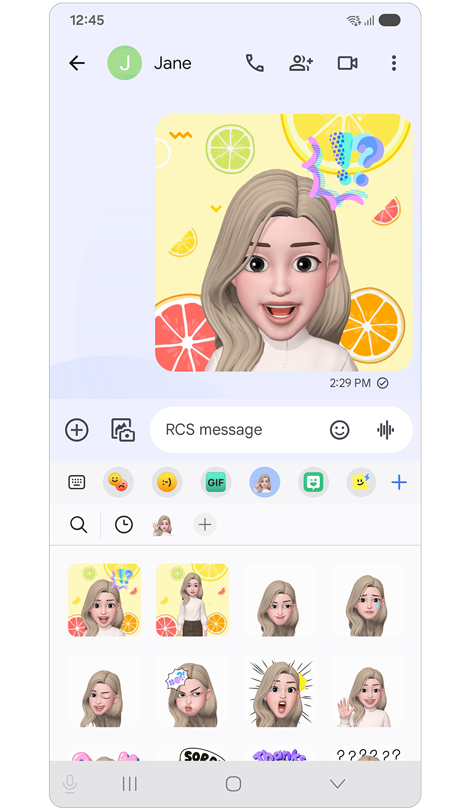
Step 3. Send a message.
You can take photos and videos with your Galaxy Avatar using the following photo modes:
- SCENE: The avatar mimics your facial expressions. You can also change the background image.
- MASK: The avatar face appears over your face so that it looks like you are wearing a mask.
- MIRROR: The avatar mimics your body movements.
- PLAY: The avatar moves on a real background.
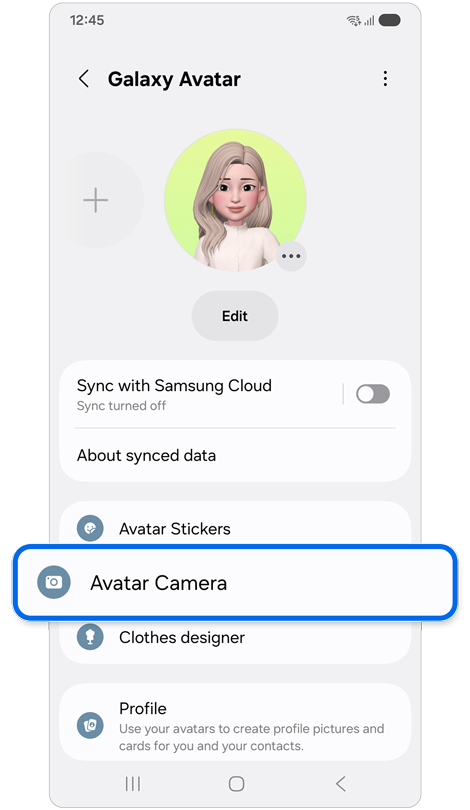
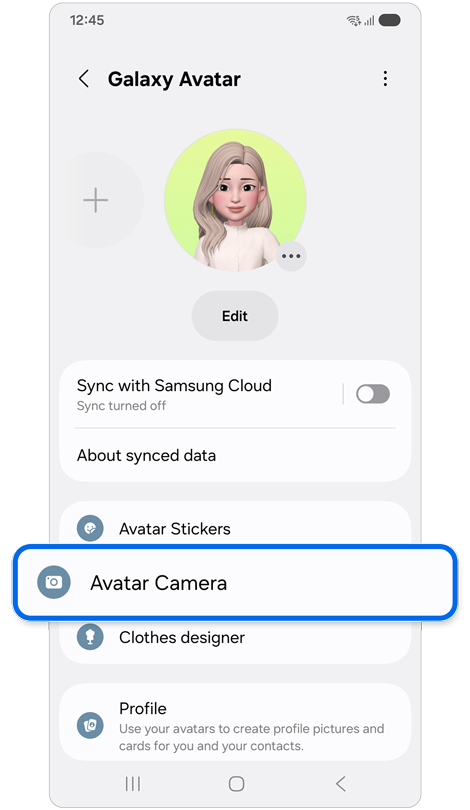
Step 1. Open the Galaxy Avatar feature > Tap Avatar Camera.
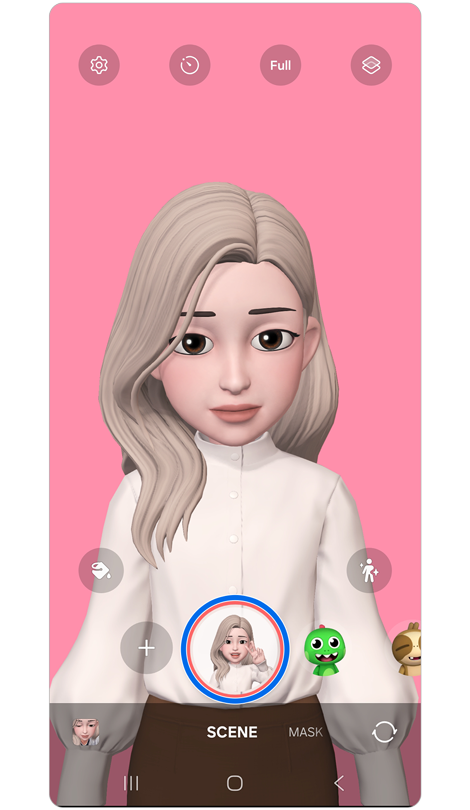
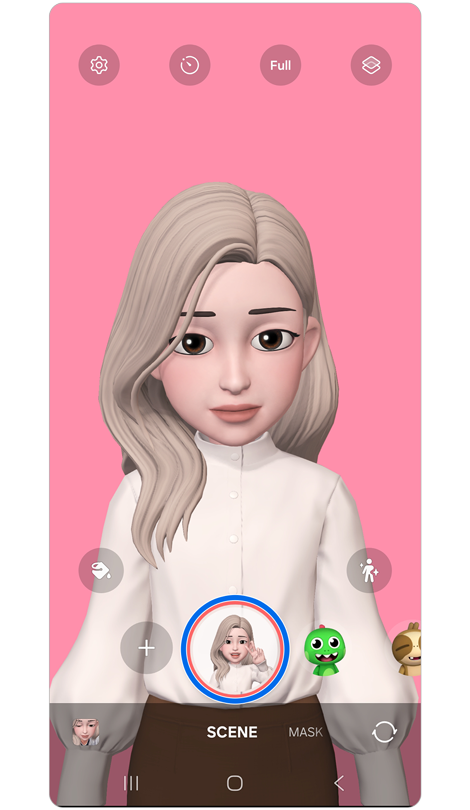
Step 2. Select your Galaxy Avatar and the mode you want to use > Tap the Avatar icon to take a picture or tap and hold the icon to record a video.
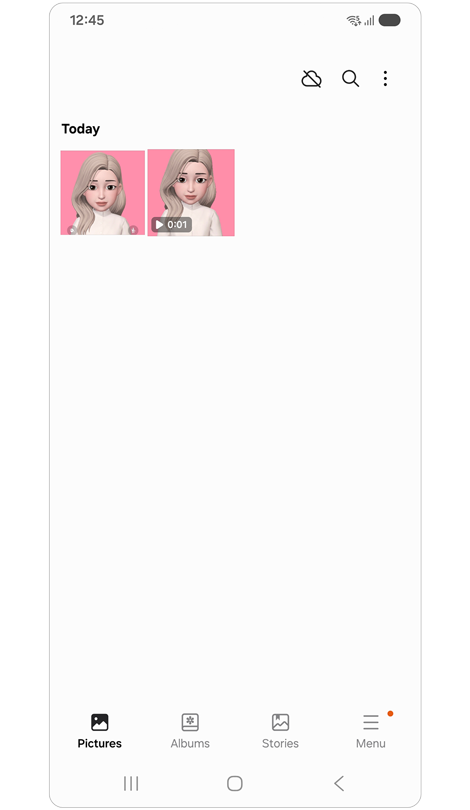
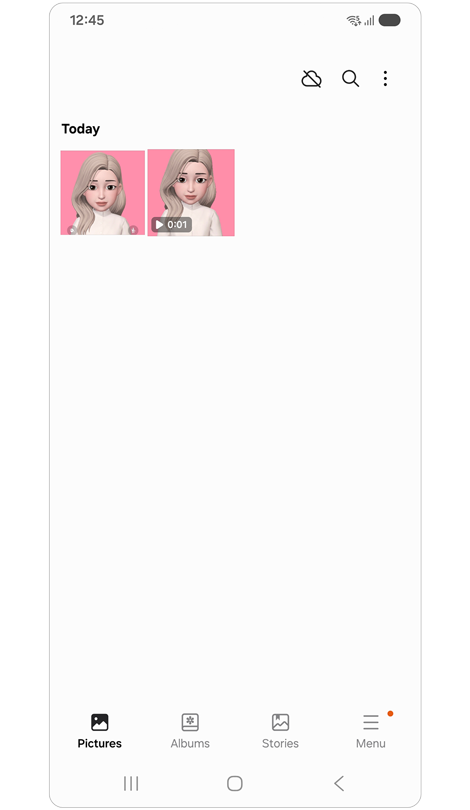
Step 3. View and share your pictures and videos from the Gallery.
Note: The Avatar Camera feature may not be available on certain models.
You can quickly access the Galaxy Avatar feature on the Apps screen by setting this feature to be visible on the Apps screen.
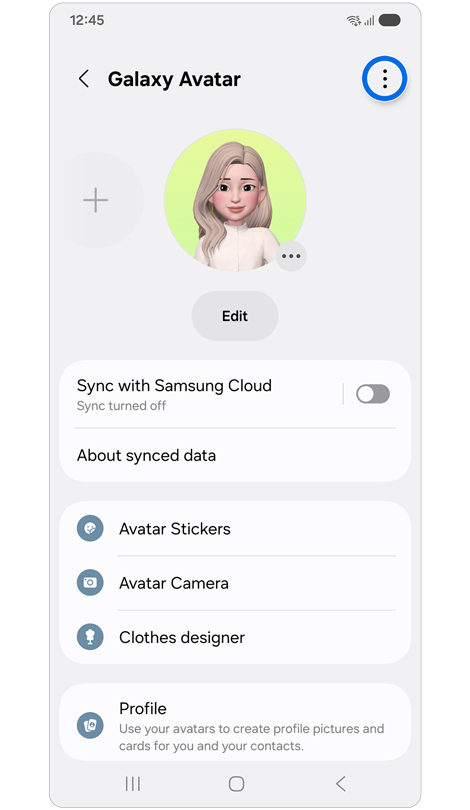
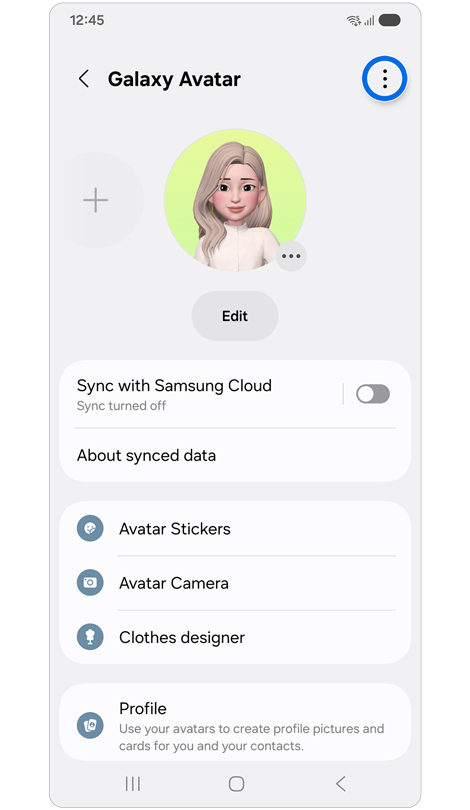
Step 1. Open the Galaxy Avatar feature > Tap More options (three vertical dots) in the top right corner.
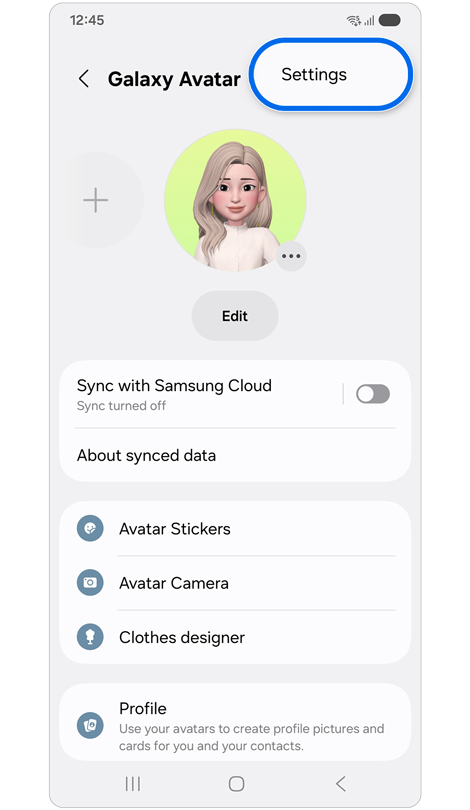
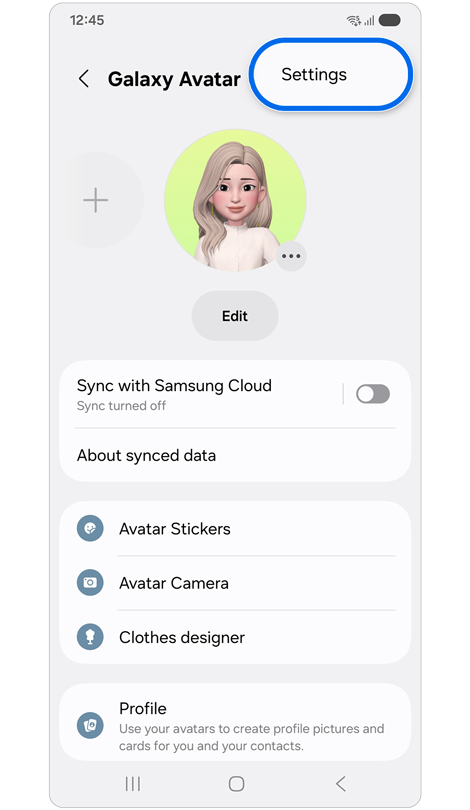
Step 2. Tap Settings.
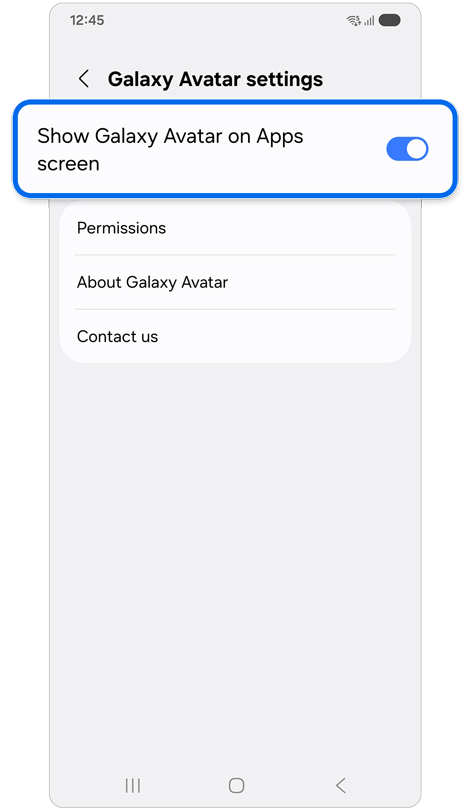
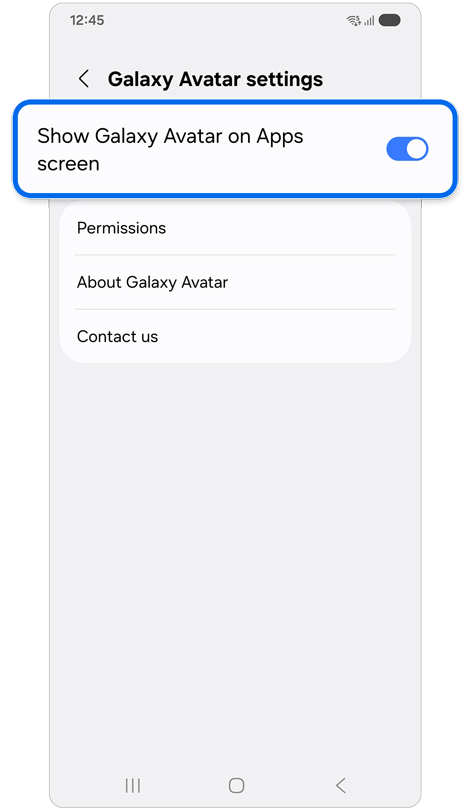
Step 3. Tap the switch to enable Show Galaxy Avatar on the Apps screen.
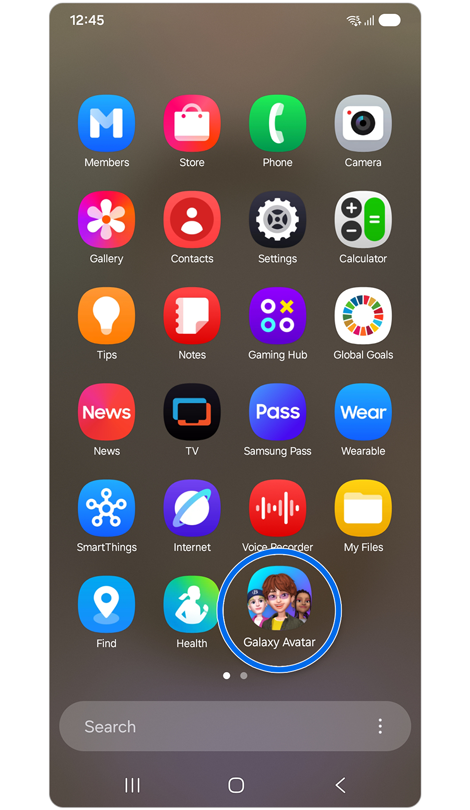
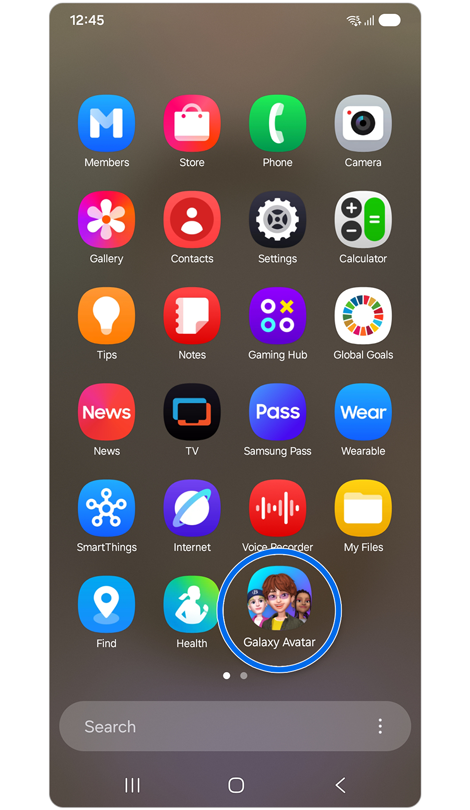
Step 4. You can access Galaxy Avatar from the Apps screen.
If the above information does not match what your product is showing, you may check the User Manual for your product. If you are unable to solve the problem, please contact us for further assistance.
Thank you for your feedback!
Please answer all questions.
RC01_Static Content : This text is only displayed on the editor page