Know what the green dot at the top of your screen means
Important Note: The information on this page is for Hong Kong products only. Models, sequences or settings will vary depending on location and/or where the product had been purchased. To be redirected to your local support page please click here.
Privacy and transparency regarding use of the camera and microphone by certain applications is a major concern for Samsung.
Since Android 12 (S OS), Samsung has included several enhancements to improve the user privacy protection experience.
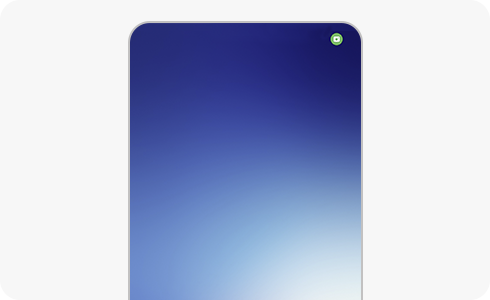
This green dot is a tool that allows you to know when an application is accessing the device's camera or microphone in real time by displaying a green dot at the top of the notification panel.
When viewing or scrolling through the menus, you can see whether or not some apps use the camera or the microphone.
You can also see which applications are accessing these functions if you tap on the green dot.
How to know which apps are using your camera or microphone


Step 1. The tool will display the green dot at the top right, showing whether the microphone, camera, or both are in use.


Step 2. A few seconds later, only a green dot will be displayed with the rest of the indicators.


Step 3. Open the notification bar and tap on the green dot.


Step 4. Now you can easily see which application is using the camera or microphone.
Check and modify camera and microphone access permission
You can check your camera and microphone status and change them as needed.
If you want to check the permission list, please follow the next steps.
Please, follow the next steps.
If the above information does not match what your product is showing, you may check the User Manual for your product. If you are unable to solve the problem, please contact us for further assistance.
Thank you for your feedback!
Please answer all questions.
RC01_Static Content : This text is only displayed on the editor page