Update software on your Samsung Galaxy Watch
Important Note: The information on this page is for Hong Kong products only. Models, sequences or settings will vary depending on location and/or where the product had been purchased. To be redirected to your local support page please click here.
Your Samsung Galaxy Watch isn’t all cogs and gears - it’s wires, processors, data chips, and software! And just like with any other smart device, the watch's software and apps will need to be updated every so often. Luckily, you can update both whether or not you have a phone!
Note: Available screens and settings may vary by phone, watch, and software version.
Update the software on your watch
When your phone and watch are connected, you can use the Galaxy Wearable app to regularly check for updates. Or, if you initially set up your watch without a phone, you can apply updates from the watch itself.
Update watch software with an Android phone
1. Make sure the watch has a good charge on it before starting the update process. You may not be able to update without at least a 30% charge.
2. On the connected phone, navigate to and open the Galaxy Wearable app.
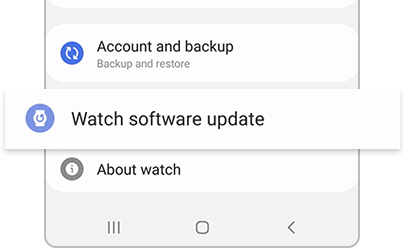
3. Tap Watch settings, and then tap Watch software update. Tap Download and install.
4. While the software update is being applied, the watch will reboot and show a progress bar or rotating animation.
You can also update a watch directly from the watch. It will still need to be paired to a compatible Android phone. Just open Settings, scroll down to and then tap Software update.
If the above information does not match what your product is showing, you may check the User Manual for your product. If you are unable to solve the problem, please contact us for further assistance.
Thank you for your feedback!
Please answer all questions.
RC01_Static Content : This text is only displayed on the editor page