What is the best Samsung robot vacuum cleaner for you?
Brush up on your knowledge of robot vacuum cleaners
and the benefits of AI for your home.
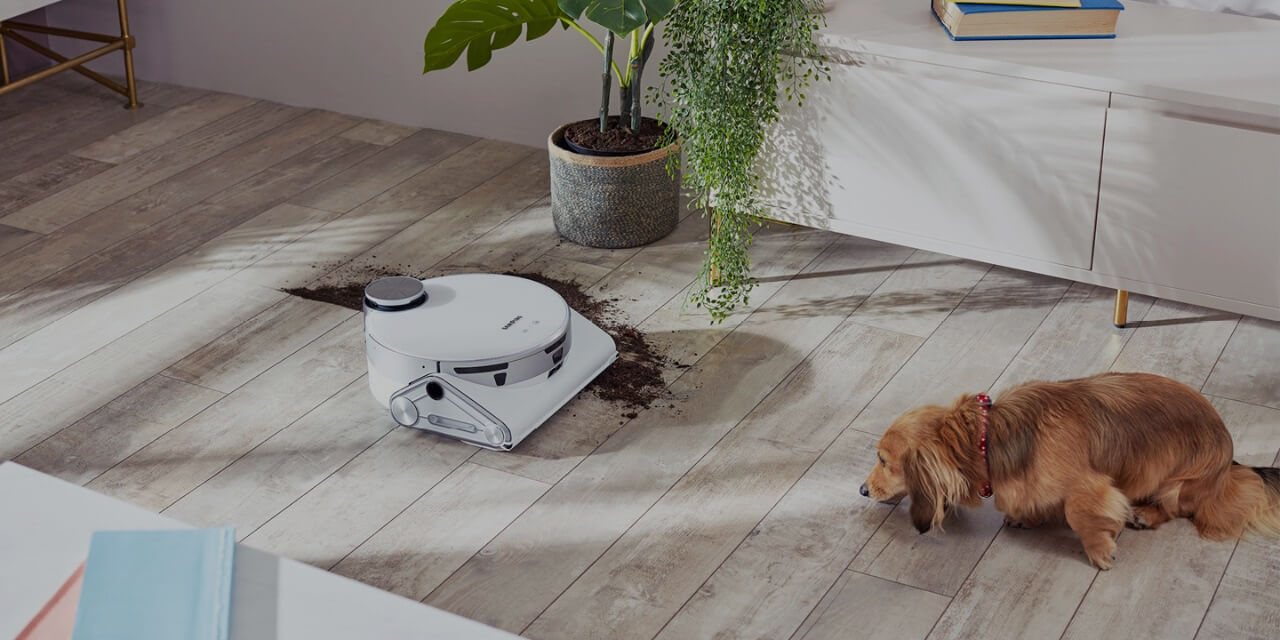

Vacuum cleaners are a household essential, with their simple design having been unchanged for many decades. Innovations in recent years have meant these hard working appliances have been increasingly associated with words such as ‘robot’ and ‘automatic’, with robot vacuum cleaners using artificial intelligence (AI) emerging as a new product category altogether. This article explains what AI vacuum cleaners are, how they work, and how AI can help simplify your home.
What is a robot vacuum cleaner?
Originally the stuff of science fiction, a robot vacuum cleaner is an automatic vacuum that cleans surfaces around your house without you having to lift a finger. Unlike regular vacuums, they can be scheduled* to clean at specific times during the day, so you can let them work while you’re away and be sure your floors will be gleaming by the time you’re back home!
Robot vacuum cleaners have gone through many developments over the years, with the most basic models following preset cleaning schedules. More advanced models such as the Samsung Jet Bot feature fibre extracting brushes and AI powered navigation.
*Requires SmartThings App available on Android and iOS devices. A Wi Fi connection and a Samsung account are required.


*Requires SmartThings App available on Android and iOS devices. A Wi Fi connection and a Samsung account are required.
What are the benefits of using a robot vacuum cleaner?
Robot vacuum cleaners offer many benefits that make them a popular choice. Here are some of the key reasons why investing in a Samsung robot vacuum is a sound decision.
Convenience: Robot vacuums operate independently, freeing you from manual vacuuming. You can schedule cleaning cycles, and premium models even self-empty into a large container.
Time-saving: Once set up, a robotic vacuum can handle most cleaning tasks, allowing you to focus on other activities while it works.
Effective Cleaning: Robot vacuums use sensors to navigate and clean open spaces, along walls, and under furniture. They capture dust and debris from hard-to-reach areas ensuring a cleaner environment.
Smart Integration: Robot vacuums are controlled via smartphone apps which makes them easy to control and manage.
Energy Efficient: They typically consume less energy than traditional upright vacuums and don’t draw power from an outlet while in use.
Compact and Easy to Store: These vacuums are small (typically 13-14 inches in diameter and 5 inches tall) and lightweight, making them easy to store.
Quiet Operation: Robot vacuums produce less noise (using around 55 and 80 decibels) compared to standard upright vacuums.
What technology do Samsung robot vacuum cleaners use?
Robot vacuums use LiDAR technology to understand which obstacles need to be avoided, and where the flat surfaces that need to be cleaned are. The robot vacuum cleaner will gradually learn which areas are cleanable.
Samsung Jet Bots like the VR30T80313W Robot Vacuum Cleaner, use a LiDAR Sensor to scan the room1 using an invisible laser. The machine then uses these scans to map out the room so that it has a safe cleaning path to avoid2 any risk of damage to the robot vacuum and any objects it encounters. Robot vacuums are typically smaller than handheld vacuums, so they are able to clean even difficult to reach areas in your room such as under beds and sofas. Anti-Cliff technology also ensures that your robot vacuum avoids dropping points such as a flight of stairs, preventing the risk of damage to your machine.
AI takes the automatic navigation of robotic vacuum cleaners to the next level. AI is where a machine has the ability to think and learn in a similar way that a human would do. Technologies such as Samsung’s Jet AI Object Recognition - a feature of the Jet Bot™ AI+ robot vacuum cleaner - are able to constantly identify different obstacles and map their location. These AI robot vacuum cleaners are able to clean closely around general items, while keeping a safe distance from fragile objects or anything that could be a danger to it. They can also adapt to changes in room layout and your pets as you go about your daily lives!
- 1Scans 360° over an area of 6 meters at 10 rotations per second.
- 2Object recognition may be affected by an object’s shape or the environmental conditions.


- 1Scans 360° over an area of 6 meters at 10 rotations per second.
- 2Object recognition may be affected by an object’s shape or the environmental conditions.
You can control and monitor your Jet Bot anytime, anywhere thanks to its Wi-Fi control. Using the SmartThings app3, you can remotely schedule it to clean selected rooms or set virtual no-go zones. You can even monitor its cleaning status to where it is cleaning in real time using Jet Live.
And when it comes to emptying, the Samsung Jet Bot AI+ automatically returns to the separate Clean Station, which then removes the dust and dirt4 using specialist Air Pulse technology. There’s even a multi-layered filtration system to ensure 99.999%5 of fine dust particles are trapped rather than re-entering the atmosphere. You simply need to empty the Clean Station bag every 1-3 months6, it’s as easy as that!
- 3Requires SmartThings App available on Android and iOS devices. A Wi Fi connection and a Samsung account are required.
- 4Results may vary depending on individual use. Dust and hair stuck inside the grille may not be removed with a single cycle.
- 5Based on internal testing, using Max mode, in accordance with the IEC62885-2 Cl. 5.11 standard. Results may vary depending on the actual home conditions.
- 6May vary depending on the amount of dust in actual home environments.


- 3Requires SmartThings App available on Android and iOS devices. A Wi Fi connection and a Samsung account are required.
- 4Results may vary depending on individual use. Dust and hair stuck inside the grille may not be removed with a single cycle.
- 5Based on internal testing, using Max mode, in accordance with the IEC62885-2 Cl. 5.11 standard. Results may vary depending on the actual home conditions.
- 6May vary depending on the amount of dust in actual home environments.
How do Samsung robot vacuums navigate and map your home?
Samsung robot vacuums, such as the Jet Bot™+, utilise LiDAR sensors to precisely map and navigate your home. The LiDAR sensor accurately tracks the robot’s location by scanning the room in a 360⁰ pattern over an area of 6 meters at 10 rotations per second. Using this distance information, the robot calculates its position and optimises its cleaning path to ensure efficient coverage. The latest Samsung Robot vacuum cleaners also benefit from AI Floor Detect which automatically identifies different floor types. For instance, on carpet the robot lifts the mop pads or detaches them at the All-in-One Clean Station+ to avoid cross contamination.
The Samsung robot vacuum is managed via the SmartThings app on your smartphone. From here you can create and manage your household maps and customise the vacuum’s cleaning area. You can create “no-go zones”, monitor the vacuum’s progress, and even set cleaning schedules for specific rooms or areas.
Are AI vacuum cleaners as powerful?
Advances in battery and cyclone technology have meant that modern AI and robot vacuum cleaners are just as powerful as their handheld equivalents. Different surfaces also require different power levels to ensure dust and debris are extracted.
Features like Samsung’s Intelligent Power Control* are able to identify the type of surface and then automatically adjust the suction power, meaning increased suction power for carpets, with less power necessary for hard surfaces. You can find out more about what suction power means in this article.
Samsung Jet Bot vacuums also use rolling brushes to pick up hair, fine fibres and debris, which are then ground up to avoid getting them tangled. Dust and debris is then stored within the device. Learn about what features to look out for in a vacuum cleaner here.
*Intelligent Power Control is only available in Smart mode.


*Intelligent Power Control is only available in Smart mode.


How long do robot vacuums last?
The maximum single use run time on our Samsung vacuums is approximately 90 minutes which can vary depending on the level of power that is used when cleaning. Some automatic vacuums such as the Jet Bot are able to automatically dock after cleaning, meaning you will never need to worry about charge running out of your cleaner or forgetting to dock it yourself.


Can I control a Samsung Robot Vacuum via the SmartThings app?
When you are out of the house on dog walks or at work, you can control and monitor your vacuum cleaner via Wi-Fi from your Samsung device using the SmartThings app*. Then, when you’re at home and have your hands full, you can use voice commands to start your robot vacuum. Samsung Jet Bot AI+, Jet Bot+ and Jet Bot are compatible with Samsung Bixby**, Amazon Alexa*** Amazon Alexa*** and Google Assistant****. So when life gets a bit much, all you need to do is say ‘Alexa, start my vacuum cleaner’ and your Samsung Jet Bot will do the heavy cleaning for you.
- *Requires SmartThings App available on Android and iOS devices. A Wi-Fi connection and a Samsung account are required.
- **Bixby service availability requires Samsung Account login and data connection. Commands include Scheduling, Moving, Charging, Changing cleaning mode, Checking the robot's status, and Finding the robot's location. Bixby only recognizes certain accents and dialects of English (UK), English (US), French (France), German (Germany), Italian (Italy), Korean (South Korea), Mandarin Chinese (China), Spanish (Spain) and Portuguese (Brazil). Other languages to be supported. Bixby is available on selected Samsung smart phones. Jet Bot needs to be registered with SmartThings App, available on iOS and Android.
- ***Amazon Alexa supported languages: English, French, German, Hindi, Italian, Japanese, Portuguese, Spanish.
- ****Google Assistant supported languages: English, Danish, Dutch, French, German, Hindi, Indonesian, Italian, Japanese, Korean, Norwegian, Portuguese, Spanish, Swedish, Thai.
Do Robot Vacuums get stuck?
Whether it's shoes, pet toys, child toys or pieces of furniture, our homes are full of obstacles for robot vacuum cleaners. Samsung Jet Bot AI+ uses Jet AI Object Recognition Technology to cleverly identify and map out which objects to avoid* when cleaning your home, ensuring it doesn’t pick up any unwanted items.
You can also create ‘no-go zones’** in your home which will ensure your Samsung robot vacuum will stay clear of those areas. This feature is particularly useful if you have a nervous or over-excitable family pet that you wish to keep away from your robot vacuum.
- *Requires SmartThings App available on Android and iOS devices. A Wi Fi connection and a Samsung account are required.
- **Object recognition may be affected by an object’s shape or the environmental conditions.


- *Requires SmartThings App available on Android and iOS devices. A Wi Fi connection and a Samsung account are required.
- **Object recognition may be affected by an object’s shape or the environmental conditions.
Home Appliances Buying Guide
Find the perfect appliances to level up your home life, with our Home Appliances Buying Guide offering all the tips and information you need.


Video Schema
FAQ Schema
