Where can I check IMEI, Model Code & Serial Number in Samsung mobile
Last Update date : Mar 20. 2026
इस लेख को हिंदी में देखने के लिए कृपया यहाँ क्लिक करें
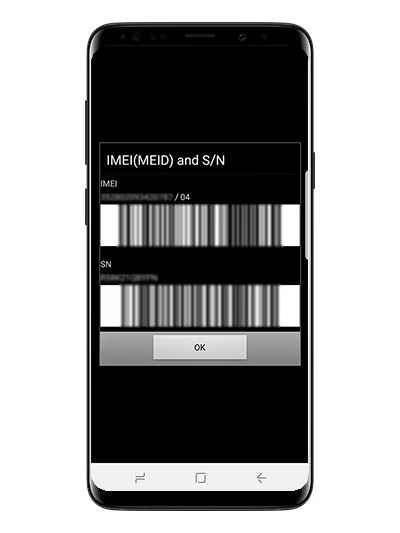
Inside settings menu
![]()
![]()
![]()
![]()
![]()
![]()
Please Note: Screenshots below were taken from Android OS Version 9.0 (Pie)


Step 1. Swipe down access your Quick Settings -> Settings


Step 2.Tap on About phone


Step 3. The Model Number, Serial Number and IMEI will be displayed
Using Dialer Pad (IMEI and Serial Number only)
![]()
![]()
![]()
![]()


Step 1. Dial *#06#
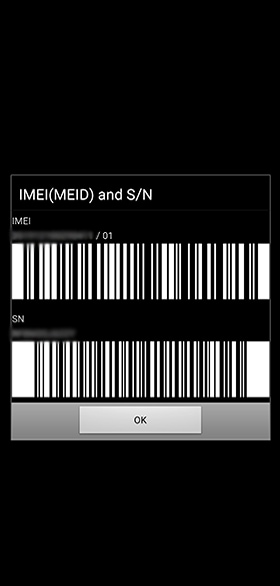
Step 2. The screen displayed IMEI & S/N.
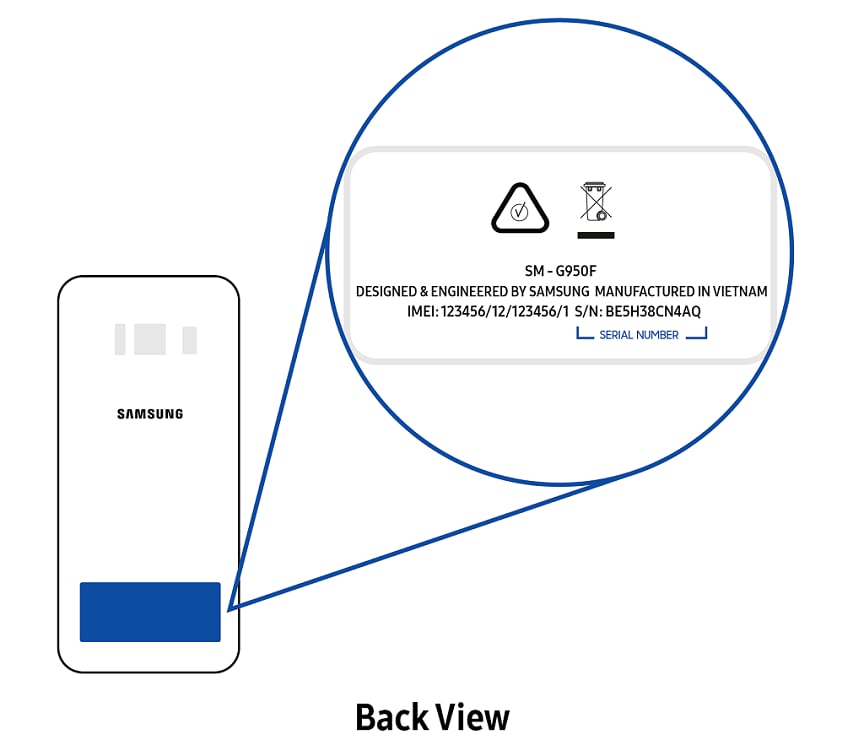
On the device
![How do I locate my phone's IMEI number?]()
The Model Number, Serial Number and IMEI are printed on the back of your device.
Other topic you may be interested in:

Thank you for your feedback!
Please answer all questions.
Contact Info
Digital Service Center
![DSC icon image]()
![DSC icon image]()


Get customized support, access to DIY videos and FAQs, or schedule a callback request to connect with an expert.

Scan to access
Scan to access
WhatsApp
![WhatsApp image icon]()
![WhatsApp image icon]()


WhatsApp us for services-related interaction.
Languages offered : English/ हिन्दी/ Indian Regional Languages
Available 24 Hours / 7 days
WhatsApp@ 1-800-5-726-7864

Scan to access
Languages offered : English/ हिन्दी/ Indian Regional Languages
Available 24 Hours / 7 days
WhatsApp@ 1-800-5-726-7864
Scan to access


Face-to-Face Support
![Image of location icon]()
![Image of location icon]()


Whether your product is in warranty or out of warranty, we're here to help.
Remote Service
![Image of RM icon]()
![Image of RM icon]()


Remote diagnostics by our specially trained technicians for your Galaxy device and Samsung TV


Phone Support (India)
![image of phone dialer]()
![image of phone dialer]()


Available: 8 AM to 8 PM (All 7 days)
Phone Support (Bangladesh, Sri Lanka, Nepal)
![Image of caller icon]()
![Image of caller icon]()
RC01_Static Content : This text is only displayed on the editor page